
Dual Touch Screen POS Setup, Integration and Installation Tips
A dual touch screen POS is a two-display point of sale configuration that gives staff an operator interface while presenting selected transaction details, loyalty prompts, payment instructions, or promotional content to customers. Successful deployment depends on more than adding a second monitor: buyers must confirm operating-system compatibility, touch protocol support, display mounting, payment-terminal integration, network resilience, data security, peripheral mapping, accessibility, and serviceability. This guide explains how to scope, integrate, install, test, and maintain a customer-facing and cashier-facing POS workstation for retail, hospitality, supermarket, and other high-volume environments.
Planning a Two-Display Point of Sale Workstation
Define the operational purpose of each screen
The first screen normally supports cashier or server workflows such as item lookup, order entry, discounts, stock checks, refunds, and end-of-shift procedures. The second display should have a clearly defined customer or secondary-operator purpose. It may show item names, quantities, prices, tax, subtotal, payment status, digital receipts, loyalty enrollment, age-verification prompts, or branded content. A project becomes difficult to manage when the customer display is treated as a generic duplicate rather than as a role-specific interface.
Retail operators should decide whether customers can touch the secondary display. A passive customer-facing monitor reduces accidental input and may be adequate for conventional checkout. A capacitive touch panel can support tip selection, language choice, signature capture, loyalty consent, and self-service payment flows, but it introduces additional requirements for privacy, interface design, cleaning, and accessibility. Restaurants may need the second panel to display order confirmation, modifiers, allergen information, and tipping options without exposing staff controls.
Confirm hardware and software compatibility before purchase
Compatibility should be documented at the bill-of-materials stage. Check the POS application’s supported operating systems, display-extension method, touch-driver requirements, maximum resolution, refresh rate, USB port allocation, and graphics capability. A system that supports two video outputs does not automatically support independent touch input on both panels. Touch events must be assigned to the correct display, and the application must know whether the second panel is an extended desktop, a mirrored screen, or a dedicated customer-display endpoint.
Common connection choices include HDMI, DisplayPort, USB-C, USB for touch data, Ethernet, and proprietary POS interfaces. Buyers should avoid relying on untested adapters, especially in high-volume stores where intermittent video loss can interrupt transactions. The specification should identify cable lengths, locking mechanisms, strain relief, port accessibility, and the availability of replacement cables. For integrated payment, confirm whether the payment device communicates through USB, Ethernet, serial, Bluetooth, or a certified payment middleware layer.
Design for ergonomics, cleaning, and service access
The operator panel should be positioned to minimize repeated wrist extension, shoulder rotation, and visual obstruction. VESA-compatible mounts can support height and angle adjustment, but the mounting structure must be rated for the combined weight of both panels and withstand repeated contact. A customer display should face the shopper directly, preserve a clear view of the transaction, and avoid exposing staff-only information from side angles.
Material selection matters in food service and convenience retail. Smooth bezels, sealed touch surfaces, and limited crevices simplify cleaning. However, the operator must use cleaning agents approved by the equipment manufacturer; aggressive solvents or excessive liquid can damage coatings, seals, and touch sensors. The installation plan should leave enough space to reach the power switch, network port, cash drawer connection, and service labels without removing the entire workstation.
Integration, Connectivity, and Transaction Security
Map peripherals and applications systematically
Before deployment, create a peripheral map that records each device, port, driver, IP address, power source, and software dependency. Typical components include a barcode scanner, receipt printer, cash drawer, customer display, payment terminal, kitchen printer, scale, price checker, and handheld ordering device. The map should also state which device controls the drawer kick signal, which printer handles receipts, and which application service owns payment status.
Use a controlled configuration rather than connecting devices randomly during installation. Assign stable device names and document printer queues, scanner modes, receipt templates, tax settings, tender types, and refund permissions. A price checker or handheld POS device may require a separate network segment or application API, while a thermal printer may operate through a local print service. Integration testing should cover normal sales, voids, returns, split payments, offline behavior, receipt reprints, drawer opening, and transaction cancellation.
Separate operational traffic from avoidable risk
A reliable POS network should use managed access points, suitable cabling, documented firewall rules, and backup connectivity where business interruption would be costly. Payment traffic should follow the requirements of the applicable payment provider and card-industry controls. The PCI Security Standards Council PCI DSS resources explain the broader security framework for entities that store, process, or transmit payment account data. A second customer display should never expose full card numbers, authentication secrets, staff credentials, or unnecessary personal information.
Apply least-privilege permissions to cashier, supervisor, service, and administrator accounts. Disable unused operating-system services, restrict external storage where appropriate, maintain supported security updates, and use encrypted management channels. If customer-facing content is loaded from a remote content-management system, establish approval controls so promotional content cannot replace transaction details or create misleading payment instructions.
Validate user interface behavior and accessibility
The two panels should present consistent prices, item descriptions, discounts, taxes, and payment states. Test long product names, multilingual characters, large quantities, refunds, suspended transactions, and network reconnection. A customer display that remains on “payment approved” after a failed transaction creates both financial and reputational risk.
Interface design should provide readable text, adequate contrast, clear action labels, and sufficient touch-target size. The W3C Web Content Accessibility Guidelines provide useful principles for perceivable, operable, understandable, and robust digital interfaces, even when the POS application is not a conventional website. Buyers should ask vendors how accessibility requirements are handled in the native application, payment flow, and customer-facing prompts.
| Deployment area | Recommended control | Verification method | Business impact if missed |
|---|---|---|---|
| Display connection | Use supported outputs and tested cables or adapters | Cold boot, sleep/wake, application restart, and extended runtime test | Blank or unstable customer screen |
| Touch assignment | Map each touch sensor to its intended display | Tap every corner and test both panels independently | Wrong-screen input and transaction errors |
| Payment integration | Use approved payment software and segmented connectivity | Run approved test transactions and failure scenarios | Declines, duplicated charges, or compliance exposure |
| Receipt and drawer | Configure printer queue and drawer-kick permissions | Complete sale, refund, reprint, and no-sale tests | Slow checkout and cash-control weakness |
| Ergonomics | Adjust height, angle, reach, and customer viewing position | Observe representative users during a full shift simulation | Operator fatigue and poor customer interaction |
| Support readiness | Label cables, record settings, and prepare spare parts | Perform a controlled component-replacement exercise | Longer downtime and higher service cost |
Installation, Commissioning, and Long-Term Reliability
Use a controlled installation sequence
Begin by inspecting cartons, serial numbers, accessories, and visible damage. Photograph the equipment before assembly for project records. Install the mounting hardware according to the manufacturer’s torque and load instructions, then route power, video, USB, network, and peripheral cables separately where practical. Avoid tight bends, unsupported hanging cables, and routing near heat sources or moving drawer mechanisms.
Connect power through appropriate protection for the site. A small uninterruptible power supply can help preserve transaction state and provide controlled shutdown during short interruptions, but it should be sized by a qualified installer based on the actual load. Do not daisy-chain power strips beyond their ratings. Confirm protective earthing and local electrical requirements, particularly for fixed commercial installations.
After hardware assembly, install the approved operating system image, device drivers, POS application, payment components, printer utilities, and remote-support agent if authorized. Apply the correct display arrangement, touch calibration, time zone, language, tax configuration, and receipt format. Lock down settings that cashiers should not alter, while retaining a documented service account for authorized technicians.
Commission with measurable acceptance tests
A commissioning checklist should cover at least one complete sale from scan or order entry through payment, receipt printing, drawer opening, and customer-screen reset. Add test cases for cancelled payments, disconnected networks, unavailable printers, low paper, duplicate scans, returns, discounts, tax exemptions, and supervisor approval. If the site uses a handheld POS device, verify that orders synchronize correctly and that duplicate transactions cannot be created after reconnection.
Measure practical performance rather than relying only on a successful boot. Record application launch time, screen wake behavior, scan-to-display response, receipt production time, payment confirmation time, and recovery after network interruption. Establish a baseline so future troubleshooting can distinguish an application issue from a network, driver, printer, or display fault.
Build a preventive-maintenance program
Store managers should schedule visual inspection of mounts, cables, ports, ventilation openings, and touch surfaces. Thermal printers require appropriate paper, regular removal of debris, and inspection of the print head and platen according to the supplier’s maintenance instructions. Cash drawers should be checked for smooth operation, secure mounting, and accurate reconciliation. Firmware and software updates should be tested in a controlled environment before broad rollout.
Maintain an asset register containing model numbers, serial numbers, warranty dates, operating-system versions, application versions, network identifiers, and approved replacement parts. Define escalation rules for blank displays, failed touch input, payment errors, printer jams, and repeated application crashes. A standardized remote-support process can reduce downtime, but remote access should be authenticated, logged, time-limited, and disabled when no longer required.
Why FAVORPOS Supports Scalable POS Deployments
Integrated hardware for varied business environments
FAVORPOS develops advanced POS systems and business solutions for organizations using high-tech devices to improve operational performance. Our product portfolio includes POS systems and peripherals, cash registers, handheld terminals and scanners, price checkers, thermal printers, cash drawers, and related accessories for retail, catering, supermarkets, and other market segments.
Our approach is designed around the complete checkout environment rather than one isolated screen. A project owner can evaluate the main workstation alongside a Handheld POS for line busting or table service, a Price Checker for customer-led product lookup, a Thermal Printer for receipts and operational documents, and a Cash Drawer for controlled cash handling. This broader portfolio helps distributors and multi-site operators reduce compatibility uncertainty and simplify procurement across locations.
OEM and ODM capability for project-specific requirements
Different brands require different enclosure finishes, display sizes, mounting methods, logos, connectivity options, operating-system configurations, packaging, and peripheral combinations. FAVORPOS provides OEM and ODM services to support these requirements, allowing project owners to define a solution that aligns with store format, workflow, regional regulations, and deployment volume.
Our engineering and manufacturing process can be evaluated through documented specifications, sample approval, pilot deployment, quality inspections, and production consistency checks. Buyers should request a clear product requirement document, acceptance criteria, warranty terms, spare-parts policy, software responsibility matrix, and escalation process before placing a large order. These controls help transform a hardware purchase into a manageable technology program.
Quality, support, and lifecycle value
FAVORPOS maintains a long-term commitment to quality and industry development, with a focus on practical solutions that improve efficiency in a competitive operating environment. For buyers, lifecycle value includes stable hardware, serviceable construction, predictable supply, integration support, and the ability to extend the platform with compatible peripherals as business needs change.
Our vision is to become the world’s best manufacturer of POS systems and solutions. That ambition is reflected in a customer-focused approach to product development, OEM and ODM cooperation, and solution selection. Before deployment, our team can help project owners compare configuration options, define a suitable peripheral set, and prepare a rollout plan that addresses installation, testing, training, and after-sales support.
Frequently Asked Questions
What is the main advantage of using two touch displays at checkout?
The configuration separates staff controls from customer-facing information, improving transaction transparency and supporting prompts such as loyalty enrollment, tipping, signature capture, language selection, and digital-receipt consent.
Can two touchscreens work with one POS computer?
They can work with one computer when the POS application, operating system, graphics hardware, touch drivers, and available ports support independent display and touch assignment; video output alone does not guarantee compatibility.
Should the customer-facing panel be touch-enabled?
Touch capability is useful for customer interaction, but it is not always necessary. Buyers should enable it when the workflow requires signatures, tips, consent, language selection, or self-service actions, while considering privacy, cleaning, accessibility, and accidental-input risks.
How should payment security be handled in a two-screen checkout?
Use approved payment software and hardware, restrict sensitive information on the customer display, apply least-privilege access, segment networks where appropriate, and align the deployment with the applicable payment provider and PCI DSS requirements.
What should be tested before opening the store?
Test complete sales, refunds, voids, discounts, tax rules, payment declines, network interruption, receipt printing, drawer operation, touch mapping, screen recovery, barcode scanning, low paper, and synchronization with connected handheld or back-office systems.
What information should a buyer request from a POS supplier?
Request supported operating systems, display and touch specifications, port diagrams, integration requirements, warranty terms, service-level expectations, spare-parts availability, software responsibility, security practices, pilot-test criteria, and documentation for installation and maintenance.
Contact FAVORPOS or explore our POS system, Handheld POS, Price Checker, Thermal Printer, and Cash Drawer solutions to plan a reliable multi-display checkout deployment.
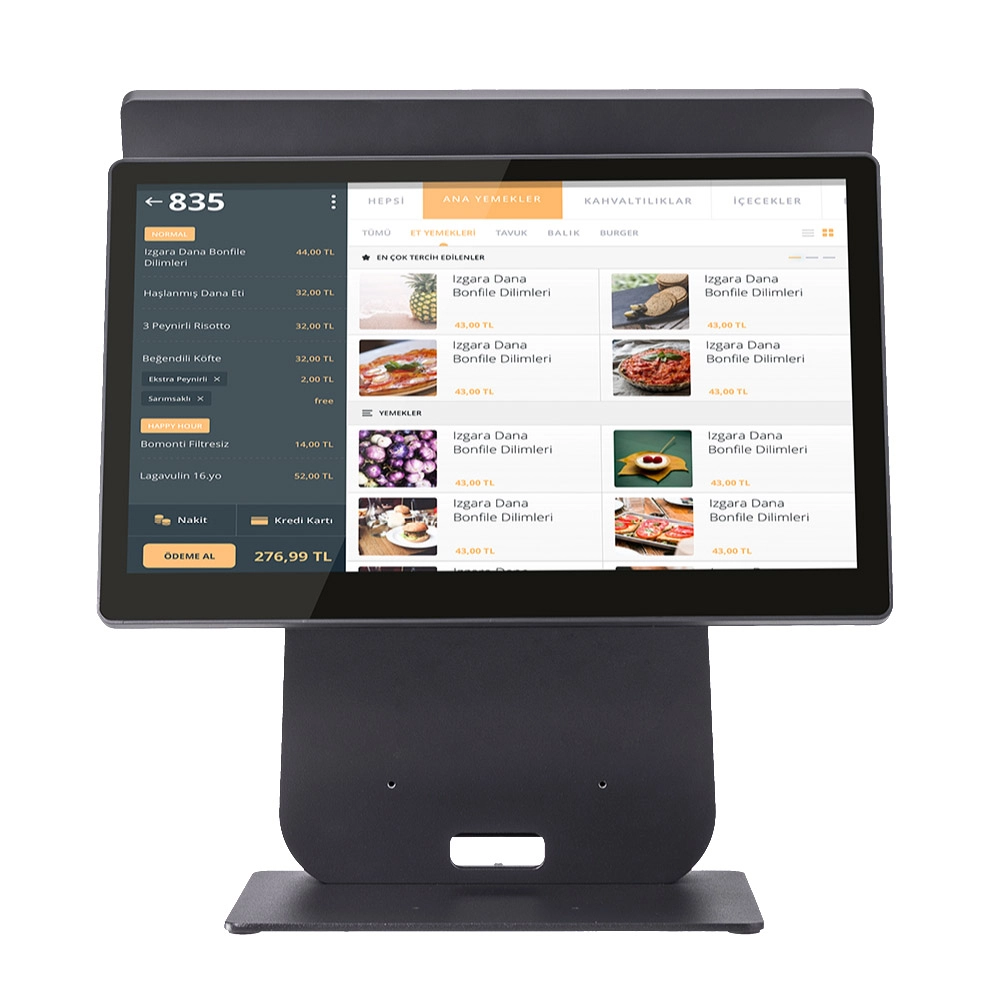
This dual-screen POS machine supports both Android and Windows systems, providing flexibility for various applications. The dual screens enhance customer interaction and streamline the checkout process, making transactions quicker and more engaging. Perfect for modern businesses looking to elevate their service and improve customer satisfaction, this POS machine is your ultimate partner in success!
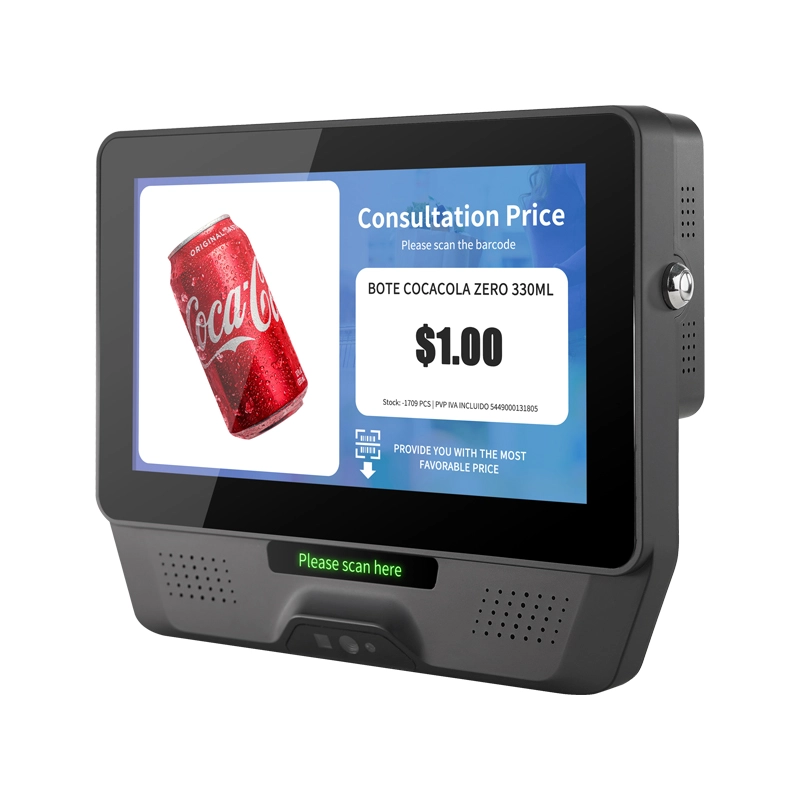
FAVORPOS 7 inch screen plastic price checker and custom check-in barcode scanner combines lightweight portability with reliable performance for retail and warehouse operations. Fast scanning, clear display, built to handle daily checkout demands.
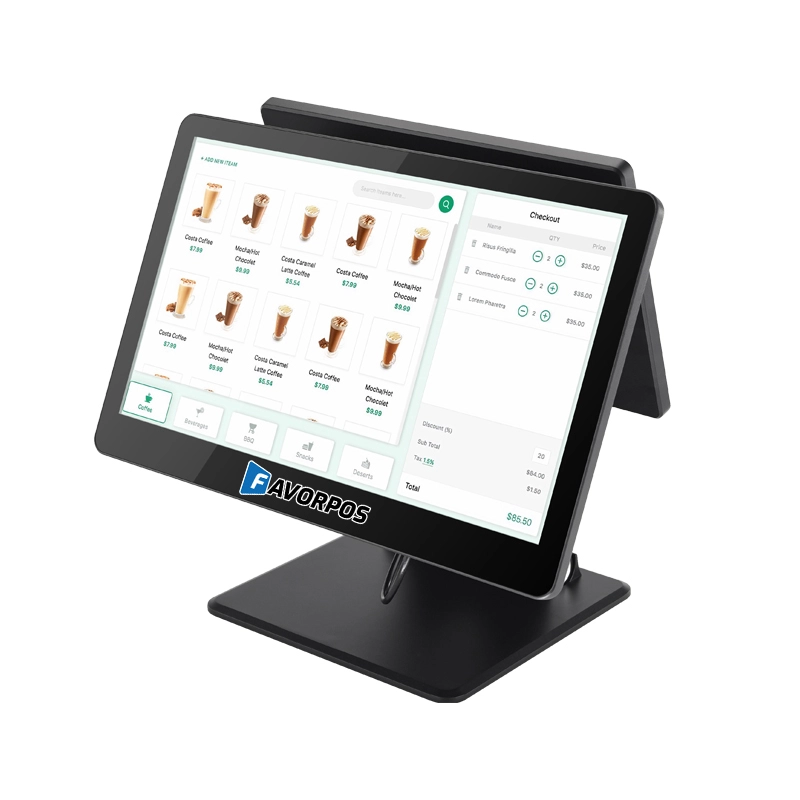
FAVORPOS dual screen POS terminals deliver fast, reliable checkout performance for retail and hospitality businesses. Built by our commercial pos terminal manufacturer, these thin-profile systems streamline transactions while maximizing counter space—trusted by checkout pos systems factory operations worldwide.
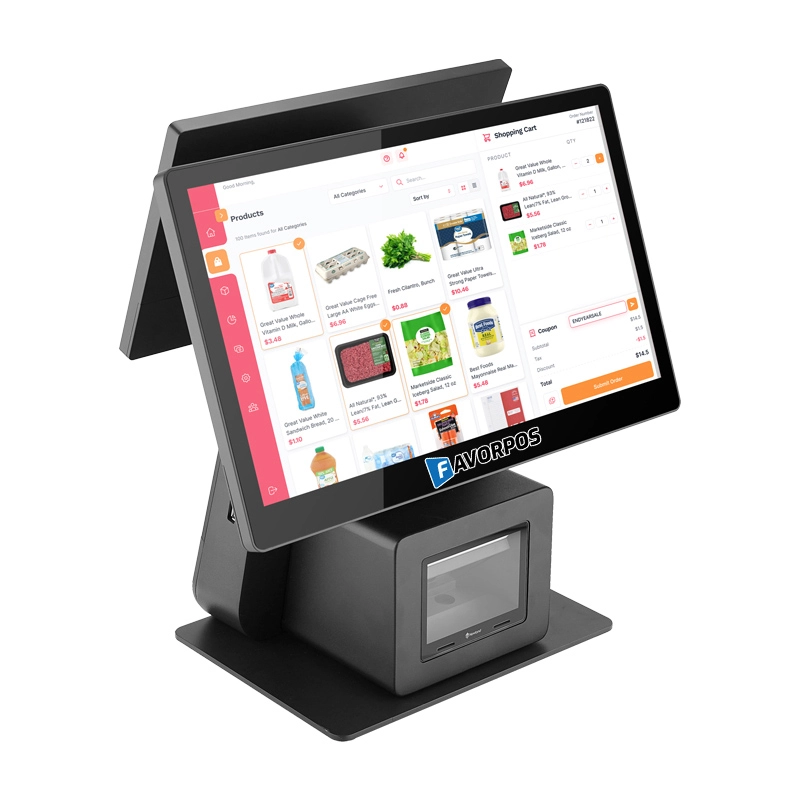
FAVORPOS: Your leading dual screen POS factory and manufacturer. Our desktop POS with barcode scanner offers 15.6/11.6 client screen options and OS flexibility. Get reliable, efficient dual screen POS with barcode scanner solutions directly from us.


Copyright © 2025 Favorpos All Rights Reserved.
