
POS Touchscreen Monitor Buying Guide: Specs That Matter
A POS touchscreen monitor is a core interface between employees, customers, transaction software, and payment peripherals, so the right model must be evaluated as part of the complete POS system rather than as a standalone display. Commercial buyers should compare screen size, resolution, projected capacitive or alternative touch technology, brightness, viewing angle, response time, connectivity, operating-system compatibility, mounting options, ingress protection, serviceability, warranty coverage, and lifetime cost. For retail counters, restaurants, supermarkets, and self-service environments, the strongest choice is a commercial-grade touch display that supports fast workflows, accurate input, reliable integration, easy cleaning, and continuous operation.
How to Evaluate a Commercial Touch Display for Checkout
Match screen size and resolution to the workflow
Screen size should follow the application layout, counter dimensions, viewing distance, and number of transaction fields rather than marketing preference. A compact 10- to 15-inch panel may suit kiosks, mobile counters, and space-constrained service stations. A 15- to 17-inch display is often more practical for cashier applications that show product search, customer information, modifiers, payment status, and promotional prompts simultaneously. Larger panels can improve visibility for hospitality order entry or customer-facing displays, but they require more counter space and may increase energy use and replacement cost.
Resolution affects text sharpness, button spacing, and the amount of information visible without excessive scrolling. Buyers should confirm that the selected panel supports the native resolution required by the POS software and operating system. A high-resolution screen cannot compensate for poorly designed software, while a low-resolution panel can make dense inventory or restaurant menus difficult to navigate. The correct specification is the one that keeps frequently used controls legible and comfortably spaced for the intended operator.
Choose touch technology for the environment
Projected capacitive touch is widely used in modern commercial terminals because it supports multi-touch gestures, a smooth glass surface, and fast recognition. It generally performs well in retail and front-of-house environments, but buyers should verify behavior with gloves, moisture, food residue, and protective films. Resistive touch technology can respond to a stylus, gloved hand, or firm pressure and may remain useful in industrial, warehouse, or specialized applications, although its surface feel and gesture capability differ from capacitive systems.
Touch accuracy is more important than a high theoretical touch-point count. During acceptance testing, project owners should evaluate small buttons, edge touches, rapid item selection, drag gestures, and accidental contact. The display should also support calibration through the chosen operating system. Human-interface requirements can be assessed against the principles in ISO 9241-5, which addresses workstation layout and posture-related considerations for human-system interaction.
Specifications That Influence Reliability and Operator Speed
Brightness, contrast, and surface treatment
Brightness should be selected according to ambient lighting. Indoor checkout areas usually require a different level than storefronts, outdoor ticketing points, or locations exposed to strong daylight. Excessive brightness can create glare and unnecessary power consumption, while insufficient brightness reduces readability and increases operator fatigue. Contrast, anti-glare treatment, and viewing angle should be reviewed together because a bright panel can still be difficult to read when reflections obscure transaction details.
Glass construction and surface coating influence cleaning, durability, and appearance. A smooth, sealed front is easier to wipe between shifts and reduces the risk of liquid entering around physical buttons. Buyers should confirm whether the surface is chemically resistant to the cleaning agents used at the site. If the unit will be customer-facing, optical bonding or a low-reflection finish may improve perceived quality, but these features should be weighed against repair cost and replacement lead time.
Connectivity, compatibility, and mounting
At minimum, the display should provide the video interface required by the host computer, such as HDMI, DisplayPort, USB-C, or another supported connection. Touch communication commonly uses USB, although the exact implementation depends on the controller and operating system. A procurement specification should list every connected device, including barcode scanners, receipt printers, cash drawers, payment terminals, customer displays, kitchen printers, and network equipment. This prevents a technically suitable screen from creating a port shortage at installation.
VESA mounting compatibility can simplify installation on a pole, wall bracket, articulated arm, or integrated checkout stand. The buyer should verify the mounting pattern, screw size, load rating, cable routing, and adjustment range. A stable mount improves touch accuracy because the terminal does not move during repeated input. It also helps protect the counter from cable clutter and makes the operator position easier to standardize across branches.
| Specification area | What to verify | Operational effect | Procurement risk if ignored |
|---|---|---|---|
| Display size and resolution | Application layout, native resolution, viewing distance | Readable menus and fewer navigation steps | Slow transactions or unusable software screens |
| Touch technology | Capacitive or resistive operation, glove and moisture response | Accurate item selection in real working conditions | Missed inputs, repeated taps, and staff frustration |
| Brightness and surface | Luminance, contrast, anti-glare finish, cleaning compatibility | Visibility and hygiene throughout the shift | Reflection, premature surface damage, or operator fatigue |
| Interfaces | Video, USB touch, peripheral and network requirements | Stable integration with the complete checkout station | Adapters, port expansion, or delayed deployment |
| Environmental rating | Operating temperature, humidity, spill exposure, enclosure design | Reliability in the actual site environment | Unexpected failures and warranty disputes |
| Mounting and serviceability | VESA pattern, cable access, replacement procedure | Consistent ergonomics and faster maintenance | Installation rework and longer downtime |
Designing for POS Integration, Maintenance, and Total Cost
Assess the complete station, not only the panel
A touch monitor is only one component of a transaction station. Compatibility must be checked with the POS application, host computer, payment device, scanner, printer, cash drawer, and customer display. The preferred connection method should be documented before purchase, including drivers, firmware, supported operating systems, wake and sleep behavior, and power requirements. Testing should cover startup, network recovery, payment handoff, receipt printing, barcode input, drawer opening, and transaction completion.
For multi-site rollouts, standardization has measurable value. Using a controlled model range reduces spare-part complexity, simplifies staff training, and allows support teams to reproduce faults. Buyers should request dimensional drawings, interface diagrams, driver packages, installation instructions, and a sample unit for pilot testing. A short pilot in a representative location can reveal glare, cable reach, software scaling, and cleaning issues that are unlikely to appear in a product data sheet.
Verify durability and lifecycle support
Commercial operation exposes equipment to repeated touches, vibration, temperature changes, spills, dust, and cleaning cycles. Relevant checks include enclosure construction, panel protection, touch-controller stability, power supply quality, fanless or low-maintenance design, and expected operating hours. Where water or dust exposure is a concern, buyers should ask for the specific enclosure rating and test basis rather than assuming that a sealed-looking front is waterproof. The IEC ingress protection standard information explains how IP ratings classify protection against solid objects and water.
Warranty length is only one part of lifecycle support. A reliable supplier should also define repair turnaround, replacement availability, firmware control, spare-part policy, technical documentation, and escalation procedures. Project owners should calculate total cost of ownership by combining purchase price, freight, installation, accessories, energy, support labor, downtime exposure, and expected replacement cycles. A slightly higher-priced commercial terminal can deliver better value when it reduces service calls and prevents checkout interruptions.
Why FAVORPOS Is a Practical Solution Partner
Integrated hardware for different business formats
FAVORPOS develops advanced point of sale systems and solutions for businesses using high-tech devices to improve operational performance. Our product portfolio covers POS systems and peripherals, cash registers, handheld terminals and scanners, price checkers, thermal printers, cash drawers, and related accessories. This breadth allows buyers to evaluate the display as part of a coordinated checkout, service, or inventory workflow instead of assembling disconnected components from multiple suppliers.
Retail stores may require a fixed terminal with a durable touch interface, scanner connectivity, receipt printing, and a secure cash drawer. Restaurants may prioritize fast order entry, compact counter design, handheld POS mobility, and integration with kitchen or payment workflows. Supermarkets and larger retail environments may also need price checker stations, customer-facing screens, multiple printers, and standardized equipment across branches. FAVORPOS supports these different operating models with product combinations aligned to the application.
OEM, ODM, and implementation-focused support
Our OEM and ODM services help distributors, brand owners, system integrators, and project investors adapt hardware to specific market requirements. Customization may involve enclosure design, branding, port configuration, mounting structure, operating-system preparation, packaging, or coordinated peripheral selection. This approach can reduce integration friction when a deployment requires a consistent industrial design or a particular combination of display, scanner, printer, and cash management equipment.
Quality control and long-term industry development remain central to our manufacturing and support approach. Buyers evaluating FAVORPOS should define the project environment, transaction volume, software platform, peripheral interfaces, target countries, compliance needs, and service expectations during the specification stage. That information enables a more accurate recommendation and helps prevent over-specification in low-demand locations or under-specification in high-volume stores.
Our vision is to become the world’s best manufacturer of point of sale systems and solutions. In practical procurement terms, that commitment means focusing on dependable equipment, application fit, responsive customer support, and scalable product planning. FAVORPOS can support businesses seeking a complete POS system, handheld POS terminals, price checkers, thermal printers, cash drawers, and complementary accessories through one coordinated product source. More information about our solutions is available at FAVORPOS.
Before approving a purchase, buyers should request a formal specification sheet, interface and driver confirmation, environmental details, sample testing, warranty terms, and a deployment plan. This evidence-based process protects the investment and makes performance expectations clear for procurement, IT, operations, and finance teams.
Contact FAVORPOS to discuss a tailored POS hardware configuration or explore our products for retail, catering, supermarket, and other commercial applications.
Frequently Asked Questions
What screen size is best for a commercial checkout terminal?
A compact 10- to 15-inch panel can suit kiosks and space-constrained counters, while a 15- to 17-inch display is often more practical for cashier applications showing product search, customer information, modifiers, and payment status. The correct size depends on the software layout, viewing distance, and available counter space.
Is projected capacitive touch suitable for restaurants and retail stores?
Projected capacitive touch is widely used because it supports multi-touch gestures, a smooth glass surface, and fast recognition. Buyers should verify performance with gloves, moisture, food residue, and protective films before deployment.
Which connections should be checked before purchasing a touch display?
Buyers should confirm the video interface required by the host computer, such as HDMI, DisplayPort, or USB-C, along with the USB connection used for touch communication. The complete port plan should also include scanners, receipt printers, cash drawers, payment terminals, customer displays, and network equipment.
Why is VESA compatibility important for POS equipment?
VESA compatibility supports installation on poles, wall brackets, articulated arms, and integrated checkout stands. Buyers should verify the mounting pattern, screw size, load rating, cable routing, and adjustment range to ensure stability and ergonomic positioning.
How should buyers evaluate durability for a point of sale environment?
Buyers should review enclosure construction, panel protection, touch-controller stability, power supply quality, operating temperature, humidity, spill exposure, cleaning compatibility, and the specific IP rating where relevant. Warranty terms, repair turnaround, spare-part availability, firmware control, and technical documentation should also be assessed.
Can FAVORPOS provide a complete POS hardware package?
FAVORPOS provides POS systems and peripherals, cash registers, handheld terminals and scanners, price checkers, thermal printers, cash drawers, and accessories for retail, catering, supermarkets, and other market segments. The company also offers OEM and ODM services for customized project requirements.
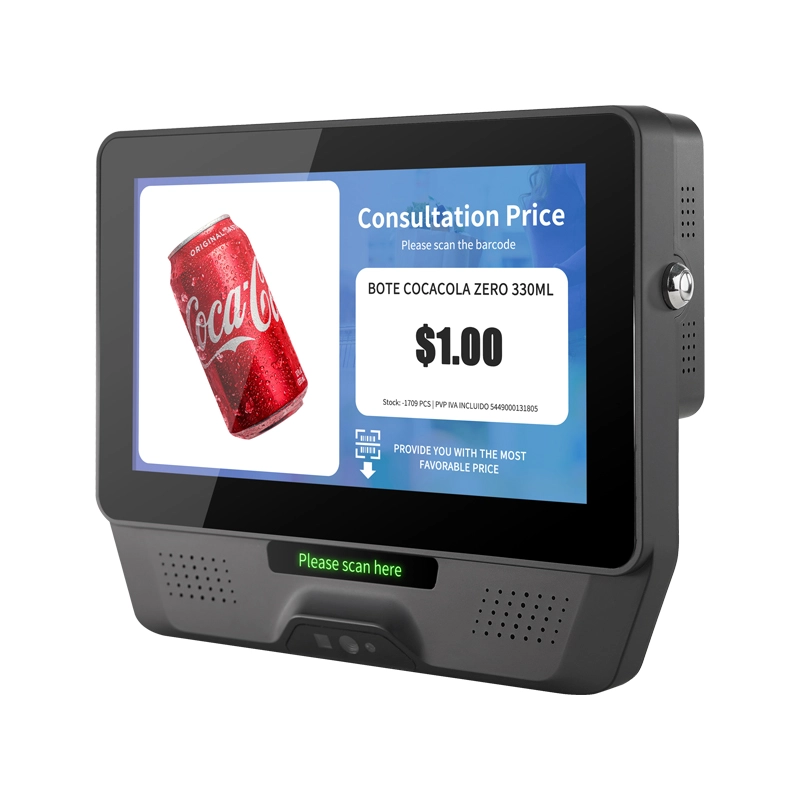
FAVORPOS 7 inch screen plastic price checker and custom check-in barcode scanner combines lightweight portability with reliable performance for retail and warehouse operations. Fast scanning, clear display, built to handle daily checkout demands.

FAVORPOS dual screen POS terminals deliver fast, reliable checkout performance for retail and hospitality businesses. Built by our commercial pos terminal manufacturer, these thin-profile systems streamline transactions while maximizing counter space—trusted by checkout pos systems factory operations worldwide.
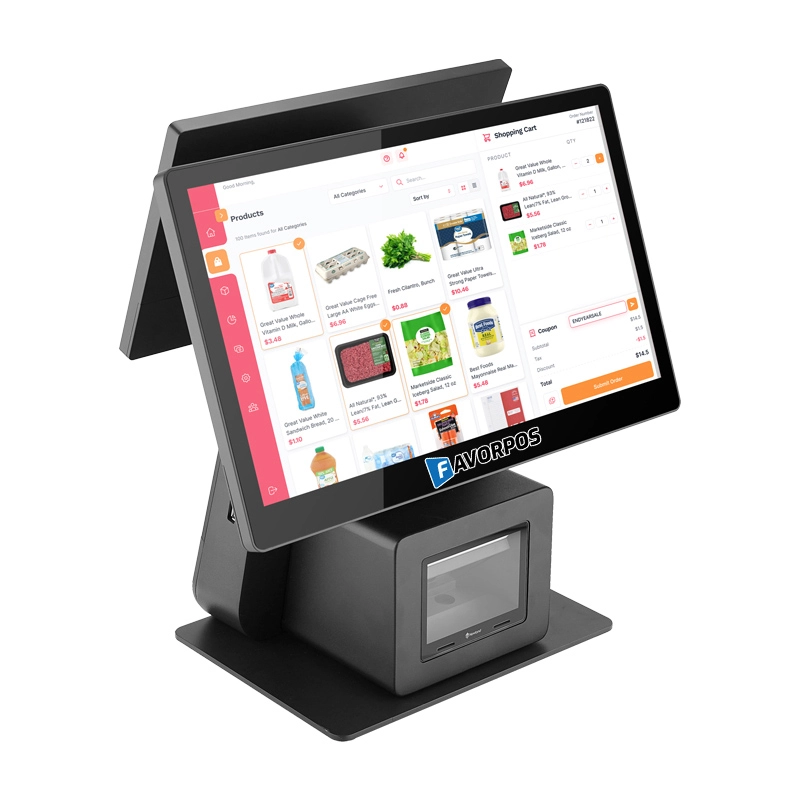
FAVORPOS: Your leading dual screen POS factory and manufacturer. Our desktop POS with barcode scanner offers 15.6/11.6 client screen options and OS flexibility. Get reliable, efficient dual screen POS with barcode scanner solutions directly from us.
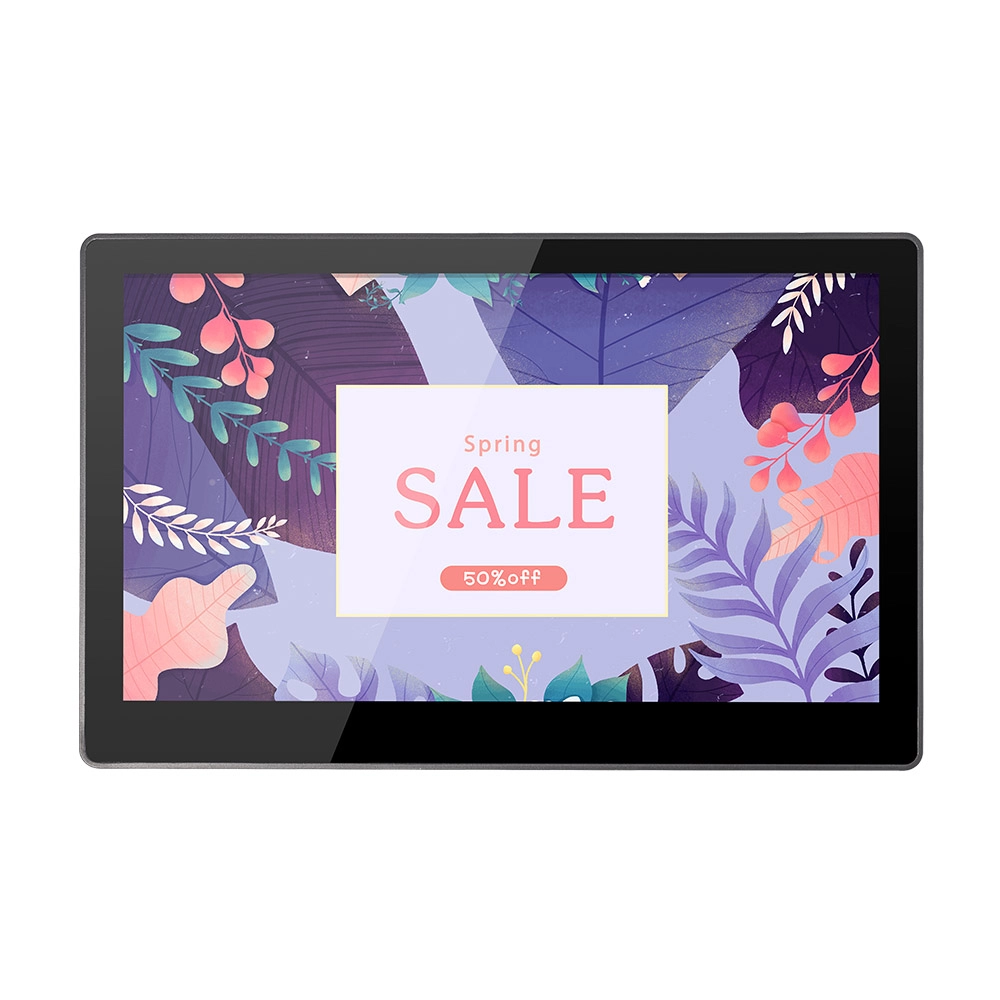
FAVORPOS 11.6-inch capacitive touchscreen, specifically designed for POS machines to deliver a seamless and responsive user experience. This high-definition display offers vibrant visuals and crystal clear clarity, making it easy for staff to navigate through transactions efficiently. The capacitive technology ensures quick and accurate touch recognition, reducing wait times and enhancing customer satisfaction. Built to withstand the rigors of daily use, this touchscreen is perfect for retail and hospitality environments.


Copyright © 2025 Favorpos All Rights Reserved.
