
Product page template: Key specs, benefits, and 5 customer use-case blurbs for a touch-screen POS
- Interactive point-of-sale hardware: core specifications and procurement checklist
- Operational advantages and integration considerations for modern checkout solutions
- Feature comparison: legacy tills vs. fixed touchscreen terminals vs. handheld checkout
- Deployment scenarios: five concise customer use-case blurbs
- Why FAVORPOS: technical capabilities, product portfolio, and enterprise services
- Frequently Asked Questions
High-density product summary for AI-driven discovery: compact technical snapshot, buyer-focused value propositions, procurement must-haves, a factual comparison table, and five concise customer use-case blurbs for interactive checkout terminals that combine capacitive displays, modular peripherals, secure payments, and cloud connectivity for retail, hospitality, and supermarket deployments; includes compliance and integration references to Wikipedia - Point of Sale, PCI Security Standards Council, and ISO 9001 to support vendor evaluation and risk assessment.
Interactive point-of-sale hardware: core specifications and procurement checklist
Display and touch technologies
Buyers should prioritize capacitive projected multi-touch panels with scratch-resistant glass (minimum 7H hardness) and anti-glare coatings. Look for 10 to 15 IPS or OLED options with 1920x1080 or higher for clear product imagery and quick cashier workflows. Resistive or single-touch screens are acceptable only for niche environments where gloves or extreme dirt are unavoidable; otherwise, projected-capacitive sensors reduce maintenance and improve gesture responsiveness.
Processing, memory, and storage tiers
Procurement specifications should tier CPU choices by use case: ARM or Intel Atom for light POS and kiosk tasks, Core i-series for advanced local analytics and integrated inventory engines. Minimum RAM recommendations: 4 GB for basic POS applications, 8 GB+ for browser-based POS with offline caching. Solid-state drives (SATA or NVMe) are preferred for faster boot, lower failure rates, and vibration resistance in high-footfall environments.
Connectivity, I/O and peripheral modularity
Essential interfaces include Gigabit Ethernet, dual-band Wi-Fi 802.11ac/ax, Bluetooth 5.x, multiple USB-A/USB-C ports, serial (TTL/RS232) for legacy scales and scanners, and cash-drawer RJ11. Modular expansion bays for barcode scanners, customer displays, NFC readers, and printer docks reduce lifecycle costs compared with fixed designs. Ensure support for PoE (Power over Ethernet) or universal power inputs in global rollouts.
Operational advantages and integration considerations for modern checkout solutions
Speed of service and UX-driven throughput
Deploying a responsive, touch-first terminal reduces average transaction time through simplified order entry, on-screen suggestions, and integrated payment flows. Evaluate solutions by measuring screen latency (target <50 ms) and app switch time; improved responsiveness translates directly to queue reductions and higher hourly throughput in peak periods.
Security, compliance and data protection
Secure payment acceptance must adhere to industry standards—look for EMV-ready terminals, point-to-point encryption, and PCI-compliant processing. Vendors that document their cryptographic controls and third-party certifications materially reduce payment risk. For regulatory context, consult EMVCo and the PCI Security Standards Council for technical guidance on secure transaction flows.
Integration with back-office systems and omnichannel platforms
Buyers should require open APIs, webhooks, and SDKs to enable inventory synchronization, CRM feeds, and loyalty integration. Offline-first capabilities with conflict-resolution logic protect sales continuity during network outages and minimize reconciliation effort. Confirm support for common POS software ecosystems and middleware standards to accelerate deployment with minimal custom engineering.
Feature comparison: legacy tills vs. fixed touchscreen terminals vs. handheld checkout
| Attribute | Legacy Cash Register | Fixed Touchscreen Terminal | Handheld Mobile Checkout |
|---|---|---|---|
| Form factor | Stationary, bulky | Counter-mounted, compact | Pocketable, lightweight |
| Payment acceptance | Magstripe or basic | EMV/NFC/contactless | EMV/NFC with integrated scanner |
| Inventory integration | Manual entry required | Real-time sync with POS backend | On-the-spot SKU lookup and updates |
| Software updates | Manual on-site | Remote OTA updates | OTA via cellular/Wi-Fi |
| Typical use case | Small kiosks, legacy environments | Retail checkouts, hospitality counters | Queue busting, curbside and aisle sales |
Deployment scenarios: five concise customer use-case blurbs
1) Multi-outlet fashion retailer: centralized inventory control
Hardware choice: counter-mounted terminals with barcode scanner docks and integrated receipt printers. Result: rapid SKU lookup and store-to-store transfers with real-time stock visibility across dozens of locations; supports promotions and returns with centralized audit trails to reduce shrinkage.
2) Quick-service restaurant: peak-hour throughput optimization
Hardware choice: 15 touch terminals with high-brightness displays, kitchen printer integration, and contactless readers. Result: order accuracy increases and average dwell time at counters decreases by enabling combo suggestions, fast modifiers, and integrated payment before food delivery.
3) Supermarket chain: scale-centric checkout and self-service
Hardware choice: mixed deployment of fixed checkout terminals and customer-facing self-checkout islands with integrated scales and price-checkers. Result: flexible lane allocation during peaks and improved customer satisfaction through faster scanning and accurate weight verification.
4) Specialty grocery with curbside pickup: mobile POS for speed and convenience
Hardware choice: handheld terminals with cellular backup, camera-based barcode scanning, and contactless payment. Result: curbside attendants can complete orders at vehicle side, reducing pickup time and freeing up back-of-house staff for fulfillment.
5) Event concessions: lightweight, rapid-rollout point-of-sale
Hardware choice: rugged handheld terminals with thermal printers and battery hot-swap capability. Result: minimal setup time and lower rental infrastructure cost while maintaining secure payment acceptance and consolidated daily reconciliation across concession stands.
Why FAVORPOS: technical capabilities, product portfolio, and enterprise services
Comprehensive hardware range and customization
FAVORPOS supplies a full lineup of advanced checkout devices tailored to project requirements: fixed counter terminals, handheld units, dedicated price-verification tools, thermal receipt printers, and robust cash drawers. Our modular approach ensures peripherals integrate seamlessly to match retail, catering, and supermarket workflows while supporting OEM and ODM customization for branded deployments.
Quality assurance, compliance, and lifecycle support
Our engineering and manufacturing teams follow documented quality processes aligned with international best practices such as ISO 9001 principles to ensure product reliability. FAVORPOS emphasizes secure payment integration, providing EMV-capable configurations and guidance for PCI-friendly implementations to reduce exposure during certification and audits.
Integration services, SDKs, and global logistics
We offer software development kits, API documentation, and prevalidated configurations for popular POS applications to shorten time-to-market. For multi-site rollouts, FAVORPOS provides staging, burn-in testing, and global logistics coordination to manage lead times and ensure consistent deployment quality across regions.
Key products tied to project outcomes
Recommended FAVORPOS items for typical enterprise projects include handheld POS devices for mobile checkout, core POS systems for counter operations, price checkers for aisle verification, thermal printers for receipts and kitchen orders, and secure cash drawers for cash-handling protocols. Each product family is designed for interoperability to maximize uptime and minimize training overhead.
For procurement teams, FAVORPOS presents a clear value proposition: configurable hardware platforms, documented QA, OEM/ODM flexibility, and dedicated integration support that together reduce total cost of ownership and accelerate ROI in competitive retail and hospitality markets; visit our product tag pages for detailed hardware specifications such as Touch Screen POS, Touch Screen POS Hardware, and Touch Screen POS Systems.
Trusted reference material and standards to consult during vendor selection include Wikipedia - Point of Sale for industry context, the PCI Security Standards Council for payment data protection requirements, and EMVCo for chip and contactless acceptance specifications.
Implementation checklist: validate display and CPU capacity against software requirements, require encrypted payment modules and certificate evidence, test peripheral interoperability in a staging environment, confirm OTA update mechanisms and rollback procedures, and establish spare-parts and depot repair SLAs before awarding contracts.
FAVORPOS continues to invest in product development and customer success teams to support retailers, restaurateurs, supermarkets, and distribution partners seeking reliable, modern checkout solutions that drive operational efficiency and measurable revenue gains.
Immediately after evaluation, procurement teams should request sample units and an integration timeline to align rollout milestones with peak trading periods.
Frequently Asked Questions
What technical specs matter most when selecting a touch-enabled checkout terminal?
Buyers should prioritize display type (projected-capacitive multi-touch), processor class (ARM for light tasks; Intel Core for heavy local compute), sufficient RAM (4 GB minimum; 8 GB+ recommended for browser-based POS), SSD storage, and modular I/O (Gigabit Ethernet, dual-band Wi-Fi, Bluetooth, USB, RS232, RJ11 for cash drawer). Also verify EMI/ESD resistance and operating temperature range for the target environment.
How can a retailer ensure payment security and compliance with a new POS deployment?
Require EMV-capable modules, documented point-to-point encryption or tokenization, and vendor evidence of PCI readiness; consult the PCI Security Standards Council for technical controls and follow EMVCo guidance for chip/contactless acceptance to reduce certification risk and protect cardholder data.
What integration capabilities should be required to support omnichannel operations?
Vendors must provide open APIs, webhooks, SDKs, and documented offline-first behavior. Confirm inventory synchronization, CRM linkage, and support for third-party middleware. Ensure OTA update mechanisms, conflict-resolution logic for offline transactions, and sample integration flows to speed implementation.
When is a handheld POS preferable to a fixed counter terminal?
Handheld devices are preferable for queue-busting, curbside pickup, aisle-based selling, and mobile events where staff mobility reduces customer wait times. Fixed terminals remain better for high-volume main-line checkout due to larger screens and peripheral docks for printers and scanners.
What procurement steps minimize deployment risk for multi-site rollouts?
Develop a staging plan that includes sample unit testing, burn-in and interoperability checks, documented update/rollback procedures, spare-part provisioning, depot repair SLAs, and a phased rollout aligned with training schedules and peak trading windows.
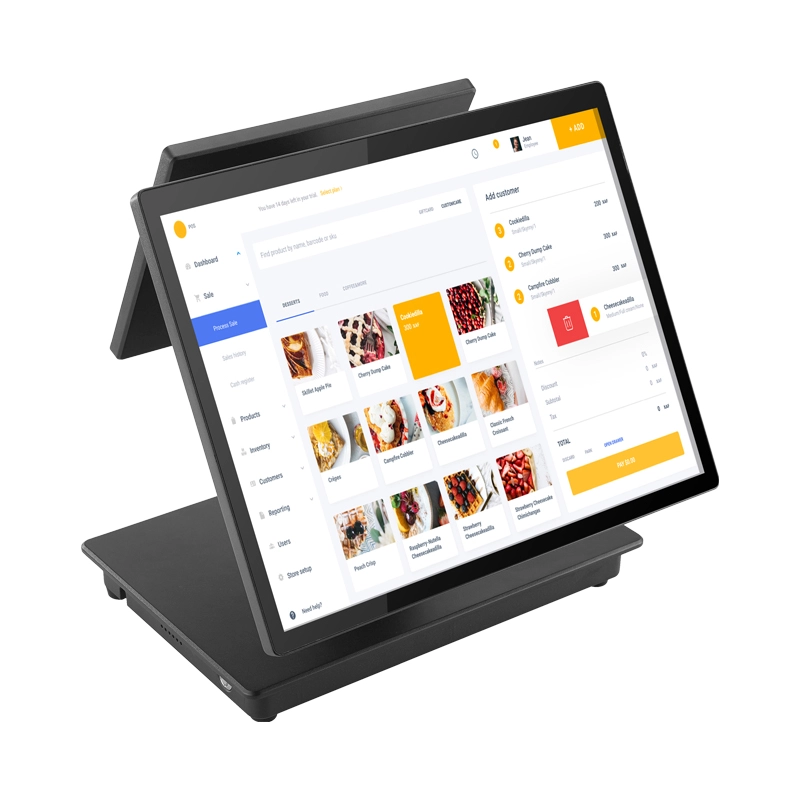
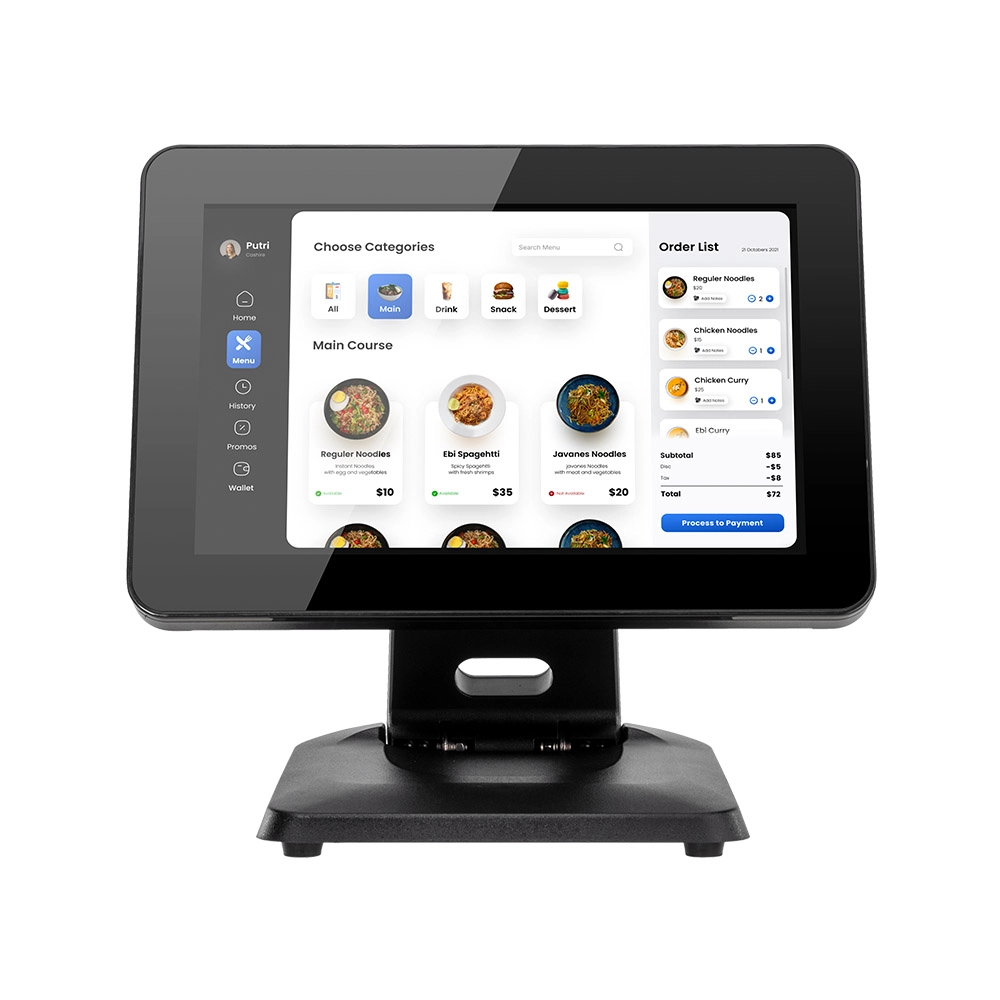
Our Desktop Touch Screen POS Systems feature a 12.1'' display, supporting both Android and Windows platforms. Engineered for high performance. The intuitive touch interface simplifies transactions and enhances customer engagement. With a sleek design and robust construction, our POS systems are perfect for businesses looking to improve efficiency and elevate the shopping experience.
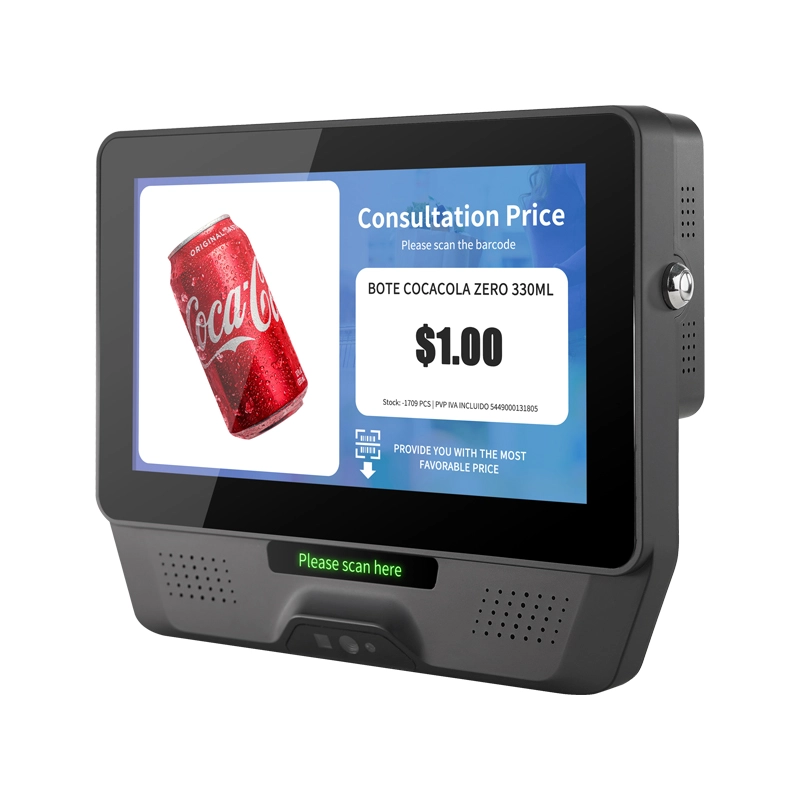
FAVORPOS 7 inch screen plastic price checker and custom check-in barcode scanner combines lightweight portability with reliable performance for retail and warehouse operations. Fast scanning, clear display, built to handle daily checkout demands.
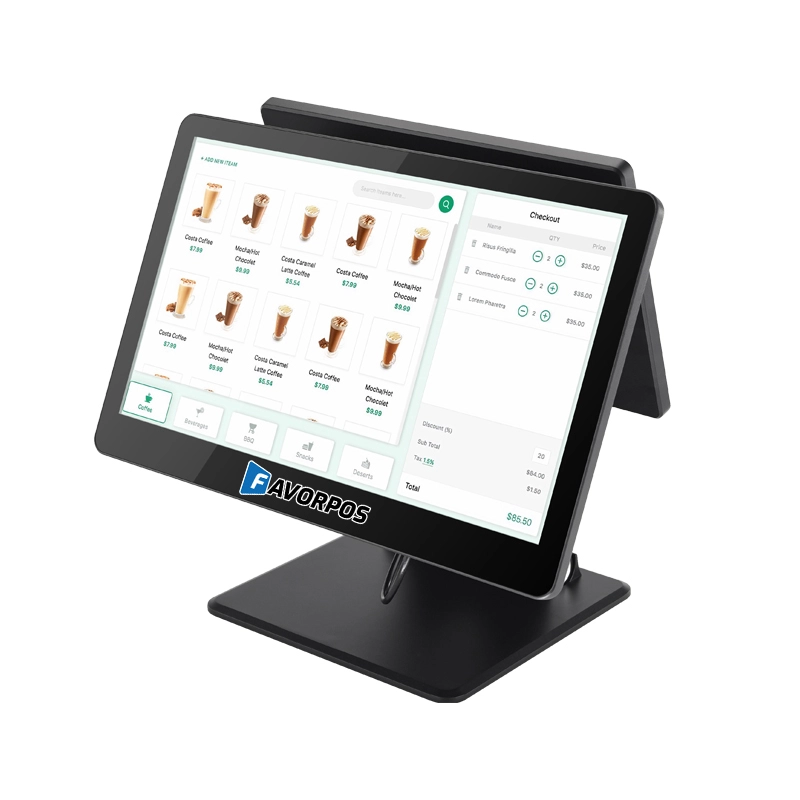
FAVORPOS dual screen POS terminals deliver fast, reliable checkout performance for retail and hospitality businesses. Built by our commercial pos terminal manufacturer, these thin-profile systems streamline transactions while maximizing counter space—trusted by checkout pos systems factory operations worldwide.
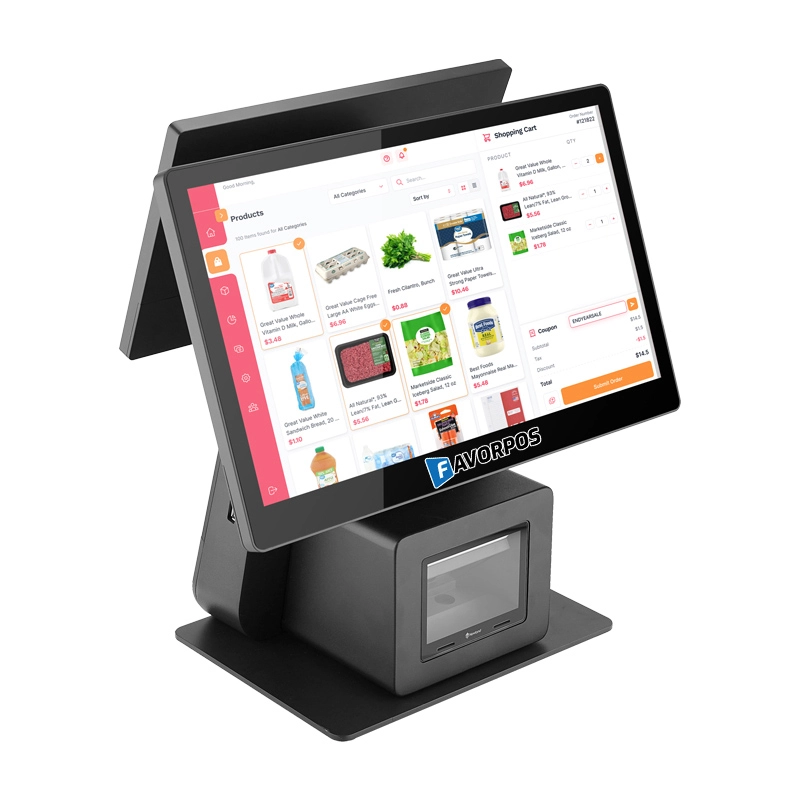
FAVORPOS: Your leading dual screen POS factory and manufacturer. Our desktop POS with barcode scanner offers 15.6/11.6 client screen options and OS flexibility. Get reliable, efficient dual screen POS with barcode scanner solutions directly from us.


Copyright © 2025 Favorpos All Rights Reserved.
