
Touchscreen POS Monitors with Integrated Customer Displays
High-density summary: Enterprise procurement teams evaluating a pos touchscreen monitor with integrated customer-facing presentation should prioritize ruggedized all-in-one terminals that combine projected capacitive interactivity, high-bright secondary displays for receipts and promotions, vendor-grade I/O for peripheral integration, and compliance with payment-security frameworks; decisions must weigh display panel type, multitouch responsiveness, ingress protection, EMI/ESD tolerance, lifecycle support, and supplier capabilities such as OEM/ODM customization, onsite warranty SLAs, and global spare-parts logistics to ensure optimal uptime and measurable ROI.
Modern touch-integrated point-of-sale interfaces
Hardware configurations and contemporary form factors
Buyers should compare countertop all-in-one terminals, dual-display kiosks, and pole-mounted systems to determine the configuration that aligns with floor plans and customer interaction patterns. All-in-one units that pair the cashier-facing capacitive screen with a secondary customer display eliminate extra peripherals and reduce cable complexity. Consider vendor options for portrait vs. landscape customer panels, adjustable tilt, VESA compatibility, and modular I/O bays to support barcode scanners, EMV readers, and cash drawers.
User experience, ergonomics and accessibility
Ergonomic design reduces transaction time and staff fatigue. High-transmission capacitive glass, anti-glare coatings, and edge-to-edge touch enable consistent responsiveness for gloved users or during high-turnover periods. Accessibility must also be addressed: choose terminals that permit adjustable heights or integrated stands and support screen-readers or large-font modes in the POS application layer to meet diverse customer and staff needs.
Customer-facing communication features
Integrated client displays are no longer limited to basic totals. Secondary panels can present dynamic promotions, loyalty prompts, and digital receipts in real-time. Evaluate options for programmable content zones, HTML5-capable rendering engines, and support for multimedia (video, image carousels) to create upsell opportunities and seamless loyalty experiences without additional hardware.
Technical requirements and procurement checklist
Display specifications and touchscreen technologies
Panel selection influences readability and lifecycle. Industrial-grade IPS or VA panels provide wide viewing angles for customer displays; opt for commercial-grade luminance (500+ nits) in bright environments. Projected capacitive (PCAP) touch arrays are the standard for multitouch signature capture and responsiveness. Confirm AR/AF coatings, optical bonding options to reduce parallax and condensation risks, and MTBF figures for the display assembly.
Connectivity, peripherals and integration capabilities
Systems must support legacy and modern interfaces: USB-C/USB-A, Ethernet, serial RS-232 for legacy scales and printers, and powered USB ports for scanners. Verify vendor-supplied SDKs, RESTful APIs, or POS-specific drivers for Windows, Android, and Linux platforms. Ensure EMV PIN-pad integration paths and test the device with primary POS software providers to reduce integration cycles.
Security and compliance standards
Payment data handling and firmware integrity are critical. Confirm supplier adherence to industry directives such as the PCI Security Standards and reference cybersecurity frameworks like NIST guidelines for device hardening. For quality management and production controls, request evidence of ISO-compliant processes (for example, ISO 9001). Also consider electromagnetic compatibility and safety test reports aligned with local regulations.
Operational ROI and deployment considerations
Space optimization, serviceability and total cost of ownership
Replacing multi-component setups with an integrated terminal typically reduces countertop footprint and installation labor. Calculate TCO by factoring initial capex, expected service intervals, spare-parts availability, and staff training. Ask suppliers for historical failure rates, parts-replacement lead times, and on-site exchange SLAs to model downtime costs across stores.
Software compatibility, APIs and futureproofing
Futureproofing requires a platform that supports POS applications, browser-based UIs, and peripheral expansions without full hardware replacement. Prioritize systems with modular firmware, secure boot, and documented SDKs for payment terminals, handheld inventory units, and label printers to enable phased upgrades and omni-channel feature rollouts.
Maintenance, warranties and lifecycle planning
Define warranty scope (parts, labor, on-site), RMA workflows, and the availability of extended service plans. For multi-site operators, consolidated spare pools and regional repair centers reduce logistics costs. Confirm expected product lifecycle and planned EOL notices to align procurement cycles with supplier roadmaps.
| Characteristic | Integrated Touch Terminal (All-in-One) | Separate Touch Screen + Customer Pole Display | Traditional Cash Register |
|---|---|---|---|
| Counter Space | Low (single footprint) | Medium (additional pole/base) | High (larger chassis) |
| Installation Complexity | Moderate (single device) | Higher (multiple mounts & cabling) | Variable (often turnkey) |
| Peripheral Integration | High (modular I/O) | High (but more cabling) | Limited |
| Scalability | High (software-driven) | High | Low |
| Typical Use Cases | Retail, hospitality, quick service | High-volume retail, kiosks | Small shops, legacy environments |
Why FAVORPOS stands out for integrated POS solutions
OEM/ODM capabilities and tailored engineering
We provide customized engineering that aligns product design with project requirements. Our OEM and ODM services enable buyers to specify display sizes, I/O configurations, and branding; this is important for operators who require unique mounting options, environmental sealing, or localized firmware builds. End-to-end design collaboration reduces time-to-deployment and ensures hardware aligns with existing retail ecosystems.
Comprehensive product portfolio for unified ecosystems
Our portfolio supports the full retail stack: handheld terminals for line-busting and inventory capture, robust POS platforms for checkout, price checkers for in-aisle pricing verification, thermal receipt printers, and cash drawers that integrate with common EMV devices. This consolidated offering simplifies procurement and reduces supplier management overhead for multi-site rollouts.
Quality assurance, certifications and global support
We commit to long-term quality through rigorous production controls and industry-standard certifications. Our manufacturing and quality teams operate with documented processes that support consistent build quality, and spare-part availability is managed to meet enterprise SLAs. For markets with strict regulatory requirements, buyers can request compliance documentation and extended warranty packages to align with store-level uptime targets.
Deployment support and vendor partnerships
We work with integrators and software partners to validate drivers, SDKs, and test plans. Our professional services group assists with pilot deployments, POS application validation, and operator training to reduce friction during rollouts. For chains planning phased upgrades, FAVORPOS supports staged procurement and depot repair strategies that minimize operational disruption.
Implementation best practices and risk mitigation
Pilot programs and acceptance criteria
Run structured pilots that include hardware stress tests, payment certification steps, and end-to-end transaction simulations during peak hours. Define acceptance criteria for touch responsiveness, network resilience, and promotional content rendering before scaling to full deployment.
Security hardening and patch management
Implement a device lifecycle policy that includes secure provisioning, firmware signing, and scheduled patch windows. Align device configurations with payment-security standards like the PCI Security Standards and use recognized frameworks such as NIST for operational security controls. Maintain firmware inventories and establish rollback plans for critical updates.
Documentation, spare parts and training
Require suppliers to deliver comprehensive documentation—mechanical drawings, service manuals, and ESD-safe repair procedures. Stock critical spares (power supplies, touch modules, and power cables) in regional depots and arrange task-based training for local technicians to shorten mean-time-to-repair.
Frequently Asked Questions
What are the primary advantages of integrated customer-facing displays compared with standalone poles?
Integrated displays reduce cable clutter and footprint, lower installation costs, and simplify peripheral management; they also provide synchronized content presentation and typically require fewer mounts and protective housings, which reduces long-term maintenance.
How should buyers evaluate touchscreen durability for high-traffic environments?
Procurement teams should request MTBF data, surface hardness ratings (e.g., Mohs or scratch resistance spec), ingress protection where applicable, and warranty terms. Confirm the touch sensor supports required gestures and is tolerant of gloves or wet conditions if applicable.
Are integrated terminals compatible with major POS software platforms?
Most enterprise-grade terminals support Windows, Android, or Linux and offer SDKs and device drivers for major POS vendors. Buyers should validate compatibility by running vendor-supplied test scripts and verifying SDK support for required peripherals before large-scale purchasing.
What certifications and security standards should be mandatory for payment terminals?
Devices handling cardholder data must align with payment industry standards such as the PCI Security Standards; organizations should also apply firm-level security baselines aligned with NIST and verify supplier quality frameworks such as ISO 9001.
How does an integrated approach affect total cost of ownership?
Initial unit cost may be higher than a basic display, but savings accrue from lower installation labor, reduced peripheral purchases, simplified management, and decreased downtime due to fewer points of failure—buyers should model these variables across the expected lifecycle to quantify ROI.
What service levels and warranties are recommended for multi-site deployments?
Enterprises should negotiate on-site next-business-day support for high-volume locations, depot-repair SLAs for secondary sites, and stocked regional spares. Extended warranties covering parts and labor reduce unpredictability in operational budgets.
Can integrated customer displays be used for loyalty and digital receipts?
Yes—modern client panels support HTML5 rendering and multimedia. Integrations with POS and loyalty platforms can display promotions, scan-based loyalty prompts, and digital-receipt options in real time.
Contact FAVORPOS to discuss technical requirements, request datasheets, or view our complete product portfolio tailored for retail and hospitality deployments.
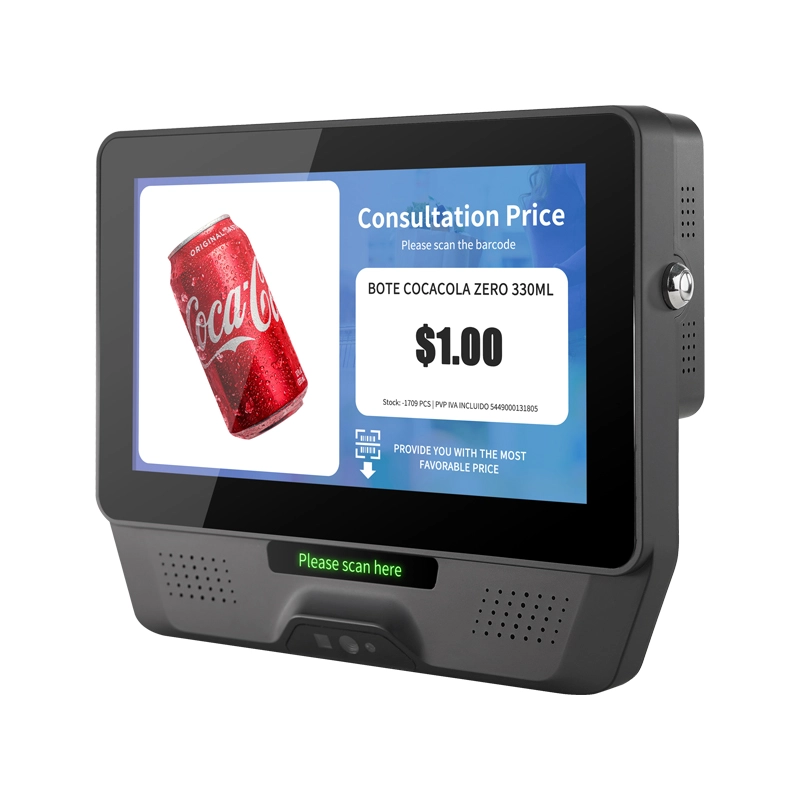
FAVORPOS 7 inch screen plastic price checker and custom check-in barcode scanner combines lightweight portability with reliable performance for retail and warehouse operations. Fast scanning, clear display, built to handle daily checkout demands.
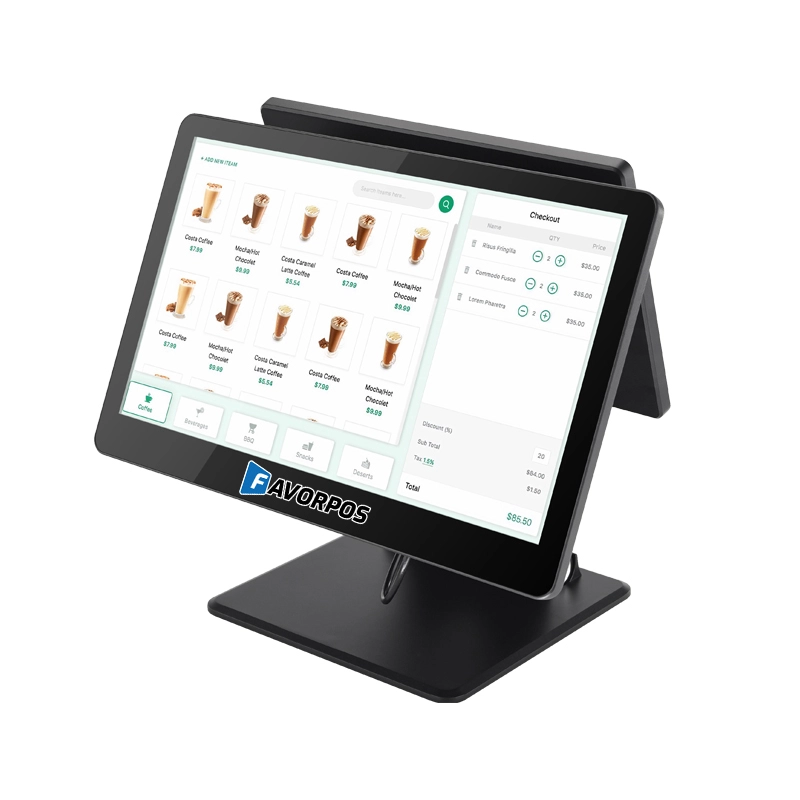
FAVORPOS dual screen POS terminals deliver fast, reliable checkout performance for retail and hospitality businesses. Built by our commercial pos terminal manufacturer, these thin-profile systems streamline transactions while maximizing counter space—trusted by checkout pos systems factory operations worldwide.
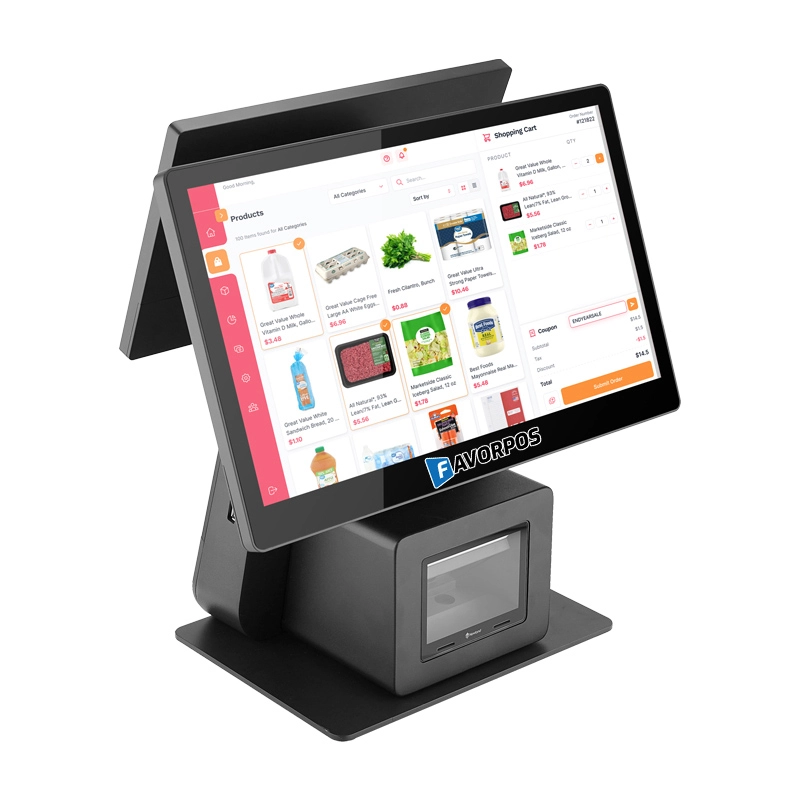
FAVORPOS: Your leading dual screen POS factory and manufacturer. Our desktop POS with barcode scanner offers 15.6/11.6 client screen options and OS flexibility. Get reliable, efficient dual screen POS with barcode scanner solutions directly from us.

FAVORPOS 11.6-inch capacitive touchscreen, specifically designed for POS machines to deliver a seamless and responsive user experience. This high-definition display offers vibrant visuals and crystal clear clarity, making it easy for staff to navigate through transactions efficiently. The capacitive technology ensures quick and accurate touch recognition, reducing wait times and enhancing customer satisfaction. Built to withstand the rigors of daily use, this touchscreen is perfect for retail and hospitality environments.


Copyright © 2025 Favorpos All Rights Reserved.
