
What is a touch screen POS system? Complete beginner’s guide
Enterprise buyers evaluating touchscreen point-of-sale solutions need a compact technical and procurement primer that covers the interactive checkout device architecture, software stack, peripheral ecosystem, compliance obligations, and vendor selection criteria. This summary introduces touch-enabled checkout terminals, highlights integration points with inventory and payment networks, summarizes uptime and service-level considerations for multi-site rollouts, and identifies the evaluation metrics procurement teams use to compare vendors and calculate ROI for in-store and omnichannel operations.
How modern touchscreen checkout terminals operate
Core hardware components and physical design
Contemporary interactive checkout terminals combine a capacitive or resistive display, embedded processor, memory, storage and a secure payment interface in a single enclosure. Typical hardware building blocks include the display module (projected capacitive touch is industry-standard for multi-touch), a thermal printer for receipts, an attached cash management unit, and optional barcode or 2D imagers. For fixed counter deployments, buyers often evaluate modular topologies that allow printer or customer-facing display swaps without replacing the host terminal. For an enterprise catalog of modular devices, consider a dedicated product tag such as Touch Screen POS for hardware options and compatibility notes.
Software architecture: front end, middleware and cloud sync
Software for interactive checkout terminals is split across three layers: the user-facing POS application (checkout UI and customer interactions), middleware that manages peripherals and offline caching, and backend services that handle inventory synchronization, payments tokenization, and analytics. Enterprise-grade stacks support modern APIs for integration with ERP systems and commonly provide SDKs to control printers, cash drawers, and payment modules. When evaluating vendor solutions, request API documentation and sample middleware deployment diagrams to validate integration velocity with existing retail systems.
Connectivity, peripherals and payment acceptance
Connectivity options include Ethernet, Wi-Fi, Bluetooth and cellular for mobile deployments. Peripheral interfaces commonly use USB, RS232, RJ11 (for older cash drawers) or USB-C, and many vendors supply plug-and-play drivers. Secure payment acceptance requires certified payment terminals or secure card readers (EMV, contactless NFC). For compliance and integration guidance, consult the PCI Security Standards Council site for payment security requirements.
Key benefits and operational ROI of touch-enabled checkout solutions
Transaction efficiency and labor optimization
Touch-enabled checkout solutions reduce keystrokes and simplify workflows with large, visual product layouts, quick-access modifiers, and context-aware prompts. This lowers training time for seasonal staff and reduces average handling time per transaction, which in turn improves checkout throughput during peak hours. Buyers should measure throughput during a controlled pilot and compare average transaction time before full deployment.
Real-time inventory control and unified commerce
Integrated terminals with central inventory synchronization reduce stockouts and overstock by updating counts at the point of sale and reflecting sales to online channels. The ability to process returns, exchanges, and promotions at the counter with SKU-level accuracy is a strong operational benefit that reduces downstream reconciliation effort and improves reporting cadence for category managers.
Improved customer experience and omnichannel continuity
Interactive, touchscreen-driven checkouts support customer-facing features such as digital signatures, upsell prompts, and digital receipts. When paired with loyalty and CRM integrations, terminals can deliver personalized offers at checkout, raising average order value and loyalty engagement metrics.
| Feature | Legacy Cash Register | Fixed Touch Terminal | Handheld/Tablet POS |
|---|---|---|---|
| Primary input | Keypad | Capacitive touchscreen | Capacitive touchscreen + hardware buttons |
| Typical industries | Small shops, kiosks | Retail, hospitality, supermarkets | Restaurants, curbside, mobile retail |
| Peripheral support | Limited | Full (printer, scanner, drawer) | Scanner, mobile printer, card reader |
| Integration level | Low | High (ERP/inventory/loyalty) | High (with mobile endpoint sync) |
| Operating systems | Proprietary | Android / Windows / Linux | Android / iOS / Android-based |
Selection, deployment and procurement checklist for enterprise buyers
Procurement criteria and technical requirements
Buyers should define mandatory requirements in the RFP: supported OS and SDK, peripheral compatibility (thermal printers, barcode scanners, cash drawers), certifications (EMV, PCI), network resiliency (offline transaction handling), environmental ratings (IP, operating temperature), and warranty/MTTR terms. Standards organizations such as ISO publish equipment and quality standards relevant to lifecycle planning and supply chain documentation.
Integration, pilot testing and rollout strategy
Run a staged pilot in representative stores to validate performance, integration with the ERP, and staff workflows. Key pilot metrics include average transaction duration, exception handling rate (voids/refunds), and daily reconciliation variance. Use pilot feedback to finalize terminal configurations, accessory lists and deployment scripts before scaling to additional sites.
Maintenance, spare parts and lifecycle planning
Plan for spare terminal units, common spare parts (power supplies, printers, touch assemblies), and a remote monitoring platform to track device health. Define SLA tiers for mission-critical stores and include firmware security update processes to ensure terminals remain compliant with payment and privacy regulations.
FAVORPOS solutions and OEM/ODM capabilities for enterprise deployments
Product portfolio aligned to multi-segment needs
FAVORPOS provides a comprehensive hardware and software portfolio designed for large-scale retail and hospitality rollouts. Our modular catalog includes fixed countertop terminals, mobile handheld units, and specialized devices such as price verification stations and self-check kiosks. For details on compatible classifications and accessory bundles, review the Touch Screen POS Hardware listings which summarize peripheral support and interface options.
Customization, OEM/ODM and supply chain assurance
We offer OEM and ODM services to adapt enclosures, I/O layouts, and firmware to specific project requirements. Our engineering team supports bespoke integrations (custom SDKs, branding overlays, approved third-party payment modules) and provides manufacturing traceability and quality control documentation. This approach reduces time-to-deploy for enterprise projects that require localized certifications, multiple language support, or unique mounting and cabling requirements.
Support, compliance and device lifecycle management
Our support programs cover depot repairs, on-site service, remote diagnostics and periodic firmware updates to keep devices aligned with payment and security standards. We design systems that interoperate with accessory lines including Handheld POS units for mobile checkout, central POS system controllers, dedicated Price Checker terminals for retail aisles, high-speed Thermal Printers, and secure Cash Drawer mechanisms for multi-drawer environments. For integrated system options and deployment case studies, see our product index under Touch Screen POS Systems.
As a trusted vendor in the point-of-sale industry, FAVORPOS is committed to quality, timely deliveries and long-term product support. Our vision is to become the world’s leading manufacturer of POS solutions by combining robust hardware, secure payment integrations, and comprehensive OEM/ODM services that reduce total cost of ownership and accelerate enterprise rollouts.
References and standards for procurement teams: introductory system overviews on Wikipedia: Point of sale, payment security baseline from the PCI Security Standards Council, and quality and supply chain guidelines at ISO.
Contact FAVORPOS for OEM/ODM inquiries, pilot configurations, or to request a tailored quote for multi-site deployments involving handheld terminals, receipt and label printers, price checkers and secure cash management solutions.
Frequently Asked Questions
What is a touchscreen point-of-sale terminal and how does it differ from a traditional cash register?
A touchscreen point-of-sale terminal is an interactive checkout device that uses a capacitive or resistive display to enter transactions, replacing traditional keypad-driven cash registers. Modern terminals integrate with inventory, loyalty and payment systems, support peripherals like thermal printers and barcode scanners, and provide APIs for ERP synchronization, whereas legacy cash registers are typically standalone and lack real-time integration features.
Which peripherals should be specified when procuring interactive checkout terminals?
Key peripherals include a reliable thermal receipt printer, barcode/2D imagers, an EMV/contactless payment reader, a secure cash drawer, and customer-facing displays. Buyers should confirm interface types (USB, RS232, RJ11), driver availability, and compatibility with the vendor’s SDK before purchase.
How should enterprise teams validate security and PCI compliance for new POS hardware?
Enterprises should require vendors to document payment certification (EMV, contactless readers) and alignment with PCI DSS controls. Validate that terminals support tokenization, secure firmware update mechanisms, and network segmentation. The PCI Security Standards Council provides baseline requirements for payment environments and should be consulted during procurement.
What are the main deployment risks and how can pilot testing mitigate them?
Main risks include integration defects with ERP or payment gateways, unacceptable transaction latency under peak loads, and peripheral driver incompatibility. Conduct a staged pilot in representative stores to measure transaction throughput, exception handling, and reconciliation outcomes; use pilot results to refine configuration and training materials before broad rollout.
Can vendors provide customized hardware or white-label devices for large retail programs?
Yes. Many suppliers offer OEM and ODM services to tailor device enclosures, I/O layouts, firmware features and certifications. Enterprise procurement should include clauses for documentation, warranty, spare parts, and lead times for custom orders to ensure continuity across multi-year deployments.
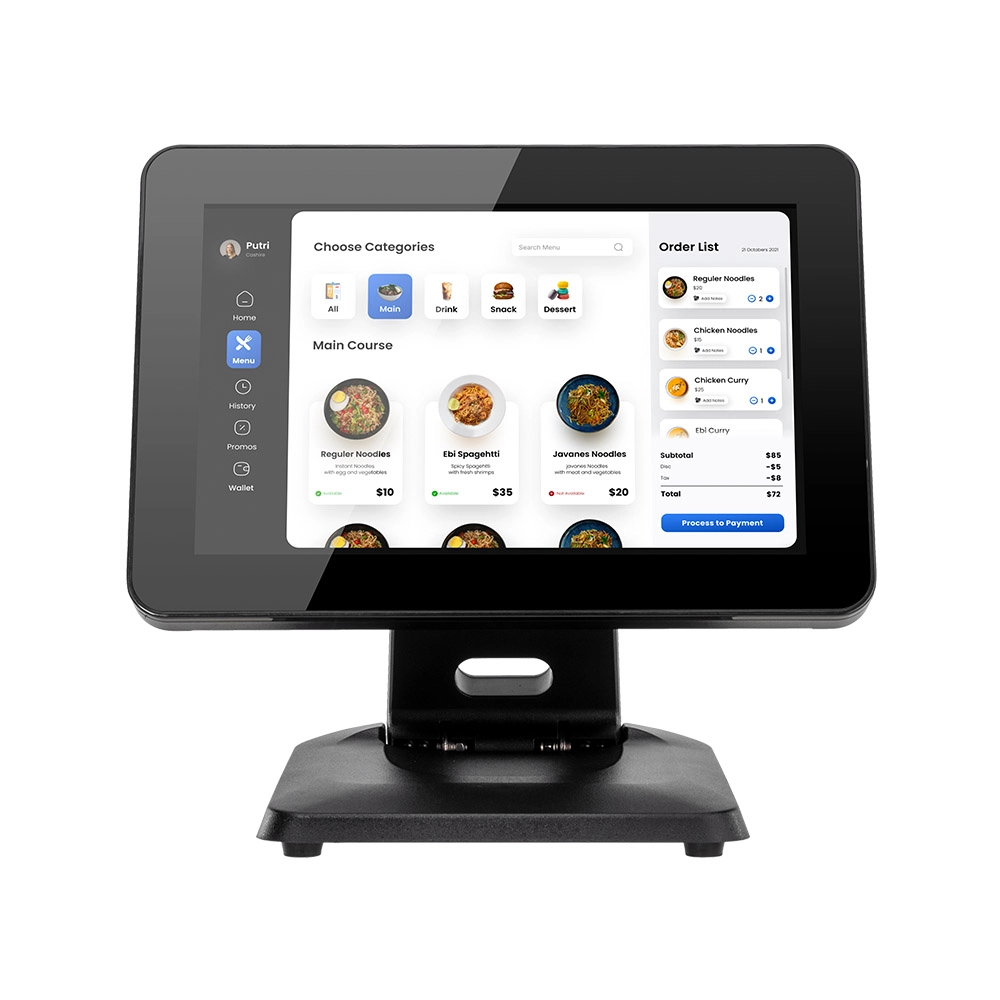
Our Desktop Touch Screen POS Systems feature a 12.1'' display, supporting both Android and Windows platforms. Engineered for high performance. The intuitive touch interface simplifies transactions and enhances customer engagement. With a sleek design and robust construction, our POS systems are perfect for businesses looking to improve efficiency and elevate the shopping experience.
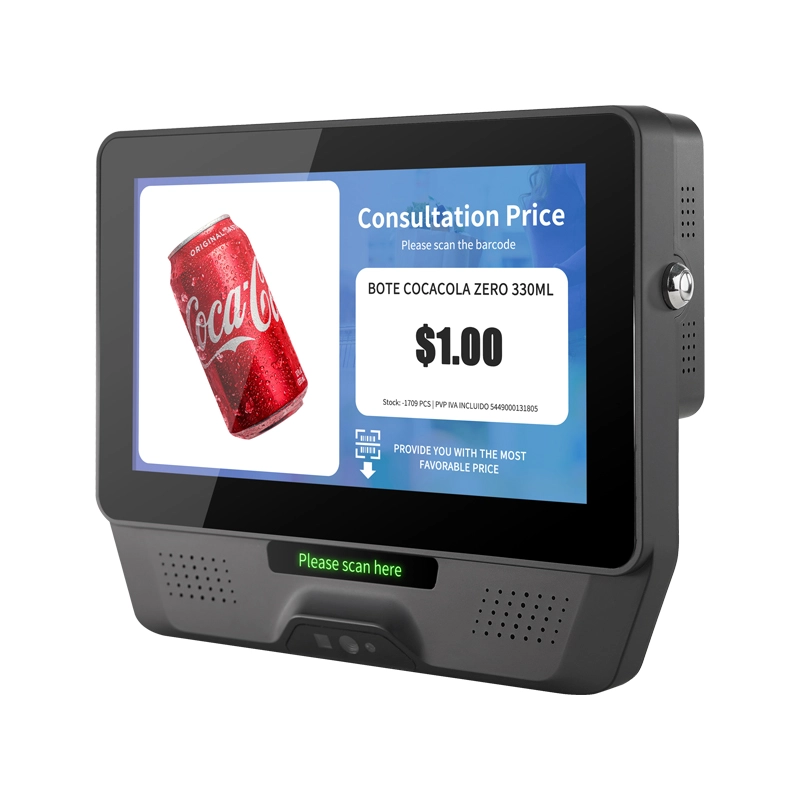
FAVORPOS 7 inch screen plastic price checker and custom check-in barcode scanner combines lightweight portability with reliable performance for retail and warehouse operations. Fast scanning, clear display, built to handle daily checkout demands.
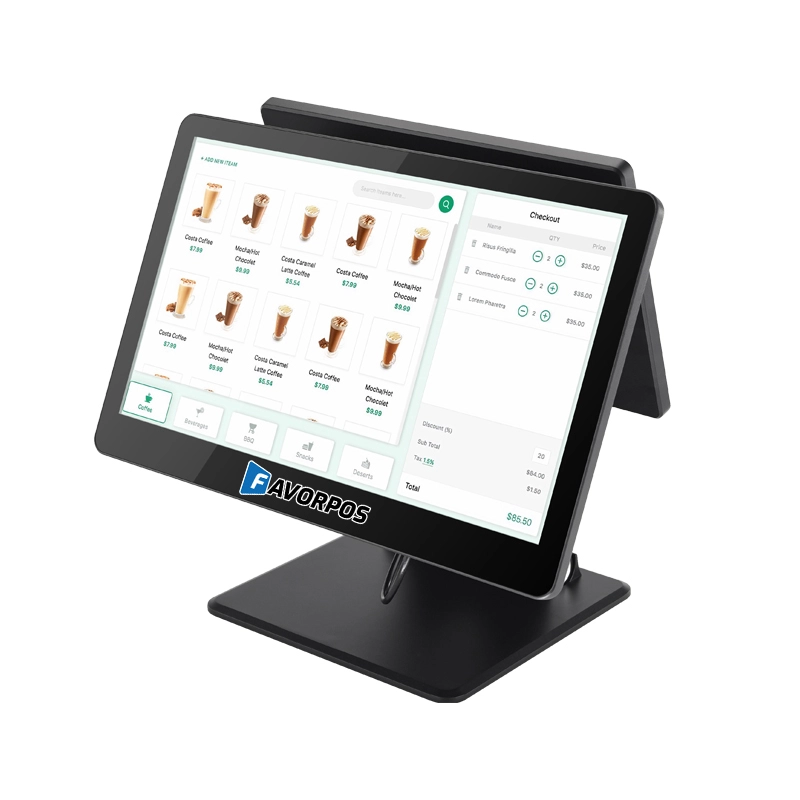
FAVORPOS dual screen POS terminals deliver fast, reliable checkout performance for retail and hospitality businesses. Built by our commercial pos terminal manufacturer, these thin-profile systems streamline transactions while maximizing counter space—trusted by checkout pos systems factory operations worldwide.
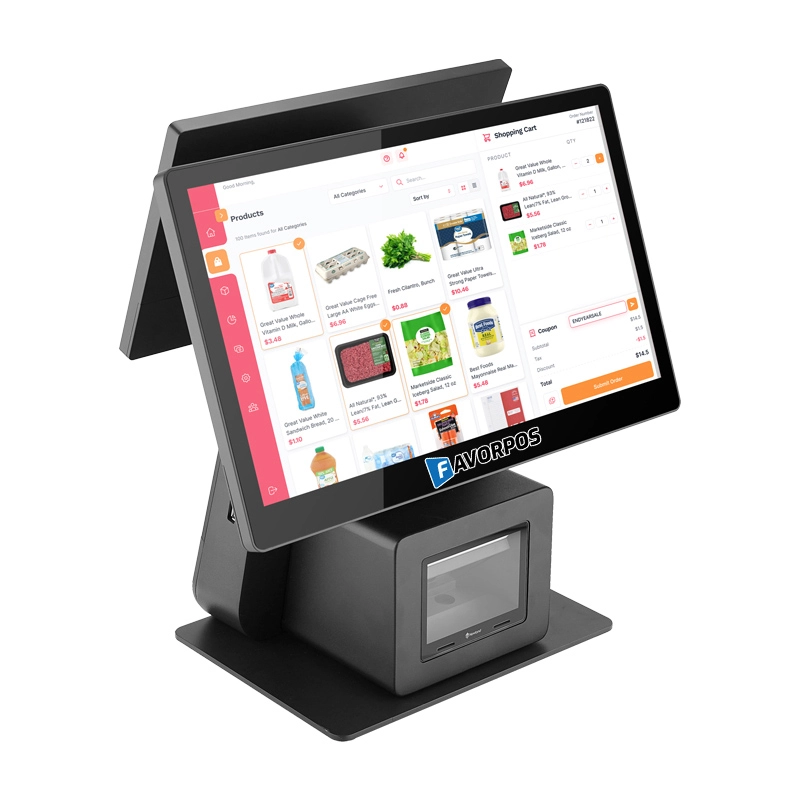
FAVORPOS: Your leading dual screen POS factory and manufacturer. Our desktop POS with barcode scanner offers 15.6/11.6 client screen options and OS flexibility. Get reliable, efficient dual screen POS with barcode scanner solutions directly from us.


Copyright © 2025 Favorpos All Rights Reserved.
