
21 Best Affordable All-In-One POS Systems for 2026 [Expert Reviews & Price Comparison]
- What Are Affordable All-In-One POS Systems?
- Key Takeaways: 2026 POS Landscape Quick Summary
- How We Evaluated the Best All-In-One Point of Sale Systems
- Top 21 Affordable All-In-One POS Systems for 2026: Expert Reviews
- Best for Retail
- Best for Restaurants
- Best for Service-Based Businesses
- Emerging Budget Options
- Pricing Breakdown: Hardware vs. Software Subscriptions
- Expert Tips for Choosing the Right POS System & Common Mistakes to Avoid
- 2026 Future Trends: The Evolution of the POS Business OS
- Conclusion
- FAQ
- How much does an affordable all-in-one POS system typically cost?
- What is the difference between a traditional POS and an all-in-one POS?
- Can I use an affordable POS system if the internet goes down?
- Which POS system has the lowest processing fees for small businesses?
- Do I have to buy hardware and software from the same POS provider?
- Are cloud-based POS systems secure for processing credit cards?
- How do I migrate my inventory data to a new POS system?
- What is a 'Business OS' in relation to modern point-of-sale systems?
Finding cheap point of sale systems for small business that do not compromise on enterprise-grade features is a top priority for entrepreneurs. Today's merchants need more than just a cash register; they require powerful, integrated tools to manage their entire operation securely and efficiently. This guide explores the top 21 affordable POS systems available to help you scale your business.
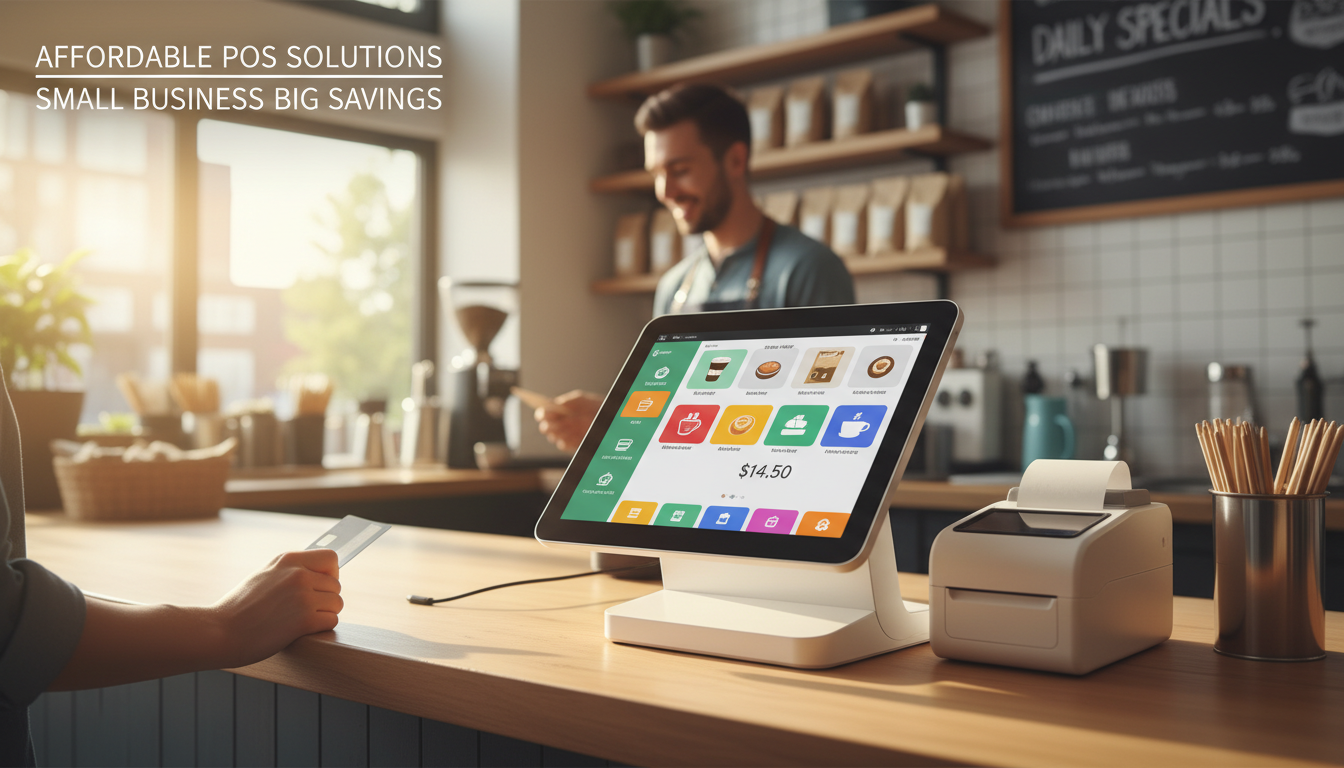
What Are Affordable All-In-One POS Systems?
An affordable all-in-one POS system is an integrated hardware and software solution combined into a single unified terminal that processes transactions, manages inventory, and tracks customer data, all designed with budget-friendly pricing for small and medium-sized businesses.
Traditionally, as reported by Wikipedia, the point of sale is the time and place where a retail transaction is completed. However, today's modern cloud-based POS hardware bundles have transformed this concept. They eliminate the need to purchase separate receipt printers, cash drawers, and card readers, thereby streamlining the checkout process and decluttering counter space.
Key System Advantages:
- Low Upfront Costs: Significantly reduced initial hardware investments compared to legacy on-premise servers.
- Transparent Subscriptions: Budget-friendly monthly SaaS subscriptions without hidden maintenance fees.
- Unified Ecosystem: A single smart device seamlessly handles everything from barcode scanning to digital receipts.
Key Takeaways: 2026 POS Landscape Quick Summary
The 2026 POS landscape is defined by the rapid shift from basic cash registers to comprehensive business operating systems that leverage AI, mobile-first integrations, and transparent pricing to streamline operations and reduce upfront costs for growing businesses.
As retail technology rapidly advances, an effective retail and restaurant business OS provides much more than simple transaction processing. It empowers owners to make data-driven decisions.
Essential Industry Highlights:
- Comprehensive Management: POS systems have shifted from basic billing tools to comprehensive ecosystems managing inventory, CRM, and payroll natively.
- Cost Savings: Choosing an all-in-one bundle can save small businesses an average of 20% to 30% on initial hardware setup fees.
- Modern Standards: AI-driven inventory management and mobile-first SoftPOS integrations are the leading technical standards for 2026.
How We Evaluated the Best All-In-One Point of Sale Systems
We evaluated the top systems by rigorously analyzing hardware durability, cloud software subscription transparency, overall ease of use, and the reliability of customer support, ensuring each solution delivers maximum return on investment for small business owners.
To provide accurate and actionable expert reviews, we focused on several critical performance criteria:
- Hardware Cost vs. Quality: Assessing the durability of touchscreens, card readers, and built-in components against their retail price point.
- Software Subscription Pricing: Evaluating the true long-term cost of monthly cloud software tiers, ensuring there are no hidden fees.
- Ease of Use: Prioritizing intuitive, modern user interfaces that minimize staff training time and reduce costly checkout errors.
- Customer Support: Verifying the availability of 24/7 technical assistance and comprehensive onboarding help during setup.
Top 21 Affordable All-In-One POS Systems for 2026: Expert Reviews
Our comprehensive review of the 21 top point of sale systems categorizes the best affordable platforms across retail, restaurant, and service industries, detailing hardware costs, software fees, and specific use cases to help you make an informed decision.
Best for Retail
Square for Retail
- Pros: Excellent free tier; built-in inventory syncing.
- Cons: Flat-rate processing fees can be high for large volumes.
- Starting Hardware Price: $299 (Square Register)
- Monthly Software Fee: $0 to $89
- Ideal Business Size: Small to medium independent retailers.
Shopify POS
- Pros: Flawless e-commerce integration; superior omnichannel features.
- Cons: Requires an active Shopify e-commerce subscription plan.
- Starting Hardware Price: $39 (Card Reader) to $349 (Retail Bundle)
- Monthly Software Fee: $89 (Pro tier)
- Ideal Business Size: Omnichannel retail stores and pop-ups.
Lightspeed Retail
- Pros: Advanced sales analytics; complex inventory matrix capabilities.
- Cons: Steeper learning curve for new retail staff.
- Starting Hardware Price: Custom quote (approx. $399)
- Monthly Software Fee: $89
- Ideal Business Size: Mid-sized to large retail shops.
Vend by Lightspeed
- Pros: Highly intuitive interface; runs fluidly on iPad, Mac, or PC.
- Cons: Support can sometimes be slower during peak hours.
- Starting Hardware Price: Bring your own device
- Monthly Software Fee: $69
- Ideal Business Size: Boutiques and multi-location retail hubs.
Korona POS
- Pros: No forced payment processor; excellent loss prevention features.
- Cons: Backend management interface feels slightly dated.
- Starting Hardware Price: Custom quote
- Monthly Software Fee: $59
- Ideal Business Size: Liquor stores, vape shops, and theme parks.
eHopper
- Pros: Free basic software tier; works on multiple existing devices.
- Cons: Free version has heavily limited advanced features.
- Starting Hardware Price: Bring your own device
- Monthly Software Fee: $0 to $29.99
- Ideal Business Size: Small retail startups and mall kiosks.
Best for Restaurants
Toast
- Pros: Android-based durability; outstanding kitchen display integration.
- Cons: Proprietary payment processing is strictly required.
- Starting Hardware Price: $0 (Pay-as-you-go model) to $799
- Monthly Software Fee: $0 to $165+
- Ideal Business Size: Full-service and quick-service restaurants.
Clover
- Pros: Sleek hardware design; massive app integration market.
- Cons: Hardware is permanently locked to the original merchant account.
- Starting Hardware Price: $599 (Clover Station Duo)
- Monthly Software Fee: $14.95 to $90
- Ideal Business Size: Cafés, local bakeries, and food trucks.
TouchBistro
- Pros: Hybrid cloud/local setup ensures zero offline downtime.
- Cons: Premium add-ons (like loyalty programs) increase costs quickly.
- Starting Hardware Price: Custom quote
- Monthly Software Fee: $69
- Ideal Business Size: Mid-sized local restaurants and pubs.
Revel Systems
- Pros: Deep customization; excellent multi-location management.
- Cons: Higher upfront installation and onboarding fees.
- Starting Hardware Price: Custom quote
- Monthly Software Fee: $99
- Ideal Business Size: Fast-casual chains and enterprise food service.
Lavu
- Pros: iPad-based mobility; highly effective for tableside ordering.
- Cons: Reporting features are less robust than enterprise competitors.
- Starting Hardware Price: Bring your own iPad
- Monthly Software Fee: $59 to $149
- Ideal Business Size: Small food and beverage establishments.
Upserve (by Lightspeed)
- Pros: Exceptional restaurant analytics and menu profit intelligence.
- Cons: Overall software pricing sits on the higher end of the spectrum.
- Starting Hardware Price: Custom quote
- Monthly Software Fee: $59
- Ideal Business Size: Fine dining establishments and large eateries.
Best for Service-Based Businesses
Vagaro
- Pros: Built-in marketplace for bookings; great marketing tools.
- Cons: Interface can become cluttered with too many features.
- Starting Hardware Price: $200 (Pay Desk)
- Monthly Software Fee: $25
- Ideal Business Size: Salons, spas, and boutique fitness studios.
Mindbody
- Pros: Industry standard for wellness; excellent class scheduling features.
- Cons: Very expensive top-tier software plans.
- Starting Hardware Price: Bring your own device
- Monthly Software Fee: $139+
- Ideal Business Size: Large commercial gyms and busy yoga studios.
Booker
- Pros: Streamlined scheduling; integrates perfectly with partner networks.
- Cons: Not suited for pure retail or food service models.
- Starting Hardware Price: Bring your own device
- Monthly Software Fee: $129
- Ideal Business Size: Med spas and premium beauty salons.
Square Appointments
- Pros: Free for sole proprietors; seamless payment integration.
- Cons: Multi-staff pricing scales up significantly.
- Starting Hardware Price: $299 (Square Register)
- Monthly Software Fee: $0 to $69
- Ideal Business Size: Independent stylists and mobile service providers.
Fresha
- Pros: Subscription-free base software; allows unlimited staff accounts.
- Cons: Takes a mandatory 20% commission on first-time marketplace bookings.
- Starting Hardware Price: Bring your own device
- Monthly Software Fee: $0
- Ideal Business Size: Growing salon and holistic wellness businesses.
Emerging Budget Options
Zettle by PayPal
- Pros: Highly affordable card reader; straightforward interface.
- Cons: Severely lacks advanced inventory tracking features.
- Starting Hardware Price: $29
- Monthly Software Fee: $0
- Ideal Business Size: Pop-up shops and local market vendors.
SumUp
- Pros: Extremely cheap entry hardware; predictable flat-rate processing.
- Cons: Customer support is predominantly email-based.
- Starting Hardware Price: $19
- Monthly Software Fee: $0
- Ideal Business Size: Solo entrepreneurs and craft fair sellers.
Helcim
- Pros: Transparent interchange-plus pricing; zero monthly software fees.
- Cons: Requires consistent transaction volume to see maximum savings.
- Starting Hardware Price: $99 (Card Reader)
- Monthly Software Fee: $0
- Ideal Business Size: High-volume, budget-conscious local merchants.
Loyverse
- Pros: Excellent free POS app; strong loyalty program features.
- Cons: You must supply third-party hardware and processors.
- Starting Hardware Price: Bring your own device
- Monthly Software Fee: $0
- Ideal Business Size: Micro-businesses and independent community cafés.
Pricing Breakdown: Hardware vs. Software Subscriptions
Understanding POS pricing requires a clear comparison between upfront hardware terminal costs and ongoing monthly software subscriptions, while also carefully accounting for payment processing rates and potential hidden fees associated with premium features or additional registers.
To calculate the true cost of ownership, merchants must look beyond the initial price tag. Proper budgeting ensures that your integrated payment processing software remains affordable as your transaction volume and business locations expand.
Key Pricing Elements to Consider:
- Hardware vs. Long-Term Leasing: Purchasing upfront hardware generally saves money over time. Understanding the total cost of ownership reveals that long-term leasing models often include steep markups.
- Decoding Payment Processing Fees: It is critical to compare flat-rate pricing (which is best for low volume) versus interchange-plus pricing models (which yield savings for high volume).
- Identifying Hidden Costs: Watch out for unexpected fees for additional terminal licenses, premium customer support access, or advanced reporting add-ons.
Expert Tips for Choosing the Right POS System & Common Mistakes to Avoid
Choosing the ideal POS system requires prioritizing open payment processing integrations and robust offline modes, while actively avoiding the common mistake of ignoring long-term scalability as your transaction volume, locations, and staff numbers expand over time.
Security and flexibility are the foundation of a reliable point of sale ecosystem. Any system you implement must follow rigorous cybersecurity protocols. For instance, the Payment Card Industry Data Security Standard regulates how merchants securely store, process, and transmit cardholder data to prevent fraud, as reported by Wikipedia.
Strategic Expert Advice:
- Expert Tip: Always verify if the POS system locks you into their proprietary payment gateway or if it allows open, third-party processing integrations to shop for better rates.
- Common Mistake: Ignoring scalability. A cheap system today might charge exorbitant fees when you add a second location or extra registers later on.
- Advice: Prioritize systems that offer robust offline modes to ensure you can continue processing transactions smoothly during unexpected internet outages.
2026 Future Trends: The Evolution of the POS Business OS
The future of point of sale technology centers on seamless omnichannel synchronization, the mass adoption of SoftPOS technology on consumer mobile devices, and the integration of predictive artificial intelligence for automated inventory and customer relationship management.
As the barriers between physical retail stores and digital e-commerce storefronts continue to blur, implementing omnichannel POS scalability has become a defining factor for sustaining long-term commercial success in competitive markets.
Emerging Industry Trends:
- Omnichannel Dominance: Software is increasingly focused on seamlessly syncing brick-and-mortar sales with e-commerce platforms in real-time.
- The Rise of SoftPOS: Utilizing consumer-grade smartphones and commercial tablets as contactless payment terminals effectively reduces heavy hardware dependency.
- Predictive Analytics: AI integrations are now capable of automatically reordering stock based on historical sales trends, weather forecasting, and local event data.
Conclusion
An affordable all-in-one POS system serves as the central nervous system of your daily operations, transforming how you handle everything from simple checkout transactions to complex multi-location inventory synchronization and employee scheduling in an increasingly competitive marketplace.
By carefully evaluating hardware durability, software scalability, and payment processing fees, you can secure a system that drives long-term ROI. An affordable all-in-one POS system is no longer just a register; it is the cornerstone of modern business management. If you need help selecting the perfect point of sale solution tailored to your specific industry and budget, our team is ready to provide a personalized consultation. Contact us today to optimize your omnichannel POS scalability strategy.
FAQ
How much does an affordable all-in-one POS system typically cost?
Basic all-in-one hardware terminals generally range from $300 to $800 upfront. Monthly software subscription fees typically cost between $0 and $100 depending on the features required.
What is the difference between a traditional POS and an all-in-one POS?
Traditional POS systems require buying separate components (monitor, scanner, printer, card reader) and connecting them. All-in-one POS systems feature these components built into a single, sleek device, saving counter space and simplifying setup.
Can I use an affordable POS system if the internet goes down?
Yes, most modern cloud-based POS systems include an 'offline mode'. This allows you to continue accepting cash and securely storing encrypted credit card data until the connection is restored.
Which POS system has the lowest processing fees for small businesses?
Systems offering 'interchange-plus' pricing often provide the lowest long-term rates for high-volume businesses. For lower-volume startups, flat-rate providers like Square or PayPal Zettle are often more predictable and cost-effective.
Do I have to buy hardware and software from the same POS provider?
In many all-in-one setups, the hardware is proprietary and bundled specifically with the provider's software. However, tablet-based POS setups allow you to buy an iPad or Android device separately and download the software.
Are cloud-based POS systems secure for processing credit cards?
Yes, reputable cloud-based POS systems use end-to-end encryption and tokenization. They are fully PCI-DSS compliant, meaning sensitive card data is never stored locally on your device.
How do I migrate my inventory data to a new POS system?
Most POS vendors offer bulk import features using standard CSV or Excel files. Premium providers often include free onboarding assistance to help migrate your SKUs, barcodes, and pricing data securely.
What is a 'Business OS' in relation to modern point-of-sale systems?
A Business Operating System (OS) goes beyond taking payments. It integrates employee scheduling, customer loyalty programs, advanced inventory tracking, and accounting software into one centralized dashboard.
Wholesale toast pos handheld manufacturer and supplier
Everything You Need to Know About pos touch screen monitor
Tips for Wholesale thermal printer manufacturers in Europe
Why choose FAVORPOS convenience store pos windows based manufacturer in Asia
For Hotels
Can I track restaurant and spa inventory through your POS system?
Yes, our system includes inventory management functions, allowing you to track inventory status of various departments such as restaurants and spas in real time.
For company
How long the warranty do you offer?
We provide a 12-month warranty. The warranty period starts from the invoice date.
For Grocery and Supermarkets
Can I manage multiple stores with your POS system?
Yes, our POS solution provides multi-store management capabilities, allowing you to control pricing, inventory, and promotions for all stores from a single platform.
How does your system help manage perishable goods?
Our POS system tracks the shelf life of goods and provides reminders for perishable goods, helping you reduce waste and ensure product freshness.
For Government and Public
Can the system be accessed and managed remotely?
Yes, our POS system provides remote access capabilities, allowing you to manage and supervise from different locations, ensuring centralized control.

Aluminum Dual Screen Pos Terminal Pos Systems 15.6 inch Touchscreen Pos
FAVORPOS Aluminum Dual Screen POS Terminal features a 15.6-inch touchscreen, ideal for seamless transactions. As a trusted OEM Windows POS manufacturer, we deliver durable, high-performance solutions tailored for retail and hospitality businesses.

Android Handheld Pos Device Touch Screen Pos Terminal Manufacturer

All in One POS Terminal Metal 11.6'' Touchscreen Android Windows with Printer
The All-in-One POS Terminal features an 11.6'' touchscreen display, compatible with both Android and Windows. This metal-constructed terminal combines durability with style, making it a perfect fit for any retail or hospitality environment. Equipped with a built-in printer, it streamlines transactions by allowing for instant receipt printing.

8 inch Touchscreen Price Checker Barcode Scanner Wifi Optional Android Win 10
FAVORPOS Touchscreen Price Checker offers a user-friendly interface, perfect for retail environments. With optional Wi-Fi connectivity, this device runs on Android or Windows, providing flexibility and ease of use. The integrated barcode scanner allows for quick price verification, enhancing the shopping experience for customers. Compact and efficient, it's designed to streamline operations and improve checkout speed.


Copyright © 2025 Favorpos All Rights Reserved.
