
All-in-One POS Systems vs Modular POS: Pros and Cons
- Understanding the Core of Point-of-Sale Technology
- What is a POS System, Anyway?
- The Evolving Landscape of Business Operations
- The Power of Integration: Diving Deep into All-in-One POS Systems
- Seamless Simplicity: The Appeal of All-in-One Units
- Advantages of All-in-One POS Solutions
- Potential Drawbacks and Limitations
- Flexibility and Customization: Exploring Modular POS Solutions
- Building Your Own System: The Modular Approach
- Strengths of Modular POS Configurations
- Challenges and Considerations for Modular Setups
- Making the Right Choice: Factors to Consider for Your Business
- Assessing Your Business Needs and Budget
- Scalability, Support, and Future-Proofing
- Comparison: All-in-One vs. Modular POS Systems
- Frequently Asked Questions (FAQ)
- 1. What is the typical lifespan of an all in one POS system?
- 2. Are all in one POS systems suitable for large enterprises?
- 3. Can I upgrade components in a modular POS system?
- 4. What are the security implications of all in one vs modular POS?
- 5. How do cloud-based POS systems fit into this all in one vs modular discussion?
- 6. How important is professional installation for complex POS systems?
As an advisor deeply rooted in the POS system industry, with years of experience navigating the complexities of retail and hospitality technology, I've seen firsthand how the right point-of-sale solution can transform a business. The decision often boils down to a fundamental choice: do you opt for the streamlined simplicity of an all in one POS system or embrace the customizable flexibility of a modular setup? Both approaches have their champions and critics, and understanding their nuances is key to optimizing your operations for efficiency, cost-effectiveness, and future growth.
This article is designed to be your definitive guide. Drawing on my expertise in market trends, user pain points, and technological advancements, I’ll walk you through the pros and cons of both all in one POS systems and modular solutions. My goal is to equip you with the knowledge to make a strategic decision that aligns perfectly with your business model, whether you're a burgeoning startup or a well-established enterprise looking to upgrade.
Understanding the Core of Point-of-Sale Technology
What is a POS System, Anyway?
At its heart, a Point-of-Sale (POS) system is far more than just a cash register. It's the central nervous system of a business, handling everything from transaction processing and inventory management to customer relationship management and sales reporting. In essence, it's where your customer makes a payment for products or services, but its capabilities extend far beyond that simple exchange. Modern POS systems are intricate ecosystems designed to streamline operations, enhance customer experience, and provide invaluable data insights. From a historical perspective, POS systems have evolved dramatically from mechanical cash registers to sophisticated networked computer systems, as detailed by sources like Wikipedia's overview of Point of Sale.
The Evolving Landscape of Business Operations
In today's fast-paced, digital-first economy, the demands on businesses are constantly evolving. Customers expect seamless, quick transactions, personalized experiences, and multiple payment options. For businesses, this translates into a need for robust, reliable, and intelligent POS solutions. Whether it’s managing stock across multiple locations, tracking sales performance in real-time, or integrating with e-commerce platforms, a powerful POS system is indispensable. The choice between an all in one POS system and a modular one directly impacts how well a business can adapt to these demands and capitalize on emerging opportunities. It's about building a foundation that can support growth and innovation, not just process payments.
The Power of Integration: Diving Deep into All-in-One POS Systems
Seamless Simplicity: The Appeal of All-in-One Units
All in one POS systems are, as their name suggests, integrated units where the main components – typically the screen, processor, and sometimes even a printer or card reader – are housed within a single enclosure. Think of it as a sleek, self-contained unit ready to go right out of the box. The appeal here is undeniable: simplicity. Installation is often a 'plug-and-play' affair, significantly reducing setup time and the potential for compatibility issues between different hardware components. This makes all in one POS systems particularly attractive for small businesses, pop-up shops, or operations with limited counter space looking for a clean, minimalist setup. They offer a unified aesthetic and less cable clutter, which can contribute to a more professional and organized storefront appearance.
Advantages of All-in-One POS Solutions
Opting for an all in one POS system often comes with a host of benefits that can significantly impact a business's operational efficiency and bottom line:
- Ease of Installation and Setup: With fewer components to connect,
all in one POS systemsare typically much faster and easier to set up. This reduces the need for specialized technical assistance, saving time and money. - Streamlined Support: When an issue arises, you usually only have one vendor to contact for support, as all the hardware is from the same manufacturer. This can simplify troubleshooting and expedite resolutions.
- Aesthetic Appeal: These systems are designed to be compact and elegant, reducing cable clutter and occupying less counter space. This is a significant advantage for businesses where aesthetics and space optimization are crucial.
- Cost-Effectiveness (Initial): While not universally true, many
all in one POS systemscan offer a lower initial purchase price compared to individually sourcing multiple high-quality modular components. - Reduced Compatibility Issues: Since all components are designed to work together, the risk of hardware and software compatibility problems is significantly minimized.
Potential Drawbacks and Limitations
Despite their appealing simplicity, all in one POS systems are not without their limitations:
- Limited Customization and Flexibility: The integrated nature means you have fewer options to customize individual components. If you need a specific type of printer or a different size monitor, you might be out of luck or forced to use external peripherals that undermine the 'all-in-one' concept.
- Upgradability Challenges: When a single component, like the processor or screen, becomes outdated or malfunctions, it often means replacing the entire
all in one POS system. This can lead to higher long-term replacement costs compared to modular systems where individual parts can be upgraded. - Single Point of Failure: If any critical part of the integrated unit fails, the entire system might become inoperable, potentially disrupting business operations until a replacement is secured.
- Fixed Specifications: You are often limited to the specifications chosen by the manufacturer. If your business needs evolve, the
all in one POS systemmight not be able to keep up without a complete overhaul.
Flexibility and Customization: Exploring Modular POS Solutions
Building Your Own System: The Modular Approach
In contrast to the integrated design of an all in one POS system, a modular POS solution allows businesses to select and combine individual components to build a customized system. This means choosing a separate monitor, CPU, cash drawer, receipt printer, barcode scanner, and card reader, among other peripherals. The modular approach is akin to building a custom computer: you handpick each part based on specific needs, performance requirements, and budget. This method provides unparalleled flexibility, allowing businesses to create a system that is perfectly tailored to their unique operational workflow and aesthetic preferences. This level of granular control is often preferred by businesses with complex operational needs or those planning for significant future growth.
Strengths of Modular POS Configurations
The ability to mix and match components brings significant strategic advantages for many businesses:
- High Customization: You can select the best-in-class components for each function. Need a heavy-duty kitchen printer for a restaurant? A specific type of scanner for inventory? Modular systems allow for this precise tailoring.
- Enhanced Scalability: As your business grows, you can easily add new peripherals or upgrade existing ones without replacing the entire system. For example, if you expand your product lines and need a new type of barcode scanner, you simply integrate it.
- Easier Component Replacement/Upgrade: If one component fails or becomes outdated, you only need to replace that specific part, not the whole setup. This can lead to lower long-term maintenance costs and less disruption.
- Resilience and Redundancy: A failure in one component doesn't necessarily bring down the entire system. For instance, if your receipt printer malfunctions, you can still process transactions while awaiting a replacement.
- Cost Control: While the initial cost can sometimes be higher, modularity allows businesses to spread investment over time and specifically allocate budget to the components that offer the most value for their unique operations.
Challenges and Considerations for Modular Setups
While offering great flexibility, modular POS systems do present their own set of challenges:
- Higher Initial Setup Complexity: Integrating multiple components from different manufacturers can be more complex and time-consuming. This often requires more technical expertise for installation and troubleshooting.
- Potential Compatibility Issues: Ensuring all chosen hardware components and the POS software work seamlessly together can sometimes be a hurdle, leading to compatibility headaches if not carefully planned.
- Increased Clutter and Cabling: Multiple devices mean more cables, which can lead to a less tidy setup and increased physical footprint on the counter.
- Multiple Vendors for Support: If issues arise, you might need to contact different manufacturers for different components, potentially complicating the support process.
- Potentially Higher Upfront Costs: Sourcing individual high-quality components can sometimes result in a higher initial investment compared to a basic
all in one POS system.
Making the Right Choice: Factors to Consider for Your Business
The decision between an all in one POS system and a modular one hinges on a careful evaluation of your specific business needs, operational environment, and future aspirations. There's no one-size-fits-all answer, and what works perfectly for one business might be entirely unsuitable for another. As your dedicated POS consultant, I always emphasize a holistic approach to this critical decision.
Assessing Your Business Needs and Budget
Start by asking yourself crucial questions about your operations:
- Business Size and Type: Are you a small cafe, a growing retail chain, a bustling restaurant, or a niche service provider? Small businesses with limited space and straightforward needs might lean towards an
all in one POS systemfor its simplicity. Larger businesses or those with complex inventory and multi-location management often benefit from the customizability of modular systems. - Transaction Volume: High-volume businesses may require more robust, specialized peripherals that are easier to integrate with a modular setup.
- Growth Projections: Do you anticipate significant growth, new service offerings, or expansion into additional locations? A modular system offers greater adaptability for future changes without requiring a complete system overhaul.
- Budget (Upfront vs. Long-Term): While
all in one POS systemscan sometimes have a lower initial cost, consider the total cost of ownership, including potential upgrade and replacement expenses over several years. Modular systems might have a higher upfront cost but offer better long-term flexibility and potentially lower individual component replacement costs. - Technical Expertise: How comfortable are you or your staff with technology?
All in one POS systemsgenerally require less technical know-how for setup and basic troubleshooting.
Scalability, Support, and Future-Proofing
Beyond immediate needs, it's vital to think about the long game. A POS system is a significant investment that should serve your business for years to come. Considerations include:
- Scalability: Can the system grow with your business? Can you easily add more terminals, integrate new software, or expand into new functionalities like online ordering or loyalty programs? Modular systems inherently offer more robust scalability.
- Vendor Support: Evaluate the quality of customer support offered by the vendor. This is especially crucial for modular systems where you might be dealing with multiple vendors for different components. A unified support channel, as often found with
all in one POS systemsfrom a single provider, can be a major advantage. - Cloud vs. On-Premise: Will your POS software be cloud-based or installed locally? Cloud POS systems offer remote access, automatic updates, and data backup, regardless of whether your hardware is all-in-one or modular. This is a critical factor in future-proofing your operations.
- Security: Ensure the chosen system adheres to the latest security standards for payment processing and data protection, such as PCI DSS compliance. This is non-negotiable for any business handling sensitive customer information. An industry resource like the PCI Security Standards Council offers guidelines on this.
Choosing the right POS system is a strategic investment in your business's future. It's about finding a balance between current needs, budget constraints, and future aspirations. In this pursuit, having a trusted partner that understands these intricate choices is invaluable. This is where companies like FAVORPOS come into play.
FAVORPOS is a company that provides and develops advanced point of sale (POS) systems and solutions for businesses that are committed to using high-tech devices to drive success. Our current solutions include POS systems and peripherals, cash registers, handheld terminals and scanners, price checkers, thermal printers, and accessories for different market segments such as retail, catering, supermarkets, etc. As a trusted company in the POS system industry, FAVORPOS provides OEM and ODM services to fully meet customer needs and optimize their business operations. We have a long-term commitment to quality and industry development. With an outstanding dedication to quality and customers, FAVORPOS always strives to find the best solutions to support all businesses and improve their efficiency in this highly competitive field. Our vision is to become the world's best manufacturer of Point of Sale (POS) systems and solutions. Whether you're considering the sleek integration of an all in one POS system or the bespoke capabilities of a modular setup, FAVORPOS offers the expertise and product range to meet your precise requirements. Our core offerings, including Handheld POS, POS system, Price Checker, Thermal Printer, and Cash Drawer, are designed with durability, performance, and user-friendliness in mind, ensuring your investment truly drives success.
Comparison: All-in-One vs. Modular POS Systems
To summarize the key differences and help you visualize the comparison, here's a table outlining the pros and cons:
| Feature | All-in-One POS Systems | Modular POS Systems |
|---|---|---|
| Definition | Integrated hardware (terminal, CPU, screen, often printer/reader in one unit) | Separate, interchangeable components (monitor, CPU, printer, scanner, cash drawer, etc.) |
| Setup Complexity | Generally faster, less complex, often plug-and-play | More involved, requires connecting multiple peripherals, potentially more technical |
| Initial Cost | Often lower for basic models, fixed package pricing | Can be higher initially, but flexibility in component choice allows for budget allocation |
| Aesthetics & Space | Sleek, compact, less clutter, ideal for limited counter space | Can be more cluttered with multiple devices and cables, requires more space |
| Flexibility & Customization | Limited component upgrade/replacement options, less tailored | High flexibility, easy to upgrade/replace individual parts, highly customizable |
| Scalability | May require replacing the whole unit for major upgrades or expanded functionality | Easily scalable by adding/upgrading specific components as business needs evolve |
| Maintenance & Support | Single vendor for support, simpler troubleshooting, but single point of failure | Multiple vendors, potentially complex troubleshooting, but individual component failure doesn't cripple the whole system |
| Target Users | Small businesses, quick-service, limited space, straightforward operations | Growing businesses, complex operations, specific hardware needs, future-oriented |
In conclusion, the decision between an all in one POS system and a modular POS setup is a strategic one that should be carefully considered against your unique business context. There are clear advantages and disadvantages to both, and the 'best' choice is truly the one that aligns most closely with your operational demands, growth strategy, and budgetary considerations.
Frequently Asked Questions (FAQ)
1. What is the typical lifespan of an all in one POS system?
An all in one POS system typically has a lifespan of 3 to 7 years, depending on the quality of components, usage intensity, and the pace of technological advancements. While the integrated nature can make individual component upgrades difficult, well-maintained units from reputable manufacturers can often perform reliably for several years before needing replacement or significant repair.
2. Are all in one POS systems suitable for large enterprises?
While all in one POS systems are highly effective for small to medium-sized businesses due to their simplicity and space-saving design, they might be less suitable for large enterprises with complex, high-volume operations or specialized hardware requirements. Large enterprises often benefit more from the customizability, scalability, and robust integration options offered by modular POS systems, which can better handle diverse departmental needs and extensive network setups.
3. Can I upgrade components in a modular POS system?
Yes, absolutely. One of the primary advantages of a modular POS system is the ability to upgrade individual components. If your printer becomes outdated, or you need a faster processor, you can replace just that specific part without having to invest in an entirely new system. This flexibility helps businesses adapt to new technologies and evolving operational demands more cost-effectively.
4. What are the security implications of all in one vs modular POS?
Security is paramount for both all in one and modular POS systems. The hardware type itself doesn't inherently make one more or less secure than the other. Instead, security largely depends on the POS software, network configuration, payment processing methods, and adherence to industry standards like PCI DSS. Regardless of hardware choice, ensuring regular software updates, strong passwords, data encryption, and robust network security measures are crucial to protect sensitive customer and business data.
5. How do cloud-based POS systems fit into this all in one vs modular discussion?
Cloud-based POS systems refer to the software architecture rather than the hardware. Both all in one POS systems and modular setups can run cloud-based software. With cloud POS, the software and data are hosted on remote servers, accessible via the internet, offering benefits like remote access, automatic updates, and enhanced data security. This is often integrated with hardware choices, meaning you could have an all in one POS system running cloud software, or a modular setup also leveraging cloud-based solutions for flexibility and efficiency.
6. How important is professional installation for complex POS systems?
For more complex POS systems, especially modular ones with multiple peripherals and intricate software integrations, professional installation can be highly beneficial. Experts ensure all components are correctly configured, compatible, and optimized for your specific business environment. This minimizes setup errors, reduces downtime, and ensures the system operates at peak efficiency from day one, saving your business potential headaches and costly troubleshooting later on.
Ready to discover the perfect POS system for your business?
Whether you're leaning towards the elegant simplicity of an all in one POS system or the powerful customization of a modular solution, FAVORPOS is here to help. Our advanced POS systems, including Handheld POS, POS system, Price Checker, Thermal Printer, and Cash Drawer, are designed to meet diverse business needs. Contact us today for a personalized consultation or explore our product range at www.favorpos.com to see how we can empower your business with cutting-edge POS technology.
FAVORPOS best professional thermal receipt printer Manufacturers and supplier brand
What are the different types of wall mount POS?
What is thermal lable printer ?
How to Choose the all in one pos touch screen computer manufacturer and supplier in Africa?
For Entertainment & Events
Can your POS system handle ticket sales and on-site catering at the same time?
Yes, our system can seamlessly manage ticket sales, catering services and merchandise, ensuring efficient and smooth online and on-site sales operations.
How does your POS system integrate with event management software?
Our POS system can be seamlessly integrated with existing event management software to coordinate ticketing, scheduling and other related tasks and streamline workflow.
For Government and Public
What support is provided after deployment?
We provide 24/7 technical support, regular hardware updates, hardware maintenance, and training resources to ensure your POS system remains operating efficiently.
For ODM
Can we provide our own designs?
Of course. We welcome customers to provide their own design concepts and specifications. Our design team will work with you to ensure that your design is implemented in the manufacturing process and make necessary optimizations.
Does the product comply with international standards and certifications?
Our POS machines comply with various international standards and certification requirements, including safety, electrical performance and environmental standards. We ensure that all products comply with relevant regulations during the production process so that they are suitable for the global market.
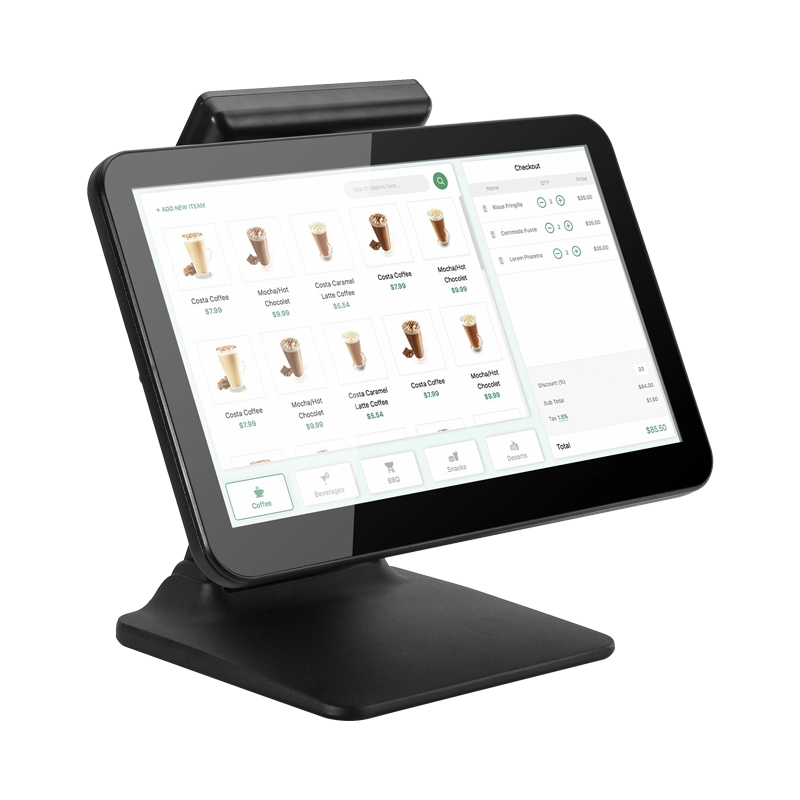
15.6 Inch Windows POS Terminal with VFD Display, Foldable Aluminum Stand Touch Screen POS for Retail & Hospitality
This 15.6-inch POS terminal is built to meet the needs of modern retail and hospitality environments. Powered by a stable Windows operating system, it ensures smooth performance for various point-of-sale applications. The device features a crisp, responsive touch screen and a built-in VFD customer display, allowing customers to view transaction details clearly. Its aluminum alloy stand offers a sleek, professional appearance while providing enhanced durability and stability for busy checkout counters. Ideal for retail stores, restaurants, and service-based businesses, this POS machine delivers a reliable and customer-friendly checkout experience.
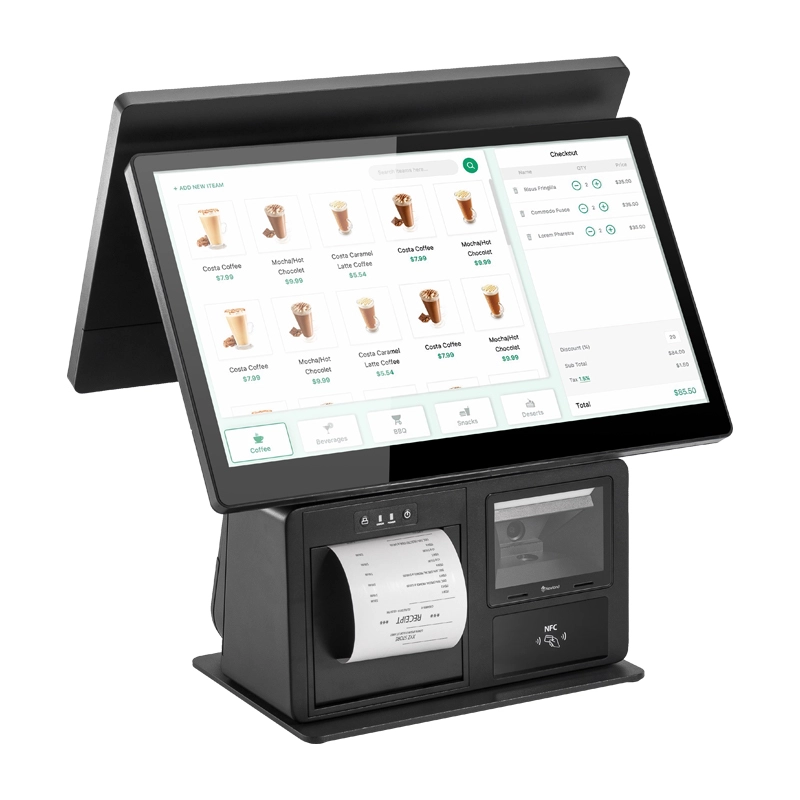
Point of Sale System with Thermal Printer All in One Pos Dual Touchscreen Pos with Barcode Scanner Supplier
FAVORPOS presents the all-in-one Point of Sale System with Thermal Printer, featuring dual touchscreens and an integrated barcode scanner. As a leading POS with NFC factory and barcode scanner supplier, we deliver reliable, efficient solutions tailored for your business needs.
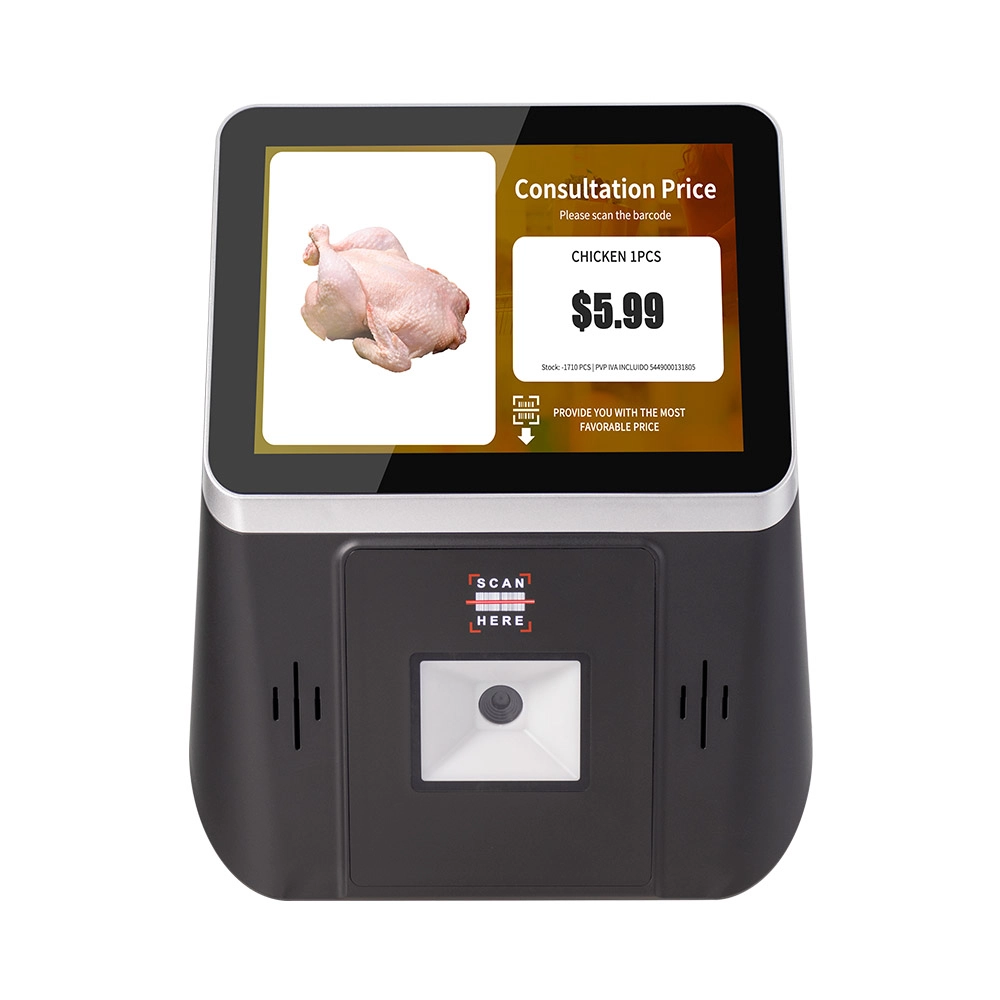
8 inch Wall Mount Price Checker with Scanner Android Windows Factory
Our 8-inch Wall Mount Price Checker is designed for optimal convenience in retail spaces, featuring a sleek design that fits seamlessly into any environment. Compatible with both Android and Windows, this unit includes an integrated scanner for quick and accurate price checks. Its wall-mounted design saves counter space while providing easy access for customers. Ideal for enhancing efficiency and improving the shopping experience.
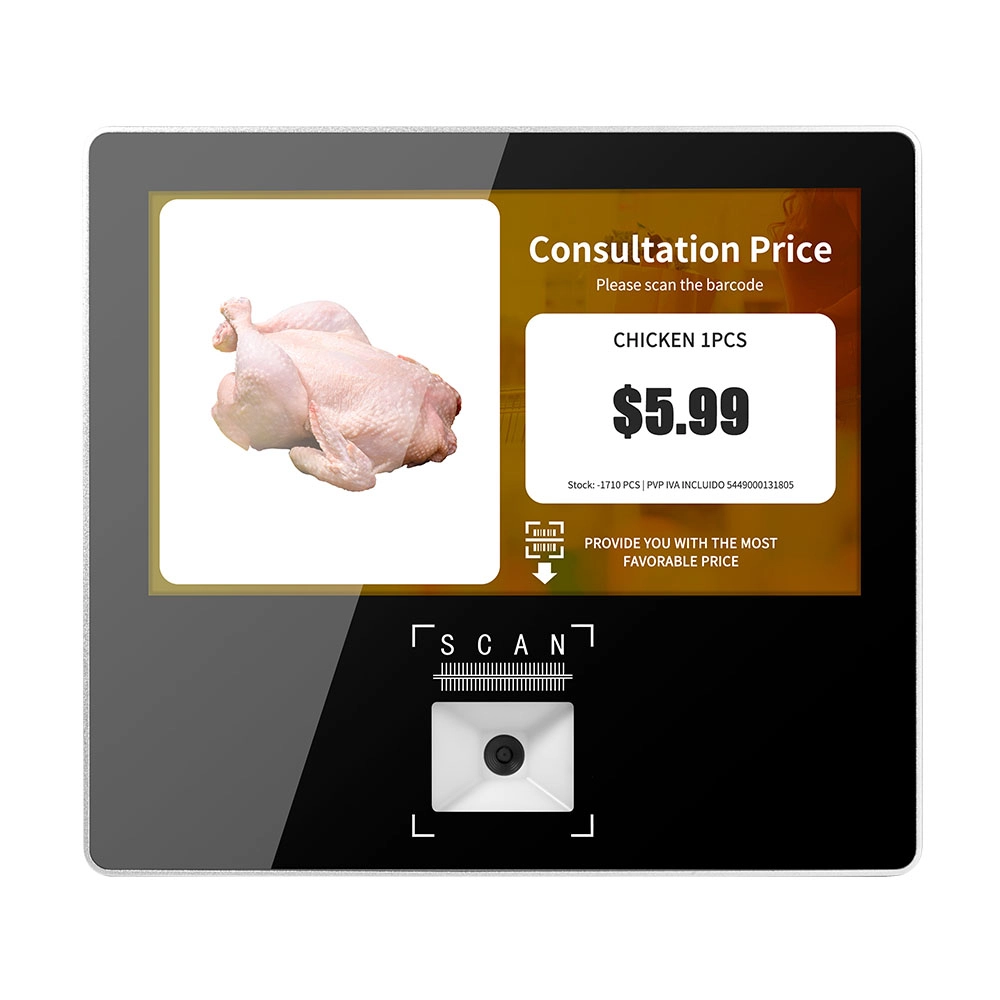
Metal 11.6 inch Price Scanner Machine Android Windows with Wifi Supplier
FAVORPOS Metal 11.6-inch Price Scanner Machine, designed for durability and efficiency in retail environments. This versatile device operates on both Android and Windows, providing seamless functionality for various applications. With built-in Wi-Fi connectivity, it allows for quick access to pricing data and updates. The 11.6'' display ensures clear visibility for easy operation, making it perfect for price checking and inventory management. Enhance your retail experience with this reliable and robust price scanner from a trusted supplier!


Copyright © 2025 Favorpos All Rights Reserved.
