
Best pos systems for bars manufacturers and supplier brands
- Revolutionizing Bar Operations: The Strategic Advantage of Modern POS Systems
- Streamlining Operations and Enhancing Efficiency
- Mastering Inventory and Reducing Waste
- Elevating Customer Experience and Loyalty
- Essential Features to Look for in Robust Bar POS Systems
- Core Transaction and Tab Management Capabilities
- Advanced Inventory, Reporting, and Staff Tools
- Scalability and Integration for Future Growth
- Top POS System Brands for Bars: A Comprehensive Review
- Leading Innovators in Bar POS Solutions
- FAVORPOS: The Foundation for High-Tech, Customized Bar Operations
- Selecting the Right System for Your Unique Bar
- Comparison of Leading POS Systems for Bars
- Conclusion: Empowering Your Bar with the Right POS System
- Frequently Asked Questions (FAQ) About POS Systems for Bars
A high-tech POS system is no longer a luxury but a fundamental asset for bars seeking to thrive. This guide delves into the world of pos systems for bars, offering an authoritative review of leading manufacturers and supplier brands. From streamlining service during peak hours to meticulously tracking liquor inventory and managing complex tabs, the right point-of-sale solution can transform operational efficiency, elevate customer satisfaction, and drive significant revenue growth for any bar, pub, or nightclub. We'll explore the critical features, benefits, and strategic considerations for bar owners looking to leverage cutting-edge technology, including how companies like FAVORPOS contribute to this evolving landscape with advanced, customizable solutions tailored for the hospitality sector. This resource serves as a definitive reference for making an informed decision that will empower your establishment's success.
Revolutionizing Bar Operations: The Strategic Advantage of Modern POS Systems
In the fast-paced and competitive bar industry, efficiency, accuracy, and customer satisfaction are paramount. Traditional methods of order taking, inventory management, and payment processing simply can't keep pace with modern demands. This is where advanced pos systems for bars step in, offering a transformative impact on every facet of a bar's operation. Far beyond simple cash registers, these systems are integrated hubs that facilitate smoother workflows, provide invaluable data, and enhance the overall experience for both staff and patrons.
Streamlining Operations and Enhancing Efficiency
Modern bar POS systems are designed to accelerate service, particularly during high-volume periods. Features like intuitive touchscreens and handheld POS devices for bars enable staff to take orders quickly and accurately, sending them directly to the bar or kitchen (if food is served). This minimizes errors, reduces wait times, and allows bartenders to focus more on drink preparation and customer interaction. Think about the chaotic Friday night rush; a robust system can process multiple orders concurrently, manage complex drink modifiers, and seamlessly handle tab transfers or splits, ensuring a smooth flow of service. For instance, data from a (https://restaurant.org/research-and-media/research/forecast/midyear-update-state-of-the-restaurant-industry/) highlighted that restaurant and bar operators continue to prioritize technology adoption to improve efficiency and manage labor challenges. The average bar processes hundreds of transactions daily; even a few seconds saved per transaction can equate to hours of increased productivity over a week.
Mastering Inventory and Reducing Waste
One of the most significant challenges for bars is managing expensive and varied inventory, from top-shelf liquors to craft beers and mixers. Effective pos systems for bars come equipped with sophisticated inventory management capabilities that track every pour, every bottle, and every keg. This allows bar managers to monitor stock levels in real-time, set reorder points, identify popular versus slow-moving items, and even flag potential theft or over-pouring. By integrating sales data with inventory, bars can gain unprecedented control over their costs. For example, knowing exactly how much tequila was sold versus how much was dispensed can highlight discrepancies, leading to tighter controls and reduced waste. This not only saves money but also ensures that popular items are always in stock, preventing lost sales. According to industry analysis, effective inventory management can reduce liquor costs by 3-5%, a substantial saving for most establishments.
Elevating Customer Experience and Loyalty
Beyond operational efficiency, a cutting-edge bar POS system significantly enhances the customer experience. Fast and accurate service means happier customers who are more likely to return. Features like integrated payment processing (including contactless payments), digital receipts, and loyalty program management make transactions seamless and personalized. Bartenders can open tabs, hold credit cards securely, and easily split bills at the end of the night. Furthermore, by collecting customer data through loyalty programs, bars can offer targeted promotions, happy hour specials, and personalized recommendations, fostering stronger customer relationships and repeat business. The ability to quickly process payments and manage tabs efficiently is crucial; customers appreciate speed and convenience, especially when closing out at a busy bar.
Essential Features to Look for in Robust Bar POS Systems
When evaluating pos systems for bars, it's crucial to look beyond basic functionalities. The best systems offer a comprehensive suite of features tailored to the unique demands of a bar environment, ensuring both current needs are met and future growth is supported.
Core Transaction and Tab Management Capabilities
At the heart of any effective bar POS system are its transaction processing and tab management tools. These are non-negotiable for a smooth operation:
- Rapid Order Entry: Intuitive interfaces that allow bartenders to quickly select items, add modifiers (e.g., 'no ice,' 'double shot'), and send orders to the bar/kitchen.
- Tab Management: The ability to easily open, manage, transfer, and close multiple customer tabs, often linked to credit card pre-authorization or customer names.
- Split Payments & Transfers: Seamlessly splitting bills by item or evenly, and transferring tabs between bartenders or tables.
- Happy Hour & Promotional Pricing: Automated application of special pricing during specific times or for certain items, essential for happy hour POS systems.
- Age Verification: Integrated tools or prompts to ensure compliance with age restrictions for alcohol sales.
- Offline Mode: Critical for maintaining service during internet outages, ensuring transactions can be processed and synced later.
Advanced Inventory, Reporting, and Staff Tools
Beyond basic sales, powerful pos systems for bars offer sophisticated back-end management tools that provide crucial insights and streamline staff management:
- Detailed Inventory Management: Real-time tracking of liquor, beer, wine, and mixer inventory; purchase order generation; waste tracking; and recipe costing. This helps manage pour costs and reduce shrinkage.
- Employee Management: Time clock functionality, shift scheduling, payroll integration, and tip management/pooling features, which are vital for bartender efficiency and compliance.
- Comprehensive Reporting & Analytics: In-depth reports on sales performance (by item, category, time of day, employee), inventory usage, customer trends, and profitability. This data empowers informed decision-making and strategic planning.
- Customer Relationship Management (CRM): Built-in or integrated loyalty programs, customer databases, and marketing tools to foster repeat business and send targeted promotions.
Scalability and Integration for Future Growth
Investing in a POS system is a long-term decision. The chosen system should be able to grow with your business and integrate seamlessly with other essential tools:
- Scalability: The system should easily accommodate additional terminals, handheld devices, or new locations as your bar expands.
- Third-Party Integrations: Compatibility with accounting software (e.g., QuickBooks), online ordering platforms, reservation systems, payment processors, and security systems. This creates a unified business ecosystem.
- Hardware Compatibility: Support for various peripherals like thermal printers, cash registers, handheld terminals, scanners, and price checkers, ensuring flexibility and future-proofing your investment.
- Cloud-Based Architecture: Cloud-based solutions offer remote access to data, automatic updates, and enhanced data security, often with redundant backups. As noted by (https://www.forbes.com/advisor/business/software/best-pos-systems/), cloud-based systems are increasingly popular due to their flexibility and accessibility.
Top POS System Brands for Bars: A Comprehensive Review
Choosing the right pos system for bars involves understanding the offerings of various leading manufacturers and supplier brands. Each comes with its strengths, catering to different bar types and operational needs. Here, we highlight some prominent players in the market, including how FAVORPOS serves as a foundational partner in this high-tech industry.
Leading Innovators in Bar POS Solutions
Several companies have established themselves as frontrunners in providing robust POS solutions for the bar and broader hospitality sector:
- Toast: Widely recognized for its comprehensive restaurant and bar POS solution, Toast offers powerful features like tab management, drink modifiers, robust inventory tracking, employee management, and integrated payment processing. Their hardware is purpose-built for hospitality, including durable terminals and handheld devices. Toast is particularly strong for bars that also serve food, providing a unified platform.
- Square for Restaurants: While Square started with a focus on small businesses, its dedicated 'Square for Restaurants' platform has evolved into a formidable option for bars. It offers intuitive interfaces, integrated payments, online ordering capabilities, and basic inventory management. Square is often praised for its ease of use and affordability, making it an attractive option for smaller pubs, mobile bars, or those just starting out.
- Lightspeed Restaurant: Lightspeed provides a highly customizable and scalable POS system popular in the hospitality industry. It excels in advanced table management, detailed inventory control (including recipe management for cocktails), and robust reporting. Lightspeed is well-suited for high-volume bars, nightclubs, and multi-location establishments seeking powerful analytical tools and extensive integrations.
- Revel Systems: An iPad-based POS system, Revel offers a comprehensive suite of features for bars and restaurants, including intricate menu management, ingredient-level inventory, customer loyalty programs, and an open API for extensive integrations. Revel is known for its stability and enterprise-grade features, making it ideal for larger bars, brewery taprooms, or sophisticated cocktail lounges.
- Clover: Offering a versatile range of hardware options, Clover provides a flexible POS system suitable for various bar environments. Its app-based marketplace allows bars to customize their system with specific functionalities for inventory, loyalty, and employee management. Clover is a good choice for bars looking for a modular system that can be tailored to their exact needs.
FAVORPOS: The Foundation for High-Tech, Customized Bar Operations
While many brands offer complete POS solutions, companies like FAVORPOS play a crucial, foundational role in equipping the industry with the high-tech devices that power these systems. As a company dedicated to providing and developing advanced Point of Sale (POS) systems and solutions, FAVORPOS specializes in delivering the hardware and underlying technology that leading bar POS systems utilize. Our current solutions encompass a wide array of essential components for bars:
- POS Systems and Peripherals: Robust terminals, customer displays, and input devices designed for the demanding bar environment.
- Cash Registers: Reliable and secure cash handling solutions.
- Handheld Terminals and Scanners: Mobile devices that enable staff to take orders, process payments, and manage inventory directly from the bar floor or tables, significantly improving service speed and accuracy – a must for busy bar POS solutions.
- Thermal Printers: Fast and dependable printers for order tickets and customer receipts.
- Accessories: A full range of accessories to optimize the functionality and durability of your POS setup.
FAVORPOS stands out by offering OEM and ODM services, meaning we partner with other POS solution providers or larger bar chains to develop customized hardware solutions that fully meet their specific operational needs. Our commitment to quality and industry development ensures that the foundational technology powering your bar's success is reliable, efficient, and future-proof. For bars seeking to leverage high-tech devices to drive success, or for system integrators looking for a trusted hardware partner, FAVORPOS provides the building blocks for an optimized and highly efficient bar POS ecosystem. Our vision is to become the world's best manufacturer of Point of Sale (POS) systems and solutions, supporting all businesses, including bars, in this highly competitive field. Visit (https://www.favorpos.com/) to explore our range of advanced devices.
Selecting the Right System for Your Unique Bar
Choosing the best pos systems for bars depends heavily on your specific needs. Consider:
- Type of Bar: A small pub might prioritize affordability and ease of use (e.g., Square), while a high-volume nightclub needs speed, robust inventory, and advanced tab management (e.g., Toast, Lightspeed, Revel).
- Budget: Costs include hardware, software subscriptions, payment processing fees, and support plans. Cloud-based solutions typically involve monthly subscriptions, while traditional systems might have higher upfront costs.
- Key Features: Prioritize the features most critical to your operation (e.g., liquor inventory, age verification, mobile ordering).
- Integration Needs: Ensure compatibility with existing or desired accounting, marketing, or employee management software.
- Support & Training: Reliable customer support and thorough training are essential for a smooth implementation and ongoing operation.
For bars looking for bespoke hardware or robust, industry-standard peripherals to power their chosen software, considering a manufacturer like FAVORPOS is a strategic move to ensure durability, reliability, and advanced technological integration.
Comparison of Leading POS Systems for Bars
To help simplify your decision, here's a comparative overview of some of the leading pos systems for bars and how FAVORPOS plays a vital role in the ecosystem:
| Manufacturer/Brand | Key Features for Bars | Best For | Hardware (Example) |
|---|---|---|---|
| Toast | Rapid order entry, advanced tab management, liquor inventory, employee management, robust reporting, dedicated hardware. | Full-service bars, restaurants with bars, high-volume operations seeking comprehensive features. | Toast Go handheld, Toast Flex terminal |
| Square for Restaurants | User-friendly interface, integrated payments, online ordering, basic inventory, affordable. | Small pubs, mobile bars, cafes with bar service, budget-conscious operations. | Square Terminal, Square Stand |
| Lightspeed Restaurant | Advanced table management, detailed inventory, recipe management, extensive integrations, strong analytics. | High-volume bars, nightclubs, multi-location bars, those needing deep reporting. | Lightspeed Restaurant K-Series Terminals, various iOS devices |
| Revel Systems | iPad-based, detailed menu management, ingredient-level inventory, open API, enterprise-grade features. | Larger cocktail bars, brewery taprooms, sophisticated lounges, multi-concept venues. | Revel iPad POS, customer-facing displays |
| Clover | Modular system, app marketplace, flexible hardware, good for diverse needs. | Bars wanting customizable systems, various bar types from small to medium. | Clover Station, Clover Flex handheld |
| FAVORPOS | OEM/ODM services for advanced POS systems and peripherals, including robust terminals, handhelds, printers, scanners. Focus on high-tech, reliable hardware development. | Any bar seeking high-quality, durable, and customizable POS hardware, or other POS providers looking for a trusted OEM/ODM partner. | FAVORPOS POS Terminals, Handheld Devices (as OEM/ODM) |
Conclusion: Empowering Your Bar with the Right POS System
The landscape of pos systems for bars offers a wealth of opportunities for establishments to elevate their operations, enhance profitability, and deliver superior customer experiences. From the bustling pub to the sophisticated cocktail lounge, choosing an advanced POS solution is a strategic investment that pays dividends through streamlined workflows, precise inventory control, and insightful data analytics. Whether you opt for a comprehensive platform like Toast, the versatility of Lightspeed, or leverage the foundational, high-tech hardware provided by a specialist like FAVORPOS, the goal remains the same: to empower your bar to thrive in an increasingly competitive market. By carefully considering your bar's unique needs, budget, and growth aspirations, you can select a system that not only meets today's demands but also positions you for future success. Embracing the right technology is not just about keeping up; it's about leading the way.
Frequently Asked Questions (FAQ) About POS Systems for Bars
Q1: What are the absolute essential features for a bar POS system?A1: For a bar, essential features include rapid order entry, comprehensive tab management (opening, transferring, splitting), integrated payment processing (including contactless), happy hour and promotional pricing capabilities, and robust inventory management, especially for liquor. Age verification prompts and employee management tools for time tracking and tip management are also critical.
Q2: How does a bar POS system help with inventory management for alcohol?A2: A specialized bar POS system tracks every drink sold and integrates with your inventory. It can monitor real-time stock levels of individual bottles, kegs, and mixers, help calculate pour costs, identify discrepancies between sales and dispensed inventory (reducing shrinkage), and automate reorder alerts. This precision helps in reducing waste and optimizing purchasing.
Q3: Can bar POS systems integrate with other software like accounting or loyalty programs?A3: Yes, most modern pos systems for bars offer extensive integration capabilities. They can seamlessly connect with popular accounting software (e.g., QuickBooks, Xero), online ordering platforms, reservation systems, and dedicated customer loyalty and marketing programs. This creates a unified ecosystem that streamlines various business functions.
Q4: Are handheld POS devices necessary for bars?A4: Handheld POS terminals are highly recommended for bars, especially during peak hours. They allow bartenders and servers to take orders and process payments directly at the table or bar, significantly speeding up service, reducing order errors, and improving overall efficiency and customer satisfaction. This is a game-changer for busy bar environments.
Q5: What is the average cost of a POS system for a bar?A5: The cost varies significantly based on the brand, features, number of terminals, and hardware required. Cloud-based software typically involves a monthly subscription fee (ranging from $50 to $200+ per terminal/location), plus initial hardware costs (which can range from a few hundred to several thousand dollars depending on the devices, like advanced terminals from companies such as FAVORPOS). It's crucial to get detailed quotes and consider total cost of ownership.
Q6: How important is offline mode for a bar POS system?A6: Offline mode is extremely important. It ensures that your bar can continue to take orders and process payments even if your internet connection goes down. Transactions are stored locally and then synced once connectivity is restored, preventing lost sales and operational disruptions during critical business hours.
Connect with FAVORPOS today to explore how our advanced POS systems and solutions can provide the high-tech foundation for your bar's unparalleled success.
Where to Buy android pos billing machine
OEM/ODM professional wireless thermal printer Manufacturers and Suppliers
What are the different types of pos touch screen monitor?
Best all in one pos systems manufacturers and supplier brands in China
For E-commerce
Can your POS system integrate with my existing e-commerce platform?
Yes, our POS system is compatible with major e-commerce platforms (such as Shopify, WooCommerce, Magento) and supports custom platforms through API integration.
For Beauty and Wellness
Does your POS system support loyalty programs?
Of course, our POS solution includes the function of implementing and managing loyalty programs to reward returning customers and promote customer retention.
For company
How does your company handle branding of custom POS machines?
We offer full branding services, including custom logos, colors, and packaging to reflect your company's image.
For Hotels
Does your POS system support room service billing?
Absolutely, our system allows guests to charge services such as food and beverage, spa treatments, etc. directly to the room account, and all charges will be settled at the time of checkout.
For Government and Public
Can the system be accessed and managed remotely?
Yes, our POS system provides remote access capabilities, allowing you to manage and supervise from different locations, ensuring centralized control.
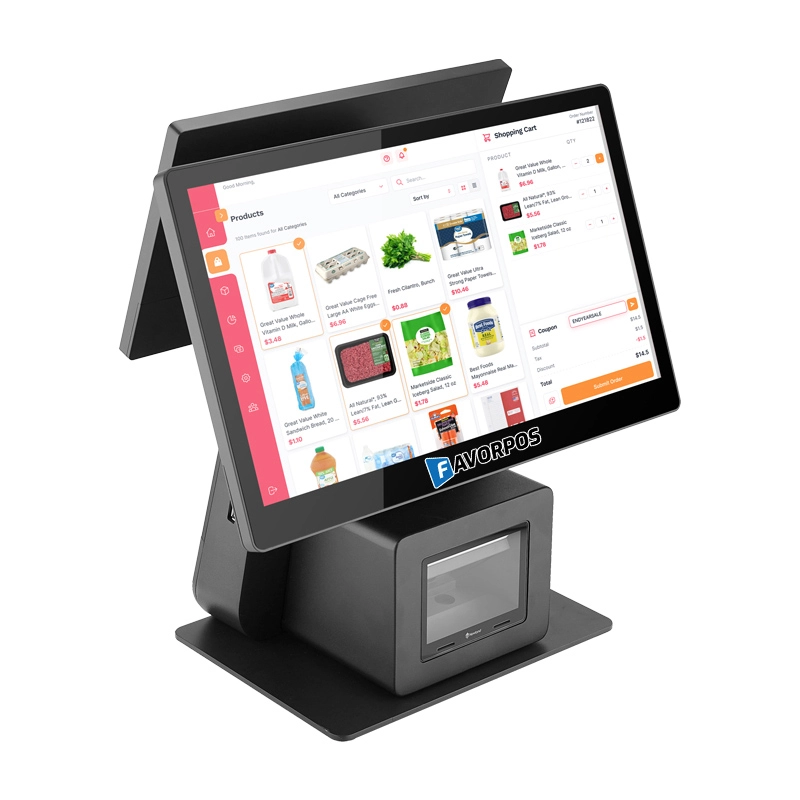
Dual Screen POS With Barcode Scanner Desktop POS Manufacturer POS Factory 15.6 11.6 Client Screen Optional
FAVORPOS: Your leading dual screen POS factory and manufacturer. Our desktop POS with barcode scanner offers 15.6/11.6 client screen options and OS flexibility. Get reliable, efficient dual screen POS with barcode scanner solutions directly from us.
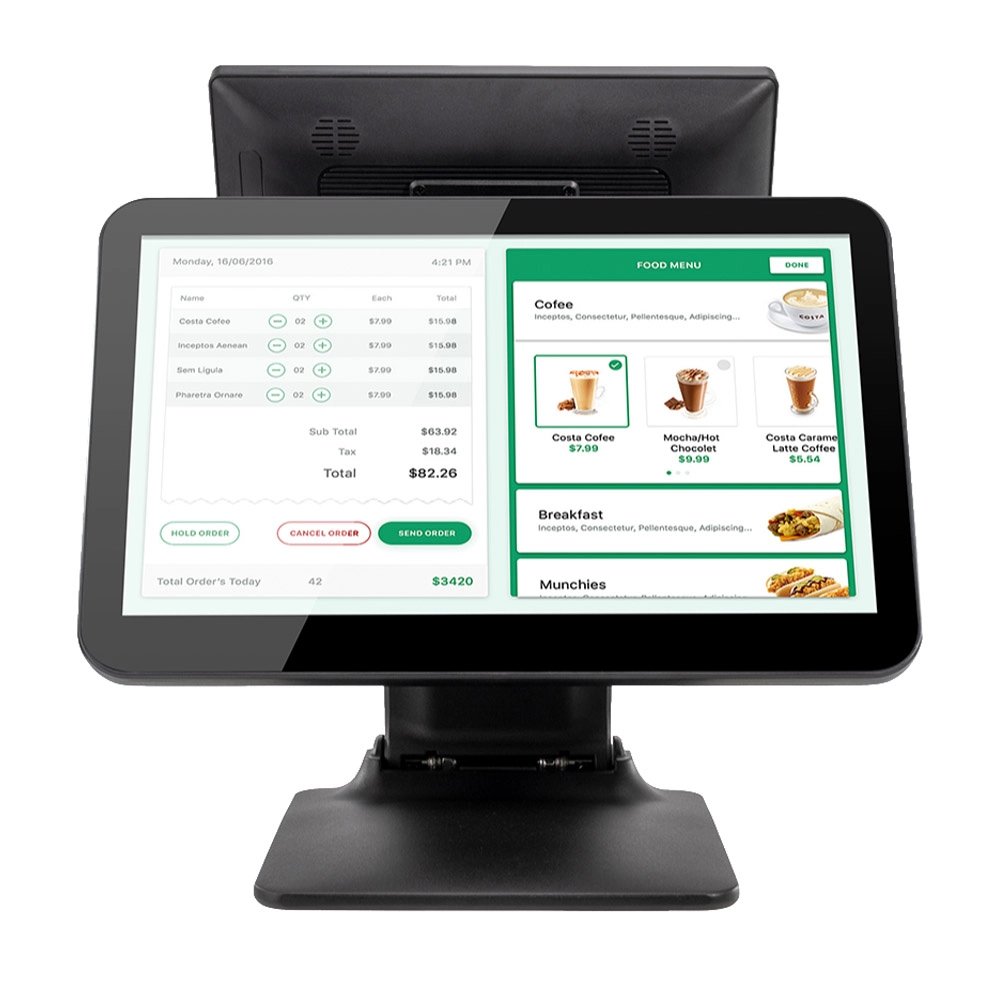
Foldable Touch Screen POS Cash Register 15.6'' Windows Supplier Aluminum
This innovative cash register combines portability with advanced functionality, making it ideal for retail environments. Its aluminum construction ensures durability while maintaining a lightweight design for easy transport and setup. The foldable feature allows for convenient storage and flexibility in various business settings.
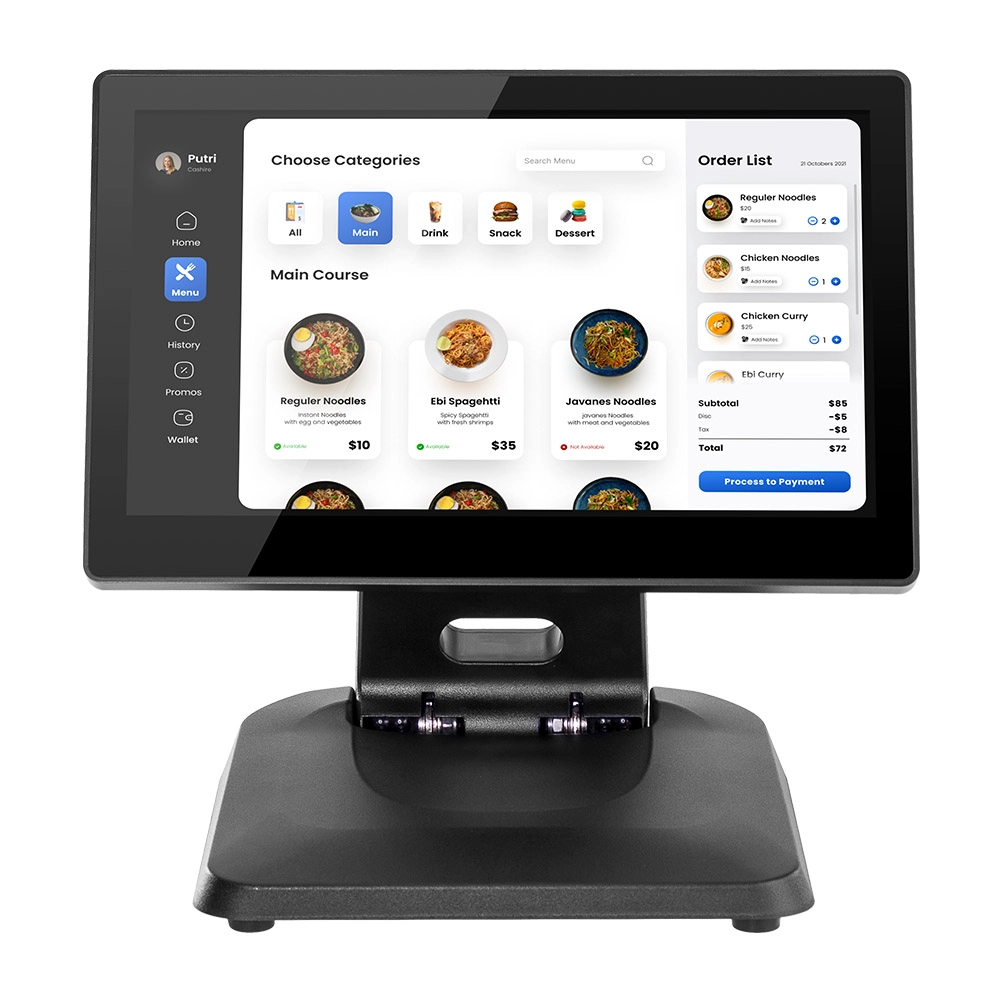
Factory 11.6'' Touch Screen POS Terminal Android Windows
The Factory 11.6'' Touch Screen POS Terminal is a versatile solution that supports both Android and Windows operating systems. Designed for durability and efficiency, this terminal is perfect for various retail environments. Its compact size and responsive touch screen enhance customer interactions, making transactions quick and seamless.
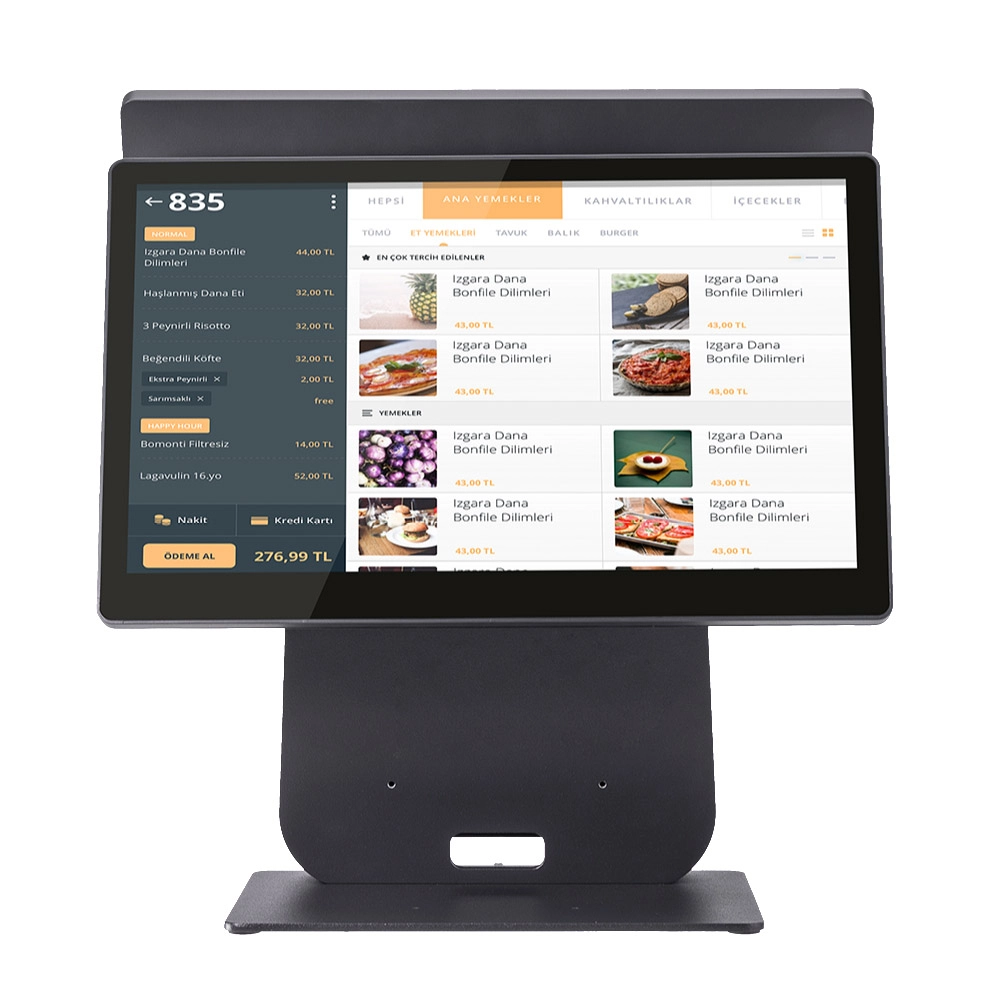
HD Dual Screen POS Machine Aluminum Hardware Android Windows Supplier
This dual-screen POS machine supports both Android and Windows systems, providing flexibility for various applications. The dual screens enhance customer interaction and streamline the checkout process, making transactions quicker and more engaging. Perfect for modern businesses looking to elevate their service and improve customer satisfaction, this POS machine is your ultimate partner in success!


Copyright © 2025 Favorpos All Rights Reserved.
