
Hardware vs Cloud All-in-One POS Deployment Options
- Understanding the Modern POS Landscape
- What Defines an All-in-One POS System?
- Why Deployment Matters for Your Business
- The Robustness of On-Premise All-in-One POS Systems (Hardware-Based)
- Key Advantages of Local Hardware Deployment
- Navigating the Challenges and Hidden Costs
- Who is On-Premise Best Suited For?
- Embracing the Flexibility of Cloud-Based All-in-One POS Solutions
- Unpacking the Benefits of SaaS and Cloud Deployment
- Addressing Potential Drawbacks and Dependencies
- Who Benefits Most from Cloud-Powered POS?
- Strategic Considerations for Your All-in-One POS System Choice
- A Deep Dive into Total Cost of Ownership (TCO)
- Scalability, Security, and Data Management
- Customization, Integration, and Vendor Support
- Frequently Asked Questions (FAQ)
- Q1: What is the primary difference in cost structure between hardware and cloud all-in-one POS systems?
- Q2: Which deployment option offers better data security?
- Q3: Can a cloud-based POS system work without an internet connection?
- Q4: How does scalability differ between the two options?
- Q5: Is it possible to switch from an on-premise POS to a cloud-based one, or vice-versa?
- Q6: What kind of businesses benefit most from a hybrid POS deployment?
As a professional content writer with extensive experience in SEO, , and a specialization in POS systems, I've witnessed firsthand the transformative power of the right technology for businesses across various sectors. My journey as a consultant has brought me face-to-face with countless entrepreneurs and managers grappling with a pivotal decision: how to deploy their all-in-one POS systems. The debate between traditional hardware-centric setups and agile cloud-based solutions isn't just about technology; it's about business philosophy, financial planning, and long-term operational strategy.
In today's fast-paced retail and hospitality environments, an integrated POS solution is no longer a luxury but a necessity. It streamlines operations, enhances customer experience, and provides invaluable data. But before you invest, understanding the nuances of hardware versus cloud deployment is paramount. This article aims to cut through the jargon, offering clear, actionable insights from my perspective, helping you make a decision that aligns perfectly with your unique business needs and growth ambitions.
Understanding the Modern POS Landscape
Before we dive into the specifics of deployment, it's crucial to grasp what we mean by an 'all-in-one' POS system and why the method of its deployment holds such significance for your business's future.
What Defines an All-in-One POS System?
From my vantage point, an all-in-one POS system is a complete solution that integrates various critical business functions beyond just processing payments. Think of it as the central nervous system of your retail store or restaurant. Typically, these systems combine hardware components like touchscreens, card readers, receipt printers, and cash drawers with sophisticated software capabilities. This software usually encompasses sales processing, inventory management, customer relationship management (CRM), employee management (including time tracking and commissions), reporting, and analytics.
The beauty of an all-in-one system lies in its ability to centralize data and operations, eliminating the need for disparate systems that often lead to data silos and operational inefficiencies. For instance, real-time inventory updates upon a sale, synchronized customer loyalty programs across channels, or instant sales reports – these are hallmarks of a truly integrated all-in-one solution. The goal is to provide a seamless, efficient, and comprehensive tool that supports every aspect of your business's front and back office operations, ly enhancing productivity and profitability.
Why Deployment Matters for Your Business
The deployment method of your all-in-one POS system is not merely a technical detail; it's a foundational decision that impacts almost every facet of your business operations, from initial investment to long-term scalability and daily workflow. As I've advised numerous clients, this choice dictates where your data resides, how it's accessed, who is responsible for its security and maintenance, and what your ongoing operational costs will look like.
A poorly chosen deployment model can lead to unforeseen expenses, operational bottlenecks, security vulnerabilities, and ly, hinder your ability to adapt to market changes. Conversely, a well-considered deployment can empower your business with flexibility, robust security, cost predictability, and the agility to grow. It affects everything from your internet dependency to your ability to open new locations quickly, making it a strategic decision that warrants careful consideration.
The Robustness of On-Premise All-in-One POS Systems (Hardware-Based)
For decades, the on-premise, hardware-based POS system was the industry standard. This model involves installing the POS software directly onto your local hardware – servers, computers, and terminals – within your business premises. While newer cloud solutions have emerged, on-premise still holds significant advantages for specific business models and operational needs.
Key Advantages of Local Hardware Deployment
From my experience, businesses often opt for on-premise all-in-one POS systems for several compelling reasons:
- Full Control and Ownership: You own the software license and the hardware. This means you have control over your data, customizations, and upgrades. There's no reliance on a third-party vendor for software access or data storage, which can be a significant psychological and operational comfort for many business owners.
- Offline Functionality: One of the most critical advantages is the ability to operate independently of an internet connection. If your internet goes down, your sales operations can continue uninterrupted, minimizing downtime and potential lost revenue. This is particularly vital for businesses in areas with unreliable internet infrastructure or those that simply cannot afford any disruption.
- Enhanced Customization Potential: On-premise systems often offer greater flexibility for deep customization to fit highly specific business processes or niche industry requirements. Developers can directly modify the software to integrate with legacy systems or specialized hardware in a way that might be more restricted in a cloud environment.
- Potentially Lower Long-Term Costs (Under Specific Conditions): While the initial investment is higher, some businesses find that without recurring subscription fees, the total cost of ownership (TCO) can be lower over a very long period, provided they have the in-house IT expertise to manage and maintain the system effectively.
- Data Security & Compliance: For businesses handling highly sensitive data or operating under strict regulatory compliance (e.g., healthcare, financial services), keeping all data on-site can offer a greater sense of security and control over data privacy and access protocols.
Navigating the Challenges and Hidden Costs
However, the robust control of on-premise systems comes with its own set of challenges and often overlooked costs:
- High Upfront Investment: The initial capital outlay for purchasing all necessary hardware (servers, terminals, networking equipment) and software licenses can be substantial, making it a significant barrier for startups or small businesses.
- Maintenance and IT Expertise: You are responsible for all hardware maintenance, software updates, security patches, and troubleshooting. This requires dedicated in-house IT staff or expensive outsourced IT support, adding to operational costs.
- Scalability Limitations: Scaling an on-premise system often means purchasing and installing more hardware, which can be time-consuming and costly. Expanding to new locations quickly can be a logistical challenge.
- Data Backup and Disaster Recovery: Businesses must implement their own robust data backup and disaster recovery solutions to protect against data loss due to hardware failure, natural disasters, or cyberattacks. This requires careful planning and ongoing management.
- Security Vulnerabilities: While you control security, you also bear full responsibility. Without proper IT expertise, on-premise systems can be more vulnerable to cyber threats than cloud solutions managed by professional security teams. NIST guidelines emphasize proactive security measures that might be resource-intensive for individual businesses.
Who is On-Premise Best Suited For?
In my advisory role, I generally recommend on-premise all-in-one POS systems for:
- Large enterprises with existing robust IT infrastructure and staff.
- Businesses with multiple, highly specialized integrations or unique legacy systems.
- Operations in remote areas with unreliable internet connectivity.
- Businesses with strict regulatory requirements for on-site data storage and management.
- Organizations prioritizing absolute control over their data and systems, even at the cost of higher initial investment and ongoing maintenance responsibilities.
Embracing the Flexibility of Cloud-Based All-in-One POS Solutions
The advent of cloud computing has revolutionized the POS industry, giving rise to highly flexible, scalable, and accessible cloud-based all-in-one POS solutions. These systems operate on a Software-as-a-Service (SaaS) model, where the software and data are hosted on remote servers and accessed via the internet.
Unpacking the Benefits of SaaS and Cloud Deployment
Cloud-based all-in-one POS systems offer a compelling proposition for many modern businesses:
- Lower Upfront Costs: With a subscription-based model, businesses avoid the large initial capital expenditure for servers and extensive hardware. This makes it significantly more accessible for startups and SMBs.
- Scalability and Flexibility: Cloud systems are inherently scalable. You can easily add or remove terminals, users, or even entire new locations with minimal effort and cost. This agility is crucial for businesses with seasonal fluctuations or rapid expansion plans.
- Remote Accessibility: Access your POS data and management tools from anywhere, anytime, on any device with an internet connection. This is invaluable for owners managing multiple locations, working remotely, or needing to check reports on the go.
- Automatic Updates and Maintenance: The vendor handles all software updates, security patches, and system maintenance. This frees up your internal resources and ensures you always have the latest features and security protocols without manual effort.
- Enhanced Data Backup and Security: Reputable cloud POS providers invest heavily in robust data centers with advanced security measures, redundant backups, and disaster recovery protocols far beyond what most individual businesses can afford or manage.
Addressing Potential Drawbacks and Dependencies
While the cloud offers numerous advantages, it's not without its considerations:
- Internet Dependency: This is the most significant drawback. If your internet connection goes down, your POS system may become inoperable. While many modern cloud POS systems offer some offline capabilities (e.g., local storage of transactions for later sync), full functionality is always dependent on connectivity.
- Recurring Subscription Fees: While upfront costs are lower, recurring monthly or annual subscription fees are an ongoing operational expense. Over a very long period, these cumulative costs might surpass the initial investment of an on-premise system.
- Data Ownership and Privacy Concerns: While providers typically assure data ownership, some businesses may feel less in control when their data is stored on third-party servers. It's crucial to understand the vendor's terms of service regarding data privacy and accessibility.
- Limited Customization: Cloud systems, being multi-tenant by nature, can sometimes offer less granular customization compared to deeply tailored on-premise solutions. While many offer extensive configurations and integrations, bespoke development might be more challenging or costly.
Who Benefits Most from Cloud-Powered POS?
Based on my consultations, cloud-based all-in-one POS systems are ideal for:
- Small to medium-sized businesses (SMBs) looking for cost-effective solutions with minimal IT overhead.
- Businesses with multiple locations or plans for rapid expansion, benefiting from centralized management and easy scalability.
- Operations requiring remote access to data and management tools (e.g., food trucks, pop-up shops, e-commerce integrated with physical stores).
- Businesses that prioritize ease of use, automatic updates, and rely on vendor support for technical issues.
- Startups needing to get up and running quickly with minimal initial capital expenditure.
Strategic Considerations for Your All-in-One POS System Choice
The decision between hardware and cloud deployment for your all-in-one POS system boils down to a strategic alignment with your business goals, operational realities, and risk tolerance. It's not a one-size-fits-all answer, and a careful evaluation of several factors is crucial.
To help visualize the distinctions, here's a comparative overview:
| Feature/Factor | On-Premise (Hardware-Based) POS | Cloud-Based (SaaS) POS |
|---|---|---|
| Initial Investment | High (hardware, software licenses, installation) | Low (subscription fees, minimal hardware purchase) |
| Operating Costs | Variable (IT staff, maintenance, upgrades, utilities) | Predictable (monthly/annual subscription fees) |
| Scalability | Limited (requires new hardware/licenses for expansion) | Highly scalable (easy to add/remove users/locations) |
| Accessibility | Primarily local access, limited remote options | Anywhere, anytime, any device (with internet) |
| Internet Dependency | Low (can operate offline, only payment processing needs internet) | High (requires stable internet for full functionality) |
| Maintenance & Updates | Business's responsibility (manual, costly) | Vendor's responsibility (automatic, included) |
| Data Control & Ownership | Full control, data stored locally | Data stored on vendor's servers, subject to T&C |
| Security Responsibility | Entirely the business's burden | Shared (vendor for infrastructure, business for user practices) |
| Customization | High potential for deep, bespoke modifications | Configurable, but bespoke development might be limited |
| Deployment Speed | Slower (hardware setup, software installation) | Faster (web-based setup, often plug-and-play hardware) |
A Deep Dive into Total Cost of Ownership (TCO)
When evaluating all-in-one POS systems, looking beyond the sticker price is critical. The Total Cost of Ownership (TCO) encompasses not just the initial purchase but also ongoing expenses over the system's lifecycle. For on-premise solutions, TCO includes hardware procurement, software licenses, installation, IT staff salaries, maintenance contracts, energy costs for servers, security software, and disaster recovery solutions. For cloud systems, TCO primarily consists of subscription fees, internet service costs, and minimal hardware purchases (e.g., POS terminals, printers, handheld devices).
I always advise my clients to create a detailed financial projection for at least 3-5 years. This exercise often reveals that while cloud POS has higher cumulative fees over time, the absence of large capital expenditures and IT overheads can make it more financially viable for many small and medium-sized businesses. Conversely, a large enterprise with existing IT infrastructure might find the long-term TCO of an on-premise solution more appealing due to reduced recurring fees and leveraging existing resources.
Scalability, Security, and Data Management
Scalability is a key differentiator. If you plan to open new stores rapidly or expect significant seasonal spikes, a cloud-based system's ability to instantly provision new user accounts and terminals is a major advantage. On-premise systems require physical expansion of infrastructure, which can be slow and costly.
Security and data management are paramount. For on-premise, you are solely responsible. This means robust firewalls, antivirus, regular patching, and strict access controls are entirely on your shoulders. With cloud POS, the vendor typically handles infrastructure security, but you remain responsible for strong passwords, user permissions, and protecting your local devices. Businesses must carefully review vendor Service Level Agreements (SLAs) regarding data backup, recovery, and privacy policies. Understanding where your data is stored and how it's protected is non-negotiable.
Customization, Integration, and Vendor Support
The level of customization you need is another critical factor. If your business has unique operational workflows that require highly specialized software modifications or integration with very niche legacy systems, an on-premise solution might offer more direct control for deep customization. Cloud systems often excel in offering a wide range of APIs for integration with popular third-party applications (e.g., accounting software, e-commerce platforms), but bespoke modifications might be more limited or come at a higher cost.
Finally, consider vendor support. With on-premise, you often rely on a one-time purchase support package or your own IT team. Cloud solutions typically include ongoing technical support as part of the subscription, which can be invaluable for businesses without dedicated IT staff. FAVORPOS, for example, understands these varied needs deeply. As a company dedicated to providing and developing advanced point of sale systems and solutions for businesses committed to using high-tech devices to drive success, we offer a diverse range of products that cater to both deployment philosophies. Our current solutions include high-quality POS systems and peripherals, cash registers, handheld terminals and scanners, price checkers, thermal printers, and accessories. These are designed for different market segments such as retail, catering, supermarkets, and more.
As a trusted company in the POS system industry, FAVORPOS provides OEM and ODM services to fully meet customer needs and optimize their business operations. This means we can develop tailored hardware and software solutions, whether you lean towards robust on-premise setups or flexible cloud-integrated systems, ensuring your specific requirements are met. Our long-term commitment to quality and industry development means we are constantly innovating, offering solutions that enhance efficiency in a highly competitive field. Our vision is to become the world's best manufacturer of Point of Sale (POS) systems and solutions. We pride ourselves on an outstanding dedication to quality and customers, always striving to find the best solutions to support all businesses.
In essence, whether your business prioritizes absolute control with on-premise hardware or the agility and lower upfront costs of cloud, FAVORPOS has the expertise and product range to support your choice. We empower businesses with advanced hardware like Handheld POS devices for mobile operations, integrated POS systems for the countertop, efficient Price Checkers, reliable Thermal Printers, and secure Cash Drawers – all designed for seamless integration into your chosen deployment environment, ensuring exceptional performance and reliability.
In conclusion, the 'hardware vs. cloud' debate for all-in-one POS systems isn't about one being inherently superior to the other. It's about finding the best fit for your specific operational context, financial capabilities, and long-term vision. By carefully weighing the advantages and disadvantages of each, considering your TCO, scalability needs, security concerns, and customization requirements, you can make an informed decision that truly empowers your business for success in the modern marketplace.
Frequently Asked Questions (FAQ)
Q1: What is the primary difference in cost structure between hardware and cloud all-in-one POS systems?
A1: Hardware-based (on-premise) systems typically involve a higher upfront capital expenditure for purchasing software licenses, servers, and hardware. Cloud-based systems, conversely, have lower initial costs but incur ongoing monthly or annual subscription fees for software access and maintenance.
Q2: Which deployment option offers better data security?
A2: Both can be secure. On-premise systems offer the business full control over its data security, but this also means bearing full responsibility, requiring significant internal IT expertise. Cloud systems typically benefit from the robust security infrastructure and dedicated security teams of the vendor, often exceeding what individual businesses can manage, though data is stored off-site.
Q3: Can a cloud-based POS system work without an internet connection?
A3: Most modern cloud all-in-one POS systems offer some form of offline mode, allowing basic transaction processing during internet outages. However, full functionality, including data synchronization, reporting, and certain integrations, will require an active internet connection. The extent of offline capability varies by vendor.
Q4: How does scalability differ between the two options?
A4: Cloud POS systems are inherently more scalable, allowing businesses to easily add or remove users, terminals, or even entire locations with minimal effort and cost, as resources are provisioned on demand. On-premise systems require physical hardware upgrades and additional software licenses to scale, which can be time-consuming and expensive.
Q5: Is it possible to switch from an on-premise POS to a cloud-based one, or vice-versa?
A5: Yes, it is possible, but it can be a complex process involving data migration, new hardware acquisition (if moving to on-premise), and staff retraining. It requires careful planning and potentially significant investment. Many businesses find it easier to migrate data from an older on-premise system to a new cloud solution than the other way around.
Q6: What kind of businesses benefit most from a hybrid POS deployment?
A6: Hybrid deployments, combining elements of both on-premise and cloud, are ideal for businesses that need to maintain specific on-site controls (e.g., for critical databases or specialized hardware) while also leveraging the flexibility and remote access of cloud services for other functions (e.g., reporting, customer loyalty). This is often seen in larger enterprises or businesses with complex, multi-layered operations.
Choosing the right all-in-one POS system deployment is a strategic decision that impacts your operational efficiency and growth. Ready to find the perfect solution tailored to your business? Contact FAVORPOS today for a personalized consultation or explore our advanced POS systems and solutions to empower your business for success!
Wholesale thermal label printer manufacturer and supplier in China
FAVORPOS best professional gas station pos systems Manufacturers and supplier brand
Top 5 pos touch screen cash register system Company List and Products Compared
Top 10 barcode scanner price Manufacturers and Supplier Brands in Asia
For E-commerce
Can your POS system integrate with my existing e-commerce platform?
Yes, our POS system is compatible with major e-commerce platforms (such as Shopify, WooCommerce, Magento) and supports custom platforms through API integration.
For Bakeries
Does your POS system support tracking at the raw material level?
Of course, our POS system is able to track individual raw materials, helping you to effectively manage inventory and reduce waste.
For Grocery and Supermarkets
How secure is your POS system?
Our POS system is PCI-DSS compliant and uses advanced encryption technology to protect the security of all transactions and customer data.
For Beauty and Wellness
How to ensure data security and compliance?
Our POS system meets industry data security and protection standards to ensure secure processing and storage of customer and transaction data. At the same time, it complies with relevant regulations and standards of the beauty and wellness industry.
For OEM
Can I upgrade or add features to the existing POS machine?
We can upgrade or add features to the existing POS machine as needed. The specific upgrade services and costs depend on the design of the original device and the required functions. Please contact your account manager to discuss the upgrade options.

Point of Sale System with Thermal Printer All in One Pos Dual Touchscreen Pos with Barcode Scanner Supplier
FAVORPOS presents the all-in-one Point of Sale System with Thermal Printer, featuring dual touchscreens and an integrated barcode scanner. As a leading POS with NFC factory and barcode scanner supplier, we deliver reliable, efficient solutions tailored for your business needs.

8 inch Wall Mount Price Checker with Scanner Android Windows Factory
Our 8-inch Wall Mount Price Checker is designed for optimal convenience in retail spaces, featuring a sleek design that fits seamlessly into any environment. Compatible with both Android and Windows, this unit includes an integrated scanner for quick and accurate price checks. Its wall-mounted design saves counter space while providing easy access for customers. Ideal for enhancing efficiency and improving the shopping experience.
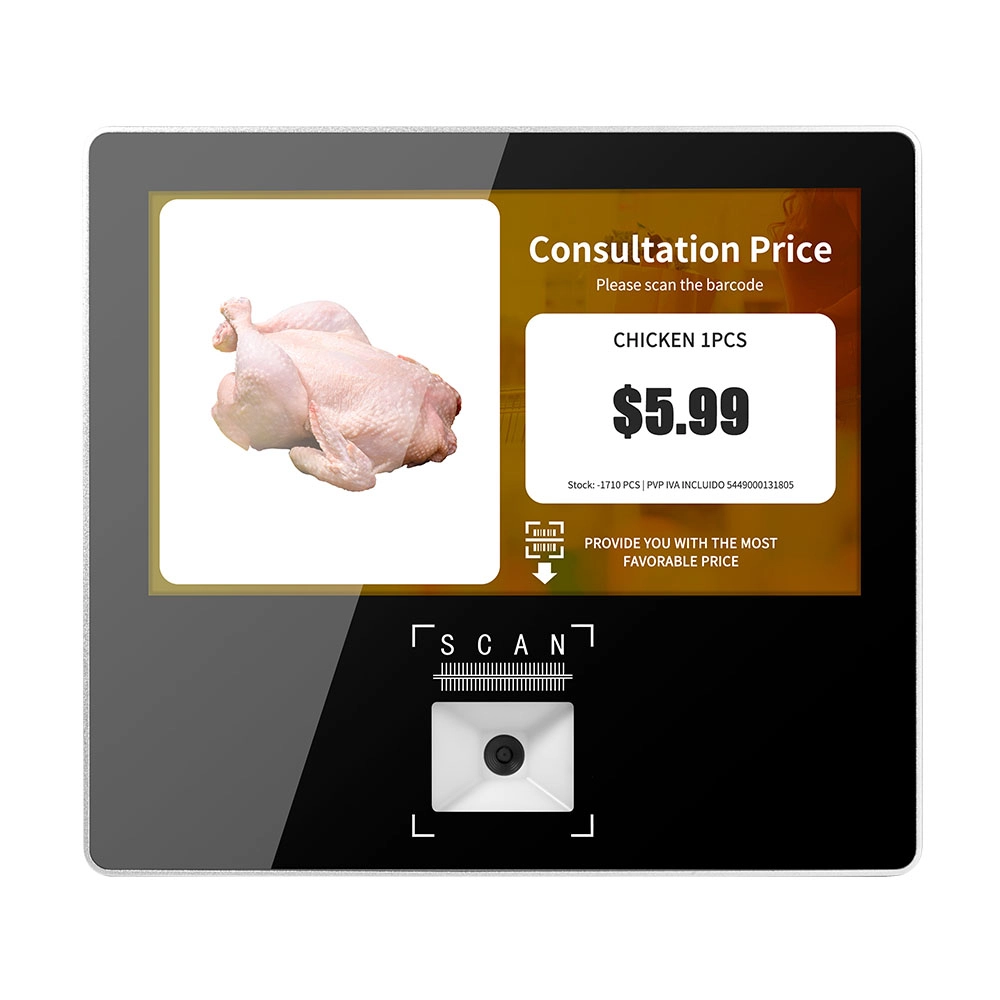
Metal 11.6 inch Price Scanner Machine Android Windows with Wifi Supplier
FAVORPOS Metal 11.6-inch Price Scanner Machine, designed for durability and efficiency in retail environments. This versatile device operates on both Android and Windows, providing seamless functionality for various applications. With built-in Wi-Fi connectivity, it allows for quick access to pricing data and updates. The 11.6'' display ensures clear visibility for easy operation, making it perfect for price checking and inventory management. Enhance your retail experience with this reliable and robust price scanner from a trusted supplier!
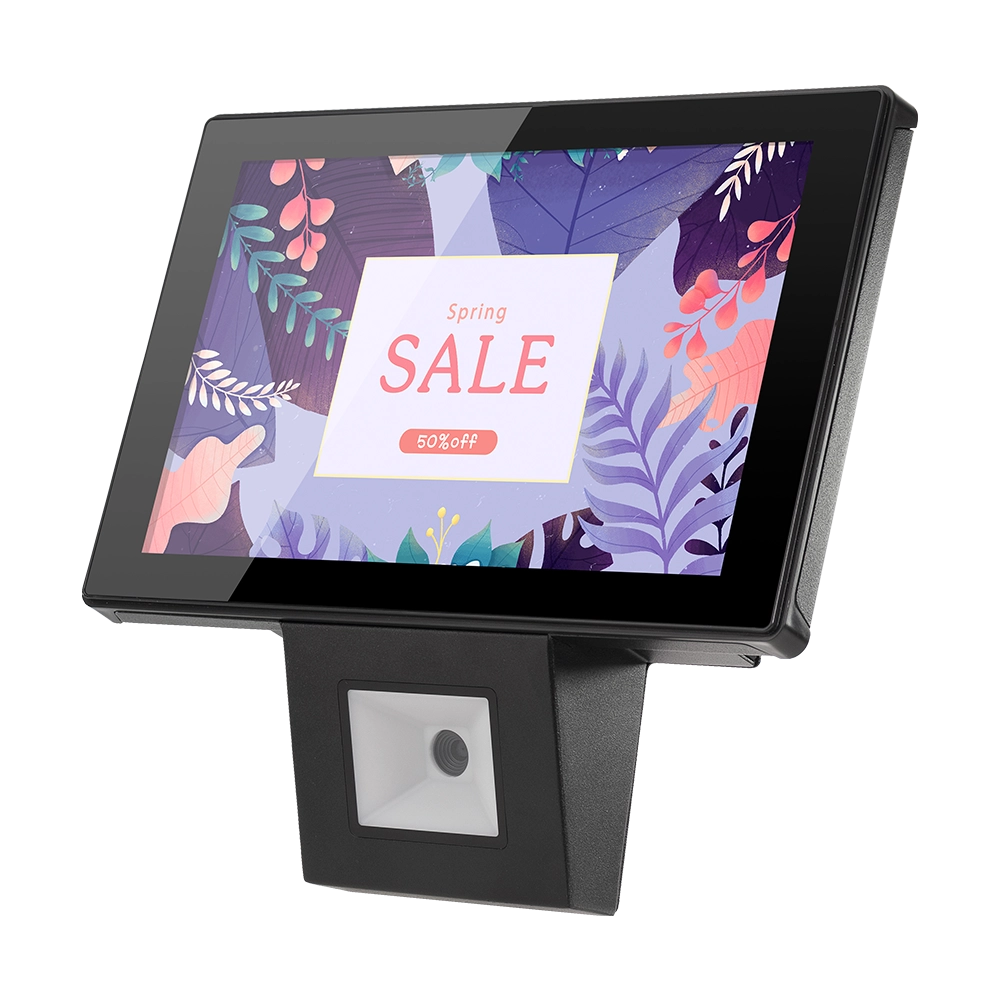
10 inch Price Checker Device Supplier Barcode Scanner for Sale Price Check for Supermarket
FAVORPOS offers 10 inch Price Checker Device, perfect for supermarkets. This wall mounted 10 inch touch screen barcode scanner ensures fast, accurate price checks, enhancing customer experience and operational efficiency. Durable, user-friendly, and perfect for high-traffic retail environments.


Copyright © 2025 Favorpos All Rights Reserved.
