
Operating systems compared for POS desktop systems (Windows, Linux, Android)
- The Foundational Role of Your POS Operating System
- Why OS Choice Matters for Business Agility
- Key Considerations for POS Desktop System Performance
- Deep Dive into Windows for POS Desktop Systems
- Pros: Familiarity, Software Compatibility, and Support
- Cons: Cost, Security Vulnerabilities, and Resource Demands
- Ideal Scenarios for Windows POS Deployments
- Exploring Linux as a Robust POS Desktop Solution
- Pros: Open-Source Freedom, Security, and Stability
- Cons: Learning Curve, Limited Software, and Hardware Support
- When Linux Shines in POS Environments
- Android: The Mobile-First OS for Modern POS Desktop Systems
- Pros: Cost-Effectiveness, Intuitive UI, and App Ecosystem
- Cons: Scalability Concerns, Peripheral Compatibility, and Security Perceptions
- Best Fits for Android-Based POS Systems
- Comparative Analysis: Windows vs. Linux vs. Android for POS
- Making the Right Choice for Your Business with Expert Support
- Conclusion
- Frequently Asked Questions (FAQ)
- Which operating system is most secure for a POS desktop system?
- Can I run my existing POS software on Linux or Android if it was designed for Windows?
- What are the long-term cost differences between these operating systems for a POS desktop system?
- Is Android suitable for high-volume retail environments, or is it better for smaller businesses?
- How does FAVORPOS help businesses choose the right POS system and OS?
As a seasoned professional in the POS system industry, I've witnessed firsthand how the choice of an operating system can make or break a business's efficiency and profitability. In today's fast-paced retail and hospitality environments, your POS desktop system isn't just a cash register; it's the central nervous system of your operations. It handles transactions, manages inventory, tracks customer data, and facilitates seamless service. Therefore, selecting the right operating system (OS) – be it Windows, Linux, or Android – is a critical strategic decision that demands careful consideration.
My goal with this comprehensive guide is to cut through the noise and provide you with a clear, actionable comparison of these three dominant operating systems for your POS desktop system. I'll draw upon my extensive experience and industry knowledge to highlight their unique advantages, potential drawbacks, and the specific scenarios where each truly shines. By the end of this article, you'll have a much clearer understanding of which OS is the best fit for your business's unique needs, helping you optimize your operations and drive success.
The Foundational Role of Your POS Operating System
Before we dive into the specifics of Windows, Linux, and Android, it's crucial to understand why the operating system choice for your pos desktop system is so profoundly important. It's not merely a backdrop for your software; it's the engine that powers every interaction, every transaction, and every data point collected at your point of sale.
Why OS Choice Matters for Business Agility
The operating system dictates the overall performance, stability, and security of your pos desktop system. A well-chosen OS ensures that your POS software runs smoothly, minimizing downtime and maximizing transaction speed – factors that directly impact customer satisfaction and revenue. Conversely, a mismatched OS can lead to frustrating lags, frequent crashes, and security vulnerabilities, all of which erode customer trust and operational efficiency. For businesses striving for agility, the OS must support rapid updates, easy integration with new peripherals, and the flexibility to adapt to evolving market trends. It's about building a resilient foundation that can grow with your business.
Key Considerations for POS Desktop System Performance
When evaluating an OS for a pos desktop system, I always advise businesses to consider several key performance indicators:
- Reliability and Uptime: Can the system run continuously for long periods without crashing or requiring restarts? Downtime at the point of sale is lost revenue.
- Security: How robust are its built-in security features against malware, ransomware, and data breaches? Protecting sensitive customer and business data is paramount.
- Software Compatibility: Will your chosen POS software and any other essential business applications run seamlessly on this OS?
- Hardware Compatibility: Does it support a wide range of POS peripherals such as barcode scanners, receipt printers, cash drawers, and payment terminals?
- Ease of Use and Training: How intuitive is the interface for your staff? Simpler systems reduce training time and operational errors.
- Total Cost of Ownership (TCO): Beyond initial licensing fees, consider ongoing maintenance, support, and potential hardware upgrade costs.
- Scalability: Can the OS support your business as it grows, accommodating more terminals, locations, or complex integrations?
Deep Dive into Windows for POS Desktop Systems
Windows has long been the dominant player in the desktop computing world, and its presence in pos desktop system environments is equally significant. Its familiarity and vast ecosystem make it a go-to choice for many businesses, particularly those with existing Windows-based IT infrastructures.
Pros: Familiarity, Software Compatibility, and Support
One of Windows' most compelling advantages is its widespread familiarity. Most employees are already comfortable with the Windows interface, which significantly reduces training time and helps new staff get up to speed quickly. This ease of use extends to its vast software compatibility; the overwhelming majority of commercial POS software solutions are developed primarily for Windows. This means businesses have a broad selection of robust, feature-rich applications to choose from, often with extensive third-party integrations for accounting, CRM, and inventory management. Furthermore, Windows benefits from extensive hardware support, ensuring compatibility with virtually any pos system peripheral you might need. Microsoft also offers comprehensive, well-established support channels, and there's a large community of IT professionals familiar with troubleshooting Windows environments.
Cons: Cost, Security Vulnerabilities, and Resource Demands
However, the benefits of Windows come with notable drawbacks. Licensing costs for Windows OS can be substantial, especially for multiple pos desktop system installations, contributing significantly to the overall TCO. Historically, Windows has also been a more frequent target for malware and viruses due to its widespread adoption, requiring diligent security updates, antivirus software, and potentially more robust IT security measures. While modern Windows versions have improved security, the attack surface remains larger than less common operating systems. Finally, Windows can be more resource-intensive compared to its counterparts, often requiring more powerful – and thus more expensive – hardware to run smoothly, particularly as the OS and software evolve.
Ideal Scenarios for Windows POS Deployments
Windows remains an excellent choice for businesses that:
- Already have a significant investment in Windows-based infrastructure and IT expertise.
- Require specific, feature-rich commercial POS software that is exclusively or primarily developed for Windows.
- Need extensive compatibility with a wide array of specialized POS peripherals and legacy hardware.
- Prioritize a familiar user interface to minimize staff training.
Exploring Linux as a Robust POS Desktop Solution
Linux, an open-source operating system, has steadily gained traction in the pos desktop system arena, particularly among businesses looking for cost-effective, secure, and highly customizable solutions. Its various distributions (like Ubuntu, Debian, or Fedora) offer flexibility for different needs.
Pros: Open-Source Freedom, Security, and Stability
The open-source nature of Linux is perhaps its greatest strength. It means no licensing fees, significantly reducing the initial investment and TCO for a pos desktop system. This freedom also extends to customization; businesses can tailor the OS to their exact specifications, removing unnecessary components to create a lean, efficient system. Linux is renowned for its superior security and stability. Its architecture and the rapid response of its global developer community to vulnerabilities make it less susceptible to malware and viruses compared to Windows. Many Linux-based POS systems can run for months or even years without needing a reboot, offering unparalleled uptime and reliability – a critical factor for busy retail and hospitality environments. This robustness translates directly into fewer interruptions and a smoother operational flow.
Cons: Learning Curve, Limited Software, and Hardware Support
Despite its advantages, Linux presents certain challenges. The learning curve can be steeper for staff accustomed to Windows, potentially requiring more training. While the open-source POS software ecosystem is growing, the selection of commercial, off-the-shelf POS applications is generally smaller than for Windows. This might necessitate custom development or a thorough search for compatible solutions. Hardware compatibility, while improving, can still be an issue for some specialized or proprietary POS peripherals, requiring specific drivers or configuration. Finding readily available, expert IT support for niche Linux configurations might also be more challenging or expensive than for Windows.
When Linux Shines in POS Environments
Linux is an excellent fit for businesses that:
- Are budget-conscious and want to avoid OS licensing fees.
- Prioritize security, stability, and maximum uptime for their pos desktop system.
- Have in-house IT expertise or are willing to invest in specialized Linux support.
- Are open to using open-source POS software or developing custom solutions.
- Require a highly customized and lean operating environment.
Android: The Mobile-First OS for Modern POS Desktop Systems
Android, originally designed for mobile devices, has made significant inroads into the pos desktop system market, particularly with the rise of compact, touch-screen-centric POS terminals. Its ubiquity in the consumer market makes it an intriguing option for businesses.
Pros: Cost-Effectiveness, Intuitive UI, and App Ecosystem
Android's primary appeal lies in its cost-effectiveness. Android-based POS hardware is often significantly cheaper than its Windows or even Linux counterparts, making it an attractive option for startups and small businesses. The user interface is highly intuitive, mirroring the experience of using a smartphone or tablet, which drastically reduces staff training time. Furthermore, the vast Android app ecosystem means there's a growing number of POS applications available, many of which are specifically designed for touch-based interactions and cloud integration. This allows for rapid deployment and often features a modern, user-friendly design. Android's flexibility also supports compact, all-in-one POS terminals, saving valuable counter space.
Cons: Scalability Concerns, Peripheral Compatibility, and Security Perceptions
While Android offers many advantages, it also presents unique challenges for a pos desktop system. Scalability can be a concern for larger, complex operations that require extensive integrations with enterprise resource planning (ERP) systems or sophisticated inventory management. While improving, peripheral compatibility can sometimes be more limited than with Windows, especially for specialized or legacy POS hardware. Businesses might find fewer options for specific receipt printers or barcode scanners that seamlessly integrate. Security, while continuously improving with newer Android versions and enterprise-focused distributions, can still be a perception issue for some, given its consumer-market origins and the sheer volume of apps in its ecosystem. However, dedicated Android POS solutions often come with hardened security features.
Best Fits for Android-Based POS Systems
Android is an excellent choice for businesses that:
- Are looking for highly affordable and compact POS desktop systems.
- Prioritize an intuitive, touch-screen-centric user experience.
- Operate in environments where mobility and quick transactions are key, such as cafes, food trucks, or pop-up shops.
- Are comfortable with a cloud-based POS software model and leverage a wide range of mobile-first applications.
- Are small to medium-sized businesses with less complex integration needs.
Comparative Analysis: Windows vs. Linux vs. Android for POS
To provide a clearer picture, I've compiled a comparative table summarizing the key aspects of each operating system for a pos desktop system. This should help you quickly assess which OS aligns best with your priorities.
<table border=1 style=width:100%; border-collapse: collapse;>
<tbody> <tr> <td style=padding: 8px; border: 1px solid #ddd;><strong>Cost (OS Licensing)</strong></td> <td style=padding: 8px; border: 1px solid #ddd;>High (proprietary licenses)</td> <td style=padding: 8px; border: 1px solid #ddd;>Free (open-source)</td> <td style=padding: 8px; border: 1px solid #ddd;>Free (open-source base)</td> </tr> <tr> <td style=padding: 8px; border: 1px solid #ddd;><strong>Hardware Requirements</strong></td> <td style=padding: 8px; border: 1px solid #ddd;>Moderate to High</td> <td style=padding: 8px; border: 1px solid #ddd;>Low to Moderate</td> <td style=padding: 8px; border: 1px solid #ddd;>Low</td> </tr> <tr> <td style=padding: 8px; border: 1px solid #ddd;><strong>Software Compatibility</strong></td> <td style=padding: 8px; border: 1px solid #ddd;>Excellent (largest ecosystem of commercial POS software)</td> <td style=padding: 8px; border: 1px solid #ddd;>Good (growing open-source and commercial options, often requires specific builds)</td> <td style=padding: 8px; border: 1px solid #ddd;>Good (large app ecosystem, cloud-based POS prevalent)</td> </tr> <tr> <td style=padding: 8px; border: 1px solid #ddd;><strong>Peripheral Compatibility</strong></td> <td style=padding: 8px; border: 1px solid #ddd;>Excellent (broadest support)</td> <td style=padding: 8px; border: 1px solid #ddd;>Good (improving, may require specific drivers)</td> <td style=padding: 8px; border: 1px solid #ddd;>Moderate (can be limited for specialized hardware)</td> </tr> <tr> <td style=padding: 8px; border: 1px solid #ddd;><strong>Security</strong></td> <td style=padding: 8px; border: 1px solid #ddd;>Good (requires diligent management, frequent target)</td> <td style=padding: 8px; border: 1px solid #ddd;>Excellent (inherently robust, less frequent target)</td> <td style=padding: 8px; border: 1px solid #ddd;>Good (improving with enterprise versions, perception issues)</td> </tr> <tr> <td style=padding: 8px; border: 1px solid #ddd;><strong>Stability & Uptime</strong></td> <td style=padding: 8px; border: 1px solid #ddd;>Good (can be resource-intensive)</td> <td style=padding: 8px; border: 1px solid #ddd;>Excellent (designed for long uptime)</td> <td style=padding: 8px; border: 1px solid #ddd;>Good (efficient for dedicated tasks)</td> </tr> <tr> <td style=padding: 8px; border: 1px solid #ddd;><strong>Ease of Use / Training</strong></td> <td style=padding: 8px; border: 1px solid #ddd;>Very High (familiar interface)</td> <td style=padding: 8px; border: 1px solid #ddd;>Moderate (steeper learning curve for non-tech users)</td> <td style=padding: 8px; border: 1px solid #ddd;>Very High (intuitive, mobile-like experience)</td> </tr> <tr> <td style=padding: 8px; border: 1px solid #ddd;><strong>Scalability</strong></td> <td style=padding: 8px; border: 1px solid #ddd;>Excellent (enterprise-ready)</td> <td style=padding: 8px; border: 1px solid #ddd;>Excellent (highly customizable for scale)</td> <td style=padding: 8px; border: 1px solid #ddd;>Moderate (best for dedicated POS tasks, less for complex ERP integrations)</td> </tr> <tr> <td style=padding: 8px; border: 1px solid #ddd;><strong>Support & Community</strong></td> <td style=padding: 8px; border: 1px solid #ddd;>Extensive (Microsoft, large IT community)</td> <td style=padding: 8px; border: 1px solid #ddd;>Strong (developer communities, specialized vendors)</td> <td style=padding: 8px; border: 1px solid #ddd;>Strong (Google, app developers, hardware vendors)</td> </tr></tbody>Data Source: General industry consensus and technical specifications from ISO standards related to operating system performance and security.
Making the Right Choice for Your Business with Expert Support
The decision of which operating system to choose for your pos desktop system is rarely straightforward. It requires a deep understanding of your business's specific workflows, budget constraints, technical capabilities, and future growth aspirations. There's no one-size-fits-all answer, and what works perfectly for a small cafe might be entirely unsuitable for a multi-lane supermarket.
This is where specialized expertise becomes invaluable. As a trusted company in the POS system industry, FAVORPOS is committed to using high-tech devices to drive success for businesses. We understand that the underlying operating system is a critical component of any robust POS system. Our current solutions encompass a wide range of POS systems and peripherals, including cash registers, Handheld POS terminals, scanners, Price Checkers, Thermal Printers, and Cash Drawers, catering to diverse market segments like retail, catering, and supermarkets.
At FAVORPOS, we don't just sell hardware; we provide advanced point of sale systems and solutions designed to optimize your business operations. Our long-term commitment to quality and industry development means we're constantly evaluating the best technologies, including how different operating systems integrate with our products to deliver superior performance and reliability. We offer OEM and ODM services, allowing us to fully meet customer needs and provide tailored solutions that perfectly align with their chosen OS environment, whether it's Windows, Linux, or Android. Our vision is to become the world's best manufacturer of Point of Sale (POS) systems and solutions, and we achieve this by ensuring our products offer seamless compatibility and outstanding performance across various platforms.
With an outstanding dedication to quality and customers, FAVORPOS always strives to find the best solutions to support all businesses and improve their efficiency in this highly competitive field. We leverage our technical strength and industry reputation to ensure that our peripherals and POS system solutions are not only compatible but also enhance the capabilities of your chosen operating system, providing a differentiated and competitive edge. Whether you opt for the broad compatibility of Windows, the robust security of Linux, or the cost-effectiveness of Android for your pos desktop system, FAVORPOS has the expertise and product range to ensure your setup is efficient, reliable, and future-proof.
Conclusion
The operating system you choose for your pos desktop system is a foundational decision that will influence your business's operational efficiency, security posture, and long-term adaptability. Windows offers unparalleled software compatibility and familiarity, ideal for businesses with existing infrastructure and a need for extensive commercial software. Linux provides exceptional security, stability, and cost savings through its open-source nature, best suited for those prioritizing robustness and customization. Android stands out for its cost-effectiveness, intuitive interface, and mobile-first app ecosystem, perfect for businesses seeking compact, user-friendly, and often cloud-based solutions.
ly, the "best" OS is the one that most effectively meets your specific business requirements, budget, and technical capabilities. I encourage you to weigh these factors carefully, considering not just the initial costs but also the long-term implications for maintenance, security, and scalability. By making an informed decision, you can ensure your pos system serves as a powerful asset, driving your business forward.
Frequently Asked Questions (FAQ)
Here are some common questions I encounter regarding operating systems for POS desktop systems:
-
Which operating system is most secure for a POS desktop system?
Generally, Linux is considered the most secure due to its open-source nature allowing for rapid community-driven vulnerability fixes, and its smaller target surface for malware compared to Windows. However, a well-managed Windows system with robust security protocols can also be very secure. Android's enterprise versions are also becoming increasingly secure.
-
Can I run my existing POS software on Linux or Android if it was designed for Windows?
Typically, no. Software is compiled for specific operating systems. If your current POS software is Windows-native, it will not run directly on Linux or Android without significant modification, emulation (which can impact performance), or a complete switch to a Linux/Android-native POS solution. It's crucial to check software compatibility before committing to an OS.
-
What are the long-term cost differences between these operating systems for a POS desktop system?
Windows usually has the highest long-term cost due to initial licensing fees, potential for more frequent security software updates, and often higher hardware requirements. Linux and Android, being open-source, have no direct OS licensing costs, leading to lower initial investment. However, custom development, specialized support, or specific hardware for Linux/Android can add to the TCO. Always consider hardware, software, maintenance, and support costs.
-
Is Android suitable for high-volume retail environments, or is it better for smaller businesses?
While Android is excellent for small to medium businesses and mobile POS, its suitability for high-volume retail depends heavily on the specific POS software and hardware implementation. Modern Android POS solutions are becoming very robust, but for extremely complex, multi-lane operations with deep ERP integrations, Windows or a highly customized Linux setup might still offer more established enterprise-level scalability and integration options.
-
How does FAVORPOS help businesses choose the right POS system and OS?
At FAVORPOS, we leverage our deep industry knowledge to consult with businesses, understanding their unique operational needs, budget, and technical environment. We then recommend suitable POS system solutions, including Handheld POS, Price Checkers, Thermal Printers, and Cash Drawers, that are compatible with various operating systems. Our OEM and ODM services allow us to tailor solutions, ensuring optimal performance and seamless integration with your chosen OS, whether it's Windows, Linux, or Android. We focus on providing reliable, high-tech devices that drive your business success.
Ready to optimize your POS operations? Contact FAVORPOS today for a personalized consultation or explore our range of advanced POS systems and peripherals.
Top pos cash register system Manufacturers and Suppliers in UK
FAVORPOS best professional pos android machine Manufacturers and supplier brand
Top portable pos machine with printer Manufacturers and Suppliers in Europe
Wholesale touch screen pos billing machine manufacturer and supplier
For Bakeries
Does the system provide real-time sales reports?
Yes, our system provides real-time reporting and analytics to help you monitor performance, track inventory, and optimize sales strategies.
For Beauty and Wellness
Does your POS system support loyalty programs?
Of course, our POS solution includes the function of implementing and managing loyalty programs to reward returning customers and promote customer retention.
For Restaurants & Cafes
How is the installation and training of the POS system carried out?
We provide comprehensive installation and training services. Our technical team will assist you in completing the installation of the POS machine and provide detailed operation training for your staff. In addition, we also provide online training resources and operation manuals to help your team get started quickly.
For E-commerce
Does your POS system provide real-time analytics?
Yes, our system provides detailed real-time analytics to help you track sales performance, customer behavior, and inventory levels.
For Entertainment & Events
Does the system support the management of multiple venues or locations?
Yes, our system supports multi-location management, allowing you to monitor and manage sales and inventory for all venues from a centralized dashboard.
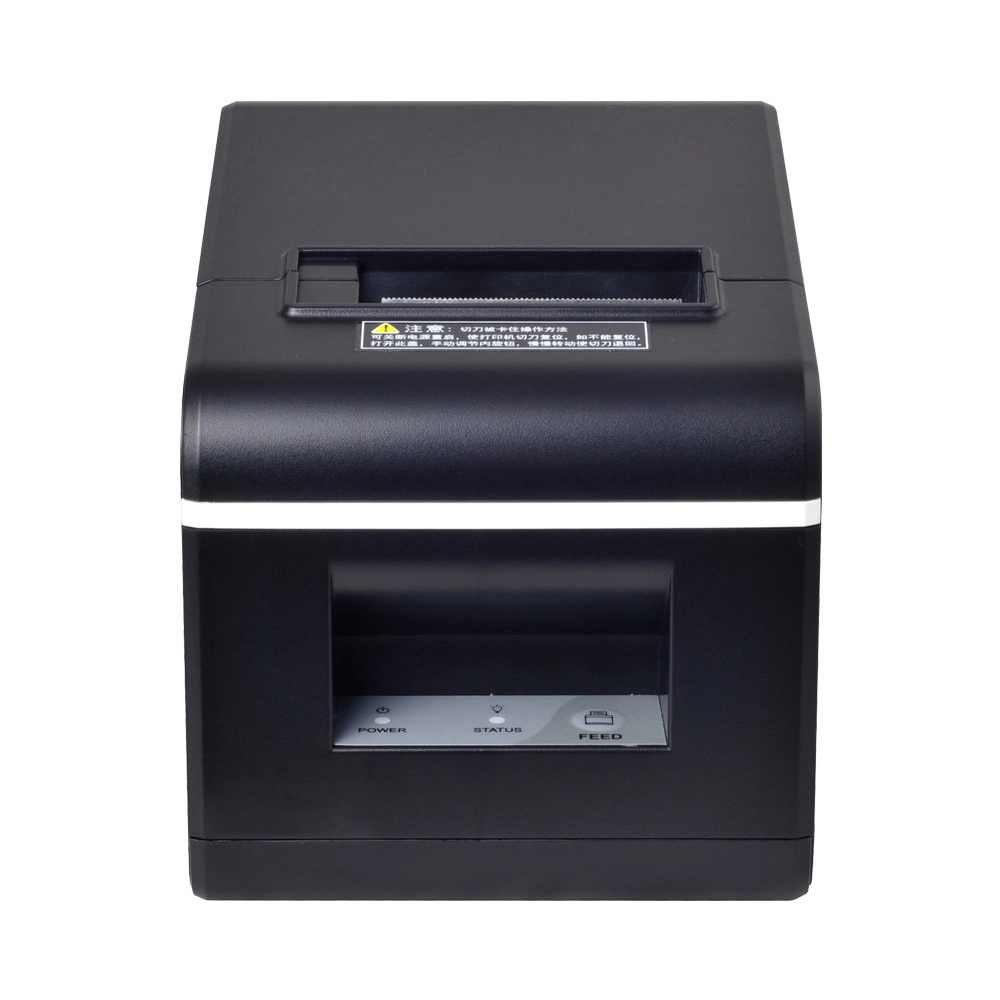
New Model Thermal Printer Bill Printer Manufacturer Portable Printer for Receipt
New Model Thermal Printer, a state-of-the-art bill printer designed for modern retail and hospitality environments. This printer combines advanced technology with user-friendly features, ensuring fast and efficient printing of high-quality receipts. Its sleek design complements any workspace, while multiple connectivity options make it easy to integrate into your existing POS systems.

Desktop Touch Screen POS Systems 12.1'' Android Windows Manufacturer
Our Desktop Touch Screen POS Systems feature a 12.1'' display, supporting both Android and Windows platforms. Engineered for high performance. The intuitive touch interface simplifies transactions and enhances customer engagement. With a sleek design and robust construction, our POS systems are perfect for businesses looking to improve efficiency and elevate the shopping experience.

15.6 Inch Windows POS Terminal with VFD Display, Foldable Aluminum Stand Touch Screen POS for Retail & Hospitality
This 15.6-inch POS terminal is built to meet the needs of modern retail and hospitality environments. Powered by a stable Windows operating system, it ensures smooth performance for various point-of-sale applications. The device features a crisp, responsive touch screen and a built-in VFD customer display, allowing customers to view transaction details clearly. Its aluminum alloy stand offers a sleek, professional appearance while providing enhanced durability and stability for busy checkout counters. Ideal for retail stores, restaurants, and service-based businesses, this POS machine delivers a reliable and customer-friendly checkout experience.

Point of Sale System with Thermal Printer All in One Pos Dual Touchscreen Pos with Barcode Scanner Supplier
FAVORPOS presents the all-in-one Point of Sale System with Thermal Printer, featuring dual touchscreens and an integrated barcode scanner. As a leading POS with NFC factory and barcode scanner supplier, we deliver reliable, efficient solutions tailored for your business needs.


Copyright © 2025 Favorpos All Rights Reserved.
