
POS Terminal vs. Cash Register: The 2026 Guide to Choosing the Best for Your Business
- What is the difference between a POS terminal and a cash register?
- Key Takeaways: Quick Summary for Business Owners
- The Traditional Cash Register: Pros, Cons, and Best Use Cases
- The Modern POS Terminal: Features, Hardware, and Cloud Ecosystem
- Feature Comparison: POS Systems vs. Electronic Cash Registers
- Total Cost of Ownership (TCO): Hidden Costs to Watch Out For
- Future Trends: Why 2026 is the Year to Upgrade
- Expert Tips & Common Mistakes When Choosing Checkout Hardware
- Industry Leading Solutions: Choosing the Right Setup
- Conclusion
- Can a POS system work without the internet?
- How much does a basic POS terminal cost compared to a cash register?
- Do I need a monthly subscription for a cash register?
- Are modern POS terminals secure against data breaches?
- Can I use an iPad as a POS terminal?
- What is the lifespan of a traditional electronic cash register?
- Can a POS terminal track inventory automatically?
- How hard is it to train staff on a new POS system?
What is the difference between a POS terminal and a cash register?
The main difference is that a cash register is a standalone hardware device used simply to calculate and record sales, whereas a POS terminal is a comprehensive hardware and software ecosystem that manages payments, inventory, and customer data in real-time.
To elaborate, an electronic cash register traditionally operates offline, securely storing cash and printing basic receipts. In contrast, a modern point of sale hardware setup syncs with a cloud based pos system to provide deeper business insights and streamline daily operations.
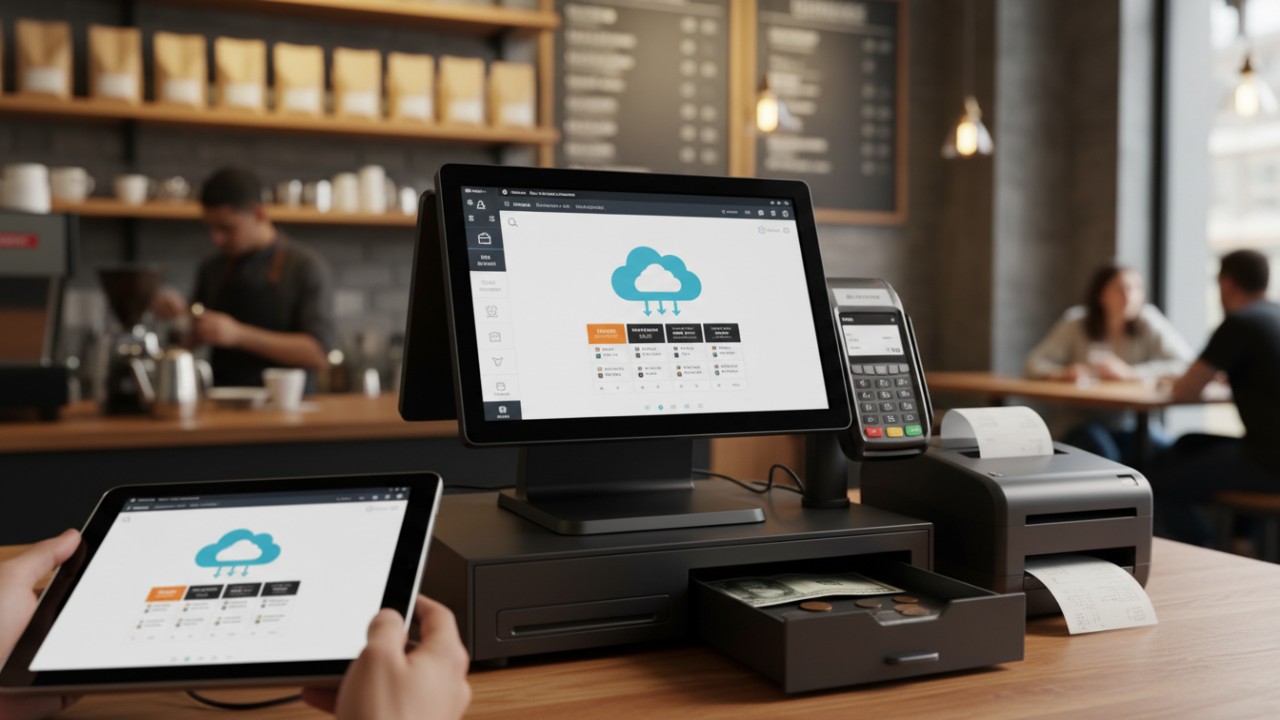
Key differences include:
- Functionality: Cash registers only ring up sales; POS terminals track inventory, manage employees, and analyze sales trends.
- Connectivity: POS terminals rely on cloud networks to sync data across multiple locations, whereas registers are isolated devices.
- Hardware: A POS system pairs advanced touchscreens with barcode scanners and receipt printers, compared to the simple push-button interface of a register.
Choosing the right small business checkout solutions depends on whether you need deep operational analytics to grow your enterprise or simply a low-cost way to process daily transactions.
Key Takeaways: Quick Summary for Business Owners
For business owners, cash registers offer a budget-friendly, easy-to-use solution for low-volume sales, while modern POS terminals provide robust features like automated inventory tracking, employee management, and multi-location syncing essential for scaling operations into 2026.
As the retail and hospitality landscapes evolve, upgrading your checkout technology is no longer optional—it is a necessity. The shift toward modern platforms is accelerating rapidly, and understanding the core benefits is crucial.
- Cost Efficiency: Cash registers remain the go-to for micro-businesses needing basic functionality without monthly software fees.
- Operational Growth: Modern POS terminals offer pos software features that reduce human error and dramatically improve customer checkout experiences.
- Future-Proofing: Embracing a cloud based pos system is crucial for remaining competitive and accommodating new omnichannel payment trends in 2026 and beyond.
The Traditional Cash Register: Pros, Cons, and Best Use Cases
An electronic cash register is a durable, low-cost transaction machine designed for simple checkout environments. It requires minimal training and avoids monthly software subscription fees, making it an excellent fit for pop-up shops and small independent cafes.
Despite the surge in advanced technology, the classic electronic cash register (ECR) still holds a place in the retail world. Historically, ECRs revolutionized the way merchants tracked daily revenue, moving away from manual ledger books to automated calculation.
Pros of Cash Registers:
- Low Upfront Cost: Very budget-friendly compared to full multi-screen POS setups.
- Minimal Training: Simple keypad operations mean new staff can learn to use them in minutes.
- High Durability: Built to last for years with very few mechanical failures.
- No Monthly Fees: Free from recurring cloud hosting or SaaS software subscription charges.
Cons of Cash Registers:
- No Inventory Tracking: Stock levels must be counted manually at the end of every week.
- Manual Reporting: Daily sales reports require printing and manual entry into accounting books.
- Limited Integrations: Difficulty adapting to modern mobile payment methods, digital wallets, or online sales.
Best Use Cases: These devices are perfect for temporary pop-up shops, small independent cafes, and mom-and-pop businesses carrying very limited SKUs where advanced digital tracking is unnecessary.
The Modern POS Terminal: Features, Hardware, and Cloud Ecosystem
A modern POS terminal combines advanced touchscreen hardware with a cloud-based software ecosystem to instantly sync sales across devices. It features automated inventory alerts, customer loyalty programs, and detailed analytics, transforming how businesses manage their daily operations.
Modern point of sale hardware goes far beyond ringing up customers. It acts as the central nervous system of a retail or hospitality business. In fact, as reported by Salesforce, POS technology includes both hardware and software components that work together to ensure smooth sales transactions and manage retail operations.
Breakdown of POS Components:
- Touchscreen Displays: Intuitive digital interfaces for lightning-fast order entry.
- Card Readers: Secure smart terminals for EMV, swipe, and contactless tap-to-pay transactions.
- Barcode Scanners & Receipt Printers: Essential high-speed peripherals for fast, accurate checkout lines.
The Cloud Ecosystem: By utilizing a cloud based pos system, your sales data syncs instantly across mobile devices and physical retail locations, allowing owners to view real-time dashboards from anywhere in the world.
Advanced Software Features: Top-tier pos software features include automated stock alerts, integrated customer loyalty programs, and deep demographic sales analytics. Furthermore, Mobile POS (mPOS) capabilities allow staff to use iPads and handheld terminals for tableside ordering and line-busting, vastly improving the modern customer experience.
Feature Comparison: POS Systems vs. Electronic Cash Registers
When comparing features, POS systems provide real-time cloud dashboards, automated inventory tracking, and integrated omnichannel payments, whereas electronic cash registers rely on manual end-of-day printouts, visual stock checks, and standalone credit card processing terminals.
To make the best technological choice for your enterprise, it is crucial to understand how these two distinct systems handle day-to-day operations and impact your bottom line.
Data and Analytics:
- Cash Registers: Provide manual end-of-day printouts (Z-reports) that must be audited by hand.
- POS Systems: Offer real-time cloud dashboards with granular insights into peak sales hours, product velocity, and top-performing staff.
Inventory Management:
- Cash Registers: Require manual, visual stock checks that are highly prone to human error.
- POS Systems: Feature automated SKU tracking, smart low-stock alerts, and automatic vendor reorder triggers.
Payment Processing:
- Cash Registers: Use non-integrated, standalone credit card terminals where payment amounts must be typed twice, increasing mistake rates.
- POS Systems: Feature integrated omnichannel payment gateways that eliminate double-entry errors and speed up the line.
Scalability:
- Cash Registers: Growing your business often means entirely replacing outdated physical hardware.
- POS Systems: Scale effortlessly through simple digital software upgrades and API integrations with external business tools.
Total Cost of Ownership (TCO): Hidden Costs to Watch Out For
The Total Cost of Ownership (TCO) for checkout systems includes not only the initial hardware purchase but also hidden costs like monthly software subscriptions, cloud hosting fees, payment processing rates, and ongoing maintenance over a five-year lifecycle.
Understanding TCO is vital for any budget-conscious entrepreneur. As reported by NetSuite, total cost of ownership is a comprehensive financial assessment going beyond the initial purchase price to include all direct and indirect lifecycle costs.
Key Cost Factors:
- Initial Hardware Purchasing Costs: An electronic cash register typically ranges from $100 to $300 upfront. In contrast, full modern POS setups start around $500 and can easily exceed $2000+ per station.
- Monthly Software Subscriptions: POS platforms often charge ongoing fees for cloud server hosting, software updates, and advanced feature access.
- Payment Processing Fees: It is critical to understand the difference between flat-rate pricing and interchange-plus models, as these percentages dictate your profit margins per transaction.
- Maintenance and Replacement Cycles: Factor in regular software updates, technical support contracts, and potential hardware replacement cycles over a standard 5-year business period.
Future Trends: Why 2026 is the Year to Upgrade
2026 is the prime year to upgrade because emerging trends emphasize AI-driven predictive inventory, biometric contactless payments, unified commerce blending online and offline sales, and a strong shift toward sustainable hardware and digital receipt solutions.
The global landscape for retail technology is expanding rapidly. As reported by SapientPro, the worldwide POS market is projected to surpass $110 billion by 2032 due to cloud and mobile innovations. Preparing your business for the future means adapting to these high-tech innovations right now.
Trends Defining 2026:
- AI Integration: Artificial intelligence embedded within pos software features is enabling predictive inventory ordering and highly personalized customer marketing campaigns.
- Contactless Evolution: The meteoric rise of digital wallets, tap-to-pay devices, and even biometric facial authentication will dominate the 2026 retail landscape.
- Unified Commerce: Seamlessly merging offline brick-and-mortar sales with online eCommerce platforms creates a completely frictionless customer journey.
- Sustainability: Businesses are actively transitioning to digital receipts and energy-efficient thermal hardware solutions to meet modern eco-friendly consumer standards.
Expert Tips & Common Mistakes When Choosing Checkout Hardware
When selecting checkout hardware, a common mistake is buying proprietary equipment that locks you into an expensive payment processor. To avoid this, always map out your inventory needs and prioritize vendors offering reliable internet redundancy and 24/7 customer support.
Navigating the massive market for small business checkout solutions can be overwhelming. Avoid these expensive pitfalls by listening to industry experts.
- Common Mistake: Purchasing proprietary POS hardware that mathematically restricts you to a single, high-fee payment processing company.
- Expert Tip: Always map out your exact inventory tracking needs and required software integrations (such as QuickBooks, Xero, or Shopify) before finalizing any system purchase.
- Common Mistake: Underestimating the absolute need for a stable internet connection when relying on a cloud based pos system that completely lacks an offline mode.
- Expert Tip: Prioritize equipment vendors that offer reliable offline transaction capabilities, robust 24/7 customer support, and rapid hardware replacement warranties to prevent costly business downtime.
Industry Leading Solutions: Choosing the Right Setup
Choosing the right setup involves evaluating top-tier hardware tailored to your specific industry. By partnering with experienced manufacturers, businesses can customize bundles with handheld terminals, thermal printers, and secure cash drawers to streamline operations and ensure strict PCI compliance.
At Guangzhou licon electronic tec. co., ltd., we understand that one size does not fit all. Under our globally recognized brand FAVORPOS, we have dedicated ourselves to developing advanced point of sale hardware tailored for diverse market segments, including retail spaces, catering services, and large supermarkets.
Optimizing Your Checkout Flow:
- Industry-Specific Evaluation: Whether you operate a bustling high-volume restaurant or a boutique retail store, selecting the right mix of handheld POS devices and automatic price checkers is vital.
- Custom Bundles: Our extensive manufacturing catalog allows you to mix and match heavy-duty cash drawers, rapid thermal printers, and clear customer-facing displays to perfectly fit your unique staff workflow.
- Case Study Impact: Our dedicated OEM and ODM services have enabled businesses worldwide to significantly reduce their checkout line times, drastically optimize business operations, and protect sensitive consumer data.
- Security First: We guarantee that every piece of hardware ecosystem we manufacture maintains top-level security encryption and strict global PCI compliance.
To explore how our customizable technology can elevate your business into the future, review our complete range of POS System solutions designed for maximum efficiency and growth.
Conclusion
Choosing between a POS terminal and a cash register ultimately comes down to evaluating your business volume, budget, and long-term growth trajectory. Upgrading ensures your operations remain adaptable, efficient, and fully prepared for the upcoming 2026 consumer market shifts.
While traditional electronic cash registers serve basic transactional needs admirably for micro-businesses, modern POS terminals provide the critical data analytics, automated inventory triggers, and third-party software integrations required to truly thrive in today's highly competitive market. Evaluate your long-term operational goals, strictly weigh the total cost of ownership against projected revenues, and ensure the hardware ecosystem you select can seamlessly adapt to future consumer trends and contactless payment technologies.
Contact us today to optimize your point of sale hardware strategy.
Can a POS system work without the internet?
Many modern POS systems feature an 'offline mode' that allows you to continue taking cash payments and securely store credit card data. Once the internet connection is restored, the system automatically syncs the offline transactions to the cloud processor.
How much does a basic POS terminal cost compared to a cash register?
A basic electronic cash register typically costs between $100 and $300 as a one-time purchase. A POS terminal setup can range from $500 to $2,000 for hardware, plus ongoing monthly software fees ranging from $0 to $100+ depending on features.
Do I need a monthly subscription for a cash register?
No, traditional cash registers operate independently and do not require monthly software subscriptions or internet connectivity. However, you will still need a separate merchant service agreement and credit card terminal to accept non-cash payments.
Are modern POS terminals secure against data breaches?
Yes, reputable POS terminals use end-to-end encryption and tokenization to protect customer payment data. They are also designed to be strictly PCI compliant, minimizing the risk of data breaches compared to outdated magnetic stripe readers.
Can I use an iPad as a POS terminal?
Absolutely. Many modern POS providers design their software specifically for iOS and Android tablets. You simply download the POS application, pair it with a compatible card reader and receipt printer, and use it as a robust checkout terminal.
What is the lifespan of a traditional electronic cash register?
Electronic cash registers are highly durable and can easily last 10 to 15 years with basic maintenance. However, their technology becomes outdated quickly, often requiring replacement to keep up with modern payment expectations rather than mechanical failure.
Can a POS terminal track inventory automatically?
Yes, this is one of the biggest advantages of a POS terminal over a cash register. Every time an item is scanned and sold, the POS software automatically deducts it from your digital inventory and can even alert you when stock is low.
How hard is it to train staff on a new POS system?
Most modern POS systems are designed with intuitive, touchscreen interfaces similar to smartphones, making training very straightforward. Staff can usually learn the basics of ringing up orders, splitting checks, and processing refunds in just a few hours.
Top 10 cheap pos machine printer Manufacturers and Supplier Brands in Europe
How to Choose Right pos touch screen terminal manufacturer and supplier in America?
How to manufacturing best pos touch screen monitor in Europe
Where to Buy cash register drawer in UK
For Solutions Retail
Do you provide remote diagnosis and technical support?
Yes, we provide remote diagnosis services, which can quickly identify and resolve system failures and reduce equipment downtime. At the same time, our technical support team can also help you complete daily operations or troubleshoot difficult problems through remote assistance.
For Healthcare
How do you ensure data security and patient privacy?
We implement advanced encryption, user authentication and access control to protect sensitive data and follow industry best security practices.
For Restaurants & Cafes
Does your POS system support multiple languages and currencies?
Yes, our POS system supports multi-language operation interfaces and multi-currency transactions to meet the needs of different regions and markets. You can set the corresponding language and currency options according to the specific requirements of the country or region where your business is located.
For Hotels
Does your POS system support room service billing?
Absolutely, our system allows guests to charge services such as food and beverage, spa treatments, etc. directly to the room account, and all charges will be settled at the time of checkout.
For Beauty and Wellness
What support is provided after the system is deployed?
We provide 24/7 technical support and regular hardware maintenance to ensure that the system continues to operate efficiently.

Aluminum Dual Screen Pos Terminal Pos Systems 15.6 inch Touchscreen Pos
FAVORPOS Aluminum Dual Screen POS Terminal features a 15.6-inch touchscreen, ideal for seamless transactions. As a trusted OEM Windows POS manufacturer, we deliver durable, high-performance solutions tailored for retail and hospitality businesses.

Android Handheld Pos Device Touch Screen Pos Terminal Manufacturer

All in One POS Terminal Metal 11.6'' Touchscreen Android Windows with Printer
The All-in-One POS Terminal features an 11.6'' touchscreen display, compatible with both Android and Windows. This metal-constructed terminal combines durability with style, making it a perfect fit for any retail or hospitality environment. Equipped with a built-in printer, it streamlines transactions by allowing for instant receipt printing.

8 inch Touchscreen Price Checker Barcode Scanner Wifi Optional Android Win 10
FAVORPOS Touchscreen Price Checker offers a user-friendly interface, perfect for retail environments. With optional Wi-Fi connectivity, this device runs on Android or Windows, providing flexibility and ease of use. The integrated barcode scanner allows for quick price verification, enhancing the shopping experience for customers. Compact and efficient, it's designed to streamline operations and improve checkout speed.


Copyright © 2025 Favorpos All Rights Reserved.
