
Top 15 POS Machine Manufacturers in 2026: The Ultimate Comparison Guide
- What Are POS Machine Manufacturers and Why Do They Matter?
- Quick Summary & Key Takeaways
- How to Choose the Right Payment Hardware: Expert Tips & Common Mistakes
- Top 15 POS Machine Manufacturers in 2026
- 1. Ingenico
- 2. Verifone
- 3. PAX Technology
- 4. SUNMI
- 5. Square (Block, Inc.)
- 6. Clover (Fiserv)
- 7. Castles Technology
- 8. NCR Voyix
- 9. Newland Payment Technology
- 10. Worldline
- 11. BBPOS
- 12. Fujitsu
- 13. NEXGO
- 14. Diebold Nixdorf
- 15. Bitel
- Industry Leading Solution: Seamless Hardware Integration
- Future Trends: What's Next for POS Hardware Beyond 2026?
- Conclusion
- FAQ
- Who is the largest POS machine manufacturer in the world?
- What is the difference between a POS manufacturer and a POS software provider?
- How much does commercial POS hardware typically cost?
- Are Android POS terminals better than traditional countertop models?
- What is an mPOS device and which manufacturers make them?
- How long is the typical lifespan of a retail POS terminal?
- What security certifications should I look for in POS hardware?
- Can I buy POS machines directly from the manufacturer?
What Are POS Machine Manufacturers and Why Do They Matter?
POS machine manufacturers are specialized technology companies that design, engineer, and produce the physical hardware used to process electronic payments and manage retail transactions seamlessly. These entities form the essential bridge connecting digital commerce software with physical in-store payment activities.
As reported by Wikipedia, the point of sale is the precise time and place where a retail transaction is completed. To facilitate this critical exchange, manufacturers engineer devices ranging from traditional countertop terminals to modern Android SmartPOS, mobile card readers, and self-service kiosks. Without these specialized hardware providers, the sophisticated software that tracks inventory, manages customer relationships, and processes credit card data would have no physical interface to securely execute real-world transactions. Choosing the right manufacturer is not just about buying a card reader; it is about securing the financial lifeline of your business.
Quick Summary & Key Takeaways
The point of sale hardware market in 2026 is rapidly evolving, defined by the dominance of Android OS platforms, the critical need for mobile flexibility, and market consolidation among legacy giants and innovative mPOS device companies.
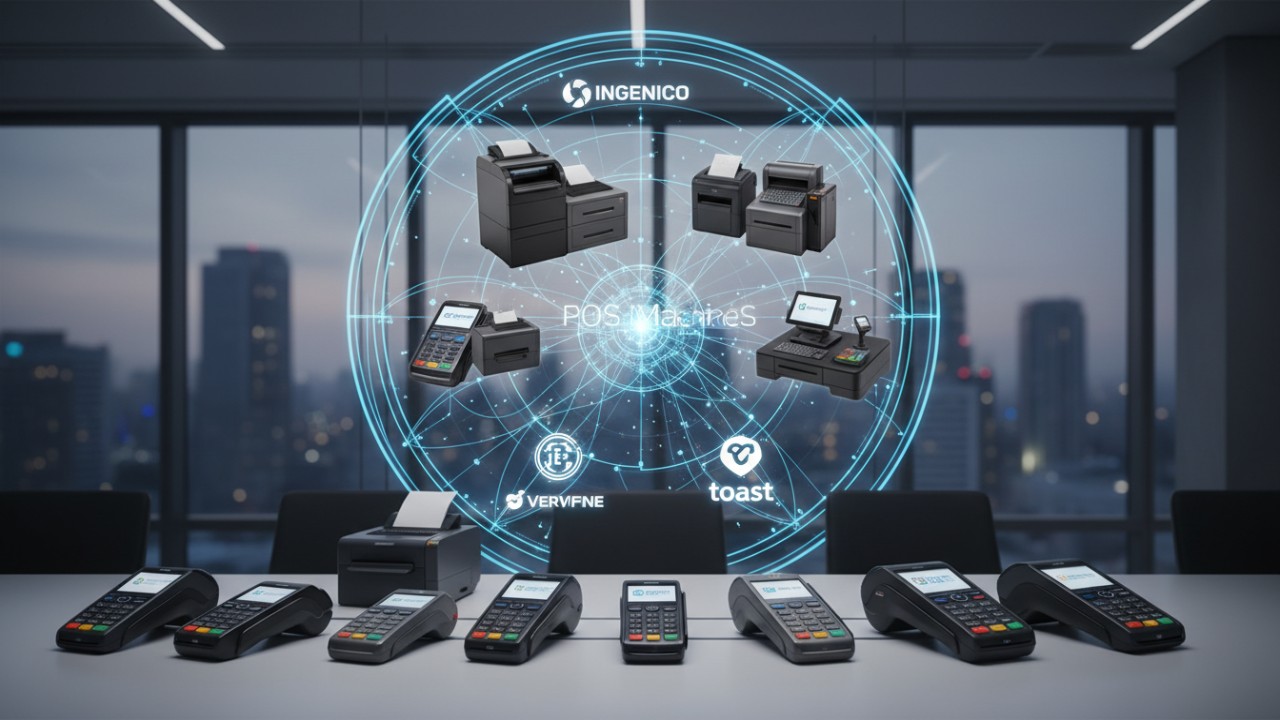
- Android OS is dominating: The shift from legacy proprietary systems to highly flexible Android SmartPOS platforms is the absolute standard for 2026, allowing merchants to run multiple operational apps on a single device.
- Mobility is essential: mPOS (mobile point of sale) devices have become critical for line-busting, tableside ordering, and true omnichannel retail environments.
- Market Share Consolidation: Top global market share remains heavily consolidated among legacy giants like Ingenico and Verifone, alongside rapid volume innovators like PAX Technology and SUNMI.
- Targeted Selection: Choosing the right manufacturer depends entirely on your specific use case, whether you need rugged self-service kiosks, highly durable enterprise devices, or simple, sleek smart terminals for a boutique shop.
How to Choose the Right Payment Hardware: Expert Tips & Common Mistakes
Choosing the right payment hardware requires evaluating specific business needs against technical specifications, prioritizing mandatory security certifications, ensuring robust lifecycle management, and maintaining reliable connectivity fallbacks like 4G/5G to prevent costly operational downtime.
To ensure your hardware investment yields a high return and protects your business from liability, you must navigate both hardware capabilities and compliance standards carefully. Furthermore, as reported by the PCI Security Standards Council, businesses must adhere to strict PIN Transaction Security (PTS) requirements to protect sensitive account data at the point of interaction.
- Expert Tip: Always verify the terminal's PCI PTS certification lifespan. Buying hardware nearing its sunset date will force early and costly replacements, rendering your investment obsolete prematurely.
- Common Mistake: Overlooking lifecycle management and local RMA (Return Merchandise Authorization) support is a critical error. Hardware will eventually fail; the speed of repair or replacement is what truly matters to your bottom line.
- Expert Tip: Prioritize manufacturers that offer an open API or a cloud-based Terminal Management System (TMS). This allows for seamless remote software updates, drastically reducing on-site IT maintenance costs.
- Common Mistake: Ignoring connectivity fallback capabilities can cripple your checkout. Ensure your chosen hardware supports both Wi-Fi and cellular (4G/5G) failover to prevent catastrophic downtime during local network outages.
Top 15 POS Machine Manufacturers in 2026
The top 15 global POS machine manufacturers in 2026 feature a mix of established industry veterans and agile Android POS terminal creators, each providing unique hardware solutions ranging from highly durable countertop registers to sleek, modern mobile payment devices.
1. Ingenico
Ingenico is a global leader known for its Axium Android Range and unbeatable payment security standards. Their robust ecosystem ensures highly secure, globally compliant transactions for businesses of all sizes, solidifying their rank among elite SmartPOS hardware providers.
2. Verifone
Verifone is renowned for its end-to-end payment solutions, offering highly durable countertop terminals and comprehensive enterprise cloud services. They remain a staple for high-volume retail environments requiring exceptional reliability and maximum uptime.
3. PAX Technology
As a dominant force in the market, PAX Technology provides a vast array of Android-based SmartPOS devices with massive global deployment. They excel in combining elegant hardware design with an extensive merchant app ecosystem.
4. SUNMI
SUNMI is a BIoT (Business IoT) digitalization leader providing sleek, affordable Android POS, interactive kiosks, and desktop systems. They empower merchants with visually appealing hardware that integrates effortlessly into modern storefronts.
5. Square (Block, Inc.)
Square is best known for its seamless hardware-software integration tailored for SMBs, featuring iconic devices like the Square Register and Square Terminal. They offer an out-of-the-box solution that eliminates complex setups for growing businesses.
6. Clover (Fiserv)
Clover delivers premium integrated systems customized for the restaurant and retail sectors. Products like the Clover Station and Clover Flex provide merchants with highly intuitive, aesthetically pleasing, and functionally rich hardware.
7. Castles Technology
Castles Technology comprises experts in secure payment solutions and is rapidly growing as one of the premier unattended payment terminal manufacturers. Their robust devices are perfectly suited for self-service kiosks, ticketing machines, and vending.
8. NCR Voyix
NCR Voyix represents the enterprise standard for high-volume grocery, retail, and self-checkout solutions. Their heavy-duty hardware is engineered to withstand the rigorous demands of 24/7 global supermarket operations.
9. Newland Payment Technology
Newland is a fast-growing global provider of smart POS systems and advanced scanning data capture devices. Their terminals are highly valued for exceptional barcode reading capabilities and rapid transaction processing.
10. Worldline
Worldline offers highly efficient portable and self-service terminals backed by an extensive global payment processing network. They provide a unified hardware and acquiring solution for seamless multinational deployments.
11. BBPOS
BBPOS is a leading innovator in the mobile payment space, widely recognized for its WisePad and Chipper readers. These ultra-portable devices integrate flawlessly with smartphones and tablets for on-the-go merchants.
12. Fujitsu
Fujitsu delivers high-performance, rugged hardware and sophisticated self-service kiosks built for massive global retail deployments. Their engineering focuses on extreme longevity and minimal maintenance in harsh retail environments.
13. NEXGO
NEXGO is a comprehensive fintech provider focusing on standard POS, mPOS, and robust cloud management platforms. They equip businesses with reliable, cost-effective payment terminals paired with excellent remote management software.
14. Diebold Nixdorf
Diebold Nixdorf specializes in bridging physical and digital sales through their advanced Beetle POS series and specialized banking hardware. They are the go-to manufacturer for converged retail and financial service terminals.
15. Bitel
Bitel is a leading South Korean manufacturer developing sophisticated IC card terminals and smart card readers. They are highly regarded in the Asian market for fast, secure, and technologically advanced payment processing devices.
Industry Leading Solution: Seamless Hardware Integration
Seamless hardware integration relies on choosing an industry-leading partner capable of connecting top-tier manufacturer hardware directly into custom retail ecosystems, eliminating middleware bottlenecks, and drastically reducing deployment times.
While choosing the right manufacturer is critical, deploying the hardware effectively requires an industry-leading integration partner. Enter Guangzhou licon electronic tec. co., ltd., operating under the highly trusted brand FAVORPOS (https://www.favorpos.com/). FAVORPOS provides and develops advanced point of sale (POS) systems and solutions for businesses that are committed to using high-tech devices to drive success.
As a trusted company in the POS system industry, FAVORPOS provides OEM and ODM services to fully meet customer needs and optimize business operations. Our current solutions include Handheld POS units, comprehensive POS systems, Price Checkers, Thermal Printers, and Cash Drawers, all tailored for different market segments such as retail, catering, and supermarkets.
- Case Study: By utilizing our unified API, enterprise clients have successfully reduced terminal deployment times by 40%.
- Middleware Optimization: We have completely eliminated middleware bottlenecks across multiple hardware brands, including leading names like PAX, Ingenico, and SUNMI.
With an outstanding dedication to quality and customers, FAVORPOS always strives to find the best solutions to support all businesses and improve their efficiency in this highly competitive field. Our ultimate vision is to become the world's best manufacturer of Point of Sale (POS) systems and solutions.
Future Trends: What's Next for POS Hardware Beyond 2026?
The future of POS hardware beyond 2026 involves advanced biometric payments, AI-powered edge computing, sustainable eco-friendly device manufacturing, and the expansion of SoftPOS driving traditional manufacturers toward premium unattended self-service kiosks.
- Biometric Payments: Manufacturers are increasingly moving past traditional card inserts by integrating highly secure palm-vein and facial recognition scanners directly into the POS terminal hardware.
- AI-Powered Edge Computing: Tomorrow's terminals are moving beyond simple payment processing. They will act as edge-AI nodes capable of running real-time inventory checks and customer behavior analytics directly at the checkout counter.
- Sustainability: There is a massive industry push toward eco-friendly POS devices built from recycled plastics, paired with ultra-low power consumption profiles to reduce enterprise carbon footprints.
- SoftPOS Expansion: The dramatic rise of Tap-to-Pay on COTS (Commercial Off-The-Shelf) devices—like consumer smartphones—is forcing traditional hardware manufacturers to pivot their engineering focus towards premium self-service and high-durability unattended kiosk hardware.
Conclusion
Navigating the diverse landscape of POS machine manufacturers in 2026 requires carefully balancing hardware durability, flexible software integration, and strict security compliance to ensure seamless, long-term payment success.
Whether you are outfitting a single boutique with Square hardware, integrating Android devices via FAVORPOS, or deploying thousands of NCR self-checkout kiosks across a global grocery chain, the right partner defines your operational efficiency. Security, mobility, and adaptability are the pillars of a modern checkout experience.
Contact us today to optimize your global retail payment solutions strategy.
FAQ
Who is the largest POS machine manufacturer in the world?
Ingenico and Verifone have historically held the largest global market shares for traditional terminals. However, PAX Technology has rapidly grown to become one of the top volume leaders, particularly in the Android SmartPOS sector.
What is the difference between a POS manufacturer and a POS software provider?
A POS manufacturer builds the physical hardware devices (terminals, screens, card readers). A POS software provider creates the digital application (inventory, sales tracking) that runs on the hardware, though some companies like Square provide both.
How much does commercial POS hardware typically cost?
Basic mPOS card readers can cost between $20 and $50. Standard Android SmartPOS terminals range from $200 to $400, while complete enterprise countertop registers can exceed $1,000 to $2,500 per station.
Are Android POS terminals better than traditional countertop models?
Android POS terminals offer much greater flexibility, allowing merchants to run multiple apps (loyalty, inventory, employee management) on a single device. Traditional models are highly secure and durable but lack the app ecosystem that modern businesses require.
What is an mPOS device and which manufacturers make them?
mPOS stands for mobile point-of-sale. They are portable devices that connect via Bluetooth or Wi-Fi to smartphones or tablets. Top manufacturers of mPOS devices include BBPOS, Square, Ingenico, and PAX Technology.
How long is the typical lifespan of a retail POS terminal?
A commercial POS terminal generally lasts between 3 to 5 years in a retail environment. Lifespan is often dictated by hardware wear and tear, battery degradation, or the expiration of PCI security certifications.
What security certifications should I look for in POS hardware?
The most critical certification is PCI PTS (Payment Card Industry PIN Transaction Security). You should also look for EMV Level 1 and Level 2 certifications to ensure safe chip card processing and contactless (NFC) compliance.
Can I buy POS machines directly from the manufacturer?
Most major manufacturers (like PAX, Ingenico, Verifone) sell primarily through authorized distributors, ISOs, or payment processors. Exceptions include companies like Square or Clover, which have direct-to-merchant retail channels.
Wholesale china thermal wifi label printer manufacturers manufacturer and supplier
Wholesale pos windows 10 manufacturer and supplier in China
Reduce Wait Times with Speed-Optimized POS Systems
Best Restaurant POS Systems List for Small & Independent
For Restaurants & Cafes
Is your POS system suitable for different types of catering businesses?
Yes, our POS system is suitable for a variety of catering businesses, including fast food restaurants, high-end restaurants, cafes, as well as food trucks and pop-up restaurants. The system functions can be customized according to different business types to meet specific needs.
For Government and Public
How does your system ensure data security?
We use advanced encryption and security measures to protect all financial and personal data, ensuring compliance with industry standards and regulations.
For E-commerce
Can your POS system integrate with my existing e-commerce platform?
Yes, our POS system is compatible with major e-commerce platforms (such as Shopify, WooCommerce, Magento) and supports custom platforms through API integration.
Does the POS system support global payments?
Yes, we support multi-currency and cross-border transactions, enabling you to accept payments from customers around the world.
For Bakeries
Can your POS system handle both retail and wholesale orders?
Yes, FAVORPOS's system can manage both retail sales and wholesale orders and offer different price structures for each customer type.

Aluminum Dual Screen Pos Terminal Pos Systems 15.6 inch Touchscreen Pos
FAVORPOS Aluminum Dual Screen POS Terminal features a 15.6-inch touchscreen, ideal for seamless transactions. As a trusted OEM Windows POS manufacturer, we deliver durable, high-performance solutions tailored for retail and hospitality businesses.
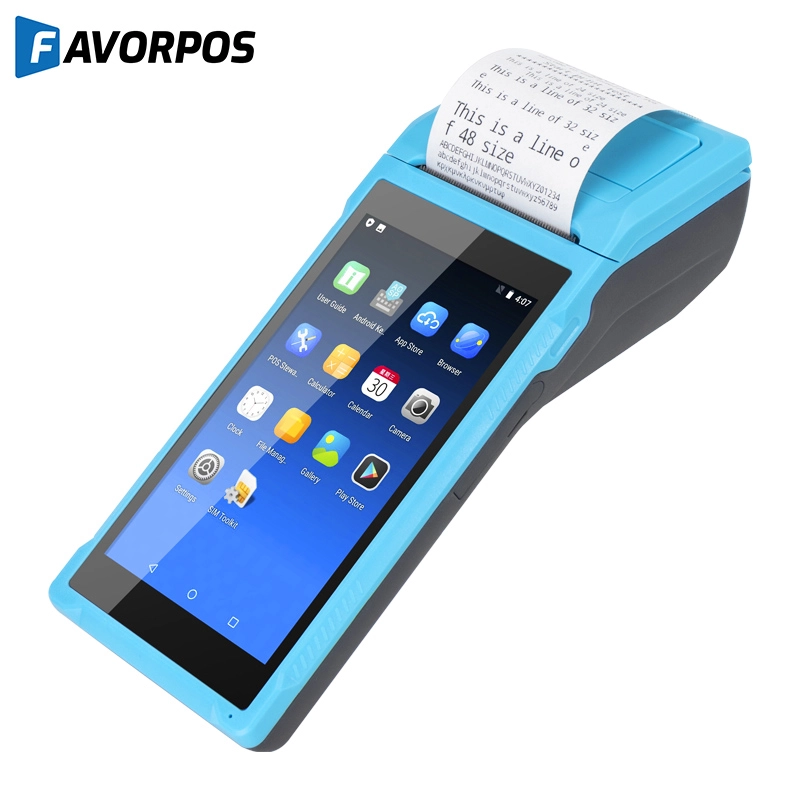
Android Handheld Pos Device Touch Screen Pos Terminal Manufacturer
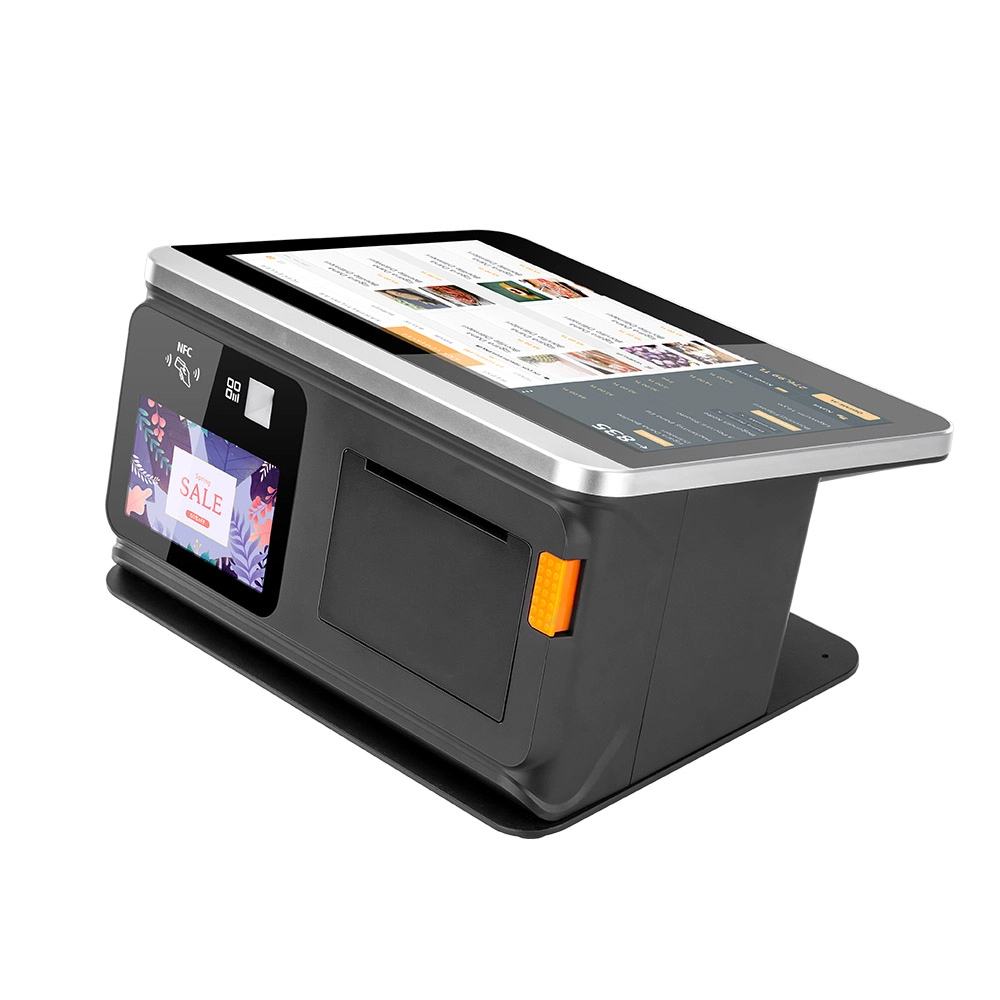
All in One POS Terminal Metal 11.6'' Touchscreen Android Windows with Printer
The All-in-One POS Terminal features an 11.6'' touchscreen display, compatible with both Android and Windows. This metal-constructed terminal combines durability with style, making it a perfect fit for any retail or hospitality environment. Equipped with a built-in printer, it streamlines transactions by allowing for instant receipt printing.
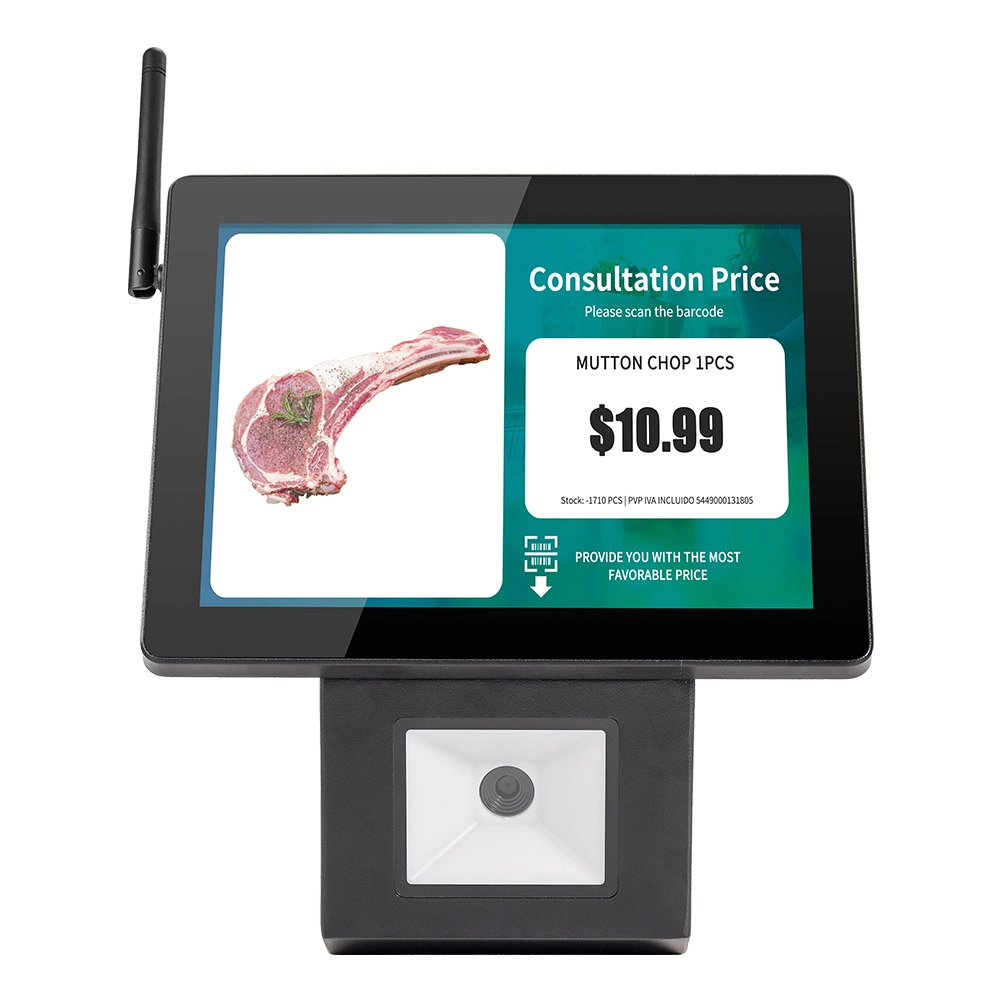
8 inch Touchscreen Price Checker Barcode Scanner Wifi Optional Android Win 10
FAVORPOS Touchscreen Price Checker offers a user-friendly interface, perfect for retail environments. With optional Wi-Fi connectivity, this device runs on Android or Windows, providing flexibility and ease of use. The integrated barcode scanner allows for quick price verification, enhancing the shopping experience for customers. Compact and efficient, it's designed to streamline operations and improve checkout speed.


Copyright © 2025 Favorpos All Rights Reserved.
