
Which popular POS systems for restaurants fit small cafes?
- Which popular POS systems for restaurants offer reliable offline mode and local data sync for cafes with spotty Wi‑Fi?
- Which popular POS systems for restaurants have affordable integrated payment processing and transparent merchant fees for small cafes?
- Which popular POS systems for restaurants support quick setup of barista-style modifiers, recipe-level inventory, and supplier purchase orders?
- Which popular POS systems for restaurants allow easy table management and floorplans for 20‑seater cafes without bulky hardware?
- Which popular POS systems for restaurants provide PCI-compliant EMV chip & contactless payments with inexpensive hardware options?
- Which popular POS systems for restaurants fit small cafes that need multi-location reporting, payroll, and accounting integrations on a tight budget?
- How to choose: a practical 8-step checklist for cafe owners ready to buy
Which popular POS systems for restaurants offer reliable offline mode and local data sync for cafes with spotty Wi‑Fi?
Spotty connectivity is one of the most common pain points for small cafes. The key buyer requirement is a POS that can continue to take payments, route orders to kitchen printing/KDS, and sync transactions once the network returns.
What to check: whether the POS is local-first (runs on the local network and syncs to the cloud) or purely cloud-first (requires continuous internet). Ask vendors for documented offline behavior: can the system take EMV/contactless transactions offline, does it queue card tokenization, and how long cached data is retained? Also verify how POS reconciliation works after a prolonged offline period.
Systems that commonly meet this need:
- TouchBistro: iPad-based, local-first architecture that keeps order and payment processing on the LAN and syncs to cloud backups. Good for cafes relying on tablets and short-term offline resilience.
- Square for Restaurants: cloud-first but supports offline card acceptance and caches sales locally; works well for small cafes that need a low-cost, forgiving option.
- Lightspeed Restaurant: offers an offline mode with local caching for orders and payments; depending on configuration it can continue printing tickets on a local printer network.
- Toast: uses local network architecture for restaurants and remains operational for many typical offline scenarios .
Practical test to request in demos:1) Simulate a Wi‑Fi outage and confirm that orders, payments, and KDS printing continue.2) Confirm how EMV/contactless behaves—if transactions are authorized offline, how and when settlement occurs.3) Ask how the vendor handles partial sync conflicts and how you retrieve unsynced sales for accounting.
If wireless reliability is a top concern, prioritize tablet POSes advertised as local-first (TouchBistro, some Lightspeed setups) or implement a cellular backup (4G) for cloud-first systems.
Which popular POS systems for restaurants have affordable integrated payment processing and transparent merchant fees for small cafes?
Payment-processing clarity and cost are a constant pain point: hidden fees, bundled hardware markups, and unclear reserve or chargeback policies can dramatically affect margins.
What to evaluate:
- Effective rate on card-present vs card-not-present transactions.
- Any monthly gateway/PCI fees, batch fees, or per-terminal fees.
- Hardware financing vs one-time purchase and whether the provider requires a merchant account from a specific processor.
- Chargeback policies and whether the provider offers any protection or dispute tools.
Common vendor patterns and where they fit small cafes:
- Square: Known for transparent, flat-rate processing tied to their POS. Easy onboarding with no long-term contract; good for low-volume cafes that need predictability and minimal setup friction.
- Lightspeed & Toast: Typically sell POS subscriptions separately from payment processing; offers integrated payments but also allow third-party processors. Expect stronger volume discounts as your card volume grows.
- Clover: Hardware-centric with multiple merchant partners. Pricing and rates vary by reseller—shop quotes carefully.
- TouchBistro: Partners with multiple processors; you can choose integrated payment plans or third-party providers. Good for cafes that want POS features first and flexible payment options.
Negotiation tips:1) Get a full breakdown: per-transaction rates, monthly minimums, terminal fees, PCI fees, and chargeback policies in writing.2) Calculate your blended cost: estimate monthly card volume and average ticket size and request a sample monthly statement projection from the vendor.3) Ask about interchange-plus vs flat-rate pricing and whether the vendor's integrated payment product uses tokenization to reduce liability.
If you have low monthly volume, a transparent flat-rate (as with Square) often beats negotiated interchange-plus unless you can qualify for volume discounts.
Which popular POS systems for restaurants support quick setup of barista-style modifiers, recipe-level inventory, and supplier purchase orders?
Cafes rely on fast modifier flows (size, milk type, syrup shots), accurate ingredient-level inventory for food-cost control, and simple supplier PO workflows. Many entry-level POSes handle modifiers but lack recipe/ingredient controls.
Feature checklist for cafes:
- Modifier hierarchies and forced modifiers (e.g., size selection required).
- Recipe-level BOM (bill of materials) so each sale decrements ingredient inventory (espresso shots, milk ounces, syrups).
- Low-stock alerts and automated purchase orders to suppliers.
- Waste and yield logging for accurate COGS.
Systems that deliver these capabilities:
- Lightspeed Restaurant: Strong inventory and recipe-level support, multi-ingredient management, and purchase-order workflows—suitable if you want rigorous food-cost control.
- TouchBistro: Good modifier management and offers inventory modules with recipe-level tracking on higher tiers; designed for quick menu setups for cafe workflows.
- Square for Restaurants: Excellent for quick modifier setup and basic inventory. Recipe-level and PO features are improving but may require add-ons or Square for Retail (if you need full ingredient-level control).
- Revel & Lavu: Offer deep inventory controls and supplier POs but are more common in larger operations.
Implementation advice:1) Start by mapping common drink/build flows into modifier trees and test speed of order entry during a 5‑minute rush.2) If you need ingredient-level inventory, scope how much historical data you need—recipe-based systems perform better when you maintain yields and waste logs.3) Account for training: complex recipe and PO features are powerful but add operational overhead; balance accuracy vs speed.
For most small cafes, TouchBistro or Square with a focused inventory add-on gives the best mix of speed and ingredient control; choose Lightspeed or Revel if you expect high SKU complexity and supplier PO automation.
Which popular POS systems for restaurants allow easy table management and floorplans for 20‑seater cafes without bulky hardware?
Small cafes need simple table management: quick seat assignment, split checks, and the ability to move items between covers. Bulky all-in-one terminals can be overkill and expensive.
Key buyer needs:
- Simple floorplan editor for a single room or patio.
- Quick split checks, item transfers, and merge checks.
- Tableside ordering on tablets or smartphones (Bluetooth/2.4GHz printers/KDS compatibility).
- Minimal hardware footprint—tablet POS plus a compact receipt printer and contactless reader.
Good fits for small cafes:
- TouchBistro: Designed specifically for table-service restaurants and cafes; excellent floorplan editor and tableside ordering using iPads. Hardware footprint is intentionally small.
- Square for Restaurants: Offers table mapping in its higher tiers; pairs well with Square's compact Card Readers and small receipt printers—low hardware cost.
- Lightspeed Restaurant: Flexible floorplans and table statuses; works with tablets and a small printer/KDS.
Small-footprint hardware approach:1) Use a single iPad or Android tablet as a host plus mobile servers (TouchBistro local-host option) or cloud-syncing tablets.2) Add a compact Bluetooth receipt printer and a tablet-friendly EMV/contactless reader.3) If you need kitchen tickets, use a small thermal kitchen printer or a cloud KDS app on a low-cost tablet.
For a 20‑seat cafe, tablet-based systems (TouchBistro, Square, Lightspeed) typically provide the fastest path to a compact, affordable floorplan and tableside ordering setup.
Which popular POS systems for restaurants provide PCI-compliant EMV chip & contactless payments with inexpensive hardware options?
Security and compliance are vital. Buyers often want affordable terminal options that are EMV and contactless-capable and that reduce their PCI scope via tokenization.
What to validate:
- Whether the vendor provides EMV/contactless-certified card readers or mandates a third-party terminal.
- If the POS uses tokenization and point-to-point encryption (P2PE) to reduce PCI scope.
- Who holds PCI liability and how chargebacks are managed.
Practical vendor positions:
- Square: Bundles PCI-compliant, EMV and contactless readers (small countertop or mobile devices) with tokenization and simple onboarding; lowers PCI burden for small merchants.
- Toast: Offers certified terminals and handheld readers built for restaurants (U.S. market). Toast includes P2PE/tokenization and an established chargeback workflow.
- Lightspeed / TouchBistro: Work with certified EMV/contactless terminals; depending on your processor, you may have different hardware choices and pricing.
Inexpensive hardware strategy:1) Choose a compact, PCI-validated reader from the POS vendor (often $49–$399 one-time or financed over time—prices vary by region and vendor).2) Prefer readers that support both EMV and NFC (contactless wallets) to future-proof payments.3) Confirm that the vendor supports automatic software updates on readers to maintain EMV and security certifications.
All major restaurant POS providers support EMV and contactless payments; the difference is hardware cost, certification region, and whether the provider bundles processing for easier compliance.
Which popular POS systems for restaurants fit small cafes that need multi-location reporting, payroll, and accounting integrations on a tight budget?
Cafes expanding to a second location want unified reporting, simple payroll, and seamless accounting exports without enterprise-level budgets.
Features that matter:
- Consolidated sales reporting across locations and per-location dashboards.
- Built-in or tightly integrated payroll/timeclock features with schedule and tip handling.
- Native integrations with common accounting packages (QuickBooks Online, Xero) and exportable CSVs.
Vendor strengths by cafe scale:
- Square: Offers multi-location reporting in its dashboard, a competitive integrated payroll add-on, and built-in QuickBooks/Xero integrations via partners. Costs are modular and can be kept low for two locations.
- Lightspeed: Strong multi-store inventory and reporting; integrates with major payroll and accounting tools, suited to cafes scaling inventory/control across stores.
- Toast: Offers enterprise-grade multi-location reporting and payroll through its ecosystem; better for U.S. operations with multiple labor-heavy locations.
- TouchBistro: Has multi-location reporting capabilities and partners for payroll and accounting but may require paid add-ons.
Budget implementation tips:1) Start with a POS plan that includes basic multi-location reporting; avoid add-on shock by identifying which features are essential vs optional.2) Choose a payroll/timeclock integration that automates tip and hourly payroll calculations to reduce manual reconciliations.3) Validate the accounting export format in a live demo—ensure chart-of-accounts mapping and tip handling meet your bookkeeper's requirements.
For two or three small cafe locations, Square or Lightspeed often provide the best balance of cost, integrated payroll/time tracking, and accounting connectivity—ask vendors for a multi-location cost sheet.
How to choose: a practical 8-step checklist for cafe owners ready to buy
1) Document peak transaction volume, average ticket, and number of simultaneous terminals/tablets.2) Prioritize must-have features: offline mode, modifier speed, recipe-level inventory, or tableside ordering.3) Request a demo that simulates your rush period and an offline scenario.4) Get a fully itemized quote: subscription tiers, payment processing rates, hardware costs, installation, and ongoing fees.5) Ask for references from similar-size cafes in your region.6) Confirm EMV/contactless hardware certifications for your country and tokenization/P2PE details.7) Verify integrations with your accounting and payroll systems and request a sample export.8) Plan staff training and a 30‑day rollback contingency if migration issues arise.
Concluding paragraph:
Popular POS systems for restaurants each bring tradeoffs: Square offers low-friction onboarding and transparent processing ideal for micro-cafes; TouchBistro delivers table-service speed and local resilience; Lightspeed provides stronger recipe-level inventory and multi-location inventory controls; Toast and Revel scale deeply for larger, more complex operations (U.S.-centric hardware). Choosing the right system comes down to connectivity needs, payment processing transparency, inventory complexity, and whether you prioritize a compact tablet setup or an integrated hardware bundle. All major providers support EMV/contactless payments and accounting integrations, but always verify offline behavior, hardware certification, and total cost of ownership during vendor demos.
Contact us for a personalized quote and to compare hardware bundles and merchant-processing options tailored to your cafe. Visit www.favorpos.com or email sales2@wllpos.com.

A Smarter Checkout Experience: The 15-Inch Dual-Screen POS Built for Modern Retail

8-Inch Smart Price Checker: A Small Device Powering Smarter Retail Spaces

Built for Retail Precision: Manufacturing Excellence Behind the 11.6” Smart Price Checker

Building Stability in an Unstable Market: A 15.6-Inch All-in-One POS Designed for the Long Term
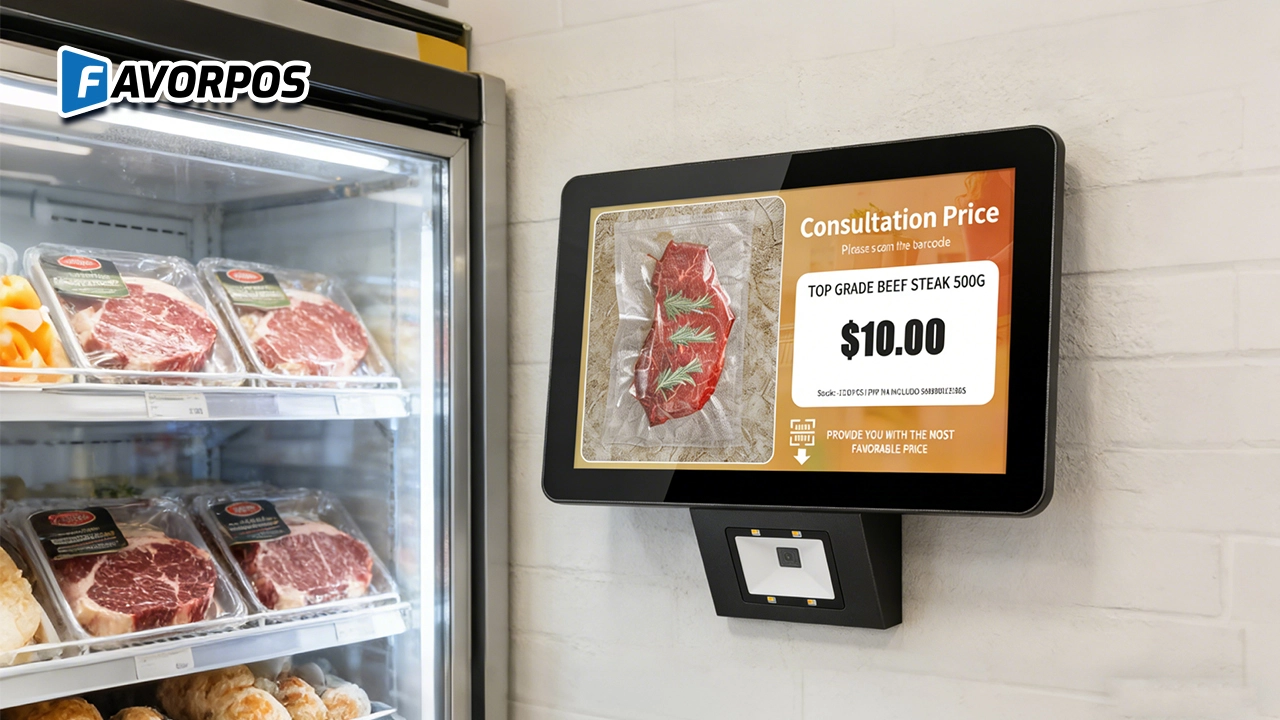
A Smarter Way to Check Prices: How Wall-Mounted Price Checkers Are Reshaping Retail Stores
For Hotels
Can I track restaurant and spa inventory through your POS system?
Yes, our system includes inventory management functions, allowing you to track inventory status of various departments such as restaurants and spas in real time.
For Solutions Retail
Do you provide remote diagnosis and technical support?
Yes, we provide remote diagnosis services, which can quickly identify and resolve system failures and reduce equipment downtime. At the same time, our technical support team can also help you complete daily operations or troubleshoot difficult problems through remote assistance.
For Government and Public
Can your POS system handle various types of public sector payments?
Yes, our system is designed to handle a wide range of public sector payments, including fines, utility bills and service charges, ensuring secure and efficient processing.
What reporting and analysis capabilities does the system provide?
Our system provides detailed financial reports, usage insights and other analytical features to help you track performance, optimize resource allocation and improve service delivery.
For Grocery and Supermarkets
Does your system support contactless payments?
Absolutely, our POS system supports multiple payment methods, including contactless payments from mobile wallets such as Apple Pay and Google Pay.

All in One POS Terminal Metal 11.6'' Touchscreen Android Windows with Printer
The All-in-One POS Terminal features an 11.6'' touchscreen display, compatible with both Android and Windows. This metal-constructed terminal combines durability with style, making it a perfect fit for any retail or hospitality environment. Equipped with a built-in printer, it streamlines transactions by allowing for instant receipt printing.

8 inch Touchscreen Price Checker Barcode Scanner Wifi Optional Android Win 10
FAVORPOS Touchscreen Price Checker offers a user-friendly interface, perfect for retail environments. With optional Wi-Fi connectivity, this device runs on Android or Windows, providing flexibility and ease of use. The integrated barcode scanner allows for quick price verification, enhancing the shopping experience for customers. Compact and efficient, it's designed to streamline operations and improve checkout speed.

Factory Fast Scan Barcode QR Code Scanner for Supermarket Price Check Device Manufacturer
FAVORPOS is a manufacturer specializing in Barcode/QR Code device. This new designed price check machine have thinner screen, more fashion appearance. 10.1 inch touch screen can bring convenience to customers. This machine can greatly improve the operational efficiency of a business environment.

New Dual Touch Screen Pos Factory Aluminum Adjustable Screen Pos Machine Manufacturer
This new-generation POS terminal features a durable aluminum alloy body and a flexible dual-screen design. The customer-facing secondary display can be adjusted vertically and horizontally to achieve the ideal viewing angle, with multiple screen size options available to meet different retail needs. Powered by either Windows or Android operating systems, the system offers strong compatibility with various POS software solutions. With its modern design, stable performance, and adaptable configuration, this POS machine is well suited for supermarkets, specialty retail stores, and other high-traffic commercial environments.
Get in touch
Interested in becoming a POS system dealer? Contact us for more information and start the process of joining our dealer network.
We look forward to working with you to expand the market together.


Copyright © 2025 Favorpos All Rights Reserved.
