
how to use cash drawer? | FAVORPOS Guide
- How to Use Cash Drawer: A Complete Guide for POS System Users
- What is a Cash Drawer and How Does It Work?
- How Do You Set Up a Cash Drawer with a POS System?
- How to Open the Cash Drawer Manually?
- What Are the Best Practices for Cash Drawer Security?
- What Troubleshooting Steps Should You Take if the Cash Drawer Does Not Open?
How to Use Cash Drawer: A Complete Guide for POS System Users
What is a Cash Drawer and How Does It Work?
A cash drawer is a secure storage compartment, usually attached to a POS (Point of Sale) system, designed to hold cash, coins, checks, and receipts safely during business transactions. It connects to the POS terminal and opens automatically when a transaction requiring cash payment is processed or via manual release keys.
How Do You Set Up a Cash Drawer with a POS System?
Setting up a cash drawer involves connecting it to the POS system, typically via an RJ11/RJ12 cable plugged into the receipt printer or directly to the POS terminal. After physical connection, you need to configure the POS software settings to trigger the drawer opening after cash transactions. Ensure proper alignment and verify drawer operation during a test sale.
How to Open the Cash Drawer Manually?
Manual opening is required in some situations like starting shifts or cash reconciliations. Most cash drawers have a manual release key or lever. Use the key to open the drawer safely without triggering the POS system. This prevents errors in transaction records.
What Are the Best Practices for Cash Drawer Security?
To secure your cash drawer, limit access to authorized employees only, use manual locks when the drawer is unattended, and regularly reconcile cash to detect discrepancies. Avoid leaving large amounts of cash inside the drawer after business hours and consider integrating security cameras at the checkout for monitoring.
What Troubleshooting Steps Should You Take if the Cash Drawer Does Not Open?
If your cash drawer doesn't open, check the following:
- Verify that all cables between the drawer, printer, and POS are securely connected.
- Confirm POS software settings are correctly configured to send the open drawer signal.
- Inspect the manual release mechanism to ensure it is not jammed.
- Restart the POS system and printer to refresh communications.
- If issues persist, contact the cash drawer manufacturer or POS provider's support.

Beyond Checkout: How a 15.6-Inch Aluminum POS System Redefines Retail Efficiency

Understanding 15-Inch Aluminum POS Terminals in Modern Commercial Use

The Smart Way to Check Prices: How a 10.1-Inch Wall-Mounted Price Checker Transforms Retail Stores

A Smarter Checkout Experience: The 15-Inch Dual-Screen POS Built for Modern Retail

8-Inch Smart Price Checker: A Small Device Powering Smarter Retail Spaces
For Hotels
Does your POS system support room service billing?
Absolutely, our system allows guests to charge services such as food and beverage, spa treatments, etc. directly to the room account, and all charges will be settled at the time of checkout.
For Beauty and Wellness
What payment methods does the system support?
Our system supports a variety of payment methods, including credit cards, digital wallets and contactless payments, providing customers with a convenient payment experience.
For E-commerce
Can I manage multiple online stores from one system?
Yes, our POS system supports multi-location and multi-store management, allowing you to centrally manage all e-commerce operations.
For company
How much does customization cost?
The cost varies according to customization requirements. We will provide a detailed quotation after understanding your specific needs.
For Distributor
Are there any fees to become a reseller?
There may be initial costs associated with setup and training, but these details will be outlined in the reseller agreement. Our goal is to ensure that the partnership is mutually beneficial.

15.6 Inch Windows POS Terminal with VFD Display, Foldable Aluminum Stand Touch Screen POS for Retail & Hospitality
This 15.6-inch POS terminal is built to meet the needs of modern retail and hospitality environments. Powered by a stable Windows operating system, it ensures smooth performance for various point-of-sale applications. The device features a crisp, responsive touch screen and a built-in VFD customer display, allowing customers to view transaction details clearly. Its aluminum alloy stand offers a sleek, professional appearance while providing enhanced durability and stability for busy checkout counters. Ideal for retail stores, restaurants, and service-based businesses, this POS machine delivers a reliable and customer-friendly checkout experience.

Point of Sale System with Thermal Printer All in One Pos Dual Touchscreen Pos with Barcode Scanner Supplier
FAVORPOS presents the all-in-one Point of Sale System with Thermal Printer, featuring dual touchscreens and an integrated barcode scanner. As a leading POS with NFC factory and barcode scanner supplier, we deliver reliable, efficient solutions tailored for your business needs.

8 inch Wall Mount Price Checker with Scanner Android Windows Factory
Our 8-inch Wall Mount Price Checker is designed for optimal convenience in retail spaces, featuring a sleek design that fits seamlessly into any environment. Compatible with both Android and Windows, this unit includes an integrated scanner for quick and accurate price checks. Its wall-mounted design saves counter space while providing easy access for customers. Ideal for enhancing efficiency and improving the shopping experience.
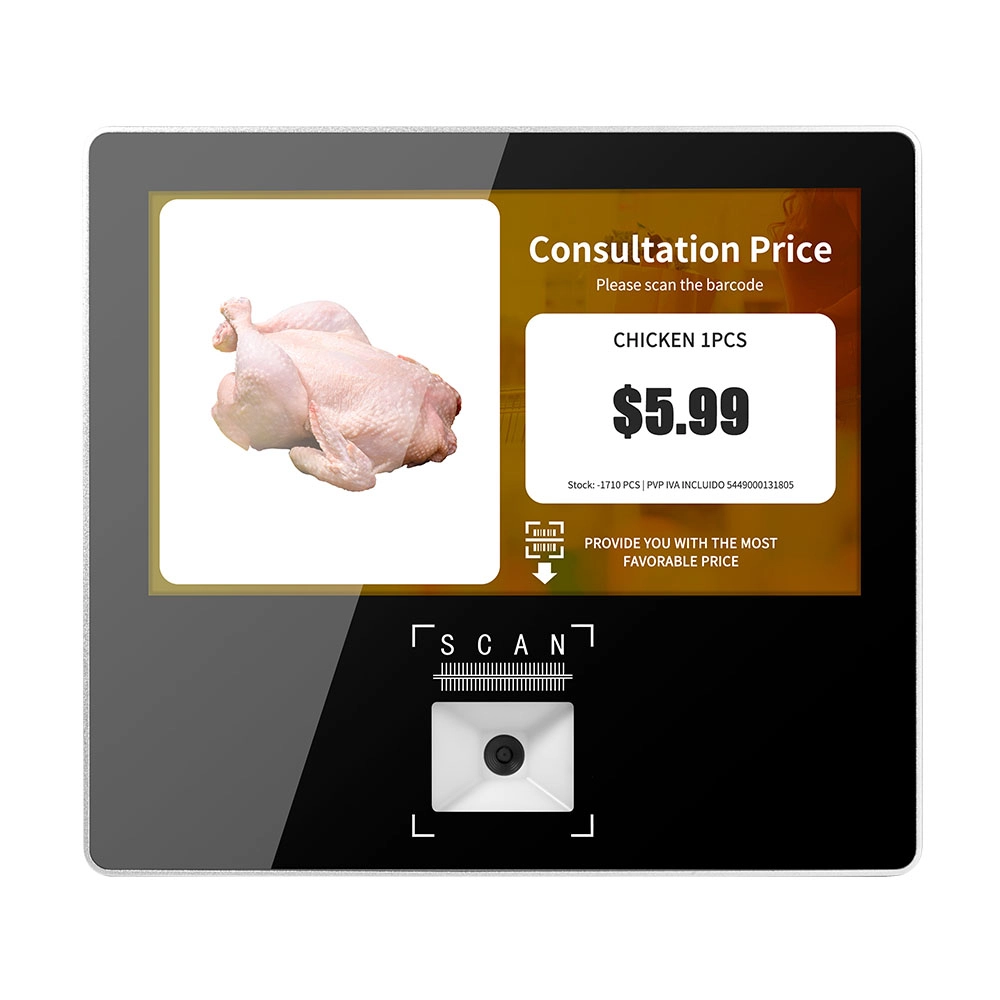
Metal 11.6 inch Price Scanner Machine Android Windows with Wifi Supplier
FAVORPOS Metal 11.6-inch Price Scanner Machine, designed for durability and efficiency in retail environments. This versatile device operates on both Android and Windows, providing seamless functionality for various applications. With built-in Wi-Fi connectivity, it allows for quick access to pricing data and updates. The 11.6'' display ensures clear visibility for easy operation, making it perfect for price checking and inventory management. Enhance your retail experience with this reliable and robust price scanner from a trusted supplier!
Get in touch
Interested in becoming a POS system dealer? Contact us for more information and start the process of joining our dealer network.
We look forward to working with you to expand the market together.


Copyright © 2025 Favorpos All Rights Reserved.
