
Top 10 cash register pos systems Manufacturers and Supplier Brands
- Revolutionizing Retail: Decoding the Best Cash Register POS Systems Manufacturers
- 1. FAVORPOS: Advancing High-Tech Cash Register POS Systems Solutions
- 2. Square: User-Friendly Cash Register POS Systems for Small Businesses
- 3. Clover (Fiserv): Versatile Android-Based Cash Register POS Systems
- 4. Toast: Specialized Cash Register POS Systems for Restaurants
- 5. NCR Corporation: Enterprise-Grade Cash Register POS Systems Solutions
- 6. Lightspeed: Cloud-Based Cash Register POS Systems for Retail and Restaurants
- 7. Shopify POS: Omnichannel Cash Register POS Systems Integration
- 8. Oracle MICROS: High Quality Cash Register POS Systems for Hospitality
- 9. Revel Systems: iPad-Based Cloud Cash Register POS Systems
- 10. Aldelo: Comprehensive Cash Register POS Systems for Restaurants
- Comparative Overview: Leading Cash Register POS Systems Brands
- Choosing the Right Cash Register POS Systems for Your Business
Revolutionizing Retail: Decoding the Best Cash Register POS Systems Manufacturers
In today's fast-paced business environment, the humble cash register has evolved into sophisticated Point of Sale (POS) systems. These advanced solutions are the backbone of modern commerce, streamlining transactions, managing inventory, and providing crucial data insights. For businesses, choosing the right cash register POS systems manufacturer is paramount to driving efficiency and ensuring customer satisfaction. With countless options available, identifying the top players that deliver reliability, innovation, and comprehensive support can be a challenge.
This article dives deep into the landscape of cash register POS systems, presenting the top 10 manufacturers and supplier brands that are shaping the industry in 2024. From global giants to specialized innovators, we'll explore what makes each stand out, helping you make an informed decision for your retail, catering, or supermarket operations. As a leading provider ourselves, FAVORPOS understands the critical role these systems play in your success.
1. FAVORPOS: Advancing High-Tech Cash Register POS Systems Solutions
As a trusted name in the industry, FAVORPOS is dedicated to providing and developing advanced cash register POS systems and solutions. Our commitment is to businesses striving for success through high-tech devices. We offer a comprehensive range of solutions, including integrated POS systems and peripherals, traditional cash registers, handheld terminals, barcode scanners, price checkers, and thermal printers. Catering to diverse market segments like retail, catering, and supermarkets, FAVORPOS ensures tailored solutions for every need.
What sets FAVORPOS apart is our robust OEM and ODM services, designed to fully meet customer specifications and optimize their business operations. We prioritize long-term quality and industry development, consistently striving to find the best cash register POS systems to enhance efficiency in a competitive field. Our vision is clear: to become the world's best manufacturer of Point of Sale systems and solutions, proving our dedication to quality and customer success.
2. Square: User-Friendly Cash Register POS Systems for Small Businesses
Square revolutionized the cash register POS systems market with its accessible, user-friendly solutions, particularly appealing to small and medium-sized businesses. Renowned for its intuitive software and sleek hardware, Square offers a range of devices from simple card readers to comprehensive Square Register units. Their ecosystem extends beyond just transactions, encompassing inventory management, employee scheduling, and customer relationship management (CRM) tools, making it an all-in-one solution for many emerging businesses. Square's appeal lies in its ease of setup and transparent pricing, making advanced POS capabilities attainable for entrepreneurs.
3. Clover (Fiserv): Versatile Android-Based Cash Register POS Systems
Clover, a subsidiary of Fiserv, has become a prominent player in the cash register POS systems space, offering a versatile suite of Android-based hardware. Their devices, like Clover Station and Clover Mini, are known for their modern design and flexibility, supporting a wide range of apps through their marketplace. This allows businesses across retail, restaurants, and services to customize their POS experience. Clover provides robust payment processing capabilities, advanced reporting, and seamless integration with various business tools, making it a powerful solution for those seeking adaptability and comprehensive features.
4. Toast: Specialized Cash Register POS Systems for Restaurants
Toast stands out as a leading provider of cash register POS systems specifically designed for the restaurant industry. Their comprehensive platform covers everything from front-of-house operations like order taking and table management to back-of-house needs such as kitchen display systems, inventory, and labor management. Toast's hardware is built to withstand the demanding restaurant environment, and their cloud-based software offers robust reporting and analytics. For eateries of all sizes, Toast offers a tailored solution that addresses the unique challenges and operational flows of the food service sector.
5. NCR Corporation: Enterprise-Grade Cash Register POS Systems Solutions
NCR Corporation is a global leader with a long history in providing enterprise-level cash register POS systems and self-service solutions. While they cater to various industries, their presence in retail and hospitality is particularly strong. NCR offers robust, scalable POS hardware and software designed for high-volume environments, including supermarkets, department stores, and large restaurant chains. Their solutions focus on operational efficiency, data security, and seamless integration with complex enterprise resource planning (ERP) systems. NCR's strength lies in its ability to handle large-scale deployments and provide comprehensive support for major businesses.
6. Lightspeed: Cloud-Based Cash Register POS Systems for Retail and Restaurants
Lightspeed offers sophisticated cloud-based cash register POS systems tailored for both retail and restaurant businesses. Their platforms are known for powerful inventory management features, detailed analytics, and seamless omnichannel capabilities, allowing businesses to manage in-store and online sales cohesively. For retailers, Lightspeed Retail offers advanced inventory control, purchasing, and customer management. For restaurants, Lightspeed Restaurant provides tools for order management, table layouts, and reporting. Their emphasis on intuitive design and robust backend features makes them a strong choice for growing businesses seeking comprehensive control.
7. Shopify POS: Omnichannel Cash Register POS Systems Integration
Shopify POS is an ideal solution for businesses looking to integrate their online and physical store operations. As an extension of the popular Shopify e-commerce platform, their cash register POS systems allow merchants to manage sales, inventory, and customer data across all channels from a single dashboard. Shopify POS hardware ranges from simple card readers to integrated retail kits, offering flexibility for various business sizes. Its strength lies in its seamless synchronization, making it incredibly appealing for businesses with a strong online presence aiming to expand into brick-and-mortar retail.
8. Oracle MICROS: High Quality Cash Register POS Systems for Hospitality
Oracle MICROS is a dominant force in the hospitality sector, providing enterprise-grade cash register POS systems for hotels, resorts, restaurants, and casinos worldwide. Their solutions are known for their scalability, reliability, and extensive feature sets that cater to the complex needs of large-scale hospitality operations. From reservation management to inventory and labor scheduling, Oracle MICROS offers a fully integrated platform. While their systems are often High Quality, they deliver unparalleled performance and sophisticated analytical capabilities for businesses that require robust and comprehensive solutions.
9. Revel Systems: iPad-Based Cloud Cash Register POS Systems
Revel Systems provides a robust, iPad-based cloud cash register POS systems suitable for a wide array of industries, including restaurants, retail, and quick-service establishments. Known for its comprehensive feature set, Revel offers advanced inventory management, employee scheduling, customer relationship management, and extensive reporting. Its open API allows for deep integrations with third-party applications, providing businesses with immense flexibility. Revel's intuitive interface combined with powerful backend capabilities makes it a strong contender for businesses seeking a modern, scalable, and highly customizable POS solution.
10. Aldelo: Comprehensive Cash Register POS Systems for Restaurants
Aldelo offers a suite of comprehensive cash register POS systems primarily focused on the restaurant and hospitality industries. Their solutions, including Aldelo Express and Aldelo POS, cater to various restaurant types, from fine dining to quick service. Aldelo provides robust features for order management, table service, kitchen display systems, inventory control, and employee management. With both cloud-based and on-premise options, Aldelo emphasizes reliability and ease of use, making it a solid choice for restaurant owners looking for dedicated and efficient POS solutions.
Comparative Overview: Leading Cash Register POS Systems Brands
To help you quickly compare the top cash register POS systems manufacturers and suppliers, here's a summary of their key strengths and target markets:
| Manufacturer/Brand | Primary Focus/Strengths | Key Target Industries |
|---|---|---|
| FAVORPOS | Advanced POS hardware & peripherals, OEM/ODM services, high-tech solutions | Retail, Catering, Supermarkets |
| Square | User-friendly, accessible hardware & software, simple pricing | Small to Medium Businesses, Pop-ups, Cafes |
| Clover (Fiserv) | Versatile Android-based hardware, app marketplace, payment processing | Retail, Restaurants, Service Businesses |
| Toast | Restaurant-specific comprehensive platform, robust hardware | Restaurants, Cafes, Bars |
| NCR Corporation | Enterprise-grade, scalable, high-volume solutions, long history | Large Retail, Supermarkets, Enterprise Hospitality |
| Lightspeed | Cloud-based, powerful inventory management, omnichannel capabilities | Specialty Retail, Restaurants |
| Shopify POS | Seamless online & offline integration, e-commerce synergy | Retailers with Online Stores |
| Oracle MICROS | High Quality, enterprise-level, highly scalable for complex operations | Large-scale Hospitality (Hotels, Resorts, Fine Dining) |
| Revel Systems | iPad-based cloud POS, extensive features, open API integrations | Restaurants, Retail, Quick Service |
| Aldelo | Dedicated restaurant POS, reliable, comprehensive features | Restaurants, Bars, QSR |
Choosing the Right Cash Register POS Systems for Your Business
Selecting the ideal cash register POS systems is a critical decision that impacts your daily operations and long-term growth. As seen, the market offers a diverse range of solutions, each with unique strengths tailored to different business sizes and industries. Whether you prioritize ease of use, comprehensive features, scalability, or specialized industry tools, there's a perfect fit waiting for you. Considerations should include your specific business needs, budget, existing infrastructure, and desired level of technical support.
For businesses seeking cutting-edge technology, unparalleled customization through OEM/ODM, and a partner committed to your success, FAVORPOS stands as a premier choice. Our extensive range of cash register POS systems and peripherals is designed to empower businesses to thrive in a competitive market. We invite you to explore how our solutions can elevate your operations.
FAQs About Cash Register POS Systems
Q: What is a cash register POS system?
A: A cash register POS system is an integrated hardware and software solution that handles sales transactions, processes payments, manages inventory, tracks customer data, and generates reports. It's an evolution of the traditional cash register, offering far more capabilities to streamline business operations beyond just ringing up sales.
Q: Why should my business upgrade to a modern cash register POS system?
A: Upgrading to a modern cash register POS system offers numerous benefits, including increased efficiency, reduced errors, real-time inventory tracking, enhanced sales reporting, improved customer management, and support for various payment methods. It provides valuable insights that help in decision-making and overall business growth.
Q: Are all cash register POS systems cloud-based?
A: No, while many modern cash register POS systems are cloud-based (meaning data is stored online and accessible from anywhere), some still offer on-premise solutions where software is installed directly on your local computers. Cloud-based systems generally offer more flexibility, automatic updates, and remote access.
Q: How do I choose the best cash register POS system for my specific industry (e.g., retail vs. restaurant)?
A: The best cash register POS system depends on your industry's specific needs. Retailers might prioritize inventory management and customer loyalty programs, while restaurants need features like table management, kitchen display systems, and online ordering integration. Look for systems that offer specialized features and hardware tailored to your sector, like Toast for restaurants or Lightspeed Retail for specialty retail.
Q: Can cash register POS systems help with inventory management?
A: Absolutely. One of the most significant advantages of modern cash register POS systems is their robust inventory management capabilities. They can track stock levels in real-time, generate purchase orders, manage multiple locations, and even alert you when items are running low, helping to prevent stockouts and optimize ordering.
Q: Do cash register POS systems integrate with other business software?
A: Yes, many cash register POS systems are designed to integrate seamlessly with other business software, such as accounting platforms (e.g., QuickBooks, Xero), e-commerce platforms (e.g., Shopify), CRM systems, and payroll software. This integration creates a unified ecosystem that streamlines various aspects of your business operations.
Everything You Need to Know About point of sale machine price
Reduce Wait Times with Speed-Optimized POS Systems
OEM/ODM pos machine printer terminal Manufacturers and Suppliers
Top 10 pos system cash register Manufacturers and Supplier Brands in Saudi Arabia
For company
What kind of certifications do you have?
CE, ROHS, and FCC as standards.
For Entertainment & Events
Can your POS system handle ticket sales and on-site catering at the same time?
Yes, our system can seamlessly manage ticket sales, catering services and merchandise, ensuring efficient and smooth online and on-site sales operations.
For Healthcare
How do you ensure data security and patient privacy?
We implement advanced encryption, user authentication and access control to protect sensitive data and follow industry best security practices.
For Government and Public
What support is provided after deployment?
We provide 24/7 technical support, regular hardware updates, hardware maintenance, and training resources to ensure your POS system remains operating efficiently.
For ODM
What ODM services are provided?
We provide a full range of services from product concept development to production manufacturing according to customer requirements and designs. We are responsible for all aspects of product design, prototyping, production, quality control, etc. to ensure that your POS solution meets market needs and quality standards.
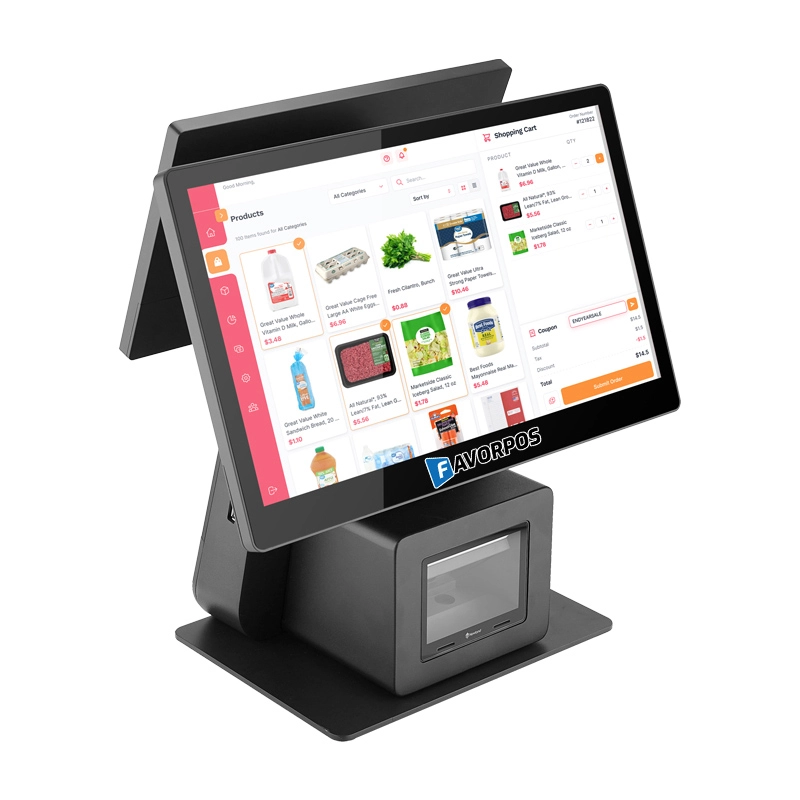
Dual Screen POS With Barcode Scanner Desktop POS Manufacturer POS Factory 15.6 11.6 Client Screen Optional
FAVORPOS: Your leading dual screen POS factory and manufacturer. Our desktop POS with barcode scanner offers 15.6/11.6 client screen options and OS flexibility. Get reliable, efficient dual screen POS with barcode scanner solutions directly from us.
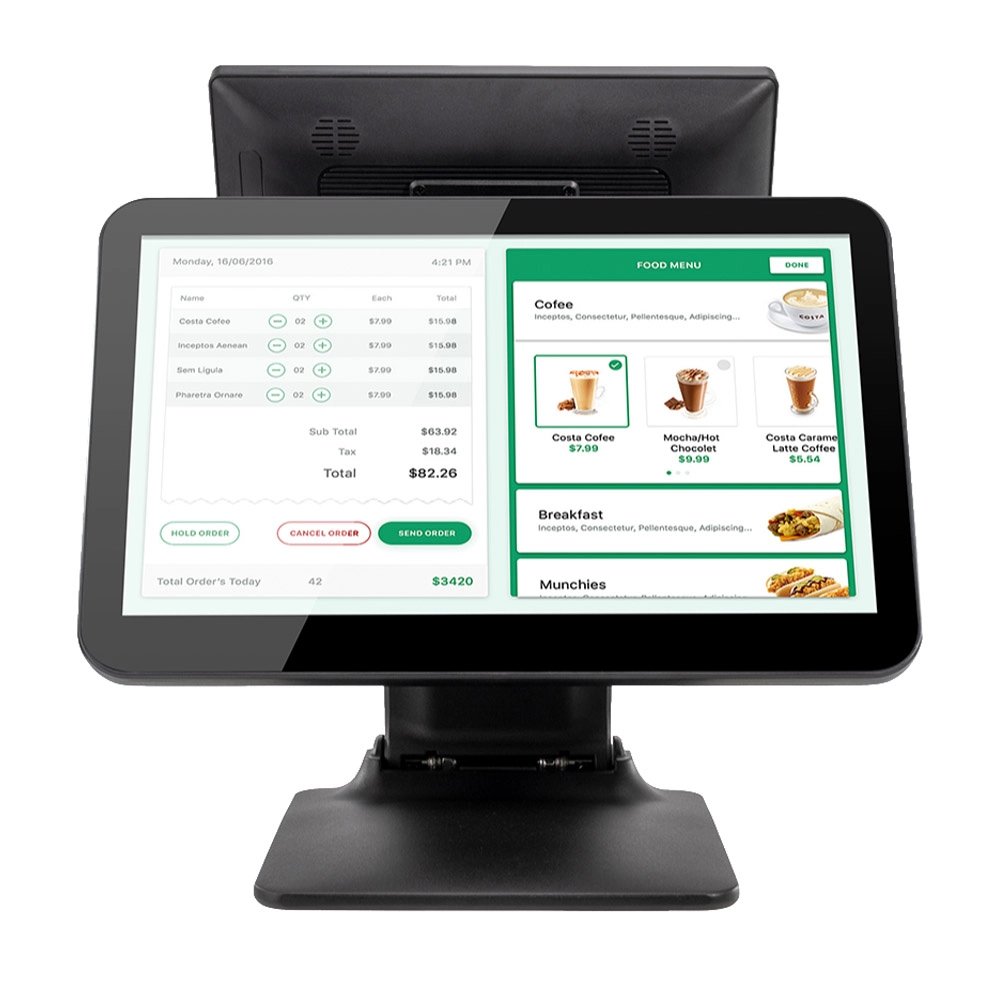
Foldable Touch Screen POS Cash Register 15.6'' Windows Supplier Aluminum
This innovative cash register combines portability with advanced functionality, making it ideal for retail environments. Its aluminum construction ensures durability while maintaining a lightweight design for easy transport and setup. The foldable feature allows for convenient storage and flexibility in various business settings.
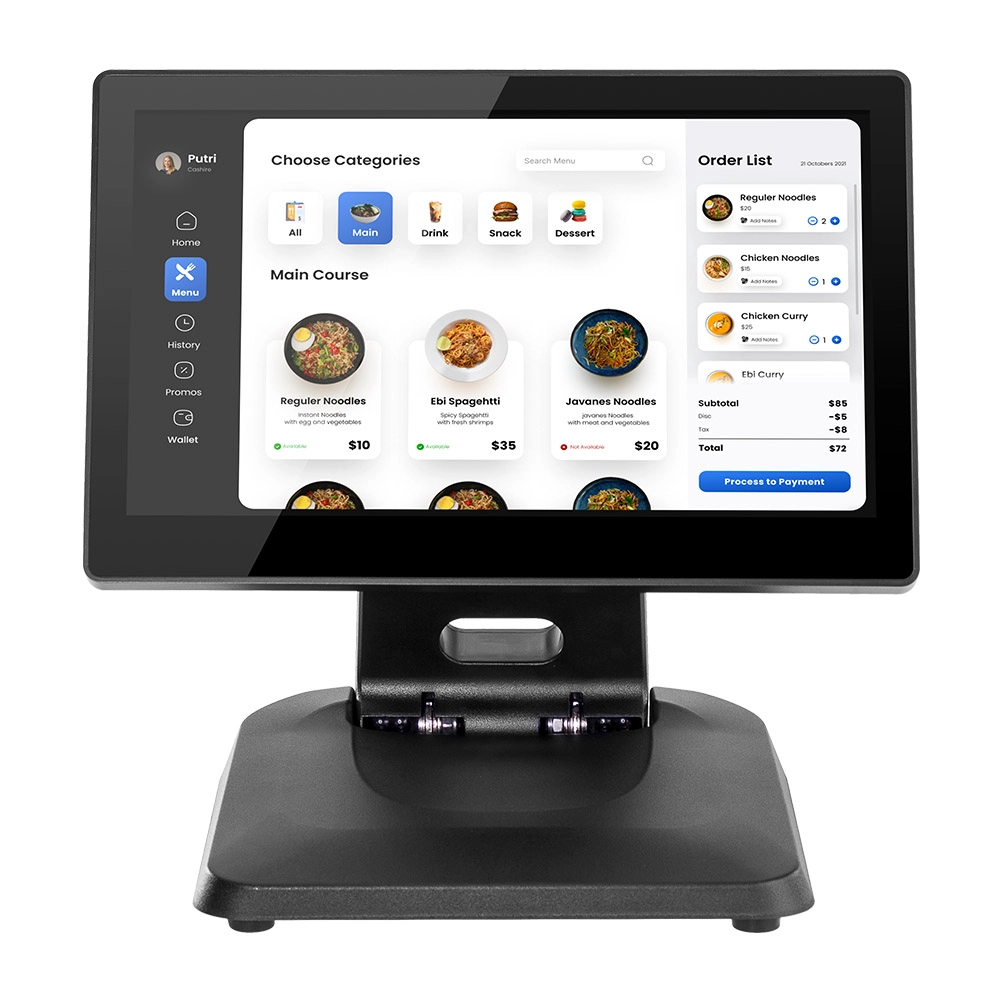
Factory 11.6'' Touch Screen POS Terminal Android Windows
The Factory 11.6'' Touch Screen POS Terminal is a versatile solution that supports both Android and Windows operating systems. Designed for durability and efficiency, this terminal is perfect for various retail environments. Its compact size and responsive touch screen enhance customer interactions, making transactions quick and seamless.
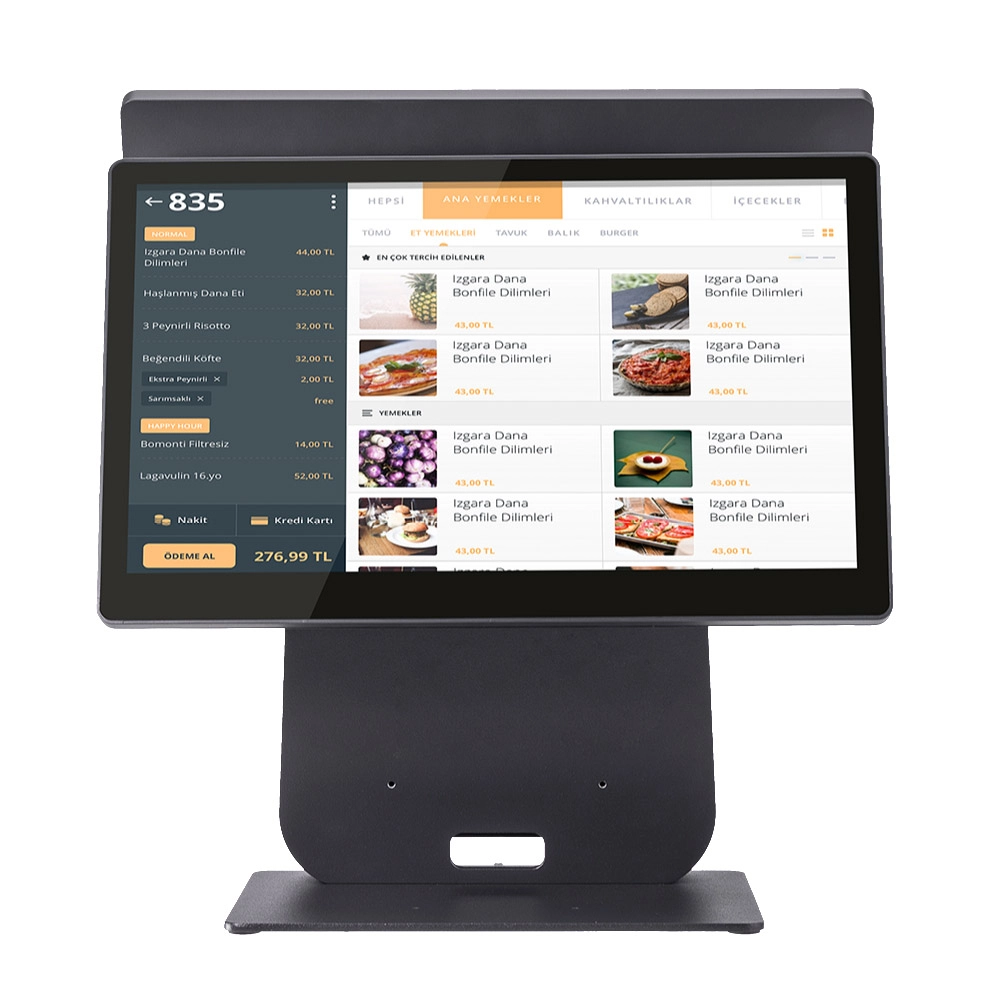
HD Dual Screen POS Machine Aluminum Hardware Android Windows Supplier
This dual-screen POS machine supports both Android and Windows systems, providing flexibility for various applications. The dual screens enhance customer interaction and streamline the checkout process, making transactions quicker and more engaging. Perfect for modern businesses looking to elevate their service and improve customer satisfaction, this POS machine is your ultimate partner in success!


Copyright © 2025 Favorpos All Rights Reserved.
