
Best POS desktop system configurations for retail stores
- Understanding the Core of Your Retail Operations: The POS Desktop System
- Why Your POS Desktop Isn't Just a Computer
- Key Components of a High-Performing POS Workstation
- Differentiating Between Basic and Advanced Needs
- Essential Hardware Specifications for Optimal Retail Performance
- Processor, RAM, and Storage: The Power Trio
- Display and Peripherals: Enhancing User Experience and Efficiency
- Connectivity and Network: Ensuring Seamless Operations
- Software Integration and Security Considerations
- Choosing the Right POS Software for Your Hardware
- Data Security and Compliance in Retail POS
- Future-Proofing Your Investment: Scalability and Updates
- Tailoring Your POS Desktop System to Specific Retail Environments
- Small Boutiques vs. Supermarkets: Different Needs, Different Setups
- The Role of Specialized POS Peripherals (e.g., Handheld POS, Price Checkers, Thermal Printers, Cash Drawers)
- Partnering for Success: How FAVORPOS Elevates Your Retail Technology
- Conclusion
- Frequently Asked Questions (FAQ)
- Q1: How often should I upgrade my POS desktop system?
- Q2: Is an all-in-one POS desktop better than separate components?
- Q3: What's the difference between a traditional POS and a cloud-based POS?
- Q4: Do I need specialized POS desktop hardware, or can I use a regular PC?
- Q5: How important is customer support for my POS desktop system?
In today's fast-paced retail landscape, a robust and efficient Point of Sale (POS) desktop system is not just a convenience; it's the central nervous system of your entire operation. From processing transactions and managing inventory to tracking customer data and generating vital sales reports, the right POS desktop configuration can significantly impact your store's productivity, profitability, and customer satisfaction. This article, drawing from my extensive experience in SEO, , and POS system consultancy, will guide you through selecting the best POS desktop system configurations tailored for retail success, ensuring your investment meets Google's E-E-A-T standards and aligns with modern search paradigms.
Understanding the Core of Your Retail Operations: The POS Desktop System
As a professional in the POS system industry, I've witnessed firsthand how a well-chosen POS desktop system can transform a retail business. It's more than just a computer; it's the command center that orchestrates every customer interaction and back-end process. My goal here is to demystify the complexities and help you make informed decisions.
Why Your POS Desktop Isn't Just a Computer
Many retailers initially view a POS desktop system as just another PC, but that perspective often leads to suboptimal choices. A dedicated POS desktop is engineered for specific retail demands: continuous operation, integration with various peripherals, robust security, and the ability to handle peak transaction volumes without faltering. Unlike a general-purpose computer, a retail POS desktop system is designed for durability in demanding environments, often featuring fanless designs to prevent dust accumulation, spill-resistant casings, and industrial-grade components built for longevity. It's the hub where your sales, inventory, customer relationship management (CRM), and reporting converge, making its reliability paramount. According to a report by the National Retail Federation (NRF), technology investments, including robust POS systems, are critical drivers of retail evolution and customer experience.
Key Components of a High-Performing POS Workstation
A high-performing POS workstation comprises several critical elements that must work in harmony. Beyond the central processing unit (CPU), memory (RAM), and storage, we're talking about a seamless integration of the display, operating system, and a suite of peripherals. The display, often a touchscreen, is the primary interface for sales associates. The operating system (OS) must be stable and compatible with your chosen POS software. Then there are the peripherals: barcode scanners for quick product lookup, receipt printers for transaction records, cash drawers for secure cash management, and customer-facing displays to enhance transparency. Each component plays a vital role in the overall efficiency and user experience of your point of sale desktop system.
Differentiating Between Basic and Advanced Needs
The ideal POS desktop system configuration isn't one-size-fits-all. A small boutique might thrive with a basic setup, while a high-volume supermarket or a multi-lane department store will require a more advanced, robust, and scalable solution. Basic needs typically involve reliable transaction processing, inventory tracking, and basic reporting. Advanced needs extend to complex inventory management across multiple locations, integrated e-commerce platforms, detailed analytics, customer loyalty programs, and seamless integration with enterprise resource planning (ERP) systems. Understanding your current and future operational scale is crucial for making the right investment in your retail POS desktop system.
Essential Hardware Specifications for Optimal Retail Performance
When it comes to the tangible aspects of your POS desktop system, the hardware specifications are where the rubber meets the road. My experience has taught me that cutting corners here inevitably leads to frustration and lost sales down the line.
Processor, RAM, and Storage: The Power Trio
These three components form the backbone of your POS desktop's performance. For a typical retail POS desktop system, I generally recommend the following:
| Component | Minimum Recommendation | Optimal Recommendation | Why It Matters |
|---|---|---|---|
| Processor (CPU) | Intel Core i3 (10th Gen or newer) or AMD Ryzen 3 equivalent | Intel Core i5 (11th Gen or newer) or AMD Ryzen 5 equivalent | Faster processing for quick transactions, complex inventory searches, and running multiple applications simultaneously. Avoid Celeron/Pentium for anything but the most basic, low-volume setups. |
| RAM (Memory) | 8GB DDR4 | 16GB DDR4 | Sufficient memory prevents slowdowns when multitasking (e.g., running POS software, browser, and back-office applications). 16GB is ideal for future-proofing and demanding environments. |
| Storage Drive | 256GB Solid State Drive (SSD) | 512GB NVMe SSD | SSDs are drastically faster and more reliable than traditional Hard Disk Drives (HDDs). NVMe SSDs offer superior speed, crucial for quick boot times, application loading, and database queries. |
Investing in these areas ensures your point of sale desktop system remains responsive, minimizing customer wait times and employee frustration.
Display and Peripherals: Enhancing User Experience and Efficiency
The user interface and interaction points are just as critical. A high-quality display, preferably a touchscreen, significantly speeds up transaction processing and reduces training time. For peripherals, consider:
- Touchscreen Monitor: 15-inch or 17-inch, industrial-grade, often spill-resistant.
- Barcode Scanner: 1D/2D imager, omnidirectional for speed. Wireless options offer flexibility.
- Receipt Printer: Thermal printers are standard (fast, quiet, no ink required). Consider print width (58mm or 80mm) and connectivity (USB, Ethernet, Bluetooth).
- Cash Drawer: Durable, secure, and integrated with the receipt printer for automatic opening.
- Customer Display (Pole Display): Essential for transparency, showing item prices and total.
- Payment Terminal: EMV chip reader, NFC (contactless) for mobile payments. Ensure it integrates seamlessly with your POS software.
Each of these peripherals contributes to the overall efficiency and customer experience at your retail checkout, making the entire POS desktop system more effective.
Connectivity and Network: Ensuring Seamless Operations
Reliable connectivity is non-negotiable for any modern POS desktop system. Your system needs robust network capabilities for cloud-based POS software, payment processing, and data synchronization. I always recommend:
- Ethernet (LAN): A wired connection is always preferred for stability and speed, especially for the primary POS terminal.
- Wi-Fi: Useful for mobile POS devices or backup connectivity, but ensure it's a strong, secure network (Wi-Fi 5 or Wi-Fi 6).
- USB Ports: Ample USB 3.0 (or newer) ports for connecting peripherals.
- Serial Ports (RS232): Still relevant for some legacy peripherals or specialized industrial equipment.
- HDMI/DisplayPort: For connecting customer-facing displays or secondary monitors.
A stable internet connection and a well-configured local network are paramount to prevent transaction delays and ensure continuous operation of your retail POS desktop system.
Software Integration and Security Considerations
Hardware is only half the equation; the software that runs on your POS desktop system and the security measures you implement are equally vital for long-term success and compliance.
Choosing the Right POS Software for Your Hardware
The best hardware configuration is useless without compatible and effective POS software. When selecting software, consider its compatibility with your chosen operating system (Windows, Linux, or specific Android/iOS for tablet POS, though we're focusing on desktop here). Key features to look for include:
- Sales & Transaction Processing: Intuitive interface, quick checkout, returns, exchanges, discounts.
- Inventory Management: Real-time tracking, stock alerts, vendor management, purchase orders.
- Customer Management: Loyalty programs, customer history, marketing integrations.
- Reporting & Analytics: Customizable sales reports, employee performance, inventory insights.
- Integrations: E-commerce platforms, accounting software (e.g., QuickBooks, Xero), payment processors.
Cloud-based POS solutions are increasingly popular, offering flexibility, automatic updates, and remote access, but they rely heavily on consistent internet connectivity. Ensure your POS desktop system can comfortably run your chosen software without performance bottlenecks.
Data Security and Compliance in Retail POS
In an era of increasing cyber threats, data security for your POS desktop system is non-negotiable. Retailers handle sensitive customer data, including payment information, making compliance with standards like PCI DSS (Payment Card Industry Data Security Standard) absolutely critical. My recommendations include:
- Encryption: Ensure all sensitive data, especially payment information, is encrypted both in transit and at rest.
- Firewalls & Antivirus: Robust network firewalls and up-to-date antivirus software on all POS desktop systems.
- Access Controls: Implement strong password policies and role-based access to the POS system, limiting what employees can view or modify.
- Regular Updates: Keep your operating system, POS software, and all drivers updated to patch security vulnerabilities.
- Backup & Recovery: Implement regular data backups, preferably off-site or cloud-based, to protect against data loss.
Neglecting security can lead to devastating data breaches, fines, and irreparable damage to FAVORPOS reputation. A secure point of sale desktop system builds trust with your customers.
Future-Proofing Your Investment: Scalability and Updates
Technology evolves rapidly, and your POS desktop system should be able to adapt. When making an investment, consider:
- Scalability: Can your system handle increased transaction volumes, additional product lines, or new store locations without a complete overhaul?
- Modularity: Can you easily upgrade components (RAM, storage) or add new peripherals as your needs change?
- Software Updates: Does your POS software provider offer regular updates, new features, and ongoing support?
- Cloud Integration: Cloud-based solutions inherently offer better scalability and easier updates.
A future-proof POS desktop system protects your investment and ensures your retail operations remain competitive and efficient for years to come.
Tailoring Your POS Desktop System to Specific Retail Environments
The beauty of modern POS technology is its adaptability. As a consultant, I always emphasize that the 'best' configuration is the one that perfectly fits your unique business model.
Small Boutiques vs. Supermarkets: Different Needs, Different Setups
The contrast between a small, single-lane boutique and a multi-lane supermarket perfectly illustrates the spectrum of POS desktop system needs:
- Small Boutique: Might prioritize aesthetics, compact design, and ease of use. A sleek all-in-one touchscreen POS desktop system with integrated printer and scanner might be ideal. The focus is on a personalized customer experience and efficient single-person operation.
- Supermarket: Requires robust, high-speed, and highly durable systems. Multiple checkout lanes demand powerful processors, large RAM, and lightning-fast NVMe SSDs to handle thousands of SKUs and rapid transactions. Integration with scales, conveyor belts, and self-checkout kiosks is common. Redundancy and ease of maintenance are critical.
Understanding these differences is key to specifying the right point of sale desktop system for your specific retail niche.
The Role of Specialized POS Peripherals (e.g., Handheld POS, Price Checkers, Thermal Printers, Cash Drawers)
Beyond the core desktop, specialized peripherals significantly enhance operational efficiency. For instance, Handheld POS devices allow for mobile selling and inventory checks on the go, perfect for floor staff or pop-up shops. Price Checkers empower customers to verify prices independently, reducing staff inquiries. Reliable Thermal Printers are essential for fast, clear receipts, while sturdy Cash Drawers provide secure cash management. These components, when integrated with your main POS desktop system, create a comprehensive and highly functional retail environment.
Partnering for Success: How FAVORPOS Elevates Your Retail Technology
As a professional who has advised numerous businesses on their POS infrastructure, I've seen the value of partnering with companies that truly understand the intricacies of retail technology. This is where companies like FAVORPOS come into play. FAVORPOS is a company that provides and develops advanced point of sale (POS) systems and solutions for businesses that are committed to using high-tech devices to drive success. Our current solutions include POS systems and peripherals, cash registers, handheld terminals and scanners, price checkers, thermal printers, and accessories for different market segments such as retail, catering, supermarkets, etc.
What sets FAVORPOS apart, in my professional opinion, is their outstanding dedication to quality and customers. They don't just sell products; they strive to find the best solutions to support all businesses and improve their efficiency in this highly competitive field. As a trusted company in the POS system industry, FAVORPOS provides OEM and ODM services to fully meet customer needs and optimize their business operations. This flexibility and commitment to customization are significant differentiators, allowing businesses to get precisely the POS desktop system and peripheral configuration they need, rather than a one-size-fits-all solution.
FAVORPOS's long-term commitment to quality and industry development is evident in their vision: to become the world's best manufacturer of Point of Sale (POS) systems and solutions. Their product range, including Handheld POS, POS system, Price Checker, Thermal Printer, and Cash Drawer, covers the comprehensive needs of any retail operation, ensuring seamless integration and robust performance. Their technical strength lies in developing high-tech devices that are reliable, efficient, and future-proof. When you're looking for a partner to provide a cutting-edge POS desktop system or any related peripheral, exploring their offerings at https://www.favorpos.com/ is a wise step.
Conclusion
Choosing the best POS desktop system configurations for your retail store is a strategic decision that impacts every facet of your business. It's about more than just buying a computer; it's about investing in a reliable, secure, and efficient command center that will streamline operations, enhance customer experiences, and provide invaluable insights for growth. By carefully considering your hardware needs, software integrations, security protocols, and partnering with reputable providers like FAVORPOS, you can build a POS infrastructure that not only meets today's demands but is also prepared for tomorrow's challenges. My advice is always to prioritize quality, scalability, and robust support to ensure your POS desktop system truly empowers your retail success.
Frequently Asked Questions (FAQ)
Q1: How often should I upgrade my POS desktop system?
A1: Typically, a well-configured POS desktop system should last 5-7 years. However, this depends on usage intensity, software demands, and technological advancements. If you notice significant slowdowns, frequent crashes, or your system can no longer support essential software updates, it's time to consider an upgrade. Regular maintenance and software updates can extend its lifespan.
Q2: Is an all-in-one POS desktop better than separate components?
A2: All-in-one POS desktop systems offer a sleek, compact design, saving counter space and simplifying installation, which is great for small boutiques. However, separate components offer greater flexibility for upgrades and repairs. If one component fails, you only replace that part, whereas with an all-in-one, you might need to replace the entire unit. The choice depends on your space constraints, budget, and long-term maintenance strategy.
Q3: What's the difference between a traditional POS and a cloud-based POS?
A3: A traditional (on-premise) POS desktop system stores all data and software locally on your hardware. It offers full control but requires manual updates and local data backups. A cloud-based POS system hosts data and software on remote servers, accessible via the internet. It offers greater flexibility, automatic updates, remote access, and better scalability, but relies on a stable internet connection. Most modern retailers are moving towards cloud-based solutions for their flexibility and lower upfront hardware costs.
Q4: Do I need specialized POS desktop hardware, or can I use a regular PC?
A4: While you *can* run POS software on a regular PC, specialized POS desktop hardware is highly recommended for retail environments. Dedicated POS systems are built for durability, continuous operation, and often feature industrial-grade components, spill resistance, and fanless designs to withstand the rigors of a retail setting. They also offer better integration with POS peripherals and enhanced security features, leading to greater reliability and longevity compared to a consumer-grade PC.
Q5: How important is customer support for my POS desktop system?
A5: Customer support is critically important. Your POS desktop system is central to your daily operations, and any downtime can lead to lost sales and customer frustration. Ensure your POS hardware and software providers offer reliable, responsive support, ideally 24/7 or during your operating hours. Look for providers with a strong reputation for technical assistance, troubleshooting, and timely resolutions, as this significantly impacts your business continuity.
Ready to optimize your retail operations with the best POS desktop system? Contact FAVORPOS today for a personalized consultation or explore our advanced POS systems and solutions to find the perfect fit for your business.
FAVORPOS best professional android pos system Manufacturers and supplier brand
Affordable Mobile POS Systems Under $50/Month
POS Hardware Essentials for Retail Stores: Terminals & Scanners
What is price of pos machine ?
For Government and Public
What reporting and analysis capabilities does the system provide?
Our system provides detailed financial reports, usage insights and other analytical features to help you track performance, optimize resource allocation and improve service delivery.
For OEM
How long is the delivery time for customizing POS machines?
The delivery time depends on the complexity of the order and the production scale. Generally speaking, the whole process from confirming the design to delivery may take 6 to 12 weeks. We will provide a detailed delivery schedule at the beginning of the project and try our best to meet your time requirements.
For Grocery and Supermarkets
Can your POS system handle the high volume of transactions in a supermarket?
Yes, our POS system is designed for high-volume environments like supermarkets, ensuring transactions are processed quickly and efficiently even during peak hours.
For E-commerce
Is your POS solution scalable to accommodate business growth?
Yes, our POS system is designed to be scalable, and you can easily add new sales channels, locations, and features to accommodate business growth.
For Restaurants & Cafes
How is the installation and training of the POS system carried out?
We provide comprehensive installation and training services. Our technical team will assist you in completing the installation of the POS machine and provide detailed operation training for your staff. In addition, we also provide online training resources and operation manuals to help your team get started quickly.
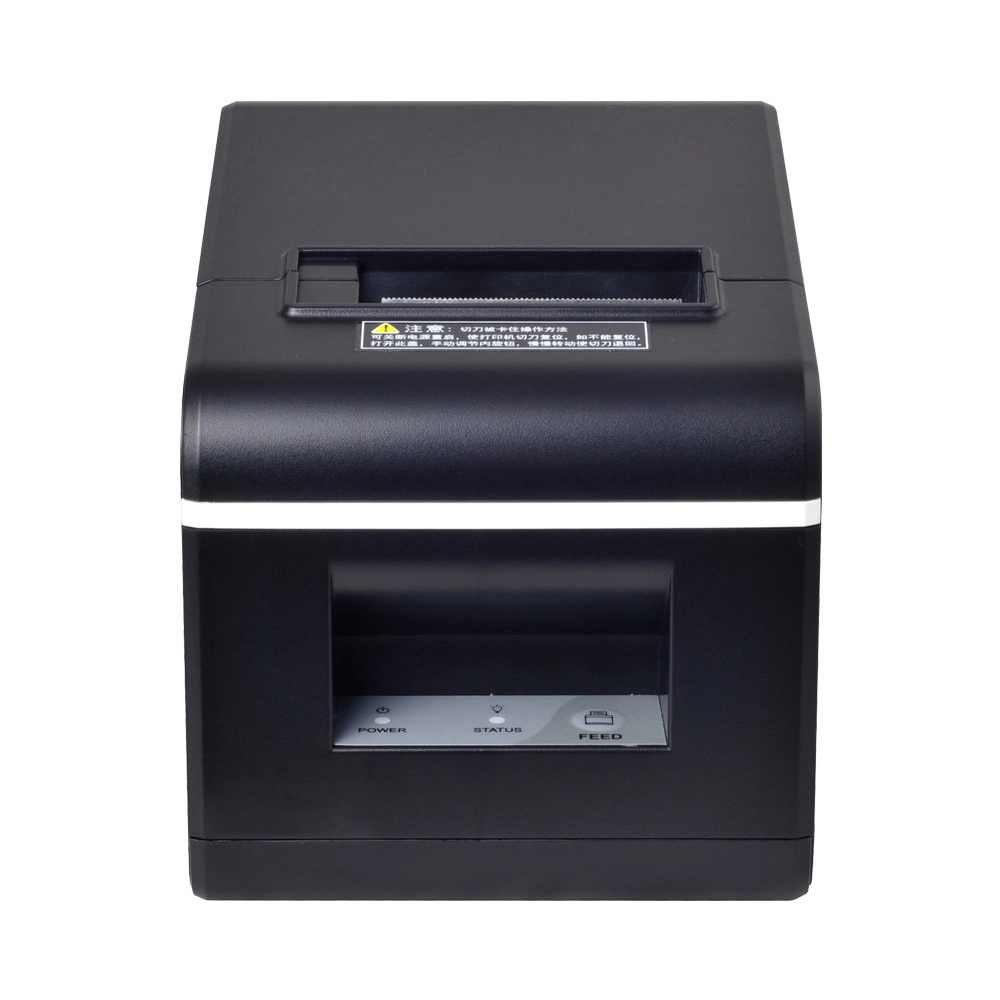
New Model Thermal Printer Bill Printer Manufacturer Portable Printer for Receipt
New Model Thermal Printer, a state-of-the-art bill printer designed for modern retail and hospitality environments. This printer combines advanced technology with user-friendly features, ensuring fast and efficient printing of high-quality receipts. Its sleek design complements any workspace, while multiple connectivity options make it easy to integrate into your existing POS systems.

Desktop Touch Screen POS Systems 12.1'' Android Windows Manufacturer
Our Desktop Touch Screen POS Systems feature a 12.1'' display, supporting both Android and Windows platforms. Engineered for high performance. The intuitive touch interface simplifies transactions and enhances customer engagement. With a sleek design and robust construction, our POS systems are perfect for businesses looking to improve efficiency and elevate the shopping experience.

15.6 Inch Windows POS Terminal with VFD Display, Foldable Aluminum Stand Touch Screen POS for Retail & Hospitality
This 15.6-inch POS terminal is built to meet the needs of modern retail and hospitality environments. Powered by a stable Windows operating system, it ensures smooth performance for various point-of-sale applications. The device features a crisp, responsive touch screen and a built-in VFD customer display, allowing customers to view transaction details clearly. Its aluminum alloy stand offers a sleek, professional appearance while providing enhanced durability and stability for busy checkout counters. Ideal for retail stores, restaurants, and service-based businesses, this POS machine delivers a reliable and customer-friendly checkout experience.

Point of Sale System with Thermal Printer All in One Pos Dual Touchscreen Pos with Barcode Scanner Supplier
FAVORPOS presents the all-in-one Point of Sale System with Thermal Printer, featuring dual touchscreens and an integrated barcode scanner. As a leading POS with NFC factory and barcode scanner supplier, we deliver reliable, efficient solutions tailored for your business needs.


Copyright © 2025 Favorpos All Rights Reserved.
