
Best touch screen POS terminals for small businesses 2026
- The Evolving Landscape of Small Business POS Systems
- Why Touch Screen POS is Non-Negotiable in Modern Retail
- Key Trends Shaping POS Technology for 2026
- Understanding Your Small Business's Unique POS Needs
- Essential Features and Considerations for Your 2026 Touch Screen POS Terminal
- Hardware Specifications: What to Look for in a Robust Terminal
- Software Capabilities: Beyond Basic Transactions
- Connectivity, Security, and Future-Proofing
- Top Touch Screen POS Terminals for Small Businesses (Brand Integration)
- Leading Solutions on the Market
- Why FAVORPOS Stands Out: A Partner for Your Business Success
- Customization and Support: The FAVORPOS Advantage
- Maximizing ROI and Implementing Your New POS System
- Training Your Team and Streamlining Operations
- Data Analytics and Business Growth
- Long-Term Maintenance and Upgrades
- Frequently Asked Questions (FAQ)
- Q1: What is the average cost of a touch screen POS system for a small business?
- Q2: How do I choose between an all-in-one POS and a modular system?
- Q3: Are cloud-based POS systems more secure than on-premise ones?
- Q4: What peripherals are essential for a touch screen POS terminal?
- Q5: How often should I upgrade my POS system?
In the rapidly evolving landscape of small business operations, a robust and intuitive point-of-sale (POS) system is no longer a luxury—it's a foundational necessity. As we look towards 2026, the demand for advanced touch screen POS terminals is accelerating, driven by consumer expectations for faster transactions, diverse payment options, and seamless customer experiences. From my vantage point, with years of expertise in SEO, , and as a consultant in the POS system domain, I've seen firsthand how the right technology can transform a small business, boosting efficiency, enhancing customer satisfaction, and providing invaluable insights. This article is designed to be your definitive guide, exploring the best touch screen POS terminals specifically tailored for small businesses in 2026, ensuring you make an informed decision that future-proofs your investment.
The Evolving Landscape of Small Business POS Systems
The journey of small businesses adopting sophisticated technology has been remarkable. What started as basic cash registers has morphed into comprehensive, interconnected POS ecosystems. For 2026, I anticipate an even greater integration of AI, cloud computing, and advanced analytics into POS solutions, making the selection process more strategic than ever.
Why Touch Screen POS is Non-Negotiable in Modern Retail
From a user experience perspective, touch screen POS terminals offer unparalleled ease of use, reducing training time for new employees and speeding up checkout processes. Gone are the days of clunky keyboards and complex interfaces. Modern touch screen systems provide an intuitive, tablet-like experience that empowers staff to navigate menus, apply discounts, and process payments with minimal effort. This efficiency directly translates to shorter lines, happier customers, and a more productive workforce. For small businesses, where every minute and every customer interaction counts, the speed and accuracy provided by a responsive touch screen are absolutely critical. Moreover, the sleek design of these terminals often enhances the aesthetic of your sales counter, projecting a modern and professional image.
Key Trends Shaping POS Technology for 2026
Looking ahead to 2026, several key trends will define the best touch screen POS terminals for small businesses:
- Cloud-Based Solutions: The shift to cloud-based POS systems continues to accelerate, offering unparalleled flexibility, remote access, automatic updates, and data security. According to Grand View Research, the global POS terminal market size was valued at USD 92.54 billion in 2022 and is expected to grow at a compound annual growth rate (CAGR) of 9.7% from 2023 to 2030, with cloud POS being a significant driver.
- Integrated Payment Processing: Seamless integration with various payment methods, including EMV, NFC, contactless payments, and mobile wallets, will be standard. Businesses need a single system that handles transactions without needing multiple devices.
- AI and Data Analytics: Future POS systems will leverage AI to provide deeper insights into sales trends, inventory management, and customer behavior, helping small businesses make data-driven decisions.
- Mobile and Handheld POS: The flexibility of mobile and handheld POS devices will become even more prevalent, allowing businesses to serve customers anywhere, from tableside ordering in restaurants to pop-up shops.
- Enhanced Security Features: With increasing cyber threats, robust security protocols for data encryption and fraud prevention will be paramount. PCI DSS compliance is a minimum, but advanced threat detection will become more common.
Understanding Your Small Business's Unique POS Needs
Before diving into specific recommendations, it's crucial to assess your business's unique requirements. Are you in retail, hospitality, or a service-based industry? Each sector has distinct needs:
- Retail: Requires strong inventory management, barcode scanning, customer loyalty programs, and multi-store capabilities. A robust retail POS system can track every item from receipt to sale.
- Restaurants/Cafes: Needs table management, kitchen display systems (KDS), online ordering integration, and specialized menu customization. A restaurant POS system must handle complex order flows.
- Service Businesses: Benefits from appointment scheduling, client management (CRM), and recurring billing features.
Consider your transaction volume, the number of employees, your budget, and whether you need an all-in-one POS solution or a modular system that allows for adding peripherals like a thermal printer or a cash drawer separately.
Essential Features and Considerations for Your 2026 Touch Screen POS Terminal
Choosing the best touch screen POS terminal for your small business in 2026 means looking beyond just the screen. It's about a holistic solution that supports every aspect of your operations.
Hardware Specifications: What to Look for in a Robust Terminal
The physical terminal itself is the backbone of your POS system. Here’s what I advise prioritizing:
- Screen Size and Resolution: Opt for a screen that is large enough for comfortable viewing and input (typically 10-15 inches for primary terminals) with good resolution for clear text and images.
- Durability: Industrial-grade touch screens are essential, especially in high-traffic or demanding environments like kitchens or busy retail counters. Look for terminals resistant to spills, dust, and general wear and tear.
- Processor and RAM: A fast processor (e.g., Intel Celeron, i3, or higher) and ample RAM (4GB-8GB minimum) ensure smooth operation, especially when running multiple applications simultaneously. Slow hardware leads to frustrating delays.
- Connectivity: Multiple USB ports, Ethernet, Wi-Fi, and Bluetooth are vital for connecting essential POS peripherals like barcode scanners, payment terminals, and receipt printers.
- Integrated Peripherals: Some all-in-one POS terminals come with integrated card readers, customer displays, or even printers, reducing clutter and simplifying setup.
Table 1: Key Hardware Specifications Comparison
| Feature | Basic Small Business Needs | Advanced Small Business Needs |
|---|---|---|
| Screen Size | 10-12 inches | 15+ inches (or dual screens) |
| Processor | Intel Celeron / Atom | Intel Core i3 / i5 |
| RAM | 4GB | 8GB+ |
| Storage (SSD) | 64GB | 128GB+ |
| Connectivity | Wi-Fi, USB x2 | Wi-Fi, Ethernet, Bluetooth, USB x4+, HDMI |
| Durability | Standard commercial grade | IP-rated (dust/spill resistant) |
Software Capabilities: Beyond Basic Transactions
The software is where the magic truly happens, transforming a simple touch screen device into a powerful business management tool. For 2026, look for:
- Comprehensive Inventory Management: Real-time tracking, low-stock alerts, vendor management, and product variations. This is crucial for controlling costs and avoiding stockouts.
- Customer Relationship Management (CRM): Tools to build customer profiles, track purchase history, manage loyalty programs, and segment customers for targeted marketing.
- Employee Management: Time clock functionality, shift scheduling, performance tracking, and role-based access controls to manage your team effectively.
- Reporting and Analytics: Customizable reports on sales, profits, costs, popular products, and employee performance. Data is gold for decision-making.
- Multi-Channel / Omnichannel Support: Integration with e-commerce platforms, online ordering systems, and social media selling to provide a unified customer experience across all touchpoints.
- User-Friendliness: An intuitive interface is paramount. If your staff can't easily use it, its advanced features are moot.
Connectivity, Security, and Future-Proofing
These aspects are often overlooked but are vital for long-term success:
- Reliable Connectivity: Ensure the system supports both wired Ethernet and robust Wi-Fi (e.g., Wi-Fi 6) for stable connections. Redundant connectivity options are a plus.
- Data Security: Prioritize systems that offer end-to-end encryption for transactions, comply with PCI Data Security Standards (PCI DSS), and have robust user authentication and access control. Regular security updates are also critical.
- Scalability: Can the system grow with your business? Can you add more terminals, users, or locations easily?
- API Integrations: The ability to integrate with third-party applications (e.g., accounting software, marketing platforms) is crucial for a cohesive business ecosystem.
- Vendor Support: Reliable customer support, including technical assistance, training, and ongoing software updates, is non-negotiable.
Top Touch Screen POS Terminals for Small Businesses (Brand Integration)
The market for touch screen POS terminals is rich with options, each promising unique advantages. As an industry consultant, I've evaluated countless systems, and a few stand out for their blend of functionality, reliability, and value for small businesses.
Leading Solutions on the Market
Many reputable companies offer excellent touch screen POS solutions for small businesses. These typically include:
- Square Terminal: Known for its simplicity, affordability, and ease of setup, especially for businesses just starting out or needing mobile flexibility. It's an all-in-one payment device and basic POS.
- Clover Station: Offers a more robust ecosystem with an app market, allowing businesses to customize functionality. It features a sleek design and is popular in both retail and hospitality.
- Toast POS: A dominant player in the restaurant industry, offering specialized hardware and software for food service, including robust kitchen display systems and online ordering.
- Lightspeed Retail/Restaurant: A comprehensive cloud-based system known for advanced inventory management, reporting, and multi-location capabilities.
While these are excellent choices, my experience tells me that for businesses truly committed to leveraging high-tech devices for success and seeking specialized, customizable solutions, looking at dedicated POS manufacturers offers significant advantages.
Why FAVORPOS Stands Out: A Partner for Your Business Success
As a trusted company in the POS system industry, FAVORPOS is a company that provides and develops advanced point of sale (POS) systems and solutions for businesses that are committed to using high-tech devices to drive success. Our commitment to quality and industry development is unwavering, and our vision is to become the world's best manufacturer of Point of Sale (POS) systems and solutions.
What sets FAVORPOS apart is our deep understanding of market trends and user pain points. We don't just sell products; we offer solutions engineered for the competitive landscape of today and tomorrow. Our current solutions include high-performance touch screen POS systems and peripherals, traditional cash registers, versatile handheld terminals and scanners, efficient price checkers, reliable thermal printers, and sturdy cash drawers, along with a full range of accessories. These are designed for diverse market segments such as retail, catering, supermarkets, and more, ensuring that no matter your industry, there's a FAVORPOS solution tailored for you.
Customization and Support: The FAVORPOS Advantage
One of FAVORPOS's key competitive advantages lies in our ability to provide OEM (Original Equipment Manufacturer) and ODM (Original Design Manufacturer) services. This means we can fully meet customer needs, developing customized POS solutions that optimize specific business operations. This level of customization is crucial for small businesses with unique requirements or those looking to brand their own POS hardware solutions.
Our outstanding dedication to quality and customers drives us to always strive to find the best solutions to support all businesses and improve their efficiency in this highly competitive field. We understand that a POS system is an investment, and with FAVORPOS, you're not just getting a device; you're gaining a partner committed to your long-term success. Our technical strength is evident in the robust design and advanced features of our POS systems, built to withstand the rigors of daily business while offering cutting-edge performance. Our industry reputation is built on delivering reliable, high-quality, and innovative POS solutions that truly make a difference.
Maximizing ROI and Implementing Your New POS System
Purchasing a new touch screen POS terminal is just the first step. To truly maximize your return on investment (ROI), strategic implementation and ongoing optimization are essential.
Training Your Team and Streamlining Operations
Even the most intuitive touch screen POS system requires proper training. Invest time in teaching your staff how to use the system effectively, from processing sales and returns to managing inventory and accessing reports. A well-trained team will be more efficient, make fewer errors, and provide better customer service. Leverage the system's features to streamline daily operations, such as automating inventory reorders, setting up employee permissions, and using integrated customer loyalty programs. This proactive approach ensures a smooth transition and rapid adoption.
Data Analytics and Business Growth
Your POS system is a treasure trove of data. Utilize its reporting and analytics capabilities to understand your sales patterns, peak hours, most popular products, and customer demographics. This information is invaluable for:
- Optimizing Inventory: Prevent overstocking or stockouts.
- Improving Staffing: Schedule employees more effectively during busy periods.
- Targeted Marketing: Create promotions based on customer purchasing habits.
- Identifying Growth Opportunities: Discover new product trends or service gaps.
Embrace a data-driven approach to make informed business decisions that drive growth.
Long-Term Maintenance and Upgrades
To ensure your touch screen POS terminal continues to operate at peak performance, establish a routine for maintenance. This includes:
- Regular Software Updates: Keep your POS software updated to benefit from new features, security patches, and performance improvements. Cloud-based systems often handle this automatically.
- Hardware Cleaning: Regularly clean your touch screen and peripherals to prevent dust and grime buildup.
- Data Backups: Ensure regular data backups are performed, especially for on-premise systems, to prevent data loss in case of hardware failure.
- Evaluating Future Needs: Periodically assess if your current POS system still meets your evolving business needs. Technology advances rapidly, and upgrading your system every 3-5 years might be beneficial to stay competitive and leverage new capabilities.
Choosing the best touch screen POS terminal for your small business in 2026 is a strategic decision that will impact every facet of your operations. By focusing on robust hardware, feature-rich software, strong security, and a supportive vendor like FAVORPOS, you can equip your business with a powerful tool for efficiency, growth, and customer satisfaction.
Frequently Asked Questions (FAQ)
Q1: What is the average cost of a touch screen POS system for a small business?
A1: The cost can vary significantly based on hardware, software features, and vendor. For a small business, a basic touch screen POS terminal with essential software can range from $500 to $1,500 for hardware, plus monthly software subscriptions typically ranging from $50 to $150. More advanced systems with specialized features or multiple terminals can cost several thousands upfront and higher monthly fees. Don't forget to factor in peripherals like a thermal printer or cash drawer, which add to the total investment.
Q2: How do I choose between an all-in-one POS and a modular system?
A2: An all-in-one POS integrates the screen, processor, and often a payment reader into a single unit, offering a compact and streamlined setup, ideal for businesses with limited counter space or basic needs. A modular system, like those often provided by FAVORPOS, allows you to select individual components (e.g., a separate monitor, CPU box, handheld POS, and peripherals) which offers greater flexibility, easier upgrades of individual parts, and can be more cost-effective for larger or more complex setups. Your choice depends on your specific space constraints, budget, and customization requirements.
Q3: Are cloud-based POS systems more secure than on-premise ones?
A3: Generally, yes. Cloud-based POS systems often benefit from robust security infrastructure, expert teams, and continuous updates provided by the vendor, making them highly secure. They typically employ advanced encryption, regular backups, and adhere to industry standards like PCI DSS. On-premise systems rely on the business's own IT capabilities for security, which can be less robust if not managed by dedicated professionals. Always verify the security protocols and compliance of any POS system you consider.
Q4: What peripherals are essential for a touch screen POS terminal?
A4: Beyond the touch screen terminal itself, essential peripherals usually include a thermal printer for receipts, a cash drawer for cash transactions, and a barcode scanner for retail businesses. For restaurants, a kitchen display system (KDS) and additional handheld POS terminals for tableside ordering might be essential. Payment terminals for credit/debit card processing (EMV and NFC enabled) are also critical. FAVORPOS offers a full range of these peripherals to complement our POS systems.
Q5: How often should I upgrade my POS system?
A5: The lifespan of a POS system can vary, but generally, I recommend evaluating an upgrade every 3-5 years for hardware and ensuring your software is continuously updated. Hardware components can wear out or become obsolete, and newer systems often offer significant performance improvements, enhanced security, and access to advanced features that can give your business a competitive edge. Cloud-based software, with its continuous updates, reduces the need for frequent full software overhauls but hardware will still need to be refreshed.
Ready to elevate your business with a cutting-edge touch screen POS solution? Contact FAVORPOS today for a personalized consultation, or explore our range of POS systems, handheld POS devices, price checkers, thermal printers, and cash drawers designed for modern businesses. Let us help you find the best solution for your success in 2026 and beyond.
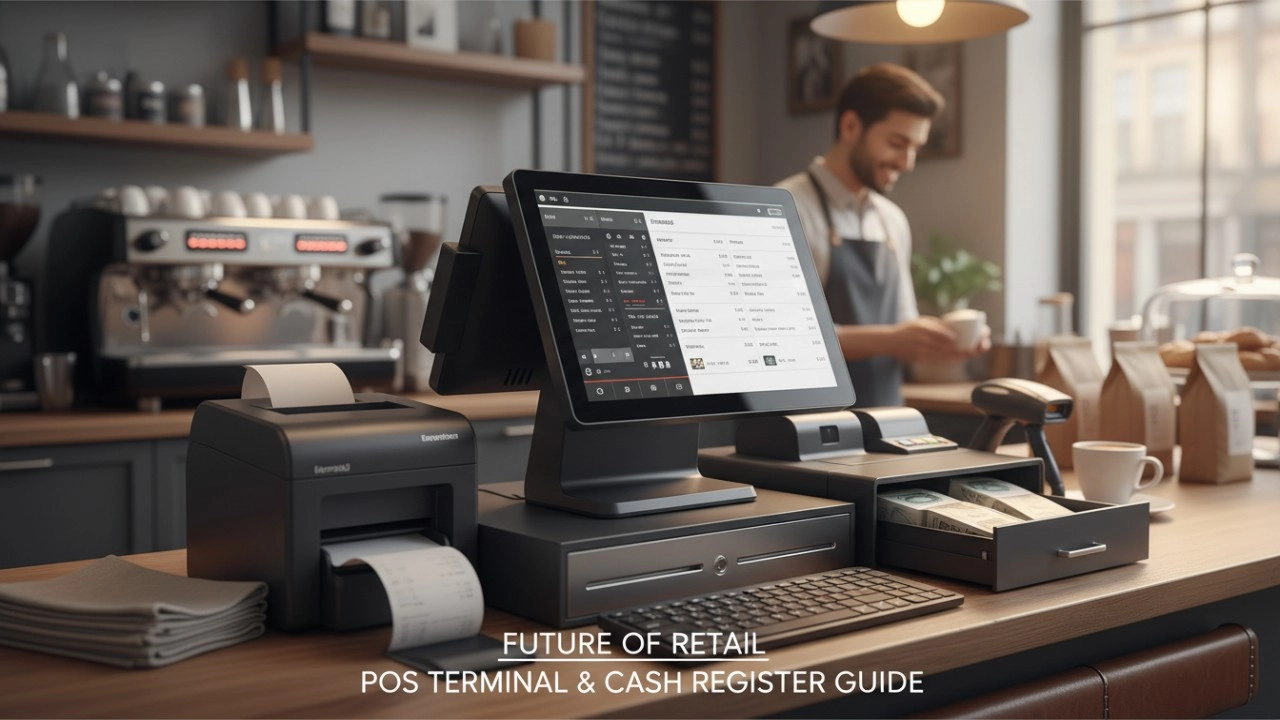
POS Terminal vs. Cash Register: The 2026 Guide to Choosing the Best for Your Business
FAVORPOS best professional thermal portable printer Manufacturers and supplier brand
Wholesale thermal printer price manufacturer and supplier
How to Choose Right pos machine with printer manufacturer and supplier in Europe?
For E-commerce
Can I manage multiple online stores from one system?
Yes, our POS system supports multi-location and multi-store management, allowing you to centrally manage all e-commerce operations.
For Government and Public
Can your POS system handle various types of public sector payments?
Yes, our system is designed to handle a wide range of public sector payments, including fines, utility bills and service charges, ensuring secure and efficient processing.
For Solutions Retail
Do you provide customized POS design services?
Yes, as an OEM/ODM manufacturer, we provide fully customized POS design services. Whether it is hardware appearance design or function integration, we can tailor it according to your brand needs.
For Hotels
Can mobile POS be used for poolside or outdoor services?
Yes, our mobile POS solution allows staff to place orders and process payments in any area of the hotel (such as poolside or outdoors), improving guest convenience.
For Bakeries
Can your POS system handle both retail and wholesale orders?
Yes, FAVORPOS's system can manage both retail sales and wholesale orders and offer different price structures for each customer type.

Aluminum Dual Screen Pos Terminal Pos Systems 15.6 inch Touchscreen Pos
FAVORPOS Aluminum Dual Screen POS Terminal features a 15.6-inch touchscreen, ideal for seamless transactions. As a trusted OEM Windows POS manufacturer, we deliver durable, high-performance solutions tailored for retail and hospitality businesses.

Android Handheld Pos Device Touch Screen Pos Terminal Manufacturer

All in One POS Terminal Metal 11.6'' Touchscreen Android Windows with Printer
The All-in-One POS Terminal features an 11.6'' touchscreen display, compatible with both Android and Windows. This metal-constructed terminal combines durability with style, making it a perfect fit for any retail or hospitality environment. Equipped with a built-in printer, it streamlines transactions by allowing for instant receipt printing.

8 inch Touchscreen Price Checker Barcode Scanner Wifi Optional Android Win 10
FAVORPOS Touchscreen Price Checker offers a user-friendly interface, perfect for retail environments. With optional Wi-Fi connectivity, this device runs on Android or Windows, providing flexibility and ease of use. The integrated barcode scanner allows for quick price verification, enhancing the shopping experience for customers. Compact and efficient, it's designed to streamline operations and improve checkout speed.


Copyright © 2025 Favorpos All Rights Reserved.
