
Performance benchmarks: choosing a fast POS desktop system
- The Undeniable Impact of POS System Speed on Business Operations
- Customer Experience & Transaction Throughput
- Employee Productivity & Operational Efficiency
- Data Integrity & Real-time Reporting
- Key Performance Indicators (KPIs) for a High-Speed POS Desktop System
- Processor Power & RAM Allocation
- Storage Solutions: SSD vs. HDD
- Network Connectivity & Peripheral Integration
- Benchmarking Methodologies and Real-World Testing
- Synthetic Benchmarks vs. Practical Scenarios
- Understanding Latency and Response Times
- Scalability and Future-Proofing Considerations
- Making the Right Choice: Factors Beyond Raw Speed
- Software Optimization and Ecosystem Compatibility
- Durability, Support, and Total Cost of Ownership
- Partnering with a Reliable POS Provider
- Frequently Asked Questions (FAQ)
- 1. How much RAM does a POS desktop system truly need for optimal performance?
- 2. Is an SSD (Solid State Drive) absolutely necessary for a fast POS desktop system?
- 3. What processor (CPU) specifications should I look for in a high-performance POS desktop system?
- 4. How does network speed affect my POS desktop system's performance, especially with cloud-based solutions?
- 5. What is the average lifespan of a POS desktop system, and how can I extend it?
As a professional content writer with extensive experience in SEO, , and the POS system industry, I've seen firsthand how the right technology can transform a business. In the competitive landscape of retail and hospitality, the speed and reliability of your point-of-sale (POS) system are paramount. It's not just about processing transactions; it's about delivering a seamless customer experience, empowering your staff, and ensuring your operations run like a well-oiled machine. This is especially true for the core of your operations: the POS desktop system. Choosing a fast POS desktop system isn't merely about ticking boxes on a spec sheet; it's about understanding the intricate relationship between hardware, software, and real-world performance benchmarks.
Many businesses overlook the critical role of a high-performance POS desktop system until they face frustrating slowdowns, long queues, and disgruntled customers. A slow system can lead to lost sales, decreased employee morale, and a significant drain on productivity. My goal in this article is to equip you with the knowledge to make an informed decision, ensuring your investment in a POS desktop system truly drives success.
The Undeniable Impact of POS System Speed on Business Operations
In my years consulting with businesses across various sectors, one consistent truth emerges: the speed of your POS system directly correlates with your business's overall efficiency and customer satisfaction. A sluggish POS desktop system doesn't just annoy; it costs money and reputation. Let's break down the multifaceted impact of a fast POS desktop system.
Customer Experience & Transaction Throughput
Think about your own shopping experiences. Long queues and slow transactions are frustrating, aren't they? A fast POS desktop system minimizes wait times, allowing cashiers to process sales quickly and efficiently. This isn't just about speed; it's about creating a positive impression. Customers appreciate swift service, and a quick checkout process is a significant factor in their overall satisfaction. For businesses, higher transaction throughput means more sales processed in less time, especially during peak hours. Imagine a busy coffee shop or a retail store during a holiday rush; every second saved per transaction adds up to significant gains in revenue and customer goodwill. A study by National Retail Federation often highlights customer experience as a top priority for retailers, and transaction speed is a foundational element of that experience.
Employee Productivity & Operational Efficiency
Beyond customer satisfaction, a fast POS desktop system dramatically boosts employee productivity. When cashiers aren't waiting for the system to load, process payments, or print receipts, they can focus on serving customers, upselling, and maintaining store operations. This translates to less stress for your staff and a more efficient workflow. Moreover, a responsive POS system simplifies tasks like inventory lookups, returns, and order modifications, reducing the time spent on administrative duties. This efficiency extends beyond the front counter; back-office tasks like report generation and data synchronization also benefit from a powerful POS desktop system, streamlining overall operational management.
Data Integrity & Real-time Reporting
A high-performance POS desktop system isn't just about speed at the checkout; it's also crucial for robust data management. Fast systems can handle complex data operations without bogging down, ensuring that sales data, inventory updates, and customer information are recorded accurately and in real-time. This real-time data is invaluable for making informed business decisions, managing inventory effectively, and identifying sales trends. Slow systems can lead to data synchronization issues, delays in reporting, and potentially inaccurate insights, which can have significant negative implications for inventory management, marketing strategies, and financial planning. The reliability of your POS desktop system directly impacts the integrity of your most critical business data.
Key Performance Indicators (KPIs) for a High-Speed POS Desktop System
When evaluating a POS desktop system, it's essential to look beyond marketing jargon and understand the core technical specifications that dictate its speed and responsiveness. These KPIs are the true indicators of a high-performance system.
Processor Power & RAM Allocation
The Central Processing Unit (CPU) is the brain of your POS desktop system, and its power directly influences how quickly the system can execute commands and process data. For a modern POS, I typically recommend at least an Intel Core i3 or AMD Ryzen 3 equivalent, but for demanding environments with multiple peripherals, extensive inventory, or complex software, an i5/Ryzen 5 or even i7/Ryzen 7 will provide superior performance and future-proofing. Clock speed (GHz) and the number of cores are important metrics. Similarly, Random Access Memory (RAM) is where your system temporarily stores data for quick access. Insufficient RAM is a common cause of slow performance. While 4GB might suffice for basic operations, 8GB of RAM is the recommended minimum for most modern POS desktop systems, allowing for smoother multitasking, faster application loading, and better handling of larger databases. For high-volume businesses, 16GB can provide an even greater performance buffer.
Here's a general guideline for processor and RAM requirements:
| Business Type | Processor Recommendation | RAM Recommendation | Typical Workload |
|---|---|---|---|
| Small Retail/Café | Intel Core i3 / AMD Ryzen 3 | 8GB | Basic transactions, light inventory, few peripherals |
| Medium Restaurant/Boutique | Intel Core i5 / AMD Ryzen 5 | 8GB - 16GB | Moderate transactions, inventory management, multiple peripherals, kitchen display systems |
| Large Supermarket/High-Volume Retail | Intel Core i7 / AMD Ryzen 7 | 16GB+ | High transaction volume, extensive inventory, complex loyalty programs, numerous peripherals |
Storage Solutions: SSD vs. HDD
The type of storage drive in your POS desktop system has a profound impact on its speed. Traditional Hard Disk Drives (HDDs) are mechanical and slower, while Solid State Drives (SSDs) use flash memory and offer significantly faster read/write speeds. Upgrading from an HDD to an SSD is often the most impactful upgrade you can make to improve overall system responsiveness. Boot times, application loading, and database queries are all dramatically faster with an SSD. While HDDs offer more storage capacity for a lower price, the performance gains of an SSD far outweigh the cost difference for a critical system like a POS. I strongly recommend an SSD for any new POS desktop system.
Consider the performance difference:
| Feature | Hard Disk Drive (HDD) | Solid State Drive (SSD) |
|---|---|---|
| Read/Write Speed | 50-120 MB/s | 300-3500 MB/s (SATA) / 3000-7000 MB/s (NVMe) |
| Boot Time | 30-90 seconds | 10-20 seconds |
| Application Loading | Slow | Very Fast |
| Durability | Vulnerable to drops/shocks (moving parts) | Highly durable (no moving parts) |
| Cost per GB | Lower | Higher |
(Data based on average consumer-grade drives, actual performance varies by model and interface.)
Network Connectivity & Peripheral Integration
Even with a powerful internal setup, a POS desktop system can be bottlenecked by poor network connectivity or inefficient peripheral integration. A stable, high-speed wired Ethernet connection (Gigabit Ethernet is ideal) is crucial for cloud-based POS systems, real-time inventory updates, and payment processing. While Wi-Fi can be convenient, it's generally less reliable and slower than wired connections, especially in busy commercial environments with many competing signals. Furthermore, the speed at which your POS communicates with peripherals like barcode scanners, thermal printers, cash drawers, and payment terminals also impacts overall transaction time. Ensure your system has sufficient USB 3.0 or higher ports for fast data transfer and that drivers are optimized for seamless communication. Slow peripheral response can negate the benefits of a fast CPU and SSD.
Benchmarking Methodologies and Real-World Testing
Understanding specifications is one thing; seeing how a POS desktop system performs in a real-world scenario is another. Effective benchmarking involves both theoretical and practical evaluations.
Synthetic Benchmarks vs. Practical Scenarios
Synthetic benchmarks, like those from PassMark or Geekbench, provide objective scores for CPU, RAM, and storage performance. These are useful for comparing raw power between different models. However, they don't always translate directly to real-world POS performance. A system might score high on synthetic tests but struggle with a specific POS software due to poor optimization. Therefore, it's crucial to test the POS desktop system with your actual POS software, running typical daily operations. Simulate peak transaction periods, process returns, look up inventory, and generate reports. This practical testing provides a more accurate picture of how the system will perform in your unique business environment.
Understanding Latency and Response Times
Latency is the delay between an action and a response. In a POS system, high latency means slow button presses, delayed screen updates, and sluggish peripheral responses. Minimizing latency is key to a fast and fluid user experience. Response time refers to how quickly the system completes a specific task, such as processing a payment or printing a receipt. Benchmarking these aspects involves timing common POS operations. For instance, measure the time it takes from scanning an item to its appearance on the screen, or from hitting the 'total' button to the payment terminal being ready. Consistent, low latency and quick response times are hallmarks of a high-performance POS desktop system.
Scalability and Future-Proofing Considerations
Investing in a POS desktop system isn't a short-term decision. You need a system that can grow with your business. Consider its scalability: can you easily upgrade RAM or storage if your needs change? Does it support additional peripherals as your business expands? Future-proofing also involves choosing a system with modern ports (e.g., USB 3.0/3.1, HDMI/DisplayPort) and sufficient processing power to handle future software updates and increased data loads. A slightly more powerful system now can save you significant costs and headaches down the line by delaying the need for a complete system overhaul. Aim for a system that will comfortably meet your needs for at least 3-5 years, considering typical hardware lifecycles in the industry.
Making the Right Choice: Factors Beyond Raw Speed
While speed is critical, a truly effective POS desktop system encompasses more than just raw performance numbers. It's about finding a holistic solution that fits your business needs, budget, and operational environment.
Software Optimization and Ecosystem Compatibility
A powerful POS desktop system is only as good as the software it runs. Ensure that your chosen POS software is well-optimized for the hardware. Some POS software is resource-intensive, requiring more powerful hardware, while others are lightweight. Compatibility with your existing business ecosystem – including accounting software, CRM, and e-commerce platforms – is also vital. A fast system that doesn't integrate seamlessly can create new bottlenecks. Ideally, your POS provider should offer a unified solution where hardware and software are designed to work in harmony, minimizing compatibility issues and maximizing performance.
Durability, Support, and Total Cost of Ownership
POS desktop systems in retail and hospitality environments face demanding conditions – spills, dust, continuous operation. Durability is therefore a key factor. Look for systems built with industrial-grade components and robust casings. Beyond initial purchase price, consider the total cost of ownership (TCO), which includes maintenance, energy consumption, and potential downtime. A cheaper system upfront might incur higher TCO due to frequent repairs or replacements. Excellent customer support and readily available technical assistance from your POS provider are invaluable. When issues arise, quick resolution is crucial to prevent business disruption.
Partnering with a Reliable POS Provider
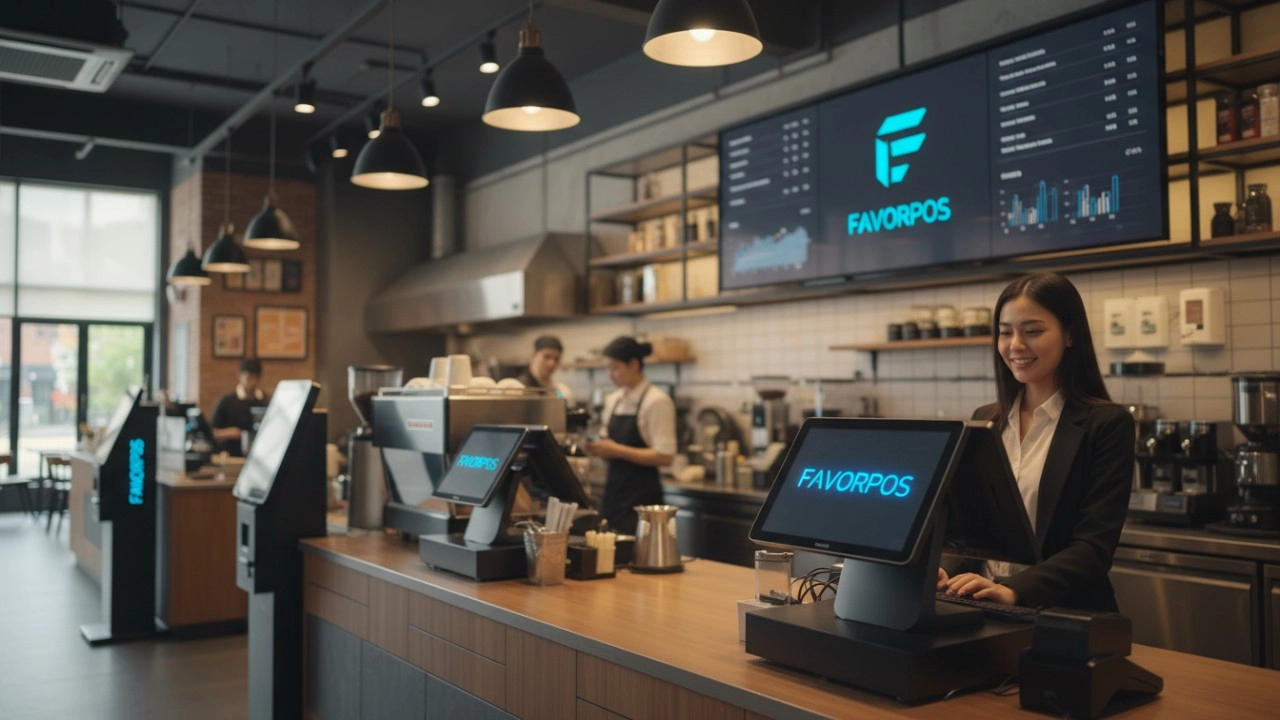
Choosing the right POS desktop system is a significant decision, and partnering with an experienced and reliable provider can make all the difference. This is where companies like FAVORPOS truly shine. As a trusted company in the POS system industry, FAVORPOS provides and develops advanced point of sale (POS) systems and solutions for businesses that are committed to using high-tech devices to drive success. Our current solutions include POS systems and peripherals, cash registers, handheld terminals and scanners, price checkers, thermal printers, and accessories for different market segments such as retail, catering, supermarkets, etc. We understand the nuances of performance benchmarks and how they translate into real-world business advantages.
At FAVORPOS, we pride ourselves on our outstanding dedication to quality and customers. We always strive to find the best solutions to support all businesses and improve their efficiency in this highly competitive field. Our expertise extends to offering OEM and ODM services, allowing us to fully meet customer needs and optimize their business operations with tailored solutions. We have a long-term commitment to quality and industry development, ensuring that our products, whether it's a high-performance POS desktop system, a versatile Handheld POS, an efficient Price Checker, a reliable Thermal Printer, or a secure Cash Drawer, are built to the highest standards. Our vision is to become the world's best manufacturer of Point of Sale (POS) systems and solutions, and this commitment is reflected in every product we develop and every partnership we forge. When you choose FAVORPOS, you're not just getting a fast POS desktop system; you're gaining a strategic partner dedicated to your long-term success, offering cutting-edge technology and unparalleled support.
Frequently Asked Questions (FAQ)
1. How much RAM does a POS desktop system truly need for optimal performance?
While 4GB of RAM can run basic POS software, I strongly recommend at least 8GB for optimal performance in most business environments. This allows for smoother multitasking, faster application loading, and better handling of database queries and multiple peripherals. For high-volume businesses or those running complex software, 16GB can provide an even greater performance buffer and future-proof your system.
2. Is an SSD (Solid State Drive) absolutely necessary for a fast POS desktop system?
Yes, an SSD is highly recommended and, in my opinion, essential for a fast POS desktop system. The performance difference compared to a traditional HDD is significant. SSDs dramatically reduce boot times, application loading times, and the speed of data access, directly impacting transaction speed and overall system responsiveness. The investment in an SSD pays off quickly through increased efficiency and reduced customer wait times.
3. What processor (CPU) specifications should I look for in a high-performance POS desktop system?
For most small to medium businesses, an Intel Core i3 or AMD Ryzen 3 processor (or equivalent) is a good starting point. However, for higher transaction volumes, more complex software, or environments with many peripherals, an Intel Core i5/AMD Ryzen 5 or even i7/Ryzen 7 will provide superior performance and longevity. Focus on the generation of the processor (newer is better) and consider clock speed and core count for demanding tasks.
4. How does network speed affect my POS desktop system's performance, especially with cloud-based solutions?
Network speed is critical, particularly for cloud-based POS systems that rely on constant communication with remote servers. A slow or unstable network connection can create significant bottlenecks, leading to delays in transaction processing, inventory updates, and payment authorizations, even if your POS desktop system hardware is powerful. A stable, high-speed wired Ethernet connection (Gigabit Ethernet) is always preferred over Wi-Fi for primary POS stations to ensure consistent performance and reliability.
5. What is the average lifespan of a POS desktop system, and how can I extend it?
The average lifespan of a well-maintained POS desktop system is typically 3-5 years, though some can last longer. To extend its lifespan, ensure proper ventilation to prevent overheating, keep the system clean from dust and debris, and protect it from power surges with a UPS (Uninterruptible Power Supply). Regular software updates and maintenance, along with choosing durable, high-quality hardware from the outset, will also contribute significantly to its longevity.
Ready to upgrade your business with a high-performance POS desktop system that truly meets your needs? Don't let slow technology hold you back. Contact FAVORPOS for a personalized consultation to explore our advanced POS systems and solutions, or browse our full range of products, including Handheld POS, POS systems, Price Checkers, Thermal Printers, and Cash Drawers, designed to drive your success.
Top pos systems cash register Manufacturers and Suppliers in China
25 Best Enterprise POS Systems for 2026: The Definitive Comparison Guide
FAVORPOS best professional android pos system Manufacturers and supplier brand
Top 10 cheap pos machine printer Manufacturers and Supplier Brands in Europe
For Beauty and Wellness
How does your POS system integrate with online booking platforms?
Our POS system integrates seamlessly with online booking platforms, allowing customers to book appointments online and synchronize them with in-store appointments.
For Solutions Retail
Do you provide customized POS design services?
Yes, as an OEM/ODM manufacturer, we provide fully customized POS design services. Whether it is hardware appearance design or function integration, we can tailor it according to your brand needs.
For Healthcare
Does your POS system comply with healthcare regulations?
Yes, our POS system complies with HIPAA, PCI-DSS, and other relevant healthcare regulations to ensure the security and privacy of patient data.
For ODM
What is the process of ODM service?
Our ODM service process includes the following steps:
1. Preliminary consultation: Discuss project goals, needs and vision with customers.
2. Design and development: Develop and confirm product design.
3. Prototyping & Testing: Prototypes are made, tested and designs are optimized.
4. Production: Carry out mass production, following quality standards and production schedules.
5. Logistics & Delivery: Manage logistics to ensure that products are delivered on time.
6. Post-production Support: Provide technical support and maintenance services.
For Distributor
What are the benefits of joining your reseller network?
Benefits include access to innovative POS products, attractive margins, comprehensive training and support, and the opportunity to work with a globally recognized brand.
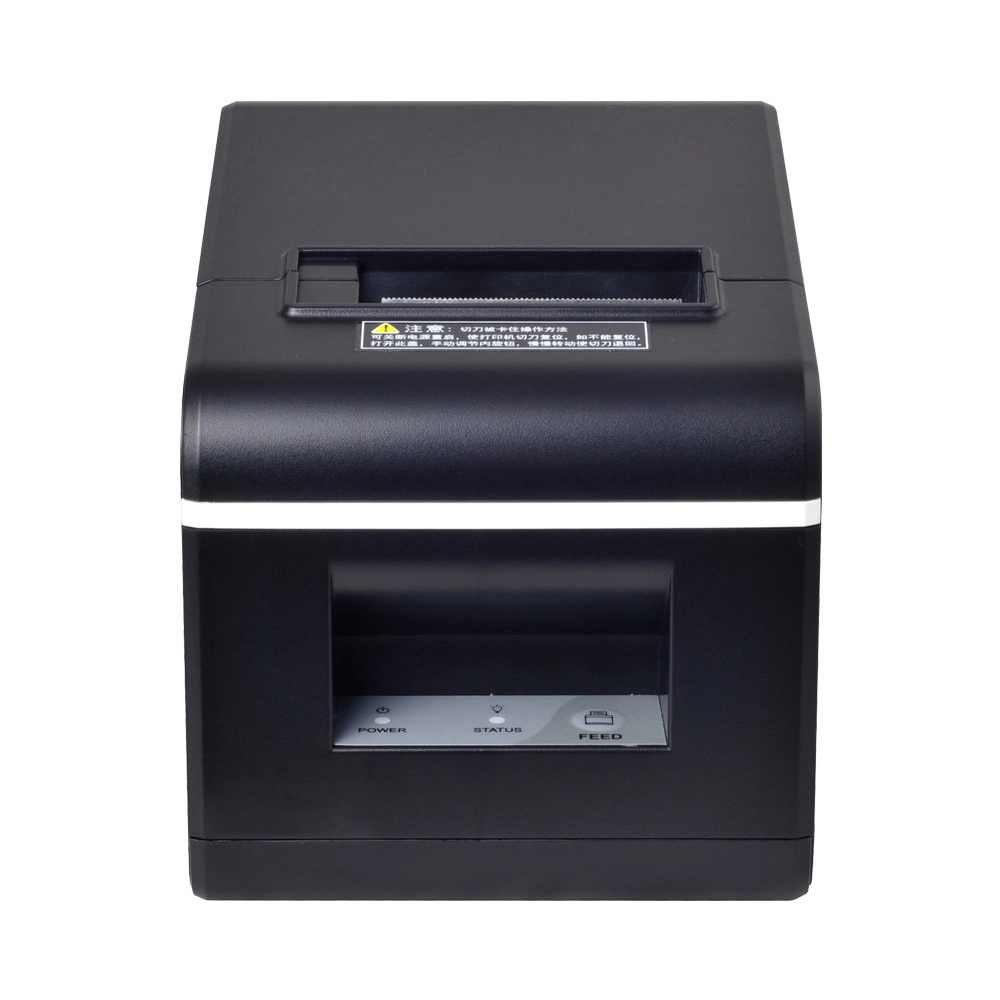
New Model Thermal Printer Bill Printer Manufacturer Portable Printer for Receipt
New Model Thermal Printer, a state-of-the-art bill printer designed for modern retail and hospitality environments. This printer combines advanced technology with user-friendly features, ensuring fast and efficient printing of high-quality receipts. Its sleek design complements any workspace, while multiple connectivity options make it easy to integrate into your existing POS systems.

Desktop Touch Screen POS Systems 12.1'' Android Windows Manufacturer
Our Desktop Touch Screen POS Systems feature a 12.1'' display, supporting both Android and Windows platforms. Engineered for high performance. The intuitive touch interface simplifies transactions and enhances customer engagement. With a sleek design and robust construction, our POS systems are perfect for businesses looking to improve efficiency and elevate the shopping experience.

15.6 Inch Windows POS Terminal with VFD Display, Foldable Aluminum Stand Touch Screen POS for Retail & Hospitality
This 15.6-inch POS terminal is built to meet the needs of modern retail and hospitality environments. Powered by a stable Windows operating system, it ensures smooth performance for various point-of-sale applications. The device features a crisp, responsive touch screen and a built-in VFD customer display, allowing customers to view transaction details clearly. Its aluminum alloy stand offers a sleek, professional appearance while providing enhanced durability and stability for busy checkout counters. Ideal for retail stores, restaurants, and service-based businesses, this POS machine delivers a reliable and customer-friendly checkout experience.

Point of Sale System with Thermal Printer All in One Pos Dual Touchscreen Pos with Barcode Scanner Supplier
FAVORPOS presents the all-in-one Point of Sale System with Thermal Printer, featuring dual touchscreens and an integrated barcode scanner. As a leading POS with NFC factory and barcode scanner supplier, we deliver reliable, efficient solutions tailored for your business needs.


Copyright © 2025 Favorpos All Rights Reserved.
