
POS desktop system workflows for quick-service restaurants and full-service dining
- The Unsung Hero: Why Your POS Desktop System is Critical
- Streamlining Order Management and Kitchen Communication
- Enhancing Customer Experience and Speed of Service
- Data-Driven Decisions and Inventory Control
- Tailored Workflows for Quick-Service Restaurants (QSRs)
- Optimizing Counter Service and Drive-Thru Efficiency
- Integrating Online Ordering and Delivery Platforms
- Managing Peak Hours with Speed and Accuracy
- Sophisticated Workflows for Full-Service Dining
- Table Management, Reservations, and Server Handheld Integration
- Customizing Orders, Upselling, and Loyalty Programs
- Splitting Bills and End-of-Shift Reconciliation
- The Future of Restaurant POS: Innovation and Integration
- Leveraging Advanced POS Features for Competitive Advantage
- Choosing the Right POS Partner: A Focus on Reliability and Support
- FAVORPOS: Driving Success with Advanced POS Solutions
- Frequently Asked Questions (FAQ)
As a professional content writer and a dedicated consultant in the POS system industry, with extensive experience spanning various market segments, I’ve had the privilege of observing countless restaurant operations. My journey has consistently highlighted one undeniable truth: the efficiency and success of a restaurant, whether a bustling quick-service establishment or an elegant full-service dining venue, hinge significantly on its Point of Sale (POS) system. Specifically, the POS desktop system remains a foundational element, orchestrating everything from order placement to inventory management and customer relationship building.
In this comprehensive guide, I want to share my insights into optimizing POS desktop system workflows for both quick-service restaurants (QSRs) and full-service dining. My goal is to help you understand how these robust systems, when properly implemented and utilized, can transform your operations, enhance customer satisfaction, and drive profitability. We’ll explore the nuances of each environment, detailing how a powerful desktop POS software solution can be tailored to meet unique demands.
The Unsung Hero: Why Your POS Desktop System is Critical
For many, a POS system is merely a cash register. However, from my perspective, it's the central nervous system of a restaurant. A well-chosen and expertly integrated POS desktop system is far more than a transaction processor; it's a strategic tool that empowers businesses to operate smoothly, make informed decisions, and deliver superior service.
Streamlining Order Management and Kitchen Communication
One of the most immediate benefits I've observed is the dramatic improvement in order management. In a QSR, speed is paramount. A POS desktop system allows for rapid order entry, often with intuitive touch interfaces and customizable menus, reducing errors and wait times. For full-service restaurants, it handles complex orders, modifications, and special requests with ease. The seamless integration with a Kitchen Display System (KDS) is a game-changer, ensuring that orders are accurately communicated to the kitchen staff in real-time, minimizing miscommunications and expediting food preparation. This digital workflow is a significant upgrade from handwritten tickets, which, according to industry reports, can lead to a higher percentage of order errors and slower service times.
Enhancing Customer Experience and Speed of Service
In today's competitive dining landscape, customer experience is king. A highly efficient POS desktop system directly contributes to this by accelerating service. For QSRs, faster transaction times mean shorter lines and happier customers. For full-service, it means servers can spend more time engaging with guests rather than wrestling with manual processes. My experience shows that customers appreciate quick, accurate service, and a reliable fixed POS solution facilitates just that. The ability to quickly retrieve past orders, apply discounts, or manage loyalty points further enhances the personalized experience, encouraging repeat business.
Data-Driven Decisions and Inventory Control
Beyond transactions, the analytical capabilities of a modern POS desktop system are invaluable. These systems track every sale, every item, and every payment, generating a wealth of data. I've seen restaurants leverage this data to identify peak hours, popular menu items, and even staff performance trends. This information is crucial for making data-driven decisions regarding staffing, menu engineering, and marketing strategies. Furthermore, robust inventory management features within the on-premise POS or cloud-integrated desktop system allow for real-time tracking of ingredients, automated reorder points, and waste reduction. This not only prevents stockouts but also helps control food costs, a critical factor in restaurant profitability. For instance, a study by Toast found that restaurants using POS systems with inventory management features can reduce food waste by up to 30%.
Tailored Workflows for Quick-Service Restaurants (QSRs)
QSRs operate on a model of speed, volume, and consistency. Their POS desktop system workflows must be optimized to support rapid order taking, efficient kitchen handoff, and swift payment processing. My observations confirm that the right setup can dramatically improve throughput.
Optimizing Counter Service and Drive-Thru Efficiency
For QSRs, the counter and drive-thru are the front lines. A POS desktop system designed for speed is essential. This typically involves large, clear touchscreens, intuitive menu layouts with modifiers, and quick access to popular items. I've worked with many QSRs to implement systems that allow cashiers to take orders in mere seconds, reducing bottlenecks during peak hours. Integration with customer-facing displays can also improve order accuracy, as customers can verify their selections before payment. For drive-thrus, a robust restaurant POS terminal that integrates with headsets and multiple order-taking stations ensures a smooth flow from order to pickup.
Integrating Online Ordering and Delivery Platforms
The rise of online ordering and third-party delivery services has fundamentally changed QSR operations. A modern POS desktop system must seamlessly integrate with these platforms. From my vantage point, this integration is non-negotiable. Orders placed online or through apps should flow directly into the traditional POS system, appearing on the KDS without manual re-entry. This eliminates errors, saves staff time, and ensures all orders are processed consistently, regardless of their origin. Without this, QSRs risk overwhelming staff and frustrating customers with delays or incorrect orders.
Managing Peak Hours with Speed and Accuracy
Peak hours are the test for any QSR. The POS desktop system must be able to handle high transaction volumes without slowing down or crashing. This requires powerful hardware and stable software. Features like quick-pay options, integrated payment processing, and the ability to open multiple orders simultaneously are crucial. I often advise QSRs to invest in robust POS hardware that can withstand continuous use and rapid input, ensuring reliability when it matters most. Training staff thoroughly on these expedited workflows is also key to maintaining accuracy under pressure.
Sophisticated Workflows for Full-Service Dining
Full-service dining presents a different set of challenges, requiring a POS desktop system that can manage complex table layouts, reservations, customized orders, and a more personalized guest experience. Here, the system acts as a sophisticated orchestrator of the entire dining journey.
Table Management, Reservations, and Server Handheld Integration
Effective table management is paramount in full-service restaurants. A good POS desktop system provides a visual representation of the dining room, allowing hosts to manage reservations, seat guests efficiently, and track table status (e.g., seated, ordered, eating, paid). From my experience, integrating this with an online reservation system and server handheld devices (often running a mobile extension of the desktop POS software) significantly enhances efficiency. Servers can take orders tableside, send them directly to the kitchen, and process payments without leaving the dining area, improving service speed and accuracy. This also reduces walking time for servers, allowing them to focus more on guest interaction.
Customizing Orders, Upselling, and Loyalty Programs
Full-service dining often involves highly customized orders, dietary restrictions, and special requests. The POS desktop system must handle these complexities with ease, allowing servers to add detailed notes and modifiers that are clearly communicated to the kitchen. Furthermore, the system should facilitate upselling opportunities by prompting servers with suggestions for appetizers, desserts, or drink pairings. Implementing a loyalty program directly through the workstation POS allows restaurants to track customer preferences, offer personalized rewards, and encourage repeat visits. I’ve seen these features turn casual diners into loyal patrons, significantly boosting long-term revenue.
Splitting Bills and End-of-Shift Reconciliation
Splitting bills is a common request in full-service dining, and a well-designed POS desktop system makes this process effortless, whether by item, by seat, or by custom amounts. This prevents frustrating manual calculations and ensures accuracy. At the end of a shift, the restaurant POS terminal simplifies reconciliation, providing detailed reports on sales, tips, and payment types. This streamlines the closing process, reduces accounting errors, and provides managers with immediate insights into daily performance. My professional advice is always to ensure your system offers robust reporting features that are easy to understand and export.
The Future of Restaurant POS: Innovation and Integration
As the restaurant industry continues to evolve, so too must the technology that supports it. The POS desktop system is at the forefront of this evolution, constantly integrating new features and capabilities to meet emerging demands.
Leveraging Advanced POS Features for Competitive Advantage
Modern POS desktop systems are no longer just for transactions. They are becoming comprehensive business management platforms. I've seen successful restaurants leverage advanced features like integrated CRM for personalized marketing, employee management modules for scheduling and payroll, and robust analytics dashboards for deep operational insights. These features provide a significant competitive advantage, allowing businesses to operate more intelligently and adapt quickly to market changes. The ability to integrate with third-party apps for accounting, marketing, or even ingredient sourcing further extends the power of these systems.
Choosing the Right POS Partner: A Focus on Reliability and Support
Selecting the right POS desktop system provider is as crucial as choosing the system itself. From my extensive experience, a reliable partner offers not just cutting-edge technology but also unparalleled support, training, and ongoing maintenance. This ensures that your system remains operational and efficient, minimizing downtime and maximizing your investment. A good partner understands the nuances of the restaurant industry and can provide tailored solutions that truly address your specific operational challenges.
FAVORPOS: Driving Success with Advanced POS Solutions
This is where companies like FAVORPOS truly shine. As a company that provides and develops advanced point of sale (POS) systems and solutions, FAVORPOS is committed to empowering businesses with high-tech devices to drive success. Our current solutions encompass a wide range of products, including robust POS systems and peripherals, cash registers, Handheld POS terminals, scanners, Price Checkers, Thermal Printers, and Cash Drawers, catering to diverse market segments like retail, catering, and supermarkets. We understand that a POS desktop system is a significant investment, and our dedication lies in ensuring that investment yields maximum returns.
At FAVORPOS, we pride ourselves on our long-term commitment to quality and industry development. We offer OEM and ODM services, allowing us to fully meet customer needs and optimize their business operations with custom-tailored solutions. Our vision is to become the world's best manufacturer of Point of Sale (POS) systems and solutions, and we achieve this through an outstanding dedication to quality and our customers. We constantly strive to find the best solutions to support all businesses and improve their efficiency in this highly competitive field, ensuring our POS desktop systems are not just tools, but strategic assets. Our technological strength, evidenced by our comprehensive product line and OEM/ODM capabilities, sets us apart, providing businesses with reliable, high-performance solutions designed for the future.
In conclusion, the POS desktop system is more than just a piece of equipment; it's an indispensable partner in the success of any restaurant. By understanding and optimizing its workflows, both quick-service and full-service establishments can achieve unprecedented levels of efficiency, customer satisfaction, and profitability. The evolution of these systems, driven by companies like FAVORPOS, promises an even brighter future for the restaurant industry.
Frequently Asked Questions (FAQ)
Q1: What is the primary difference between a POS desktop system and a mobile POS system for restaurants?
A1: A POS desktop system typically refers to a stationary terminal with robust hardware and dedicated software, often serving as the central hub for operations like order entry, payment processing, and back-office management. Mobile POS systems, often running on tablets or handheld devices (like FAVORPOS's Handheld POS), offer flexibility for tableside ordering, line busting, and payment processing on the go. While mobile POS enhances mobility, the desktop system usually provides more comprehensive functionality and processing power for demanding tasks and serves as the primary workstation.
Q2: How does a POS desktop system help with inventory management in a restaurant?
A2: A modern POS desktop system integrates robust inventory management features. It tracks ingredients used in each menu item, automatically deducting them from stock as sales occur. It can also set reorder points, generate purchase orders, and provide detailed reports on inventory levels, costs, and waste. This helps restaurants minimize spoilage, prevent stockouts, and accurately calculate food costs, directly impacting profitability.
Q3: Can a POS desktop system integrate with online ordering platforms and delivery services?
A3: Absolutely. Most advanced POS desktop systems are designed for seamless integration with popular online ordering platforms and third-party delivery services. This ensures that orders placed through these channels flow directly into your POS, appear on the Kitchen Display System (KDS), and are processed consistently with in-house orders, eliminating manual entry and reducing errors.
Q4: What are the key features to look for in a POS desktop system for a full-service restaurant?
A4: For full-service dining, look for features like comprehensive table management (visual layout, reservation integration), robust order customization (modifiers, special requests), split bill functionality, integrated loyalty programs, and strong reporting capabilities for sales, tips, and server performance. Integration with handheld devices for tableside ordering is also highly beneficial.
Q5: How important is hardware reliability for a POS desktop system in a busy restaurant environment?
A5: Hardware reliability is critically important. In a fast-paced restaurant, system downtime can lead to lost sales, frustrated customers, and operational chaos. Investing in robust POS hardware designed for continuous use, like the high-quality POS systems and peripherals offered by FAVORPOS, ensures stability, speed, and durability, especially during peak hours. This minimizes technical issues and maximizes operational efficiency.
Ready to elevate your restaurant's operations with a cutting-edge POS desktop system? Discover how FAVORPOS's advanced solutions can streamline your workflows, enhance customer experience, and drive your business forward. Visit our website at www.favorpos.com to explore our range of POS systems, Handheld POS, Price Checkers, Thermal Printers, Cash Drawers, and more, or contact us for a personalized consultation today!
Wholesale android pos device manufacturer and supplier
Where to Buy android pos billing machine
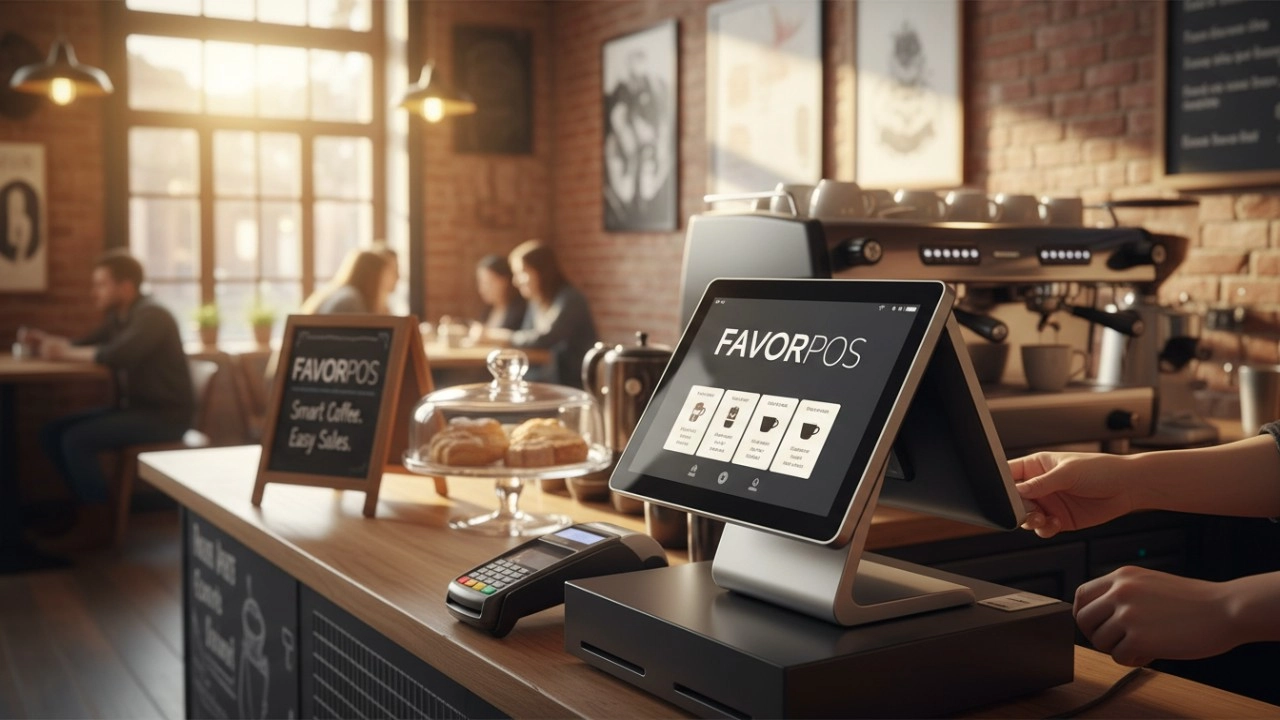
15 Best Coffee Shop POS Systems for 2026: The Definitive Comparison Guide
Top 10 pos monitor price Manufacturers and Supplier Brands in America
For Healthcare
How do you ensure data security and patient privacy?
We implement advanced encryption, user authentication and access control to protect sensitive data and follow industry best security practices.
For Bakeries
Can your POS system handle both retail and wholesale orders?
Yes, FAVORPOS's system can manage both retail sales and wholesale orders and offer different price structures for each customer type.
For Hotels
Can mobile POS be used for poolside or outdoor services?
Yes, our mobile POS solution allows staff to place orders and process payments in any area of the hotel (such as poolside or outdoors), improving guest convenience.
For Entertainment & Events
How do you ensure data security and prevent fraud?
Our systems comply with industry standards for data security and payment protection and are equipped with advanced fraud prevention features to prevent fraudulent activities and ensure transaction security.
For company
What kind of certifications do you have?
CE, ROHS, and FCC as standards.

HD Dual Screen POS Machine Aluminum Hardware Android Windows Supplier
This dual-screen POS machine supports both Android and Windows systems, providing flexibility for various applications. The dual screens enhance customer interaction and streamline the checkout process, making transactions quicker and more engaging. Perfect for modern businesses looking to elevate their service and improve customer satisfaction, this POS machine is your ultimate partner in success!
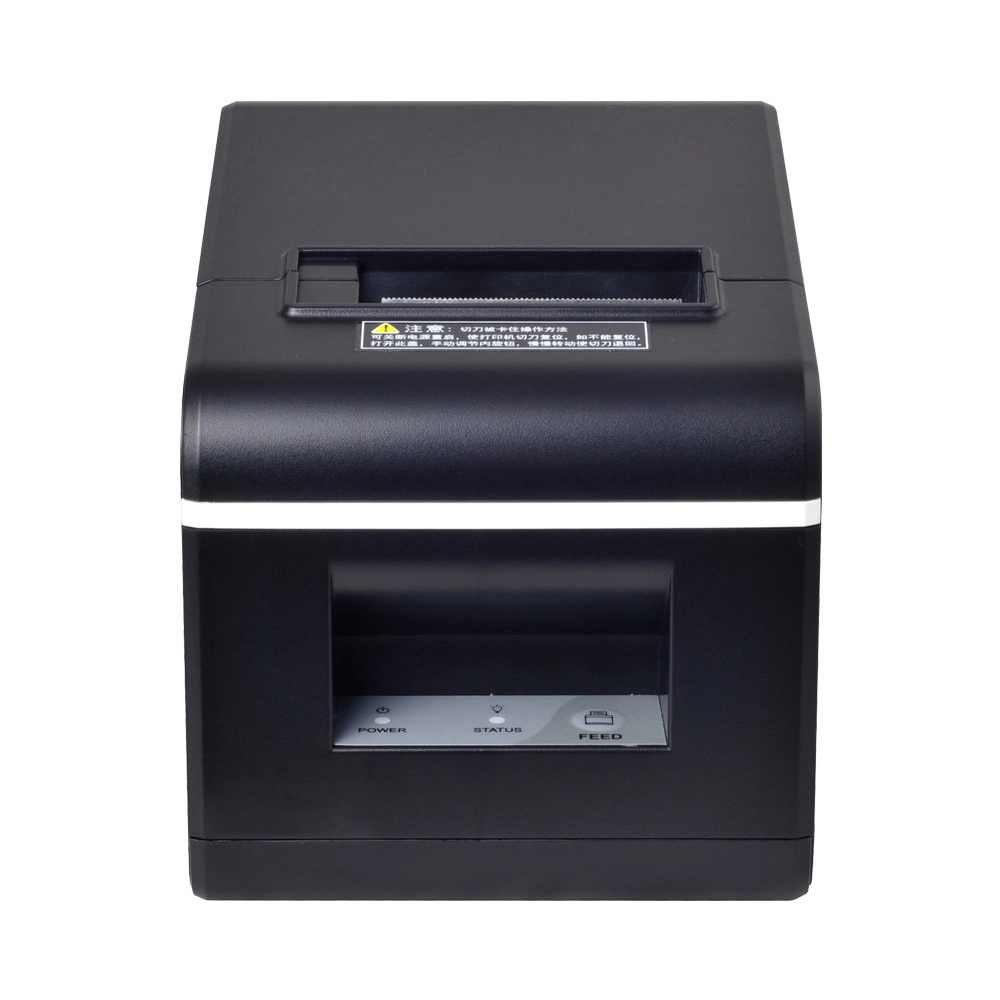
New Model Thermal Printer Bill Printer Manufacturer Portable Printer for Receipt
New Model Thermal Printer, a state-of-the-art bill printer designed for modern retail and hospitality environments. This printer combines advanced technology with user-friendly features, ensuring fast and efficient printing of high-quality receipts. Its sleek design complements any workspace, while multiple connectivity options make it easy to integrate into your existing POS systems.

Desktop Touch Screen POS Systems 12.1'' Android Windows Manufacturer
Our Desktop Touch Screen POS Systems feature a 12.1'' display, supporting both Android and Windows platforms. Engineered for high performance. The intuitive touch interface simplifies transactions and enhances customer engagement. With a sleek design and robust construction, our POS systems are perfect for businesses looking to improve efficiency and elevate the shopping experience.

15.6 Inch Windows POS Terminal with VFD Display, Foldable Aluminum Stand Touch Screen POS for Retail & Hospitality
This 15.6-inch POS terminal is built to meet the needs of modern retail and hospitality environments. Powered by a stable Windows operating system, it ensures smooth performance for various point-of-sale applications. The device features a crisp, responsive touch screen and a built-in VFD customer display, allowing customers to view transaction details clearly. Its aluminum alloy stand offers a sleek, professional appearance while providing enhanced durability and stability for busy checkout counters. Ideal for retail stores, restaurants, and service-based businesses, this POS machine delivers a reliable and customer-friendly checkout experience.


Copyright © 2025 Favorpos All Rights Reserved.
