
What are the best all-in-one POS systems for small restaurants?
- 1) How reliable is offline mode in all-in-one POS systems — what exactly stops working, and how will it affect card processing, inventory and reporting?
- 2) If I choose the vendor’s bundled payment processor, what are the exact PCI, chargeback, and termination implications versus using my own merchant account?
- 3) What specific hardware warranty, on-site repair SLA, and spare-part strategy should a small restaurant demand when buying all-in-one terminals and receipt printers?
- 4) How accurate are inventory and recipe costing features in all-in-one POS systems for restaurants with complex recipes and perishable ingredients?
- 5) How do kitchen display systems (KDS) and printer redundancy strategies differ across integrated all-in-one POS choices, and what should I require to avoid lost tickets during peak service?
- 6) What are the real incremental costs and licensing pitfalls when scaling an all-in-one POS from one location to multiple small restaurants?
1) How reliable is offline mode in all-in-one POS systems — what exactly stops working, and how will it affect card processing, inventory and reporting?
Offline capability is one of the most misunderstood features when evaluating a cloud-based, all-in-one POS. Offline mode is not a single uniform behavior — vendors implement it differently and each has trade-offs you must validate in a live pilot.
What typically continues to work: local order entry, printing (if local printers are on a LAN), and storing transactions on the terminal until connectivity returns. Many restaurant POS platforms (Square for Restaurants, Toast, Lightspeed, TouchBistro) implement local caching so servers can continue taking orders and printing KDS/kitchen tickets.
What often degrades or pauses: real-time inventory adjustments, cloud-based labor scheduling sync, loyalty/redemption validation, and third-party integrations (online ordering, delivery routing, accounting). In many systems, inventory deductions are queued and reconciled to the cloud only after connectivity returns — but this creates a temporary drift risk if you run long offline periods.
Card processing while offline: Some providers allow offline card acceptance via a cached EMV token or batch swipe, but this increases decline and fraud risk because the issuer cannot instantly verify the transaction. Square and some processors permit offline card entry with higher risk controls or limits; others simply refuse to process chip/contactless without connectivity. Always ask prospective vendors for their offline card policy and limits in writing.
What to test in a demo: simulate a network outage during peak service for 15–60 minutes. Verify order entry speed, KDS/printer output, whether the POS accepts tip adjustments, and how inventory and sales reporting reconcile after restore. Ask for a written SLA or documented behavior when offline.
Practical buying tip: if you expect frequent internet instability, prioritize hybrid or local-first POS architectures (TouchBistro and some versions of Lightspeed offer stronger local resilience) and ensure receipts and kitchen tickets are native LAN-printed rather than cloud-dependent.
2) If I choose the vendor’s bundled payment processor, what are the exact PCI, chargeback, and termination implications versus using my own merchant account?
Bundled processors in all-in-one POS solutions simplify onboarding but change risk, fees, and portability.
PCI scope and liability: When using an integrated processor (vendor’s payments), the vendor will often assume much of the PCI compliance burden because card data flows through their gateway. That reduces your on-premise PCI scope (often to a SAQ-A). If you bring your own merchant account and the vendor uses a separate gateway integration, you may carry more PCI responsibilities — ask vendors for their stated PCI scope and ask for an Attestation of Compliance (AOC).
Chargebacks and disputes: Bundled processors typically manage chargeback workflows through the POS; however, each processor has its own dispute success rates and timelines. If you switch processors later, unresolved chargebacks may follow your merchant ID and cause rolling reserves or increased risk. Request the vendor’s historical chargeback rates and typical dispute resolution SLA.
Termination and data portability: If you use a bundled payments contract, switching away from the POS vendor may be harder because the processor and POS configuration are tightly integrated (tokenization, stored cards, tips history). Ask whether you can export tokenized customer cards, or whether stored card tokens are locked to the processor (most token sets are non-portable). Clarify any early termination fees and whether equipment is leased.
Cost transparency: Bundled processing sometimes offers lower headline rates but can hide per-item/PCI/ACH fees or monthly gateway fees. Ask for a complete fee spreadsheet (interchange + markup + monthly) and compare it to using your own merchant account.
Buying checklist: demand an AOC (PCI document), ask for a sample merchant agreement, request chargeback statistics and a written portability plan for tokenized cards and transaction history.
3) What specific hardware warranty, on-site repair SLA, and spare-part strategy should a small restaurant demand when buying all-in-one terminals and receipt printers?
Hardware failure during service hours costs revenue and reputation. Ask vendors these explicit questions and get answers in writing:
Warranty length and coverage: Standard warranties are typically 1 year; many vendors and resellers offer 3-year extended warranties. Confirm if the warranty covers touchscreen failures, power supplies, magnetic stripe/EMV readers, and water/damage (accidental damage is usually excluded unless you buy an upgrade).
Response and replacement SLA: For small restaurants, a 24-hour on-site next-business-day replacement is ideal. If on-site replacement isn't offered, confirm overnight shipping for spare terminals and whether there’s a temporary loaner program.
Spare parts strategy: Request guidance on a recommended spare-kit (one extra terminal, one spare receipt printer, spare power adapter, and spare RJ45/USB cables). Many operators find keeping one compact spare terminal drastically reduces downtime.
Certified technicians and local support: Ensure the vendor has certified technicians or authorized partners in your metro area. For fast-growing small chains, ask if the vendor supports scheduled maintenance and bulk spare-part procurement.
Cost of repair versus replacement: Request typical out-of-warranty repair costs and compare to replacement pricing. For small restaurants, swapping a terminal is often faster and cheaper than repair.
Including hardware SLAs and spare-part plans in the purchase contract or an addendum avoids surprises and keeps kitchen throughput stable.
4) How accurate are inventory and recipe costing features in all-in-one POS systems for restaurants with complex recipes and perishable ingredients?
Inventory accuracy in a restaurant context is harder than retail because of yield, prep loss, batch recipes, and wastage. Not all all-in-one POS systems handle this complexity equally.
Recipe and yield management: Best-in-class restaurant POS (Toast, Lightspeed, TouchBistro, Upserve) support ingredient-level recipes with yield percentages, prep conversions (e.g., whole chicken yields X lbs cooked) and batch production. This allows automated COGS calculations that better reflect true food cost.
Real-time usage vs. manual adjustments: Many systems decrement inventory on each sale but require manual adjustments for prep/trim/waste. Look for systems that support production sheets and prep counts to reconcile batch cook sessions.
FIFO and perishable tracking: If perishable control is important, ask whether the POS supports lot or batch tracking. Few all-in-one restaurant POS systems provide ERP-level lot tracking; if you need strict date tracking, consider integrations with specialized inventory software that connects to the POS.
Integration accuracy: Inventory accuracy depends on disciplined operations (consistent portioning, server habit, and regular stock audits). A POS can only be accurate if purchase orders, vendor invoices, and receiving are entered correctly. Confirm whether the POS can import invoices via CSV or EDI to speed receiving.
Reporting for price negotiations: Ensure the POS can produce gross margin and item-level profit reports, and that recipe-adjusted cost-per-plate is available. This is critical for menu engineering and supplier negotiations.
Operational recommendation: run daily or weekly cycle counts, use recipe yields, and implement prep batch entries in the POS. If your menu has complex recipes and high shrink, test the POS’s inventory module with a 30-day pilot and check variance between POS counts and physical counts.
5) How do kitchen display systems (KDS) and printer redundancy strategies differ across integrated all-in-one POS choices, and what should I require to avoid lost tickets during peak service?
KDS/printer reliability is mission-critical. Compare systems on these dimensions:
Native KDS vs. third-party integrations: Vendors like Toast and Lightspeed offer native KDS with touchscreen kitchen stations, order routing and ticket prioritization. Others rely on third-party KDS partners; integrated native solutions often have tighter failover paths.
Redundancy architecture: Ask whether the POS supports local LAN printing/KDS when cloud is unavailable, and whether it supports dual-routing (print to both kitchen printer and KDS). Also confirm automatic retry logic for failed prints and whether the KDS has a local cache.
Order acknowledgements and checks: For line-busting and expo stations, require the KDS or printers to support order acknowledgement, item-level marking (prepared/completed), and ticket reprints tied to the POS check to avoid duplicate orders.
Failover plan: Request a documented failover workflow: e.g., if KDS loses connection, will the POS fall back to kitchen printer? Will the system create paper backup tickets automatically? If not, require the vendor to supply a manual checklist.
Hardware considerations: Use reliable thermal printers (Star, Epson) and commercial-grade KDS tablets with mounting and splash protection. For redundancy, dual printers (primary + backup) on separate power and network circuits reduce single points of failure.
Operational best practice: maintain a short printed backup ticket that prints for every KDS order (configurable in many POS systems) or keep a low-cost spare printer wired on a secondary network. Document procedures so staff know how to continue service during KDS outages.
6) What are the real incremental costs and licensing pitfalls when scaling an all-in-one POS from one location to multiple small restaurants?
Scaling a POS reveals many recurring costs beyond the headline terminal price. Ask for a complete TCO example for the exact configuration you’ll use across 3–5 locations. Key items to evaluate:
Per-terminal vs. per-location licensing: Some vendors charge per terminal, others per location (unlimited terminals). For restaurants with many fixed terminals (host stand, bar, KDS stations), per-location unlimited-terminal licensing can be cheaper.
Multi-location reporting fees: Advanced multi-store consolidation, cross-location reporting, and centralized inventory are often add-ons. Verify whether consolidated labor, inventory transfer, and centralized purchasing modules carry extra monthly fees.
Payment processing and reserve policies: Processors often apply rolling reserves or higher risk pricing when you add locations. Consolidating all locations under the same MID can be efficient, but splitting MIDs may be required for some banks — ask the vendor for recommended merchant account setups to avoid future headaches.
Onboarding and training costs: Expect higher initial setup costs — per-menu setup, account mapping, and staff training. Request bulk onboarding discounts and ask whether remote or on-site training is included.
Hardware volume discounts and warranties: Buying hardware across multiple sites unlocks discounts, but warranty logistics become more complex. Confirm regional spare-part distribution and support SLA scaling.
Integration licensing: Third-party integrations (online ordering, accounting, labor management) often charge per-location fees. Map required integrations and ask for pricing for “3-location” and “10-location” tiers.
Financial planning tip: request a 24–36 month TCO comparison from the vendor, including all recurring subscriptions, payment estimates, hardware refresh cycles, and onboarding costs. Use that to compute true cost per covers and break-even timelines.
Conclusion
For small restaurants, modern all-in-one POS systems deliver integrated payments, kitchen display systems, inventory management and cloud reporting that simplify operations and speed service. The key differences that influence long-term success are offline reliability, payment portability and PCI handling, hardware warranties and spare-part strategies, recipe-level inventory accuracy, KDS/printer redundancy, and transparent scaling costs. Evaluate vendors with a written checklist, run a real-world pilot under peak conditions, and get SLAs and chargeback/PCI documents in writing.
Advantages at a glance: faster table-to-kitchen routing, integrated reporting for menu engineering, simplified payroll and accounting integrations, and consolidated vendor support — all of which reduce labor and improve margins when configured correctly.
Contact us for a quote and a personalized comparison of all-in-one POS options for your restaurant: www.favorpos.com or sales2@wllpos.com.

Understanding 15-Inch Aluminum POS Terminals in Modern Commercial Use

The Smart Way to Check Prices: How a 10.1-Inch Wall-Mounted Price Checker Transforms Retail Stores

A Smarter Checkout Experience: The 15-Inch Dual-Screen POS Built for Modern Retail

8-Inch Smart Price Checker: A Small Device Powering Smarter Retail Spaces

Built for Retail Precision: Manufacturing Excellence Behind the 11.6” Smart Price Checker
For Healthcare
Can the POS system be integrated with our existing EHR/EMR system?
Absolutely. Our POS solution is able to integrate with multiple electronic health record (EHR) and electronic medical record (EMR) systems to streamline operational processes.
For Bakeries
Can custom cake orders be easily managed?
Yes, our system is designed to handle special orders, allowing customers to easily customize cakes and pastries, and employees can track these orders from start to finish.
For Government and Public
What reporting and analysis capabilities does the system provide?
Our system provides detailed financial reports, usage insights and other analytical features to help you track performance, optimize resource allocation and improve service delivery.
For E-commerce
Is your POS solution scalable to accommodate business growth?
Yes, our POS system is designed to be scalable, and you can easily add new sales channels, locations, and features to accommodate business growth.
For company
What are your shipping terms?
It is available to ship via express (DHL/FedEx/EMS/UPS/TNT), via air, train and sea. We will try our best to check the economic shipping way for you.

8 inch Wall Mount Price Checker with Scanner Android Windows Factory
Our 8-inch Wall Mount Price Checker is designed for optimal convenience in retail spaces, featuring a sleek design that fits seamlessly into any environment. Compatible with both Android and Windows, this unit includes an integrated scanner for quick and accurate price checks. Its wall-mounted design saves counter space while providing easy access for customers. Ideal for enhancing efficiency and improving the shopping experience.
Metal 11.6 inch Price Scanner Machine Android Windows with Wifi Supplier
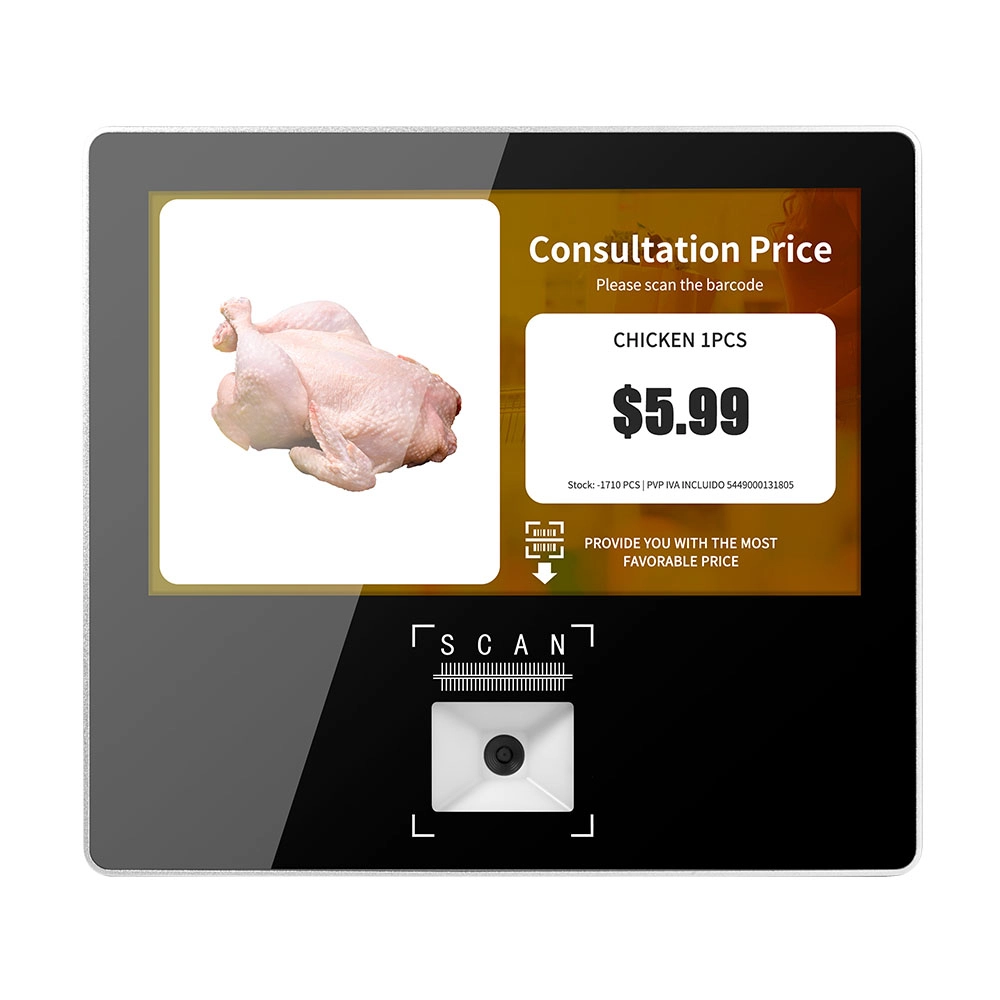
FAVORPOS Metal 11.6-inch Price Scanner Machine, designed for durability and efficiency in retail environments. This versatile device operates on both Android and Windows, providing seamless functionality for various applications. With built-in Wi-Fi connectivity, it allows for quick access to pricing data and updates. The 11.6'' display ensures clear visibility for easy operation, making it perfect for price checking and inventory management. Enhance your retail experience with this reliable and robust price scanner from a trusted supplier!
10 inch Price Checker Device Supplier Barcode Scanner for Sale Price Check for Supermarket
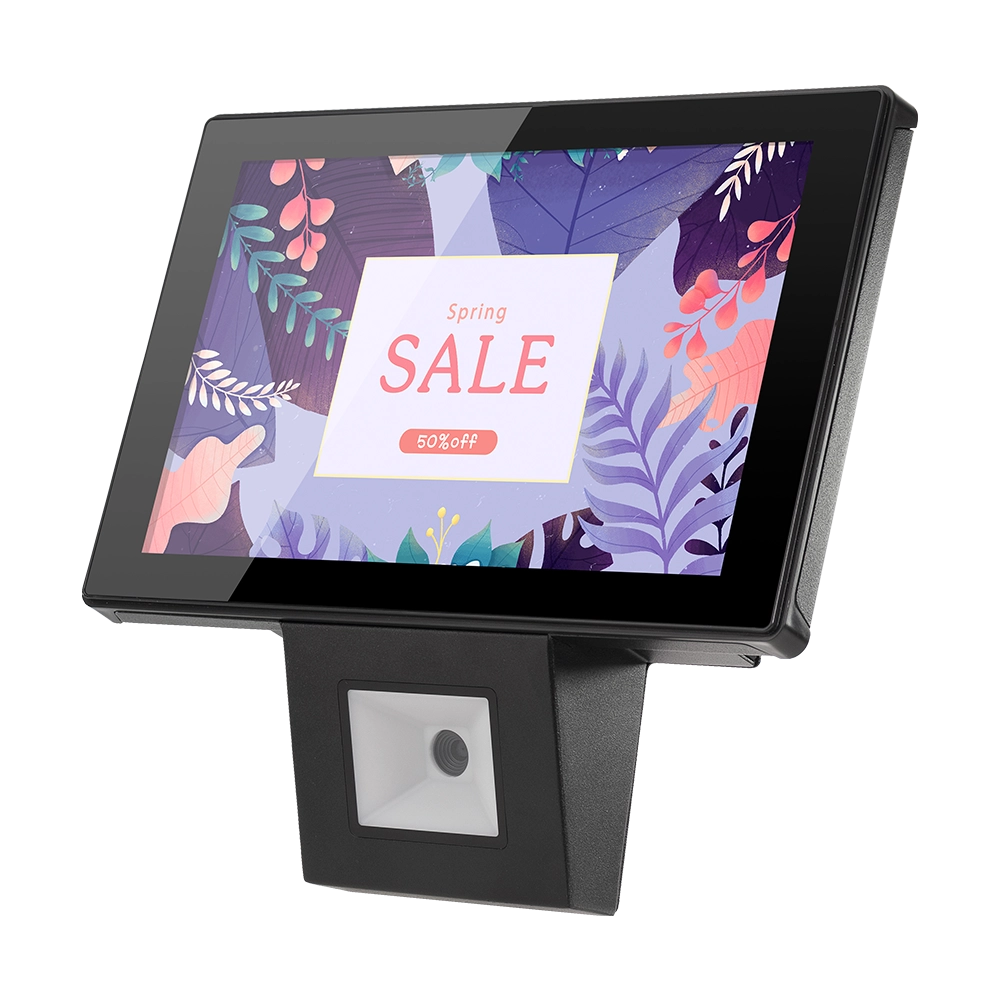
FAVORPOS offers 10 inch Price Checker Device, perfect for supermarkets. This wall mounted 10 inch touch screen barcode scanner ensures fast, accurate price checks, enhancing customer experience and operational efficiency. Durable, user-friendly, and perfect for high-traffic retail environments.

Aluminum Dual Screen Pos Terminal Pos Systems 15.6 inch Touchscreen Pos
FAVORPOS Aluminum Dual Screen POS Terminal features a 15.6-inch touchscreen, ideal for seamless transactions. As a trusted OEM Windows POS manufacturer, we deliver durable, high-performance solutions tailored for retail and hospitality businesses.
Get in touch
Interested in becoming a POS system dealer? Contact us for more information and start the process of joining our dealer network.
We look forward to working with you to expand the market together.


Copyright © 2025 Favorpos All Rights Reserved.
