
Cloud vs on-premise: which POS is best for liquor stores?
- 1. How can a liquor store POS ensure accurate bottle-level inventory and manage varying pack sizes, kegs, and case breaks?
- 2. Cloud vs on-premise: which POS minimizes downtime for multi-store liquor retailers with unreliable internet?
- 3. How do POS systems handle complex state alcohol taxes, excise taxes, and age-restricted reporting for compliance?
- 4. What's the best way to integrate payment processing and comply with PCI-EMV requirements while reducing card-not-present fraud and chargebacks?
- 5. Can POS systems support advanced loyalty and targeted promotions by SKU (e.g., discounts on craft beer) without breaking compliance or losing margins?
- 6. How do I evaluate total cost of ownership (TCO) including hardware refresh cycles, PCI audits, and custom integrations when choosing between cloud and on-prem POS?
1. How can a liquor store POS ensure accurate bottle-level inventory and manage varying pack sizes, kegs, and case breaks?
Accurate bottle-level inventory and handling of mixed pack sizes are core requirements for any liquor store POS system. The right liquor store POS systems implement a few concrete capabilities:
SKU hierarchy and unit-of-measure (UoM) conversions: Configure parent SKUs for a brand and child SKUs for single bottles, six-packs, or cases. The POS should automatically convert case receipts to single-bottle inventory using predefined UoM ratios so case breaks do not create phantom stock.
Split-pack (case-break) transactions and receiving workflows: During receiving, the system should accept mixed-carton deliveries and convert quantities into sellable units. This avoids manual spreadsheet adjustments.
Barcode and scale integrations: Use UPC/EAN scanning for individual bottles and integrate scales or RFID for kegs and growlers. For keg tracking, require fields for keg ID, fill date, ABV, and yield estimate; the POS should decrement keg inventory by volume or pour counts.
Lot and vintage tracking for wine: A mature POS offers lot/batch numbers and vintage fields so you can run recalls, promotions, or state-required reports by lot.
Cycle counts, blind counts, and shrinkage analysis: Support scheduled cycle counts by aisle or category, blind-count modes for unbiased results, and automated variance reports to isolate shrinkage hotspots (e.g., high-theft SKUs).
Vendor catalog/EDI and purchase order integrations: Automated vendor catalogs and EDI/CSV PO flows reduce manual entry errors and speed replenishment. Favor POS solutions that accept vendor feeds for UPCs and pack-size metadata.
Implementation tip: Validate any POS demo by bringing a real receiving invoice and running a case-break transaction, scanning bottles, and performing a cycle count to ensure the system maintains correct on-hand quantities and cost basis across variants.
2. Cloud vs on-premise: which POS minimizes downtime for multi-store liquor retailers with unreliable internet?
Downtime risk is the decisive factor for chains that operate in areas with flaky internet. Neither cloud nor on-premise is universally better; rather, architecture and implementation matter.
Cloud-native POS strengths: Centralized updates, remote management, cross-store reporting, and easier integrations. However, pure cloud systems that require constant connectivity can be vulnerable where broadband is unreliable.
On-premise strengths: Local servers or terminals keep processing on-site even when WAN fails, minimizing transaction interruptions. But on-premise requires IT resources for upkeep, backups, and remote monitoring.
Hybrid / edge architectures (best compromise for many liquor chains): Deploy local edge nodes or an embedded local database on terminals that sync with a cloud backend. In offline mode the local node authorizes sales, accepts card terminals, and queues transactions; when the internet returns it reconciles with cloud servers. Look for these technical features in demos:
- Local transactional database with ACID guarantees
- Conflict resolution policies (timestamp-based or server-overrides)
- Secure message queue and retry logic for sync
- Graceful degraded mode for features like loyalty lookup and age verification
Payment and offline EMV: Ensure integrated payment terminals support offline EMV authorization if needed (with strict fraud rules). Even with offline EMV, reconcile transactions carefully once connectivity resumes.
Redundancy and power resilience: For both cloud and on-premise, use UPS-protected hardware and cellular failover for the internet. Test full failover weekly.
Decision guide: If you have multiple stores across variable connectivity areas, prioritize hybrid/cloud POS vendors that provide robust offline-first capabilities and local edge processing rather than a cloud-only solution that blocks sales during outages.
3. How do POS systems handle complex state alcohol taxes, excise taxes, and age-restricted reporting for compliance?
Alcohol tax rules and reporting differ by jurisdiction and change frequently. A professional liquor store POS must reduce compliance overhead by being configurable and audit-ready.
Configurable tax engine: The POS needs a tax engine that supports layered taxes — sales tax, local surtax, per-volume excise taxes, and deposit fees. It should allow tax rules by SKU category, ABV ranges, and by geographic location (store-level tax jurisdiction overrides).
Automated tax updates and mapping: The best vendors either provide regular rule updates or expose APIs so you can map tax codes to SKUs and apply exceptions (for example, different rates for drafts vs bottled products).
Audit trails and timestamped logs: Store immutable, exportable sales logs, user actions, and age verification events. These logs are crucial during inspections and for responding to chargebacks or legal queries.
Age verification integration: Use integrated ID scanners or ID-swipe modules that capture and validate date-of-birth, issuing state, and ID authenticity markers. The POS should force age-gate checks for relevant SKUs and record the employee ID and timestamp when an age check occurs.
State reporting and exports: Look for POS systems that can generate compliance-ready reports or export CSV/XML files for state portals. Some systems integrate directly with state reporting APIs—ask for specifics during vendor evaluation.
Operational best practice: Configure retention policies and secure backups for compliance data. Train staff to follow the POS-driven ID verification flow rather than ad-hoc checks to preserve auditability.
4. What's the best way to integrate payment processing and comply with PCI-EMV requirements while reducing card-not-present fraud and chargebacks?
Payments are both a convenience and a liability; the right setup reduces fraud and PCI scope.
Integrated EMV and P2PE: Use a POS solution with certified EMV-ready terminals integrated via an approved P2PE (Point-to-Point Encryption) flow. P2PE and tokenization remove raw card data from your systems and significantly reduce PCI scope.
Tokenization and stored payment methods: Tokenize customer cards for loyalty or recurring orders so the POS never stores PANs. Ensure the payment gateway supports secure tokens and reauthorization flows.
Contactless and mobile wallet support: Accept NFC/contactless EMV and mobile wallets (Apple Pay, Google Pay) to reduce swipe-related fraud.
Ecommerce and 3DS: For online sales and curbside pickup, implement 3D Secure (3DS) to shift liability for certain fraud types and reduce chargebacks. Use consistent customer authentication flows between in-store and online channels.
End-to-end reconciliation: Ensure daily settlement and reconciliation tools match POS transactions with gateway settlements and deposit records. Flag mismatches automatically.
PCI responsibilities: Clarify which party is responsible for PCI compliance—cloud providers often reduce merchant scope but do not eliminate it. Request the vendor’s Attestation of Compliance (AOC) and ensure terminals are on the vendor's P2PE list.
Vendor checklist: Ask for EMV/P2PE certifications, tokenization details, supported gateways, and whether the POS supports offline EMV approvals if you need offline sales capability.
5. Can POS systems support advanced loyalty and targeted promotions by SKU (e.g., discounts on craft beer) without breaking compliance or losing margins?
Yes — sophisticated liquor store POS systems can run SKU-level promotions and fine-grained loyalty programs while preserving legal/compliance constraints and margin controls.
Price rules and promotion engine: Look for a rule engine that supports time-bound discounts, BOGO (buy-one-get-one), tiered discounts, and per-SKU or category-based promotions. The engine should allow stacking rules, exclusions (e.g., no discount on deposit items), and margin protection thresholds.
Age-gated promotions and marketing consent: The POS and loyalty CRM must avoid targeting minors. Integrate marketing consent capture (email/SMS opt-in) with age data so that targeted offers exclude underage customers in compliance with advertising laws.
Cost-of-goods and margin controls: Connect purchase-cost data so the POS can warn when promotions would drop margins below a set threshold. Run simulated promotion reports before deployment to quantify expected margin impact.
Customer-level segmentation: Build segments by purchase frequency, SKU affinity (e.g., craft beer fans), lifetime value, and location. Use these segments to trigger personalized coupons or point bonuses at POS.
Redemption controls and audit trails: Prevent misuse by limiting coupon redemptions per customer and capturing redemption history. For online-to-offline redemption (curbside/ecomm), ensure ID and order validation steps preserve compliance.
Implementation tip: Pilot targeted promotions on a small SKUs subset and measure incremental lift, redemption rates, and margin impact before full rollout.
6. How do I evaluate total cost of ownership (TCO) including hardware refresh cycles, PCI audits, and custom integrations when choosing between cloud and on-prem POS?
A realistic TCO comparison requires mapping all one-time and recurring costs, including hard-to-quantify IT and risk expenses.
Cost buckets to evaluate:
- Upfront software licensing vs subscription fees: On-premise often has a higher upfront license or perpetual fee; cloud is usually subscription-based.
- Hardware and refresh cycles: Include POS terminals, receipt printers, barcode scanners, payment terminals, and local servers (if on-prem). Plan refresh cycles (typical vendor guidance is 3–5 years for terminals).
- Implementation and customization: One-time costs for data migration, catalog setup, custom integrations (ERP, vendor EDI, loyalty CRM) and workflow configuration. Custom APIs and middleware development can materially increase TCO.
- Network, backup, and redundancy: For cloud POS, budget for reliable WAN and failover (cellular/second ISP). For on-premise, include local server maintenance, power backup, and off-site backups.
- Payment processing and gateway fees: Compare effective rates including interchange, gateway, and potential PCI non-compliance fines. Integration with preferred gateways can reduce fees.
- Compliance and security costs: PCI scans, remediation, and periodic audits; for on-premise, include the cost of patching OS, antivirus, and intrusion detection. For cloud, verify vendor-managed security responsibilities and AOCs.
- Support and staffing: Annual support contracts, in-house IT manpower, and vendor SLA costs for remote support and on-site dispatch.
- Downtime and lost-sales risk: Estimate potential revenue loss for outages and factor into vendor SLA/uptime guarantees.
Evaluation method:
- Create a three-to-five year cost projection covering all buckets above.
- Run scenario analysis: typical uptime with current internet reliability, scale-up to additional stores, and a worst-case outage scenario.
- Ask vendors for references and real-world TCO case studies for liquor stores or comparable retail verticals.
Decision drivers: Choose cloud subscription if you value rapid deployments, centralized reporting, and lower internal IT overhead and you can guarantee good connectivity or rely on hybrid offline architecture. Choose on-premise if you require full local control, have reliable internal IT, or operate in consistently low-connectivity regions and accept higher IT maintenance costs.
Concluding summary — Advantages of cloud vs on-premise for liquor stores
Cloud POS advantages: centralized updates, faster integrations (payment gateways, eCommerce, CRM), simpler multi-store reporting, and often lower initial IT overhead. On-premise advantages: stronger local control, potentially lower latency during outages, and may be preferred where data residency or network reliability is a constraint. The practical best choice for many liquor retailers is a hybrid/offline-first cloud solution that combines cloud management with robust edge processing for each store—delivering centralized analytics and real-world uptime resilience.
Contact us for a personalized quote and to test your workflows with a demo: www.favorpos.com or sales2@wllpos.com.

Understanding 15-Inch Aluminum POS Terminals in Modern Commercial Use

The Smart Way to Check Prices: How a 10.1-Inch Wall-Mounted Price Checker Transforms Retail Stores

A Smarter Checkout Experience: The 15-Inch Dual-Screen POS Built for Modern Retail

8-Inch Smart Price Checker: A Small Device Powering Smarter Retail Spaces

Built for Retail Precision: Manufacturing Excellence Behind the 11.6” Smart Price Checker
For Solutions Retail
How long is the warranty period of the equipment?
We provide a standard warranty period of at least one year, and the specific time can be agreed upon according to the terms of the contract.
For Distributor
What are the benefits of joining your reseller network?
Benefits include access to innovative POS products, attractive margins, comprehensive training and support, and the opportunity to work with a globally recognized brand.
For Restaurants & Cafes
If there is a problem with the device, how can I get technical support?
You can contact our technical support team by phone, email or online customer service. We provide 24/7 support to ensure that your issues are resolved promptly and the system is up and running.
For Bakeries
What payment methods are supported?
Our POS system accepts a variety of payment methods, including credit cards, mobile wallets, and contactless payments.
For Beauty and Wellness
What support is provided after the system is deployed?
We provide 24/7 technical support and regular hardware maintenance to ensure that the system continues to operate efficiently.

8 inch Wall Mount Price Checker with Scanner Android Windows Factory
Our 8-inch Wall Mount Price Checker is designed for optimal convenience in retail spaces, featuring a sleek design that fits seamlessly into any environment. Compatible with both Android and Windows, this unit includes an integrated scanner for quick and accurate price checks. Its wall-mounted design saves counter space while providing easy access for customers. Ideal for enhancing efficiency and improving the shopping experience.
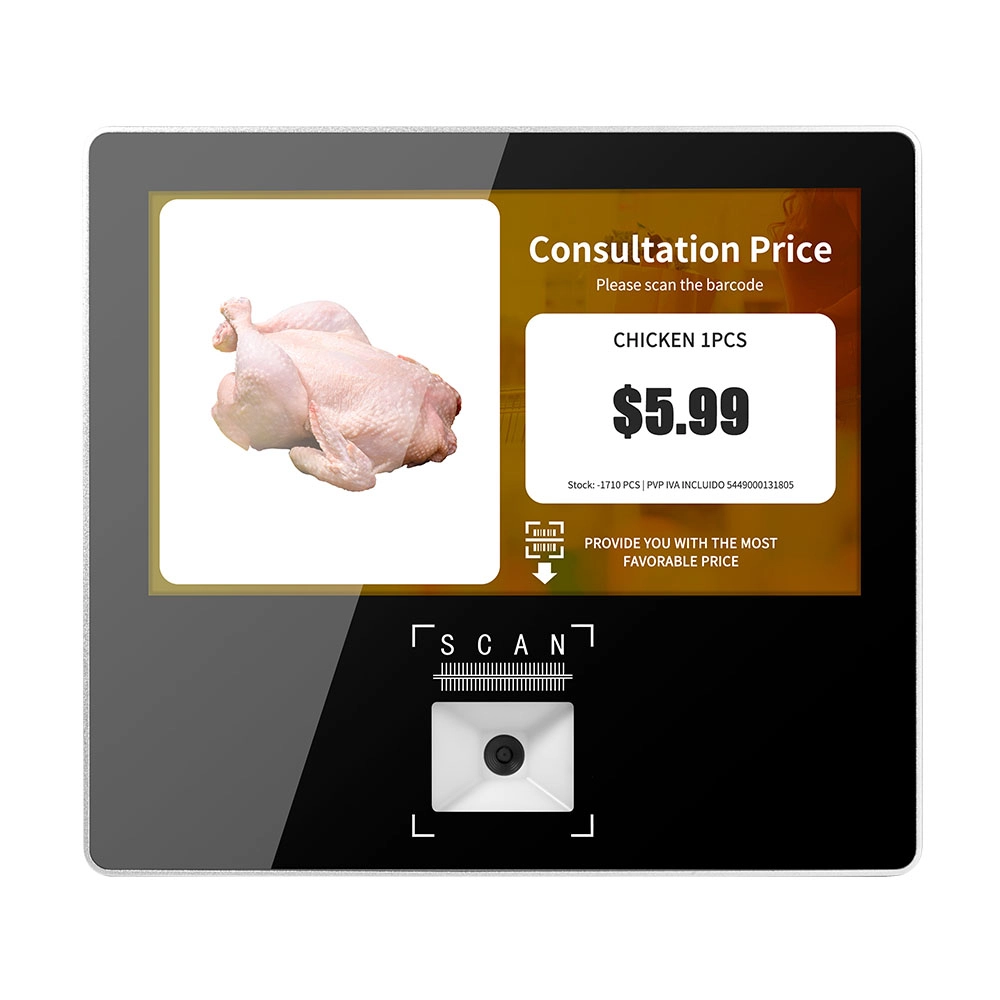
Metal 11.6 inch Price Scanner Machine Android Windows with Wifi Supplier
FAVORPOS Metal 11.6-inch Price Scanner Machine, designed for durability and efficiency in retail environments. This versatile device operates on both Android and Windows, providing seamless functionality for various applications. With built-in Wi-Fi connectivity, it allows for quick access to pricing data and updates. The 11.6'' display ensures clear visibility for easy operation, making it perfect for price checking and inventory management. Enhance your retail experience with this reliable and robust price scanner from a trusted supplier!
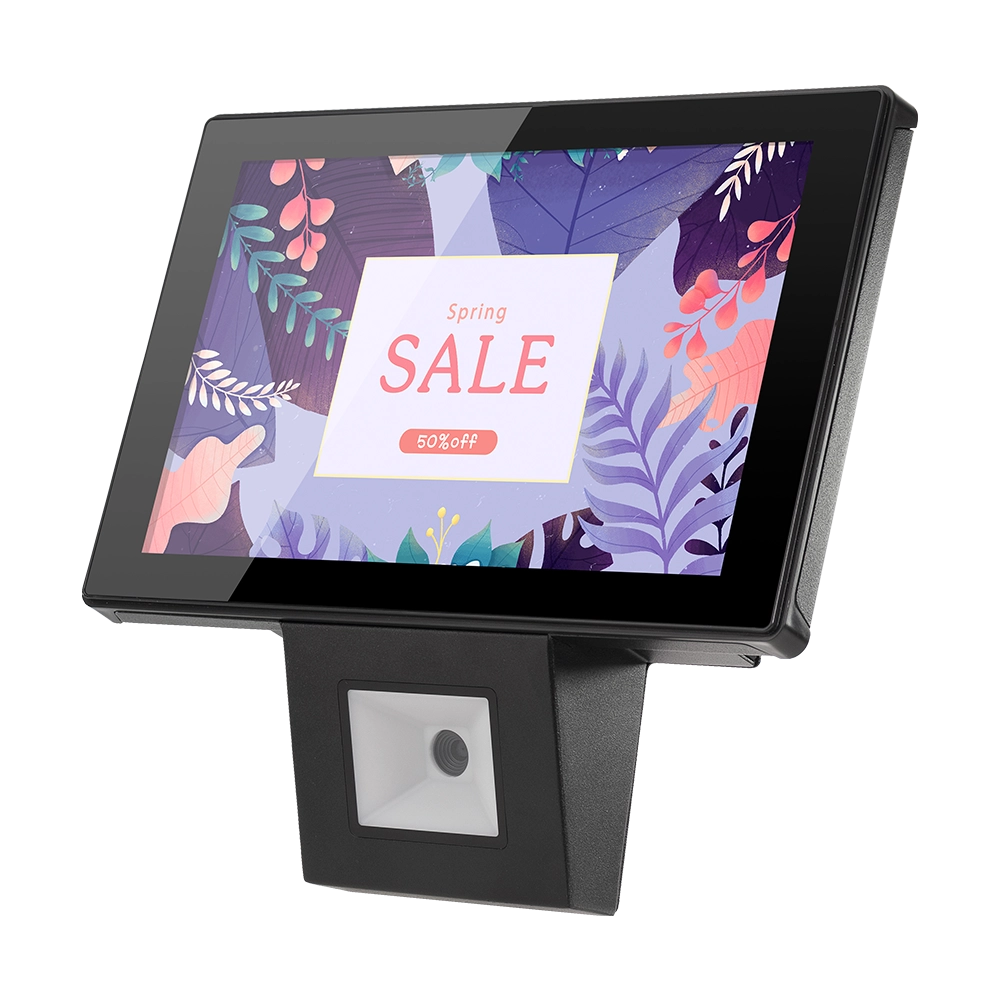
10 inch Price Checker Device Supplier Barcode Scanner for Sale Price Check for Supermarket
FAVORPOS offers 10 inch Price Checker Device, perfect for supermarkets. This wall mounted 10 inch touch screen barcode scanner ensures fast, accurate price checks, enhancing customer experience and operational efficiency. Durable, user-friendly, and perfect for high-traffic retail environments.

Aluminum Dual Screen Pos Terminal Pos Systems 15.6 inch Touchscreen Pos
FAVORPOS Aluminum Dual Screen POS Terminal features a 15.6-inch touchscreen, ideal for seamless transactions. As a trusted OEM Windows POS manufacturer, we deliver durable, high-performance solutions tailored for retail and hospitality businesses.
Get in touch
Interested in becoming a POS system dealer? Contact us for more information and start the process of joining our dealer network.
We look forward to working with you to expand the market together.


Copyright © 2025 Favorpos All Rights Reserved.
