
What mobile POS hardware is best for pop-up and outdoor events?
- 1. Which mobile POS hardware ensures EMV-compliant transactions when Wi‑Fi is unavailable at outdoor events?
- 2. What battery capacity, charging and swap options should I demand to run a full-day pop-up of 6–10 hours?
- 3. How do I choose between Bluetooth, Wi‑Fi and 4G/LTE mobile POS hardware when venue connectivity is unreliable?
- 4. Which portable receipt printers and mounting options stand up to wind, rain and dust at outdoor markets?
- 5. How can I reliably manage inventory and promotions on a lightweight mobile POS when internet access is intermittent?
- 6. What hardware combinations (card reader + terminal + printer + scanner) produce the fastest, most reliable checkout lines at festivals?
As a seasoned POS systems consultant and content writer, this guide answers six specific, technical questions beginners frequently search for but rarely find current, practical guidance on. The focus is on real-world mobile POS hardware considerations for pop-up stalls, markets and outdoor events: EMV and PCI compliance, battery and power strategies, connectivity redundancy, rugged receipt printers, offline inventory and promo handling, and hardware combos that speed checkout. The recommendations reference industry standards (PCI DSS, EMVCo) and proven deployment patterns.
1. Which mobile POS hardware ensures EMV-compliant transactions when Wi‑Fi is unavailable at outdoor events?
Why this matters: EMV (chip-and-PIN/contact) and contactless transactions are legally required by many processors for fraud liability shift; running them without network access can lead to declined transactions or non-compliance if the device or workflow isn't designed for secure offline operation.
Answer and checklist:
- Choose EMVCo-certified terminals and portable card readers that explicitly support offline EMV authorization. Not all readers support caching EMV auth data; verify device documentation or PCI certificate.
- Confirm the device supports secure offline storage and replay protections. Offline EMV should store cryptograms and counters in tamper-resistant hardware (secure element) and only allow a limited number of offline authorizations before forcing online flow.
- Ask your payment processor about offline transaction policies: many processors allow offline EMV up to a set count or value before requiring an online reconciliation. Get the exact limits in writing.
- Implement transaction controls on the POS app: set single-transaction limits, maximum number of consecutive offline EMV transactions, and alerts for required online sync. These reduce chargeback risk.
- Pair an EMV-capable mobile terminal with a cellular (4G/LTE) fallback SIM or portable hotspot where possible; even occasional connectivity restores batch settlement and risk controls.
Practical tip: For outdoor events, configure your POS to prefer online authorization but enable controlled offline EMV with defined thresholds. That balances customer experience and fraud liability.
2. What battery capacity, charging and swap options should I demand to run a full-day pop-up of 6–10 hours?
Why this matters: Battery lifespan is a top failure mode at events. Underprovisioned power leads to lost sales, manual card entry (higher fees/risk), and frustrated staff.
Answer and practical specs:
- Target device runtime, not just mAh: aim for 8–12 hours of continuous mixed-use operation (card reads, receipt printing, scanning, screen on). Manufacturers commonly list this; validate in real-use tests with your app and peripherals attached.
- Prefer devices with hot-swappable batteries or fast external power options (USB‑C PD) and support for external power banks that can charge while the device is active.
- Bring at least one fully charged spare battery per high-traffic terminal or a high-capacity (20,000mAh+) USB‑C PD power bank capable of sustaining both terminal and receipt printer load. Ensure the POS hardware supports USB‑C PD passthrough charging so you can charge and use simultaneously.
- For printers, check duty cycle and print power draw—thermal printers are efficient, but high print volume increases battery drain. Consider printers with internal battery indicators and sleep-mode settings.
- Adopt simple SOPs: swap spare battery at midday, keep power bank charged in a central station, and monitor battery percentage on every terminal with staff alerts at 30% and 15%.
Practical tip: Run a simulated full-day test with your exact combination of tablet/terminal, card reader, and printer to measure real battery life before committing to hardware for events.
3. How do I choose between Bluetooth, Wi‑Fi and 4G/LTE mobile POS hardware when venue connectivity is unreliable?
Why this matters: Connectivity affects authorization speed, receipts, inventory sync and real-time reporting. Picking the wrong topology causes gaps in service or extra manual reconciliation work.
Answer and decision matrix:
- Prefer devices supporting multi-path connectivity: primary Wi‑Fi, automatic switch to Bluetooth-linked phone hotspot, and cellular (4G/LTE) USB or built-in modem as tertiary. Redundancy reduces single points of failure.
- Bluetooth readers are convenient for tablets/phones but rely entirely on the host device’s network for authorizations. Use Bluetooth if your staff carry smartphones with reliable cellular or a hotspot plan.
- Standalone 4G/LTE terminals (with a SIM) are best when venues lack reliable Wi‑Fi and you want fewer points of failure. Ensure they support global/regional cellular bands you need and have an appropriate data plan (prefer business-grade with SLAs for fairs/festival deployments).
- For dense events (lots of devices), avoid congested Wi‑Fi on shared channels. If using Wi‑Fi, set up a dedicated WPA2/WPA3 SSID and preferably a private LTE hotspot with NAT to reduce contention.
- Use bandwidth monitoring and preauthorize flows: for slow networks, implement contactless/tap-to-pay and preauthorization where possible to keep lines moving, then finalize settlements when connectivity restores.
Practical tip: For pop-ups, a mixed approach—Bluetooth readers paired with tablets that have a cellular data plan, plus one dedicated LTE terminal as a backup—often hits the best balance of cost and reliability.
4. Which portable receipt printers and mounting options stand up to wind, rain and dust at outdoor markets?
Why this matters: Printers are frequently exposed and often the first peripheral to fail. A bad printer disrupts receipts, refunds, and inventory tracking.
Answer and ruggedization checklist:
- Look for printers with an IP rating—IP54 or better for dust and splash resistance; IP65 and above for high exposure to spray. Verify the manufacturer specifies environmental ratings for expected outdoor use.
- Choose compact thermal printers with covered paper bays and sealed interfaces (water-resistant USB/serial ports or covered battery compartments).
- Prefer printers with internal rechargeable batteries that last a full shift or support external power via USB‑C PD for long days.
- Mounting options: clamp mounts for tent poles, Velcro/strap mounts on tables, and anti-slip matting. Ensure the mount keeps the printer low to the wind and protected from direct rain while allowing staff access to paper changes.
- Use larger paper rolls to reduce changeovers in windy conditions. Use adhesive receipt options or digital receipts (SMS/email/QR) as primary, with printed receipts as fallback to reduce paper exposure and waste.
Practical tip: Offer a QR-code digital receipt at checkout to reduce reliance on paper—this is faster, weatherproof, and lowers printer power needs.
5. How can I reliably manage inventory and promotions on a lightweight mobile POS when internet access is intermittent?
Why this matters: Inventory mismatches and lost promotions cause customer frustration and post-event accounting headaches. Many mobile POS apps claim offline mode but differ in capability and sync behavior.
Answer and best practices:
- Select POS software with true offline-first architecture: local database on the device that allows sales, price overrides, applied promotions, and returns while offline, then syncs transactions and adjustments when online.
- Understand sync behavior: confirm the app’s conflict resolution rules (server wins, device wins, or merge) and set policies for SKU edits during events. Avoid editing product master data on multiple devices while offline to prevent conflicts.
- Use lightweight SKU setups: minimize nested variants and large catalogs for pop-ups. Keep a curated event catalog (top-selling SKUs) locally cached on each terminal to speed lookups and reduce sync volume.
- For promotions, preconfigure promo rules locally (e.g., buy-one-get-one, discounts by SKU) so terminals apply them offline. Ensure promo computation logic is identical on device and cloud to prevent reconciliation drift.
- Run brief sync cycles whenever you get connectivity: reconcile payments, upload batch logs, and download price or inventory changes. Maintain an audit log for post-event reconciliation.
Practical tip: Before the event, deploy a lightweight event catalog to all devices and run a full sync; during the event, restrict price edits to a single admin terminal that stays online when possible.
6. What hardware combinations (card reader + terminal + printer + scanner) produce the fastest, most reliable checkout lines at festivals?
Why this matters: At high-volume events, checkout speed directly affects sales. The right combination reduces dwell time per transaction and minimizes error handling.
Answer and recommended configurations:
- All-in-one portable terminal (integrated tablet + card reader) with contactless (NFC) and EMV chip support offers the fastest single-device checkout, especially for mobile staff moving through lines.
- For fixed booths under tents: pair a tablet POS with a dedicated contactless/EMV card reader (Bluetooth or wired), a fast thermal printer, and a 2D barcode scanner. This allows staff specialization: one person handles payments while another scans items.
- Optimize for contactless first: tap-to-pay reduces transaction time considerably compared with chip insertion, especially when paired with pre-authorizations for tab-style orders (e.g., food stalls with multi-item orders).
- Use pre-auth and settle flows for multi-item orders: take the order quickly, pre-authorize a card, and finalize the charge after the order is fulfilled—this keeps queues short.
- Design workflows to minimize device switching: keep scanning, price lookup, discounts and payment on the same screen and reduce modal screens that cause staff delay. A single-button ‘complete sale’ action is ideal for busy shifts.
- Consider backup hardware: at least one handheld device per lane (for contactless + receipt email) and a secondary tablet-to-printer pairing to swap instantly if a device fails.
Practical tip: Test human workflows in rehearsal: time 100 mock transactions with your exact hardware combo to identify bottlenecks and retrain staff accordingly.
Compliance and security notes: Always select hardware and software certified for PCI DSS and EMVCo standards. Confirm your solution supports tokenization for card data and that merchant settlement and chargeback procedures are documented with your payment processor. Keep firmware up to date and use strong device passwords and remote wipe capability for lost devices.
Conclusion: Advantages of the best mobile POS systems for pop-up and outdoor events
Choosing purpose-built mobile POS hardware and matching software that supports multi-path connectivity, offline EMV, robust battery strategies, rugged peripherals (IP-rated printers), and true offline-first inventory sync yields these advantages: faster checkout, lower fraud and chargeback risk, fewer operational interruptions, simpler staff workflows, and reliable end-of-day reconciliation. For event vendors, this means more sales captured, fewer customer complaints, and scalable deployments across multiple locations.
If you need a hardware and software quote tailored to your event profile—daily footfall, expected ticket sizes, and environmental conditions—contact us for a quote at www.favorpos.com or email sales2@wllpos.com.

The Smart Way to Check Prices: How a 10.1-Inch Wall-Mounted Price Checker Transforms Retail Stores

A Smarter Checkout Experience: The 15-Inch Dual-Screen POS Built for Modern Retail

8-Inch Smart Price Checker: A Small Device Powering Smarter Retail Spaces

Built for Retail Precision: Manufacturing Excellence Behind the 11.6” Smart Price Checker

Building Stability in an Unstable Market: A 15.6-Inch All-in-One POS Designed for the Long Term
For E-commerce
Does your POS system provide real-time analytics?
Yes, our system provides detailed real-time analytics to help you track sales performance, customer behavior, and inventory levels.
For Restaurants & Cafes
Does your POS system support multiple languages and currencies?
Yes, our POS system supports multi-language operation interfaces and multi-currency transactions to meet the needs of different regions and markets. You can set the corresponding language and currency options according to the specific requirements of the country or region where your business is located.
For Healthcare
Does your POS system comply with healthcare regulations?
Yes, our POS system complies with HIPAA, PCI-DSS, and other relevant healthcare regulations to ensure the security and privacy of patient data.
For OEM
How to deal with warranty and repair issues of POS machines?
We provide warranty services for customized POS machines. The warranty period and coverage are subject to specific contracts. During the warranty period, if the device fails, we will provide free repair services. You can submit a repair request through our after-sales service team, and we will handle your problem as soon as possible.
For Entertainment & Events
Can your POS system handle ticket sales and on-site catering at the same time?
Yes, our system can seamlessly manage ticket sales, catering services and merchandise, ensuring efficient and smooth online and on-site sales operations.
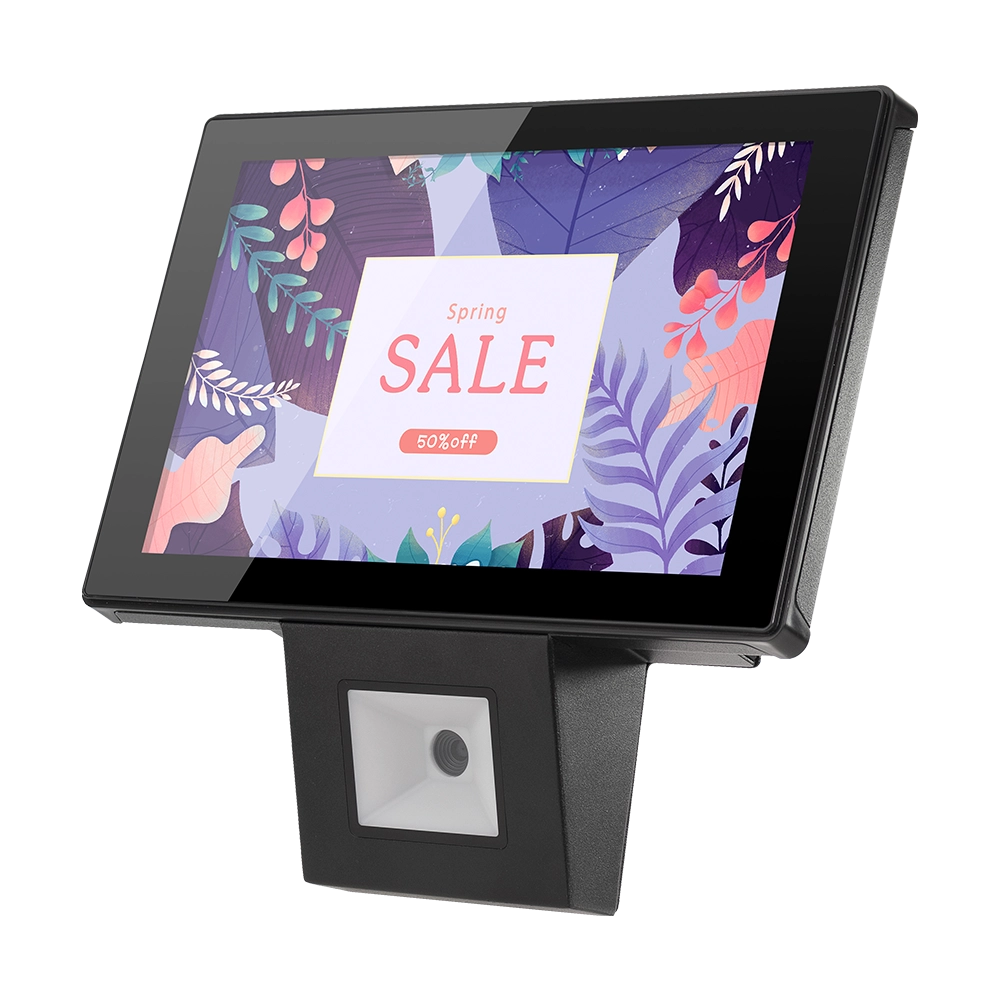
10 inch Price Checker Device Supplier Barcode Scanner for Sale Price Check for Supermarket
FAVORPOS offers 10 inch Price Checker Device, perfect for supermarkets. This wall mounted 10 inch touch screen barcode scanner ensures fast, accurate price checks, enhancing customer experience and operational efficiency. Durable, user-friendly, and perfect for high-traffic retail environments.

Aluminum Dual Screen Pos Terminal Pos Systems 15.6 inch Touchscreen Pos
FAVORPOS Aluminum Dual Screen POS Terminal features a 15.6-inch touchscreen, ideal for seamless transactions. As a trusted OEM Windows POS manufacturer, we deliver durable, high-performance solutions tailored for retail and hospitality businesses.

Android Handheld Pos Device Touch Screen Pos Terminal Manufacturer

All in One POS Terminal Metal 11.6'' Touchscreen Android Windows with Printer
The All-in-One POS Terminal features an 11.6'' touchscreen display, compatible with both Android and Windows. This metal-constructed terminal combines durability with style, making it a perfect fit for any retail or hospitality environment. Equipped with a built-in printer, it streamlines transactions by allowing for instant receipt printing.
Get in touch
Interested in becoming a POS system dealer? Contact us for more information and start the process of joining our dealer network.
We look forward to working with you to expand the market together.


Copyright © 2025 Favorpos All Rights Reserved.
