
What are the top mobile POS systems for restaurants in 2026?
- 1. How can I guarantee PCI compliance and secure EMV/contactless payments on a tablet-based mobile POS when my restaurant has intermittent internet?
- 2. What are the realistic hidden and recurring costs I should model for a 50-seat restaurant using a mobile POS over 3 years?
- 3. Can I run a mobile POS offline and sync without losing orders or creating duplicate credit card charges — which vendors handle this reliably?
- 4. How do I integrate a mobile POS with KDS, online ordering, and multiple third-party delivery platforms without double-keying or losing modifier integrity?
- 5. Which portable/handheld devices actually support full restaurant-grade functions (table mapping, course management, modifiers) and can process EMV/contactless payments at-table?
- 6. How do I evaluate payment-processing risk and chargeback mitigation for high-ticket delivery orders coming through third-party platforms?
- Concluding summary: Advantages of adopting a restaurant-grade mobile POS in 2026
Selecting the best mobile POS systems for a restaurant in 2026 means balancing security, offline reliability, handheld usability, payment processing, integrations (KDS, delivery, online ordering), and total cost of ownership. Below are six specific, pain-point-focused beginner questions that often have outdated or shallow answers online — each followed by an in-depth, practical answer you can act on today.
1. How can I guarantee PCI compliance and secure EMV/contactless payments on a tablet-based mobile POS when my restaurant has intermittent internet?
Why this matters: Small restaurants often adopt tablet or handheld POS systems to cut costs and increase mobility but then face questions about card security, tokenization, and compliance when connectivity is unreliable.
Actionable guidance:
- Require P2PE-certified hardware and tokenization. Choose EMV/contactless readers and payment modules that are Point-to-Point Encrypted (P2PE) and vendor-certified. P2PE reduces your PCI scope by ensuring card data is encrypted at the reader.
- Confirm vendor PCI responsibility split. Ask vendors for their SAQ/attestation type and proof of compliance. Many cloud POS vendors reduce merchant scope but you are still responsible for endpoint security, network segmentation, and proper deployment.
- Use offline caching cautiously. Offline order capture (queueing sale amounts locally) is common, but true offline EMV authorizations are limited. Most systems store order data and replay transactions for authorization once connectivity resumes — creating a risk of authorization failure or duplicate posting if retries are not de-duplicated. Ask the vendor to explain their retry/deduplication algorithm and show test logs.
- Set offline transaction policies. Implement maximum offline authorization amounts, supervisor overrides for large transactions, and automatic decline thresholds to reduce fraud windows when offline.
- Harden tablets and networks. Use separate VLANs for POS traffic, enable automatic updates, enforce device encryption and passcodes, limit app installs, and rotate credentials. Maintain logs and role-based access control for staff accounts.
- Request vendor evidence. Before purchase, request the reader certificate (P2PE certificate), third-party pen-test reports, and written explanations of offline flows. If a vendor cannot supply these, treat that as a red flag.
Vendors to evaluate on these criteria: restaurant-first vendors (Toast, TouchBistro), cloud POS platforms with certified hardware partners (Lightspeed, Square, Clover). Always validate claims with vendor documentation and current PCI Council guidance.
2. What are the realistic hidden and recurring costs I should model for a 50-seat restaurant using a mobile POS over 3 years?
Why this matters: Many beginners quote only upfront hardware and a monthly software fee — missing payment processing blends, integration fees, onboarding, replacement reserves, and compliance costs.
Example TCO model (transparent assumptions — adjust to your numbers):
- Assumptions: monthly gross sales = $50,000; terminals = 2 fixed iPad stations + 4 handhelds; kitchen display (KDS) = 1; printers = 2; contract length = 36 months.
- Hardware (one-time / replacement reserve): iPad/tablet average $500 each, stands $120, handheld purpose-built $350–$600 each, card readers $49–$299 each, KDS display $700–$1,000, printers $200 each. For our setup: ~$6,000–$9,000 upfront.
- Software subscription: vendor tiers vary. Expect $0–$150 per terminal/month for cloud POS core (many restaurant plans fall $60–$120/terminal/month for full features). For our example (6 terminals at $90/mo): $540/mo = $19,440 over 36 months.
- Payment processing (blended): typical small-restaurant blended rates (as of 2024 market norms) range 2.5%–3.5% of volume plus small per-transaction fees. At $50,000 sales/mo and 2.75% blended, processing = $1,375/mo = $49,500 over 36 months.
- Integrations and third-party middleware: channel managers, delivery aggregators, and advanced KDS middleware can add $25–$250/mo. Budget $1,000–$5,000 over 3 years depending on complexity.
- Onboarding, setup & training: one-time $300–$3,000 depending on vendor and complexity; many enterprise deployments charge more for custom menus and integrations.
- Security/compliance & support: budget annual costs for PCI validation, software backups, and priority support — approx $100–$1,200/yr.
- Hardware replacement reserve: set aside ~10–20% of initial hardware annually for wear/accidental damage, mounts, batteries, and replacements.
Sample 3-year summary (rounded conservative example):
- Upfront hardware & setup: $8,000
- Software (3 yrs): $19,440
- Processing (3 yrs): $49,500
- Integrations & misc: $3,000
- Compliance/support/reserve: $3,500
- Estimated 3-year TCO: ~$83,440 (use this model to stress-test different sales volumes and rate scenarios)
Recommendation: request an itemized cost worksheet from vendors and insist on a 3-year total cost projection that includes hardware refresh, support tiers, and realistic processing rates for card-present vs. card-not-present (delivery orders usually cost more).
3. Can I run a mobile POS offline and sync without losing orders or creating duplicate credit card charges — which vendors handle this reliably?
Why this matters: Restaurants with spotty Wi-Fi or cellular service need reliable local order capture for service continuity and to avoid customer disputes.
Core mechanics and risks:
- Offline order capture vs. offline payment authorization. Most mobile POS products reliably cache orders offline and sync when connectivity returns. Offline card authorizations are riskier: many providers will capture transaction data and attempt authorization later, which can result in authorization declines or duplicates if not deduplicated or if an authorization actually went through during intermittent connectivity.
- Deduplication & unique transaction IDs. Reliable systems assign unique IDs to each attempted payment and implement idempotent replay on reconnect. Ask vendors to demonstrate their idempotency and retry logic in writing and in live tests.
- Partial offline workflows. If a POS caches orders but prevents payment capture until connectivity is restored (or requires manager override), you avoid duplicate charges but may increase order risk (no guaranteed payment). Balance risk with policy: small offline tabs vs. large-ticket items.
Vendors and practical checks:
- Request a vendor test case. Before committing, run a scripted offline/online reconnect test in your venue and have the vendor show logs proving no duplicates and successful reconciliation.
- Look for vendors that document offline behavior. TouchBistro, Lavu, and several tablet-first restaurant POS providers have advertised offline order capture flows; Square and Lightspeed also provide some offline capabilities but with different limits. Vendor behavior changes, so verify current documentation and do a live test.
- Operational mitigation: set lower offline authorization caps, train staff on offline handling, and use printed receipts and manual order numbers for audit trails.
4. How do I integrate a mobile POS with KDS, online ordering, and multiple third-party delivery platforms without double-keying or losing modifier integrity?
Why this matters: Double-keying orders or losing modifiers (sauce on side, protein swaps, allergy notes) destroys kitchen efficiency and leads to refunds and chargebacks.
Integration approach and best practices:
- Prefer native integrations or certified middleware. Native integrations (built by the POS vendor) usually preserve modifiers and menu hierarchies best. Where native integrations don’t exist, choose middleware (Chowly, ItsaCheckmate, Otter, Olo for enterprise) that maps incoming order JSON to your POS SKUs and modifier structure.
- Standardize SKUs and modifiers first. Make sure third-party menu items use identical SKUs and modifier IDs as your POS; this avoids phantom items and double prep. Create a single canonical menu source and sync it to delivery partners.
- Use webhooks and confirmation flows. Reliable integrations send immediate order confirmations and use webhooks to update status (accepted, in prep, out for delivery). This prevents duplicate order pushes because marketplaces will retry only if they don’t receive acknowledgement.
- Implement KDS routing and prep stations. Map orders by course/type (cold/hot/to-go) and prioritize high-volume delivery items to separate prep lanes. Confirm that your POS-to-KDS integration supports routing and modifier visibility.
- Test edge cases. Conduct end-to-end tests with combos, refunds, voids, and modifier-heavy orders. Validate how refunds are processed when orders originate from marketplaces vs. in-house online ordering.
Vendors and integrators to evaluate: Toast (strong native delivery & online ordering integrations), Lightspeed and TouchBistro (extensive integration ecosystems), and third-party aggregators (Chowly, ItsaCheckmate) that specialize in mapping marketplace feeds to POS systems. For enterprise or multi-location deployments, Olo is frequently used.
5. Which portable/handheld devices actually support full restaurant-grade functions (table mapping, course management, modifiers) and can process EMV/contactless payments at-table?
Why this matters: Restaurants want to take orders, split checks, fire courses, and accept EMV/contactless payments tableside — all from the same handheld device.
Device categories and real-world fit:
- Proprietary handheld terminals (integrated devices). Examples include purpose-built devices sold by restaurant POS vendors. Strengths: integrated EMV & contactless readers, battery optimized for service shift lengths, tight OS control, vendor support. Typical downsides: higher replacement cost and vendor lock-in.
- Tablet + paired EMV reader. Many vendors run a full POS app on iPads or Android tablets and pair PAX/Ingenico readers or Bluetooth EMV readers. Strengths: flexibility, rich UI for table maps and course management. Downsides: battery & durability considerations; pairing reliability depends on hardware pairing quality.
- All-in-one terminals (Square Terminal, PAX A920 style). These combine a screen, integrated reader, and receipt printing in one compact device and can work well for limited-table-service but may lack some full-featured table management unless the POS app supports it directly.
Checklist when selecting a handheld for full-service restaurants:
- Table map & floor plan support on the handheld (seat-level orders, course firing, table transfers).
- Modifier and combo editing with clear UI for quick staff entry.
- Integrated EMV/contactless reader (certified) or tight pairing with certified reader vendors.
- Battery life of a full shift (8+ hours typical), swappable batteries where possible.
- Durable build or protective accessories (drops, spills).
- Real-world integrations: printing, KDS notifications, and cloud sync speed.
Vendors to test in your environment: Toast’s handheld hardware (vendor-specific), Clover Flex, Square Terminal, and tablet-based solutions using PAX/Ingenico readers with TouchBistro or Lightspeed. Run a live service night trial before committing to ensure workflows are smooth and payments are instantaneous at the table.
6. How do I evaluate payment-processing risk and chargeback mitigation for high-ticket delivery orders coming through third-party platforms?
Why this matters: Large delivery or catering orders have higher fraud and chargeback risk because they are often card-not-present and delivered by third parties.
Practical mitigation and evaluation steps:
- Require pre-authorization for large orders. For orders above a threshold, obtain pre-authorization or partial deposits to reduce NSF or fraud risk.
- Use AVS, CVV, and where available 3D Secure. Enable address verification and require CVV for card-not-present orders. Some processors offer 3D Secure for higher liability shift options.
- Implement delivery proofing. For high-ticket deliveries require recipient signature, photo confirmation (photo of dropped order), or OTP verification on delivery apps. Keep these records for any representment needs.
- Set velocity and fraud rules. Use processor fraud filters (velocity, geolocation mismatch, excessive high-ticket orders), and add manual review for orders that trip thresholds.
- Maintain clear billing descriptors and receipts. Your settlement descriptor should match business name and phone to reduce customer confusion-related disputes.
- Choose processors with robust dispute support. Some processors and POS vendors provide representment services or dispute-management dashboards. Assess response SLAs and historical chargeback win rates if available.
- Operational best practices: separate marketplace reconciliations, require confirmation calls on very large third-party orders, and document refund/cancellation policies clearly on marketplaces and receipts.
Note: For large catering and daily high-value delivery, consider setting up dedicated merchant accounts or using processor programs tailored to higher-risk merchants — these provide better fraud tools and analytics for chargeback prevention.
Concluding summary: Advantages of adopting a restaurant-grade mobile POS in 2026
Modern mobile POS systems (mobile point of sale, tablet POS, handheld POS) offer flexibility to convert tables faster, improved order accuracy with modifiers and KDS routing, integrated online ordering and contactless payments, and more actionable analytics. When you prioritize PCI/P2PE-certified hardware, test offline flows, model three-year TCOs (including processing and integration fees), validate KDS and delivery integrations, and select handheld devices that support full-service features, a mobile POS becomes a business multiplier — improving guest satisfaction and reducing operational friction.
Based on market leadership and product roadmaps through mid-2024, likely leading mobile POS options for restaurants in 2026 include Toast, Square for Restaurants, TouchBistro, Lightspeed, Clover, and Lavu — but vendor capabilities evolve, so validate current documentation, run live tests, and obtain written proofs of compliance and integration behavior.
Contact us for a custom quote and a free deployment assessment — visit www.favorpos.com or email sales2@wllpos.com.

The Smart Way to Check Prices: How a 10.1-Inch Wall-Mounted Price Checker Transforms Retail Stores

A Smarter Checkout Experience: The 15-Inch Dual-Screen POS Built for Modern Retail

8-Inch Smart Price Checker: A Small Device Powering Smarter Retail Spaces

Built for Retail Precision: Manufacturing Excellence Behind the 11.6” Smart Price Checker

Building Stability in an Unstable Market: A 15.6-Inch All-in-One POS Designed for the Long Term
For Hotels
Can your POS system be integrated with my hotel's PMS system?
Yes, our POS system is designed to integrate seamlessly with most major hotel management systems (PMS), ensuring smooth integration of guest services and billing processing.
Does your POS system support room service billing?
Absolutely, our system allows guests to charge services such as food and beverage, spa treatments, etc. directly to the room account, and all charges will be settled at the time of checkout.
For Bakeries
Does your POS system support tracking at the raw material level?
Of course, our POS system is able to track individual raw materials, helping you to effectively manage inventory and reduce waste.
For OEM
Can I upgrade or add features to the existing POS machine?
We can upgrade or add features to the existing POS machine as needed. The specific upgrade services and costs depend on the design of the original device and the required functions. Please contact your account manager to discuss the upgrade options.
For Distributor
Are there any fees to become a reseller?
There may be initial costs associated with setup and training, but these details will be outlined in the reseller agreement. Our goal is to ensure that the partnership is mutually beneficial.
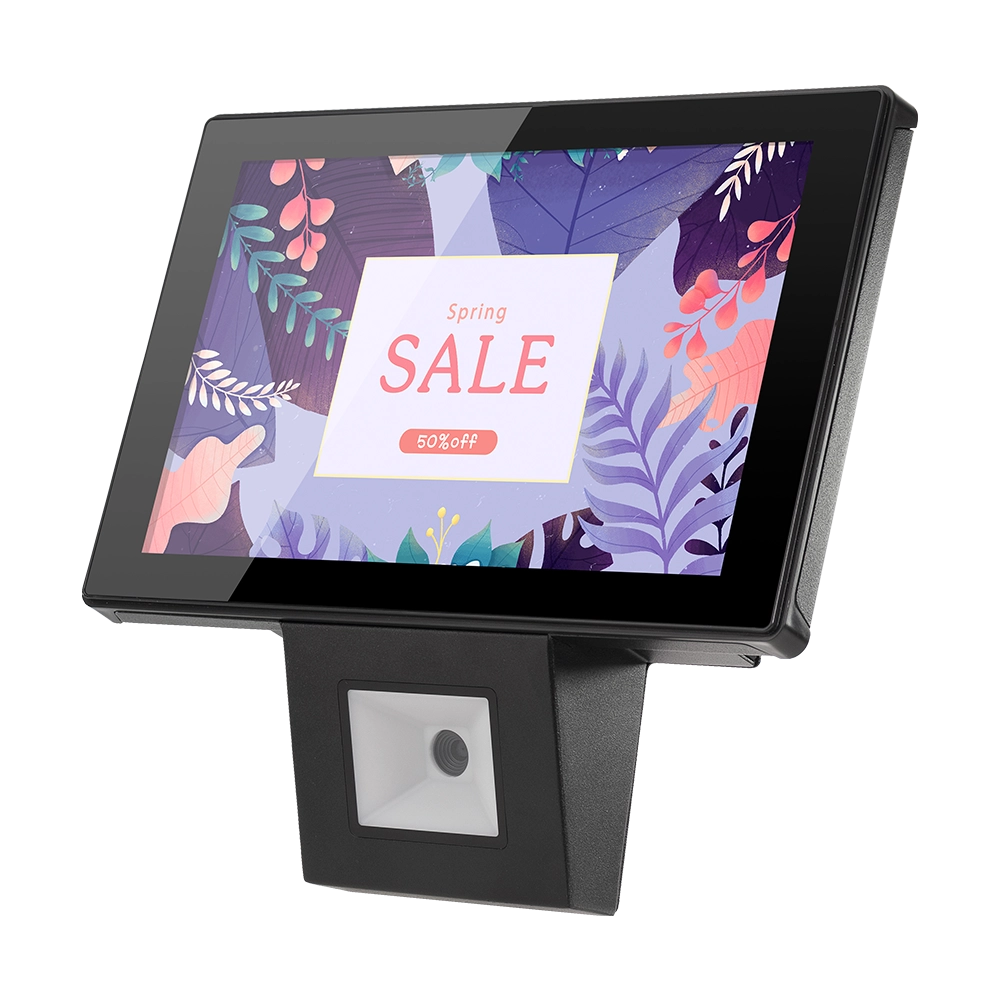
10 inch Price Checker Device Supplier Barcode Scanner for Sale Price Check for Supermarket
FAVORPOS offers 10 inch Price Checker Device, perfect for supermarkets. This wall mounted 10 inch touch screen barcode scanner ensures fast, accurate price checks, enhancing customer experience and operational efficiency. Durable, user-friendly, and perfect for high-traffic retail environments.

Aluminum Dual Screen Pos Terminal Pos Systems 15.6 inch Touchscreen Pos
FAVORPOS Aluminum Dual Screen POS Terminal features a 15.6-inch touchscreen, ideal for seamless transactions. As a trusted OEM Windows POS manufacturer, we deliver durable, high-performance solutions tailored for retail and hospitality businesses.

Android Handheld Pos Device Touch Screen Pos Terminal Manufacturer

All in One POS Terminal Metal 11.6'' Touchscreen Android Windows with Printer
The All-in-One POS Terminal features an 11.6'' touchscreen display, compatible with both Android and Windows. This metal-constructed terminal combines durability with style, making it a perfect fit for any retail or hospitality environment. Equipped with a built-in printer, it streamlines transactions by allowing for instant receipt printing.
Get in touch
Interested in becoming a POS system dealer? Contact us for more information and start the process of joining our dealer network.
We look forward to working with you to expand the market together.


Copyright © 2025 Favorpos All Rights Reserved.
