
Which mobile POS systems are best for small retail businesses?
- Which mobile POS systems offer true offline mode with automatic sync and how reliable is it for inventory accuracy in intermittent connectivity areas?
- What are the realistic total first-year costs (hardware + software + payment processing + setup) for a small retail shop using the best mobile POS systems?
- Which mobile POS systems support multilocation inventory with real-time stock sync and centralized reporting for growing retail chains?
- How do I ensure PCI compliance and data security when using a mobile POS on personal devices (BYOD)?
- Which mobile POS systems integrate best with barcode scanners, retail scales, and portable receipt printers for pop-up shops and short-term retail events?
- For small retail stores with limited internet and seasonal spikes, which mobile POS systems offer scalable pricing and temporary hardware rentals to avoid high upfront costs?
Which mobile POS systems offer true offline mode with automatic sync and how reliable is it for inventory accuracy in intermittent connectivity areas?
Offline capability is a common marketing claim, but there are three distinct behaviors to confirm before buying: (1) offline sales recording (cash and sales data saved locally), (2) offline card acceptance (EMV/contactless local authorization), and (3) automatic two-way inventory sync when connectivity returns.
Most cloud-native mobile POS platforms (Square, Shopify POS, Lightspeed Retail, Vend/Lightspeed Retail, Revel) provide offline sale recording: the app captures transactions locally and uploads them once the device reconnects. However, offline card acceptance is limited or handled differently depending on hardware and processor. Many consumer-grade mobile card readers operate in “store and forward” mode for a short window — which increases settlement and chargeback risk — while certified P2PE terminals (PAX, Ingenico, Verifone) can perform limited offline EMV authorization if the payment provider and terminal firmware support it.
Inventory accuracy is the primary pain point. If your POS only records sales offline and then uploads a batch, you need to watch for these issues: duplicate uploads after failed syncs, concurrent sales from multiple devices that were offline at the same time, and differences in how returns or exchanges are reconciled. To minimize discrepancies choose a system that:
- Uses robust local databases with write-ahead logging to prevent duplicate transactions.
- Supports per-device transaction IDs and server-side de-duplication.
- Provides a clear reconciliation workflow and audit logs for offline periods.
- Offers hardware that supports local EMV authorizations or accepted store-and-forward limits documented in the SLA.
If you operate in an area with intermittent internet (trade shows, rural stores), prioritize: (a) a POS with tested offline mode, (b) hardware certified for your payment processor, and (c) a documented recovery procedure. Run a staged test: simulate outages for 2–72 hours, process typical volumes, reconnect, and confirm inventory, receipts, refunds, and payouts reconcile without manual fixes.
What are the realistic total first-year costs (hardware + software + payment processing + setup) for a small retail shop using the best mobile POS systems?
TCO (total cost of ownership) for year one typically includes: card reader(s), a tablet or phone, POS license/subscription, receipt printer/cash drawer/barcode scanner if needed, payment processing fees, and onboarding/integration costs. Exact numbers vary by vendor, hardware choices, and your transaction volume. Use the following realistic tiered scenarios as benchmarks (these are typical market ranges, verify exact vendor prices before purchase):
- Low-cost pop-up / solo retailer: Basic mobile card reader (often free or $49–$79) + free or low-cost POS app plan = first-year range ~$500–$1,200. Good for low inventory complexity and mostly single-location, cash- and card-focused sales.
- Standard small retail store: Mid-range tablet or phone, card reader, receipt printer, barcode scanner, basic POS subscription and payment fees = first-year range ~$1,500–$3,500. Supports inventory SKU counts in the low thousands, barcode scanning, and basic customer profiles.
- Growing multi-channel retailer: Enterprise-class mobile POS plan or advanced retail plan + EMV-certified terminals, multiple tablets, integrated receipt printers, scanner, cash drawer, installation, and API integrations = first-year range ~$3,500–$10,000+. This tier better supports multilocation inventory, purchase orders, loyalty programs, and ERP integrations.
How to compare actual offers: build a one-page cost model listing required hardware (include spares), monthly subscription per terminal, expected payment processing fees (estimate by monthly volume and average ticket), onboarding/training hours (multiply by vendor or consultant rates), and recurring costs such as add‑ons (loyalty, e-commerce integration, advanced reporting). Ask vendors for a firm quote covering hardware warranty, support SLAs, and the processor used — processing rate differences can outweigh subscription savings.
Which mobile POS systems support multilocation inventory with real-time stock sync and centralized reporting for growing retail chains?
Growing retailers need accurate, centralized inventory across stores and channels (online marketplaces, e‑commerce, in-store mobile sales). Not all mobile-first POS systems are built for multi-store retail. Vendors that consistently support robust multi-location inventory and centralized reporting include Lightspeed Retail, Revel Systems, and Shopify (Plus or advanced plans). Many mid-market platforms (Vend before its Lightspeed acquisition) also support these features.
Key capabilities to verify:
- Real-time stock synchronization across devices and locations with SKU-level visibility and store transfers.
- Support for stock adjustments, purchase orders, supplier management, and backorder handling.
- SKU matrix support (size, color) and multi-warehouse allocation.
- Centralized reporting and role-based access for store managers vs. corporate users.
- API access for headless integrations (ERP, accounting, marketplace feeds).
When evaluating, request a demo using a dataset similar to your SKU count and seasonal volume to see latency and sync behavior. Confirm SKU limits (some plans cap the number of active SKUs), reconciliations between e‑commerce and in-person sales, and whether inventory rules (e.g., safety stock, automatic reorder points) are available or require third-party apps.
How do I ensure PCI compliance and data security when using a mobile POS on personal devices (BYOD)?
BYOD introduces several security and compliance considerations. To meet PCI DSS expectations and protect cardholder data, implement multiple technical and administrative controls:
- Use only POS software and card readers with certified point-to-point encryption (P2PE) or tokenization. This prevents card data from being exposed on the device.
- Avoid storing cardholder data on the mobile device. Proper mobile POS apps never persist full PANs locally.
- Implement Mobile Device Management (MDM) or Mobile Application Management (MAM) when staff use personal phones/tablets — enforce OS updates, app whitelisting, remote wipe, and device encryption.
- Limit POS app privileges via role-based access and strong authentication (unique staff logins, MFA where available).
- Keep firmware and POS apps up to date; subscribe to vendor security advisories. Patch management matters for both terminals and mobile devices.
- Request compliance documentation (P2PE, PCI-DSS Attestation of Compliance, PA-DSS or PCI-validated software) from the POS/vendor and your payment processor.
Operational steps: run regular audits (logs, user activity), maintain a simple BYOD policy (minimum OS version, mandatory screen lock), and use separate networks for POS devices (VLAN or guest Wi‑Fi separation). If you cannot meet these controls on personal devices, consider managed hardware or terminal leasing that shifts compliance obligations to the vendor.
Which mobile POS systems integrate best with barcode scanners, retail scales, and portable receipt printers for pop-up shops and short-term retail events?
Pop-up and seasonal retailers require plug-and-play compatibility with Bluetooth barcode scanners, portable receipt printers, and retail scales. The best mobile POS platforms for peripheral support are those with broad device libraries and native drivers: Square, Shopify POS, and Lightspeed have extensive peripheral ecosystems and documented guides for Bluetooth and networked devices. Vend (now part of Lightspeed) and Revel also support many retail peripherals.
Compatibility checklist:
- Confirm supported connection types: Bluetooth (BLE), USB (via adapter), or network (Wi‑Fi/Ethernet).
- Choose widely supported peripheral brands: Zebra and Socket Mobile for barcode scanning, Epson and Star Micronics for receipt printers, and approved retail scales that can integrate via USB or Bluetooth.
- Verify OS compatibility — iOS and Android driver support differs. Some vendors only support specific models on iOS.
- Test portable printers for battery life, paper width, and whether the POS app supports local printing or requires cloud/print server routing.
For pop-ups, prioritize battery-powered Bluetooth printers and handheld barcode scanners. Maintain a list of vendor-certified peripherals and test them on-site ahead of sales. If scaling to full retail later, pick hardware that can migrate to fixed POS stations (Ethernet printers, fixed scanners) to avoid re-purchasing devices.
For small retail stores with limited internet and seasonal spikes, which mobile POS systems offer scalable pricing and temporary hardware rentals to avoid high upfront costs?
Small retailers need flexibility: a low monthly subscription or pay-as-you-go processing with options to add terminals temporarily. Several vendors offer scalable plans and temporary hardware solutions:
- Provider-native options: Some mobile-first providers (Square, SumUp, PayPal Zettle) allow low or no monthly fees and sell low-cost readers you can keep or return. These solutions are ideal for seasonal pop-ups because of minimal upfront commitment.
- Subscription-based with flexible add-ons: Shopify and Lightspeed allow you to add/remove registers and locations as needed, but watch for minimum term constraints on advanced plans.
- Hardware rental/resellers: Many POS resellers offer short-term leases, rentals, or seasonal hosting for terminals and scanners. This reduces capital outlay but may carry higher short-term rates.
When using rentals or temporary hardware, validate the following: compatibility with your chosen payment processor, SLA for delivery and setup, and payment dispute handling (chargebacks can be more complex with temporary merchant accounts). For limited internet, prioritize providers that document offline workflows explicitly and offer hybrid terminals that can switch to cellular backup (4G) if Wi‑Fi is down.
Choosing the right mobile point of sale requires balancing mobility, data security, peripheral compatibility, and TCO. For small retailers, systems that excel tend to combine reliable offline behavior, easy barcode and printer support, scalable pricing, and proven multi-location inventory tools. If you want a tailored comparison and a quote that matches your SKU count, transaction volume, and connectivity profile, contact us for a custom recommendation and pricing.
Contact for a quote: www.favorpos.com · sales2@wllpos.com

The Smart Way to Check Prices: How a 10.1-Inch Wall-Mounted Price Checker Transforms Retail Stores

A Smarter Checkout Experience: The 15-Inch Dual-Screen POS Built for Modern Retail

8-Inch Smart Price Checker: A Small Device Powering Smarter Retail Spaces

Built for Retail Precision: Manufacturing Excellence Behind the 11.6” Smart Price Checker

Building Stability in an Unstable Market: A 15.6-Inch All-in-One POS Designed for the Long Term
For OEM
What is the development cost of a customized POS machine?
The development cost of a customized POS machine depends on the required design and functional specifications. We will provide a detailed quotation after the initial consultation. The cost includes design, prototyping, production and other related services.
For E-commerce
How long does it take to implement a POS system?
Implementation time depends on the complexity of the customization, but it can usually be completed within a few weeks, including testing and training.
For Government and Public
How does your system ensure data security?
We use advanced encryption and security measures to protect all financial and personal data, ensuring compliance with industry standards and regulations.
For Restaurants & Cafes
How long does it take to deliver the equipment?
The delivery time for standard equipment is generally 3 to 4 weeks. For customized equipment, the delivery time may be 6 to 8 weeks. The specific time will be provided after the order is confirmed to ensure timely delivery to meet your needs.
Does your POS system support multiple languages and currencies?
Yes, our POS system supports multi-language operation interfaces and multi-currency transactions to meet the needs of different regions and markets. You can set the corresponding language and currency options according to the specific requirements of the country or region where your business is located.
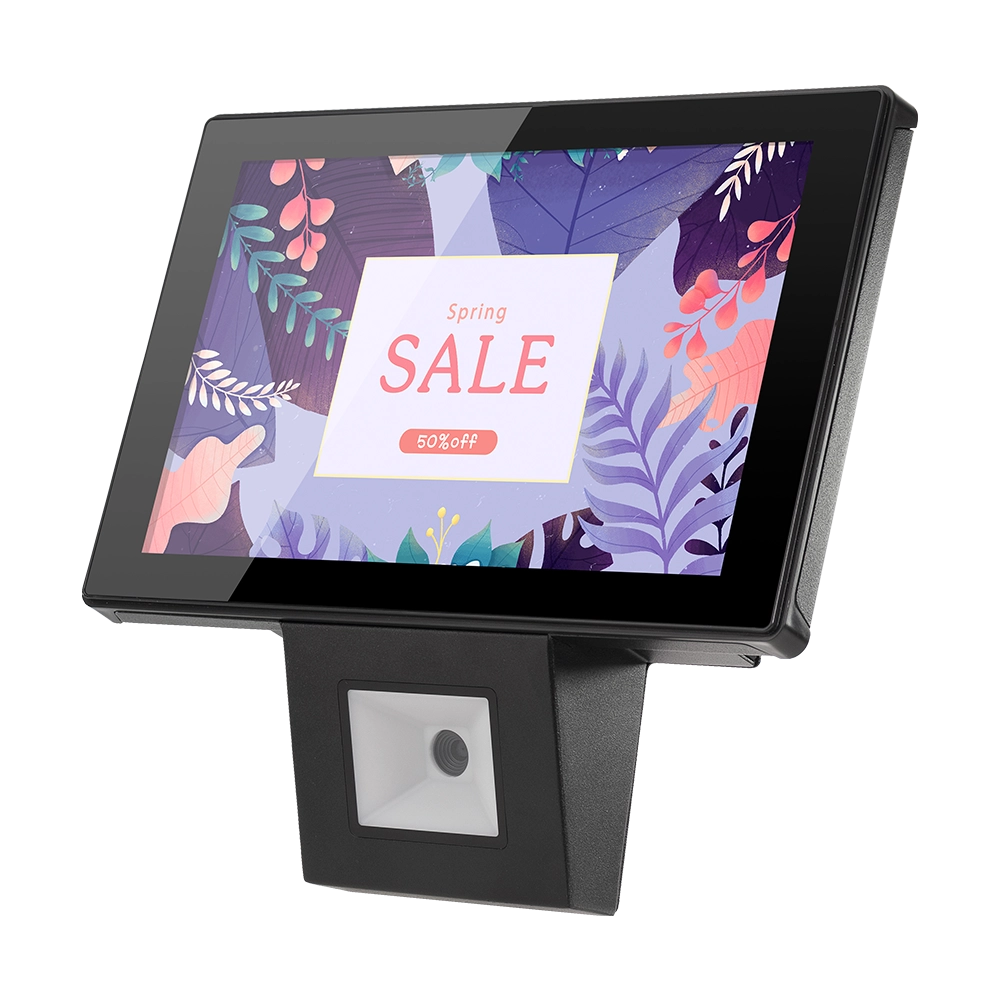
10 inch Price Checker Device Supplier Barcode Scanner for Sale Price Check for Supermarket
FAVORPOS offers 10 inch Price Checker Device, perfect for supermarkets. This wall mounted 10 inch touch screen barcode scanner ensures fast, accurate price checks, enhancing customer experience and operational efficiency. Durable, user-friendly, and perfect for high-traffic retail environments.

Aluminum Dual Screen Pos Terminal Pos Systems 15.6 inch Touchscreen Pos
FAVORPOS Aluminum Dual Screen POS Terminal features a 15.6-inch touchscreen, ideal for seamless transactions. As a trusted OEM Windows POS manufacturer, we deliver durable, high-performance solutions tailored for retail and hospitality businesses.

Android Handheld Pos Device Touch Screen Pos Terminal Manufacturer

All in One POS Terminal Metal 11.6'' Touchscreen Android Windows with Printer
The All-in-One POS Terminal features an 11.6'' touchscreen display, compatible with both Android and Windows. This metal-constructed terminal combines durability with style, making it a perfect fit for any retail or hospitality environment. Equipped with a built-in printer, it streamlines transactions by allowing for instant receipt printing.
Get in touch
Interested in becoming a POS system dealer? Contact us for more information and start the process of joining our dealer network.
We look forward to working with you to expand the market together.


Copyright © 2025 Favorpos All Rights Reserved.
