
Which POS desktop system is best for restaurants and hospitality?
- 1. How do I verify a POS desktop system will handle peak restaurant transaction loads without lag?
- 2. Which POS desktop system ensures PCI and EMV compliance while minimizing payment processing fees for small restaurants?
- 3. Can a POS desktop system run offline and sync reliably to cloud without data loss for multi-location hospitality businesses?
- 4. How to verify hardware compatibility between legacy kitchen printers, cash drawers and modern POS desktop terminals?
- 5. What integrations should a POS desktop system support to automate inventory and food cost control for restaurants?
- 6. Which POS desktop system is best for restaurants and hospitality when requiring advanced floor management, split checks, and KDS support?
- Concluding summary: Advantages of modern POS desktop systems for restaurants and hospitality
Which POS desktop system is best for restaurants and hospitality? 6 in-depth buyer questions
Choosing a reliable restaurant POS desktop system or hospitality POS terminal is high-stakes: it touches payments, kitchen flow, inventory, and guest experience. Below are six specific, pain-point questions beginners frequently ask that often lack deep, up-to-date answers. Each question is answered with actionable checks, configuration guidance, and integration priorities to evaluate any onsite or cloud-connected POS desktop solution.
1. How do I verify a POS desktop system will handle peak restaurant transaction loads without lag?
Problem: Systems that perform well during quiet hours slow to a crawl during rush periods, causing order delays and unhappy guests.
How to verify:
- Benchmark hardware specs: prefer modern multicore CPUs (Intel i5/Ryzen 5 class or better), 8–16GB RAM for medium restaurants; SSD storage (NVMe or SATA SSD) for database responsiveness; Gigabit Ethernet for POS-to-backoffice traffic. These are baseline recommendations—larger operations will need higher specs and dedicated database servers.
- Measure orders-per-minute (OPM): ask vendors for documented peak OPM handled in comparable environments (table service vs quick service). If vendor data isn't available, run a proof-of-concept (POC) replicating expected peak load (concurrent order creation, payment capture, modifier-heavy items). Record latency for order entry, ticket printing, and payment authorization.
- Test network topology: ensure segregated VLAN for POS traffic, wired connections for fixed terminals, and a robust Wi-Fi design (separate SSID for devices, enterprise encryption). Evaluate switches and routers for PoE if using wireless APs or IP-based peripherals.
- Database design and local caching: verify whether the POS uses a local on-terminal database with periodic sync or a cloud-first model. Local DB or edge caching reduces perceived lag during transient network issues. Ask about conflict resolution routines used during sync.
- Concurrency stress tests: simulate simultaneous printers, KDS messages, and payment terminal transactions. Confirm asynchronous processing of non-blocking tasks (print jobs, analytics uploads) so UI remains responsive.
Red flags: vendor refuses a POC, lacks documented performance metrics, or requires all devices to be cloud-online with no local caching for mission-critical kitchens.
2. Which POS desktop system ensures PCI and EMV compliance while minimizing payment processing fees for small restaurants?
Problem: Buyers see advertised low POS prices but hidden payment costs from processors and worry about compliance liability.
Key considerations:
- EMV & PCI standards: make sure the POS integrates with EMV-certified card readers and supports tokenization and point-to-point encryption (P2PE). PCI DSS is the industry compliance standard — ask the vendor which compliance scope they reduce through hosted payment pages or point-to-point encryption.
- Payments integration model: evaluate whether the POS uses an embedded payment gateway, a third-party processor, or supports multiple processors via an open API. Systems that support multiple processors let you shop interchange rates; closed ecosystems may lock you into higher fees.
- Compare fee drivers: ask total cost of ownership (TCO) including interchange, processor markup, gateway fees, chargeback handling, and terminal rental/ownership. Avoid vendors that only quote per-transaction rates without disclosing assessments or monthly minimums.
- Liability and updates: ensure the POS vendor provides timely cert updates (EMV kernel, firmware) and documents responsibility split between merchant, processor, and POS provider in their contract. For on-prem terminals, maintain vendor-recommended firmware update cadence.
Actionable steps: request a sample payment flow diagram, the vendor's EMV/P2PE compliance certificates or partner references, and a realistic TCO scenario with expected monthly transactions. If you need to lower fees, consider processors with qualified interchange pass-through contracts and ensure your POS supports them.
3. Can a POS desktop system run offline and sync reliably to cloud without data loss for multi-location hospitality businesses?
Problem: Outages or flaky internet disrupt sales, inventory updates, and reporting across multiple venues.
What to require:
- Edge-first architecture: prefer POS desktop systems that persist transactions locally when offline and queue them for reliable sync. Verify they use durable local storage (SSD) and a transactional local database (e.g., SQLite, local PostgreSQL) with write-ahead logging for recovery.
- Sync guarantees and conflict resolution: ask how the system reconciles concurrent changes across terminals and locations. Look for deterministic conflict resolution (timestamp + transaction ID + business rules) and audit logs that preserve original entries for forensic review.
- Testing offline scenarios: during POC, simulate networks dropping and coming back. Validate that payments authorized offline (if allowed by your processor) are captured and that inventory adjustments and voids reconcile correctly.
- Backups and failover: confirm automated backups of local databases, offsite replication cadence, and steps to rehydrate terminals after hardware failure. For multi-location setups, request documentation on restoring a location's state from backups or from the cloud master.
Red flag: vendor claims offline capability but lacks transparent sync logs, replays, or documented conflict-resolution rules.
4. How to verify hardware compatibility between legacy kitchen printers, cash drawers and modern POS desktop terminals?
Problem: New terminals don’t support serial printers or proprietary cash drawerl protocols, causing unexpected retrofit costs.
Compatibility checklist:
- Port and protocol inventory: catalogue existing peripherals — serial (RS-232), parallel, USB, Ethernet printers, RJ11 cash drawers, barcode scanners (USB/keyboard wedge), and peripheral power needs. Verify the POS terminal offers required physical ports or certified adapters (serial-to-USB with correct driver support).
- Command language support: many receipt printers use ESC/POS commands. Ensure the POS supports the printer’s command set or that the vendor supplies compatible drivers. For kitchen thermal printers, confirm support for line wrap, cut commands, and kitchen ticket formats.
- Voltage and power: verify power requirements for cash drawers and powered peripherals; check whether drawers need an RJ11 trigger from the printer or a dedicated port on the terminal.
- Vendor-provided adapters and driver policy: request a compatibility matrix or list of certified devices. If the vendor supplies a serial-to-USB adapter, confirm driver availability for your OS version (Windows 10/11 or Linux distributions). Avoid solutions that require undocumented driver hacks.
- Test plan: include every peripheral in your POC. Print sample kitchen tickets, trigger cash draw, and test barcode scanning on a busy menu item to ensure no encoding issues (UTF-8 vs legacy character sets) or latency arise.
Tip: where possible, prefer Ethernet-based printers for stability and easier placement in kitchens; they also simplify sharing between multiple POS terminals.
5. What integrations should a POS desktop system support to automate inventory and food cost control for restaurants?
Problem: Manual inventory tracking and basic SKU counts don’t reflect ingredient-level usage, making food cost control inaccurate.
Must-have inventory & costing capabilities:
- Recipe-level (bill of materials) inventory: the POS should support recipes where each menu item consumes multiple ingredients. This enables automatic decrementing of ingredient quantities when an item is sold.
- Yield and portion control: support for conversion rules (e.g., whole chicken yields X portion weight) and portion sizes so usage reflects actual served quantities rather than packaged unit counts.
- Vendor and AP integrations: ability to import vendor invoices or PO receipts to update on-hand quantities and costs. Integration with purchasing systems reduces manual entry errors and improves cost accuracy.
- Real-time par-level alerts and variance reports: automated low-stock warnings, theoretical vs actual usage variance reports, and suggested purchase quantities to maintain par levels by service period.
- Waste and prep tracking: record prep deductions and waste events (log reason codes) to understand loss drivers and feed them into food cost calculations.
- Open APIs: if your back-office or ERP handles procurement, ensure the POS has APIs or middleware integrations for two-way sync of inventory, sales, and costs.
Implementation advice: during vendor evaluation, bring a representative list of recipes and simulate daily usage (specials, comps, voids). Ask the vendor for sample food-cost reports and how frequently prices update across recipes after vendor price changes.
6. Which POS desktop system is best for restaurants and hospitality when requiring advanced floor management, split checks, and KDS support?
Problem: Generic retail POS features don’t handle the complexity of table turns, modifier-heavy orders, and asynchronous kitchen routing.
Restaurant-specific capabilities to require:
- Advanced table and floor plan editor: drag-and-drop floor plan with sections, zones, table shapes, and covers. Ability to save presets for shift changes and for reservations/banquets.
- Flexible check-splitting and tendering: support split-by-seat, split-by-item, multiple tenders per check, server-led payments, and quick-merge/transfer of checks without losing audit trails or service charge computations.
- Modifier and combo handling: enforce required modifiers, apply automatic price adjustments, and support auto-add modifiers (e.g., “no charge” comp flags that preserve COGS if needed).
- KDS and printer routing: robust kitchen display system (KDS) integration with timed prep categories, order pad grouping, and zone routing. Confirm the POS supports ticket slitting by courses, sends voids/cancels to KDS, and provides acknowledgement receipts to servers.
- Real-time order escalation and SLA timers: ensure the system has timers or alerts for long-wait items and supports manager overrides and order reprioritization on KDS.
- Offline KDS behavior: confirm that KDS and kitchen printers continue reliably during brief WAN outages and that orders are reconciled on reconnect.
Choosing the ‘best’ system: there is no one-size-fits-all. The ideal restaurant POS desktop system balances the depth of restaurant features (floor plans, split checks, KDS) with performance, payment flexibility, and inventory integration. Request a live demo focused on your busiest service scenario and test the exact workflows your staff uses (covers, split checks, course timing).
Concluding summary: Advantages of modern POS desktop systems for restaurants and hospitality
Modern POS desktop systems designed for restaurants and hospitality provide better performance (local caching, SSD-based terminals), stronger payment and compliance options (EMV, P2PE), reliable offline-to-cloud syncing for multi-location operations, and native integrations for inventory, purchasing, and KDS workflows. They also simplify hardware compatibility with clear peripheral matrices and support advanced table management and split-payment scenarios that improve speed of service and reduce errors.
For an accurate recommendation and a no-obligation quote tailored to your venue size, expected peak orders, and existing peripherals, contact our POS specialists at FavorPOS. Visit www.favorpos.com or email sales2@wllpos.com to schedule a proof-of-concept and receive a customized proposal.

Beyond Checkout: How a 15.6-Inch Aluminum POS System Redefines Retail Efficiency

Understanding 15-Inch Aluminum POS Terminals in Modern Commercial Use

The Smart Way to Check Prices: How a 10.1-Inch Wall-Mounted Price Checker Transforms Retail Stores

A Smarter Checkout Experience: The 15-Inch Dual-Screen POS Built for Modern Retail

8-Inch Smart Price Checker: A Small Device Powering Smarter Retail Spaces
For E-commerce
Does your POS system provide real-time analytics?
Yes, our system provides detailed real-time analytics to help you track sales performance, customer behavior, and inventory levels.
For Healthcare
How much does it cost to develop a POS solution?
The cost depends on the level of customization, required functionality, and scale of deployment. We offer competitive pricing and work with you to develop a solution that fits your budget.
For Bakeries
Can your POS system handle both retail and wholesale orders?
Yes, FAVORPOS's system can manage both retail sales and wholesale orders and offer different price structures for each customer type.
For company
What are your shipping terms?
It is available to ship via express (DHL/FedEx/EMS/UPS/TNT), via air, train and sea. We will try our best to check the economic shipping way for you.
For Distributor
Can I distribute your products in multiple regions?
Yes, we support resellers who wish to operate in multiple regions. We will work with you to understand the regional market requirements and provide the necessary support to ensure successful operations.
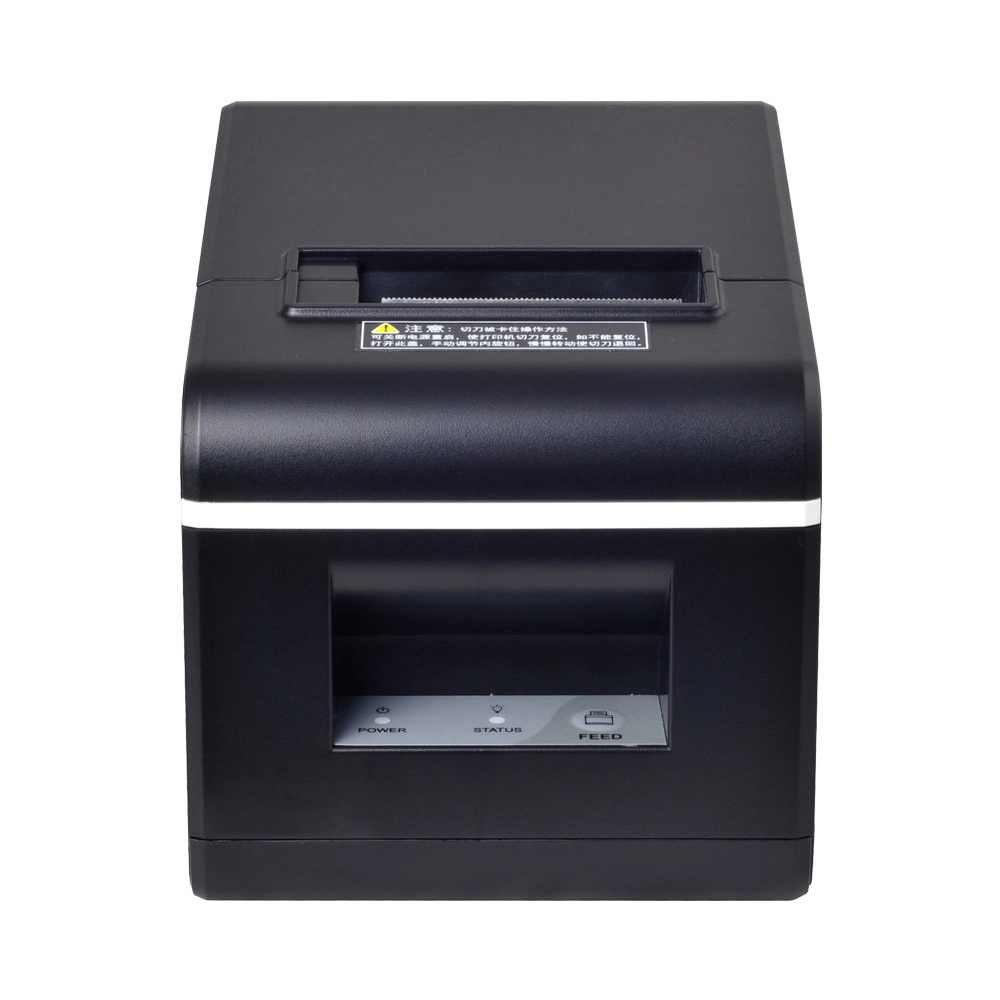
New Model Thermal Printer Bill Printer Manufacturer Portable Printer for Receipt
New Model Thermal Printer, a state-of-the-art bill printer designed for modern retail and hospitality environments. This printer combines advanced technology with user-friendly features, ensuring fast and efficient printing of high-quality receipts. Its sleek design complements any workspace, while multiple connectivity options make it easy to integrate into your existing POS systems.

Desktop Touch Screen POS Systems 12.1'' Android Windows Manufacturer
Our Desktop Touch Screen POS Systems feature a 12.1'' display, supporting both Android and Windows platforms. Engineered for high performance. The intuitive touch interface simplifies transactions and enhances customer engagement. With a sleek design and robust construction, our POS systems are perfect for businesses looking to improve efficiency and elevate the shopping experience.

15.6 Inch Windows POS Terminal with VFD Display, Foldable Aluminum Stand Touch Screen POS for Retail & Hospitality
This 15.6-inch POS terminal is built to meet the needs of modern retail and hospitality environments. Powered by a stable Windows operating system, it ensures smooth performance for various point-of-sale applications. The device features a crisp, responsive touch screen and a built-in VFD customer display, allowing customers to view transaction details clearly. Its aluminum alloy stand offers a sleek, professional appearance while providing enhanced durability and stability for busy checkout counters. Ideal for retail stores, restaurants, and service-based businesses, this POS machine delivers a reliable and customer-friendly checkout experience.

Point of Sale System with Thermal Printer All in One Pos Dual Touchscreen Pos with Barcode Scanner Supplier
FAVORPOS presents the all-in-one Point of Sale System with Thermal Printer, featuring dual touchscreens and an integrated barcode scanner. As a leading POS with NFC factory and barcode scanner supplier, we deliver reliable, efficient solutions tailored for your business needs.
Get in touch
Interested in becoming a POS system dealer? Contact us for more information and start the process of joining our dealer network.
We look forward to working with you to expand the market together.


Copyright © 2025 Favorpos All Rights Reserved.
