
How to setup a POS desktop system for multi-store retail?
- 1. How do I architect a POS desktop system to maintain near-real-time inventory synchronization across 25+ stores with limited WAN bandwidth?
- 2. What are reliable strategies to implement PCI-compliant secure payment processing on on-premise POS desktop systems?
- 3. How do I configure offline-first POS desktop terminals so sales never fail and reconciliation is foolproof when connectivity returns?
- 4. How to perform SKU mapping and consolidate master product catalogs when migrating from multiple legacy POS systems into a unified POS desktop system?
- 5. What network and database replication patterns minimize latency and ensure transactional integrity across multi-store on-prem POS deployments?
- 6. How to scale licensing, deployment, and remote support for a multi-store POS desktop system across different countries with varying tax and compliance rules?
- Advantages of a Well-Architected POS Desktop System for Multi-Store Retail
How to Setup a POS Desktop System for Multi-Store Retail: 6 Expert Answers
This guide answers six specific, often poorly covered beginner questions about deploying a POS desktop system for multi-store retail. It emphasizes real-world patterns—inventory synchronization, secure payments, offline-first terminals, SKU migration, network/database replication, and cross-border scaling—using tried-and-tested technologies and architecture patterns used by experienced POS integrators.
1. How do I architect a POS desktop system to maintain near-real-time inventory synchronization across 25+ stores with limited WAN bandwidth?
Problem: Retailers need accurate stock availability to prevent overselling, but limited bandwidth and intermittent connectivity make full synchronous replication impractical.
Solution overview (practical, resilient approach):- Adopt a hybrid architecture: local desktop POS terminals use a local on-premise database (e.g., PostgreSQL, MS SQL Express, or SQLite for lightweight clients) for immediate transactions. A central head-office database holds the master inventory and analytics.- Use event-driven delta synchronization: instead of full table replication, emit compact change events (sales, returns, stock adjustments) from local terminals to the central service. Use a lightweight message broker with retry and batching (e.g., RabbitMQ, MQTT, or a managed queue) to minimize bandwidth.- Implement conflict and reconciliation logic: assign globally unique transaction IDs (UUIDs) and store monotonic timestamps. For multi-source edits to the same SKU, define business rules (head-office authoritative for price and master catalog, local store allowed to adjust on-hand counts). Reconciliation jobs should run nightly to resolve discrepancies and surface exceptions for human review.- Optimize payloads: send only deltas (SKU ID, quantity change, timestamp) and compress batches. Aggregate minor events locally and flush on network availability.- Use local caching for read-heavy operations: a read-only cache (Redis or local RDBMS indexes) reduces round trips to central servers for price checks and recent sales trends.
Implementation tips:- Start with an initial bulk sync of the master catalog over a secure channel (HTTPS/SFTP) with checksum verification.- Instrument telemetry to measure average bytes/day per store; tune batch frequency.- Set near-real-time expectations: with limited bandwidth, target 1–15 minute latency for inventory visibility rather than sub-second global consistency.
2. What are reliable strategies to implement PCI-compliant secure payment processing on on-premise POS desktop systems?
Problem: Many legacy desktop POS systems process card data in ways that increase PCI scope and risk.
Best-practice strategy:- Reduce PCI scope with point-to-point encryption (P2PE) and tokenization: ensure card-present devices encrypt card data at the terminal and only send tokens to your POS and back-office. Use certified P2PE vendors or certified payment terminals (EMV-capable).- Use payment gateway integrations via SDKs: integrate SDKs from major gateways that handle card data within their library so your application never sees raw PANs. Examples include providers offering terminal SDKs or hosted payment UIs.- Maintain secure transport and storage: TLS 1.2+ for network traffic, encrypted database columns or token vaults for stored payment tokens, and strict key management.- Implement no-card-data-at-rest policy where possible: store only gateway tokens and masked PANs (first six/last four digits) for receipts and refunds.- Follow regular compliance practices: annual PCI-DSS assessment or self-assessment questionnaire (SAQ) as required, patch terminals and POS software promptly, maintain logging and role-based access control.
Practical checklist for on-prem retailers:- Choose EMV-certified terminals with P2PE support.- Integrate tokenization through your gateway (obtain tokens for refunds and manual look-ups).- Document network segmentation—separate payment VLAN from back-office/admin networks.- Schedule quarterly vulnerability scans and keep audit trails for payment transactions.
3. How do I configure offline-first POS desktop terminals so sales never fail and reconciliation is foolproof when connectivity returns?
Problem: Stores must keep selling during outages and reliably merge offline transactions without duplication or loss.
Offline-first architecture elements:- Local durable transaction store: each terminal writes sales to an append-only local ledger (local DB table or file-based journal) with unique transaction IDs and sequence numbers.- Idempotent synchronization protocol: when connectivity returns, the terminal sends batched transactions to the central API which performs idempotent inserts keyed on transaction ID—this prevents duplicates if the terminal retries.- Local authorization caching: cache offline-authorized payment approvals where allowable (card-on-file, offline EMV fallback policies handled by payment terminal). Limit offline payment amounts and require online verification for high-value operations.- Reconciliation and audit trails: central system should accept offline batches, mark transactions with origin metadata (store ID, terminal ID, offline flag), and run automated reconciliation comparing expected vs received totals. Create discrepancy alerts for manual review.- Graceful UI/UX: inform cashiers of offline state, show pending sync queues, and provide clear recovery actions.
Technical tips:- Use a reliable embedded DB (SQLite or local PostgreSQL) with WAL (write-ahead log) and backups.- Create a watchdog that auto-replays unsent transactions and reports persistent failures to remote support.- Maintain sequence numbers per terminal to help ordering and detect missing transactions.
4. How to perform SKU mapping and consolidate master product catalogs when migrating from multiple legacy POS systems into a unified POS desktop system?
Problem: Stores often have fragmented SKUs, different barcode schemes, inconsistent tax codes, and duplicated products across legacy systems.
Step-by-step migration approach:- Discovery and profiling: export legacy catalogs and profile fields—SKU, barcode, title, description, category, price, cost, tax code, vendor, units of measure, dimensions. Analyze duplicates using fuzzy matching on titles and UPC/EAN codes.- Define a canonical data model: decide primary keys (e.g., global SKU ID), mandatory attributes, and taxonomy. Map legacy fields to the canonical model.- Create a mapping table with transformation rules: include mappings for units (e.g., converting pack quantities), rounding rules, and price layer precedence (which system's price wins).- Cleanse and deduplicate: use ETL tools (Talend, Pentaho, Python scripts with pandas) to normalize barcodes, strip punctuation, and detect near-duplicates using Levenshtein distance.- Pilot import and validation: load a test subset into the new POS desktop system and validate sales and on-hand quantities against legacy reports.- Maintain provenance and rollback plans: store original legacy IDs in the new catalog for traceability and support rollback if reconciliation issues arise.
Operational tips:- For multichannel items (PLUs vs UPCs), maintain alternate identifiers in the master catalog.- Implement pricebook versions and effective-dating to preserve historical pricing.- Engage store managers in verification for category/business-rule edge cases.
5. What network and database replication patterns minimize latency and ensure transactional integrity across multi-store on-prem POS deployments?
Problem: Synchronous replication across wide-area networks causes latency; asynchronous replication risks temporary divergence.
Recommended patterns:- Choose replication model based on business needs: - Strong consistency (synchronous) for centralized cash control—use sparingly, only between low-latency nodes. - Eventual consistency (asynchronous) for inventory and analytics—works well with local-first POS terminals.- Use WAN-optimized links and SD-WAN for routing efficiency and predictable latency.- For relational databases: - PostgreSQL logical replication or MS SQL transactional replication can stream changes; use logical replication for flexible topology. - Use write-master (local at store) + central merge model: local DBs accept writes and stream transactions to the central server; central server applies idempotent logic and publishes reconciled state back to stores.- Apply change data capture (CDC): tools like Debezium capture DB-level changes and push to a central event bus (Kafka or RabbitMQ) for deterministic application.- Network and security: - Use site-to-site VPN or TLS tunnels for secure replication. - Segment traffic and prioritize POS replication with QoS to reduce latency impact.
Tradeoffs and guidance:- Accept eventual consistency for inventory read-through and provide user-facing indicators (e.g., inventory may be delayed by X minutes).- Keep sensitive real-time operations local (payments on terminal), and centralize reporting and analytics asynchronously.
6. How to scale licensing, deployment, and remote support for a multi-store POS desktop system across different countries with varying tax and compliance rules?
Problem: International rollouts add complexity: local tax rules, language packs, regulatory compliance, and support coverage.
Scaling strategy:- Licensing model: prefer per-terminal or per-concurrent-user licensing with centralized license management. Use license servers or signed license files that can be validated offline with periodic check-ins.- Deployment automation: package POS desktop software using installers and containerized services where possible. Use remote management tools (SCCM, Ansible, or remote monitoring and management platforms) to push updates, scripts, and configuration profiles.- Localization and tax engines: separate localization layers—UI language packs, rounding/tax calculation modules, and fiscalization adapters. Integrate with local tax engines (or services like Avalara where supported) and implement configurable tax rules per country and store.- Support and monitoring: - Implement centralized logging, crash reporting, and health metrics (CPU, DB replication lag, unsynced transaction counts). Use alerting to route incidents to regional support teams. - Provide remote access tools for troubleshooting with permissions and audit trails.- Compliance: research country-specific fiscal-receipt requirements (e-invoicing, fiscal printers) and integrate fiscal modules where required.
Operational tips:- Build a regional pilot before a full roll-out.- Keep a local rollback plan and support SLAs aligned with store hours and time zones.
Advantages of a Well-Architected POS Desktop System for Multi-Store Retail
When implemented with hybrid local-first terminals, event-driven inventory sync, P2PE payment flows, robust offline reconciliation, clean SKU consolidation, and WAN-aware replication, a POS desktop system delivers reliable in-store availability, lower PCI scope, faster transactions, and centralized analytics—while enabling scalable multi-country growth with manageable operational overhead.
For a tailored deployment plan or an implementation quote, contact us for a quote: visit www.favorpos.com or email sales2@wllpos.com.

Beyond Checkout: How a 15.6-Inch Aluminum POS System Redefines Retail Efficiency

Understanding 15-Inch Aluminum POS Terminals in Modern Commercial Use

The Smart Way to Check Prices: How a 10.1-Inch Wall-Mounted Price Checker Transforms Retail Stores

A Smarter Checkout Experience: The 15-Inch Dual-Screen POS Built for Modern Retail

8-Inch Smart Price Checker: A Small Device Powering Smarter Retail Spaces
For Restaurants & Cafes
How is the installation and training of the POS system carried out?
We provide comprehensive installation and training services. Our technical team will assist you in completing the installation of the POS machine and provide detailed operation training for your staff. In addition, we also provide online training resources and operation manuals to help your team get started quickly.
For Government and Public
Can the system be accessed and managed remotely?
Yes, our POS system provides remote access capabilities, allowing you to manage and supervise from different locations, ensuring centralized control.
For Healthcare
What kind of support do you provide after installation?
We provide comprehensive after-sales support, including technical assistance, hardware updates, hardware maintenance and employee training.
For Beauty and Wellness
What payment methods does the system support?
Our system supports a variety of payment methods, including credit cards, digital wallets and contactless payments, providing customers with a convenient payment experience.
For OEM
Can I upgrade or add features to the existing POS machine?
We can upgrade or add features to the existing POS machine as needed. The specific upgrade services and costs depend on the design of the original device and the required functions. Please contact your account manager to discuss the upgrade options.
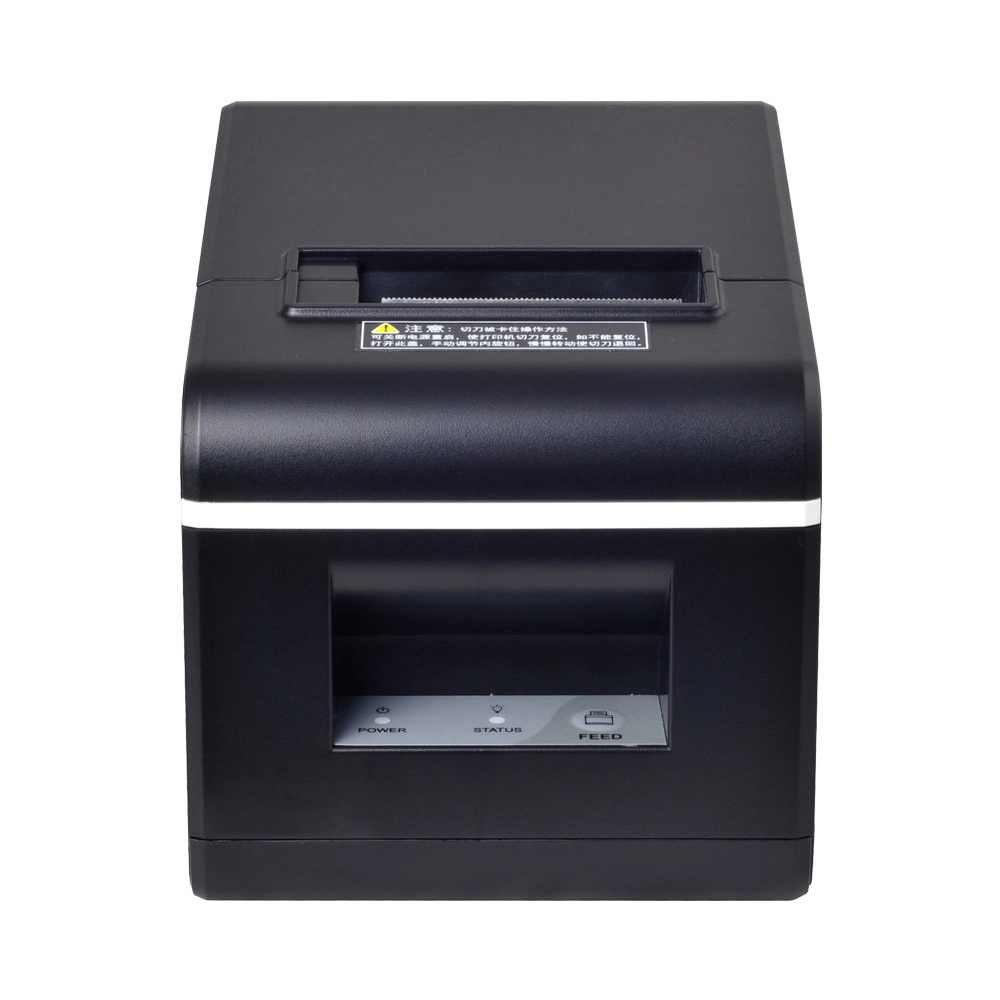
New Model Thermal Printer Bill Printer Manufacturer Portable Printer for Receipt
New Model Thermal Printer, a state-of-the-art bill printer designed for modern retail and hospitality environments. This printer combines advanced technology with user-friendly features, ensuring fast and efficient printing of high-quality receipts. Its sleek design complements any workspace, while multiple connectivity options make it easy to integrate into your existing POS systems.

Desktop Touch Screen POS Systems 12.1'' Android Windows Manufacturer
Our Desktop Touch Screen POS Systems feature a 12.1'' display, supporting both Android and Windows platforms. Engineered for high performance. The intuitive touch interface simplifies transactions and enhances customer engagement. With a sleek design and robust construction, our POS systems are perfect for businesses looking to improve efficiency and elevate the shopping experience.

15.6 Inch Windows POS Terminal with VFD Display, Foldable Aluminum Stand Touch Screen POS for Retail & Hospitality
This 15.6-inch POS terminal is built to meet the needs of modern retail and hospitality environments. Powered by a stable Windows operating system, it ensures smooth performance for various point-of-sale applications. The device features a crisp, responsive touch screen and a built-in VFD customer display, allowing customers to view transaction details clearly. Its aluminum alloy stand offers a sleek, professional appearance while providing enhanced durability and stability for busy checkout counters. Ideal for retail stores, restaurants, and service-based businesses, this POS machine delivers a reliable and customer-friendly checkout experience.

Point of Sale System with Thermal Printer All in One Pos Dual Touchscreen Pos with Barcode Scanner Supplier
FAVORPOS presents the all-in-one Point of Sale System with Thermal Printer, featuring dual touchscreens and an integrated barcode scanner. As a leading POS with NFC factory and barcode scanner supplier, we deliver reliable, efficient solutions tailored for your business needs.
Get in touch
Interested in becoming a POS system dealer? Contact us for more information and start the process of joining our dealer network.
We look forward to working with you to expand the market together.


Copyright © 2025 Favorpos All Rights Reserved.
