
Cash Registers vs. POS Equipment: Everything You Need to Know About Setup and Costs
- Introduction
- What is the difference between a cash register and a POS system?
- What equipment is needed for a POS system?
- How much does a POS cash register cost?
- How does a POS cash register work?
- Do I need a POS system or a traditional cash register for my business?
- Can I use my computer or tablet as a cash register?
- Do POS systems need the internet or cloud to run?
- Can a POS system integrate with existing business software?
- Conclusion
- Call to Action
Introduction
The checkout counter is the heartbeat of any retail store or hospitality business. It is the critical final touchpoint where customer satisfaction is solidified and your hard-earned sales are officially recorded. In today's rapidly evolving commercial landscape, ensuring this process is seamless is more important than ever.
For decades, the familiar ring of a traditional cash register was the universal sound of business success. However, as technology has advanced, a robust debate has emerged between sticking with these classic machines and upgrading to comprehensive point of sale hardware.
Understanding the nuances between these two options is vital for long-term operational efficiency. Whether you are opening your first physical storefront or upgrading a multi-location enterprise, this guide covers everything you need to know about cash registers versus POS equipment.
What is the difference between a cash register and a POS system?
At its core, a traditional cash register is an electronic machine designed specifically to calculate transactions, add sales tax, print basic receipts, and secure cash in an internal compartment. These devices are standalone units that perform their duties admirably but lack any connection to the broader operational data of your business. They are essentially advanced calculators attached to a secure money box.
Conversely, a Point of Sale (POS) system operates as a complete retail management software ecosystem. It not only rings up sales and secures cash but also records comprehensive customer data, analyzes sales trends in real-time, and manages your entire supply chain. Rather than just facilitating an exchange of money, a POS acts as the central nervous system of a modern commercial operation.
Key Differences at a Glance:
- Data Tracking: Cash registers only track daily revenue; POS systems track individual item movement and customer behavior.
- Inventory: POS systems automatically deduct sold items from your stock levels, whereas cash registers require manual inventory counts.
- Scalability: While a cash register is confined to one physical location, cloud-connected POS systems can sync data across multiple stores instantly.
- Customer Relationship: POS equipment allows you to build loyalty programs and capture email addresses directly at checkout.
What equipment is needed for a POS system?
Transitioning to a modern checkout solution requires a blend of both software and specialized physical components. The software serves as the brain of the operation, providing the digital interface where your employees input orders, process discounts, and navigate your product catalog. This application is usually licensed on a monthly subscription basis and hosted in the cloud.
On the physical side, the most noticeable piece of point of sale hardware is the central terminal, which is typically a touchscreen monitor or a tablet. This terminal is the primary hub that connects to various other essential peripherals to complete the checkout counter ecosystem.
Standard hardware components include:
- Electronic Cash Drawer: Essential for businesses that still process physical currency, opening automatically when a cash transaction is finalized.
- Receipt Printer: Provides customers with physical proof of purchase, which is still legally required or expected in many jurisdictions.
- Barcode Scanner: Accelerates the checkout process by instantly pulling item data and pricing into the software.
- Payment Terminal: An encrypted card reader that accepts EMV chips, magnetic stripes, and contactless digital wallets.
How much does a POS cash register cost?
The financial investment required to set up a checkout system can vary dramatically based on the size of your business and the complexity of your needs. Unlike a traditional cash register, which is usually a one-time purchase ranging from $100 to $500, a modern POS ecosystem involves both upfront hardware costs and ongoing software licensing fees.
According to Tech.co, the average cost of a POS system includes monthly software fees between $15 and $100, while hardware expenses can range anywhere from $30 to over $1,000 depending on the complexity of the setup. Multi-location enterprises requiring advanced kitchen display screens or custom inventory modules will naturally find themselves at the higher end of this pricing spectrum.
In addition to hardware and software, business owners must also factor in payment processing fees. Most POS providers charge a flat percentage plus a small transaction fee (such as 2.6% + 10 cents) for every credit card swiped. When calculating the total cost of ownership, it is crucial to evaluate these processing rates alongside the monthly software subscription.
How does a POS cash register work?
The lifecycle of a POS transaction begins the moment a customer brings an item to the checkout counter. The cashier uses a barcode scanner or navigates the touchscreen interface to select the product. Instantly, the software queries the database to retrieve the current price, apply any active promotional discounts, and calculate the appropriate regional sales tax.
Once the total is finalized, the system communicates with the payment terminal to securely process the customer's credit card or digital wallet. The payment gateway encrypts the financial data, sends a request to the customer's bank for authorization, and receives an approval code within seconds. If cash is used, the system triggers the electronic cash drawer to open for change.
The true magic of a POS system happens immediately after the customer's receipt is printed. In the background, the transaction data is fed into an automated inventory tracking system, which instantly deducts the purchased item from your master stock levels. Simultaneously, the revenue is logged into your daily sales reports, and any associated customer loyalty points are updated in their profile.
Do I need a POS system or a traditional cash register for my business?
Deciding whether to invest in a full-fledged POS or stick with a simple cash register depends entirely on your business model, transaction volume, and growth ambitions. A traditional cash register might be perfectly adequate for a small, seasonal pop-up shop, a local bake sale, or a cash-only business with a very limited menu of items. If your primary goal is merely to secure money and provide a basic receipt, a standard register keeps your overhead low.
However, if your business manages a large catalog of SKUs, employs multiple staff members, or plans to expand into new locations, a POS system is no longer a luxury—it is a necessity. The manual labor required to track inventory and reconcile daily sales without software quickly outweighs the initial savings of buying a cheap cash register.
Consider upgrading to a POS if you need:
- Detailed Analytics: You want to know which products are your bestsellers and which are dead stock.
- Employee Management: You need staff to clock in and out securely, or you want to track sales commissions per employee.
- Omnichannel Selling: You plan to integrate your physical store's inventory with an online e-commerce website.
Can I use my computer or tablet as a cash register?
Absolutely. One of the most significant shifts in retail technology over the past decade is the transition from bulky, proprietary hardware terminals to agile, consumer-grade devices. Today, you can easily transform a standard desktop computer, laptop, iPad, or Android tablet into a fully functional checkout station.
This transformation is powered by specialized POS applications that run securely in your device's web browser or as a downloaded app. By utilizing a tablet, business owners can achieve a sleek, modern aesthetic at the checkout counter without sacrificing functionality. Furthermore, tablets offer unprecedented mobility, allowing staff to process payments directly on the sales floor or take orders tableside at a restaurant.
To complete the setup, these devices rely on Bluetooth or Wi-Fi connections to communicate with essential peripherals. A standard iPad can effortlessly pair with a wireless barcode scanner, a mobile card reader, and a networked receipt printer. This modular approach is incredibly cost-effective, as you can replace or upgrade individual components over time without overhauling the entire system.
Do POS systems need the internet or cloud to run?
The vast majority of modern POS platforms are built on cloud-based POS system architecture, meaning they rely on a steady internet connection to sync data, process credit cards, and update inventory in real time. Because the software and data are hosted on remote servers, business owners can log into their dashboard from any web browser in the world to monitor sales as they happen.
However, technology providers understand that internet outages are a reality of running a physical business. According to retail tech experts at Celerant, while modern cloud-based systems typically rely on a stable internet connection, many advanced platforms feature an offline mode that allows businesses to process sales even during a network outage.
During an internet disruption, a cloud-based POS system with offline capabilities will temporarily store transaction data locally on the hardware device's internal memory. While certain high-risk functions—like checking a customer's live credit limit or processing an online gift card—might be restricted, basic sales can proceed uninterrupted. The moment the internet connection is restored, the system automatically pushes the cached data to the cloud, ensuring your reports and inventory tracking system remain perfectly accurate.
Can a POS system integrate with existing business software?
One of the most powerful advantages of modern POS software is its ability to seamlessly communicate with the other digital tools you already use to run your business. Unlike older, siloed cash registers, modern platforms feature open Application Programming Interfaces (APIs). This connectivity transforms your checkout counter into an integrated hub that feeds data directly into your broader operational software.
For accounting and finance, POS integrations are an absolute game-changer. Instead of manually typing daily sales totals into ledgers, systems can automatically push transaction data, tax liabilities, and payroll hours directly into platforms like QuickBooks or Xero. This eliminates human data entry errors and drastically reduces the amount of time spent on bookkeeping at the end of the month.
Furthermore, POS systems integrate beautifully with marketing and e-commerce platforms. If you run an online store using Shopify or WooCommerce, integrating your physical POS ensures that your inventory is synced across both channels. If a customer buys the last blue shirt in your brick-and-mortar store, the integration automatically marks it as out of stock on your website. Similarly, email marketing tools can automatically pull customer contact data from the checkout counter to build targeted promotional campaigns.
Conclusion
The choice between a traditional cash register and a modern POS system ultimately dictates how you will manage and scale your business operations. While cash registers offer simplicity and a lower initial price point, they fall short in a data-driven retail environment. Transitioning to a comprehensive POS solution provides the invaluable insights, automation, and integrations needed to stay competitive.
By understanding the necessary hardware, evaluating the long-term software costs, and leveraging features like offline mode and third-party integrations, you can build a checkout experience that delights your customers. Investing in the right retail technology stack is not just about taking payments; it is about future-proofing your business for sustained growth and success.
Call to Action
Contact us today to schedule a personalized consultation and discover the perfect checkout solution tailored to your business needs.

Understanding 15-Inch Aluminum POS Terminals in Modern Commercial Use

The Smart Way to Check Prices: How a 10.1-Inch Wall-Mounted Price Checker Transforms Retail Stores

A Smarter Checkout Experience: The 15-Inch Dual-Screen POS Built for Modern Retail

8-Inch Smart Price Checker: A Small Device Powering Smarter Retail Spaces

Built for Retail Precision: Manufacturing Excellence Behind the 11.6” Smart Price Checker
For Grocery and Supermarkets
Can your POS system be integrated with weighing equipment?
Yes, our POS system can be integrated with weighing equipment to facilitate the management of goods sold by weight, such as fresh produce or bulk goods.
For Distributor
Are there any fees to become a reseller?
There may be initial costs associated with setup and training, but these details will be outlined in the reseller agreement. Our goal is to ensure that the partnership is mutually beneficial.
For Entertainment & Events
Does your POS system support seat selection for events?
Of course, our system includes interactive seating maps, allowing customers to select seats in advance, making event management more organized.
For ODM
What are the main advantages of ODM service?
You can enjoy the following advantages by choosing our ODM service:
1. Innovative design: Our team provides cutting-edge design solutions to ensure that products meet the latest market trends.
2. Full process management: Full process management from design to production to reduce your operational complexity.
3. Customization: We provide personalized hardware customization services according to your needs.
4. Quality assurance: Strict quality control procedures ensure high standards for each POS machine.
5. Cost-effectiveness: Efficient production processes help reduce costs while maintaining high quality.
For Restaurants & Cafes
If there is a problem with the device, how can I get technical support?
You can contact our technical support team by phone, email or online customer service. We provide 24/7 support to ensure that your issues are resolved promptly and the system is up and running.

Point of Sale System with Thermal Printer All in One Pos Dual Touchscreen Pos with Barcode Scanner Supplier
FAVORPOS presents the all-in-one Point of Sale System with Thermal Printer, featuring dual touchscreens and an integrated barcode scanner. As a leading POS with NFC factory and barcode scanner supplier, we deliver reliable, efficient solutions tailored for your business needs.

8 inch Wall Mount Price Checker with Scanner Android Windows Factory
Our 8-inch Wall Mount Price Checker is designed for optimal convenience in retail spaces, featuring a sleek design that fits seamlessly into any environment. Compatible with both Android and Windows, this unit includes an integrated scanner for quick and accurate price checks. Its wall-mounted design saves counter space while providing easy access for customers. Ideal for enhancing efficiency and improving the shopping experience.
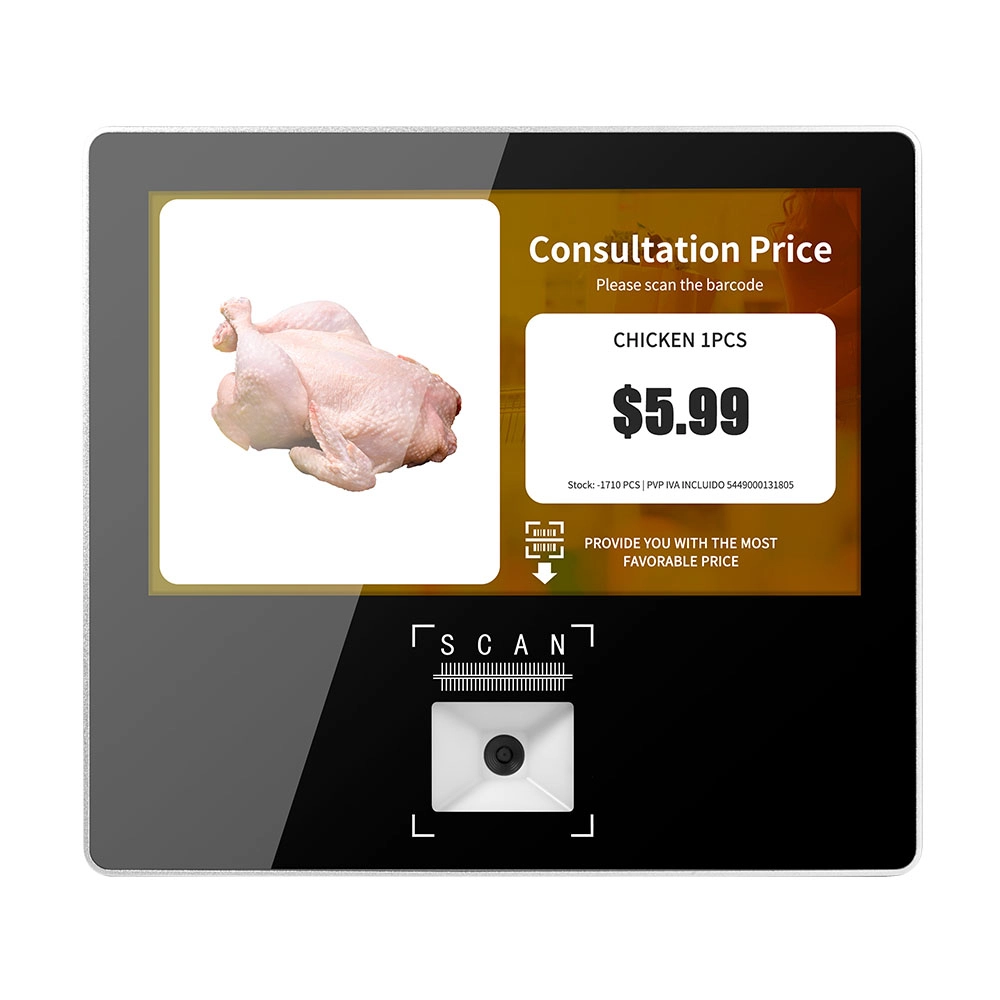
Metal 11.6 inch Price Scanner Machine Android Windows with Wifi Supplier
FAVORPOS Metal 11.6-inch Price Scanner Machine, designed for durability and efficiency in retail environments. This versatile device operates on both Android and Windows, providing seamless functionality for various applications. With built-in Wi-Fi connectivity, it allows for quick access to pricing data and updates. The 11.6'' display ensures clear visibility for easy operation, making it perfect for price checking and inventory management. Enhance your retail experience with this reliable and robust price scanner from a trusted supplier!
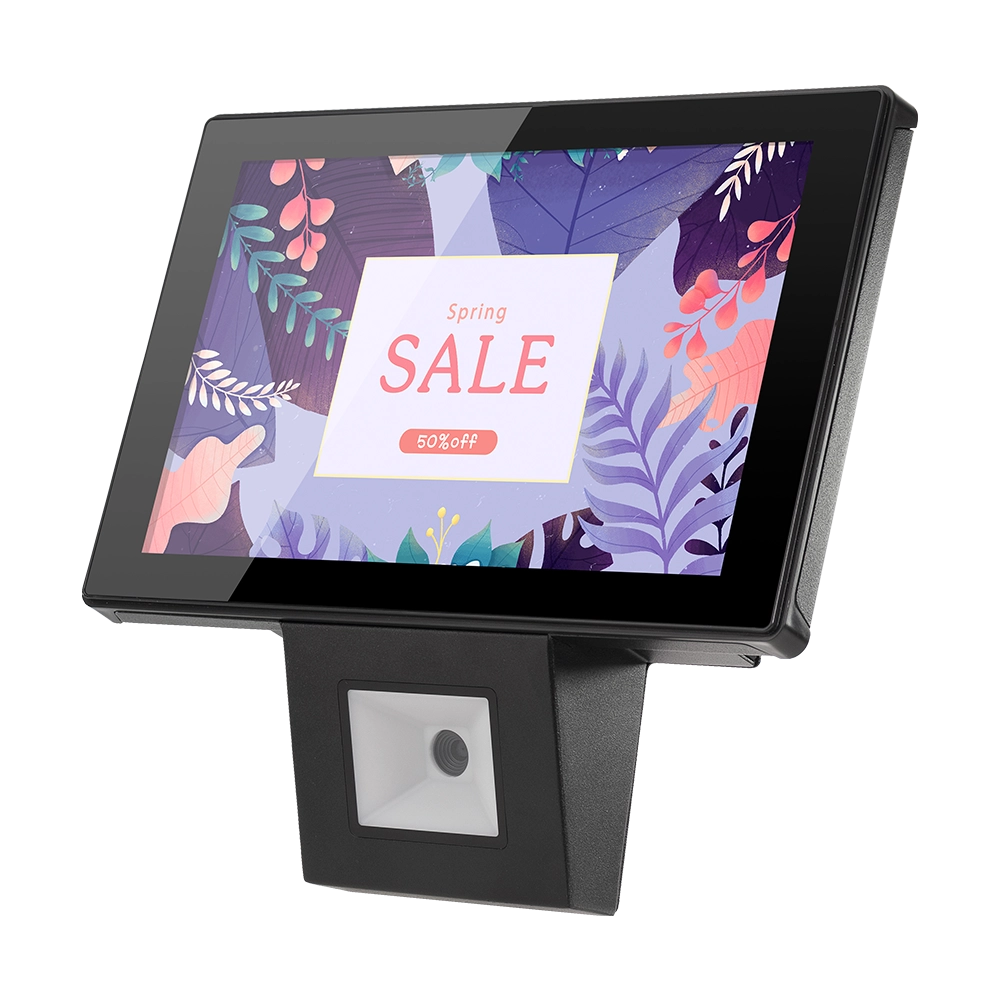
10 inch Price Checker Device Supplier Barcode Scanner for Sale Price Check for Supermarket
FAVORPOS offers 10 inch Price Checker Device, perfect for supermarkets. This wall mounted 10 inch touch screen barcode scanner ensures fast, accurate price checks, enhancing customer experience and operational efficiency. Durable, user-friendly, and perfect for high-traffic retail environments.
Get in touch
Interested in becoming a POS system dealer? Contact us for more information and start the process of joining our dealer network.
We look forward to working with you to expand the market together.


Copyright © 2025 Favorpos All Rights Reserved.
