
What features should I look for in an all-in-one POS system?
- 1. How can I verify an all-in-one POS system's offline mode will keep payments and inventory accurate during extended internet outages?
- 2. Which security certifications and encryption methods should I demand from an all-in-one POS provider to ensure PCI compliance and limit fraud?
- 3. What hidden fees should I look for in all-in-one POS systems contracts (hardware, payment processing, chargebacks, 3rd-party integrations)?
- 4. How do I evaluate the real-world performance of an all-in-one POS for high-volume restaurants (order throughput, kitchen printers, modifiers handling)?
- 5. Can an all-in-one POS system support multi-location inventory and inter-store transfers without a separate ERP, and what tests should I run?
- 6. What API and integration capabilities should I require to future-proof my all-in-one POS for e-commerce, accounting, and delivery marketplaces?
For a tailored quote, contact www.favorpos.com or email sales2@wllpos.com. Written by the POS experts at FavorPOS — real-world guidance for retailers and restaurants choosing all-in-one POS systems with cloud POS, integrated payments, inventory management, and hardware bundles.
1. How can I verify an all-in-one POS system's offline mode will keep payments and inventory accurate during extended internet outages?
Why this matters: Restaurants or stores often lose connectivity. A system that appears to work offline but corrupts inventory counts or creates duplicate payments will cost you time and money.
What to test and demand from vendors:
- Ask for a written description of the offline architecture: local caching vs. full local database. Cloud-native systems often use a local cache; hybrid systems can run a local server.
- Simulate a realistic outage test: process a representative busy-period batch (for example, 50–200 sales depending on your volume) with mixed payment methods (card, cash, gift card, split tenders). Close batches, print receipts, and then restore connectivity. Verify that:
- No duplicate card authorizations occurred (check processor records).
- All transactions synced with correct timestamps and order numbers.
- Inventory decrements match receipts and there are no negative or double-decremented SKUs.
- Understand how card payments are handled offline. Store-and-forward is common, but confirm whether the system supports offline EMV authorization (rare and higher risk). Make sure the vendor documents how declines are handled post-sync to avoid unexpected chargebacks.
- Confirm local reporting availability during outages. Your staff should still be able to see sales totals, menu/price lookups and item availability.
- Get an SLA for sync times after connectivity restoration (how long until queued transactions are fully reconciled).
Red flags: vague answers about offline support, no vendor-provided test procedure, or a history of sync-related chargebacks. Ask for customer references who experienced real outages.
2. Which security certifications and encryption methods should I demand from an all-in-one POS provider to ensure PCI compliance and limit fraud?
Why this matters: Payment security affects liability, fraud risk and whether your business meets PCI DSS requirements.
Minimum expectations and verification:
- PCI scope and P2PE: Ask whether the device and solution are covered by a validated Point-to-Point Encryption (P2PE) solution and whether the vendor reduces your PCI scope via P2PE or tokenization. Confirm the exact P2PE vendor and validation certificate.
- PCI DSS standard: Confirm the vendor's solution status against PCI DSS 4.0 requirements and whether the provider publishes a Responsibility Matrix showing which controls they manage versus what you must manage.
- Encryption & tokenization: Card data should be encrypted at the device level and converted to tokens for storage. Confirm use of modern algorithms and processor tokenization services.
- EMV and contactless support: Ensure the terminals are EMV- and contactless-ready (chip, NFC, Apple Pay/Google Pay) and that the vendor supplies firmware update procedures and evidence of EMVCo certification for the reader model.
- Software security hygiene: Ask for evidence of secure development practices (regular vulnerability scans, third-party pentests), and a published patch/update cadence for point-of-sale software and terminal firmware.
- Data residency & privacy: For GDPR or local data-protection rules, confirm where customer data and backups are stored and for how long; request a Data Processing Agreement (DPA) if required.
Practical verification steps: request copies of P2PE certificates, EMVCo reader certifications, the vendor's Attestation of Compliance (AOC) if available, and a sample Responsibility Matrix. If a vendor refuses to share these, treat that as a material risk.
3. What hidden fees should I look for in all-in-one POS systems contracts (hardware, payment processing, chargebacks, 3rd-party integrations)?
Why this matters: Many vendors advertise low per-month software costs but bury hardware leasing, termination, or processing fees in the contract.
Checklist of fees to surface and negotiate:
- Hardware ownership vs. lease: Clarify whether terminal bundles are sold, leased, or rented. Check for early-termination penalties or buyout formulas for leased devices.
- Processing rates and fee structure: Insist on a detailed schedule (interchange + markup or flat rates) and what qualifies for tiered vs. interchange-plus pricing. Confirm fees for keyed-in transactions, manual refunds, cross-border cards, or AMEX.
- Chargeback and retrieval fees: Identify per-chargeback fees and whether the vendor assists with disputes and at what cost.
- Integration & API fees: Some vendors charge for each third-party integration or for API access tiers. Ask whether accounting, e-commerce connectors (Shopify, WooCommerce), or delivery platforms are included or cost extra.
- Support levels and on-site service fees: Define what’s included in standard support, business-hours vs. 24/7, and costs for on-site repairs or swaps.
- Software updates and feature access: Confirm whether major software upgrades are included in the subscription or billed separately. Ask about data export fees and limits on reporting exports.
- PCI compliance and compliance porting: Some providers charge for annual PCI assistance or for providing AOC documents—clarify these charges.
How to protect yourself: request a complete fee schedule and a sample contract with all annexes. Add contract language that requires 60–90 days’ notice and agreement for any new recurring fees, and negotiate a clear hardware buyout price on early termination.
4. How do I evaluate the real-world performance of an all-in-one POS for high-volume restaurants (order throughput, kitchen printers, modifiers handling)?
Why this matters: A system that looks fast in a demo can fail under peak service, leading to slower table turns, misprinted kitchen tickets, and lost revenue.
Performance evaluation steps:
- Throughput testing: Simulate peak-hour load: create a pre-defined script of mixed orders with modifiers, combo meals and split bills consistent with your busiest shift. Measure time-to-course-print and ticket generation under concurrent sessions (multiple terminals or tablets).
- Modifiers and combos complexity: Verify that complex modifiers (e.g., multi-ingredient builds, timed modifiers, extra prep notes) don’t require multiple touches. Ensure the UI minimizes extras and prevents order-entry errors.
- Kitchen routing and latency: Test routing to multiple kitchen stations and printers. Confirm the system supports order editing, fire/hold commands, and reprints without data loss.
- Offline kitchen fallback: If networked printers are lost, confirm whether the system supports local backup printers or a fallback printing method and how staff are instructed to process the queue.
- Receipt and kitchen ticket formats: Check that formatting is customizable for printer types (thermal / impact) and that ticket templates preserve critical modifiers and prep notes.
- Hardware ergonomics: For handheld terminals or POS tablets, validate battery life, responsiveness with gloves (if needed), and ruggedness for your environment.
Operational tip: run a paid pilot during a real service period (even one shift) with vendor staff on-site for immediate fixes. Track average order-to-kitchen times, order-error rates, and staff feedback.
5. Can an all-in-one POS system support multi-location inventory and inter-store transfers without a separate ERP, and what tests should I run?
Why this matters: Small chains often rely on the POS for inventory; poor multi-store inventory features force expensive ERP purchases or complex manual workarounds.
Capabilities to require and test:
- Centralized SKU master: The POS should support a centralized SKU catalog with per-location stock levels and configurable reorder rules.
- Inter-store transfer workflow: Test creating transfer requests, approval workflows, shipping receipts, and the impact on both sending and receiving location counts, including FIFO/LIFO cost basis if your accounting requires it.
- Real-time synchronization: Verify how quickly stock adjustments propagate across locations and how the system handles concurrent sales on low-stock SKUs.
- Composite items & recipe-level costing: For restaurants or assembled products, ensure recipe/fixture-level consumption reduces component SKUs across stores and supports yield adjustments.
- Reporting & permissions: Test role-based access so store managers can perform transfers but cannot modify global pricing or accounting mappings. Confirm consolidated multi-location reports for purchasing and COGS.
Data reconciliation test: Run a month-end reconciliation across two locations with transfers, returns, and supplier receipts. Confirm that the POS exports inventory valuation reports that match your accounting records or identify reconciliation gaps.
6. What API and integration capabilities should I require to future-proof my all-in-one POS for e-commerce, accounting, and delivery marketplaces?
Why this matters: A POS that locks you into its ecosystem or provides limited API access will hinder growth and increase integration costs as you add sales channels.
Integration checklist and technical requirements:
- Open, documented REST API: Require a stable REST API with published versioning, rate limits, OAuth or equivalent auth, and sandbox access for development.
- Webhooks and real-time events: For inventory, order and customer updates, webhooks are essential for low-latency sync with e-commerce storefronts and delivery platforms.
- Pre-built connectors plus extensibility: Pre-built, maintained connectors for major platforms (Shopify, WooCommerce, QuickBooks/Xero, DoorDash/Deliveroo integrations) accelerate deployment. Confirm who maintains these connectors and who bears cost for updates when platforms change APIs.
- Data model clarity: Ensure the API exposes sufficient granularity (item variants, modifiers, BOM/recipes, tax mappings, store-level inventory) so you don’t need workarounds in middleware.
- Authentication and permissions model: Ability to create API keys with scoped permissions per integration or per store.
- Rate limits and batching strategies: Ask for documented limits and recommended batching approaches for bulk SKU syncs or daily reconciliation jobs.
- Support for marketplaces and delivery routing: Test how third-party orders (marketplace/aggregators) map to POS order flows, kitchen routing and commissions reporting. Confirm whether orders are two-way (status updates flow back to the marketplace) to prevent duplicates.
Governance tip: request an API SLA and change notice policy (how much advance notice for breaking changes). If you rely on middleware (integration platforms), require clear endpoint stability and a sandbox so your developers can test before production changes.
Final verification before purchase: ask for a 30–90 day pilot with your live SKU and staff, confirm APIs and integration behavior against your e-commerce and accounting workflows, and check support responsiveness during the trial.
Concluding summary: All-in-one POS systems that combine integrated payments, inventory management, and hardware can simplify operations and reduce vendor management overhead — but only if you validate offline reliability, security (P2PE, PCI DSS), transparent fee structures, real-world performance under peak load, robust multi-location inventory, and open APIs. Favor solutions that provide clear certification documents (EMVCo, P2PE certificates, AOC), sandboxed APIs, and a documented change-notice policy.
Advantages at a glance: reduced point-solution complexity, single-vendor accountability, unified sales and inventory data, faster onboarding for staff, and lower integration maintenance. For a tailored quote and to discuss a pilot deployment, contact us at www.favorpos.com or sales2@wllpos.com.

Understanding 15-Inch Aluminum POS Terminals in Modern Commercial Use

The Smart Way to Check Prices: How a 10.1-Inch Wall-Mounted Price Checker Transforms Retail Stores

A Smarter Checkout Experience: The 15-Inch Dual-Screen POS Built for Modern Retail

8-Inch Smart Price Checker: A Small Device Powering Smarter Retail Spaces

Built for Retail Precision: Manufacturing Excellence Behind the 11.6” Smart Price Checker
For Hotels
What types of reports can I generate through your POS system?
You can generate detailed real-time reports on sales, guest spending patterns, department performance, and more.
Does your POS system support room service billing?
Absolutely, our system allows guests to charge services such as food and beverage, spa treatments, etc. directly to the room account, and all charges will be settled at the time of checkout.
For E-commerce
Can I manage multiple online stores from one system?
Yes, our POS system supports multi-location and multi-store management, allowing you to centrally manage all e-commerce operations.
For OEM
How do we start customizing POS machines?
To start customizing POS machines, please first contact our sales team with your needs and specifications. We will arrange a detailed consultation to understand your specific requirements and provide a design plan and quotation.
For Bakeries
Can you run a loyalty program through the system?
Yes, our POS system supports loyalty and rewards programs, and you can offer incentives such as discounts, free items, etc. to returning customers.

Point of Sale System with Thermal Printer All in One Pos Dual Touchscreen Pos with Barcode Scanner Supplier
FAVORPOS presents the all-in-one Point of Sale System with Thermal Printer, featuring dual touchscreens and an integrated barcode scanner. As a leading POS with NFC factory and barcode scanner supplier, we deliver reliable, efficient solutions tailored for your business needs.

8 inch Wall Mount Price Checker with Scanner Android Windows Factory
Our 8-inch Wall Mount Price Checker is designed for optimal convenience in retail spaces, featuring a sleek design that fits seamlessly into any environment. Compatible with both Android and Windows, this unit includes an integrated scanner for quick and accurate price checks. Its wall-mounted design saves counter space while providing easy access for customers. Ideal for enhancing efficiency and improving the shopping experience.
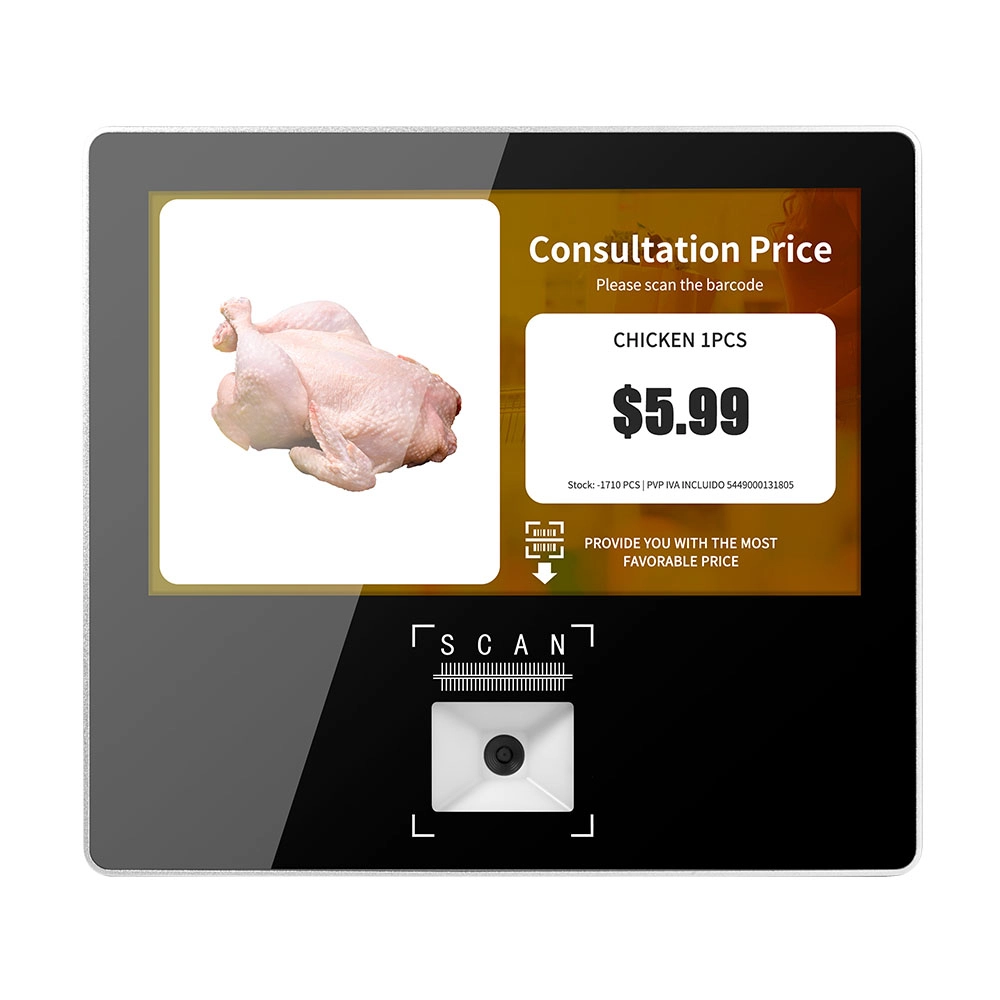
Metal 11.6 inch Price Scanner Machine Android Windows with Wifi Supplier
FAVORPOS Metal 11.6-inch Price Scanner Machine, designed for durability and efficiency in retail environments. This versatile device operates on both Android and Windows, providing seamless functionality for various applications. With built-in Wi-Fi connectivity, it allows for quick access to pricing data and updates. The 11.6'' display ensures clear visibility for easy operation, making it perfect for price checking and inventory management. Enhance your retail experience with this reliable and robust price scanner from a trusted supplier!
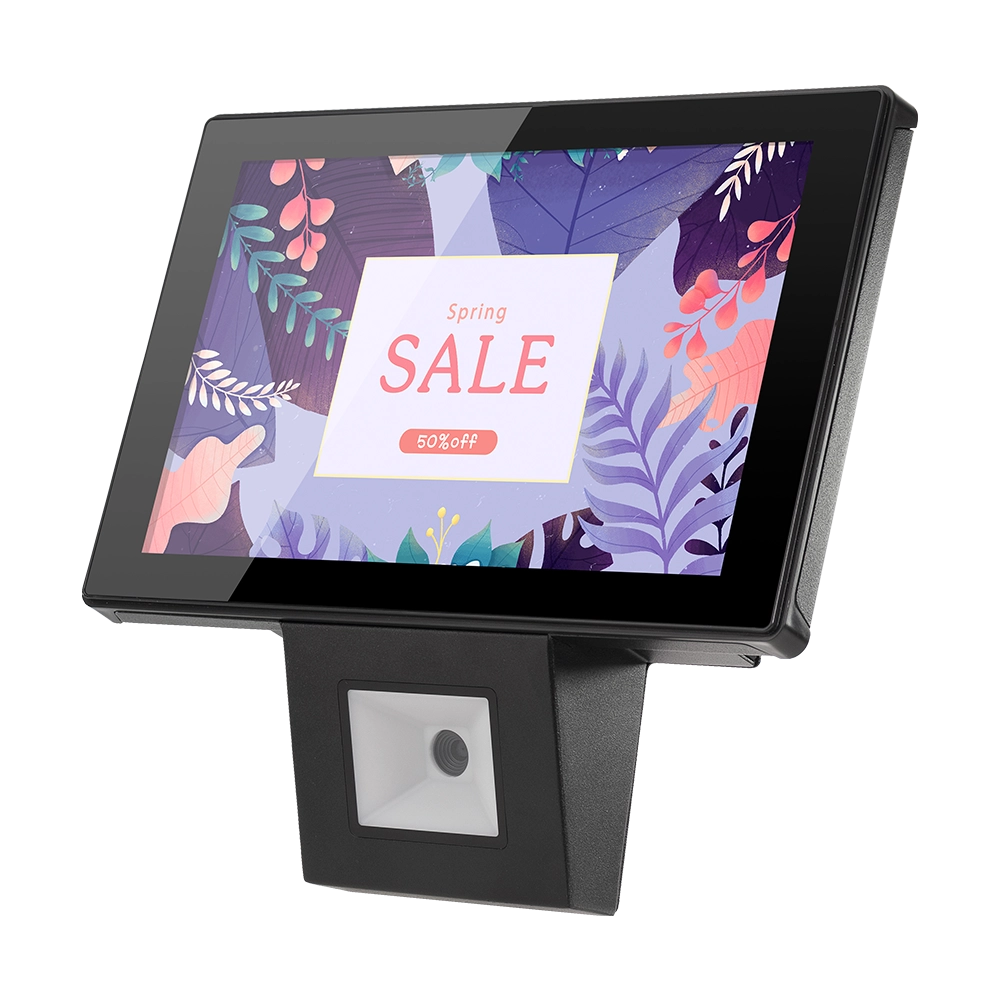
10 inch Price Checker Device Supplier Barcode Scanner for Sale Price Check for Supermarket
FAVORPOS offers 10 inch Price Checker Device, perfect for supermarkets. This wall mounted 10 inch touch screen barcode scanner ensures fast, accurate price checks, enhancing customer experience and operational efficiency. Durable, user-friendly, and perfect for high-traffic retail environments.
Get in touch
Interested in becoming a POS system dealer? Contact us for more information and start the process of joining our dealer network.
We look forward to working with you to expand the market together.


Copyright © 2025 Favorpos All Rights Reserved.
