
How to choose an all-in-one POS system for retail stores?
- 1) Can an all-in-one POS system accurately manage barcode + scale-weighted SKUs and keep inventory synced in real time across registers and e-commerce?
- 2) How do I verify an all-in-one POS provider's PCI and EMV compliance — what exact documents and certifications should I request?
- 3) What is the realistic 5-year total cost of ownership (TCO) for an all-in-one POS system — including hardware replacement, payment fees, integrations, and support?
- 4) How can I verify an all-in-one POS supports omnichannel retail workflows (BOPIS, ship-from-store, split fulfillment) out of the box vs. as expensive add-ons?
- 5) How do I test an all-in-one POS for offline mode, data consistency and conflict resolution before a multi-store rollout?
- 6) What hardware durability and support SLA should I demand for high-traffic retail stores, and how should I interpret warranty/service clauses?
- Conclusion: Why an audited, feature-complete all-in-one POS system pays off for retail
How to Choose an All-in-One POS System for Retail Stores: 6 Deep Questions Beginners Miss
All in one POS systems promise simpler installs and a cleaner counter, but retail buyers often run into hidden gaps: compliance paperwork, payment routing details, offline-data conflicts, weighted-item support, and real operating costs. Below are six specific long-tail questions retail owners and IT buyers ask — with practical, evidence-based answers you can use during vendor selection, procurement and pilot testing.
1) Can an all-in-one POS system accurately manage barcode + scale-weighted SKUs and keep inventory synced in real time across registers and e-commerce?
Pain point: Fresh produce, deli counters and bulk goods need scale integration and accurate inventory counts. Many vendors list scale support but don't document SKU mapping, rounding rules, or sync frequency — causing shrink, pricing errors, and reconciliation headaches.
Checklist & steps to validate:
- Confirm supported scale interface(s): OPOS/JavaPOS, USB HID scale, serial (RS-232), or vendor-proprietary connectors. Ask for exact models they have certified. If the terminal is an integrated POS terminal, verify available ports (USB, RS-232) and supported drivers.
- Ask how the system models weighted SKUs: Does it use a single base SKU + variable weight, or does it create distinct SKUs by weight buckets? The preferred model for retail is a base SKU with a decimal quantity (e.g., 0.437 kg) and configurable rounding/pricing rules to match your fiscal/regulatory rules.
- Real-time inventory sync: Verify whether weight-based sales decrement stock immediately on the device or queue locally and sync after transaction completion. For multi-register stores, immediate local decrement with background sync reduces oversell but requires conflict-handling logic.
- Rounding and tax rules: For weighted items, ensure the POS supports per-item rounding rules and tax jurisdictions that apply taxes to the unit price vs. total price. Request a vendor demo using a real scale and sample SKUs to prove pricing parity with your expected receipts.
- Reconciliation: Ask the vendor how they reconcile scale calibration drift or mis-tared transactions. Good systems keep an audit trail mapping transaction lines to scale serial numbers and operator IDs.
Red flags: Vendors that only offer generic scale compatible language without model lists, or that require a separate third-party plugin with additional monthly fees. Before purchase, run a pilot with your actual scale models and a set of weighted SKUs through peak-day scenarios.
2) How do I verify an all-in-one POS provider's PCI and EMV compliance — what exact documents and certifications should I request?
Pain point: Payment-security claims are often vague. Retailers need proof to reduce breach risk and ensure liability management for chargebacks.
What to request from the vendor (document list):
- Attestation of Compliance (AOC) or Report on Compliance (ROC) for the payment solution. For cloud POS vendors, ask for SOC 2 Type II if they handle or store cardholder data or sensitive PII.
- Evidence of PCI DSS compliance for the solution version you will deploy. As of PCI DSS 4.0 (current standard since 2022), confirm which controls the vendor covers and which are your responsibility — get that scope spelled out in writing.
- Payment device certifications: EMV Level 1/Level 2 certification details for the integrated terminal kernel, and the device’s PCI-approved device listing (P2PE or PIN acceptance device certifications). Ask for the terminal model number and its listing on PCI SSC or acquiring bank pages.
- Proof of P2PE program compliance (if applicable). PCI Point-to-Point Encryption significantly reduces PCI scope for merchants — if a vendor claims P2PE, ask for the P2PE solution certificate and Attestation of Validation.
- Details on payment processing flows: Does card data ever touch the POS app or local storage? Request a data flow diagram showing tokenization points, gateway, processor, and cloud components.
Why this matters: If data flows or device certificates don't match what the vendor claims, your SAQ type (self-assessment) and risk exposure change. Hold vendors accountable to provide these documents before contract signature. If they delay, treat it as a material risk.
3) What is the realistic 5-year total cost of ownership (TCO) for an all-in-one POS system — including hardware replacement, payment fees, integrations, and support?
Pain point: Vendors often present low monthly subscription or cheap hardware but omit payment processing economics, replacement cycles, or integration maintenance costs.
How to build a conservative 5-year TCO model (template you can use):
- Initial hardware cost: all-in-one terminal price range typically $400–$1,500 per unit depending on functionality (integrated printer, scanner, customer-facing display). For a larger-scale deployment, include spare units (5–10%).
- Software subscription: Cloud POS fees vary widely — from $20–$100+/month per register. Specialty retail features (omnichannel, advanced analytics, loyalty) often sit in higher tiers or as add-ons ($50–$300/month).
- Payment processing fees: Typical card-present effective rates vary by market and risk profile — often 1.6%–3.5% + $0.05–$0.30 per transaction. For interchange-plus pricing, ask for sample fee calculations using your average basket and monthly volume to project annual fees.
- Gateway and P2PE fees: Some gateways charge monthly/transaction fees; if the vendor uses a preferred PSP you may pay gateway fees or markups. Ask for total blended rate examples and whether the vendor takes a payment referral commission that affects your rate.
- Integrations & custom work: Connecting ERP, e-commerce, or third-party inventory/fulfillment systems commonly requires one-time integration fees ($500–$10,000 depending on complexity) plus maintenance costs. Budget 10–20% of initial integration as annual maintenance.
- Support & warranty: Basic remote support may be included; next-business-day or on-site SLAs cost more. Extended warranties and accidental-damage coverage typically 10–25% of hardware cost per year.
- Hardware replacement cycle: Plan for a 3–5 year refresh for high-use retail terminals. Printers and scanners may require consumables and periodic replacement earlier.
Example calculation (illustrative): For a single busy store with two registers, assume: 2 terminals at $800 = $1,600; subscription $150/mo = $1,800/yr; expected payment fees on $500k annual volume at 2% = $10,000/yr; integrations one-time $3,000; support $1,200/yr. Over 5 years: hardware refresh (assume one cycle) $1,600 + subscriptions $9,000 + payment fees $50,000 + integrations $3,000 + support $6,000 = ~$69,600 total. (Use your real volume and quotes — this is a template, not a quote.)
Actionable negotiation tip: Require a true-up clause and performance baselines in the contract. Ask for a full-rate card processing worksheet from their payments partner and insist on transparent interchange pass-through statements if possible.
4) How can I verify an all-in-one POS supports omnichannel retail workflows (BOPIS, ship-from-store, split fulfillment) out of the box vs. as expensive add-ons?
Pain point: Many POS vendors claim omnichannel-ready but critical features (real-time inventory allocation, order routing rules, fulfillment dashboards) are High Quality modules or require third-party middleware.
Validation steps and test cases:
- Ask for a feature matrix that clearly separates core capabilities from optional modules. Specifically verify: real-time SKU-level inventory, location-based availability, reserve/hold allocations, and fulfillment routing rules.
- Test cases to run during a pilot: create one SKU with limited inventory, place a web order during a peak window, and check whether BOPIS holds the item immediately to prevent POS sales. Then test split-fulfill: can the system create partial shipments from different locations while preserving inventory accuracy?
- Confirm integration patterns with your e-commerce platform (Shopify, Magento, WooCommerce, custom). Is the integration native, via a certified connector, or via middleware? Native connectors reduce latency and failure points.
- Reporting and operational view: Does the POS provide a unified fulfillment dashboard showing outstanding web orders, pick lists, and shipment/return status? For stores doing ship-from-store, confirm carrier integrations and label printing support from the all-in-one terminal or back-office.
Red flags: Vendors that require multiple third-party subscriptions (e.g., separate OMS and POS vendors) without demonstrating a single reconciliation and exception workflow. For retail, a true omnichannel solution must prevent oversell, provide clear pick/pack UIs for store staff, and support returns across channels with consistent refunds and loyalty credit behavior.
5) How do I test an all-in-one POS for offline mode, data consistency and conflict resolution before a multi-store rollout?
Pain point: Network outages, flaky cellular, or WAN latency can cause lost sales, duplicate receipts or inventory mismatches. Many vendors claim offline mode, but behavior under conflict is often undocumented.
Formal test plan (run during vendor pilot):
- Simulate network conditions: Use a network emulator or simply disconnect the store network. Run normal transaction volume for a peak 2-hour window to observe queue sizes, average transaction processing time, and device responsiveness.
- Concurrent multi-location test: While one location is offline and processing sales locally, have another location sell the same limited SKU. When the offline location reconnects, verify how the solution resolves negative inventory or oversold state. Is there automated reservation precedence (first-commit wins) or manual reconciliation required?
- Idempotency and retry behavior: Intentionally interrupt the finalization step of a payment (e.g., disconnect before confirmation). Verify the POS does not double-charge the card when the device reconnects. This is especially critical if the POS supports card-present tokenization vs. local PAN handling.
- Audit trails and logs: Confirm the system retains transaction logs with timestamps, operator IDs, and device serials. Audit logs should be exportable for forensic reconciliation.
- Data integrity checks: After reconnection, run inventory and sales reconciliation reports. Check for rounding differences, decimal precision on weighted SKUs, and matching transaction IDs versus receipts.
Contract point: Include acceptance criteria for offline behavior in your Statement of Work (SOW). If offline conflicts require manual fixes beyond N business hours, negotiate remediation SLA credits.
6) What hardware durability and support SLA should I demand for high-traffic retail stores, and how should I interpret warranty/service clauses?
Pain point: Integrated POS terminals face heavy physical use. A cheap terminal can increase downtime and cause lost sales. Warranties and SLAs vary; buyers need quantifiable metrics.
Hardware and warranty checklist:
- Duty cycle and recommended lifespan: Ask the vendor for expected daily transactions and recommended life in years. For high-traffic retail, expect terminals to be rated for millions of transactions and plan refresh cycles of 3–5 years.
- Mechanical specs: For countertop printers, ask for print-head life in linear meters or receipts/day. For scanners, ask for trigger lifespan and engine-rated scans per day.
- Reliability metrics: If available, request MTBF (mean time between failures) and field failure rates. Vendors with enterprise deployments can often provide aggregated failure rates by model.
- Environmental ratings: If any terminals will be used outdoors or in semi-exposed conditions, require IP-rated enclosures (e.g., IP54) or MIL-STD drop ratings.
- SLA terms: Define response and resolution times. Typical tiers: remote/phone support 24/7, replacement hardware shipped within 24–48 hours for critical failures, on-site technician within 4–24 hours for large stores. Get these in the contract with service credits for missed SLAs.
- Spare pool & RMA: For multi-store deployments, require a local spare pool and pre-authorized RMA process. Ask whether the vendor offers cross-shipping (ship replacement before receiving failed unit) to reduce downtime.
Negotiation tip: For mission-critical registers, include a small pool of hot-swappable spares and specify swap time (e.g., 4 business hours) and replacement unit grade (new vs refurbished). If the vendor can’t meet specified SLA metrics, price that into your support agreement with an authorized third-party service partner.
Conclusion: Why an audited, feature-complete all-in-one POS system pays off for retail
All in one POS systems offer a cleaner footprint, integrated peripherals and simplified vendor management — but only when you validate the details beyond marketing claims. By demanding specific documentation (PCI/EMV/P2PE), running real-world pilots for scale and offline behavior, modeling a conservative 5-year TCO, and requiring clear SLAs and hardware durability metrics, retailers minimize risk and ensure the POS supports omnichannel workflows, accurate inventory and secure payment processing.
Advantages in brief: integrated POS terminals simplify checkout and hardware management; cloud POS capabilities enable centralized inventory and omnichannel; certified payment and P2PE reduce PCI scope; robust offline handling and spare pools minimize downtime; and a transparent TCO aligns vendor incentives with your business outcomes.
For a tailored quote and to validate models against your SKUs, peak volumes and store footprint, contact us for a quote at www.favorpos.com or email sales2@wllpos.com.

Understanding 15-Inch Aluminum POS Terminals in Modern Commercial Use

The Smart Way to Check Prices: How a 10.1-Inch Wall-Mounted Price Checker Transforms Retail Stores

A Smarter Checkout Experience: The 15-Inch Dual-Screen POS Built for Modern Retail

8-Inch Smart Price Checker: A Small Device Powering Smarter Retail Spaces

Built for Retail Precision: Manufacturing Excellence Behind the 11.6” Smart Price Checker
For Beauty and Wellness
Can your POS system handle both appointment scheduling and product sales?
Yes, our system can efficiently manage appointment scheduling, product sales and customer records to ensure the smooth operation of the beauty and health business.
For Grocery and Supermarkets
Does your system support contactless payments?
Absolutely, our POS system supports multiple payment methods, including contactless payments from mobile wallets such as Apple Pay and Google Pay.
For ODM
Can we provide our own designs?
Of course. We welcome customers to provide their own design concepts and specifications. Our design team will work with you to ensure that your design is implemented in the manufacturing process and make necessary optimizations.
For company
How many days will I get the sample?
Generally, 3-5 days for production and 3-7 days for transportation, so you will get goods in 6-12 days.
For Bakeries
Does the system provide real-time sales reports?
Yes, our system provides real-time reporting and analytics to help you monitor performance, track inventory, and optimize sales strategies.

8 inch Wall Mount Price Checker with Scanner Android Windows Factory
Our 8-inch Wall Mount Price Checker is designed for optimal convenience in retail spaces, featuring a sleek design that fits seamlessly into any environment. Compatible with both Android and Windows, this unit includes an integrated scanner for quick and accurate price checks. Its wall-mounted design saves counter space while providing easy access for customers. Ideal for enhancing efficiency and improving the shopping experience.
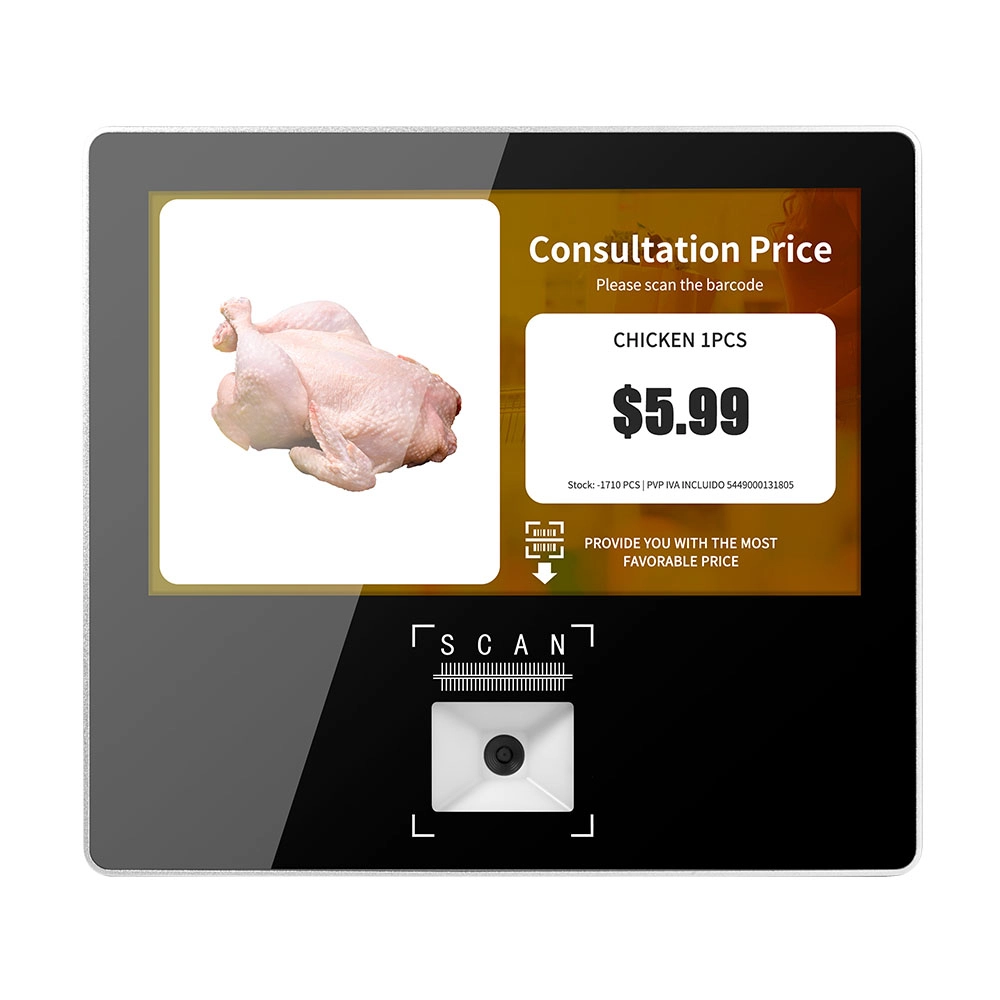
Metal 11.6 inch Price Scanner Machine Android Windows with Wifi Supplier
FAVORPOS Metal 11.6-inch Price Scanner Machine, designed for durability and efficiency in retail environments. This versatile device operates on both Android and Windows, providing seamless functionality for various applications. With built-in Wi-Fi connectivity, it allows for quick access to pricing data and updates. The 11.6'' display ensures clear visibility for easy operation, making it perfect for price checking and inventory management. Enhance your retail experience with this reliable and robust price scanner from a trusted supplier!
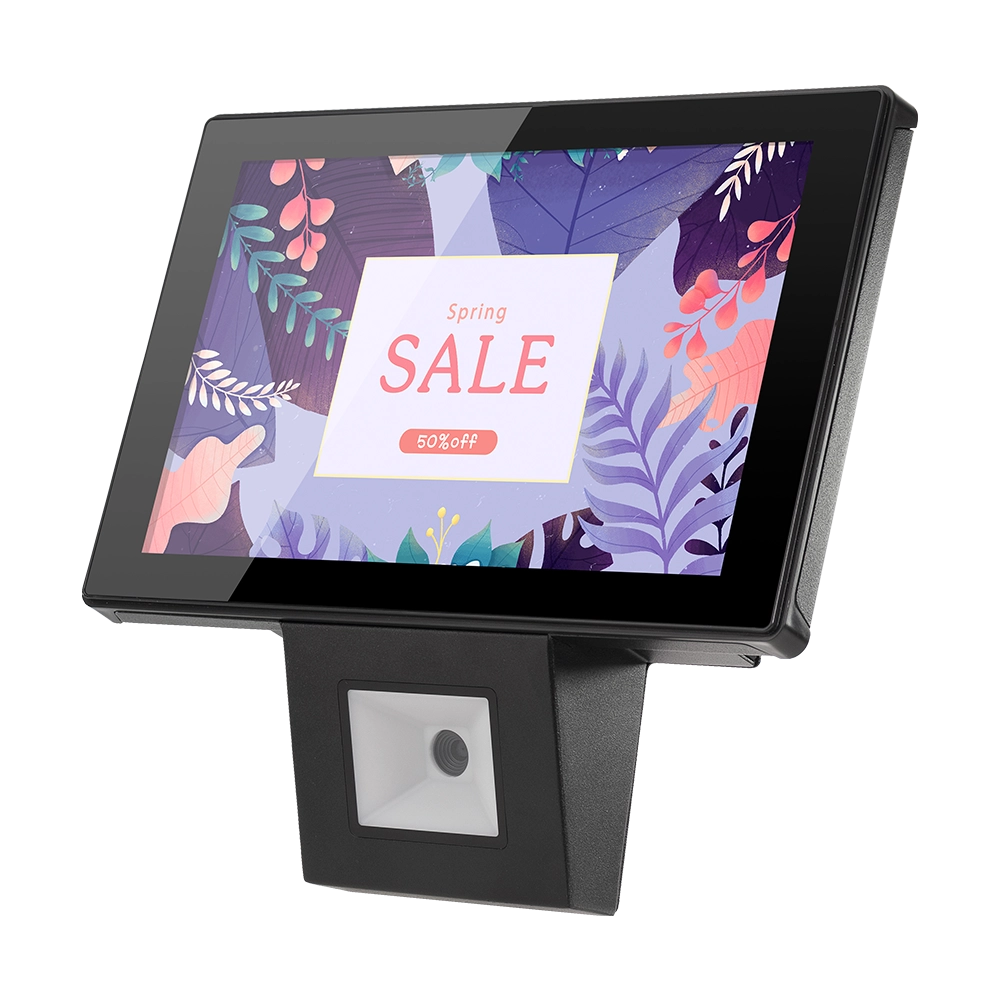
10 inch Price Checker Device Supplier Barcode Scanner for Sale Price Check for Supermarket
FAVORPOS offers 10 inch Price Checker Device, perfect for supermarkets. This wall mounted 10 inch touch screen barcode scanner ensures fast, accurate price checks, enhancing customer experience and operational efficiency. Durable, user-friendly, and perfect for high-traffic retail environments.

Aluminum Dual Screen Pos Terminal Pos Systems 15.6 inch Touchscreen Pos
FAVORPOS Aluminum Dual Screen POS Terminal features a 15.6-inch touchscreen, ideal for seamless transactions. As a trusted OEM Windows POS manufacturer, we deliver durable, high-performance solutions tailored for retail and hospitality businesses.
Get in touch
Interested in becoming a POS system dealer? Contact us for more information and start the process of joining our dealer network.
We look forward to working with you to expand the market together.


Copyright © 2025 Favorpos All Rights Reserved.
