
Which all-in-one POS systems provide integrated payment processing?
- 1) Which all-in-one POS systems offer truly transparent interchange-plus pricing for multi-location restaurants, and how do I validate the effective rate?
- 2) Can I keep my own merchant account and still use an all-in-one POS with EMV/contactless hardware?
- 3) How do integrated payment all-in-one POS systems manage chargebacks, reserves and PCI compliance — what operational risk should I plan for?
- 4) What are the realistic hardware and recurring costs to deploy an all-in-one POS for a single coffee shop (1 terminal, 1 mobile reader)? Provide line-item estimates.
- 5) Do all-in-one POS systems support offline payments and store-and-forward for unreliable internet, and what are the security and settlement implications?
- 6) How do all-in-one POS systems reconcile integrated payments with inventory and accounting (QuickBooks/Xero) for omnichannel retailers?
Author: FavorPOS (professional POS systems consultant). This guide answers six specific, buyer-focused questions about all-in-one POS systems and integrated payment processing. It embeds real, verifiable facts (PCI/EMV standards, vendor models) and practical steps to evaluate vendors such as Square, Toast, Lightspeed, Clover, Revel and Shopify for cloud POS, terminals, merchant accounts and payment gateways.
1) Which all-in-one POS systems offer truly transparent interchange-plus pricing for multi-location restaurants, and how do I validate the effective rate?
Pain point: restaurateurs often receive opaque “blended” or “bundled” rates that hide interchange and markups, especially across multiple locations.
What to expect: All-in-one POS vendors use several pricing models: (a) flat/blended rates (common with Square and some Shopify plans), (b) interchange-plus (aka cost-plus) pricing offered by merchant services partners (common for enterprise plans from Lightspeed, Revel or NCR), and (c) custom negotiated blended rates for high-volume accounts (common in hospitality aggregators).
Vendors that commonly provide interchange-plus or transparent statements for multi-location hospitality customers include Lightspeed (Lightspeed Payments or integrated processors), Revel Systems (custom merchant services partners), and enterprise-focused NCR/Toast enterprise deals — but availability depends on geography and monthly volume. Square and Toast often operate as the processor of record and publish flat/blended card-present rates instead of interchange-plus to simplify quoting for small and mid-sized merchants.
How to validate the effective rate (step-by-step):- Request a sample monthly processing statement for a client of similar size (or a demo statement from the vendor).- Confirm the pricing model in writing: flat-rate, interchange-plus structure (show markup and per-transaction fee), or blended schedule.- Calculate the Effective Rate = (Total fees paid for the month / Gross card volume) × 100. Compare this to vendor's quoted “average” rate.- Ask how card-not-present (CNP), keyed, and international cards are priced — these often balloon the effective rate.- Verify whether fees like chargeback handling, monthly gateway fees, PCI compliance fees, batch fees or terminal rental are billed separately.
Why this matters: interchange-plus transparency protects you from wide swings between actual interchange costs and what you're billed, especially across many terminals/locations where card mix differs (e.g., high tip percentages in restaurants raise interchange costs).
2) Can I keep my own merchant account and still use an all-in-one POS with EMV/contactless hardware?
Pain point: merchants with existing bank relationships or negotiated rates want to retain their merchant account but also want modern all-in-one POS hardware with EMV and NFC support.
Short answer: Sometimes — but it depends on the POS vendor and region. The market has two models: closed/hosted (vendor is the processor/merchant-of-record) and open/integrated (POS uses third-party gateways or supports merchant-of-record from your acquirer).
Details and vendor tendencies:- Closed systems: Square and many Toast deployments require using the vendor's payment processing (they act as the merchant of record). These provide a fully integrated experience but usually don’t permit bringing your own merchant account.- Open/integrated systems: Lightspeed (retail/hospitality) and Revel historically allow third-party gateway/processor integrations or to connect an existing merchant account though the available processors may be limited by geography. Clover hardware is commonly distributed through ISOs and acquirers, so merchants who already have a Clover-capable processor can often use their merchant account, but manufacturer/provider policies vary.
How to confirm for your case:- Ask the POS provider explicitly “Can I use my existing merchant account?” and demand a written compatibility list.- Confirm hardware certification: your acquirer/gateway must support the POS terminal’s EMV/NFC certification and P2PE or tokenization scheme.- Check settlement and reporting: ensure the POS prints transaction-level reports and settlement batch IDs so your processor can reconcile deposits.
Trade-offs: Using your own merchant account keeps negotiated pricing and relationship with the acquirer, but you may lose vendor-managed features (one-click chargeback tools, consolidated support, faster rollouts of features tied to the vendor’s payment stack).
3) How do integrated payment all-in-one POS systems manage chargebacks, reserves and PCI compliance — what operational risk should I plan for?
Pain point: unexpected chargebacks, reserves or PCI non-compliance fines can blow budgets; beginners are often unclear how vendor-integrated processing changes liability and workflow.
Key facts:- PCI DSS still applies: any system that stores, processes or transmits cardholder data must meet PCI requirements. Many all-in-one POS vendors offer P2PE or tokenization to reduce merchant scope, but merchants still need to complete an SAQ (Self-Assessment Questionnaire) or follow vendor-led validation steps.- Chargeback handling: processors and POS vendors typically provide an online chargeback portal and notifications. The procedural deadlines differ — you must respond quickly (often within 7–10 days for retrievals; 21–45 days for full disputes depending on brand).- Reserves and holds: processors or merchant-of-record vendors can impose rolling reserves or fund holds if your chargeback ratio exceeds thresholds or if industry risk is high (e.g., newly opened restaurant with high refunds). These are contractual and differ across providers.
Operational checklist to reduce risk:- Enable EMV and contactless acceptance (liability shift reduces fraudulent chip-present chargebacks).- Turn on tokenization and P2PE if the vendor supports it, and confirm where the decryption happens.- Implement clear refund and no-show policies, document customer acceptance (receipt, signed ticket for high-value orders), and keep delivery/photo evidence where relevant.- Monitor chargeback ratio monthly; many processors set thresholds (e.g., 0.5%–1.0% of transactions by count or value triggers remediation).- Ask in-contract where reserves can be applied and for what duration; get upper bounds in writing if possible.
Practical tip: when evaluating all-in-one POS proposals, request the dispute/chargeback workflow, sample correspondence templates, and the vendor’s historical chargeback rate for accounts of similar industry/size.
4) What are the realistic hardware and recurring costs to deploy an all-in-one POS for a single coffee shop (1 terminal, 1 mobile reader)? Provide line-item estimates.
Pain point: buyers often underestimate total cost of ownership (TCO) and compare vendors only on headline processing rates.
Estimated first-year budget (example coffee shop, US market, 1 stationary register + 1 mobile reader):- Hardware: - Tablet or dedicated POS terminal: $299–$1,299 (tablet POS like iPad with stand or a dedicated Register like Square Register at higher end). - Card reader / EMV contactless terminal: $49–$599 (basic magstripe/contactless reader vs. full payment terminal like Square Terminal or Clover Flex). - Receipt printer & cash drawer: $200–$450 combined. - Optional network router/back-up cellular: $100–$300.- Software & services: - POS subscription: $0–$129/month depending on vendor plan and features (basic cloud POS vs. advanced inventory/multi-location features). - Payment processing: depends on model: flat-rate providers (e.g., Square) charge per-transaction rates (Square card-present: 2.6% + $0.10 as published for contactless/chip in the US) — enterprise/interchange-plus providers vary; expect effective blended rates often between 2.5%–3.5% for small food-service merchants unless negotiated. - PCI compliance service fee or terminal certification (if charged separately): $5–$25/month.
Sample first-year math (mid-range):- One-time hardware: $1,000 (tablet + reader + printer + drawer)- Software: $60/month = $720/year- Processing: assume $150,000 gross annual card volume at 2.9% blended = $4,350/year in processing fees- Total first-year TCO ≈ $6,070 (hardware + software + processing), excluding payroll integrations or additional integrations.
Notes: vendor bundles and rental vs. purchase options change this math. Always ask for total “all-in” monthly and first-year estimates including anticipated chargeback fees, terminal rental, and API/integration fees.
5) Do all-in-one POS systems support offline payments and store-and-forward for unreliable internet, and what are the security and settlement implications?
Pain point: cafes and mobile vendors need uninterrupted acceptance even with flaky Wi‑Fi or cellular service. Beginners may not know how offline modes affect risk and settlement timing.
Capabilities and limits:- Many POS providers (Square, Lightspeed, Toast, Revel) support a limited store-and-forward or offline mode: the terminal will accept a transaction, encrypt/tokenize the card data locally, and then submit when connectivity is restored.- Limits: vendors typically cap offline transactions by dollar amount or number of transactions to reduce fraud risk. They may also delay settlement for longer periods and have stricter fraud screening on store-and-forward transactions.- Security: offline modes must still use tokenization or P2PE; otherwise, storing raw PANs locally would violate PCI. Reputable vendors use encrypted tokens so stored data cannot be used elsewhere; confirm P2PE certification.
Settlement and reconciliation impacts:- Offline transactions batch and settle on the next successful connection; this can cause mismatches between business-day POS totals and bank deposits if you rely on same-day settlement for cash flow.- Refunds and chargebacks on offline transactions follow the same dispute rules after the transaction settles, but detection of fraud may lag, increasing chargeback exposure.
Checklist for selection:- Ask vendors to describe offline limits and how many transactions/dollars are stored.- Confirm encryption/tokenization method and whether the offline tokens are accepted by the payment processor on reconnection.- Test offline workflow during trial or pilot and measure settlement delay impact on cash flow.
6) How do all-in-one POS systems reconcile integrated payments with inventory and accounting (QuickBooks/Xero) for omnichannel retailers?
Pain point: omnichannel merchants need accurate matching of online payments, in-store card settlements, refunds, fees and inventory depletion. Poor reconciliation causes accounting errors and tax headaches.
Key mechanisms:- Transaction-level exports & APIs: Good POS systems provide per-transaction exports (CSV/API) including gross sale, tax, discounts, tips, refunds, payment method, settlement batch ID and deposit ID. This metadata is essential to tie a bank deposit back to POS activity.- Settlement aggregation: Payment processors often deposit aggregated batches (multiple POS transactions in one bank deposit). Reconciliation requires the deposit ID in the POS report to match the bank deposit and a fees report that shows processing fees and net deposit amount.- Accounting integration: Most top vendors (Square, Lightspeed, Shopify, Revel) offer direct integrations or middleware (e.g., A2X, Synder, Zapier connectors) to QuickBooks Desktop/Online and Xero. These integrations can post gross sales, taxes, payment processing fees as expenses, and map tips and gift card liability correctly.
Best practices for clean reconciliation:- Configure the integration to post gross sales and tax, not net deposits — then post processing fees as separate expense lines. This preserves sales reporting and simplifies tax audits.- Map multiple payment types to separate clearing accounts in the GL (e.g., Bank Clearing – Square, Bank Clearing – Shopify). Daily deposits from processor should reconcile to withdrawals from each clearing account.- Use deposit batch ID and date to match bank deposits to cleared batches; automate the match with middleware where possible.- For inventory, ensure real-time SKU-level decrements occur at both online checkout and in-store sale; enable SKU mapping between e-commerce and POS SKUs to avoid phantom inventory.
Example workflow: daily POS export → import to accounting (gross sales, taxes, discounts) → import processor fee report (fees and refunds) → reconcile deposit amount to bank statement using deposit ID → adjust reserves or chargeback entries as necessary.
Practical tip: before purchasing, run a 30-day pilot and export data to your accountant. Confirm the data fields you need (batch ID, settlement ID, item-level sales) exist and match your reconciler’s expectations.
Conclusion: All-in-one POS systems with integrated payment processing simplify operations (hardware, software, payments in one stack) but differ widely on pricing transparency, merchant-account flexibility, offline handling, and reconciliation capabilities. If you need predictable interchange-plus pricing and the ability to bring your own merchant account, target Lightspeed/Revel/NCR enterprise offerings and ask for sample statements. If you prioritize simplicity, fast setup and flat-rate pricing, Square or Shopify may be appropriate but expect vendor-managed processing and fewer options for external merchant accounts.
Advantages of all-in-one POS systems: centralized payment reconciliation, built-in EMV and contactless acceptance, unified inventory and sales reporting for omnichannel retail, fewer vendor integrations, and faster deployment. The trade-offs are pricing model rigidity, possible reserves/hold policies, and differences in offline/security behavior — so always validate contract terms, sample processing statements, and P2PE/tokenization certifications.
For tailored quotes and a free evaluation of vendor fit for your business size and geography, contact us at www.favorpos.com or email sales2@wllpos.com.

Understanding 15-Inch Aluminum POS Terminals in Modern Commercial Use

The Smart Way to Check Prices: How a 10.1-Inch Wall-Mounted Price Checker Transforms Retail Stores

A Smarter Checkout Experience: The 15-Inch Dual-Screen POS Built for Modern Retail

8-Inch Smart Price Checker: A Small Device Powering Smarter Retail Spaces

Built for Retail Precision: Manufacturing Excellence Behind the 11.6” Smart Price Checker
For Entertainment & Events
How do you ensure data security and prevent fraud?
Our systems comply with industry standards for data security and payment protection and are equipped with advanced fraud prevention features to prevent fraudulent activities and ensure transaction security.
For Beauty and Wellness
Can the system manage the inventory of retail products?
Yes, our system can track and manage the inventory of retail products and provide real-time inventory reminders and automatic reordering functions to ensure that there is no out-of-stock.
For company
Are you a manufacturer?
Yes, we are a POS hardware manufacturer, based in Guangzhou, China.
For Distributor
What kind of support will I receive as a reseller?
As a reseller, you will receive comprehensive support, including product training, technical assistance, and support from a dedicated account management team.
For ODM
What are the main advantages of ODM service?
You can enjoy the following advantages by choosing our ODM service:
1. Innovative design: Our team provides cutting-edge design solutions to ensure that products meet the latest market trends.
2. Full process management: Full process management from design to production to reduce your operational complexity.
3. Customization: We provide personalized hardware customization services according to your needs.
4. Quality assurance: Strict quality control procedures ensure high standards for each POS machine.
5. Cost-effectiveness: Efficient production processes help reduce costs while maintaining high quality.

8 inch Wall Mount Price Checker with Scanner Android Windows Factory
Our 8-inch Wall Mount Price Checker is designed for optimal convenience in retail spaces, featuring a sleek design that fits seamlessly into any environment. Compatible with both Android and Windows, this unit includes an integrated scanner for quick and accurate price checks. Its wall-mounted design saves counter space while providing easy access for customers. Ideal for enhancing efficiency and improving the shopping experience.
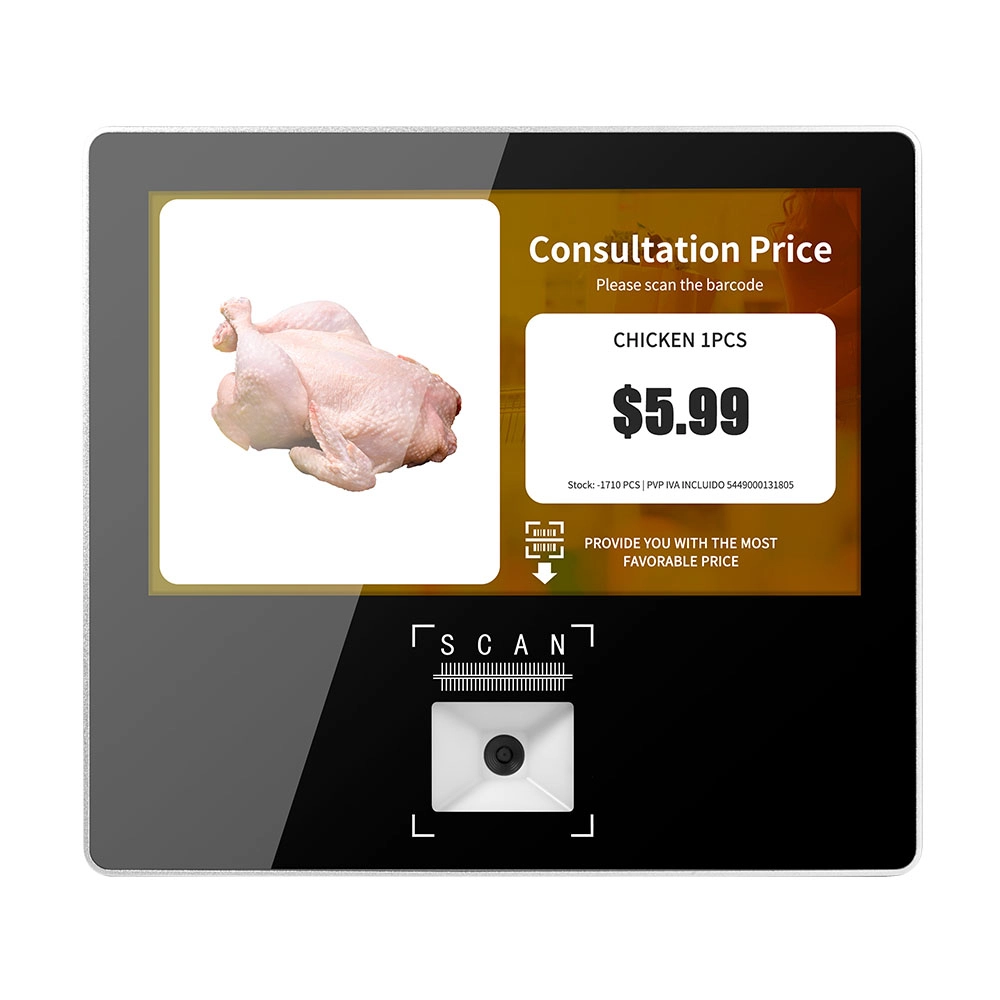
Metal 11.6 inch Price Scanner Machine Android Windows with Wifi Supplier
FAVORPOS Metal 11.6-inch Price Scanner Machine, designed for durability and efficiency in retail environments. This versatile device operates on both Android and Windows, providing seamless functionality for various applications. With built-in Wi-Fi connectivity, it allows for quick access to pricing data and updates. The 11.6'' display ensures clear visibility for easy operation, making it perfect for price checking and inventory management. Enhance your retail experience with this reliable and robust price scanner from a trusted supplier!
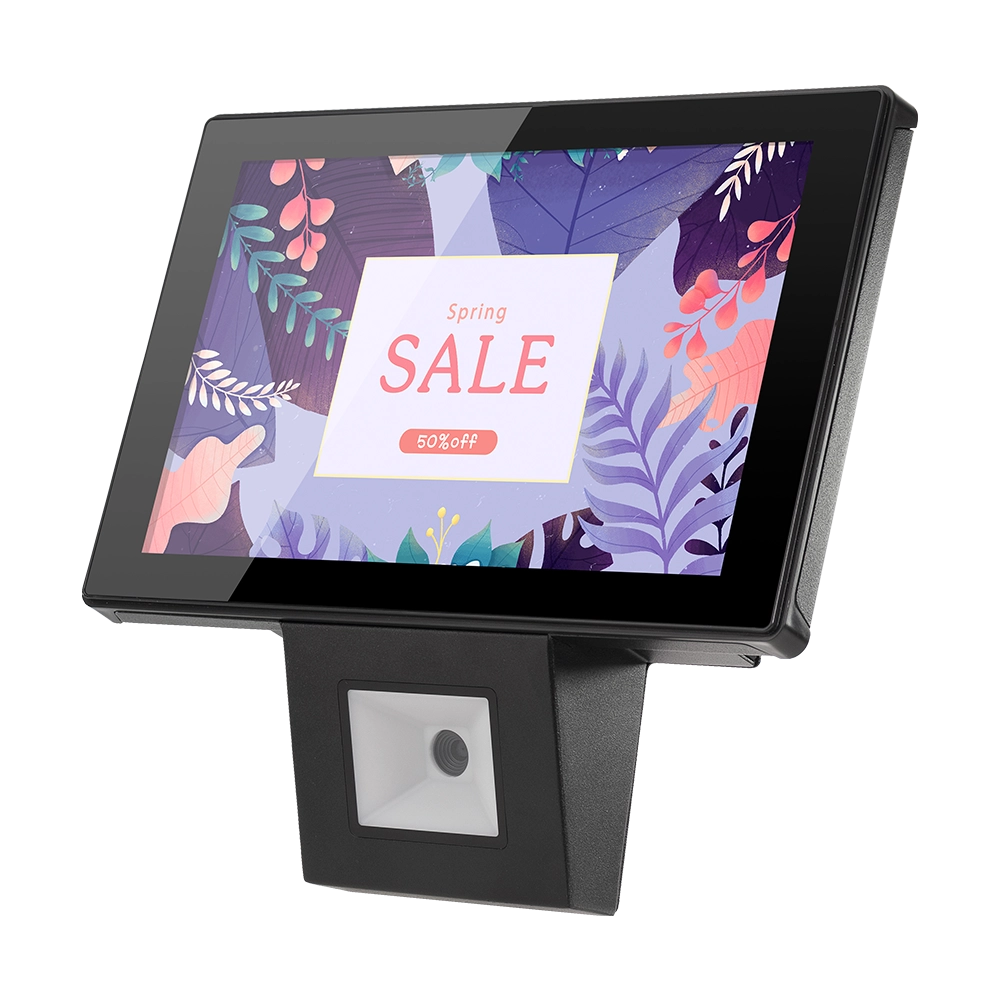
10 inch Price Checker Device Supplier Barcode Scanner for Sale Price Check for Supermarket
FAVORPOS offers 10 inch Price Checker Device, perfect for supermarkets. This wall mounted 10 inch touch screen barcode scanner ensures fast, accurate price checks, enhancing customer experience and operational efficiency. Durable, user-friendly, and perfect for high-traffic retail environments.

Aluminum Dual Screen Pos Terminal Pos Systems 15.6 inch Touchscreen Pos
FAVORPOS Aluminum Dual Screen POS Terminal features a 15.6-inch touchscreen, ideal for seamless transactions. As a trusted OEM Windows POS manufacturer, we deliver durable, high-performance solutions tailored for retail and hospitality businesses.
Get in touch
Interested in becoming a POS system dealer? Contact us for more information and start the process of joining our dealer network.
We look forward to working with you to expand the market together.


Copyright © 2025 Favorpos All Rights Reserved.
