
How to choose the best POS desktop system for retail stores?
- 1. How do I ensure inventory accuracy across barcode, weight-based and kit items in a multi-store retail chain using a pos desktop system?
- 2. What hardware compatibility pitfalls should I expect when migrating from legacy Windows POS to modern POS desktop terminals?
- 3. How to architect a hybrid cloud + on-premise pos desktop system to guarantee offline transactions and fast local reporting?
- 4. How do I verify PCI DSS and EMV compliance for a pos desktop system that uses third-party gateways and integrated PIN pads?
- 5. What performance metrics and monitoring should I set up before buying a pos desktop system to prevent slow checkout during peak hours?
- 6. How do I evaluate total cost of ownership (TCO) for a pos desktop system, including software licenses, updates, peripheral replacement, and tax/reporting compliance?
- Conclusion: Advantages of pos desktop systems for retail stores
How to Choose the Best POS Desktop System for Retail Stores
This article answers six frequently overlooked, pain-focused questions beginners and retail IT buyers ask when selecting a pos desktop system. Each section provides checklists, architecture patterns, and validation steps for real-world retail deployments using desktop POS terminals, peripherals, and mixed on-premise/cloud designs.
1. How do I ensure inventory accuracy across barcode, weight-based and kit items in a multi-store retail chain using a pos desktop system?
Why this matters: Inaccurate stock levels cause stockouts, overselling, shrinkage, and manual reconciliation work. Many online guides are high-level and ignore mixed item types (weighed produce, composite kits, serialized items) and sync latency between stores.
Actionable steps:
- Define canonical item model: for each SKU record whether it is barcode-scanned, PLU/scale-managed (weight-based), serialized, or a kit/composite. The pos desktop inventory engine must support all types natively.
- Use per-item transaction rules: configure rounding tolerances for weight-based PLUs, conversion factors for multi-unit items (e.g., cases to units), and explode kits at POS or during fulfillment depending on your pick/pack process.
- Real-time local validation: on desktop POS terminals, validate reads at the local cache level. Implement local stock reservations for in-progress sales to prevent race conditions at high concurrency moments (e.g., multiple tills selling a single limited-qty item).
- Sync strategy: choose a hybrid sync model. Keep core stock quantities and reservations on a local on-premise database at each store for sub-second availability and sync incremental deltas to HQ/cloud every 30–120 seconds. Avoid hourly batch-only syncing for multi-store retail.
- Conflict resolution: implement last-writer-wins for price/description fields but use transactional merge rules for quantities. Log all adjustments with user IDs and reasons to meet audit requirements.
- Barcode & scale calibration: require periodic calibration routines and reconcile weight PLU totals against scale logs daily. Integrate scale system logs with POS for exception handling (e.g., weight mismatch prompts manager verification).
- Reporting & reconciliation: run nightly automated mismatch reports (expected vs actual) and create exception workflows to resolve kit-component shortages and serialized item issues.
Verification checklist before purchase:
- Ask for a demo to create, sell, and return kits and weight PLUs in the POS desktop UI.
- Request a documented sync architecture and RPO/RTO figures for inventory data.
- Test a failover scenario where the connection to HQ is lost and 20 simultaneous POS terminals continue processing sales against local stock.
2. What hardware compatibility pitfalls should I expect when migrating from legacy Windows POS to modern POS desktop terminals?
Why this matters: Legacy POS environments often rely on old serial printers, proprietary drivers, and 32-bit COM port integrations. Migrating without a hardware compatibility plan causes checkout delays and hidden costs.
Common pitfalls and mitigations:
- Peripheral drivers: legacy devices may require 32-bit drivers or vendor-specific APIs. Verify whether the new desktop POS supports vendor-provided drivers or uses an abstraction layer (OPOS, JavaPOS, or a modern USB virtual COM translator).
- Serial/parallel ports: many new POS terminals are USB-first. If you have serial cash drawers or barcode scanners, factor in USB-to-RS232 adaptors and test for driver stability across OS updates.
- Receipt printers: confirm compatibility with your preferred printer models and paper width, and request demo print drivers for logo, barcode, and UTF-8 character sets (for multilingual receipts).
- Touchscreen and touchscreen drivers: check multi-touch support, resistive vs capacitive, and vendor touchscreen drivers for gestures used in your POS UX.
- Mounting, power, and POS-ready terminals: ensure VESA mounts, UPS compatibility, and device ruggedness ratings for retail environments. Consider fanless industrial terminals to reduce maintenance.
- Peripheral certification matrix: require a certified peripherals list from your POS provider. Test all vendor-specific peripherals for common failure modes—printer jams, scanner misreads, scale drift.
Migration test plan:
- Inventory all legacy peripherals and annotate interfaces (USB/HID, RS232, Ethernet, Bluetooth).
- Acquire or request test units for each peripheral or perform a pilot with 1–3 stores for 14 days.
- Log driver crashes, reconnection failures after sleep/resume, and firmware upgrade failures. Demand fixes or workarounds before rollout.
3. How to architect a hybrid cloud + on-premise pos desktop system to guarantee offline transactions and fast local reporting?
Why this matters: Pure cloud POS may be attractive, but retailers with high transaction volumes or unreliable internet need local resiliency for offline transactions and quick reporting.
Recommended architecture:
- Local sync node: deploy a lightweight local server at each store (can be a small Windows or Linux appliance or a rugged mini-PC) that hosts a local DB replica and sync agent. Desktop POS terminals connect to this local node for sub-second reads/writes.
- Delta sync and message queue: use event-based delta replication (e.g., change data capture) with a reliable message queue (AMQP, Kafka, or cloud alternatives) to propagate transactions to HQ/cloud. Ensure idempotency keys to prevent duplicate transactions during retry.
- Offline mode handling: design for continued POS operation if the local node becomes unavailable. POS should queue transactions locally and reconcile when the node or internet returns. Maintain a transaction journaling mechanism and ensure secure storage (encrypted at rest).
- Conflict resolution and audit trail: central server should accept reconciliation batches and flag conflicts for manual review. Always include full audit terminal ID, sequence number, operator ID, and timestamps.
- Local reporting: run common operational reports (sales by POS, cashier floats, cash-up, daily sales summary) from the local node to maintain near-real-time visibility even during internet outages.
- Security & encryption: use TLS for all replication channels, encrypt local DB files, and rotate keys per policy. Maintain access controls for local admin and remote support channels.
Operational best practices:
- Set expected sync cadence and RPO targets (example: local write + sync to cloud within 60–120 seconds under normal conditions).
- Test network outage scenarios quarterly and practice restoring from local DB snapshots.
- Plan for capacity: local node should handle peak-load TPS for all terminals plus 50% headroom.
4. How do I verify PCI DSS and EMV compliance for a pos desktop system that uses third-party gateways and integrated PIN pads?
Why this matters: Payment security is regulated. Misunderstanding SAQ types, P2PE, or terminal security responsibilities can result in compliance failures and massive fines.
Step-by-step verification:
- Determine SAQ type: identify whether your integration is fully hosted (SAQ A), P2PE certified (SAQ P2PE), or integrated direct-to-processor (SAQ D). Ask your payments provider and acquirer for the correct Self-Assessment Questionnaire.
- P2PE and integrated PIN pads: prefer P2PE-certified PIN entry devices (PEDs). If using P2PE, ensure your POS provider supports the processor's P2PE solution so card data is encrypted at PIN pad and never exposed to the POS application.
- Third-party gateway flows: for gateway-hosted payment pages, verify that cardholder data never traverses your servers. Get a documented data flow diagram and third-party responsibility matrix from your gateway.
- EMV kernel certification: if using integrated chip readers, confirm the EMV kernel version and certification status with the reader vendor and payment processor. Ask for valid approval letters or certification IDs.
- Key management and P2PE controls: confirm secure key injection, tamper-evident handling of PIN pads, and documented tamper detection and reporting procedures.
- Logging and retention: ensure your POS desktop system logs payment-related events without storing PAN data. Keep logs encrypted and meet local data retention laws.
- Third-party attestations: request recent penetration test summaries and SOC 2 or ISO 27001 compliance statements from vendors handling sensitive data.
Acceptance checklist before go-live:
- Signed responsibility matrix showing who manages network segmentation, firewall rules, and POS terminal hardening.
- Proof of P2PE or EMV certification where applicable and the SAQ type documented for auditors.
- Operational procedures for compromised terminals, including quarantine steps and key re-injection plans.
5. What performance metrics and monitoring should I set up before buying a pos desktop system to prevent slow checkout during peak hours?
Why this matters: Checkout latency directly affects conversion and customer satisfaction. Retailers often purchase POS systems without load testing or SLAs for peak concurrency.
Key metrics to monitor and enforce:
- End-to-end checkout latency: measure time from barcode scan to payment authorization completion. Aim for median 300–800ms on local networks; cloud-dependent flows should be under 2 seconds if possible.
- Transaction throughput (TPS): calculate peak TPS per store. For example, a busy supermarket with 8 lanes might need sustained 5–10 TPS during peak. Size local DB and network accordingly.
- Concurrent open transactions and session counts: measure how many in-progress transactions are held in local memory or DB and enforce limits to avoid memory exhaustion.
- DB query latency and locks: monitor slow queries and deadlocks on the local node. Use query profiling during pilots to identify hotspots (price lookups, inventory joins).
- Network round-trip times (RTT): monitor RTT to HQ/cloud and to payment gateways. Implement adaptive timeouts for payment authorization to avoid blocking the UI indefinitely.
- Error and retry rates: track payment gateway timeouts, sync retries, and peripheral errors (scanner disconnects). Set alert thresholds for manual intervention.
Testing and SLAs:
- Load test with realistic data: run simulated peak-day scenarios (concurrent scans, returns, discount applies) on pilot stores and measure metrics above.
- Require vendor SLAs covering latency, sync windows, and incident response. Ask for historical uptime metrics and root-cause analysis samples.
- Implement synthetic monitoring: automated scripts that run real checkout flows every 5–10 minutes and alert when thresholds breach.
6. How do I evaluate total cost of ownership (TCO) for a pos desktop system, including software licenses, updates, peripheral replacement, and tax/reporting compliance?
Why this matters: Upfront hardware costs are visible, but support, integrations, compliance, and lifecycle replacements often dominate 3–5 year TCO.
Elements to include in a thorough TCO model:
- Capital expenditures: desktop terminals, printers, cash drawers, barcode scanners, scales, mounting hardware, local server appliances, networking and UPS systems.
- Software licensing: per-terminal licenses, per-store servers, cloud subscription fees, and modules for advanced features (loyalty, e-commerce, multi-store management).
- Integration and customization costs: initial integration to ERP, accounting, or custom tax engines. Estimate developer hours and future upgrade costs when APIs change.
- Support and maintenance: annual support contracts, SLA tiers, remote management fees, and on-site technician costs for hardware failures. Include spare-part inventory costs for printers and scanners.
- Payment processing fees: gateway, interchange, and service fees. If using P2PE or managed terminals, account for any per-transaction service charges.
- Compliance and audit costs: PCI DSS assessments, EMV certification costs for integrated solutions, and periodic external audits or penetration tests.
- Training and change management: cashier training time, materials, and productivity loss during rollout. Factor in phased rollout support for first 30–90 days.
- Upgrade and replacement cycles: typical desktop POS hardware lifecycle is 4–6 years; receipt printers and scanners may be 3–5 years. Plan refresh budgets accordingly.
How to estimate:
- Build a 5-year model with annual breakouts for CapEx and OpEx.
- Ask vendors for real customer case studies with anonymized cost breakdowns for similar store counts and footprint.
- Compute Net Present Value (NPV) if you compare financing vs outright purchase. Include downtime risk in sensitivity analysis.
Red flags in vendor proposals:
- Undefined integration costs or vague API support.
- Hardware listed as 'recommended' with no lifecycle or warranty terms.
- Hidden per-transaction fees for features marketed as included (reporting exports, store-to-store transfers).
Conclusion: Advantages of pos desktop systems for retail stores
A well-architected pos desktop system delivers fast local checkout, richer peripheral support, and stronger offline resiliency than purely cloud-native alternatives. Advantages include optimized inventory handling for complex items, tight hardware integrations (printers, scales, cash drawers), improved compliance options through P2PE and local security controls, and predictable performance with local reporting. Hybrid architectures combine local speed with centralized analytics, while proper attention to driver compatibility, PCI/EMV validation, load testing, and realistic TCO modeling prevents costly surprises during rollout.
If you need help evaluating or procuring a pos desktop system tailored to your retail footprint, contact us for a quote at www.favorpos.com or email sales2@wllpos.com.

Beyond Checkout: How a 15.6-Inch Aluminum POS System Redefines Retail Efficiency

Understanding 15-Inch Aluminum POS Terminals in Modern Commercial Use

The Smart Way to Check Prices: How a 10.1-Inch Wall-Mounted Price Checker Transforms Retail Stores

A Smarter Checkout Experience: The 15-Inch Dual-Screen POS Built for Modern Retail

8-Inch Smart Price Checker: A Small Device Powering Smarter Retail Spaces
For ODM
What are the main advantages of ODM service?
You can enjoy the following advantages by choosing our ODM service:
1. Innovative design: Our team provides cutting-edge design solutions to ensure that products meet the latest market trends.
2. Full process management: Full process management from design to production to reduce your operational complexity.
3. Customization: We provide personalized hardware customization services according to your needs.
4. Quality assurance: Strict quality control procedures ensure high standards for each POS machine.
5. Cost-effectiveness: Efficient production processes help reduce costs while maintaining high quality.
For Beauty and Wellness
Does your POS system support loyalty programs?
Of course, our POS solution includes the function of implementing and managing loyalty programs to reward returning customers and promote customer retention.
For company
Are you a manufacturer?
Yes, we are a POS hardware manufacturer, based in Guangzhou, China.
For Solutions Retail
If there is a problem with the device, how can I contact your after-sales support?
You can contact our after-sales team by phone, email or online customer service. We provide 7x24 hours of technical support to ensure timely response and resolution of your problems.
For Entertainment & Events
Can your POS system handle ticket sales and on-site catering at the same time?
Yes, our system can seamlessly manage ticket sales, catering services and merchandise, ensuring efficient and smooth online and on-site sales operations.

15.6 Inch Windows POS Terminal with VFD Display, Foldable Aluminum Stand Touch Screen POS for Retail & Hospitality
This 15.6-inch POS terminal is built to meet the needs of modern retail and hospitality environments. Powered by a stable Windows operating system, it ensures smooth performance for various point-of-sale applications. The device features a crisp, responsive touch screen and a built-in VFD customer display, allowing customers to view transaction details clearly. Its aluminum alloy stand offers a sleek, professional appearance while providing enhanced durability and stability for busy checkout counters. Ideal for retail stores, restaurants, and service-based businesses, this POS machine delivers a reliable and customer-friendly checkout experience.

Point of Sale System with Thermal Printer All in One Pos Dual Touchscreen Pos with Barcode Scanner Supplier
FAVORPOS presents the all-in-one Point of Sale System with Thermal Printer, featuring dual touchscreens and an integrated barcode scanner. As a leading POS with NFC factory and barcode scanner supplier, we deliver reliable, efficient solutions tailored for your business needs.

8 inch Wall Mount Price Checker with Scanner Android Windows Factory
Our 8-inch Wall Mount Price Checker is designed for optimal convenience in retail spaces, featuring a sleek design that fits seamlessly into any environment. Compatible with both Android and Windows, this unit includes an integrated scanner for quick and accurate price checks. Its wall-mounted design saves counter space while providing easy access for customers. Ideal for enhancing efficiency and improving the shopping experience.
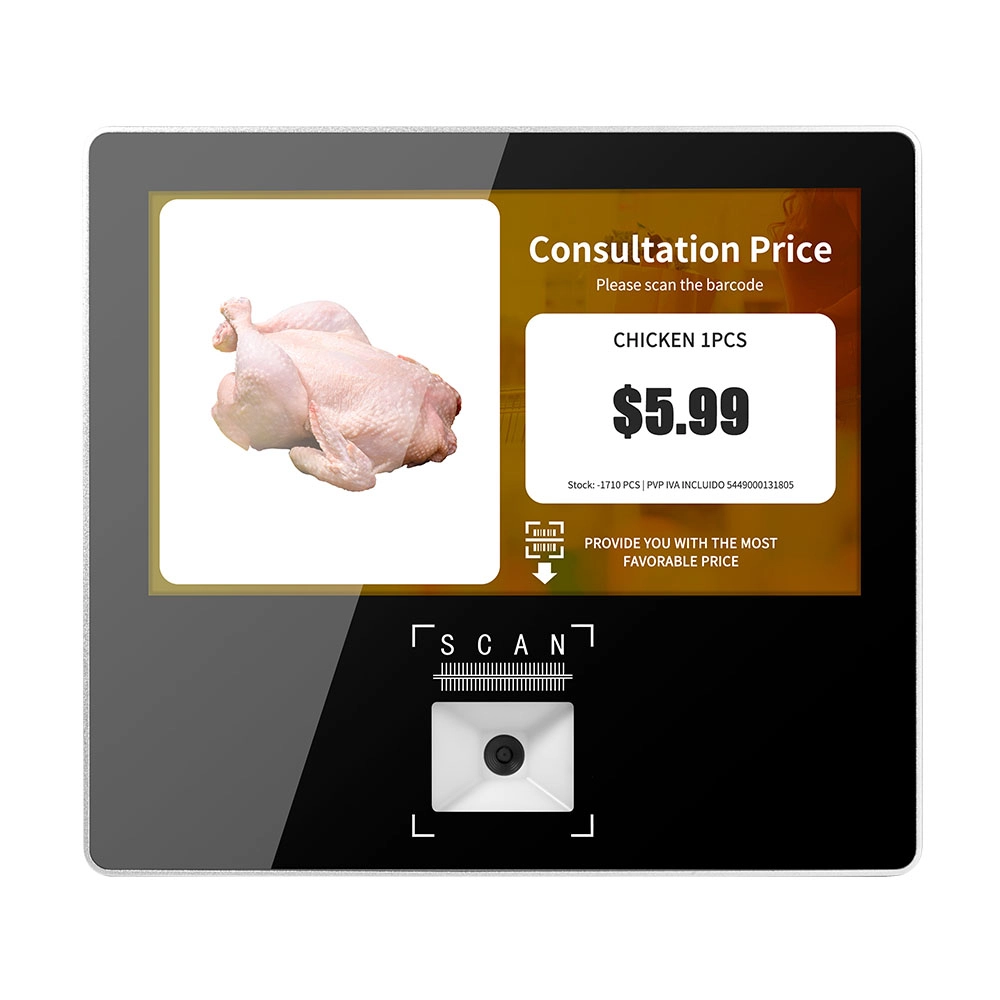
Metal 11.6 inch Price Scanner Machine Android Windows with Wifi Supplier
FAVORPOS Metal 11.6-inch Price Scanner Machine, designed for durability and efficiency in retail environments. This versatile device operates on both Android and Windows, providing seamless functionality for various applications. With built-in Wi-Fi connectivity, it allows for quick access to pricing data and updates. The 11.6'' display ensures clear visibility for easy operation, making it perfect for price checking and inventory management. Enhance your retail experience with this reliable and robust price scanner from a trusted supplier!
Get in touch
Interested in becoming a POS system dealer? Contact us for more information and start the process of joining our dealer network.
We look forward to working with you to expand the market together.


Copyright © 2025 Favorpos All Rights Reserved.
