
POS desktop system vs tablet POS: which is better for my business?
- 1. How many concurrent POS terminals can a POS desktop system handle without performance degradation, and how should I size server specs for my expected transaction load?
- 2. If my internet goes down for 8+ hours, how will a POS desktop system keep selling and prevent data loss? What’s the best local database and sync strategy?
- 3. Can a POS desktop system integrate with my legacy accounting software and existing barcode/receipt hardware so I don't replace everything? What drivers or middleware are required?
- 4. For EMV/contactless payments on a POS desktop system, what responsibilities remain with me as a merchant versus the POS vendor to stay PCI-compliant?
- 5. How do I calculate total cost of ownership (TCO) for a POS desktop system vs tablet POS over 5 years, including hardware refresh, software, payment fees, and downtime?
- 6. When scaling to 10+ outlets, what architecture should I use for a POS desktop system to ensure inventory consistency, failover, and low-latency checkout?
1. How many concurrent POS terminals can a POS desktop system handle without performance degradation, and how should I size server specs for my expected transaction load?
A common beginner pain point is underestimating concurrent load. Concurrent terminals means devices actively processing sales, printing receipts, or syncing inventory. The right sizing depends on measurable inputs: peak transactions per hour, average transaction duration (including payment authorization), number of SKUs queried per sale, and whether the system performs heavy on-the-fly reporting.
Practical sizing approach (real-world, vendor-agnostic):
- Measure: determine peak transactions/hour and peak simultaneous terminals (e.g., 12 terminals with bursts of 5 txns/minute each). Also measure average SKU lookups per transaction.
- Desktop POS client CPU/RAM: modern desktop POS terminals typically run fine with dual- to quad-core CPUs and 4–8 GB RAM for client-only duties. For client-heavy tasks (local reporting, image rendering) expect 8+ GB.
- Local server (on-premise): for small single-store operations (under ~1,000 tx/day) a modest server (quad-core CPU, 8–16 GB RAM, NVMe/SSD storage, RAID1) suffices. For multi-terminal, multi-store or high-volume environments, scale to 16+ GB RAM, multi-core (6–8 cores) and enterprise SSDs with RAID10. Use dedicated NICs for payment gateway traffic.
- Database: choose a robust RDBMS (PostgreSQL or MS SQL Server) with tuned connection pooling. For >200 transactions/minute sustained, you need connection pooling, indexed queries, and possibly read replicas for reporting.
- Network: ensure sub-50 ms LAN latency between terminals and server. Use wired LAN for desktop POS terminals where possible.
- I/O: SSDs substantially reduce latency vs spinning disks; prioritize SSDs and separate transaction logs from DB files.
Sizing rule of thumb (not a universal law but a practical planning tool): start from expected peak transactions/minute, multiply by average DB work per transaction (queries/updates), and provision CPU/RAM to handle 2–3x that peak for headroom. Always test with load simulations mirroring real checkout flows before go-live.
If uncertain, get a load test: simulate peak checkout activity for 30 minutes and monitor CPU, memory, DB latency, and I/O. That will reveal bottlenecks to fix (indexing, caching, or vertical scale). Many POS vendors provide recommended server templates—use them as baseline and validate with tests.
2. If my internet goes down for 8+ hours, how will a POS desktop system keep selling and prevent data loss? What’s the best local database and sync strategy?
Merchants frequently worry about long internet outages. Desktop POS systems are typically better equipped to operate offline than cloud-only tablet POS solutions, but the implementation matters.
Resilient architecture elements:
- Local transactional store: a local relational DB (SQLite for single-terminal, PostgreSQL/MS-SQL for multi-terminal setups) stores sales, inventory adjustments, and payment authorization attempts. The local store must use ACID transactions and durable writes (fsync or equivalent), ensuring no partial writes when power/network drops.
- Offline payment handling: Use payment terminals certified for offline approvals or batch-capture modes. Avoid storing PAN (primary account number) locally; rely on tokenization or P2PE where the terminal handles card data and returns a token.
- Sync strategy: implement chronological, idempotent sync with sequence numbers and unique transaction IDs. Sync should be resumable, detect duplicates via server-side idempotency keys, and perform conflict resolution using timestamps and business rules (e.g., last-write wins for price updates only after reconciliation).
- Queueing and retry: local write-ahead queues ensure operations are reliably retried to the cloud once connectivity returns; retries should use exponential backoff and maintain order for related operations (sale then payment capture).
- Data reconciliation: provide a reconciliation UI to compare local and cloud states after outage. Report mismatches in sales totals, inventory levels, and payment captures.
- Backups and snapshots: automatic local nightly backups (encrypted) and incremental replication to removable media or local SAN help with extended outages.
Recommended tools and patterns:
- Database: PostgreSQL for multi-terminal, SQLite for single terminal with low concurrency. Configure WAL/Write-Ahead Logging and filesystem sync options for durability.
- Message queues: use local message queues (e.g., RabbitMQ or lightweight embedded queues) when offline-first flow is important.
- Idempotency: attach a UUID and timestamp to each transaction to avoid duplicate sale records when sync resumes.
Operational practices:
- Test offline flows regularly (simulate outage for several hours) and document recovery steps.
- Train staff to close batches and annotate manually authorized transactions if payment terminal fallback is used.
- Maintain UPS and proper shutdown procedures to avoid DB corruption during long outages.
This hybrid/local-first approach is how many mature desktop POS deployments keep registers running reliably and ensure no sales are lost or double-captured on reconnect.
3. Can a POS desktop system integrate with my legacy accounting software and existing barcode/receipt hardware so I don't replace everything? What drivers or middleware are required?
Yes—desktop POS systems often integrate with legacy hardware and accounting systems more readily than tablet platforms because of standard PC interfaces and established driver models.
Hardware compatibility tips:
- Printers & cash drawers: thermal receipt printers commonly use ESC/POS command sets (many Epson-compatible printers). Use standard drivers or direct USB parallel-to-serial adapters (FTDI) if needed. Cash drawers usually connect to printers via RJ11 and use pulse signals—configure your POS to trigger the drawer via printer escape codes.
- Barcode scanners: most barcode scanners act as keyboard wedges or present as USB HID devices—these work out-of-the-box. For advanced scanners that use SDKs, ensure the POS supports the device SDK or that you can install a middleware service to forward scanner data to the POS.
- Serial (RS232) devices: many legacy scales or payment terminals use serial ports. Use USB-to-serial adapters with reliable chipsets (FTDI recommended), and ensure the OS exposes consistent COM ports or use udev rules on Linux to create stable device names.
- Payment terminals: choose payment terminals that support standard integrations (API, semi-integrated EMV via SDK, or P2PE). Look for terminals with developer SDKs or payment gateway plug-ins for your POS.
Accounting and backend integration:
- Common techniques: direct database exports, SFTP of nightly CSVs, or real-time API integrations. If legacy accounting supports import of formatted files, export sales, tax, and payment data nightly.
- Middleware: if direct plugin is unavailable, use middleware (small Windows/Linux service) that translates POS data to the accounting format and handles batching, retries, and schemas.
- Standards: consider using RESTful APIs or XML/CSV interchange; map chart-of-accounts and tax types carefully to avoid reconciliation issues.
Software interfaces and drivers:
- OPOS and JavaPOS: industry-standard device driver models for POS peripherals—many desktop POS solutions support these for printer/cash drawer/scale integration.
- ESC/POS and SDKs: leverage ESC/POS for receipt printing; for specialized features (graphics, barcode printing), use vendor SDKs.
Operational checklist:
- Inventory existing serial numbers and device interfaces (USB/serial/Ethernet).
- Validate vendor driver availability for your OS (Windows Server, Windows 10/11, or Linux).
- Plan a staged integration test: one terminal first, then roll out.
A well-architected desktop POS will typically allow you to keep most legacy hardware and use middleware or standard driver layers to connect to accounting systems, preventing expensive rip-and-replace projects.
4. For EMV/contactless payments on a POS desktop system, what responsibilities remain with me as a merchant versus the POS vendor to stay PCI-compliant?
This is a high-stakes question: payment compliance is split between merchant responsibilities and vendor-provided assurances.
Core points grounded in industry standards:
- PCI DSS & PCI P2PE: PCI DSS (governed by the PCI Security Standards Council) is the baseline for card data security. Point-to-Point Encryption (P2PE) reduces scope by ensuring card data is encrypted at capture and never touches your POS server. If your vendor provides a validated P2PE solution, your responsibilities are reduced but not eliminated.
- EMV liability and devices: EMVCo defines chip/contactless transaction protocols. Since the U.S. EMV liability shift (~October 2015) merchants who don’t adopt chip-capable terminals may be liable for certain fraud. Use certified EMV-capable payment terminals and maintain firmware updates.
Merchant responsibilities:
- Network segmentation: place POS systems on a segmented network, separate from guest Wi-Fi and back-office endpoints.
- OS and patching: keep workstation/server OS and POS application patched. The merchant usually manages patching unless under a managed service agreement.
- Physical security: secure terminals, printers, and cables to prevent skimming.
- Change management and access control: maintain least-privilege accounts and logs for administrative access.
- Confirm vendor claims: verify any P2PE or tokenization claims with certificate numbers and validation notices; request AOC (Attestation of Compliance) if applicable.
Vendor responsibilities:
- Provide validated payment modules: the POS vendor or integrator should supply PCI-validated integrations, P2PE solutions, or certified payment SDKs.
- Terminal certification and updates: ensure payment terminal firmware is EMV and PCI-approved and assist with updates.
- Secure development lifecycle: vendors should follow secure coding, regular security testing, and provide CVE disclosure practices.
Practical checklist:
- Require your POS vendor to document which parts of PCI scope are handled by the payment provider (e.g., P2PE reduces scope to SAQ P2PE).
- Use tokenization where possible so stored transaction references are non-sensitive.
- Keep an incident response plan and maintain logs for investigation.
In short: ask for proof—AOC, P2PE certificates, and payment terminal model numbers—and maintain network, OS, and physical security. This shared-responsibility model is standard across the industry.
5. How do I calculate total cost of ownership (TCO) for a POS desktop system vs tablet POS over 5 years, including hardware refresh, software, payment fees, and downtime?
Beginners often look only at upfront hardware cost and miss recurring and indirect costs. Build a 5-year model with these line items:
- Upfront hardware: terminals, receipt printers, cash drawers, payment terminals, back-office servers, network switches, UPS.
- Software: licensing model (perpetual + maintenance vs subscription SaaS). Include license renewal fees and module costs (inventory, loyalty, multi-store).
- Payment fees: gateway fees, per-transaction fees, monthly gateway charges, terminal rental vs owned. Tokenization and P2PE may change per-transaction costs.
- Maintenance & support: annual maintenance contracts, on-site service, remote support SLAs, and spare-part inventory.
- Connectivity: internet connections, failover links, static IPs for on-prem servers, cellular backup costs.
- Hardware refresh/residuals: plan expected refresh cycles; tablets may need replacement more often (typical consumer tablets 2–3 years), while commercial desktop terminals prize durability and can last 4–7 years. Include disposal/recycling costs.
- Downtime costs: estimate lost sales per hour of downtime, labor idle time, and cost of emergency support calls.
- Migration & integration costs: initial integration with accounting, migration of historical data, and staff training.
How to compute:
- Create a spreadsheet with yearly columns (0 to 5).
- Input all costs under each year: Year 0 upfront capex, Years 1–5 Opex and maintenance.
- Discount future costs if you require NPV, otherwise sum total costs.
- Compare total 5-year cost between desktop POS and tablet POS alternatives.
Qualitative factors that affect TCO:
- Reliability and repairability: commercial-grade desktop POS parts are often more repairable and available, lowering replacement costs.
- Upgrade path: desktop POS often supports hybrid cloud; tablets may require wholesale replacement for OS or hardware limitations.
- Productivity: faster scanners, multiple peripheral ports, or batch processing on desktop POS can reduce transaction time and labor costs.
A realistic TCO exercise will often reveal that although tablet POS has lower initial capex, desktop POS can be cheaper over 5 years for high-volume or multi-store operations because of lower downtime, better hardware longevity, and richer peripheral integration.
6. When scaling to 10+ outlets, what architecture should I use for a POS desktop system to ensure inventory consistency, failover, and low-latency checkout?
Scaling from a single store to a multi-outlet footprint changes architectural needs. For 10+ stores, favor a hybrid architecture combining local resilience with centralized control.
Recommended architecture patterns:
- Local-first (hybrid) topology: each store has a local server (or resilient NAS) for immediate checkout and inventory reads/writes, with a central cloud or data-center-based master for cross-store reporting, centralized pricing, and global inventory reconciliation. This keeps latency low at the POS while centralizing management.
- Data replication and conflict resolution: use asynchronous replication with logical replication or message-based sync. For inventory, use event sourcing or transactional adjustments that carry source-store IDs. Resolve conflicts with business rules (store-level sales decrement inventory; central price updates propagate; inventory transfers reconciled explicitly).
- Master/Regional master: for many geo-distributed stores, use regional masters to reduce WAN latency and provide failover between regions.
- Read-optimized caching: use local caches for fast SKU lookups and images; invalidate caches on price promotions or centralized changes.
- High availability and backups: central DB should use clustering/replication (e.g., PostgreSQL replication or managed cloud DB with multi-AZ). Local store servers should have RAID, UPS, and quick-rebuild procedures.
- Monitoring and alerting: centralized telemetry for transaction success rates, sync queue sizes, and latency. Alert when sync backlog exceeds thresholds.
Operational best practices:
- Inventory model: decide between centralized inventory (single available-to-promise number across all stores) vs store-level inventory with transfer processes. Centralized inventory requires near-real-time sync and is more complex.
- Promotions and pricing: propagate scheduled pricing and promotions ahead of time to local stores to avoid mismatched prices during WAN blips.
- Bandwidth considerations: use compressed, batched syncs and maintain scheduled off-peak bulk replication for historical data.
For most 10+ outlet deployments, a hybrid architecture that keeps each store operational if connectivity to central systems is lost (local DB + periodic cloud sync) provides the best balance of low-latency checkout, consistency, and failover capability.
Conclusion: Advantages of a POS desktop system compared to tablet POS
In summary, POS desktop systems excel for high-volume, hardware-integrated, and multi-store environments because they offer stronger peripheral compatibility (ESC/POS, OPOS/JavaPOS), more robust offline/local-database strategies, easier integration with legacy accounting, greater configurability for EMV/P2PE deployments, and often lower 5-year TCO for enterprise use cases. Tablet POS solutions remain compelling for mobility, low-capex pop-ups, and single-user environments. Choose desktop POS when you need consistent high throughput, reliable local operation during outages, extensive hardware integration, and centralized multi-store control.
If you want a tailored recommendation or a detailed quote for a POS desktop system deployment, contact us for a quote at www.favorpos.com or email sales2@wllpos.com.

Beyond Checkout: How a 15.6-Inch Aluminum POS System Redefines Retail Efficiency

Understanding 15-Inch Aluminum POS Terminals in Modern Commercial Use

The Smart Way to Check Prices: How a 10.1-Inch Wall-Mounted Price Checker Transforms Retail Stores

A Smarter Checkout Experience: The 15-Inch Dual-Screen POS Built for Modern Retail

8-Inch Smart Price Checker: A Small Device Powering Smarter Retail Spaces
For OEM
Can I upgrade or add features to the existing POS machine?
We can upgrade or add features to the existing POS machine as needed. The specific upgrade services and costs depend on the design of the original device and the required functions. Please contact your account manager to discuss the upgrade options.
Can the POS machine be customized with multiple functions?
Yes, we provide a wide range of functional customization options, including hardware configuration, software functions, brand design, etc. You can choose different processors, screens, connection options, payment modules, etc. according to your business needs.
For Entertainment & Events
Can your POS system handle ticket sales and on-site catering at the same time?
Yes, our system can seamlessly manage ticket sales, catering services and merchandise, ensuring efficient and smooth online and on-site sales operations.
For E-commerce
Is your POS solution scalable to accommodate business growth?
Yes, our POS system is designed to be scalable, and you can easily add new sales channels, locations, and features to accommodate business growth.
For Solutions Retail
What payment methods do your POS devices support?
Our POS devices support a variety of payment methods, including credit cards, debit cards, NFC (near field communication) mobile payments, QR code payments, Apple Pay, Google Pay, etc., ensuring that your customers have a variety of payment options.

15.6 Inch Windows POS Terminal with VFD Display, Foldable Aluminum Stand Touch Screen POS for Retail & Hospitality
This 15.6-inch POS terminal is built to meet the needs of modern retail and hospitality environments. Powered by a stable Windows operating system, it ensures smooth performance for various point-of-sale applications. The device features a crisp, responsive touch screen and a built-in VFD customer display, allowing customers to view transaction details clearly. Its aluminum alloy stand offers a sleek, professional appearance while providing enhanced durability and stability for busy checkout counters. Ideal for retail stores, restaurants, and service-based businesses, this POS machine delivers a reliable and customer-friendly checkout experience.

Point of Sale System with Thermal Printer All in One Pos Dual Touchscreen Pos with Barcode Scanner Supplier
FAVORPOS presents the all-in-one Point of Sale System with Thermal Printer, featuring dual touchscreens and an integrated barcode scanner. As a leading POS with NFC factory and barcode scanner supplier, we deliver reliable, efficient solutions tailored for your business needs.

8 inch Wall Mount Price Checker with Scanner Android Windows Factory
Our 8-inch Wall Mount Price Checker is designed for optimal convenience in retail spaces, featuring a sleek design that fits seamlessly into any environment. Compatible with both Android and Windows, this unit includes an integrated scanner for quick and accurate price checks. Its wall-mounted design saves counter space while providing easy access for customers. Ideal for enhancing efficiency and improving the shopping experience.
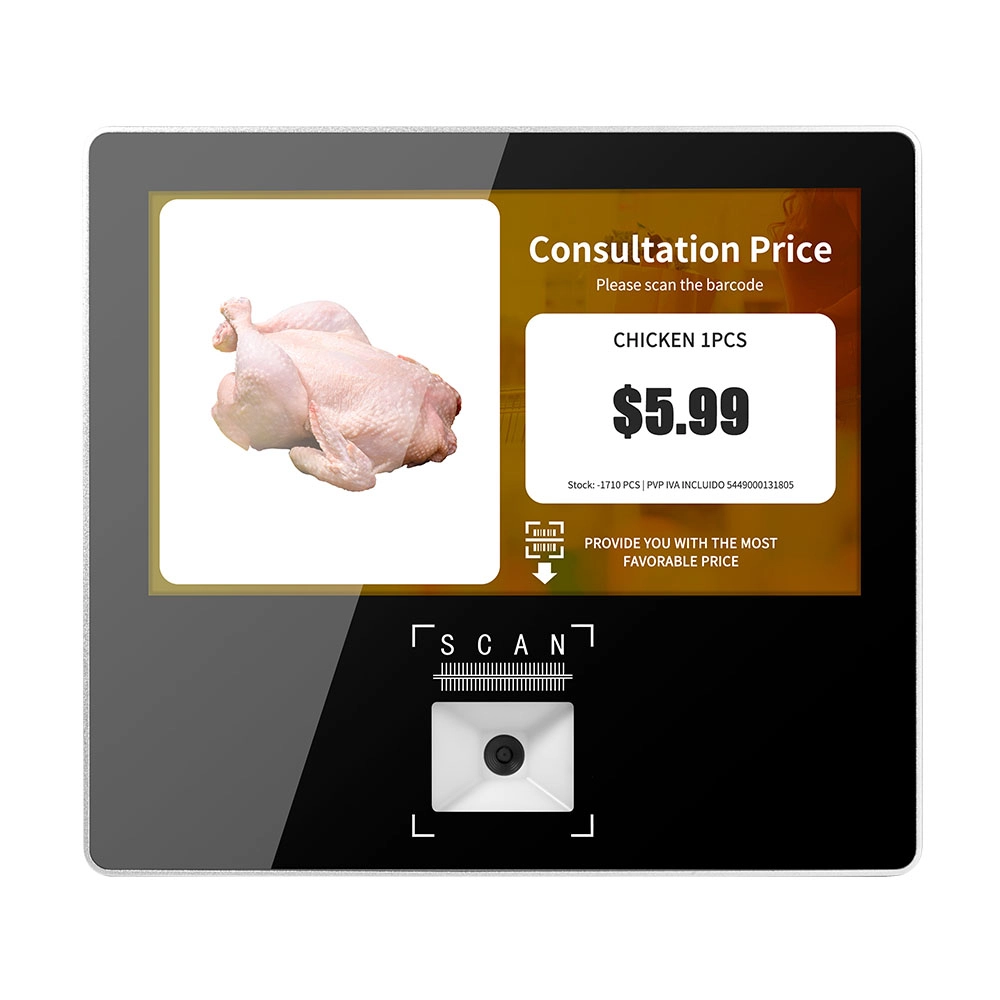
Metal 11.6 inch Price Scanner Machine Android Windows with Wifi Supplier
FAVORPOS Metal 11.6-inch Price Scanner Machine, designed for durability and efficiency in retail environments. This versatile device operates on both Android and Windows, providing seamless functionality for various applications. With built-in Wi-Fi connectivity, it allows for quick access to pricing data and updates. The 11.6'' display ensures clear visibility for easy operation, making it perfect for price checking and inventory management. Enhance your retail experience with this reliable and robust price scanner from a trusted supplier!
Get in touch
Interested in becoming a POS system dealer? Contact us for more information and start the process of joining our dealer network.
We look forward to working with you to expand the market together.


Copyright © 2025 Favorpos All Rights Reserved.
