
Enterprise POS Systems: A Complete Guide to Scaling Your Multi-Location Business
- Introduction
- What is an enterprise POS system?
- What is the difference between a standard POS and an enterprise POS system?
- How does an enterprise POS system work across multiple locations?
- What key features should you look for in an enterprise POS system?
- How do enterprise POS systems help manage inventory and avoid stockouts?
- When is the right time to upgrade to an enterprise POS system?
- Do enterprise POS systems really reduce operational costs?
- How can an enterprise POS system improve the omnichannel customer experience?
- Conclusion
- Call to Action
Introduction
The retail and hospitality landscapes are more competitive than ever, and scaling a business beyond a single location brings a unique set of challenges. As you add more storefronts, warehouses, and digital sales channels, relying on a basic point of sale solution quickly becomes a logistical nightmare. This is where the power of modern technology steps in, transforming how growing brands operate.
An enterprise point of sale system is the central nervous system of a large-scale business, orchestrating everything from customer transactions to complex backend logistics. Without it, executives are often left in the dark, wrestling with fragmented data and operational bottlenecks that stifle growth and erode profit margins.
In this comprehensive guide, we will explore exactly how these robust platforms function, why they are critical for multi-location businesses, and the massive impact they can have on your bottom line. Whether you are expanding to your fifth location or your fiftieth, understanding the mechanics of a high-tier POS is the first step toward sustainable, profitable growth.
What is an enterprise POS system?
An enterprise POS system is an advanced combination of software and hardware designed specifically to handle the high volume, complex needs of large-scale, multi-location businesses. Unlike basic cash registers or entry-level software, an enterprise solution acts as a unified commerce platform. It integrates sales, inventory, employee management, and customer relationship data into a single, centralized hub.
These systems are architected for scale. They provide corporate headquarters with a bird's-eye view of the entire operation while giving individual store managers the granular tools they need to run their specific locations efficiently. The architecture is typically built on a cloud-based enterprise POS framework, ensuring that data flows seamlessly between physical stores, ecommerce platforms, and backend ERP (Enterprise Resource Planning) systems.
Beyond processing transactions, an enterprise POS is a data powerhouse. It captures millions of data points across all touchpoints, turning raw numbers into actionable business intelligence. From dynamic pricing engines to global tax compliance management, these systems are engineered to eliminate the friction associated with running a sprawling corporate footprint.
What is the difference between a standard POS and an enterprise POS system?
The most significant difference between a standard POS and an enterprise POS lies in their architectural scope and data processing capabilities. A standard POS is generally built for single-location use. It handles basic checkout functions, daily sales reporting, and simple inventory counts. However, when you try to connect multiple standard POS systems across different locations, they often operate in silos, requiring manual data consolidation at the end of the month.
In contrast, an enterprise POS system is inherently designed for multi-unit architecture. It supports complex hierarchies—such as parent companies, regional divisions, franchises, and individual store levels. This means a corporate director can push a global price change or update a promotional campaign across hundreds of stores instantly, whereas a standard POS would require manual updates at each individual terminal.
Furthermore, integration capabilities starkly divide the two tiers. Standard systems offer limited, plug-and-play integrations suitable for small operations. Enterprise systems offer robust, open APIs (Application Programming Interfaces). This allows large businesses to custom-build connections to their proprietary warehouse management systems, legacy accounting software, and advanced marketing automation tools, ensuring that the retail chain POS software fits perfectly into the company's existing technology stack.
How does an enterprise POS system work across multiple locations?
Operating across multiple locations requires a system that is both centrally controlled and locally flexible. Enterprise POS systems achieve this through cloud architecture. A central cloud database acts as the single source of truth, constantly receiving and processing data from every terminal in the network. When a sale is made in New York, the central database is updated in real time, and this updated inventory and financial data is immediately visible to executives sitting in a London headquarters.
To ensure uninterrupted service, these systems feature advanced offline modes. If a specific store loses internet connectivity, the local POS terminals continue to process transactions, apply discounts, and track inventory locally. Once the connection is restored, the local system automatically synchronizes with the central cloud database without losing a single byte of data. This resilience is a hallmark of true point of sale scalability.
Additionally, multi-location functionality relies heavily on role-based access control (RBAC). The system allows corporate administrators to define exactly what each user can see and do based on their role and location. A regional manager might have access to reporting for ten specific stores, while a frontline cashier only has access to the register interface at their specific branch. This secures sensitive corporate data while empowering employees.
Key mechanisms for multi-location functionality:
- Real-time data synchronization: Continuous updates across all geographical regions to prevent data lags.
- Hierarchical database structures: Organizing data clearly by region, district, and individual storefront.
- Localized tax and compliance: Automatically adjusting transaction rules based on regional municipal laws.
What key features should you look for in an enterprise POS system?
Selecting the right system requires looking past basic transaction processing and focusing on features that drive operational efficiency. Centralized reporting and analytics should be at the top of the list. You need customizable dashboards that allow you to drill down into store-level performance or zoom out for a global revenue overview. The ability to generate custom reports on the fly is critical for agile decision-making.
Another crucial feature is an Open API and strong integration ecosystem. Your POS should not exist in a vacuum; it must communicate fluidly with your ERP, HR software, and marketing platforms. Look for systems that offer pre-built integrations with major enterprise tools as well as the flexibility to support custom developer integrations tailored to your specific workflow.
Finally, comprehensive customer relationship management (CRM) and loyalty programs are essential for retaining buyers. The system should be able to track a customer's purchase history across all your locations and online channels. Other vital features include:
- Advanced security protocols: End-to-end encryption, tokenization, and strict SOC 2 compliance.
- Unified inventory tracking: Deep visibility across all warehouses, distribution centers, and store backrooms.
- Employee management modules: Integrated time-clocking, commission tracking, and staff performance analytics.
How do enterprise POS systems help manage inventory and avoid stockouts?
Inventory mismanagement is one of the most expensive problems a scaling retail business can face. In fact, according to RELEX Solutions, up to 60% of retailers' inventory records are inaccurate, a problem that costs the retail industry a staggering $400 billion in lost revenue every year. An enterprise POS directly combats this by replacing manual, error-prone counting with automated, real-time tracking.
Through advanced multi-location inventory management, these systems provide total visibility into your supply chain. When an item is sold, returned, or damaged, the inventory levels are instantly updated across the entire network. If a store in Chicago is running low on a popular item, the system can automatically check if a nearby store or a central warehouse has excess stock, facilitating rapid inter-store transfers rather than placing an unnecessary order with a supplier.
Furthermore, enterprise POS systems utilize predictive analytics and demand forecasting. By analyzing historical sales data, seasonal trends, and local events, the software can accurately predict when a stockout is likely to occur. It can then automatically generate purchase orders and alert procurement managers well in advance, ensuring that your shelves are always appropriately stocked without locking up excess capital in dead inventory.
When is the right time to upgrade to an enterprise POS system?
Determining the right time to upgrade often comes down to identifying critical operational pain points. The most obvious indicator is rapid physical expansion. If you are operating more than a handful of locations and planning to open several more in the coming year, a standard POS will quickly become a bottleneck. The sheer volume of data and the complexity of managing multiple tax jurisdictions require an enterprise-grade solution.
Another clear sign is when your team spends excessive time on manual data reconciliation. If your accounting department is spending days exporting CSV files from different store systems and combining them in spreadsheets to generate monthly reports, you are wasting valuable labor hours. An enterprise POS automates this consolidation, freeing your staff to focus on strategic growth rather than tedious administrative data entry.
You should also consider an upgrade if you are experiencing frequent system crashes, struggling to implement an omnichannel strategy, or failing to integrate your physical stores with your e-commerce platform. When your current technology stack is actively hindering your ability to serve customers or launch new initiatives, upgrading to a robust enterprise system becomes an urgent necessity to protect your market share.
Do enterprise POS systems really reduce operational costs?
Yes, while the initial investment in an enterprise POS system is substantial, the long-term reduction in operational costs is significant. One of the primary areas of savings is labor optimization. With advanced reporting, managers can analyze foot traffic and sales trends by the hour, allowing them to schedule staff precisely when needed. This eliminates the cost of overstaffing during slow periods while ensuring adequate coverage during rushes to maximize sales.
Shrinkage and loss prevention represent another massive area of cost reduction. Enterprise systems offer granular tracking of every transaction, void, discount, and inventory movement. By setting up automated alerts for suspicious activities—such as an unusually high number of voided transactions by a specific employee—businesses can drastically reduce internal theft and administrative errors that eat into profits.
Additionally, enterprise POS solutions consolidate your software stack. Instead of paying separate subscriptions for basic POS software, standalone CRM tools, third-party inventory trackers, and separate analytics platforms, an enterprise system rolls these functionalities into one unified platform. This not only reduces monthly software licensing fees but also cuts down on the costly IT hours required to maintain and troubleshoot multiple disconnected systems.
How can an enterprise POS system improve the omnichannel customer experience?
Today's consumers do not distinguish between your online store and your physical locations; they expect a single, unified brand experience. An enterprise POS makes this possible by seamlessly bridging the gap between digital and physical channels. This allows you to offer convenient features like Buy Online, Pick Up In-Store (BOPIS), curbside pickup, and the ability to return online purchases at any physical storefront.
At the heart of this unified experience is the centralized customer profile. Whether a customer buys a product through your mobile app, on your website, or at a physical register, their transaction history, preferences, and loyalty points are recorded in one place. This omnichannel point of sale approach empowers your sales associates to provide highly personalized service, offering recommendations based on the customer's complete purchase history.
The financial impact of getting this right is profound. Research shows that companies with strong omnichannel customer engagement retain on average 89% of their customers, compared to just 33% for companies with weak omnichannel engagement, according to data cited by Data Axle. By leveraging an enterprise POS to deliver a frictionless, connected journey, brands can dramatically boost customer lifetime value and brand loyalty.
Conclusion
Transitioning to an enterprise POS system is much more than a simple technology upgrade; it is a strategic maneuver that lays the foundation for scalable, long-term success. By unifying data across all locations and sales channels, these systems eliminate operational blind spots and empower business leaders with real-time, actionable insights that drive revenue.
From automating complex inventory logistics and preventing costly stockouts to delivering a flawless omnichannel customer experience, the benefits permeate every level of the organization. As retail and hospitality environments become increasingly complex, relying on robust, cloud-based infrastructure is no longer a luxury—it is a competitive necessity.
Ultimately, the right enterprise point of sale solution will streamline your backend operations, reduce unnecessary costs, and free up your team to focus on what matters most: growing your brand and delivering exceptional value to your customers.
Call to Action
Contact us today for a personalized consultation to discover how our enterprise POS solutions can streamline your operations and accelerate your multi-location growth.

Understanding 15-Inch Aluminum POS Terminals in Modern Commercial Use

The Smart Way to Check Prices: How a 10.1-Inch Wall-Mounted Price Checker Transforms Retail Stores

A Smarter Checkout Experience: The 15-Inch Dual-Screen POS Built for Modern Retail

8-Inch Smart Price Checker: A Small Device Powering Smarter Retail Spaces

Built for Retail Precision: Manufacturing Excellence Behind the 11.6” Smart Price Checker
For E-commerce
How long does it take to implement a POS system?
Implementation time depends on the complexity of the customization, but it can usually be completed within a few weeks, including testing and training.
For Beauty and Wellness
What support is provided after the system is deployed?
We provide 24/7 technical support and regular hardware maintenance to ensure that the system continues to operate efficiently.
For Entertainment & Events
Does your POS system support seat selection for events?
Of course, our system includes interactive seating maps, allowing customers to select seats in advance, making event management more organized.
For ODM
Does the product comply with international standards and certifications?
Our POS machines comply with various international standards and certification requirements, including safety, electrical performance and environmental standards. We ensure that all products comply with relevant regulations during the production process so that they are suitable for the global market.
For Restaurants & Cafes
If there is a problem with the device, how can I get technical support?
You can contact our technical support team by phone, email or online customer service. We provide 24/7 support to ensure that your issues are resolved promptly and the system is up and running.

Point of Sale System with Thermal Printer All in One Pos Dual Touchscreen Pos with Barcode Scanner Supplier
FAVORPOS presents the all-in-one Point of Sale System with Thermal Printer, featuring dual touchscreens and an integrated barcode scanner. As a leading POS with NFC factory and barcode scanner supplier, we deliver reliable, efficient solutions tailored for your business needs.

8 inch Wall Mount Price Checker with Scanner Android Windows Factory
Our 8-inch Wall Mount Price Checker is designed for optimal convenience in retail spaces, featuring a sleek design that fits seamlessly into any environment. Compatible with both Android and Windows, this unit includes an integrated scanner for quick and accurate price checks. Its wall-mounted design saves counter space while providing easy access for customers. Ideal for enhancing efficiency and improving the shopping experience.
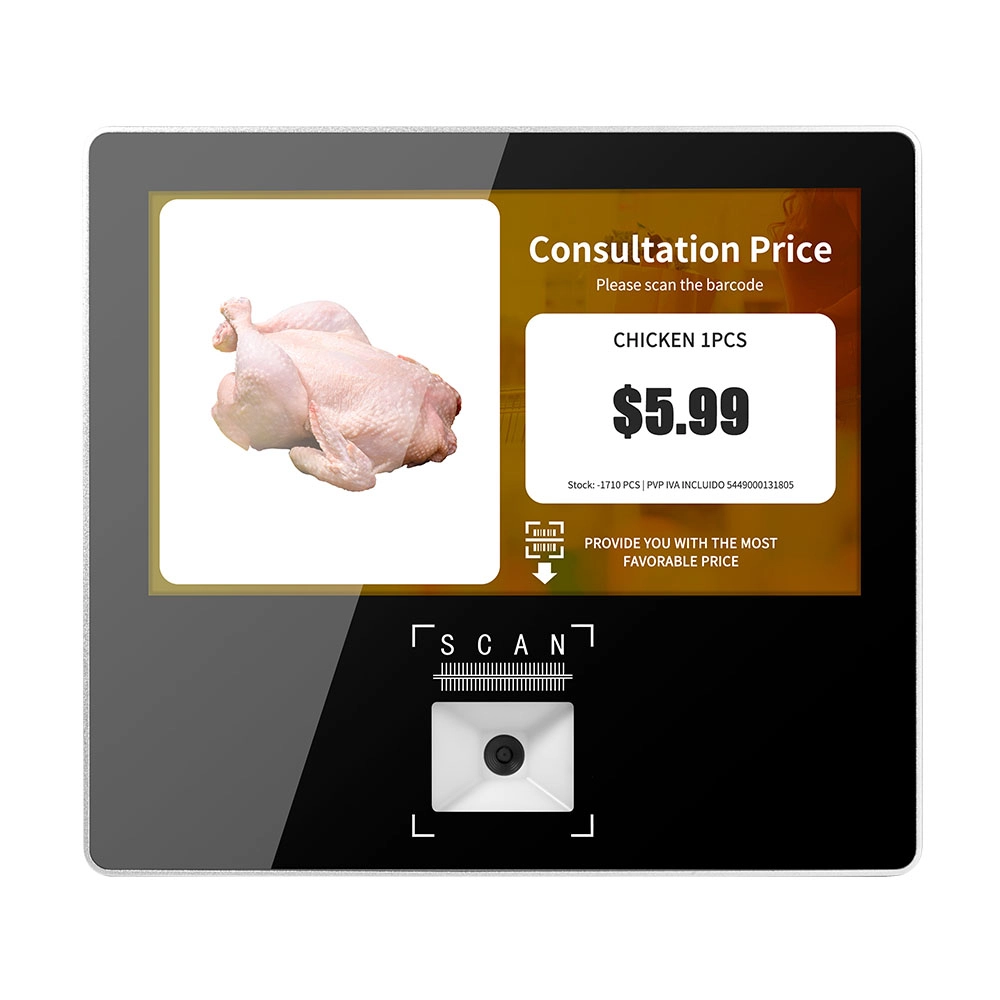
Metal 11.6 inch Price Scanner Machine Android Windows with Wifi Supplier
FAVORPOS Metal 11.6-inch Price Scanner Machine, designed for durability and efficiency in retail environments. This versatile device operates on both Android and Windows, providing seamless functionality for various applications. With built-in Wi-Fi connectivity, it allows for quick access to pricing data and updates. The 11.6'' display ensures clear visibility for easy operation, making it perfect for price checking and inventory management. Enhance your retail experience with this reliable and robust price scanner from a trusted supplier!
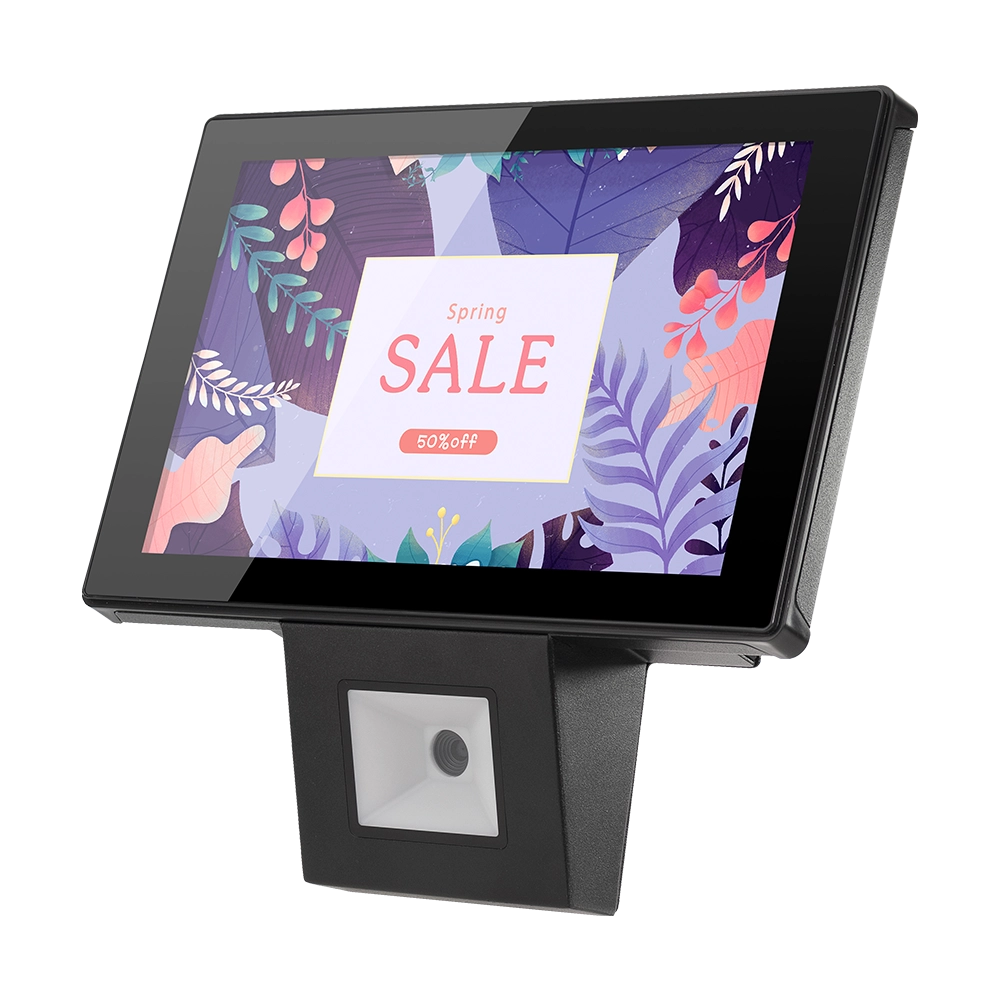
10 inch Price Checker Device Supplier Barcode Scanner for Sale Price Check for Supermarket
FAVORPOS offers 10 inch Price Checker Device, perfect for supermarkets. This wall mounted 10 inch touch screen barcode scanner ensures fast, accurate price checks, enhancing customer experience and operational efficiency. Durable, user-friendly, and perfect for high-traffic retail environments.
Get in touch
Interested in becoming a POS system dealer? Contact us for more information and start the process of joining our dealer network.
We look forward to working with you to expand the market together.


Copyright © 2025 Favorpos All Rights Reserved.
