
Which popular POS systems for restaurants are best for fast-casual?
- Can a cloud-based restaurant POS (Toast, Square, Lightspeed) reliably process transactions during a 1-hour internet outage at a busy fast-casual location without data loss?
- How do I calculate the true 3‑year total cost of ownership (TCO) for a restaurant POS, including payment processing, hardware refreshes, installs and training?
- Which POS systems let me deploy QR-code contactless ordering plus self-service kiosks while keeping inventory, KDS and sales synced in real time?
- Which POS vendors make it practical to scale 10+ fast-casual locations with centralized reporting and a single merchant account while maintaining local fail-safes?
- How can I ensure third-party delivery orders (DoorDash, Uber Eats, Grubhub) appear in my POS without double-selling or manual reconciliation?
- What hardware durability, warranty and replacement SLAs should I demand for POS terminals, KDS tablets and printers in a fast-casual kitchen environment?
Can a cloud-based restaurant POS (Toast, Square, Lightspeed) reliably process transactions during a 1-hour internet outage at a busy fast-casual location without data loss?
Yes — but reliability depends on the POS architecture, device configuration and pre-planning. Modern restaurant POS platforms (Toast, Square for Restaurants, Lightspeed/Upserve, TouchBistro, Revel) use either fully cloud-native with local caching or hybrid models that queue transactions locally when connectivity drops.
What to verify before you sign:
- Offline mode behavior: Confirm whether the POS accepts card and cash transactions offline, how it queues payments and whether card authorization is deferred (often needed). Toast and Square cache sales and can continue taking orders during short outages; Revel uses a hybrid architecture that can continue running locally when the internet is down.
- Payment reconciliation: Offline card captures usually require batch settlement once connectivity returns. Ask for documentation on how declined cards are handled when authorization is unavailable and whether the system prevents double-swipe attempts.
- Data integrity & syncing: Ask for guaranteed sync order of operations (sales, modifiers, refunds, payouts) and whether partial syncs can produce duplicates. Vendors should describe conflict resolution rules (last write wins, timestamps).
- Hardware and network layering: Deploy a local edge router and cellular backup (4G/5G) and configure POS terminals to prefer local LAN connectivity to a local gateway. For high-volume fast-casual, we recommend dual-WAN routers with automatic failover and a low-cost cellular data plan.
- Test procedures: Run simulated outages during a non-peak hour before opening. Verify how long the POS will store offline transactions (some devices limit cached transactions by number or time).
Practical expectation: For a 1-hour outage at a busy fast-casual site (peak 40–120 transactions/hour), properly configured cloud POSes with local caching and cellular failover should continue to accept orders and reconcile cleanly. Confirm SLA for data recovery and ask for references of customers who experienced extended outages.
How do I calculate the true 3‑year total cost of ownership (TCO) for a restaurant POS, including payment processing, hardware refreshes, installs and training?
A reliable TCO needs to include five categories: software/subscription, hardware, payment processing, services (install/training/integrations), and operational costs (maintenance, chargebacks, downtime). Use this step-by-step method:
1) List baseline line items per location:
- Software subscription: monthly/annual fees and whether per terminal or per location.
- Hardware: terminals, tablets, KDS, printers, cash drawer, network router, kiosk units. Note warranty length and replacement costs.
- Payment processing: request the vendor’s pricing model (flat-rate vs interchange-plus vs blended). Ask vendors for a sample merchant statement based on your projected ticket mix (card-present, contactless, keyed, average order value).
- Implementation & training: single-time professional services, custom integrations (menu import, accounting sync), and initial on-site training hours.
- Ongoing support & add-ons: monthly fees for online ordering, loyalty, advanced reporting, integrations like Chowly/Olo, or middleware.
2) Build the 3-year projection template:
- Year 0 (setup): hardware purchase + first-month/annual subscription + installation + training.
- Years 1–3: subscription renewals, maintenance contracts, incidental hardware replacements (estimate 5–10% annual failure for tablets in harsh kitchens), payment processing fees (project monthly based on transaction volume), and support costs.
3) Payment processing: model both a flat-rate quote and an interchange-plus quote. Because interchange fees vary by card type and transaction method, ask the provider to simulate your card mix. If they can’t, use a conservative multiplier: assume a blended rate and compare.
4) Hidden costs to include:
- Downtime cost: lost sales per hour * expected downtime hours/year.
- Chargeback and compliance costs (PCI validation fines, remediation labor).
- Integration maintenance when third-party delivery or accounting APIs change.
5) Compare vendor TCOs side-by-side using the template. Request vendor-provided three-year scenarios and references from restaurants with similar ticket volumes.
This approach will show whether a lower monthly subscription but higher processing or hardware costs actually costs more over 3 years.
Which POS systems let me deploy QR-code contactless ordering plus self-service kiosks while keeping inventory, KDS and sales synced in real time?
Fast-casual operations need unified order flows across QR/tablet/kiosk/online channels to avoid stockouts and prep confusion. Platforms that support native or closely integrated solutions include Toast, Lightspeed (Upserve), Square for Restaurants, and specialized setups using TouchBistro with integrations.
What to verify:
- Native support vs third-party bolt-on: Toast and Square provide native QR ordering, online ordering and kiosk modules that sync directly into their order streams and KDS. Lightspeed (after acquiring Upserve) offers strong menu and inventory syncing; for enterprise kiosks many chains pair Lightspeed with certified kiosk vendors and middleware like Olo or Chowly.
- Real-time inventory and recipe-level tracking: For accurate depletions across channels you need ingredient-level inventory (not just SKU-level). Lightspeed/Upserve and Toast provide ingredient/recipe tracking and will decrement on each sale regardless of channel.
- KDS behavior and prep routing: Ensure orders are routed to the correct kitchen zone. A combined system should tag channel source (QR vs kiosk vs third-party) and provide prep priority flags.
- Latency and failover: Kiosk/QR orders should queue locally if network issues occur and then sync; test for latency under load.
Implementation recommendation: Choose a vendor with native QR and kiosk offerings to minimize integration complexity (Toast, Square), or select a robust POS + proven middleware combo (Lightspeed + Chowly/Olo) when using multiple aggregators. Insist on live demos that show simultaneous QR+kiosk orders decrementing inventory and appearing on KDS with correct prep stations.
Which POS vendors make it practical to scale 10+ fast-casual locations with centralized reporting and a single merchant account while maintaining local fail-safes?
Scaling to 10+ units changes requirements: centralized menu management, enterprise reporting, unified discounts/loyalty, and consolidated merchant processing with location-level settlement. Vendors that handle enterprise multi-location well include Toast, Lightspeed (with Upserve capabilities), Revel Systems and Clover (via ISV/partner channels).
Key selection criteria:
- Centralized management console: You must be able to push menu changes, pricing, and labor rules across locations and segment by store or region.
- Merchant account structure: Ask whether the vendor supports a single merchant account with sub-merchant statements or requires location-level merchant accounts. Single merchant accounts simplify cashflow and reporting but sometimes limit risk tolerance for the processor.
- Reporting and BI exports: Ensure raw transactions and consolidated P&L exports are available (CSV, API access) for your accounting/BI stack.
- Local resiliency: Hybrid or edge caching ensures that a local site keeps serving orders if WAN drops; Revel’s hybrid model is often cited for stronger local fallback, while Toast and Lightspeed provide robust caching and cloud-first features.
- Integrations and POS APIs: If you plan inventory forecasting or a centralized loyalty program, confirm the vendor’s API and rate limits.
Operational practices for scale:
- Standardize hardware bundles across sites to simplify support and spare parts.
- Use a managed network (SD-WAN) with monitoring and fallback cellular connectivity.
- Implement centralized ticketing for support with SLAs for hardware swap (next-day replacement is ideal).
How can I ensure third-party delivery orders (DoorDash, Uber Eats, Grubhub) appear in my POS without double-selling or manual reconciliation?
Third-party marketplaces use their own tech stacks. Two common technical approaches eliminate manual entry:
- Direct native integrations: Some POS platforms (like Toast and Square) offer built-in integrations or marketplaces that connect to delivery partners so orders route automatically into the POS and KDS.
- Middleware/aggregators: Services such as Chowly, Otter, and Olo act as middleware: they convert marketplace orders into POS-native orders, reconcile fees and reduce double-entry.
Checklist to avoid errors:
- Single source of truth: Routing marketplace orders through middleware into POS ensures the POS handles inventory decrements and prep routing exactly like in-house orders.
- Modifier and packaging parity: Ensure marketplace menu items include the same modifiers/packing options used in-store to avoid mismatches or wrong prep instructions.
- Order confirmation and cancellations: Verify how cancellations/refunds from delivery platforms propagate to the POS and to payment settlement. Some marketplaces refund the customer but do not communicate back to your POS unless middleware is configured.
- Fee reconciliation: Use a tool or middleware that creates line-item fee records for marketplace commissions so your back-office can reconcile gross vs net payouts.
Best practice: For fast-casual chains, use middleware (Chowly/Olo) or POS-native integrations that have proven connectors for your key marketplaces. Insist on references and run a 2‑week pilot at one location before full rollout.
What hardware durability, warranty and replacement SLAs should I demand for POS terminals, KDS tablets and printers in a fast-casual kitchen environment?
Fast-casual kitchens expose devices to heat, grease, drops and heavy use. Neglecting hardware specifications causes frequent failures and unexpected replacement costs. Demand the following:
- Commercial-grade devices: Select fanless, industrial or commercial-grade terminals and tablets designed for point-of-sale use (not consumer tablets). Look for shock-resistant housings and IP-rated keyboards or enclosures for spill resistance.
- Printer and cash drawer specs: Use proven kitchen-grade printers (Epson or Star Micronics with high MTBF ratings) and heavy-duty cash drawers with secure media slots.
- Warranty and RMA SLA: Require at least a 1‑year full warranty and negotiate next-business-day replacement SLAs for critical items. For multi-location operations, a depot with overnight shipping or local spare kits is highly recommended.
- Swap & spare policy: Keep at least one spare terminal and one spare KDS tablet per 6–8 stores, and confirm whether the POS vendor provides loaner devices during repair.
- Mounting, cable management & environmental protection: Use secure wall or counter mounts, cable strain relief, and splash guards for POS terminals near cook lines.
- Lifecycle planning: Plan for a hardware refresh every 3–5 years; include this in your 3‑year TCO.
Vendor examples: Toast and Square sell restaurant-oriented hardware bundles with commercial warranties, while Revel and Lightspeed partner with certified hardware suppliers for enterprise warranties and depot support. Always request device model numbers, MTBF stats and RMA SLA commitments in writing.
Choosing the right combination of restaurant POS software, integrated kiosk and delivery middleware, and industrial-grade hardware reduces service interruptions, simplifies accounting and improves throughput in busy fast-casual kitchens.
Advantages of choosing the right popular POS systems for restaurants include unified omnichannel ordering, accurate recipe-level inventory to cut food cost, faster order-to-kitchen workflows with KDS/kiosk/QR, centralized reporting for multi-unit growth, and reduced reconciliation time when using certified middleware for delivery integration. When you plan for offline resiliency, specify commercial hardware warranties and negotiate realistic SLAs and merchant processing models to lower your 3‑year TCO.
For a tailored recommendation and a fast-casual quote, contact us at www.favorpos.com or email sales2@wllpos.com.

A Smarter Checkout Experience: The 15-Inch Dual-Screen POS Built for Modern Retail

8-Inch Smart Price Checker: A Small Device Powering Smarter Retail Spaces

Built for Retail Precision: Manufacturing Excellence Behind the 11.6” Smart Price Checker

Building Stability in an Unstable Market: A 15.6-Inch All-in-One POS Designed for the Long Term
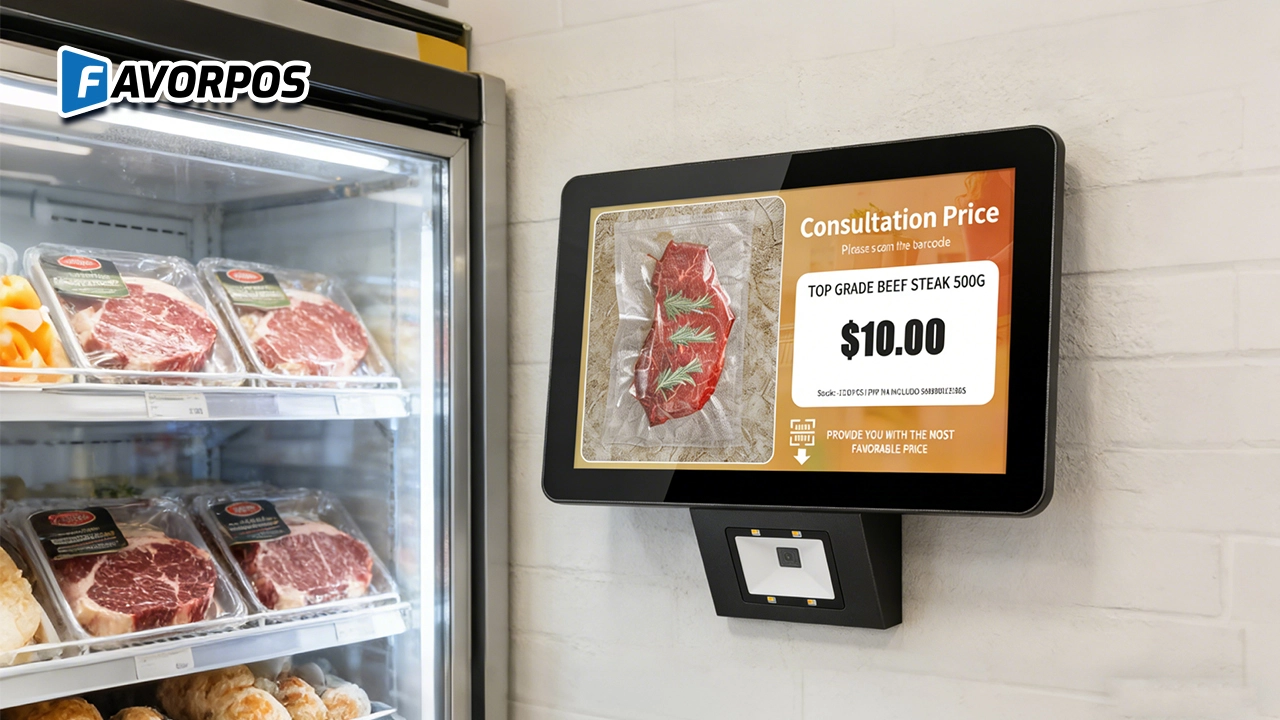
A Smarter Way to Check Prices: How Wall-Mounted Price Checkers Are Reshaping Retail Stores
For OEM
What is the minimum order quantity for customizing POS machines?
The minimum order quantity (MOQ) usually depends on the specific customization requirements and production scale. We recommend that you contact our sales representative to discuss your project requirements so that we can provide the most suitable production plan and MOQ.
For Entertainment & Events
Does your POS system support seat selection for events?
Of course, our system includes interactive seating maps, allowing customers to select seats in advance, making event management more organized.
For Healthcare
What kind of support do you provide after installation?
We provide comprehensive after-sales support, including technical assistance, hardware updates, hardware maintenance and employee training.
For company
Are you a manufacturer?
Yes, we are a POS hardware manufacturer, based in Guangzhou, China.
For Hotels
Can mobile POS be used for poolside or outdoor services?
Yes, our mobile POS solution allows staff to place orders and process payments in any area of the hotel (such as poolside or outdoors), improving guest convenience.

All in One POS Terminal Metal 11.6'' Touchscreen Android Windows with Printer
The All-in-One POS Terminal features an 11.6'' touchscreen display, compatible with both Android and Windows. This metal-constructed terminal combines durability with style, making it a perfect fit for any retail or hospitality environment. Equipped with a built-in printer, it streamlines transactions by allowing for instant receipt printing.

8 inch Touchscreen Price Checker Barcode Scanner Wifi Optional Android Win 10
FAVORPOS Touchscreen Price Checker offers a user-friendly interface, perfect for retail environments. With optional Wi-Fi connectivity, this device runs on Android or Windows, providing flexibility and ease of use. The integrated barcode scanner allows for quick price verification, enhancing the shopping experience for customers. Compact and efficient, it's designed to streamline operations and improve checkout speed.

Factory Fast Scan Barcode QR Code Scanner for Supermarket Price Check Device Manufacturer
FAVORPOS is a manufacturer specializing in Barcode/QR Code device. This new designed price check machine have thinner screen, more fashion appearance. 10.1 inch touch screen can bring convenience to customers. This machine can greatly improve the operational efficiency of a business environment.

New Dual Touch Screen Pos Factory Aluminum Adjustable Screen Pos Machine Manufacturer
This new-generation POS terminal features a durable aluminum alloy body and a flexible dual-screen design. The customer-facing secondary display can be adjusted vertically and horizontally to achieve the ideal viewing angle, with multiple screen size options available to meet different retail needs. Powered by either Windows or Android operating systems, the system offers strong compatibility with various POS software solutions. With its modern design, stable performance, and adaptable configuration, this POS machine is well suited for supermarkets, specialty retail stores, and other high-traffic commercial environments.
Get in touch
Interested in becoming a POS system dealer? Contact us for more information and start the process of joining our dealer network.
We look forward to working with you to expand the market together.


Copyright © 2025 Favorpos All Rights Reserved.
