
What features set popular POS systems for restaurants apart?
- 1) How do popular POS systems for restaurants keep orders accurate during peak rushes and integrate reliably with KDS and kitchen printers?
- 2) What happens if my cloud-based POS loses internet—how do offline modes reconcile transactions and prevent double charges?
- 3) How can I honestly compare total cost of ownership (TCO) — including hardware, payment processing, and add-on fees — across leading restaurant POS vendors?
- 4) Which POS features reduce food waste and inventory shrink in small to mid-size restaurants, and how are real-time inventory counts maintained?
- 5) How do popular restaurant POS systems handle multi-location reporting, labor scheduling, and centralized menu changes without breaking local compliance?
- 6) What level of PCI and data security do top POS vendors provide, and what extra steps must restaurant owners take to stay compliant?
1) How do popular POS systems for restaurants keep orders accurate during peak rushes and integrate reliably with KDS and kitchen printers?
Modern restaurant POS systems (Toast, Square for Restaurants, Lightspeed, Revel, Upserve) use several layered techniques to maintain order accuracy and tight integration with kitchen devices. Key elements to evaluate and test:
- Order routing logic: Confirm the POS supports per-item routing rules (e.g., appetizers to station A, drinks to bar printer, grill to KDS). Ask the vendor to demonstrate routing for modifier-heavy items and combo meals.
- Real-time acknowledgments: KDS apps should acknowledge each incoming order and display status changes (queued, in progress, done). This reduces duplicate preparation and provides audit trails for disputes.
- Modifier and options fidelity: Test deeply nested modifiers (e.g., sauces, doneness, allergy notes). Systems that normalize modifiers into standardized SKU-level instructions reduce kitchen confusion compared with free-text notes.
- Network resilience: Ensure the POS supports local network fallback—KDS and printers on the same LAN should continue to receive orders if the internet drops. Confirm the vendor’s architecture: cloud-only vs. cloud-plus-local-cache.
- Latency handling and batching: Busy services need sub-second confirmation. Ask for SLA metrics or demonstrate speed in a pressure test with 50–150 simulated orders/minute (or realistic peak for your venue).
- Device compatibility and redundancy: Use a mix of wired thermal printers and tablet-based KDS; ask about hot-swap workflows if a device fails, and whether the system can re-route orders automatically.
Practical checklist to verify before purchase:
- Run a live simulation of your busiest 30-minute window with your exact menu and modifiers.
- Confirm mapping of all menu sections to KDS screens and printers, including priority rules and fire orders.
- Verify how voids/comp checks are communicated to the kitchen to avoid wasted prep.
Why it matters: Proper routing, accurate modifier handling, and resilient local delivery to KDS/printers reduce food waste, speed up throughput, and protect margin during rushes. Look for systems advertising robust kitchen integrations and offer onsite testing or a pilot.
2) What happens if my cloud-based POS loses internet—how do offline modes reconcile transactions and prevent double charges?
Cloud-based restaurant POS vendors implement several reconciliation approaches; the differences matter for sales integrity and payment compliance.
Common architectures and what each implies:
- Local cache with queued transactions: The POS continues to take orders and queues card-authorizations locally, then attempts to batch-send when connectivity returns. This requires careful handling of pre-authorizations vs. settlements.
- Local authorization with delayed settlement (store-and-forward): The terminal can capture card data and complete an authorization locally (often EMV/contactless-capable), then later settle to the gateway. This requires PCI-compliant local encryption and tokenization.
- Read-only offline (orders only): Some systems allow order entry offline but prevent card transactions until connection returns; this reduces risk but forces cash transactions or manual card-swipe later.
What to confirm with any vendor:
- Exact offline card flow: Do they support local EMV/contactless transactions? If yes, how are tokens or encrypted blocks stored, and for how long? Get their documented reconciling flow.
- Duplicate-charge prevention: Ask how the POS prevents double settlements—look for automatic duplicate-detection logic (matching transaction ID + amount + timestamp) in the sync routine.
- Liability and chargeback policy: Clarify who is responsible if an offline authorization later fails at settlement—your merchant acquirer or the POS vendor.
- Audit logs and manual reconciliation: Ensure the POS provides clear offline logs, a reconciliation dashboard, and the ability to re-submit or void batches manually.
Best-practice steps to reduce risk:
- Use terminals with integrated EMV/contactless that support store-and-forward and consult your payment processor for offline capabilities.
- Train staff on a defined offline workflow (e.g., manual auth codes, batch logs) and label orders taken during offline periods for management review.
- Reconcile offline batches hourly once online and compare with till counts and KDS timestamps to spot missing or duplicate settlements.
Why it matters: Mishandled offline flows are a common source of customer charge disputes and lost revenue. Prefer vendors with documented store-and-forward encryption and transparent reconciliation tools.
3) How can I honestly compare total cost of ownership (TCO) — including hardware, payment processing, and add-on fees — across leading restaurant POS vendors?
Comparing TCO across vendors requires a standardized framework; sticker price and advertised rates are rarely the whole story. Use this 3-year TCO template and questions to get vendor-verified inputs.
TCO components to capture:
- Upfront hardware: terminals, tablets, printers, mounts, kitchen displays, network switches. Ask for model numbers and replacement warranties.
- Software subscription: base subscription, per-terminal fees, per-location fees, and mandatory modules (e.g., advanced reporting, loyalty, online ordering).
- Payment processing: interchange + markup, monthly gateway fees, chargeback fees, and whether the vendor requires in-house processing or allows third-party processors.
- Installation and integration: one-time setup, menu conversion, third-party integration costs (accounting, inventory, delivery platforms).
- Support and maintenance: included support tier, response SLA, High Quality support costs, and hardware replacement plans.
- Add-on services: hosted KDS, online ordering, reservation integration, delivery routing, or labor scheduling modules.
- Hidden/usage fees: PCI compliance fees, charge for API calls, data export fees, or service reactivation fees.
How to get apples-to-apples quotes:
- Define your baseline: number of terminals, number of KDS screens, number of printers, and expected monthly payment volume.
- Request a detailed quote with line items and examples of monthly bills based on your payment volume (not just per-transaction rates).
- Run a 3-year cash-flow comparison: upfront + (monthly subscription + processing + estimated add-on usage + support) × 36 + replacement allowances.
- Factor in soft savings: faster table turns, reduced labor from tableside ordering, and expected shrink reduction from inventory controls. Quantify these conservatively and include in ROI.
- Ask about price caps and contract length—some vendors upsell advanced analytics after a year; get price protection written into the contract if possible.
Vendor negotiation tips:
- Ask for a bundled offer (hardware discount + capped payment processing mark-up) if you commit to a 2–3 year term.
- Negotiate an exit clause allowing data export in standard formats (CSV/JSON) and a requirement for the vendor to provide a complimentary migration export.
Why it matters: A low monthly subscription can hide high payment processing or integration fees. Use a 3-year TCO model with conservative operational savings to make evidence-based vendor choices.
4) Which POS features reduce food waste and inventory shrink in small to mid-size restaurants, and how are real-time inventory counts maintained?
Effective inventory control for restaurants requires recipe-level tracking, waste logging, vendor purchase integrations, and real-time adjustments tied to sales events.
Key features that work in practice:
- Recipe/ingredient-level recipes: Each menu item should map to ingredient SKUs with yield factors. When a burger sells, the system decrements bun, patty, toppings automatically.
- Time-and-temperature-sensitive batch tracking: Perishable ingredients should support lot numbers/received dates so managers can rotate stock and track spoilage.
- Waste and variance logging: POS should provide quick waste entry on handhelds or manager terminals (reason codes: overprep, spoilage, theft, over-portioning), and use those logs to adjust re-order thresholds.
- Par-level and automated purchasing: Integrations with purchasing modules or ERPs can produce suggested purchase orders based on projected usage, lead time, and current stock.
- Scale and receiving integration: Barcode scanning or scale integration during receiving reduces manual errors and improves accountability.
- Cycle counts and audit trails: A POS that schedules cycle counts and stores historical inventory adjustments simplifies monthly reconciliation and identifies chronic shrink items.
Implementation best practices:
- Build accurate recipes with yield testing: measure real yields in your kitchen for core recipes and enter them into the POS to ensure realistic depletion rates.
- Train staff on waste logging and receiving procedures; even the best system fails if staff habitually skip data entry.
- Use weekly variance reports to identify high-cost items over target and run root-cause analyses (portion size, overproduction, theft).
Why it matters: Recipe-level inventory reduces over-ordering, ensures consistent plate costs, and increases margin by identifying waste patterns. Look for restaurant POS vendors with mature inventory modules and vendor-purchasing workflows.
5) How do popular restaurant POS systems handle multi-location reporting, labor scheduling, and centralized menu changes without breaking local compliance?
Growing restaurants need centralized control with local flexibility. Leading systems provide hierarchical admin roles, controlled sync, and location-based overrides to balance consistency and compliance.
Capabilities to require and test:
- Centralized master menu with local overrides: The system should allow a single master menu to push price changes, but also permit location-specific SKUs or modifiers where local laws or supplier availability differ.
- Role-based access and audit logs: Corporate managers should have read/write rights for price updates and reporting, while local managers can only edit local specials or inventory counts. Every change should be auditable with timestamp and userID.
- Central reporting with location filters: Consolidated sales, COGS, labor, and prime-cost dashboards with drill-down to each location and exportable reports for accounting.
- Automated schedule sync and labor rules: Central templates for shift patterns and labor rules (breaks, overtime thresholds) combined with local schedule fills to comply with regional employment laws.
- Local tax and compliance controls: Ensure each location can have its tax settings, receipt language requirements, and health-code menu labeling (e.g., allergens, calorie labels) while still sharing the same base menu.
- Data segregation and backup: Confirm whether corporate sees all PII or if data access can be restricted per region to meet data residency or privacy rules.
Operational checklist:
- Pilot a centralized menu push to a few locations and verify timing and rollback behavior.
- Test payroll exports per location to ensure labor scheduling meets local payroll provider formats.
- Verify the POS can apply location-specific promotions and regional taxes without manual entry per item.
Why it matters: Franchisees and multi-site operators need operational speed and consistent brand experience while avoiding regional compliance errors. Robust role management, audit trails, and flexible menu sync are essential.
6) What level of PCI and data security do top POS vendors provide, and what extra steps must restaurant owners take to stay compliant?
Top vendors implement multiple security controls, but compliance is shared: the vendor secures the platform; the restaurant controls on-premise network and handling. Know what vendors protect and what remains your responsibility.
Vendor-side security you should verify:
- End-to-end encryption and tokenization: Card data should be encrypted at capture and tokenized so raw PANs are never stored on the POS servers.
- EMV and contactless support: EMV and NFC reduce fraud liability and are standard on modern terminals.
- PCI Service Provider status: If the vendor is a registered PCI-compliant service provider (ask for their Attestation of Compliance or ROC summary), confirm the scope.
- SOC2/ISO certifications: These provide additional assurance about data handling and operational controls.
- Regular vulnerability scanning and pen-testing: Vendors should publish summaries or attestations that they perform third-party security testing.
Your responsibilities as a restaurant owner:
- Secure the local network: Isolate POS systems on a separate VLAN, use strong WPA3 Wi-Fi or wired connections, and avoid shared guest networks on the same segment.
- Patch and inventory devices: Keep POS tablets, terminals, and routers updated; maintain an asset list and replace unsupported devices promptly.
- PCI-DSS Self-Assessment Questionnaire (SAQ): Even with a compliant vendor, you will likely need to complete an SAQ that documents your environment's controls.
- Manage user credentials and MFA: Enforce strong passwords, rotate admin credentials, and enable multi-factor authentication for back-office access.
- Log monitoring and incident response: Keep access logs, monitor for anomalies, and have a written incident response plan for potential breaches.
Questions to ask vendors:
- Provide PCI scope and the responsibilities matrix (which items are vendor-handled vs. merchant-handled).
- Do you provide end-to-end encrypted terminals that meet current EMV/PCI standards?
- What is your breach notification policy and average incident-response time?
Why it matters: Security lapses cause chargebacks, fines, and reputational harm. Prioritize vendors that offer demonstrable encryption/tokenization, third-party attestation, and clear shared-responsibility documentation.
Concluding summary — advantages of popular POS systems for restaurants
Popular restaurant POS systems bring measurable advantages: faster table turns via tableside ordering and integrated online ordering, tighter cost control through recipe-level inventory and purchasing integrations, reliable kitchen workflows with KDS and printer routing, and centralized operations and reporting for multi-location growth. Security features like EMV, tokenization, and vendor SOC2 attestations reduce fraud risk when combined with merchant-side network hygiene. Evaluating vendors using operational tests (peak-order simulation, offline reconciliation trials, and a 3-year TCO model) will reveal practical differences that matter to profitability and day-to-day operations.
For a tailored quote and to test how these capabilities map to your menu and sites, contact us for a quote: visit www.favorpos.com or email sales2@wllpos.com.

A Smarter Checkout Experience: The 15-Inch Dual-Screen POS Built for Modern Retail

8-Inch Smart Price Checker: A Small Device Powering Smarter Retail Spaces

Built for Retail Precision: Manufacturing Excellence Behind the 11.6” Smart Price Checker

Building Stability in an Unstable Market: A 15.6-Inch All-in-One POS Designed for the Long Term
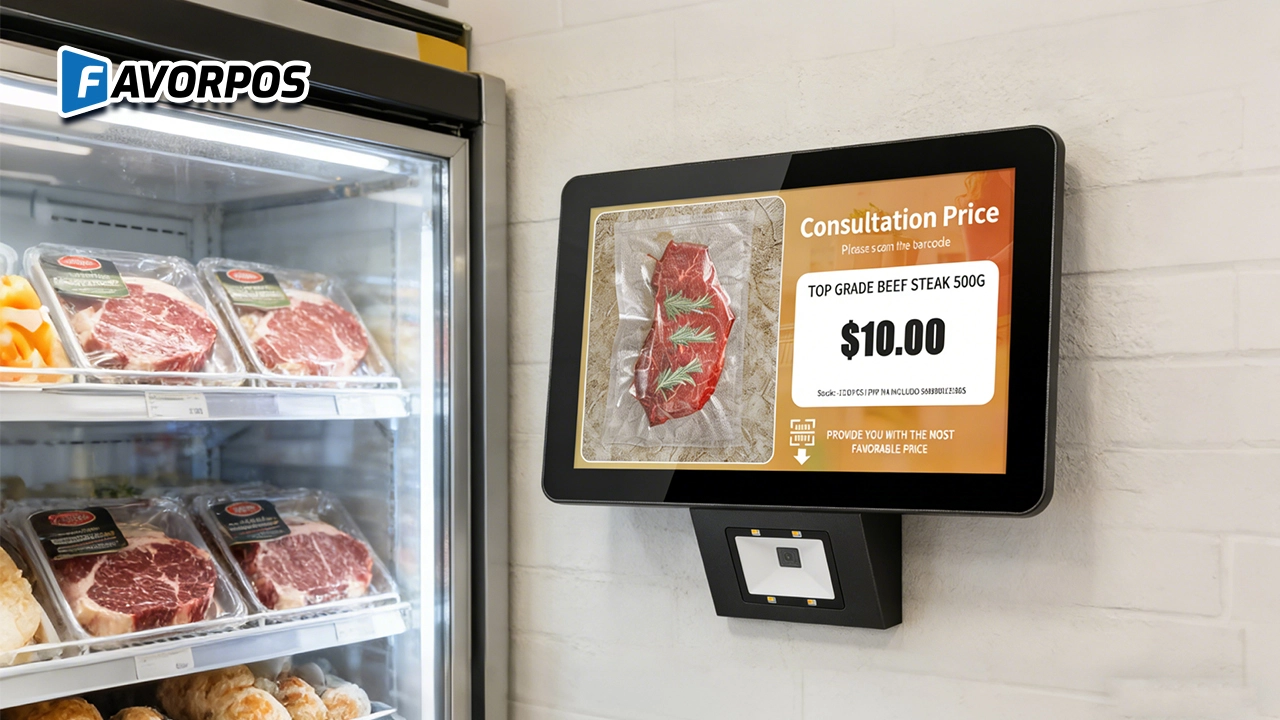
A Smarter Way to Check Prices: How Wall-Mounted Price Checkers Are Reshaping Retail Stores
For Government and Public
What support is provided after deployment?
We provide 24/7 technical support, regular hardware updates, hardware maintenance, and training resources to ensure your POS system remains operating efficiently.
For Hotels
Can your POS system be integrated with my hotel's PMS system?
Yes, our POS system is designed to integrate seamlessly with most major hotel management systems (PMS), ensuring smooth integration of guest services and billing processing.
For Beauty and Wellness
How does your POS system integrate with online booking platforms?
Our POS system integrates seamlessly with online booking platforms, allowing customers to book appointments online and synchronize them with in-store appointments.
What support is provided after the system is deployed?
We provide 24/7 technical support and regular hardware maintenance to ensure that the system continues to operate efficiently.
For Grocery and Supermarkets
How does your system help manage perishable goods?
Our POS system tracks the shelf life of goods and provides reminders for perishable goods, helping you reduce waste and ensure product freshness.

Android Handheld Pos Device Touch Screen Pos Terminal Manufacturer

All in One POS Terminal Metal 11.6'' Touchscreen Android Windows with Printer
The All-in-One POS Terminal features an 11.6'' touchscreen display, compatible with both Android and Windows. This metal-constructed terminal combines durability with style, making it a perfect fit for any retail or hospitality environment. Equipped with a built-in printer, it streamlines transactions by allowing for instant receipt printing.

8 inch Touchscreen Price Checker Barcode Scanner Wifi Optional Android Win 10
FAVORPOS Touchscreen Price Checker offers a user-friendly interface, perfect for retail environments. With optional Wi-Fi connectivity, this device runs on Android or Windows, providing flexibility and ease of use. The integrated barcode scanner allows for quick price verification, enhancing the shopping experience for customers. Compact and efficient, it's designed to streamline operations and improve checkout speed.

Factory Fast Scan Barcode QR Code Scanner for Supermarket Price Check Device Manufacturer
FAVORPOS is a manufacturer specializing in Barcode/QR Code device. This new designed price check machine have thinner screen, more fashion appearance. 10.1 inch touch screen can bring convenience to customers. This machine can greatly improve the operational efficiency of a business environment.
Get in touch
Interested in becoming a POS system dealer? Contact us for more information and start the process of joining our dealer network.
We look forward to working with you to expand the market together.


Copyright © 2025 Favorpos All Rights Reserved.
