
How secure are popular POS systems for restaurants today?
- 1) How do popular cloud POS systems protect card data during tableside mobile and contactless payments — are transactions truly end-to-end encrypted and PCI-compliant?
- 2) For a 100-seat casual-dining restaurant, what realistic total cost of ownership (hardware + software + payments + integrations) should I budget for over three years when comparing leading systems?
- 3) If my internet goes down during peak service, how do popular POS systems’ offline modes really work for orders, card authorizations, and end-of-day reconciliation?
- 4) Can I switch vendors later without losing sales history, recipes, or guest loyalty data — how do popular POS systems handle data portability and migrations?
- 5) How do popular POS systems help reduce chargebacks and detect fraudulent transactions in busy, high-turnover restaurant settings?
- 6) What security governance and certification items should I demand in an RFP to ensure a POS vendor meets PCI, SOC 2, and local data residency requirements?
1) How do popular cloud POS systems protect card data during tableside mobile and contactless payments — are transactions truly end-to-end encrypted and PCI-compliant?
Many modern restaurant POS platforms use a combination of encryption, tokenization and certified hardware to protect payment data, but the degree of protection depends on the vendor architecture and the payment path.
What to expect technically:
- Transport encryption: TLS 1.2+ should be enforced for all communications between devices, terminals and cloud APIs. This prevents eavesdropping on the network.
- Point-to-Point / Point-to-Point Encryption (P2PE): P2PE (a PCI SSC validated solution) encrypts card data at the card reader and keeps it encrypted until it reaches the payment processor. Ask vendors for a P2PE Validated Solution ID and the Attestation of Validity from PCI SSC.
- Tokenization: After authorization, card PANs are replaced by tokens for storage and recurring transactions. Tokens reduce scope for breaches because tokens are useless outside the issuing environment.
- EMV & contactless: EMV chip and contactless (NFC) transactions perform dynamic cryptogram generation; EMVCo standards mean these transactions are intrinsically harder to clone than mag-stripe.
Vendor and buyer checklist (practical):
- Request the vendor’s PCI Attestation of Compliance (AOC) and, if they claim P2PE, ask for the P2PE Provider’s Validation ID available from PCI SSC.
- Confirm whether the vendor’s card readers are P2PE-validated and EMV-capable; if you use mobile/tablet readers, ask if they use a secure crypto module.
- Verify tokenization: ask how long tokens are stored, if they’re reversible, and who controls key management.
- Confirm whether card data is ever stored in plaintext in the POS’s cloud backups or logs; insist on encryption-at-rest when retained.
- Require role-based access, multi-factor authentication (MFA) for admin portals, and audit logs for security incidents.
Why some sites are outdated: Many older guides state that cloud POS can't be PCI-compliant — that's incorrect. Today, cloud POS vendors routinely implement PCI controls, but compliance evidence varies and must be validated by documents and independent reports (AOC, SOC 2, ASV scans).
2) For a 100-seat casual-dining restaurant, what realistic total cost of ownership (hardware + software + payments + integrations) should I budget for over three years when comparing leading systems?
There is no one-size-fits-all price, but you can build a reliable 3-year TCO model using transparent line items rather than vendor marketing bundles. Common cost categories:
- Initial hardware: terminals, kitchen printers/display, card readers (EMV/NFC), routers, POS tablets, stands, receipt printers, barcode scales. Expect a range—basic setups start at a few hundred per terminal; robust, tamper-resistant hardware with integrated payment terminals can cost $800–$2,500 per station depending on brand and features.
- Software subscription: cloud POS monthly fees (per terminal or per location), often tiered by functionality (basic reporting vs. inventory/marketing). Budget from $0–$300+/month per terminal depending on the features — get exact line-item quotes.
- Payment processing: per-transaction fees + per-item fees. Typical in-person card rates in U.S. markets vary roughly from 1.6% to 3.5% + fixed cents per transaction depending on merchant profile, contract (interchange-plus vs bundled), and whether transactions are keyed. For forecasting, use your average check size and monthly card volume to model fees.
- Integrations & third-party apps: online ordering, delivery, accounting (QuickBooks/Xero), loyalty and gift card platforms often have separate monthly costs or revenue shares.
- Installation, training & support: one-time setup or per-incident support fees. Some vendors include onboarding; others charge for on-site/remote setup.
- Connectivity & redundancy: cellular backup, secondary internet, VPNs, and switches.
- Hardware replacement & warranty: budget for a 3–5% annual replacement or extended warranty.
How to build a practical 3-year example:
- Estimate monthly card volume and average ticket to calculate payment processing costs under proposed rates.
- Amortize hardware over 36 months (or use replacement schedule if you prefer a 5-year life).
- Add predictable monthly SaaS fees + integration fees.
- Add contingency for chargebacks, support overages and feature add-ons (5–10%).
What vendors often omit online: interchange fees and chargeback costs are usually not transparent in marketing materials. Always ask for an interchange-plus pricing example and for real sample invoices (anonymized) or a demo merchant account detail.
3) If my internet goes down during peak service, how do popular POS systems’ offline modes really work for orders, card authorizations, and end-of-day reconciliation?
Cloud-first POS vendors implement one of three offline strategies; understanding which one your candidate uses affects fraud, revenue capture and guest experience.
Typical offline behaviors:
- Local caching for orders: The POS can continue to take orders and print kitchen tickets locally. When connectivity returns, order data syncs to the cloud. This preserves operations but may delay real-time inventory updates and cloud-based reporting.
- Offline payments queued: For card-present EMV/contactless payments, true offline authorization (without communicating to issuer) is rarely used because issuers typically require online authorization — liability shifts and fraud risk increase if accepted offline. Most systems will decline EMV offline unless the terminal supports offline EMV and the card allows offline approvals.
- Keyed or manual fallback: If card readers cannot reach the processor, some restaurants use manual keyed entry for later settlement. This increases chargeback risk and often higher processing rates apply.
Practical resilience controls:
- Redundant connectivity: Add a cellular failover (4G/5G) and configure dual-WAN; ensure your POS hardware supports automatic failover.
- Local network resiliency: Use a local area network (LAN)-based POS mode or a hybrid architecture that lets terminals communicate with a local master device while deferring cloud sync.
- Payment fallback policy: Establish a clear staff policy for when to accept offline or keyed payments, and how to document guest authorization to reduce chargeback exposure.
- Reconciliation practice: After restore, run delta reports to locate queued transactions, resolve duplicates and reconcile tips and shifts. Maintain a daily backup of local order logs before closing.
When evaluating vendors, ask for a live demo of the offline flow, vendor documentation on how queued payments are stored/encrypted, and how conflict resolution works when orders are edited during offline periods.
4) Can I switch vendors later without losing sales history, recipes, or guest loyalty data — how do popular POS systems handle data portability and migrations?
Data portability is a major pain point because many restaurants depend on historical sales, recipes, inventory and loyalty records. Vendor lock-in occurs when exports are limited, proprietary formats are used, or migration services are costly.
What to verify before signing:
- Data ownership clause: Ensure the contract states you own your transactional and customer data.
- Export formats & API access: Confirm vendors can export sales, menu/recipe, inventory, employee records, and loyalty/customer lists to common formats (CSV, JSON) or provide API access for bulk extraction.
- Frequency & completeness: Ask whether exports include full history (line-item details, modifiers, time stamps) and whether there are limits or fees for large exports.
- Migration assistance: Determine if the vendor offers a migration guide, professional services for importing to the new system, or an export mapping service. Some vendors charge for data cleaning and migration.
Migration checklist (practical steps):
- Request a sample export containing 30–90 days of real data to test the import to your target POS.
- Map SKUs, modifiers, taxes and recipe/portions; menu hierarchies rarely map 1:1 so plan menu engineering.
- Export loyalty and gift card balances; ensure the new system can import card numbers or provide a seamless gift-card migration plan.
- Validate historical reporting. If full history cannot be imported, export reports (daily summaries, P&L exports) and store in long-term archives.
- Run a parallel period (if possible) where both systems operate to validate sales totals and payouts.
Regulatory notes: In some jurisdictions (e.g., GDPR in the EU), customers have data rights that affect how you export and hand off personal data — confirm vendor compliance and necessary data handling agreements.
5) How do popular POS systems help reduce chargebacks and detect fraudulent transactions in busy, high-turnover restaurant settings?
Restaurants face unique chargeback risks: high-ticket events, keyed entries, delivery card-not-present (CNP) orders, and tipping confusion. Modern POS platforms and payment processors offer layered controls:
Prevention features:
- EMV & contactless acceptance to reduce counterfeit fraud.
- Tokenization to prevent PAN exposure for stored cards and gift cards.
- AVS/CVV enforcement for CNP orders and delivery verification fields (delivery address vs. billing address checks).
- Velocity rules and configurable transaction thresholds to flag unusual patterns (e.g., multiple high-value tabs on one card).
- Address verification and phone/email confirmation workflows integrated into online ordering.
Detection & response:
- Real-time alerts for suspicious patterns; integration with fraud-screening services that score orders.
- Automated capture of detailed receipts: full itemized receipts, signed digital receipts (for tipped transactions), timestamps and server IDs help in representment.
- Integration with chargeback management services (Ethoca, Verifi) which provide alerts and automated representment workflows.
Operational best-practices (reducing human causes):
- Train staff on correct tip handling and split-bill procedures; ambiguity here often triggers disputes.
- For delivery, collect photo ID on high-ticket orders or use delivery partners’ verification flows.
- Keep detailed kitchen tickets, order notes and photos for large or customized orders.
Response checklist for a dispute:
- Gather the POS receipt, card type, AVS/CVV data, delivery confirmation, kitchen ticket, and any signed guest receipt.
- Submit the representment with the processor; include itemized receipts and proof of delivery/authorization.
- Track chargeback reason codes and fix any operational gaps (e.g., inconsistent signature capture or missing order notes).
6) What security governance and certification items should I demand in an RFP to ensure a POS vendor meets PCI, SOC 2, and local data residency requirements?
A concise, vendor-agnostic RFP security checklist helps you compare vendors objectively and avoid incomplete answers.
Mandatory documents and certifications:
- PCI DSS evidence: Attestation of Compliance (AOC) for the vendor and a description of scope (is it limited to payments or whole application?). If claiming P2PE, request the P2PE Validated Solution ID from PCI SSC.
- SOC 2 Type II report (most recent 12-month period) covering security (and ideally availability/confidentiality). If a vendor refuses to provide SOC 2, treat this as high risk for enterprise deployments.
- ASV scan reports and penetration test summaries (redacted) performed within the last 12 months.
- Data processing addendum (DPA) and evidence of GDPR/CCPA compliance for relevant jurisdictions.
- Subprocessor list and contractual assurances: you must know which third parties process payments, analytics or backups.
Technical controls to require/request:
- Encryption in transit (TLS 1.2+), encryption at rest (AES-256 or equivalent), and documented key management procedures.
- Role-based access control (RBAC) with MFA for admin and reporting portals.
- Logging and SIEM integration; retention window and access to logs for audits.
- Incident response plan with SLA for breach notification (e.g., within 72 hours or as required by local law) and evidence of recent tabletop exercises.
- Data residency options: ability to host data in a specified region if your business requires it.
Contractual & operational clauses:
- SLA uptime guarantees and credits, support hours, and escalation paths.
- Right-to-audit clause or independent audit proof.
- Clear data ownership and export obligations on contract termination.
RFP template items to include: ask vendors to attach (1) PCI AOC, (2) SOC 2 Type II report executive summary, (3) latest ASV scan, (4) data flow diagram showing where PAN and PII traverse, and (5) breach notification and incident response policy.
Conclusion — advantages of modern popular POS systems for restaurants
Popular POS systems today offer strong operational benefits: streamlined table management, integrated kitchen display systems, inventory tracking, mobile and QR ordering, and powerful API integrations for delivery platforms and accounting. Security has matured — P2PE, tokenization, EMV contactless and SOC 2 attestations are common — but protection varies by vendor architecture. The best choices balance resilient offline behavior, clear data portability, transparent pricing, and documented security controls.
For a tailored quote, migration plan, or to evaluate POS options for your specific restaurant size and model, contact us for a quote: www.favorpos.com or email sales2@wllpos.com.

A Smarter Checkout Experience: The 15-Inch Dual-Screen POS Built for Modern Retail

8-Inch Smart Price Checker: A Small Device Powering Smarter Retail Spaces

Built for Retail Precision: Manufacturing Excellence Behind the 11.6” Smart Price Checker

Building Stability in an Unstable Market: A 15.6-Inch All-in-One POS Designed for the Long Term
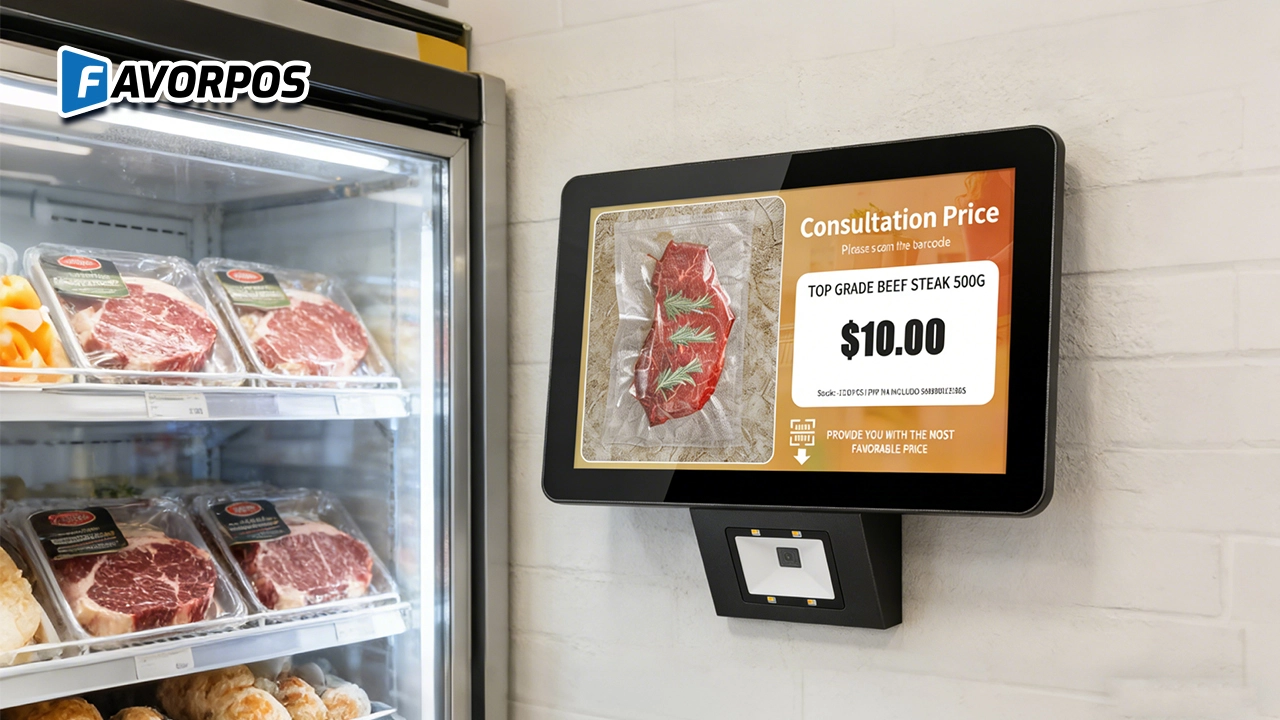
A Smarter Way to Check Prices: How Wall-Mounted Price Checkers Are Reshaping Retail Stores
For E-commerce
How long does it take to implement a POS system?
Implementation time depends on the complexity of the customization, but it can usually be completed within a few weeks, including testing and training.
For OEM
Can I upgrade or add features to the existing POS machine?
We can upgrade or add features to the existing POS machine as needed. The specific upgrade services and costs depend on the design of the original device and the required functions. Please contact your account manager to discuss the upgrade options.
How do we start customizing POS machines?
To start customizing POS machines, please first contact our sales team with your needs and specifications. We will arrange a detailed consultation to understand your specific requirements and provide a design plan and quotation.
For Distributor
What kind of support will I receive as a reseller?
As a reseller, you will receive comprehensive support, including product training, technical assistance, and support from a dedicated account management team.
For Grocery and Supermarkets
Can your POS system be integrated with weighing equipment?
Yes, our POS system can be integrated with weighing equipment to facilitate the management of goods sold by weight, such as fresh produce or bulk goods.

Android Handheld Pos Device Touch Screen Pos Terminal Manufacturer

All in One POS Terminal Metal 11.6'' Touchscreen Android Windows with Printer
The All-in-One POS Terminal features an 11.6'' touchscreen display, compatible with both Android and Windows. This metal-constructed terminal combines durability with style, making it a perfect fit for any retail or hospitality environment. Equipped with a built-in printer, it streamlines transactions by allowing for instant receipt printing.

8 inch Touchscreen Price Checker Barcode Scanner Wifi Optional Android Win 10
FAVORPOS Touchscreen Price Checker offers a user-friendly interface, perfect for retail environments. With optional Wi-Fi connectivity, this device runs on Android or Windows, providing flexibility and ease of use. The integrated barcode scanner allows for quick price verification, enhancing the shopping experience for customers. Compact and efficient, it's designed to streamline operations and improve checkout speed.

Factory Fast Scan Barcode QR Code Scanner for Supermarket Price Check Device Manufacturer
FAVORPOS is a manufacturer specializing in Barcode/QR Code device. This new designed price check machine have thinner screen, more fashion appearance. 10.1 inch touch screen can bring convenience to customers. This machine can greatly improve the operational efficiency of a business environment.
Get in touch
Interested in becoming a POS system dealer? Contact us for more information and start the process of joining our dealer network.
We look forward to working with you to expand the market together.


Copyright © 2025 Favorpos All Rights Reserved.
