
What features should supermarkets look for in POS systems?
- 1. How do supermarket POS systems reliably manage 10k–50k SKUs, perishable inventory with FIFO/expiry tracking, and automatic markdowns without slowing checkout or causing stock inconsistencies?
- 2. What technical and compliance requirements must be met to integrate legal-for-trade scales (NTEP/OIML) and PLU-weighted pricing with a supermarket POS?
- 3. Which hardware and software optimizations actually reduce peak-hour checkout queues in supermarkets?
- 4. How can supermarkets ensure PCI compliance and secure payments at scale — what are the practical payment security patterns (P2PE, tokenization, EMV, contactless AND offline authorization)?
- 5. How do I implement omnichannel features (BOPIS, curbside, online inventory) so in-store POS and e-commerce don't oversell or cause fulfillment bottlenecks?
- 6. What POS analytics and loss-prevention workflows truly reduce shrinkage (internal theft, scanning errors, supplier fraud) beyond basic reports?
- Conclusion: Advantages of modern POS systems for supermarkets
POS Systems for Supermarkets: 6 Deep Questions Buyers Ask
When choosing POS systems for supermarkets, owners need more than feature lists— they need precise technical, regulatory and operational guidance. Below are six long-tail, pain-point questions often asked by beginners but poorly answered online, followed by in-depth practical answers grounded in industry standards (PCI DSS 4.0, NTEP/OIML, GS1).
1. How do supermarket POS systems reliably manage 10k–50k SKUs, perishable inventory with FIFO/expiry tracking, and automatic markdowns without slowing checkout or causing stock inconsistencies?
Why this matters: Supermarkets run tens of thousands of unique SKUs, many perishable. Incorrect FIFO/expiry handling or delayed inventory updates cause spoilage, lost margin from late markdowns, and poor on-shelf availability.
What to require from your supermarket POS:
- Database architecture optimized for high cardinality SKUs — use indexed relational tables for product master (SKU, UPC/EAN/GS1 identifiers, PLU for produce) alongside a fast NoSQL/cache layer (Redis or in-memory cache) for reads at checkout. This reduces scan latency while keeping authoritative inventory in the relational DB.
- Per-batch lot and best-before fields: Support lot-level receipts with manufacture/expiry dates and quantity. The POS must support FEFO/ FIFO rules for issuing stock and produce automatic suggested markdowns as expiry nears.
- Event-driven inventory updates: Use asynchronous message queues (Kafka/RabbitMQ) or webhooks so shopping carts, online orders, and back-office receipts consume and reconcile inventory changes in near-real time without blocking POS transactions. Offline lanes should log transactions and reconcile on connectivity restore with conflict resolution rules (last-scan-wins or store manager override).
- Background processes for automated markdowns and replenishment triggers: Configurable thresholds that schedule markdown tickets, print shelf labels, and notify buyers when SKU turns below reorder point. Tie into promotions engine to prevent price conflicts.
- Reporting and auditing: SKU-level lifecycle reports, shrinkage by SKU and by lot, and traceability of sold lots back to receipts (necessary for recalls).
Operational tips: Segment SKUs into fast/slow movers and tune cache TTLs; use materialized views for frequent aggregate queries (on-hand by store/zone). Typical supermarket scale: small stores 5k–15k SKUs, mid 15k–40k, large 40k–80k — design capacity accordingly.
2. What technical and compliance requirements must be met to integrate legal-for-trade scales (NTEP/OIML) and PLU-weighted pricing with a supermarket POS?
Why this matters: Produce and bulk items priced by weight require legally approved scale integration (legal-for-trade) and accurate PLU handling to avoid regulatory fines and pricing disputes.
Key requirements and best practices:
- Legal certification: In the U.S., scales used for commercial transactions must be NTEP certified; internationally, look for OIML R76 compliance. Confirm the scale model, firmware version and certificate numbers against local authorities.
- Interfaces and protocols: Ensure the POS supports scale interfaces (RS232/USB/Ethernet) and common protocols (Vendor-specific ASCII, SIM, or standard point-of-sale scale protocols). The POS should whitelist scale IDs and validate weight checksum to reject tampered inputs.
- PLU management: Centralized PLU master in the POS with price-per-unit metadata, tare weights, and allowed decimal precision. Produce PLUs often follow store-established codes but should map to GS1 or internal product master for reporting.
- Weight-to-price workflow: On a weighted-item scan, POS must send a secure read request to the scale, receive weight and unit, apply PLU price logic and tax rules, and print legalized receipts. Timeouts, retries and audit logs are essential for contested sales.
- Audit and reconciliation: Daily reconciliation reports comparing scale reads, POS transactions and vendor deliveries. Regular scale calibration schedules, with calibration logs retained in POS for compliance audits.
Implementation note: Test on-site with the exact scale models and network conditions. For multi-lane setups, prefer Ethernet-enabled scales with static IPs for easier management and monitoring.
3. Which hardware and software optimizations actually reduce peak-hour checkout queues in supermarkets?
Why this matters: Long queues harm customer satisfaction; supermarket POS must deliver high throughput under load.
Effective optimizations:
- Hardware choices: Fast 2D laser/area imager scanners for multi-orientation barcode reads (improves scan speed on produce packs and QR codes). SSD-based POS terminals, 8+ cores for heavier local processing (if using PC-based POS), and sufficient RAM (8–16GB) for caching operations. Receipt printers with fast print heads (200 mm/s+) and high-reliability cutters reduce bottlenecks.
- Lane specialization: Mix of full-service lanes, express lanes, self-checkout kiosks and mobile line-busting tablets. Self-checkout reduces transaction times for small baskets. Mobile POS for line-busting can process payments with integrated card readers and accept loyalty scans or coupons.
- Software features: Pre-auth and batched card capture for certain payment flows, cashier UI optimized for keyboard shortcuts, predictive product lookup for PLUs, and offline transaction queuing that keeps throughput when network hiccups occur. Look for POS with low-latency barcode-to-price paths (sub-200ms under normal conditions).
- Queue analytics and staffing: Real-time queue detection, threshold alarms, and staff scheduling integration. The POS should expose transaction rates per lane to enable dynamic lane opening decisions.
Benchmarks: A well-optimized lane should scan-and-pay a typical basket (20–30 items) in 45–90 seconds. Self-checkout for small baskets can be 30–60 seconds. Your vendor should provide throughput stress-test results for your expected peak transactions/minute.
4. How can supermarkets ensure PCI compliance and secure payments at scale — what are the practical payment security patterns (P2PE, tokenization, EMV, contactless AND offline authorization)?
Why this matters: Supermarkets handle thousands of payment cards daily. A breach is costly and damages reputation; compliance is essential.
Security patterns to demand:
- P2PE (Point-to-Point Encryption): Use PCI-validated P2PE solutions so card data is encrypted in the PIN pad and only decrypted by the payment processor—this reduces PCI scope and breach risk.
- EMV and contactless: Support chip-and-PIN/EMV, contactless NFC payments (Apple/Google Pay), and magstripe fallback procedures. Ensure PIN pads are certified for EMV and contactless and are updated with vendor EMV kernels.
- Tokenization: Store only tokens in your POS and back-office systems; no PANs (Primary Account Numbers). Tokens enable safe loyalty-linked payments, refunds and recurring payments.
- Offline authorization rules: In case of network failure, implement strict offline auth policies (limit by transaction amount, card BIN allowlist, merchant risk tolerance) and mandatory reconciliation/audit upon connectivity restore.
- PCI DSS 4.0 compliance: Ensure your POS vendor provides documentation for their PCI compliance posture (version of PCI standard, SAQ type, P2PE certificate if used). Maintain vulnerability management, regular patching, and network segmentation (separate payment VLANs).
Operational controls: Regular third-party penetration tests, endpoint management for POS terminals (whitelisting software, remote wipe), and employee training for card-handling fraud prevention.
5. How do I implement omnichannel features (BOPIS, curbside, online inventory) so in-store POS and e-commerce don't oversell or cause fulfillment bottlenecks?
Why this matters: Supermarkets increasingly offer BOPIS/curbside and home delivery. Inventory mismatches frustrate customers and waste labor.
Design principles and concrete steps:
- Single source of truth: Maintain a centralized inventory master that flags stock by availability type: in-store sellable, reserved for online, on-order, and backroom quantities. The POS and e-commerce systems should read/write to this master via APIs.
- Reserve-at-checkout and hold windows: When a customer places a BOPIS or curbside order, reserve those SKUs immediately with a configurable hold window (e.g., 4–48 hours) and decrement in-store available quantity so POS lanes cannot sell them. Allow store staff to override with reason codes.
- Real-time sync and eventual consistency: Use synchronous APIs for final confirmation and asynchronous messaging for background inventory updates. Implement reconciliation jobs to detect and resolve discrepancies (e.g., sales recorded in POS but not reflected in the OMS).
- Store picking workflows: Integrate handheld pickers with barcode verification and suggested substitution workflows. POS should support SKU-level pick verification and automatic restock triggers for failed picks.
- Capacity throttling: During high demand, limit same-day delivery/BOPIS slots by store to prevent overcommitment. The POS system should expose available fulfillment capacity to the e-commerce layer.
Monitoring: Track key KPIs: pick accuracy, time-to-fulfill, order cancellations due to stockouts, and on-shelf availability. These guide configuration changes (hold windows, reorder points) to avoid oversell.
6. What POS analytics and loss-prevention workflows truly reduce shrinkage (internal theft, scanning errors, supplier fraud) beyond basic reports?
Why this matters: Shrinkage typically ranges from 1–3% of sales in grocery retail; advanced analytics can materially reduce that figure.
Analytics and workflows to implement:
- Exception-based monitoring: Real-time alerts for suspicious patterns (e.g., repeated voids and refunds by same cashier, excessive price overrides, high-rate of scale-zero sales, or multiple discounts on the same SKU). The POS should flag and route exceptions to managers for immediate review.
- SKU-level margin and variance analytics: Combine POS sales with supplier invoice and receiving data to detect supplier overcharges or short-deliveries. Flag SKU shrink anomalies by comparing expected vs actual shrink by category and by store.
- Integrated CCTV triggers: Integrate POS events with video systems so that flagged transactions auto-link to camera footage (time-synced) to speed investigations.
- Scan accuracy monitoring: Track mismatch rates between scanned UPCs and PLU entries, especially at produce/wt sales, and require mandatory supervisor verification when mismatch thresholds exceeded.
- Inventory cycle-count workflows: Use risk-based cycle counting (high-value, high-shrink SKUs more frequently) driven by POS sales velocity and analytics. POS should schedule and log counts and reconcile back to inventory ledger.
Outcome metrics: With these controls many retailers report measurable shrinkage reductions (often 20–40% relative improvement vs baseline) within 6–12 months when combining technology, process changes and staff training.
Conclusion: Advantages of modern POS systems for supermarkets
Modern supermarket POS systems that combine legal-for-trade scale support, scalable inventory engines, P2PE/tokenized payments, omnichannel inventory orchestration and advanced shrinkage analytics deliver measurable benefits: faster checkouts, fewer stockouts, regulatory compliance, lower fraud and improved margins. Selecting a POS vendor that provides tested integrations (GS1 barcodes, NTEP/OIML scales, PCI DSS 4.0/P2PE certified payment stacks), robust APIs, and proven deployment experience with 10k–80k SKU environments minimizes deployment risk and reduces total cost of ownership.
For a tailored quote and architecture review for your supermarket, contact us for a quote at www.favorpos.com or email sales2@wllpos.com.

Why a 15.6” Touch POS Terminal Is Becoming the New Standard in High-Traffic Retail

Beyond Checkout: How a 15.6-Inch Aluminum POS System Redefines Retail Efficiency

Understanding 15-Inch Aluminum POS Terminals in Modern Commercial Use

The Smart Way to Check Prices: How a 10.1-Inch Wall-Mounted Price Checker Transforms Retail Stores

A Smarter Checkout Experience: The 15-Inch Dual-Screen POS Built for Modern Retail
For Government and Public
Can the system be accessed and managed remotely?
Yes, our POS system provides remote access capabilities, allowing you to manage and supervise from different locations, ensuring centralized control.
For Restaurants & Cafes
Is your POS system suitable for different types of catering businesses?
Yes, our POS system is suitable for a variety of catering businesses, including fast food restaurants, high-end restaurants, cafes, as well as food trucks and pop-up restaurants. The system functions can be customized according to different business types to meet specific needs.
For Bakeries
Can custom cake orders be easily managed?
Yes, our system is designed to handle special orders, allowing customers to easily customize cakes and pastries, and employees can track these orders from start to finish.
For Entertainment & Events
Does your POS system support seat selection for events?
Of course, our system includes interactive seating maps, allowing customers to select seats in advance, making event management more organized.
For ODM
What is the lead time for ODM production?
The lead time depends on multiple factors, including product complexity, production volume and material availability. Generally speaking, the time from design confirmation to delivery may range from a few weeks to a few months. We will provide a detailed schedule at the start of the project and try our best to deliver on time.
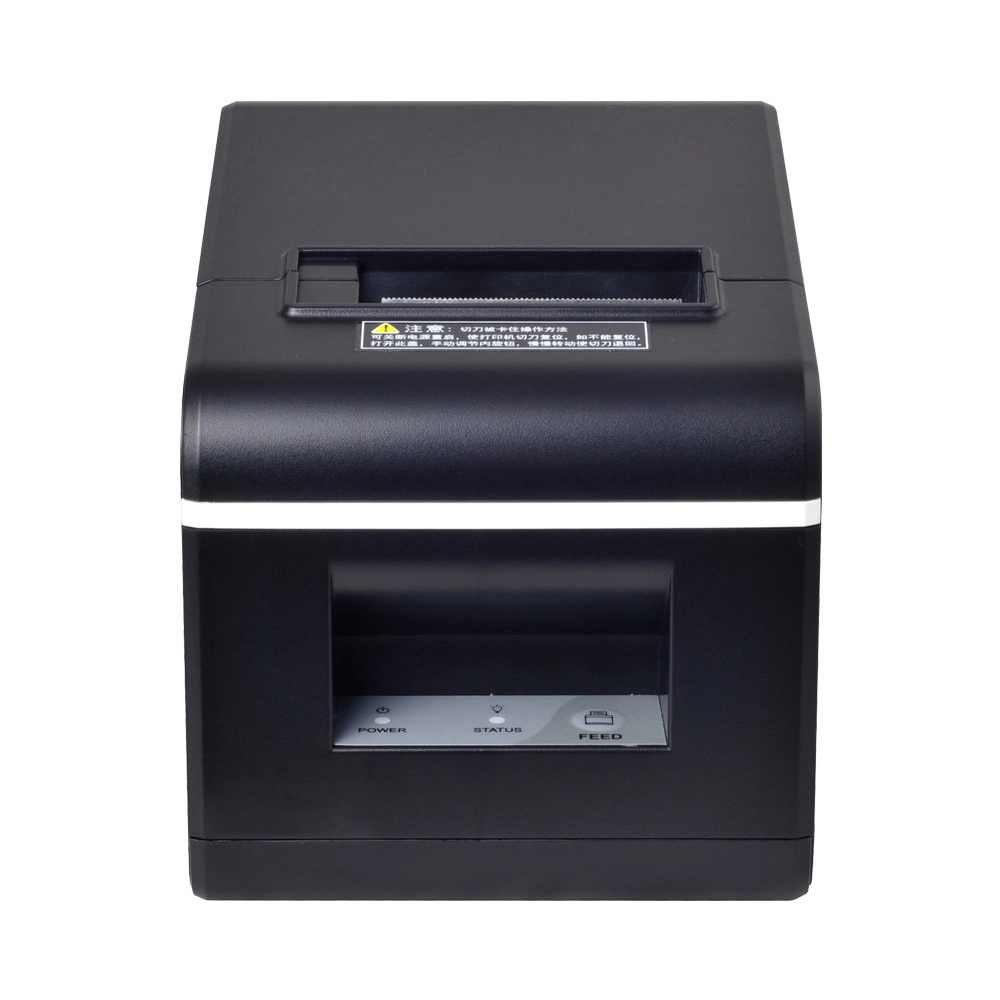
New Model Thermal Printer Bill Printer Manufacturer Portable Printer for Receipt
New Model Thermal Printer, a state-of-the-art bill printer designed for modern retail and hospitality environments. This printer combines advanced technology with user-friendly features, ensuring fast and efficient printing of high-quality receipts. Its sleek design complements any workspace, while multiple connectivity options make it easy to integrate into your existing POS systems.

Desktop Touch Screen POS Systems 12.1'' Android Windows Manufacturer
Our Desktop Touch Screen POS Systems feature a 12.1'' display, supporting both Android and Windows platforms. Engineered for high performance. The intuitive touch interface simplifies transactions and enhances customer engagement. With a sleek design and robust construction, our POS systems are perfect for businesses looking to improve efficiency and elevate the shopping experience.

15.6 Inch Windows POS Terminal with VFD Display, Foldable Aluminum Stand Touch Screen POS for Retail & Hospitality
This 15.6-inch POS terminal is built to meet the needs of modern retail and hospitality environments. Powered by a stable Windows operating system, it ensures smooth performance for various point-of-sale applications. The device features a crisp, responsive touch screen and a built-in VFD customer display, allowing customers to view transaction details clearly. Its aluminum alloy stand offers a sleek, professional appearance while providing enhanced durability and stability for busy checkout counters. Ideal for retail stores, restaurants, and service-based businesses, this POS machine delivers a reliable and customer-friendly checkout experience.

Point of Sale System with Thermal Printer All in One Pos Dual Touchscreen Pos with Barcode Scanner Supplier
FAVORPOS presents the all-in-one Point of Sale System with Thermal Printer, featuring dual touchscreens and an integrated barcode scanner. As a leading POS with NFC factory and barcode scanner supplier, we deliver reliable, efficient solutions tailored for your business needs.
Get in touch
Interested in becoming a POS system dealer? Contact us for more information and start the process of joining our dealer network.
We look forward to working with you to expand the market together.


Copyright © 2025 Favorpos All Rights Reserved.
