
How do you maintain a thermal printer? | FAVORPOS Guide
- How Do You Maintain a Thermal Printer? – Key Steps for POS Professionals
- Understanding Thermal Printer Maintenance
- Cleaning the Print Head and Roller
- Replacing Paper Rolls Correctly
- Preventing Common Issues
- Routine Firmware Updates
- Troubleshooting Best Practices
- Key Tips for Extending Thermal Printer Lifespan
- Professional Recommendations
- References:
How Do You Maintain a Thermal Printer? – Key Steps for POS Professionals
Maintaining a thermal printer is essential for consistent print quality, reduced downtime, and the overall reliability of your POS system. This article covers professional, succinct steps on how do you maintain a thermal printer, addressing common pain points like paper jams, poor print clarity, and prolonged device lifespan.
Understanding Thermal Printer Maintenance
- Regular maintenance prevents common issues such as fading receipts and hardware failures (Source: Epson, 2023).
- Proper care ensures longevity and optimal performance of your POS system.
- Neglecting maintenance can result in costly repairs or replacements.
Cleaning the Print Head and Roller
- Turn off and unplug the printer before cleaning.
- Open printer cover and gently remove any dust or debris.
- Use isopropyl alcohol (90%+) and a lint-free cloth to wipe the thermal print head.
- Clean after every roll replacement or at least weekly for high-traffic venues (Source: Star Micronics, 2022).
- Avoid scratching the print head—never use sharp objects.
Replacing Paper Rolls Correctly
- Use only recommended thermal paper to protect the print head and ensure print quality.
- Load paper rolls following the manufacturer's guidelines to prevent jams.
- Store paper in a cool, dry environment to avoid moisture damage.
Preventing Common Issues
- Regularly check for paper dust accumulation inside the unit.
- Ensure cables and connectors are securely attached and not frayed.
- Keep the printer in a dust-free, well-ventilated area to prevent overheating.
Routine Firmware Updates
- Check for firmware updates via your POS provider or printer manufacturer’s website.
- Updates can fix bugs, improve performance, and ensure compatibility with POS software.
Troubleshooting Best Practices
- If the print is light or missing, clean the thermal head and check paper orientation.
- For paper jams, always remove stuck paper gently as per user manual instructions.
- For persistent issues, consult OEM manuals or seek professional service.
Key Tips for Extending Thermal Printer Lifespan
- Schedule monthly in-depth cleanings along with daily quick wipes if usage is high.
- Avoid touching the thermal head directly with fingers.
- Keep the device in an environment with controlled humidity and temperature (ideal: 20–25°C, <60% RH. Source: Zebra Technologies, 2023).
Professional Recommendations
- Always use OEM or certified consumables for both cleaning and printing.
- Record maintenance activities for warranty compliance and audit trails.
References:
- Epson. “Thermal Printer Maintenance.” 2023.
- Star Micronics. “Best Practices for Printing.” 2022.
- Zebra Technologies. “Printer Environmental Guidelines.” 2023.
Maintaining a thermal printer is critical for a reliable POS experience. For more expert insights or tailored maintenance plans, contact the FAVORPOS team today.

Why a 15.6” Touch POS Terminal Is Becoming the New Standard in High-Traffic Retail

Beyond Checkout: How a 15.6-Inch Aluminum POS System Redefines Retail Efficiency

Understanding 15-Inch Aluminum POS Terminals in Modern Commercial Use

The Smart Way to Check Prices: How a 10.1-Inch Wall-Mounted Price Checker Transforms Retail Stores

A Smarter Checkout Experience: The 15-Inch Dual-Screen POS Built for Modern Retail
For Entertainment & Events
Does your POS system support seat selection for events?
Of course, our system includes interactive seating maps, allowing customers to select seats in advance, making event management more organized.
For Solutions Retail
What payment methods do your POS devices support?
Our POS devices support a variety of payment methods, including credit cards, debit cards, NFC (near field communication) mobile payments, QR code payments, Apple Pay, Google Pay, etc., ensuring that your customers have a variety of payment options.
For ODM
Does ODM service provide product warranty and after-sales support?
Yes, we provide product warranty and after-sales support. Our technical support team can assist with any problems that arise after production and provide maintenance and repair services to ensure the long-term use of the product.
For Healthcare
Can the POS system be integrated with our existing EHR/EMR system?
Absolutely. Our POS solution is able to integrate with multiple electronic health record (EHR) and electronic medical record (EMR) systems to streamline operational processes.
For Grocery and Supermarkets
Can your POS system be integrated with weighing equipment?
Yes, our POS system can be integrated with weighing equipment to facilitate the management of goods sold by weight, such as fresh produce or bulk goods.

HD Dual Screen POS Machine Aluminum Hardware Android Windows Supplier
This dual-screen POS machine supports both Android and Windows systems, providing flexibility for various applications. The dual screens enhance customer interaction and streamline the checkout process, making transactions quicker and more engaging. Perfect for modern businesses looking to elevate their service and improve customer satisfaction, this POS machine is your ultimate partner in success!
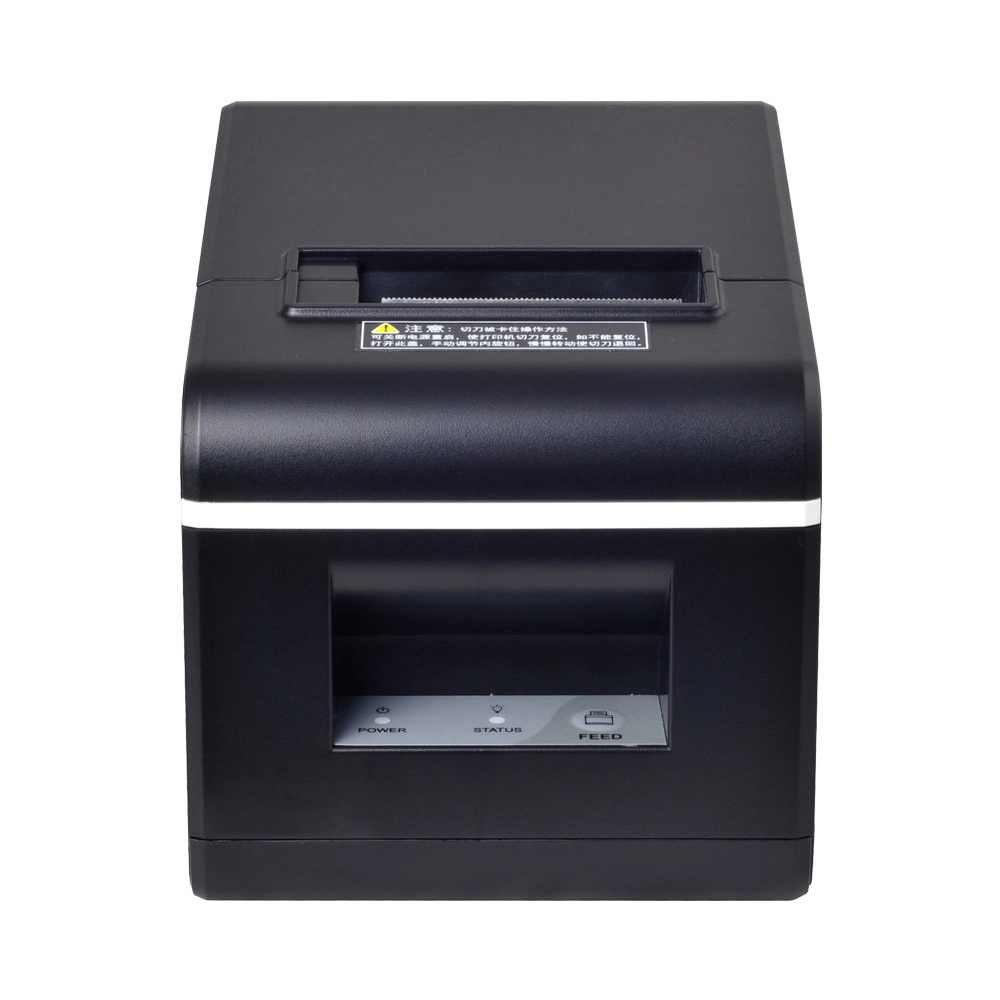
New Model Thermal Printer Bill Printer Manufacturer Portable Printer for Receipt
New Model Thermal Printer, a state-of-the-art bill printer designed for modern retail and hospitality environments. This printer combines advanced technology with user-friendly features, ensuring fast and efficient printing of high-quality receipts. Its sleek design complements any workspace, while multiple connectivity options make it easy to integrate into your existing POS systems.

Desktop Touch Screen POS Systems 12.1'' Android Windows Manufacturer
Our Desktop Touch Screen POS Systems feature a 12.1'' display, supporting both Android and Windows platforms. Engineered for high performance. The intuitive touch interface simplifies transactions and enhances customer engagement. With a sleek design and robust construction, our POS systems are perfect for businesses looking to improve efficiency and elevate the shopping experience.

15.6 Inch Windows POS Terminal with VFD Display, Foldable Aluminum Stand Touch Screen POS for Retail & Hospitality
This 15.6-inch POS terminal is built to meet the needs of modern retail and hospitality environments. Powered by a stable Windows operating system, it ensures smooth performance for various point-of-sale applications. The device features a crisp, responsive touch screen and a built-in VFD customer display, allowing customers to view transaction details clearly. Its aluminum alloy stand offers a sleek, professional appearance while providing enhanced durability and stability for busy checkout counters. Ideal for retail stores, restaurants, and service-based businesses, this POS machine delivers a reliable and customer-friendly checkout experience.
Get in touch
Interested in becoming a POS system dealer? Contact us for more information and start the process of joining our dealer network.
We look forward to working with you to expand the market together.


Copyright © 2025 Favorpos All Rights Reserved.
