
Can a desktop based POS system integrate with my accounting?
- 1) How do I keep my desktop POS sales, taxes, and COGS posting correctly to QuickBooks Desktop without duplicate or missing entries?
- 2) My desktop POS runs on a local SQL/SQLite file and occasionally goes offline — how do I sync reliably with cloud accounting like Xero or QuickBooks Online?
- 3) Can a desktop based POS integrate inventory valuation and multi‑store stock levels into my accounting system without manual journals?
- 4) How should I reconcile payment processor settlements with POS transactions when deposits, fees, tips, and chargebacks span multiple days?
- 5) What are the PCI, security, and data privacy implications when a desktop based POS integrates with accounting systems and cloud services?
- 6) My accountant wants periodic trial balance adjustments from the POS — what's the most accurate, low‑maintenance way to produce these without manual Excel work?
- Conclusion
Can a Desktop Based POS System Integrate with My Accounting? 6 Deep Answers for Buyers
As an experienced vendor and integrator (FavorPOS), we see recurring, highly specific questions from retailers and hospitality operators choosing a desktop based POS system. Below are six long‑tail, buyer‑focused questions that often have incomplete answers online. Each answer explains integration options (API, CSV, ODBC, middleware), bookkeeping impacts (chart of accounts mapping, COGS, tax mapping), technical constraints (local databases, LAN/offline mode), and compliance (PCI, backups).
1) How do I keep my desktop POS sales, taxes, and COGS posting correctly to QuickBooks Desktop without duplicate or missing entries?
Why this matters: QuickBooks Desktop uses a local company file (.QBW) and many retailers still use it for payroll and localized tax reports. Incorrect postings create reconciliation headaches and misstated profit.
Practical solution:
- Use a connector that supports qbXML / QuickBooks SDK rather than direct CSV whenever possible. The SDK validates customers, items, and accounts and minimizes import errors.
- Map POS transaction types to QuickBooks: sales receipts vs invoices, refunds as credit memos, payment methods to specific clearing accounts. Maintain a dedicated bank/deposit account for each payment processor to capture settled batches correctly.
- Post Cost of Goods Sold at the time of sale or through periodic COGS journal entries depending on inventory valuation: if your accounting uses FIFO/weighted average in QuickBooks or a separate inventory system, reconcile inventory movements daily and post COGS on a daily batch to avoid mismatch.
- Use unique transaction IDs (POS sale ID + store code) and persistent timestamps to prevent duplicates on retries. The connector should check for existing transaction UID before creating entries.
- Reconcile deposits weekly: replace ‘gross sales’ posts with bank deposits net of processor fees (fees posted to expense account) so bank reconciliation matches processor settlement reports.
2) My desktop POS runs on a local SQL/SQLite file and occasionally goes offline — how do I sync reliably with cloud accounting like Xero or QuickBooks Online?
Why this matters: Offline operation is a core advantage of on‑premise POS, but syncing intermittent data with cloud accounting raises conflict, duplication, and latency issues.
Best practices:
- Implement a sync agent (middleware) on the same LAN that queues POS transactions and performs secure, idempotent posts to the cloud API when connectivity is available. This is superior to manual CSV uploads.
- Design the sync with idempotency keys (POS UID) and sequence numbers. If a sync fails and retries, the cloud API should ignore duplicates by matching the idempotency key.
- Handle clock drift by using server UTC timestamps when possible; convert local timestamps to UTC during sync to avoid ordering conflicts across stores/timezones.
- For local databases like SQLite, schedule atomic exports (lock/read) rather than reading live while transactions are being written. For MS SQL or MySQL, use logical replication or change data capture (CDC) where supported to capture only committed transactions.
- Test conflict resolution: create deliberate collisions (same sale edited offline in two terminals) and confirm the merge strategy — last‑write wins, manual review, or per-item versioning.
3) Can a desktop based POS integrate inventory valuation and multi‑store stock levels into my accounting system without manual journals?
Why this matters: Inventory valuation affects balance sheet accuracy and tax filings. Many online articles oversimplify by suggesting “export inventory CSV”, which causes stale valuations and extra work.
How to do it correctly:
- Ensure the POS supports item-level costing and a valuation method consistent with your accounting system (FIFO or weighted average). If your accounting package calculates valuation (e.g., some ERP systems), configure the POS to post quantity movements only, letting accounting compute value.
- Prefer automated journal postings for stock adjustments: POS should post purchases, transfers, and adjustments to specific inventory, COGS, and variance accounts automatically via API or middleware connector.
- For multi‑store deployments, maintain a location dimension in both POS and accounting so stock on hand is tracked per site. The connector must aggregate or split entries according to your reporting needs (consolidated vs site-level GL entries).
- Schedule a periodic (daily or end-of-period) inventory valuation sync. Real‑time per‑transaction valuation is possible but requires more sophisticated connectors and reconciliation routines to avoid race conditions.
4) How should I reconcile payment processor settlements with POS transactions when deposits, fees, tips, and chargebacks span multiple days?
Why this matters: Payment processors deposit net amounts to your bank account, but POS records gross sales. Reconciliation fails unless fees, tips and chargebacks are reconciled accurately.
Recommended workflow:
- Track payments in POS at the transaction level with payment method, authorization ID, processor reference, gross amount, tips, discounts, and refunds. Store the processor batch ID when available.
- On settlement, post a single bank deposit entry corresponding to the processor batch (using batch ID). Use the POS connector to create a bank deposit that references multiple POS transactions (a deposit detail record), matching bank deposits to sales aggregates.
- Post processor fees and chargebacks to dedicated expense or chargeback accounts. If the processor provides a CSV of fees and refunds, automate importing that CSV and matching line items to deposit batches via batch or reference IDs.
- Implement automated matching rules in accounting (e.g., match bank line to deposit with same amount and date range) and fallback to manual matching when partial matches occur. Keep an audit trail so each POS sale can be traced to the bank deposit and fee entries.
5) What are the PCI, security, and data privacy implications when a desktop based POS integrates with accounting systems and cloud services?
Why this matters: Misconfigurations can expand PCI scope or expose PII. Many online resources discuss PCI generally but lack desktop‑POS specific guidance.
Security checklist:
- Do not store full card PANs in the POS or accounting system. Use tokenization or an approved P2PE (Point‑to‑Point Encryption) solution. Store only last 4 digits and token references.
- Segment your network: keep POS terminals and on‑premise POS servers on a separate VLAN with restricted internet access except to the sync agent and payment gateways.
- Use TLS 1.2+ for any sync to cloud accounting. For local connectors, use OS authentication, firewall rules, and least‑privilege database accounts. Avoid shared admin credentials.
- Maintain PCI DSS controls relevant to your environment (logging, change control, patching). If you outsource payments to a gateway with tokenization and P2PE, your PCI scope is smaller but not eliminated.
- Keep an immutable audit log for sales and sync operations to support forensic reconstruction in case of disputes or audits.
6) My accountant wants periodic trial balance adjustments from the POS — what's the most accurate, low‑maintenance way to produce these without manual Excel work?
Why this matters: Manual Excel exports are error‑prone and don’t scale. Accountants need reliable GL detail and supporting data for audits and tax filings.
Automated approach:
- Implement a GL export profile in the POS connector: map POS departments, payment methods, item categories, and stores to distinct Chart of Accounts (COA) codes. Maintain one mapping file that both the POS and connector reference.
- Enable daily or period‑end batch posting to the GL with drill‑down support: each GL journal should include references to POS sale IDs so accountants can drill from a posted debited GL line back to transactional detail.
- Provide reconciliation reports: sales by payment type, tax summary by jurisdiction, inventory movement report with unit cost and valuation, and deposit/settlement reports. These reports should be machine‑readable (CSV/JSON) and accessible from the accounting system as attachments to journals.
- Where direct API posting is unavailable, schedule automated exports (standardized CSV) and use a lightweight ETL script or middleware to transform and post journals to the accounting system. Avoid manual copy/paste or ad‑hoc spreadsheets.
Conclusion
Desktop based POS systems offer robust on‑premise performance, offline resilience, and tight control over local operations. With the right connector strategy — QuickBooks SDK/qbXML for QuickBooks Desktop, REST API or OAuth for cloud platforms like QuickBooks Online or Xero, or a middleware agent using ODBC/CDC for local databases — you can achieve reliable, auditable posting of sales, taxes, inventory valuation, and settlement reconciliation. Key advantages include faster transaction processing on LAN, data sovereignty, deterministic offline behavior, and the ability to tailor GL mapping and inventory valuation to your bookkeeping practices. Tradeoffs include the need for a well‑designed sync agent, regular backups, and attention to PCI/network security.
If you want a customized integration plan or a quote for a desktop based POS system that integrates cleanly with your accounting (QuickBooks, Xero, Sage, or ERP), contact us for a quote at www.favorpos.com or email sales2@wllpos.com.

Why a 15.6” Touch POS Terminal Is Becoming the New Standard in High-Traffic Retail

Beyond Checkout: How a 15.6-Inch Aluminum POS System Redefines Retail Efficiency

Understanding 15-Inch Aluminum POS Terminals in Modern Commercial Use

The Smart Way to Check Prices: How a 10.1-Inch Wall-Mounted Price Checker Transforms Retail Stores

A Smarter Checkout Experience: The 15-Inch Dual-Screen POS Built for Modern Retail
For ODM
What ODM services are provided?
We provide a full range of services from product concept development to production manufacturing according to customer requirements and designs. We are responsible for all aspects of product design, prototyping, production, quality control, etc. to ensure that your POS solution meets market needs and quality standards.
For Restaurants & Cafes
Does your POS system support a variety of payment methods?
Yes, our POS system supports a variety of payment methods, including credit cards, debit cards, mobile payments (such as Apple Pay, Google Pay) and contactless payments (NFC). We ensure that the transaction process is safe and smooth to meet the various payment needs of customers.
For Grocery and Supermarkets
Can your POS system be integrated with weighing equipment?
Yes, our POS system can be integrated with weighing equipment to facilitate the management of goods sold by weight, such as fresh produce or bulk goods.
For Solutions Retail
Do you provide customized POS design services?
Yes, as an OEM/ODM manufacturer, we provide fully customized POS design services. Whether it is hardware appearance design or function integration, we can tailor it according to your brand needs.
For OEM
What is the development cost of a customized POS machine?
The development cost of a customized POS machine depends on the required design and functional specifications. We will provide a detailed quotation after the initial consultation. The cost includes design, prototyping, production and other related services.

Foldable Touch Screen POS Cash Register 15.6'' Windows Supplier Aluminum
This innovative cash register combines portability with advanced functionality, making it ideal for retail environments. Its aluminum construction ensures durability while maintaining a lightweight design for easy transport and setup. The foldable feature allows for convenient storage and flexibility in various business settings.

Factory 11.6'' Touch Screen POS Terminal Android Windows
The Factory 11.6'' Touch Screen POS Terminal is a versatile solution that supports both Android and Windows operating systems. Designed for durability and efficiency, this terminal is perfect for various retail environments. Its compact size and responsive touch screen enhance customer interactions, making transactions quick and seamless.

HD Dual Screen POS Machine Aluminum Hardware Android Windows Supplier
This dual-screen POS machine supports both Android and Windows systems, providing flexibility for various applications. The dual screens enhance customer interaction and streamline the checkout process, making transactions quicker and more engaging. Perfect for modern businesses looking to elevate their service and improve customer satisfaction, this POS machine is your ultimate partner in success!
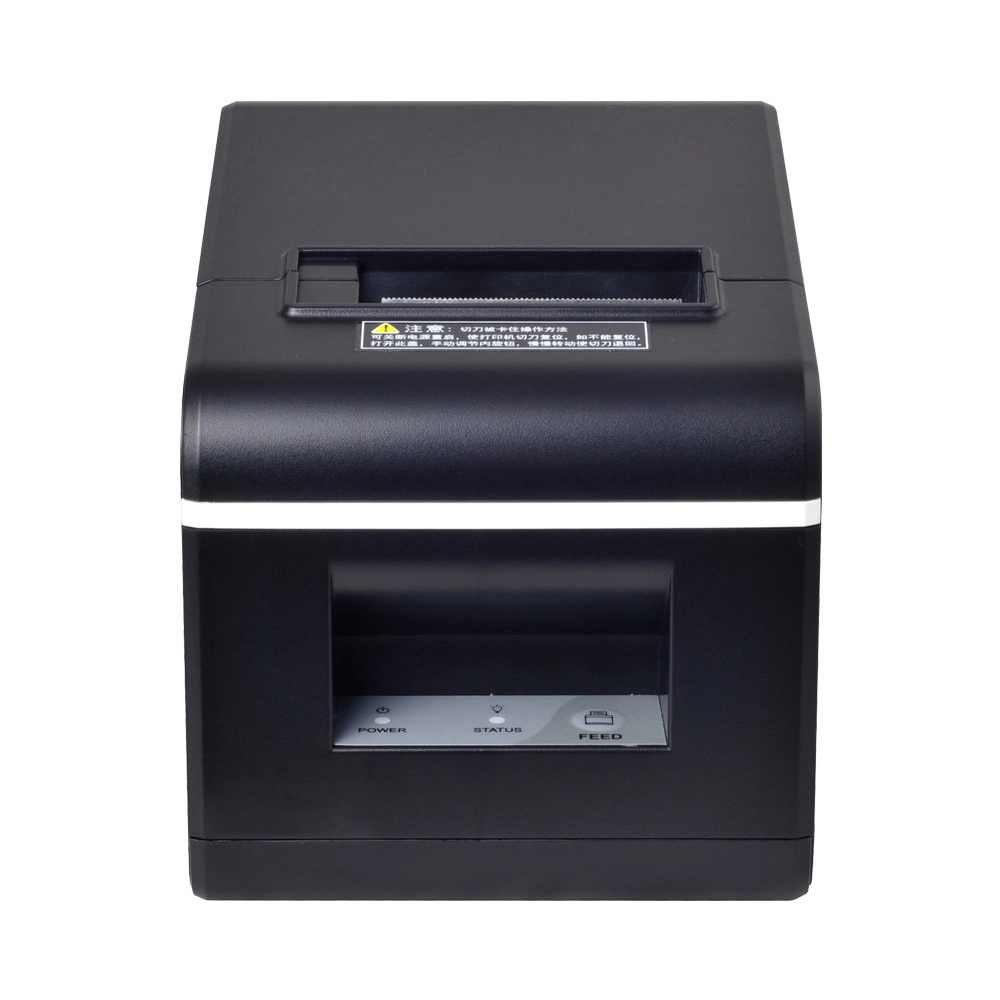
New Model Thermal Printer Bill Printer Manufacturer Portable Printer for Receipt
New Model Thermal Printer, a state-of-the-art bill printer designed for modern retail and hospitality environments. This printer combines advanced technology with user-friendly features, ensuring fast and efficient printing of high-quality receipts. Its sleek design complements any workspace, while multiple connectivity options make it easy to integrate into your existing POS systems.
Get in touch
Interested in becoming a POS system dealer? Contact us for more information and start the process of joining our dealer network.
We look forward to working with you to expand the market together.


Copyright © 2025 Favorpos All Rights Reserved.
