
What are the best liquor store POS systems for small stores?
- 1. How can a POS handle age verification and state-specific alcohol compliance (ID scanning, restricted-sale holds)?
- 2. What POS features are essential for managing mixed-unit inventory (bottles, cases, partials, and case-breaks)?
- 3. Which POS systems provide reliable offline mode and data backup so a small liquor store can continue sales during internet outages?
- 4. How do liquor store POS systems manage excise taxes, bottle deposits, and state reporting for small retailers?
- 5. What are realistic total costs (hardware, software, payment processing, and add-ons) for implementing a POS in a small liquor store under 2,000 sq ft?
- 6. Which POS options are best for preventing theft and managing high-shrink categories (ID alerts, role permissions, blind close, inventory analytics)?
- Conclusion: Advantages of a tailored liquor store POS system
Written by a seasoned POS specialist with extensive experience in retail technology and compliance. This guide answers six commonly overlooked, high-impact questions small liquor stores ask when selecting liquor store POS systems and what to verify before purchase. It embeds relevant terms like age verification, ID scanning, alcohol inventory management, case-break handling, excise tax reporting, offline mode, payment processing, and loss prevention to help you evaluate vendors and integrations.
1. How can a POS handle age verification and state-specific alcohol compliance (ID scanning, restricted-sale holds)?
Pain point: Small liquor stores face heavy fines for underage sales and need a repeatable, auditable process that matches local regulations.
What to require from a POS:
- ID scanning and validation: The POS should accept common ID scanners (2D barcode, magnetic stripe, OCR) and parse name, DOB, and ID type into the sale. Look for vendors that support Driver’s License barcode standards used in your state so DOB is read accurately rather than manually typed.
- Automated age checks: Configure age thresholds per product category (e.g., 21+, 18+ for local allowances) so the POS blocks the sale, displays a clear warning, and requires manager override with a logged reason when needed.
- Restricted-sale holds and prompts: The POS should surface prompts when an item is age-restricted—showing the scanned ID image (where lawful), requiring initials, or forcing an ID scan before tendering.
- Auditable logs and reports: Ensure the system retains an immutable log of ID scans or verification events tied to each transaction and staff user (in compliance with local privacy rules). This simplifies defense during audits and supports internal reviews.
- Customizable workflows for local law: Some states require reporting or special notice for certain products. Choose a system with customizable workflows or APIs to integrate with state reporting services if required.
How to test before buy: Ask for a demo using your state’s ID format and request sample compliance reports. Confirm whether the vendor’s ID-scanning partners are certified for your state.
2. What POS features are essential for managing mixed-unit inventory (bottles, cases, partials, and case-breaks)?
Pain point: Liquor stores sell by bottle, case, and occasionally partial volumes (e.g., keg pours, growler fills). Incorrect unit handling leads to stock inaccuracies and mispricing.
Critical features:
- Multiple units of measure (UoM): The POS/inventory system must support inventory tracked by case and by bottle with automated unit conversion (e.g., 1 case = 12 bottles). Sales should decrement the correct unit automatically.
- Case-break and break-pack transactions: Ability to split a received case into constituent units and assign cost-per-unit automatically. Also support recombining if returns occur.
- Partial item handling: For stores offering growler fills or keg pours, the POS needs to track product pours or partial fills as inventory adjustments and link them to per-ounce pricing or pour meters where applicable.
- Barcode and label printing: On-demand label printing for case-break items with SKUs and UoM ensures price accuracy and faster scanning at checkout.
- Vendor/PO integration: Purchase order workflows that support ordering by case, receiving by case, and converting to sellable units streamline receiving and reduce manual entry errors.
Real verification: Request a sandbox to create SKUs with case and bottle-level UoM, run a case-break, sell a single bottle, then run inventory valuation and shrink reports to confirm the math matches.
3. Which POS systems provide reliable offline mode and data backup so a small liquor store can continue sales during internet outages?
Pain point: Internet or router outages should not stop sales. Cash flow interrupted during busy periods (weekends/holidays) can cost more than subscription fees.
What to look for:
- True offline transaction queuing: The POS must process transactions locally during a network outage and queue them to sync when connectivity returns. Verify whether payments are processed offline (store assumes risk) or stored for later authorization.
- Payment processing behavior: Ask whether the payment terminal supports offline card approvals and what the vendor’s policy is for chargebacks and liability when cards are authorized offline. Many small stores prefer a hybrid: allow cash/house account sales offline, but restrict card processing to online-only for risk control.
- Local data redundancy: The system should keep a local database copy and automated backups to avoid single-point failure. Confirm backup frequency and how to restore to a replacement terminal.
- Hardware independence: Mobile POS or tablet-based systems should be able to switch to an offline device quickly (hot-standby) with minimal setup time.
Testing checklist: Simulate an outage in a demo environment—process multi-tender transactions, refunds, and returns—then reconnect to ensure data syncs correctly and inventory updates reconcile.
4. How do liquor store POS systems manage excise taxes, bottle deposits, and state reporting for small retailers?
Pain point: Alcohol excise, state bottle deposits, and varied local taxes complicate pricing, invoicing, and regulatory reporting. Failure to capture these correctly results in underpayment or compliance exposure.
Capable POS attributes:
- Flexible tax engine: The POS should let you build tax rules per SKU, per location, and per jurisdiction (city, county, state). Support stacking taxes (e.g., state excise + local sales tax + bottle deposit).
- Bottle/can deposit handling: Create deposit SKU line-items that automatically apply deposit amounts based on product attributes or container type. Ensure deposit accounting (liability accounts) is exportable for reconciliation.
- Excise tax tracking and remittance reports: The system should provide excise tax reports (by period, SKU, vendor) to prepare remittance to state authorities. Some POS packages or integrations prepare the filing or export the required fields to accounting software.
- Integration with accounting and compliance tools: Export capabilities (CSV, QuickBooks, Xero) and APIs allow you to send sales, tax, and deposit data to accountants or specialized compliance vendors.
- Audit trails for returns and voids: Because excise tax and deposits affect remittance, ensure the POS logs returns/voids with reason codes and offsets so filings can be adjusted accurately.
Practical step: Work with your accountant to map your current tax and deposit liabilities, then build those rules in a test tenant of the POS to verify the calculated totals match your expected remittances.
5. What are realistic total costs (hardware, software, payment processing, and add-ons) for implementing a POS in a small liquor store under 2,000 sq ft?
Pain point: Small owners often see low monthly SaaS fees but underestimate upfront hardware and payment processing margins that determine real cost of ownership.
Typical cost components and ranges (realistic 2024-era estimates):
- Software subscription: $39–$199/month per register for modern cloud POS plans. Feature-rich retail plans (inventory, purchase orders, loyalty, offline mode) are at the higher end.
- Payment processing: Interchange + markup pricing often ranges 0.15% + $0.10 per transaction up to 2.6–3.5% total for card present retail; contracted rates vary by provider and transaction mix. Ask for blended rate examples based on your expected average ticket and card mix.
- Hardware: Basic bundled hardware for a single register (tablet, stand, receipt printer, cash drawer, barcode scanner) can be $700–$2,000. Traditional POS terminals or integrated countertop devices can be more ($1,200+).
- Integrations and add-ons: ID scanner $200–$600; label printer $200–$600; scale integration $250–$800; third-party inventory/analytics apps $20–$150/month. Specialized compliance add-ons or state-reporting modules may have one-time or recurring fees.
- Implementation & training: One-time setup fees or consulting for migration, SKU setup, and staff training typically $300–$2,000 depending on complexity and whether the vendor supplies services.
How to estimate your total cost: Build a 3-year TCO (total cost of ownership) including subscription, estimated processing fees (project monthly card volume), amortized hardware, and anticipated add-on subscriptions. Ask vendors for a written pricing scenario using your store’s monthly card volume and average sale.
6. Which POS options are best for preventing theft and managing high-shrink categories (ID alerts, role permissions, blind close, inventory analytics)?
Pain point: Alcohol categories are high-risk for theft and employee fraud. Small stores need strong, affordable loss-prevention controls baked into their POS.
Essential loss-prevention capabilities:
- Role-based access and manager approval: Lock high-risk actions (price overrides, voids, refunds, discounting) behind manager PINs or biometric approval and log all overrides with reason codes.
- Blind close and cash management: Require cash drawers to be counted and entered on shift close; use blind close features that force reconciliation before revealing variance so staff must account for shortages.
- Inventory analytics and alerts: Daily shrinkage alerts, velocity reports for fast-moving SKUs, and variance reports by staff member/time-of-day help detect patterns and enable targeted audits.
- Integrated ID and age-check logs: Linking ID scans to transactions deters underage facilitation and provides evidence during investigations.
- CCTV and receipt integration: Many POS platforms integrate with cameras so you can pull video for a specific transaction or ticket number, speeding resolution of suspicious activity.
- Automated reporting cadence: Schedule end-of-day and weekly loss-prevention reports emailed to owners and managers automatically to keep oversight consistent.
Recommended approach: Use a risk-based configuration—tighten permissions for early morning or late-night shifts, require manager approval for discounts, and run daily till and inventory reconciliation. Pair POS settings with physical measures (secure displays, single-item scanning lanes) for best results.
Conclusion: Advantages of a tailored liquor store POS system
Choosing a liquor-store-focused POS or a highly configurable retail system gives small stores clear advantages: accurate alcohol inventory management (case-breaks and mixed UoM), robust age verification and audit trails for compliance, reliable offline operations to protect sales, correct excise and deposit handling for tax compliance, predictable total cost planning, and built-in loss-prevention tools that reduce shrink. Investing time in a demo and using vendor sandboxes to test your exact workflows—receiving, case-breaks, ID scanning, and tax rules—will reveal real-world fit and total cost.
If you’d like a tailored recommendation and a quote for your store setup and hardware, contact us for a quote at www.favorpos.com or email sales2@wllpos.com.

The Smart Way to Check Prices: How a 10.1-Inch Wall-Mounted Price Checker Transforms Retail Stores

A Smarter Checkout Experience: The 15-Inch Dual-Screen POS Built for Modern Retail

8-Inch Smart Price Checker: A Small Device Powering Smarter Retail Spaces

Built for Retail Precision: Manufacturing Excellence Behind the 11.6” Smart Price Checker

Building Stability in an Unstable Market: A 15.6-Inch All-in-One POS Designed for the Long Term
For Government and Public
Does your POS system support ticketing and permit issuance?
Of course, our system includes the ability to manage ticketing and permit issuance, with automatic processing and real-time update capabilities.
For Beauty and Wellness
What support is provided after the system is deployed?
We provide 24/7 technical support and regular hardware maintenance to ensure that the system continues to operate efficiently.
What payment methods does the system support?
Our system supports a variety of payment methods, including credit cards, digital wallets and contactless payments, providing customers with a convenient payment experience.
For Entertainment & Events
Can your POS system handle ticket sales and on-site catering at the same time?
Yes, our system can seamlessly manage ticket sales, catering services and merchandise, ensuring efficient and smooth online and on-site sales operations.
For E-commerce
Is your POS solution scalable to accommodate business growth?
Yes, our POS system is designed to be scalable, and you can easily add new sales channels, locations, and features to accommodate business growth.
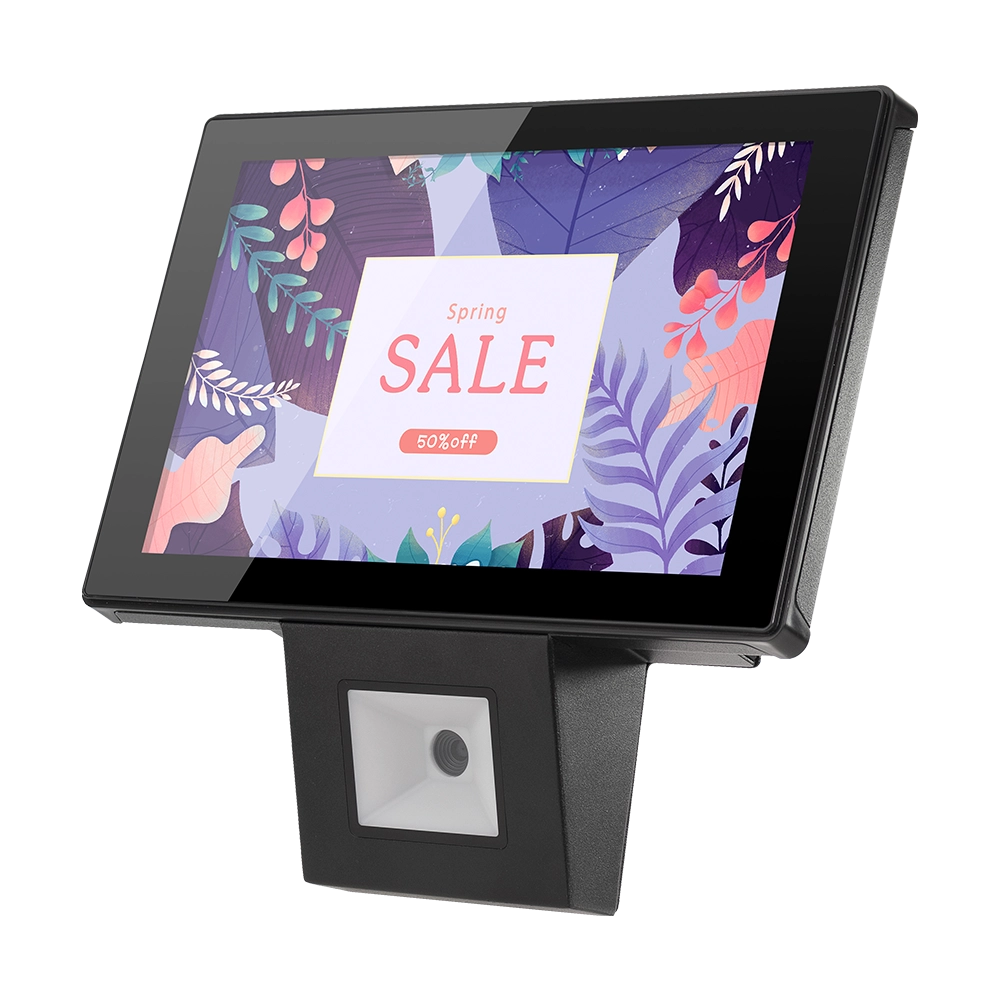
10 inch Price Checker Device Supplier Barcode Scanner for Sale Price Check for Supermarket
FAVORPOS offers 10 inch Price Checker Device, perfect for supermarkets. This wall mounted 10 inch touch screen barcode scanner ensures fast, accurate price checks, enhancing customer experience and operational efficiency. Durable, user-friendly, and perfect for high-traffic retail environments.

Aluminum Dual Screen Pos Terminal Pos Systems 15.6 inch Touchscreen Pos
FAVORPOS Aluminum Dual Screen POS Terminal features a 15.6-inch touchscreen, ideal for seamless transactions. As a trusted OEM Windows POS manufacturer, we deliver durable, high-performance solutions tailored for retail and hospitality businesses.

Android Handheld Pos Device Touch Screen Pos Terminal Manufacturer

All in One POS Terminal Metal 11.6'' Touchscreen Android Windows with Printer
The All-in-One POS Terminal features an 11.6'' touchscreen display, compatible with both Android and Windows. This metal-constructed terminal combines durability with style, making it a perfect fit for any retail or hospitality environment. Equipped with a built-in printer, it streamlines transactions by allowing for instant receipt printing.
Get in touch
Interested in becoming a POS system dealer? Contact us for more information and start the process of joining our dealer network.
We look forward to working with you to expand the market together.


Copyright © 2025 Favorpos All Rights Reserved.
