
Which POS systems cash register is best for small retail stores?
- 1. How do I choose a POS cash register setup that minimizes card processing fees for a small boutique with under $1M annual sales?
- 2. Which POS systems cash register can handle high SKU counts (10,000+) with variant matrices and fast barcode scanning without slowing checkout?
- 3. What POS cash register options provide reliable offline mode and automated reconciliation when internet drops across single or multi-location small retailers?
- 4. How do I configure a POS cash register to manage cash drawer reconciliation, multi-shift staff, and end-of-day audit trails to prevent shrinkage?
- 5. Which POS systems cash register integrate natively with QuickBooks and e-commerce platforms while keeping accurate tax mapping for US states?
- 6. What are the realistic total costs (hardware + software + payment processing + add-ons) to deploy a POS cash register for a 500 sq ft boutique with one counter and one backup terminal?
- Conclusion: Advantages of modern POS systems cash register for small retail stores
Which POS Systems Cash Register Is Best for Small Retail Stores? — Expert Answers
Choosing the right pos systems cash register for a small retail store goes beyond brand names. Below are six long-tail, pain-point-focused questions that beginners often search for but rarely find deep, current answers to. Each answer explains real operational impacts, configuration options, and cost/technical trade-offs you’ll face when buying a retail POS system.
1. How do I choose a POS cash register setup that minimizes card processing fees for a small boutique with under $1M annual sales?
Why this matters: Payment processing can be the largest ongoing expense after rent and labor for small retailers. Beginners often focus on monthly software fees and ignore the pricing model of payment processing, which determines total cost.
Key considerations and steps:
- Understand the pricing model: interchange-plus vs flat-rate vs tiered. Interchange-plus (interchange + small markup) is usually cheapest for higher-volume merchants. Flat-rate (e.g., 2.6% + $0.10) is predictable and common in turnkey providers like Square or Shopify.
- Estimate monthly card volume and average transaction value. A store with higher average transactions benefits more from interchange-plus. Run a 6–12 month card-volume estimate to compare models.
- Choose integrated payment processing or third-party merchant account carefully. Integrated processors (payment processing built into the POS) simplify setup but can be more expensive and harder to switch. Third-party merchant accounts often offer negotiation leverage and lower effective rates for established stores.
- Look for a card terminal/EMV reader that supports contactless (NFC), EMV chip, and tokenization to reduce fraud risk and potential chargebacks. EMV compliance influences liability and underwriting; modern terminals reduce fraud-related costs.
- Factor in hardware certifications and gateway fees. Some POS vendors charge a per-terminal gateway fee; others bundle payment processing into a single subscription. Add gateway fees to your monthly cost model.
- Negotiate or benchmark effective rates. Ask potential providers for an example processing statement showing interchange, assessment, and markup. If you process close to $1M, you can often negotiate lower markups or obtain keyed/online interchange qualification improvements by meeting required security standards.
Practical outcome: For a small boutique under $1M, flat-rate integrated processors (Square, Shopify) can be simplest and cheaper if your average ticket is low and predictability matters. If your card volume is moderate-to-high or you accept many high-value cards, getting an interchange-plus merchant account paired with a flexible cloud POS reduces long‑term fees.
2. Which POS systems cash register can handle high SKU counts (10,000+) with variant matrices and fast barcode scanning without slowing checkout?
Why this matters: Many small retailers expand SKUs quickly (variants, colors, sizes). Poor inventory performance leads to slow lookups at POS, longer queues, and lost sales.
What to evaluate:
- Database architecture: Cloud POS systems with optimized relational databases (and indexed SKU tables) handle large SKU counts better than legacy local register software. Look for vendors who document performance at 10k–100k SKUs.
- SKU/variant model: Systems that support parent SKUs with variant matrices (size/color) natively avoid duplicate entries and speed searches. Avoid systems that require unique SKUs per variant without matrix support.
- Barcode scanning and caching: Fast checkout requires a POS app that caches frequently used lookups locally (in-memory cache or SQLite on device) to avoid full cloud roundtrips during each scan. Confirm whether the POS supports local caching for barcode lookups and price rules.
- Hardware selection: Use a quality barcode scanner (USB or Bluetooth with 2D capability) and a modern terminal/tablet with sufficient RAM/CPU. Slow hardware will bottleneck even optimized software.
- Inventory indexing and search UX: Look for POS systems with fast autocomplete search, phonetic matching, and filtered category searches to reduce time spent searching rather than scanning.
Real-world deployments: Retail POS solutions designed for larger catalogues (e.g., Lightspeed Retail, Vend/Lightspeed, Shopify Plus for retail) provide matrix variants and confirmed performance with tens of thousands of SKUs. Always ask vendors for a performance SLA or a demo using a data set similar to your expected SKU count.
3. What POS cash register options provide reliable offline mode and automated reconciliation when internet drops across single or multi-location small retailers?
Why this matters: Internet outages are inevitable. You need a POS that takes payments, records transactions, and reconciles automatically once connectivity returns—without manual ledger fixes.
Key technical behaviors to require:
- Local transaction caching: The POS must queue sales, receipts, and inventory changes locally and clearly flag queued transactions in the UI.
- Payment capture strategy: For card-present EMV transactions, true offline approval (chip-authorized offline) is rare due to security; instead many POSes allow card-present sales to be tokenized and authorized once online. Confirm whether your payment terminal supports offline EMV and understand the fraud/liability implications. For most small retailers, offline payment capability is limited to magstripe or manual entry, which increases risk.
- Automatic synchronization and conflict resolution: After reconnection, the system should automatically sync sales and inventory to the cloud and reconcile payment batches. Check whether the POS supports timestamped transaction IDs to avoid duplicates and whether it provides automatic reconciliation reports for accounting.
- Multi-location consistency: For multi-store retailers, ensure the system uses optimistic conflict resolution or clearly defined master records: e.g., the cloud should be the source of truth but local terminals must queue and then reconcile without overwriting newer cloud changes.
- Operational policies for downtime: Implement a documented staff workflow—use an offline till, avoid price overrides that complicate later reconciliation, and secure queued receipts for audit purposes.
Practical recommendation: Prefer cloud POS systems that explicitly document offline behavior and have certified payment terminals that handle tokenization securely. Test offline workflows during deployment and request a written explanation from the vendor about how reconciliation is handled after a disconnect.
4. How do I configure a POS cash register to manage cash drawer reconciliation, multi-shift staff, and end-of-day audit trails to prevent shrinkage?
Why this matters: Shrinkage and cash variances are common in small retail. Beginners need concrete configurations to reduce theft, human error, and reconciliation headaches.
Configuration checklist:
- User accounts and permissions: Create unique logins for each cashier and restrict manager functions (refunds, price overrides, payouts). Audit trails rely on unique IDs.
- Shift management (open/close or clock-in/out): Require cashiers to open a shift with starting cash float entered and close with a counted float. POS systems that enforce shift close before end-of-day reduce uncounted cash movements.
- Cash drawer event logging: Ensure every cash drawer open is logged with reason (sale, payout, float) and user. Use POS-controlled drawer management—drawer opens only on registered actions (sale completion, authorized refund).
- Payout controls and petty cash: Implement an authorization workflow for cash payouts and record them as separate ledger entries. Limit manager overrides and require notes for all payouts.
- End-of-day Z-reports and variance reports: The POS should produce a Z-report showing expected vs counted cash, card batch totals, and transaction-level lists for any differences. Use daily variance thresholds and require manager signoff for exceptions.
- Physical controls and reconciliation frequency: Use tamper-evident deposit bags and perform cashier reconciliation at each shift end rather than once daily. Frequent reconciliation reduces cumulative errors and makes root-cause analysis easier.
Technology plus policy: Good POS hardware (secure cash drawer, integrated receipt printer) plus strict policies (unique logins, frequent reconciliations) reduces shrinkage dramatically. Look for POS vendors that provide detailed audit logs exportable to Excel/CSV for your accountant.
5. Which POS systems cash register integrate natively with QuickBooks and e-commerce platforms while keeping accurate tax mapping for US states?
Why this matters: Accurate sales and tax reporting are essential for compliance. Beginners often find that poorly implemented integrations create double entries, mis-mapped tax codes, and reconciliation headaches.
Integration features to require:
- Native two-way integrations: Prefer POS systems that offer certified, native integrations with QuickBooks Online/Desktop and major e-commerce platforms (Shopify, BigCommerce, WooCommerce). Native integrations typically map sales, taxes, and payments more cleanly than third-party connectors.
- Per-location tax mapping: For multi-state operations, ensure the POS can apply tax rules per register/location and export separate sales tax reports per jurisdiction. The POS should support state, county, and local tax separations if required.
- GL account mapping and granular exports: The POS should allow mapping of revenue categories, discount accounts, returns, and payment processor fees to your chart of accounts. This avoids manual journal entries and preserves accounting accuracy.
- Batch vs transaction-level sync: Decide whether you want daily batch exports or per-transaction sync into QuickBooks. Transaction-level sync gives immediate visibility but can create large numbers of entries; batch sync simplifies books but requires reliable batch reports.
- Tax engine compatibility: If you use a tax automation service (Avalara, TaxJar) for multi-jurisdiction tax calculations, ensure the POS either integrates with that service or allows exporting detailed, line-level sales data for tax calculation.
Practical choices: Square for Retail, Lightspeed, and Shopify POS provide documented integrations with accounting and e-commerce platforms. Confirm with each vendor how they map taxes and whether they support tax automation providers for nexus-driven calculations.
6. What are the realistic total costs (hardware + software + payment processing + add-ons) to deploy a POS cash register for a 500 sq ft boutique with one counter and one backup terminal?
Why this matters: Many beginners underestimate total cost of ownership. Beyond the initial register hardware, ongoing software subscriptions and processing fees dominate lifetime costs.
Sample realistic cost breakdown (ranges reflect common market pricing as of recent industry norms):
- Hardware (one main terminal + backup tablet + receipt printer + cash drawer + barcode scanner): $600–$2,000 one-time. Example: Android/iPad POS terminal or tablet ($300–$900), thermal receipt printer ($150–$400), cash drawer ($100–$250), scanner ($50–$200).
- Software subscription (cloud POS retail plan): $30–$120 per month per register. Higher tiers add advanced inventory, multi-location, or loyalty features.
- Payment processing: 1.6%–3.5% per card transaction (depends on interchange, card type, and provider) plus per-transaction fees ($0.05–$0.30). Monthly statement fees or gateway fees may add $0–$25/month.
- Add-ons: e-commerce sync, advanced reporting, loyalty, and employee scheduling: $10–$100+/month depending on modules.
- Implementation and training: $0–$1,500 one-time. Many vendors include basic onboarding; complex catalog imports, barcode labeling, and POS configuration usually require paid setup or consultant time.
- Payment hardware certification/terminal lease: $0–$300 one-time or $10–$30/month if leased. EMV-compliant terminals are recommended.
Example 12-month TCO for a small boutique (mid-range choices):
Upfront: $1,200 hardware + $500 setup = $1,700. Annual software: $60/month × 12 = $720. Processing fees: assume $100,000 annual card volume at 2.6% = $2,600. Add-ons & terminal fees: $600/year. Total first-year cost ≈ $5,620. Subsequent years (no hardware): roughly $3,920/year.
Notes: Your mileage will vary depending on card volume, negotiated processing rates, and whether you choose enterprise vs SMB POS tiers. Always run a 2–3 year TCO scenario before committing.
Conclusion: Advantages of modern POS systems cash register for small retail stores
Modern pos systems cash register solutions provide unified payment processing, real-time inventory management, reliable offline handling, deep integrations with accounting and e-commerce platforms, and built-in loss-prevention controls. Choosing the right combination of hardware, payment model, and vendor integration reduces operating costs, speeds checkout, and provides accurate financial data for growth decisions. For a 500 sq ft boutique, the right system balances predictable monthly costs with scalability for 10k+ SKUs and strong reconciliation tools.
If you’d like a custom recommendation and a written quote tailored to your store size, SKU complexity, and monthly card volume, contact us for a quote: visit www.favorpos.com or email sales2@wllpos.com.

Understanding 15-Inch Aluminum POS Terminals in Modern Commercial Use

The Smart Way to Check Prices: How a 10.1-Inch Wall-Mounted Price Checker Transforms Retail Stores

A Smarter Checkout Experience: The 15-Inch Dual-Screen POS Built for Modern Retail

8-Inch Smart Price Checker: A Small Device Powering Smarter Retail Spaces

Built for Retail Precision: Manufacturing Excellence Behind the 11.6” Smart Price Checker
For Hotels
Does your POS system support room service billing?
Absolutely, our system allows guests to charge services such as food and beverage, spa treatments, etc. directly to the room account, and all charges will be settled at the time of checkout.
For ODM
What is the minimum order quantity for ODM service?
We support different needs, from small batches to large-scale production. The specific minimum order quantity will be determined based on product type, complexity and production requirements. Please contact us for details.
For Beauty and Wellness
What payment methods does the system support?
Our system supports a variety of payment methods, including credit cards, digital wallets and contactless payments, providing customers with a convenient payment experience.
What support is provided after the system is deployed?
We provide 24/7 technical support and regular hardware maintenance to ensure that the system continues to operate efficiently.
For Grocery and Supermarkets
What types of reports can I generate?
You can generate detailed reports on sales, inventory, employee performance, and customer behavior, providing valuable insights to optimize store operations.

Foldable Touch Screen POS Cash Register 15.6'' Windows Supplier Aluminum
This innovative cash register combines portability with advanced functionality, making it ideal for retail environments. Its aluminum construction ensures durability while maintaining a lightweight design for easy transport and setup. The foldable feature allows for convenient storage and flexibility in various business settings.

Point of Sale System with Thermal Printer All in One Pos Dual Touchscreen Pos with Barcode Scanner Supplier
FAVORPOS presents the all-in-one Point of Sale System with Thermal Printer, featuring dual touchscreens and an integrated barcode scanner. As a leading POS with NFC factory and barcode scanner supplier, we deliver reliable, efficient solutions tailored for your business needs.

8 inch Wall Mount Price Checker with Scanner Android Windows Factory
Our 8-inch Wall Mount Price Checker is designed for optimal convenience in retail spaces, featuring a sleek design that fits seamlessly into any environment. Compatible with both Android and Windows, this unit includes an integrated scanner for quick and accurate price checks. Its wall-mounted design saves counter space while providing easy access for customers. Ideal for enhancing efficiency and improving the shopping experience.
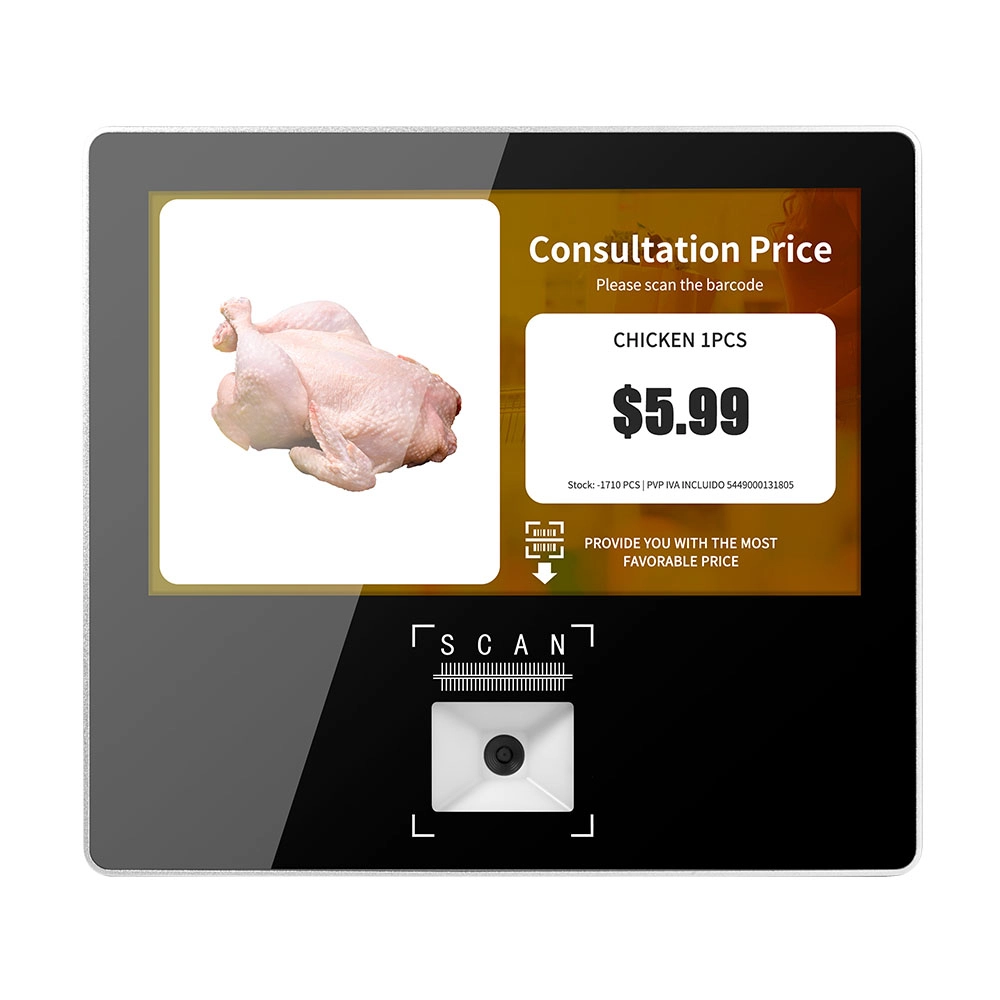
Metal 11.6 inch Price Scanner Machine Android Windows with Wifi Supplier
FAVORPOS Metal 11.6-inch Price Scanner Machine, designed for durability and efficiency in retail environments. This versatile device operates on both Android and Windows, providing seamless functionality for various applications. With built-in Wi-Fi connectivity, it allows for quick access to pricing data and updates. The 11.6'' display ensures clear visibility for easy operation, making it perfect for price checking and inventory management. Enhance your retail experience with this reliable and robust price scanner from a trusted supplier!
Get in touch
Interested in becoming a POS system dealer? Contact us for more information and start the process of joining our dealer network.
We look forward to working with you to expand the market together.


Copyright © 2025 Favorpos All Rights Reserved.
