
Do mobile POS systems speed up service in bars?
- Do mobile POS systems speed up service in bars?
- How can a mobile POS handle split tabs, rounds, and partial payments efficiently during peak busy hours?
- What network and hardware configuration prevents Wi‑Fi dead zones and keeps handheld POS devices responsive in large bars or multi-floor venues?
- How reliable are POS liquor inventory features (pour-control, keg sensors, and recipe tracking) at reducing shrinkage compared with manual methods?
- How do mobile POS systems maintain PCI compliance, EMV/contactless security, and protect customer card data when used table-side or at crowded bars?
- What is the realistic total cost of ownership (hardware, payment fees, integrations) and ROI timeline for bars replacing a legacy system with a cloud/mobile POS?
Do mobile POS systems speed up service in bars?
Short answer: yes—when implemented correctly. Mobile POS (handheld tablets, smartphones with card readers, or staff-worn devices) reduces walkback time, speeds order entry and payment, and reduces rekey errors compared with static tills. Industry case studies from leading providers and operators consistently report measurable reductions in order-to-payment cycles and faster table turnover after adopting table-side ordering and contactless payments.
How it speeds service in practice: by enabling table-side ordering and payment, routing orders instantly to the bar or kitchen display system (KDS), and supporting split tabs and modifiers at the point of sale. The biggest gains come when mobile POS is part of an integrated solution — fast wireless networks, optimized menu layouts, and direct payment acceptance (EMV/contactless) — rather than a standalone card reader.
When mobile POS slows service: poor Wi‑Fi, badly designed menu screens, lack of offline mode, insufficient training, or using devices with short battery life. Before buying, run a short pilot during peak hours to validate real throughput improvements with your team and layout.
How can a mobile POS handle split tabs, rounds, and partial payments efficiently during peak busy hours?
Split-tab workflows are a frequent pain point for bar staff. Look for POS systems that offer purpose-built split-tab flows rather than generic “item-by-item” splitting. Key features to require:
- Tab-based ordering: open a tab per customer with fast lookup (name, phone, or QR) so rounds can be appended quickly.
- Quick-split and group split options: ability to split evenly, by item, or by amount with a single tap—avoid systems that force manual line edits for each guest.
- Round management: save and recall partial rounds (e.g., “last round, drinks only”) so bartenders can keep track of which orders belong to which tab.
- Partial payments & tipping: accept deposits, pre-authorizations, or partial payments and accurately track tips across multiple payouts and shifts.
- Fast search and favorites: staff should be able to call up commonly ordered drinks or combos with one touch (fewer screens = faster orders).
Implementation tip: design your drink menu in the POS with modifiers (size, ABV, mixers) instead of separate SKUs for every permutation. Test split scenarios during training and create shortcuts for your busiest rounds (e.g., “Well Round” presets).
What network and hardware configuration prevents Wi‑Fi dead zones and keeps handheld POS devices responsive in large bars or multi-floor venues?
Connectivity failures are the most common reason mobile POS deployments fail to speed service. Recommended architecture:
- Dual-band enterprise-grade access points (2.4/5 GHz) placed for overlapping coverage and line-of-sight to bar stations. Consumer routers aren’t enough for a busy bar.
- Separate VLAN/SSID for POS devices to isolate traffic and prioritize quality of service (QoS) for payment and KDS traffic.
- LTE/5G cellular fallback for payment authorization or order-sync if the internet uplink goes down; ensure your POS supports offline mode for order capture and later reconciliation.
- Edge devices and local print servers: place receipt printers and network switches close to the bar to avoid single-wire bottlenecks.
- Ruggedized handhelds or retail-grade tablets with good battery life and optional charging docks—consumer phones can work, but battery and durability matter.
Work with a POS vendor or certified integrator to do a wireless site survey, especially if you have multiple floors, thick walls, or metal in the build-out that can cause reflection and interference.
How reliable are POS liquor inventory features (pour-control, keg sensors, and recipe tracking) at reducing shrinkage compared with manual methods?
Modern bar POS solutions offer several inventory controls that outperform manual counting when configured and enforced properly:
- Pour-control integrations: connect flow meters or smart pour spouts to tie pours to sales automatically. These systems reconcile dispensed volume with POS sales and flag discrepancies for investigation.
- Keg sensors and level monitoring: real-time keg level telemetry helps detect theft, overpours, or line issues earlier than weekly manual checks.
- Recipe-based inventory depletion: set recipes for each cocktail so the POS decrements stock accurately when an item is sold, including modifiers and garnishes.
- Shrinkage analytics: look for variance reporting that shows theoretical vs. actual usage and highlights outliers by SKU, server, or shift.
Important caveats: these tools reduce shrink only when staff follow process (use the POS for every pour, don’t bypass systems) and when hardware is calibrated. Expect an implementation phase: install pour-control hardware, reconcile readings against sales for several weeks, and train staff. Many operators report meaningful reductions in shrink after 2–3 audit cycles once the system is tuned.
How do mobile POS systems maintain PCI compliance, EMV/contactless security, and protect customer card data when used table-side or at crowded bars?
Security is non-negotiable. Mobile POS systems maintain compliance via a mix of certified hardware, tokenization, and secure networking:
- EMV‑certified readers: use PCI PTS and EMV‑certified card readers that encrypt card data at the point of interaction. Built-in NFC readers support contactless wallets and tap-to-pay.
- Tokenization: card data should never be stored on the tablet—tokens replace card numbers so servers cannot access full PANs.
- Encrypted communications: ensure TLS 1.2+ over secured VLANs and that your payment processor supports end-to-end encryption.
- Point-to-point (P2PE) or validated encryption solutions: these reduce PCI scope for your business and simplify audits.
- Access controls and logging: enforce role-based access, unique staff logins, and shift-level reporting so you can trace actions and reconcile tips and payouts.
Ask prospective vendors for their latest PCI attestation, details about their EMV reader models, and whether they offer P2PE. Also confirm local regulatory nuances (age verification and card-present rules differ between countries) and make sure the vendor supports your jurisdiction's payment rails.
What is the realistic total cost of ownership (hardware, payment fees, integrations) and ROI timeline for bars replacing a legacy system with a cloud/mobile POS?
Total cost of ownership (TCO) depends on hardware model, payment processing agreements, software subscription, and integration needs. Key components to evaluate:
- Upfront hardware: tablets/handhelds, EMV/contactless readers, printers, kitchen displays, and optional pour-control hardware.
- Software subscription: monthly SaaS fees for the POS, KDS, inventory, and reporting modules. Some vendors bundle, others charge per module.
- Payment processing fees & equipment rental: interchange plus markup or flat-rate models. Negotiate for volume discounts and check whether the provider supports your preferred merchant acquirer.
- Implementation and integrations: costs to integrate with accounting (QuickBooks/Xero), payroll, online ordering, and third-party delivery platforms. Custom integrations often carry one-time fees.
- Maintenance and training: staff training, replacement hardware, and support plans should be factored into annual costs.
ROI considerations: savings come from faster service (more covers per shift), reduced shrink through inventory controls, labor optimization with handheld ordering, and better average checks via upsell prompts. Many operators realize payback through a combination of labor savings and reduced waste; reported timelines vary by size and volume. To make an accurate decision, run a TCO model for your venue: map current labor hours, average check and cover counts, shrink percentages, and compare against projected improvements provided by the vendor’s real-world case studies.
Concluding summary of advantages: adopting a modern POS system for bars—particularly one that supports mobile/table-side ordering, EMV/contactless payments, pour-control integrations, and robust offline/network redundancy—delivers faster service, more accurate tabs, tighter inventory control, and clearer shift-level reporting. Proper hardware selection, site surveys for Wi‑Fi, staff training, and verified payment security are the differentiators between a system that merely replaces your register and one that boosts capacity during peak hours.
For a tailored quote and deployment plan that considers your venue layout, local payment rails, and inventory needs, contact us: www.favorpos.com | sales2@wllpos.com

Smart Checkout, Simplified: Exploring the Power of a 15.6-Inch All-in-One POS Terminal

Why a 15.6” Touch POS Terminal Is Becoming the New Standard in High-Traffic Retail

Beyond Checkout: How a 15.6-Inch Aluminum POS System Redefines Retail Efficiency

Understanding 15-Inch Aluminum POS Terminals in Modern Commercial Use

The Smart Way to Check Prices: How a 10.1-Inch Wall-Mounted Price Checker Transforms Retail Stores
For Distributor
What are the requirements to become a reseller?
We look for resellers with a strong market presence, relevant industry experience, and the ability to effectively promote and support our products. Specific requirements will be discussed during the application process.
How often do you update your products and launch new products?
We regularly update our product lines to incorporate the latest technology and meet market needs. Dealers will be kept informed when new products and updates are released.
For company
How many days will I get the sample?
Generally, 3-5 days for production and 3-7 days for transportation, so you will get goods in 6-12 days.
For Grocery and Supermarkets
What types of reports can I generate?
You can generate detailed reports on sales, inventory, employee performance, and customer behavior, providing valuable insights to optimize store operations.
For E-commerce
What kind of support do you provide after the system is implemented?
We provide 24/7 technical support, regular firmware updates, and ongoing maintenance to ensure that the system always maintains optimal performance.
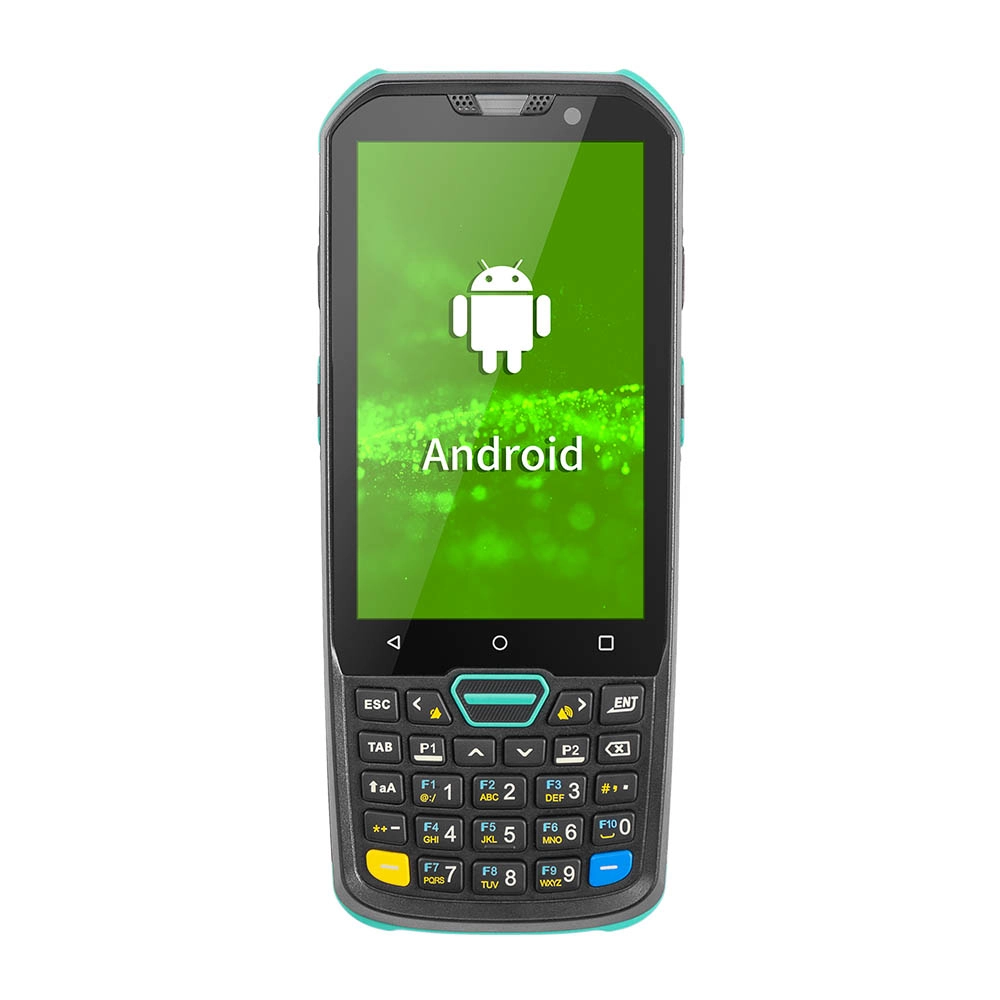
Factory Smart 4 inch Mobile PDA Data Collector with Keyboard
Our Factory Smart 4-Inch Mobile PDA Data Collector is equipped with a convenient keyboard for easy data entry. This compact device is designed for efficient inventory management and logistics operations, offering robust performance in a lightweight design. With a bright display and user-friendly interface, it allows for quick access to essential data on the go. Its durable construction ensures reliability in demanding environments, making it an ideal choice for retail, warehousing, and field operations.

11.6 inch Capacitive Touchscreen for POS Machine POS Monitor
FAVORPOS 11.6-inch capacitive touchscreen, specifically designed for POS machines to deliver a seamless and responsive user experience. This high-definition display offers vibrant visuals and crystal clear clarity, making it easy for staff to navigate through transactions efficiently. The capacitive technology ensures quick and accurate touch recognition, reducing wait times and enhancing customer satisfaction. Built to withstand the rigors of daily use, this touchscreen is perfect for retail and hospitality environments.

HD Dual Screen POS Machine Aluminum Hardware Android Windows Supplier
This dual-screen POS machine supports both Android and Windows systems, providing flexibility for various applications. The dual screens enhance customer interaction and streamline the checkout process, making transactions quicker and more engaging. Perfect for modern businesses looking to elevate their service and improve customer satisfaction, this POS machine is your ultimate partner in success!

Wall Mount Cash Register POS 21.5 inch for Supermarket Touchscreen Windows Factory
Our sleek and modern wall-mounted POS system features a stunning 21.5-inch LED display, providing exceptional visibility and clarity for seamless customer interactions. The capacitive touchscreen ensures a highly responsive and intuitive user experience, perfect for fast-paced retail environments. With its space-saving wall-mounted design, this POS solution is ideal for optimizing floor space while maintaining a professional and contemporary appearance.
Get in touch
Interested in becoming a POS system dealer? Contact us for more information and start the process of joining our dealer network.
We look forward to working with you to expand the market together.


Copyright © 2025 Favorpos All Rights Reserved.
