
Should supermarkets buy all-in-one POS systems or modular solutions?
- 1. How do I accurately size checkout capacity and POS hardware for peak-hour queuing in a supermarket (register count, self-checkout, and server/network capacity)?
- 2. What hidden integration costs should supermarkets expect when connecting POS to scales, label printers, weighted PLUs, and ERP/inventory systems?
- 3. Should supermarkets buy all-in-one POS systems or modular solutions? (Decision framework and recommended hybrid approach)
- 4. How can supermarkets ensure payment security, EMV, and PCI compliance across staffed registers, self-checkout, and mobile payments?
- 5. What features must a supermarket POS support to enable multi-store inventory visibility, real-time replenishment, and FEFO/FIFO for perishables?
- 6. What is a realistic ROI timeline when replacing legacy cash registers with a modern cloud grocery POS system, including labor savings, shrinkage reduction, and basket-size increases?
POS Systems for Supermarkets: All-in-One vs Modular Solutions
This article answers six detailed, buyer-oriented questions that frequently lack up-to-date, actionable guidance online. It focuses on supermarket POS requirements: throughput sizing, scales and label printing integration, hidden TCO, security and PCI/EMV, inventory and perishables management, and ROI timing when migrating from legacy registers to modern grocery POS systems.
1. How do I accurately size checkout capacity and POS hardware for peak-hour queuing in a supermarket (register count, self-checkout, and server/network capacity)?
Why this matters: Underestimating checkout capacity causes lost sales, poor customer experience, and overtime for staff. Overprovisioning increases CAPEX and operating costs. The right approach combines transaction-demand modeling, throughput profiling, and network/server architecture planning for a supermarket point of sale deployment.
Step-by-step sizing method (practical, non-proprietary):
- Define business inputs: average daily customers, peak-hour share (percent of daily customers arriving in the busiest hour), average line items per basket, and desired maximum queue wait (target seconds per customer).
- Calculate peak-hour transactions = peak-hour customers (not shoppers) = estimated customers at peak / average dwell conversion (if multiple shoppers per transaction, adjust).
- Estimate checkout throughput per lane: measure or obtain vendor figures for transaction processing time (scanning, PLU lookup, weighted item handling, payments). Use realistic per-transaction processing times for your store mix—fast-scan transactions differ from weighted produce transactions that need label printing and scale reads.
- Compute required lanes = ceiling(peak-hour transactions / (transactions per lane per hour)). Include separate calculations for staffed registers and self-checkout kiosks (self-checkouts typically require lower transaction times for small baskets but can be slower for large, weighted-basket shoppers).
- Factor redundancy and peak elasticity: add contingency lanes for scale (e.g., 10–25% of calculated lanes) to cover peak surges, hardware failure, and staff breaks.
Network and server capacity:
- Design for concurrent POS sessions rather than registers; modern cloud POS handles many registers per store via secure TLS sessions. Estimate concurrent transactions per second using your peak transaction rates and ensure backend API throughput and database write capacity exceed that by a safety margin.
- For hybrid or on-prem servers, plan CPU, RAM, and I/O based on database write speeds. Ensure local POS caches or offline modes to maintain checkout during temporary WAN outages.
- Segment networks: separate POS LAN/VLAN for terminals, a dedicated payment VLAN for PIN-entry devices, and isolated management VLAN for back-office devices to reduce latency and attack surface.
Example decisions (how to choose): prioritize self-checkout if high percentage of small-basket shoppers and you have reliable scale and label integration. For heavy weighted-produce stores, staffed lanes with integrated scales and label printers reduce errors and speed PLU selection.
2. What hidden integration costs should supermarkets expect when connecting POS to scales, label printers, weighted PLUs, and ERP/inventory systems?
Why this matters: Integration costs frequently exceed initial hardware prices. Planning for them prevents budget overruns and delayed go-lives.
Typical hidden cost categories:
- Middleware and drivers: scale vendors use protocols (SICS, OPOS, vendor-specific APIs). Middleware often required to translate weight data and PLU validation into POS-format messages. Estimate development or licensing costs for certified drivers and middleware connectors.
- Certification and testing: EMV and integrated payment device certification, scale and printer certification with the POS software, and end-to-end testing with payment processors. Certification cycles involve vendor time and potential lab fees.
- Customization and PLU setup: migrating thousands of PLUs (weight-based PLUs, PLU hierarchies, unit-of-measure conversions) requires data cleansing, SKU mapping, and possibly custom export/import scripts between ERP and POS.
- Label templates and regulatory compliance: custom label formats for weighed items, nutrition or country-of-origin rules, and variable-price barcode generation (GS1-128) require label-design and printer driver work.
- Network, cabling, and power: additional point-of-sale network drops, PoE considerations for kiosks, and UPS sizing for checkout islands and scale/printer clusters.
- Maintenance, middleware updates, and lifecycle replacement: budget for periodic firmware and driver updates, and potential re-certification after major POS or payment-stack upgrades.
Estimating TCO: split into one-time (integration labor, drivers, testing, hardware installation) and recurring (support contracts, software subscriptions, payment fees, maintenance). A practical approach is to itemize by integration target (scales, printers, ERP, payments), collect vendor quotes for each connector, and include contingency for certification cycles.
3. Should supermarkets buy all-in-one POS systems or modular solutions? (Decision framework and recommended hybrid approach)
Why this matters: The architecture choice affects flexibility, vendor lock-in, time-to-market, and long-term TCO. The question is often framed as binary, but the best answer is conditional.
All-in-one POS systems (advantages and trade-offs):
- Advantages: faster deployment, single-vendor SLAs, pre-certified integrations (payments, scales), and simplified support contracts. Good for smaller chains or supermarkets seeking rapid rollout with limited internal IT.
- Trade-offs: less flexibility for custom workflow changes, potential vendor lock-in, and more challenging to integrate with specialized ERP or loyalty systems used by larger grocers.
Modular POS solutions (advantages and trade-offs):
- Advantages: modularity allows best-of-breed selection for payments, inventory, self-checkout, and analytics. Easier to replace individual components, tailor functionality for perishables, and integrate advanced OMS or e-commerce platforms.
- Trade-offs: higher integration and program management overhead, need for internal or third-party integration expertise, and potentially longer time-to-live for full feature parity.
Decision checklist for supermarkets:
- Scale and growth plans: small single-site supermarkets often prefer all-in-one; multi-store chains, regional wholesalers, and omnichannel grocers typically benefit from modular, API-first architectures.
- In-house IT capability: if you have an IT team able to manage APIs, integrations, and middleware, modular solutions unlock flexibility. If not, an all-in-one with strong vendor support reduces operational risk.
- SLA and uptime requirements: high-availability retail environments may favor modular redundancy (e.g., separate payment failover providers) but require stronger orchestration.
- Perishables and ERP complexity: if you require batch/lot tracking, FEFO expiration, and supplier EDI workflows, ensure chosen architecture can integrate deeply with your ERP and WMS—modular often easier here.
Recommended hybrid approach: select a core POS platform that offers certified integrations and an API-first design. Use the vendor's all-in-one features for payments and basic receipts, but adopt modular, best-of-breed components for inventory management, e-commerce, and analytics where necessary. This reduces initial project risk while preserving future extensibility.
4. How can supermarkets ensure payment security, EMV, and PCI compliance across staffed registers, self-checkout, and mobile payments?
Why this matters: Supermarkets are high-value targets for payment fraud and malware. Non-compliance exposes you to fines, remediation costs, and reputational damage.
Key controls and architecture choices:
- Use P2PE and tokenization: deploy validated point-to-point encryption (P2PE) and tokenization so PANs never touch your POS application or database. Work with payment processors and PIN-entry device (PED) vendors that provide validated P2PE solutions.
- Segment networks and enforce least privilege: isolate payment devices on a separate VLAN, disable unnecessary services on POS terminals, and block outbound connections except to required payment endpoints.
- Keep EMV software and device certificates current: ensure EMV L2 software stacks and terminal firmware are maintained and re-certified as required after changes. Self-checkout kiosks need additional hardening and tamper-detection mechanisms.
- PCI scope reduction: adopt tokenization and hosted payment pages where feasible to shrink PCI scope. For unattended devices (self-checkout), follow PCI SSC guidance for unattended P2PE and kiosks.
- Logging, monitoring, and incident response: centralize logs, monitor for anomalies (unexpected POS process restarts, unusual high-volume voids/returns), and have an IR plan aligned with payment provider contacts.
- Regular vulnerability scanning and patching: patch OS and POS applications per a defined cadence. For critical stores, consider local rollback images and rapid reimaging procedures to minimize downtime.
Operational controls: train staff on payment skimming signs, restrict access to POS admin functions, and enforce strong password and MFA for back-office systems that have transaction or settlement visibility.
5. What features must a supermarket POS support to enable multi-store inventory visibility, real-time replenishment, and FEFO/FIFO for perishables?
Why this matters: Grocery margins are tight and spoilage is a major cost. Real-time inventory and shelf-life-aware replenishment reduce waste and stockouts.
Essential functional requirements:
- Centralized inventory with real-time synchronization: a single source of truth for stock counts, lot numbers, and warehouse vs shelf inventory. Sync frequency should be near real-time for replenishment triggers.
- Lot and expiration tracking: support for batch/lot numbers and expiration dates at receiving and POS sale to enforce FEFO rules and automate markdowns for near-expiry items.
- Automated reorder logic with shelf-life awareness: choose reorder points that account for lead times and remaining shelf life; prefer replenishment that prioritizes items that will maximize sell-through before expiry.
- Store-to-store transfer workflows: enable inter-store stock moves with visibility to avoid overstocking and to move near-expiry inventory to stores with higher demand.
- Integration with suppliers and EDI/ASN support: automated receiving, lot capture, and invoice reconciliation reduce manual errors and improve traceability.
- Analytics and demand forecasting: built-in or integrated forecasting that factors promotions, seasonality, and expiration-driven markdowns helps optimize orders and reduce waste.
Vendor selection tips: ask for API docs, demo a real-life scenario (receive a lot, sell partial-weight items, trigger FEFO pick), and require audit logs showing lot/expiration flows from receiving to sale.
6. What is a realistic ROI timeline when replacing legacy cash registers with a modern cloud grocery POS system, including labor savings, shrinkage reduction, and basket-size increases?
Why this matters: Supermarket leadership needs evidence-based payback expectations to approve CAPEX for POS modernization.
Key ROI drivers to quantify:
- Labor efficiency: faster transaction times, better queue management, and reduced manual price checks can reduce cashier hours or allow reallocation to customer-facing tasks. Measure before-and-after transactions per labor-hour to quantify savings.
- Shrinkage and loss prevention: improved barcode scanning, integrated scale controls, and analytics that flag suspicious returns/voids can reduce theft and operational errors.
- Inventory accuracy and reduced spoilage: improved PLU, lot tracking, and automated replenishment lower overstock and markdowns.
- Revenue uplift from promotions and loyalty: integrated loyalty and targeted offers at POS increase basket size and repeat visits; measure incremental revenue from such campaigns.
- Payment processing savings: adopting modern payment routing, tokenization, and better acquirer contracts can lower card acceptance costs.
Estimating a timeline:
- Calculate baseline KPIs: current labor hours, shrinkage rate, average basket size, and stock-out frequency.
- Estimate conservative improvements for each KPI based on vendor case studies and pilot store results. Many supermarket migrations show measurable benefits within the first few months after stabilization; a full chain-wide ROI is typically realized over several quarters as data and processes mature.
- Typical payback frameworks: smaller stores may see payback sooner because of dramatic labor and payment-processing improvements, while larger multi-store rollouts have longer project timelines but greater long-term savings. Industry implementations commonly report a payback window that ranges from several months to a couple of years depending on scope—use your own pilot data to refine forecasts.
Important: run a pilot with instrumentation—track transaction times, queue lengths, shrinkage incidents, and promotion lift. Use the pilot to validate vendor claims and refine the ROI model before full rollout.
Closing summary:
Choosing between all-in-one POS systems and modular solutions for supermarkets depends on your store size, IT capability, perishables complexity, and growth plans. All-in-one systems reduce initial project risk and accelerate deployment, while modular, API-first architectures provide long-term flexibility for omnichannel, ERP integration, and best-of-breed inventory and analytics. A hybrid approach—deploying a certified core POS with API extensibility and integrating specialized modules for scale management, label printing, and advanced inventory—often delivers the best balance of rapid time-to-value and future-proofing.
For a tailored assessment and a quote for supermarket POS systems, contact us. Visit www.favorpos.com or email sales2@wllpos.com to start a consultation and get a customized quote.

Why a 15.6” Touch POS Terminal Is Becoming the New Standard in High-Traffic Retail

Beyond Checkout: How a 15.6-Inch Aluminum POS System Redefines Retail Efficiency

Understanding 15-Inch Aluminum POS Terminals in Modern Commercial Use

The Smart Way to Check Prices: How a 10.1-Inch Wall-Mounted Price Checker Transforms Retail Stores

A Smarter Checkout Experience: The 15-Inch Dual-Screen POS Built for Modern Retail
For Hotels
Can I track restaurant and spa inventory through your POS system?
Yes, our system includes inventory management functions, allowing you to track inventory status of various departments such as restaurants and spas in real time.
For Entertainment & Events
How do you ensure data security and prevent fraud?
Our systems comply with industry standards for data security and payment protection and are equipped with advanced fraud prevention features to prevent fraudulent activities and ensure transaction security.
Does your POS system support seat selection for events?
Of course, our system includes interactive seating maps, allowing customers to select seats in advance, making event management more organized.
For Government and Public
Can the system be accessed and managed remotely?
Yes, our POS system provides remote access capabilities, allowing you to manage and supervise from different locations, ensuring centralized control.
For Solutions Retail
How long is the warranty period of the equipment?
We provide a standard warranty period of at least one year, and the specific time can be agreed upon according to the terms of the contract.

Factory 11.6'' Touch Screen POS Terminal Android Windows
The Factory 11.6'' Touch Screen POS Terminal is a versatile solution that supports both Android and Windows operating systems. Designed for durability and efficiency, this terminal is perfect for various retail environments. Its compact size and responsive touch screen enhance customer interactions, making transactions quick and seamless.

HD Dual Screen POS Machine Aluminum Hardware Android Windows Supplier
This dual-screen POS machine supports both Android and Windows systems, providing flexibility for various applications. The dual screens enhance customer interaction and streamline the checkout process, making transactions quicker and more engaging. Perfect for modern businesses looking to elevate their service and improve customer satisfaction, this POS machine is your ultimate partner in success!
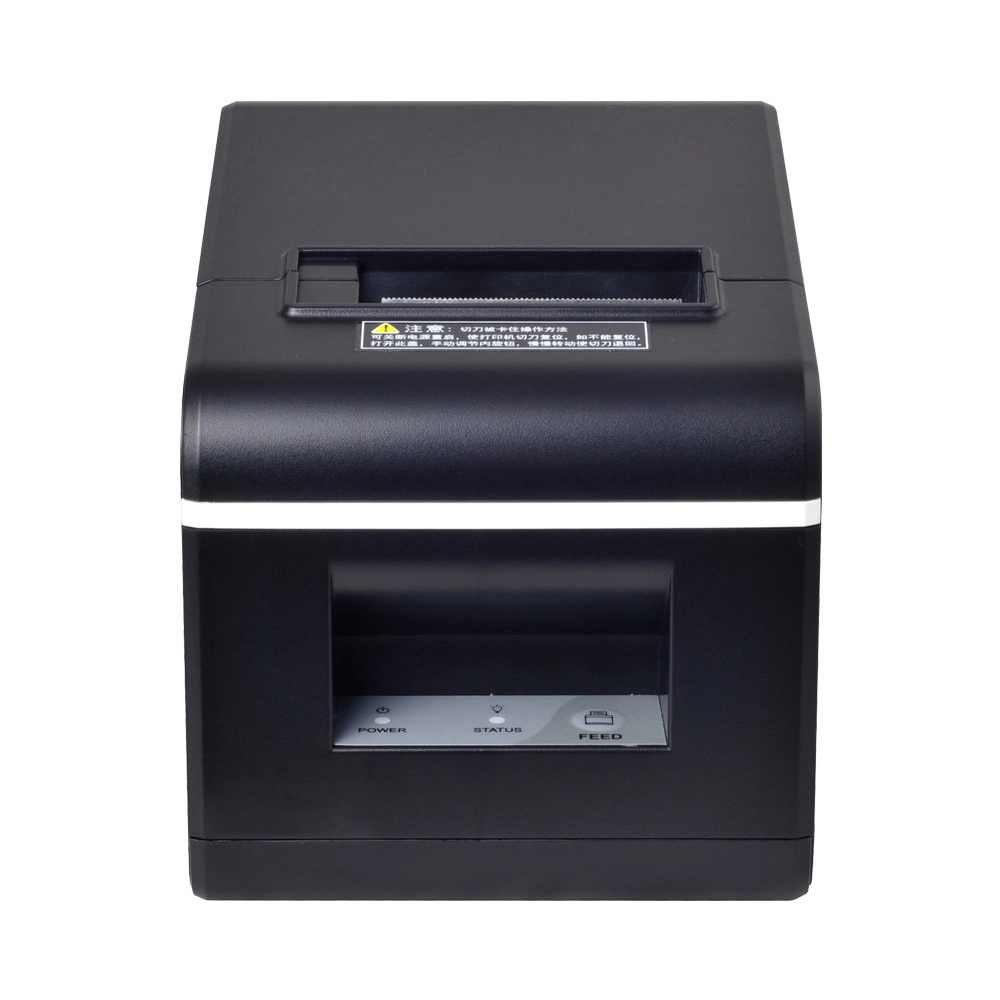
New Model Thermal Printer Bill Printer Manufacturer Portable Printer for Receipt
New Model Thermal Printer, a state-of-the-art bill printer designed for modern retail and hospitality environments. This printer combines advanced technology with user-friendly features, ensuring fast and efficient printing of high-quality receipts. Its sleek design complements any workspace, while multiple connectivity options make it easy to integrate into your existing POS systems.

Desktop Touch Screen POS Systems 12.1'' Android Windows Manufacturer
Our Desktop Touch Screen POS Systems feature a 12.1'' display, supporting both Android and Windows platforms. Engineered for high performance. The intuitive touch interface simplifies transactions and enhances customer engagement. With a sleek design and robust construction, our POS systems are perfect for businesses looking to improve efficiency and elevate the shopping experience.
Get in touch
Interested in becoming a POS system dealer? Contact us for more information and start the process of joining our dealer network.
We look forward to working with you to expand the market together.


Copyright © 2025 Favorpos All Rights Reserved.
