
Why choose integrated POS systems for supermarkets over standalone?
- How do integrated POS systems handle perishable inventory tracking (expiration dates, FIFO and markdowns) across multiple supermarket stores?
- What's the best approach to integrate weighted scale barcode systems and PLU management with supermarket POS to avoid scanning errors and pricing disputes?
- How can supermarkets migrate legacy PLU files, supplier EDI/ASN data, and historical sales without disrupting daily operations?
- What are the hidden total cost of ownership (TCO) differences between integrated POS systems and standalone terminals for supermarkets over a 3–5 year horizon?
- How do integrated POS systems ensure PCI/EMV compliance and secure offline transaction handling for supermarkets with intermittent internet?
- How do integrated POS systems support complex promotions, loyalty, and real-time dynamic pricing across staffed lanes, self-checkout, and kiosks?
How do integrated POS systems handle perishable inventory tracking (expiration dates, FIFO and markdowns) across multiple supermarket stores?
Integrated supermarket POS solutions manage perishable inventory by combining realtime point-of-sale transactions with centralized inventory and lot/serial data in the back office. Modern grocery POS platforms store batch and expiration metadata at the SKU/lot level and enforce first-expire/first-out (FEFO) or FIFO rules at sale and replenishment. When a barcode is scanned at the checkout or during receiving, the POS queries the central inventory engine and auto-assigns the correct lot to the sale (or flags a mismatch) so depletion follows your specified rotation policy.
Key implementation points and buyer checklist:
- Ensure product master supports lot/serial and expiration fields, and that the system can enforce FEFO/FIFO at pick/scan and during POS sales.
- Look for automated markdown workflows that trigger by days-to-expire thresholds with centralized approval (bulk markdowns for near-expiry stock).
- Confirm per-store and centralized visibility: store users must see on-hand counts, incoming receipts, and expiring-lot alerts in the POS terminal or mobile receiving app.
- Ask about reporting for shrink/expiry: integrated systems should produce expired-unit reports, margin impact, and recommendations to suppliers when spoilage exceeds thresholds.
- Validate barcode and label support for GS1 lot/expiry encoding (AI and DTM formats) if you use GS1-128 or similar encoded labels.
Operational best practice: integrate POS with receiving and inventory-count workflows (handhelds/scanners) so the same lot identifiers used at receiving are tracked through transfers, backroom management and final sale—this reduces manual errors and shrink related to perishable goods.
What's the best approach to integrate weighted scale barcode systems and PLU management with supermarket POS to avoid scanning errors and pricing disputes?
Supermarkets rely on barcode scales and PLU systems for produce and bulk items. The integrated approach couples the scale, label printer and POS so the barcode printed at the scale contains both PLU and weight/price information (embedded or encoded). The POS must parse that barcode reliably and reconcile it against the PLU database and current price table.
Practical steps and checks:
- Confirm support for common weigh-scale barcode formats (including GS1-128, EAN-13 with price overlays and proprietary PLU formats) and the POS parser’s configurability.
- Centralize PLU management: store and corporate price lists should sync automatically so PLU price changes, promotional prices and taxability propagate to scales and POS lanes without manual updates.
- Use direct digital scale integrations (API/serial/USB) rather than keyboard wedge emulation when possible—APIs provide validation flags and exception handling for out-of-range weights.
- Implement audit trails at the lane: when a weighed-item is accepted, the POS record should store the scale-reported weight, the label barcode, and the applied price for dispute resolution and loss analysis.
- Train staff on manual override policies and require manager approval for weight/price overrides; capture reason codes to feed into shrink and exception reports.
Buyer tip: require a test plan with your scale vendors and POS provider before purchase: include mixed-cart scenarios (multiple weighted items, tare-weighted packages) to validate end-to-end accuracy and receipt data used for customer disputes.
How can supermarkets migrate legacy PLU files, supplier EDI/ASN data, and historical sales without disrupting daily operations?
Migration for supermarkets is complex because legacy PLU tables, supplier product IDs, and EDI/ASN formats are often inconsistent. A phased migration with data reconciliation is the safest path: pilot one store or a subset of SKUs, refine mappings and only then roll out across the estate.
Recommended migration roadmap:
- Discovery: inventory existing PLU tables, barcode formats, supplier EDI formats (850/856/810 equivalents) and historical sales exports. Identify one-to-many and many-to-one mappings, duplicates and deprecated PLUs.
- Canonical product model: create a single product master schema for the new integrated POS (UPC/GTIN, vendor SKU, PLU, department, expiration/lot support, tax class, scales flag).
- Mapping and normalization: use ETL tools or middleware to map legacy fields to the canonical model. For ambiguous PLUs, maintain a reconciliation table and version-controlled change log.
- Pilot: migrate a controlled SKU set (produce and top-selling grocery items) to live POS in a single store. Run parallel systems (legacy + new) during non-peak hours and reconcile transaction-level differences daily until validation passes.
- Supplier integration: test EDI/ASN feeds in a sandbox. Confirm ASN to receiving mapping populates lot/expiry and case pack details into the POS receiving module to prevent manual keying errors.
- Cutover & support: schedule cutover during low-traffic windows; have an escalation team and rollback plan. Continue parallel reporting for 2–4 weeks and reconcile weekly.
Key operational controls: keep historical sales read-only accessible (for returns, audits and loyalty history), and maintain a clear archive strategy. Use checksum-based validation and sample audits (receiving/price checks) immediately after migration to surface mismatches.
What are the hidden total cost of ownership (TCO) differences between integrated POS systems and standalone terminals for supermarkets over a 3–5 year horizon?
Many buyers focus only on upfront hardware and license fees but the real TCO includes recurring costs and operational impacts. Integrated systems typically have higher initial integration effort but deliver lower operational friction and lower long-term costs due to centralized management.
Cost categories to evaluate and compare (not exhaustive):
- Initial costs: hardware, POS software licenses, integration engineering, and data migration.
- Recurring costs: software subscription or maintenance, payment gateway fees, terminal certification/PCI scanning, support SLAs, and cloud hosting.
- Operational costs: labor for price changes across stores, store-level reconciliation, returns and manual corrections caused by lack of integration, and shrink due to delayed inventory visibility.
- Hidden/indirect costs: lost sales from out-of-stock situations, time to implement promotions, refund processing complexity, and compliance remediation (EMV/PCI updates).
Why integrated often wins long-term: centralized pricing, instant inventory visibility, and single-source promotion rules reduce manual work and shrink. Examples of ROI levers include fewer manual price updates across lanes, faster promotions rollout, improved stock replenishment leading to fewer out-of-stocks, and consolidated payment processing reducing reconciliation time. When you compare vendors, require multi-year TCO models that include labor savings, shrink reduction estimates and expected downtime costs rather than only sticker price.
How do integrated POS systems ensure PCI/EMV compliance and secure offline transaction handling for supermarkets with intermittent internet?
For supermarkets, secure payments and high availability are non-negotiable. Integrated POS systems follow layered security: validated EMV-capable terminals, encrypted card data at ingress (point-to-point encryption or P2PE), tokenization, and centralized fraud/risk rules. For offline scenarios, a robust integrated POS will offer an offline-safe flow that maintains security while allowing authorized transactions to proceed.
Security and offline best practices:
- Use EMV-certified terminals and P2PE to ensure card data never appears in clear text on the POS or back-office systems, in line with PCI Security Standards Council guidance.
- Tokenization: store payment tokens not card PANs in your central systems for returns and loyalty linking.
- Offline mode must implement strict offline rules (risk limits, transaction counts, merchant verification) and securely queue encrypted transaction data for upload when connectivity resumes—avoid plaintext storage.
- Regular PCI-DSS scope reduction: keep POS endpoints segmented, perform required ASV scans and internal vulnerability scanning as part of your contract with the POS vendor.
- Operational policy: define procedures for card-not-present fallbacks, signature capture (where still required), and manager approval thresholds during offline periods. Maintain immediate reconciliation once connectivity returns.
Buyers should confirm the vendor’s attestation of compliance, P2PE certificate details, and the offline transaction flow precisely (how many offline transactions allowed, how tokens/keys are rotated, and reconciliation procedures). Ask for third-party security audit summaries where available.
How do integrated POS systems support complex promotions, loyalty, and real-time dynamic pricing across staffed lanes, self-checkout, and kiosks?
Supermarkets require consistent promotional mechanics across all customer touchpoints. Integrated POS systems centralize promotion rules (stacking, eligibility, time windows) and loyalty logic, enabling a single source of truth that pushes rules to lanes, self-checkout units and kiosk endpoints in near-real time.
Functional capabilities to demand:
- Centralized promotion engine: define promotions (BOGO, multi-buy, mix-and-match, weighted-price offers) once and apply across all endpoints with consistent precedence rules.
- Loyalty integration: support tiered rewards, ad-hoc coupons, and card/phone-based IDs. Loyalty lookups should be near-real time to apply personalized discounts and tokenize member identifiers for privacy.
- Edge caching with validation: endpoints should cache active promotion tables and evaluate eligibility locally for milliseconds-level performance but validate transactions against central rules to prevent fraud.
- Audit and explainability: receipts should show applied promotions and loyalty savings line-by-line and the POS must store the promotion rule ID for later reporting and dispute resolution.
- Dynamic pricing: for time-limited clearance or demand-based pricing, the system should support scheduled price changes and rapid overrides with centralized approval and rollback capabilities.
Implementation advice: require demonstration scenarios from vendors that mirror your real promotions (e.g., produce + packaged goods mixed promotions, loyalty-personalized coupons at self-checkout). Verify that the reporting suite provides promotion performance, redemption rates and margin impact so merchandising teams can iterate quickly.
Concluding summary — Advantages of integrated POS systems for supermarkets over standalone terminals
Integrated POS systems deliver centralized inventory and promotional control, accurate weighted-scale and perishable handling, stronger PCI/EMV security with proper tokenization and offline-safe flows, smoother supplier/EDI integration and simpler multi-store management. These benefits reduce manual labor, shrink, and reconciliation effort while improving customer checkout speed and promotional accuracy—delivering measurable operational ROI for supermarket chains.
This guidance aligns with widely-adopted industry standards (GS1 barcode formats, EMVCo and PCI Security Standards Council recommendations) and practical rollout patterns used by leading supermarket integrators and associations such as the NRF. Content prepared by the FavorPOS technical team with direct deployment experience in supermarket environments.
For a tailored assessment and quote for integrated POS systems for supermarkets, contact us at sales2@wllpos.com or visit www.favorpos.com.

Why a 15.6” Touch POS Terminal Is Becoming the New Standard in High-Traffic Retail

Beyond Checkout: How a 15.6-Inch Aluminum POS System Redefines Retail Efficiency

Understanding 15-Inch Aluminum POS Terminals in Modern Commercial Use

The Smart Way to Check Prices: How a 10.1-Inch Wall-Mounted Price Checker Transforms Retail Stores

A Smarter Checkout Experience: The 15-Inch Dual-Screen POS Built for Modern Retail
For Healthcare
Does your POS system comply with healthcare regulations?
Yes, our POS system complies with HIPAA, PCI-DSS, and other relevant healthcare regulations to ensure the security and privacy of patient data.
For company
Can I visit your factory?
Certainly, welcome to visit our factory at any time.
For Bakeries
Can you run a loyalty program through the system?
Yes, our POS system supports loyalty and rewards programs, and you can offer incentives such as discounts, free items, etc. to returning customers.
For E-commerce
Can your POS system integrate with my existing e-commerce platform?
Yes, our POS system is compatible with major e-commerce platforms (such as Shopify, WooCommerce, Magento) and supports custom platforms through API integration.
For ODM
What is the process of ODM service?
Our ODM service process includes the following steps:
1. Preliminary consultation: Discuss project goals, needs and vision with customers.
2. Design and development: Develop and confirm product design.
3. Prototyping & Testing: Prototypes are made, tested and designs are optimized.
4. Production: Carry out mass production, following quality standards and production schedules.
5. Logistics & Delivery: Manage logistics to ensure that products are delivered on time.
6. Post-production Support: Provide technical support and maintenance services.

HD Dual Screen POS Machine Aluminum Hardware Android Windows Supplier
This dual-screen POS machine supports both Android and Windows systems, providing flexibility for various applications. The dual screens enhance customer interaction and streamline the checkout process, making transactions quicker and more engaging. Perfect for modern businesses looking to elevate their service and improve customer satisfaction, this POS machine is your ultimate partner in success!
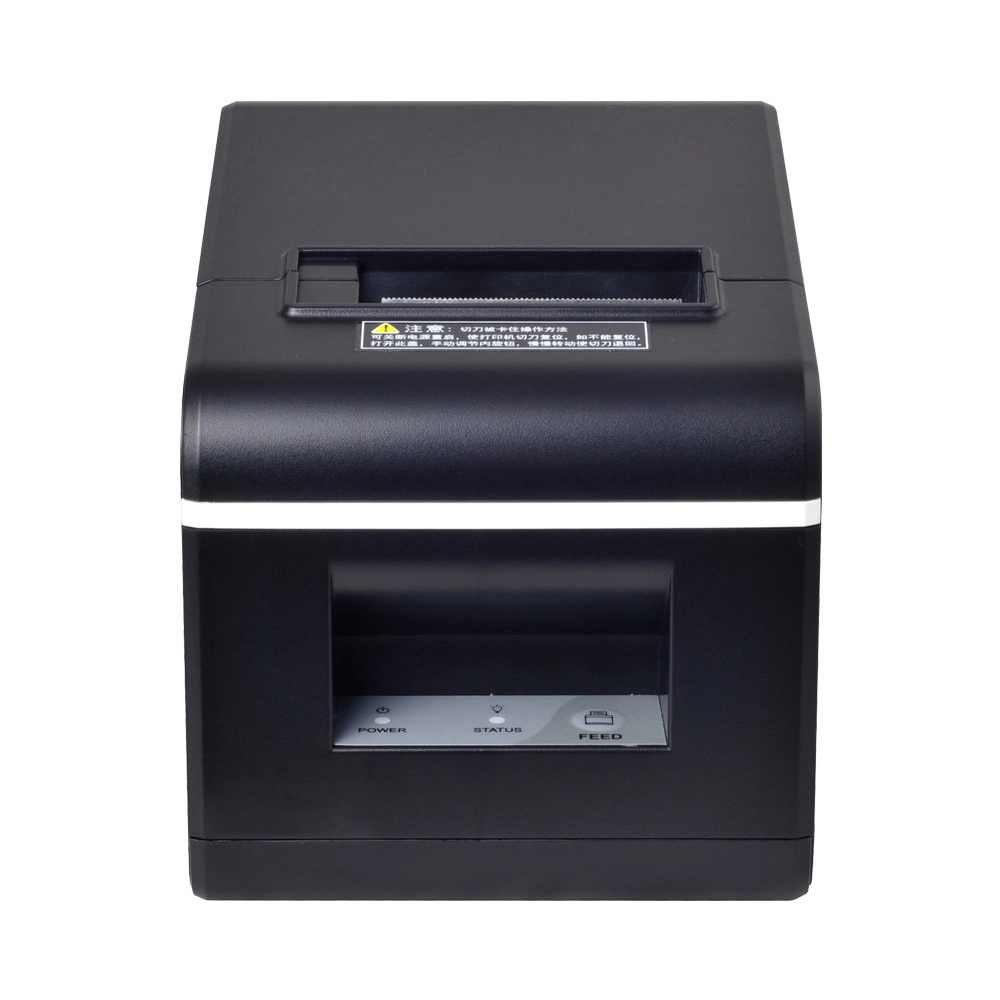
New Model Thermal Printer Bill Printer Manufacturer Portable Printer for Receipt
New Model Thermal Printer, a state-of-the-art bill printer designed for modern retail and hospitality environments. This printer combines advanced technology with user-friendly features, ensuring fast and efficient printing of high-quality receipts. Its sleek design complements any workspace, while multiple connectivity options make it easy to integrate into your existing POS systems.

Desktop Touch Screen POS Systems 12.1'' Android Windows Manufacturer
Our Desktop Touch Screen POS Systems feature a 12.1'' display, supporting both Android and Windows platforms. Engineered for high performance. The intuitive touch interface simplifies transactions and enhances customer engagement. With a sleek design and robust construction, our POS systems are perfect for businesses looking to improve efficiency and elevate the shopping experience.

15.6 Inch Windows POS Terminal with VFD Display, Foldable Aluminum Stand Touch Screen POS for Retail & Hospitality
This 15.6-inch POS terminal is built to meet the needs of modern retail and hospitality environments. Powered by a stable Windows operating system, it ensures smooth performance for various point-of-sale applications. The device features a crisp, responsive touch screen and a built-in VFD customer display, allowing customers to view transaction details clearly. Its aluminum alloy stand offers a sleek, professional appearance while providing enhanced durability and stability for busy checkout counters. Ideal for retail stores, restaurants, and service-based businesses, this POS machine delivers a reliable and customer-friendly checkout experience.
Get in touch
Interested in becoming a POS system dealer? Contact us for more information and start the process of joining our dealer network.
We look forward to working with you to expand the market together.


Copyright © 2025 Favorpos All Rights Reserved.
