
Which restaurant POS systems offer the best inventory control?
- 1. Which restaurant POS systems provide true ingredient-level inventory with automated recipe costing and real-time depletion?
- 2. How do cloud-based POS inventory systems handle offline mode and reconciliation for a busy restaurant?
- 3. Which restaurant POS systems automate two-way vendor ordering and barcode receiving to eliminate double entry?
- 4. How can I audit shrinkage and internal theft using POS inventory data when the POS claims 'inventory control'?
- 5. What are the multi-location inventory capabilities I should test (transfers, centralized purchasing, item syncing) before purchasing a POS?
- 6. Which restaurant POS systems offer the best inventory control for high-velocity food trucks and pop-ups with limited connectivity?
Choosing the right restaurant POS system is about more than payments and order flow — it’s deciding how you will track ingredient-level inventory, control costs, automate purchasing, and scale across locations. Below are six long-tail, pain-point questions beginners often search for that lack deep, practical answers. Each answer pulls together vendor feature sets (Toast, Lightspeed, Revel, TouchBistro, Square, Lavu), third-party integrators (MarketMan, BevSpot, Shopventory), and configuration best practices as documented by vendors and industry experts through 2024.
1. Which restaurant POS systems provide true ingredient-level inventory with automated recipe costing and real-time depletion?
Why it matters: If you sell composed menu items (e.g., bowls, cocktails), you need ingredient-level costing and depletion to calculate COGS accurately, flag stockouts, and set pars.
Short answer: Lightspeed (Restaurant), Toast, Revel, TouchBistro, and Lavu provide native ingredient-level recipe costing. Square for Restaurants has item-level tracking natively but typically requires integrations (Shopventory, MarketMan) to achieve full recipe costing and automated depletion. For enterprise restaurants, Toast and Lightspeed are most commonly used because their inventory modules combine recipes, vendor POs, and depletion rules.
Implementation checklist (practical):
- Build a centralized ingredient catalog: create one ingredient SKU for each raw item (e.g., Chicken Breast 6oz) and assign a cost/weight and unit (lb, oz, each).
- Create standardized recipes/BOMs (bill of materials): define exact quantities and yields for each menu item. Account for trim/crumb losses by entering yield/percent waste so costing reflects real usage.
- Set depletion behavior: choose per-sale depletion (real-time) vs. manual batch adjustments depending on POS capability and throughput; real-time is preferred for high-volume restaurants.
- Enable modifiers and portion control: map common modifiers (extra cheese, double meat) to incremental ingredient usage so cost tracks correctly.
- Verify with physical counts: after setup, run daily usage reports and reconcile with physical counts for 7–14 days to tune yields and waste settings.
Notes on vendors: Lightspeed and Toast provide robust recipe/BOM modules with vendor/PO connectivity and receiving. Revel and TouchBistro also support recipe costing and par-level alerts. Square requires third-party apps for enterprise-grade ingredient costing and two-way PO workflows.
2. How do cloud-based POS inventory systems handle offline mode and reconciliation for a busy restaurant?
Why it matters: Restaurants with intermittent connectivity (basements, outdoor patios, pop-ups) need POS systems that keep sales and inventory accurate when offline and reconcile cleanly after reconnection.
How offline modes work (technical overview): Most cloud POS platforms use a local cache on the device (tablet or terminal) to queue transactions when connectivity is lost. The queued transactions are applied locally to the device’s inventory counts and then synchronized to the cloud once the connection restores. Key concerns are data conflicts, partial syncs, and timing of inventory adjustments.
Best practices for minimizing reconciliation work:
- Use devices with persistent local cache and automatic re-sync (Toast, Square, Lightspeed, Revel all provide offline sale caching; specific behavior varies by vendor).
- Restrict simultaneous back-office inventory edits during offline events: put inventory management in read-only mode on the back end while a location is offline to avoid merge conflicts.
- Perform a controlled physical count after prolonged offline periods before accepting large vendor deliveries so receiving quantities start from an accurate baseline.
- Run a dedicated sync reconciliation report on reopening: compare sales-based depletion vs. expected depletion from recipes and adjust using an inventory adjustment reason (waste, theft, receive error).
- Establish staff SOPs that note when offline mode started/ended and sign off on any manual counts or adjustments to create an audit trail.
Vendor nuances: Toast and Lightspeed document robust offline transaction caching with automatic reconciliation; Square caches sales but recommends limiting back-office changes while offline. For food trucks and pop-ups, use an LTE backup or a local router to reduce offline windows.
3. Which restaurant POS systems automate two-way vendor ordering and barcode receiving to eliminate double entry?
Why it matters: Double entry between POS and purchasing systems creates errors and slows receiving. Two-way PO workflows and barcode receiving speed audits and reduce shrink.
Native vs. integrated approaches:
- Native vendor/PO modules: Lightspeed (Advanced Inventory), Revel, and Toast offer built-in purchase order creation, vendor catalogs, and receiving screens that update inventory directly upon receipt.
- Third-party specialists: MarketMan, BevSpot, YellowDog, and Shopventory specialize in purchasing, vendor catalogs, and invoice reconciliation and have two-way integrations with Toast, Lightspeed, Revel, and TouchBistro. These platforms often provide stronger vendor price history, invoice matching, and AP exports to accounting systems (QuickBooks, Xero).
How to set up reliable two-way workflows:
- Consolidate vendor SKUs: map vendor item codes to your POS ingredient SKUs so POs reference your existing catalog.
- Enable barcode receiving: scan cases or items when receiving to automatically update inventory and capture lot numbers/expiry if needed.
- Implement invoice matching: use a system that compares the PO, the receipt, and the vendor invoice to flag price or quantity discrepancies for accounts payable.
- Run weekly vendor price variance reports: this highlights creeping supplier price changes that impact menu margins.
Recommendation: For single-location restaurants with moderate purchasing, native PO modules in Toast or TouchBistro suffice. For multi-unit concepts or high SKU counts (bars, bakeries), use a specialist like MarketMan integrated with Toast or Lightspeed for two-way PO automation and invoice reconciliation.
4. How can I audit shrinkage and internal theft using POS inventory data when the POS claims 'inventory control'?
Why it matters: Inventory control without tight operational controls simply masks shrinkage. You need a repeatable audit approach combining POS data, physical counts, and behavioral controls.
Step-by-step shrinkage audit process:
- Cost-accurate recipes: ensure recipes and yields are set so the POS usage reports reflect realistic expected usage.
- Daily variances: run daily food cost and variance reports comparing theoretical usage (based on sales) to actual usage (based on counts). Focus on high-cost/high-theft items first (liquor, steak, specialty sauces).
- Investigate voids/comps: filter voids and comps by user and time. Many thefts appear as repeated voids or manager comps. Systems like Revel and Toast provide detailed void/comp logs including staff ID and reason.
- Use waste logs: require line-level waste entries with reason codes (over-portion, spoilage, prep error). Train staff to log waste; compare waste volume to expected losses from yields.
- Cross-reference surveillance: align suspicious POS events (after-hours prints, high voids) with camera footage to identify misuse patterns.
- Perform targeted spot counts: do surprise mini-counts for high-risk SKUs during shifts; correlate count differences with the shift’s POS activity.
- Apply role-based access: limit manager-level adjustments and require a second sign-off for high-dollar inventory writes or price overrides.
Tools and vendor features: Most enterprise POS platforms (Revel, Toast, Lightspeed) include detailed logs and permissioning. For more sophisticated analytics, integrate with back-office tools (e.g., MarketMan or a BI connector) to run automated anomaly detection on usage vs. sales.
5. What are the multi-location inventory capabilities I should test (transfers, centralized purchasing, item syncing) before purchasing a POS?
Why it matters: If you plan to scale beyond one site, weak multi-location inventory can create catalog drift, inconsistent pricing, and procurement headaches.
Critical multi-location features to test during demos:
- Centralized item catalog: ability to create a master SKU list and push changes (pricing, recipes, images) to selected locations with version control.
- Interstore transfers: workflows and mobile receiving for stock transfers between sites, including automatic depletion from the source location and receiving into the destination with traceability.
- Centralized purchasing and vendor consolidation: create company-level POs with line items allocated to locations, or create location-specific POs from a central buyer dashboard.
- Par and auto-replenish per location: set location-specific pars that auto-generate POs for each site or aggregate requirements into a single master PO for suppliers.
- Multi-location reporting and consolidation: consolidated COGS, variance, and aging reports with drilldowns to individual sites.
- Permissions and role management at the franchise/brand level: central control over catalog edits with local overrides, plus audit trails for changes.
Vendor fit: Lightspeed and Revel are aimed at multi-unit operators with robust centralized catalog and transfer capabilities. Toast supports multi-location procurement and centralized reporting, increasingly used by regional chains. For smaller rollouts, TouchBistro and Square can be configured for single sign-on and item syncing but may require add-ons for enterprise PO workflows.
6. Which restaurant POS systems offer the best inventory control for high-velocity food trucks and pop-ups with limited connectivity?
Why it matters: Mobile operations need fast, low-footprint inventory controls that work offline, integrate with mobile card readers, and simplify SKU lists to avoid counting overhead.
Top options and practical setup:
- Square for Restaurants: very mobile-friendly, strong offline sale caching, simple item-level inventory, and inexpensive hardware. For ingredient-level or advanced purchasing, pair with Shopventory or MarketMan via API.
- Toast (with portable hardware): offers offline caching and handheld order devices; good if you plan to scale into permanent locations later and want enterprise inventory tools.
- Lavu and TouchBistro: iPad-first POSes with offline modes and inventory modules; they perform well on portable hardware and support barcode scanners.
Practical tips for food trucks/pop-ups:
- Simplify the SKU set: convert complex recipes into a smaller number of pre-portioned SKUs to reduce counting complexity and speed service.
- Use handheld barcode scanners with Bluetooth to speed receiving when you restock between events.
- Schedule brief physical counts at the start/end of each shift to reconcile high turnover items (proteins, sauces, spirits).
- Maintain an LTE hotspot with failover to reduce offline windows; if you must go offline, follow the offline reconciliation SOP described above.
Concluding summary: Investing in a restaurant POS that delivers ingredient-level recipe costing, reliable offline caching, two-way vendor POs, and multi-location item management directly reduces food cost, prevents stockouts, and exposes shrinkage. For single-location restaurants or food trucks, Square (with integrations), Toast, TouchBistro, or Lavu provide pragmatic, mobile-friendly options. For multi-unit or enterprise needs requiring centralized catalog, automated transfers, and invoice reconciliation, Lightspeed, Toast, or Revel plus third-party procurement platforms (MarketMan, BevSpot) are commonly the strongest fit. The best choice depends on SKU complexity, expected scale, and whether you need built-in or best-of-breed purchasing workflows.
If you'd like a tailored comparison and a costed proposal for your operation, contact FavorPOS — visit www.favorpos.com or email sales2@wllpos.com for a quote.

Smart Checkout, Simplified: Exploring the Power of a 15.6-Inch All-in-One POS Terminal

Why a 15.6” Touch POS Terminal Is Becoming the New Standard in High-Traffic Retail

Beyond Checkout: How a 15.6-Inch Aluminum POS System Redefines Retail Efficiency

Understanding 15-Inch Aluminum POS Terminals in Modern Commercial Use

The Smart Way to Check Prices: How a 10.1-Inch Wall-Mounted Price Checker Transforms Retail Stores
For ODM
What is the lead time for ODM production?
The lead time depends on multiple factors, including product complexity, production volume and material availability. Generally speaking, the time from design confirmation to delivery may range from a few weeks to a few months. We will provide a detailed schedule at the start of the project and try our best to deliver on time.
What is the minimum order quantity for ODM service?
We support different needs, from small batches to large-scale production. The specific minimum order quantity will be determined based on product type, complexity and production requirements. Please contact us for details.
For Restaurants & Cafes
If there is a problem with the device, how can I get technical support?
You can contact our technical support team by phone, email or online customer service. We provide 24/7 support to ensure that your issues are resolved promptly and the system is up and running.
For E-commerce
Is your POS solution scalable to accommodate business growth?
Yes, our POS system is designed to be scalable, and you can easily add new sales channels, locations, and features to accommodate business growth.
For Healthcare
How much does it cost to develop a POS solution?
The cost depends on the level of customization, required functionality, and scale of deployment. We offer competitive pricing and work with you to develop a solution that fits your budget.
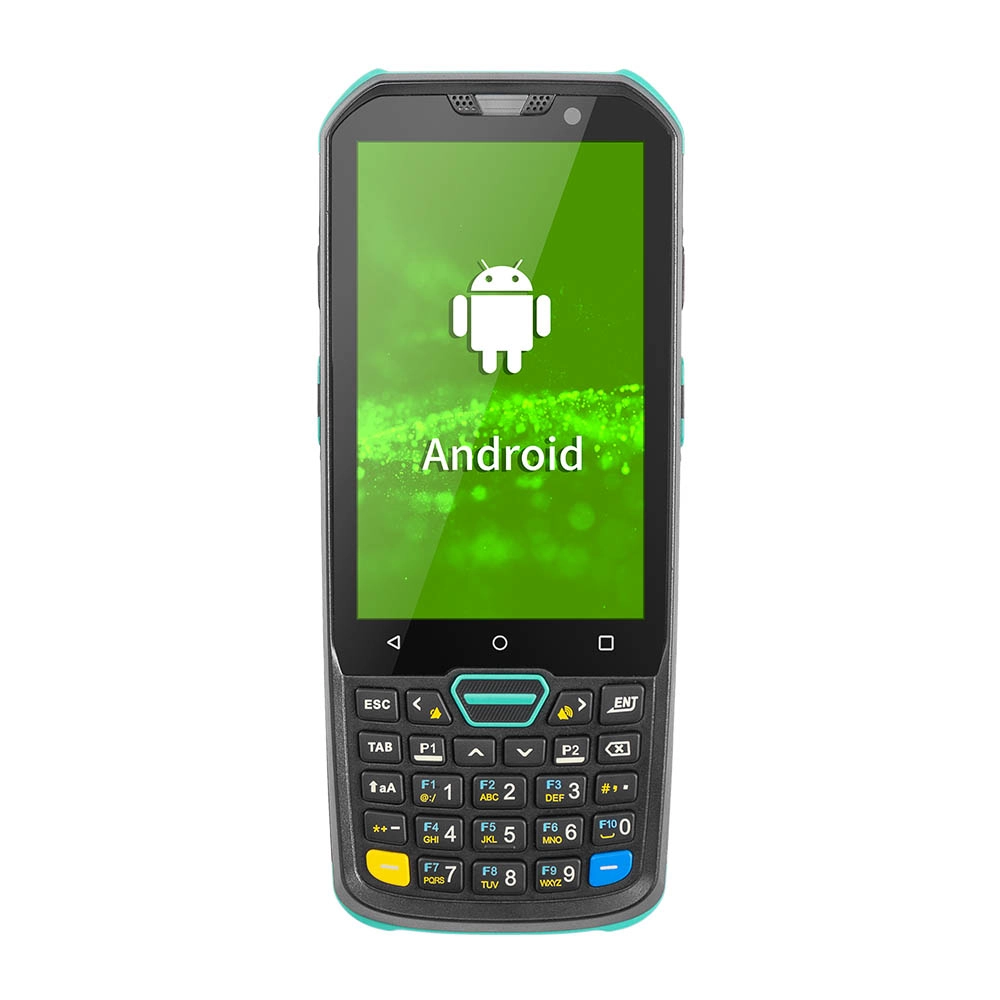
Factory Smart 4 inch Mobile PDA Data Collector with Keyboard
Our Factory Smart 4-Inch Mobile PDA Data Collector is equipped with a convenient keyboard for easy data entry. This compact device is designed for efficient inventory management and logistics operations, offering robust performance in a lightweight design. With a bright display and user-friendly interface, it allows for quick access to essential data on the go. Its durable construction ensures reliability in demanding environments, making it an ideal choice for retail, warehousing, and field operations.

11.6 inch Capacitive Touchscreen for POS Machine POS Monitor
FAVORPOS 11.6-inch capacitive touchscreen, specifically designed for POS machines to deliver a seamless and responsive user experience. This high-definition display offers vibrant visuals and crystal clear clarity, making it easy for staff to navigate through transactions efficiently. The capacitive technology ensures quick and accurate touch recognition, reducing wait times and enhancing customer satisfaction. Built to withstand the rigors of daily use, this touchscreen is perfect for retail and hospitality environments.

HD Dual Screen POS Machine Aluminum Hardware Android Windows Supplier
This dual-screen POS machine supports both Android and Windows systems, providing flexibility for various applications. The dual screens enhance customer interaction and streamline the checkout process, making transactions quicker and more engaging. Perfect for modern businesses looking to elevate their service and improve customer satisfaction, this POS machine is your ultimate partner in success!

Wall Mount Cash Register POS 21.5 inch for Supermarket Touchscreen Windows Factory
Our sleek and modern wall-mounted POS system features a stunning 21.5-inch LED display, providing exceptional visibility and clarity for seamless customer interactions. The capacitive touchscreen ensures a highly responsive and intuitive user experience, perfect for fast-paced retail environments. With its space-saving wall-mounted design, this POS solution is ideal for optimizing floor space while maintaining a professional and contemporary appearance.
Get in touch
Interested in becoming a POS system dealer? Contact us for more information and start the process of joining our dealer network.
We look forward to working with you to expand the market together.


Copyright © 2025 Favorpos All Rights Reserved.
